If you are looking to scale your outreach, you've likely come across Instantly.ai. This cold outreach software, launched in 2021, promises to help you find, contact, and close your ideal clients.
But before you commit to it, there are a few things to consider.
Is it worth the investment?
What do others have to say about it?
And how does it compare to other tools on the market?
If you're ready to get answers to these questions, dive into our review that reveals:
- Notable Instantly.ai features
- Downsides to using it
- Real users’ opinions on the tool
- How much it costs
We’ve even added a list of 12 alternatives, just in case Instantly features do not fulfill your business needs.
Let’s jump right in!
Instantly.ai or alternatives?
Instantly.ai is one of the cold email software and an email management platform that’s quickly become popular for email outreach.
This cloud-based tool allows users to set up automated email campaigns with follow-ups to reach leads at scale.

Users can add leads to their campaigns by either importing a CSV file with lead information or using Instantly.ai’s native B2B Lead Finder tool.
The software also offers a Unibox, which consolidates all email conversations in one place and various options for message personalization.
Speaking of personalization, to enhance your outreach, you can use its:
- Pre-set or custom variables
- Spintax - multiple variations of a text to avoid repetition
- Liquid syntax - dynamic text based on data
Additionally, Instantly.ai supports A/Z testing, which lets you test up to 26 different versions of email copy.
Data from Instantly.ai can be pushed to different CRMs and tools via Zapier webhooks.
However, the platform also has a built-in CRM that helps track lead statuses and enables you to make calls and send SMS directly from the platform.
Finally, the software can verify your leads' emails, reducing the chance of bounces and protecting your domain's reputation.
With the basics covered, let’s take a closer look at Instantly.ai’s main features.
Instantly.ai features
Unlimited email accounts

Instantly.ai allows you to connect and manage unlimited email accounts.
As they like to say, this enables you to:
‘’Infinitely scale your outreach.’’
However, despite being able to connect unlimited email accounts, the tool caps the number of active leads and emails you can send per month based on the subscription plan.
Nonetheless, Instantly.ai is still useful for email outreach, especially for those who need to reach a large number of leads quickly.
Why? Because you can use all connected accounts in the same campaign.
This is possible due to the software’s inbox rotation feature. This feature alternates sending emails from different accounts. In turn, it helps you send more emails daily without triggering automation detection.
Unlimited email warm-up

Instantly.ai is one of the few sales outreach tools (or outreach tools in general) with a built-in unlimited email warm-up functionality.
This means that you can warm up every new email address that you connect to it to ensure that:
- Fewer emails end up in spam
- Your sender’s reputation remains optimal
B2B Lead Finder

Instantly's B2B Lead Finder is a database with 160M contacts designed to help find leads that are highly relevant and accurate.
The feature relies on a range of filters — some of which match Sales Navigator filters. These include:
- Job Titles
- Location
- Industry
- Employees
- Revenue
- Domains
- ...etc.
What's more, the feature supports keyword-based searches and lets you apply multiple filters simultaneously. This helps you better narrow your search and pinpoint the most promising leads according to your Ideal Customer Profile (ICP) and buyer persona.
Another useful feature of the Lead Finder is Lead Enrichment. To use it, upload a list of contacts, and the system will enrich it with additional data.
Instantly.ai disadvantages
Instantly.ai excels in many aspects. However, certain disadvantages make it less than ideal and position other tools as superior.
Instantly.ai doesn’t support multichannel outreach of any kind.
Moreover, email sequences that you can create with Instantly.ai are pretty basic. You can’t set them up to adjust based on your leads’ behavior. So, if your leads don’t respond, there’s not much you can do.
Why, yes, messages can be personalized. Unfortunately, rich media content, including images and GIFs, can’t.
Analytics could also be improved to provide deeper insight into campaign performance. Additionally, there is no option to export stats to CSV or PDF.
While Instantly.ai claims you can scale your outreach infinitely, that's not quite accurate. In fact, their basic plan lets you send 5,000 emails per month only. Consequently, the mid-tier plan limits you to 100,000 emails, and the top plan caps at 500,000 emails.
Plus, they limit the number of leads you can upload to the platform. Depending on the plan, you can either upload 1,000, 25,000, or 100,000 leads.
Finally, while the tool can enrich your leads’ information, including their emails, this functionality will cost you extra. Not to mention, there are limits to how many leads you can enrich.
This is a huge con, considering that a certain tool lets you send tens of thousands of emails a month and verify as many emails as you want at no additional cost.
But we’ll get to that shortly.
What Instantly.ai reviews say
While doing the research, we stumbled across both positive and negative Instantly.ai reviews.
As for the positive aspects, we noticed many users are praising the interface.
For instance, one of them, Jonas R, says:
‘’The automation of follow-ups and the user-friendly interface make it incredibly efficient for managing my cold outreach campaigns.’’
On the other hand, Zirva Z. has pointed out certain flows in her review:
‘’The leads aren't great, and being limited to adding only 100 at a time is really frustrating.’’
She also went on to mention that:
‘’It's not very useful unless you have a really high budget.’’
Instantly.ai pricing
Instantly.ai has 2 main pricing categories — Sending & Warmup and Leads — with multiple sub-plans.
Sending & Warmup is the pricing plan for sending and warming up emails.
As such, it doesn’t include access to the B2B Lead Finder and is divided into 3 individual sub-plans.
The pricing varies and is determined based on the number of leads you can upload and emails you can send.
| Growth | $37/mo per account |
| Hypergrowth | $97/mo per account |
| Light Speed | $358/mo per account |
Meanwhile, Leads plans are meant to streamline prospecting and entail full access to the B2B Lead Finder feature.
There are a total of 4 of these. They differ in price depending on the number of leads you can verify and include:
| Growth Leads | $37.9/mo per account |
| Supersonic Leads | $77.6/mo per account |
| Hyperleads | $169.3 per account |
| Enterprise | Custom / Contact sales for pricing details |
But remember, if you want to use Instantly.ai to send and warm up emails and generate leads, you can’t purchase a plan from a single category. Instead, you’ll need one from each.
This means that the price of using the software can quickly skyrocket.
For instance, if you were to subscribe to their lowest-tier subscriptions, you’d pay a total of $84 for both each month. On the other hand, their highest-tier plans combined set you back an exorbitant $850 a month.
That said, you might be better off using a tool that offers much more at a lower price.
12 best Instantly.ai alternatives
Are you interested in exploring other software on the market? If so, here are 12 compelling alternatives to Instantly.ai that may provide you with better value for your money.
1. Skylead

Well, hello - that’s us! ?
Skylead is a LinkedIn automation tool and cold email software for agencies and alike who want to scale their business.
It's commonly used by:
- Sales professionals and entrepreneurs who aim to free up as much as 11 hours a week for booking 3x more meetings.
- Marketing professionals seeking to distribute content and secure more backlinks.
- Recruiters on the hunt for the best talent.
- Lead generation agencies focused on acquiring high-quality leads for their clients.
The biggest difference between Instantly.ai and Skylead is the support for LinkedIn outreach.
As a matter of fact, our software allows you to create multichannel campaigns that combine different LinkedIn and email outreach actions. All thanks to our Smart sequences.
The tool also lets you personalize messages with AI data-enriched variables, liquid syntax and spintax, and preset and custom variables. While at it, you can even engage in A/B testing to determine how to best approach leads.
However, what truly sets Skylead apart in the personalization department is our native image and GIF personalization feature.
Not to mention, Skylead also offers infinite email warm-up, courtesy of our partnership with an email warm-up tool, Mailivery.
Finally, our tool comes with advanced reporting capabilities and even supports CSV and PDF exports. You can also integrate it with any CRM or tool you like using Zapier webhooks or API.
Now, let’s get deeper into our features that are changing the outreach game as we know it.
Account based prospecting
The best way to find your ideal leads is to find your ideal companies first. That is exactly what Skylead offers - account based prospecting. With it you can:
- Create account lists directly in Skylead
- And discover contacts by company to reach out to them.
In other words, once you added your companies, Skylead can help you find and match contacts within those selected companies . This way, you can focus on your target companies that are most likely to convert and have greater lifetime value.
AI data enrichment
Apart from email discovery and verification, we introduced a game-changing feature - AI data enrichment which you can use to:
- Enrich contact & company data
- Prompt AI to get specified info or generate personalized icebreakers for each contact
- Use all gathered info directly inside your sequences as variables.
It’s Clay-like in what it can discover, but it’s connected to your outreach workflow, so you avoid constant tool switching and data importing.
LinkedIn automation
Skylead is a cloud-based LinkedIn automation tool.
It’s the best among other types of LinkedIn automation tools (browser extensions & desktop apps) in that:
- It exists on the ‘’Cloud’’. This means that it doesn’t require an Internet connection or power to run.
- It comes with a dedicated IP address (proxy) that shields your activity, an integrated inbox, and the possibility of adding multiple accounts.
- The tool mimics human behavior, browsing through LinkedIn and scrolling just as a human would.
Now, with Skylead, you can automate much of your LinkedIn prospecting and LinkedIn lead generation through targeted outreach campaigns.
To create one, you can use the following lead sources:
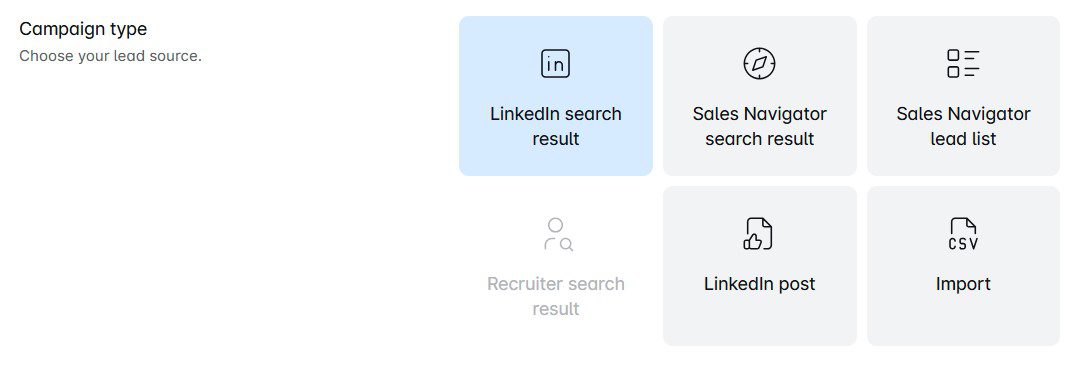
And, yes, you can connect any LinkedIn Premium, Sales Navigator, or Recruiter account to the software.
Once you do, you can use Skylead to:
- View your leads' profiles
- Follow them
- Send them invites to connect
- Automate LinkedIn messages and LinkedIn inMails
However, the tool isn’t limited to performing actions on LinkedIn. So, feel free to add emails to the mix — including the email discovery and verification feature — and turn the tool into a complete multichannel outreach platform.
Email automation
Much like Instantly.ai, Skylead lets you add unlimited email accounts to help you send tens of thousands of emails a month.
However, unlike it, it doesn’t limit the number of active leads you can have. You can input unlimited leads, allowing you to reach out to more people.
If you were wondering how it’s possible to send thousands of emails a month, well, it’s because our tool supports inbox rotation. This means that Skylead alternates sending emails from different accounts to keep you within safe limits on each.
Infinite email warm-up
To make sure your emails land where they are supposed to, your mailboxes must be warmed up.
Luckily, Skylead has partnered up with an email warm-up tool, Mailivery, to make this a reality.
This tool allows you to warm up infinite email accounts to stay away from spam and protect your senders’ reputation. Completely free of charge for all our Skylead users.
Email discovery & verification
Namely, our software can find and verify your leads’ emails. In turn, it reduces the chances of bounces that impact deliverability and your sender’s reputation.
And guess what? You can take advantage of this feature without breaking your campaign creation flow.
Just add the Find & Verify Email step to your sequence for the tool to find and double-verify the existence of your leads’ emails.
The best thing about this feature is that it has one of the highest, if not the highest, email-finding probabilities on the market.
Not to mention, it’s both unlimited and comes at no extra cost. In other words, as long as you’re subscribed to the tool, you can use it as much as you want.
This makes Skylead more cost-effective than Instantly.ai, which requires a separate subscription to enrich emails.
Smart sequences
And that brings us to the star of the show: Smart sequences.
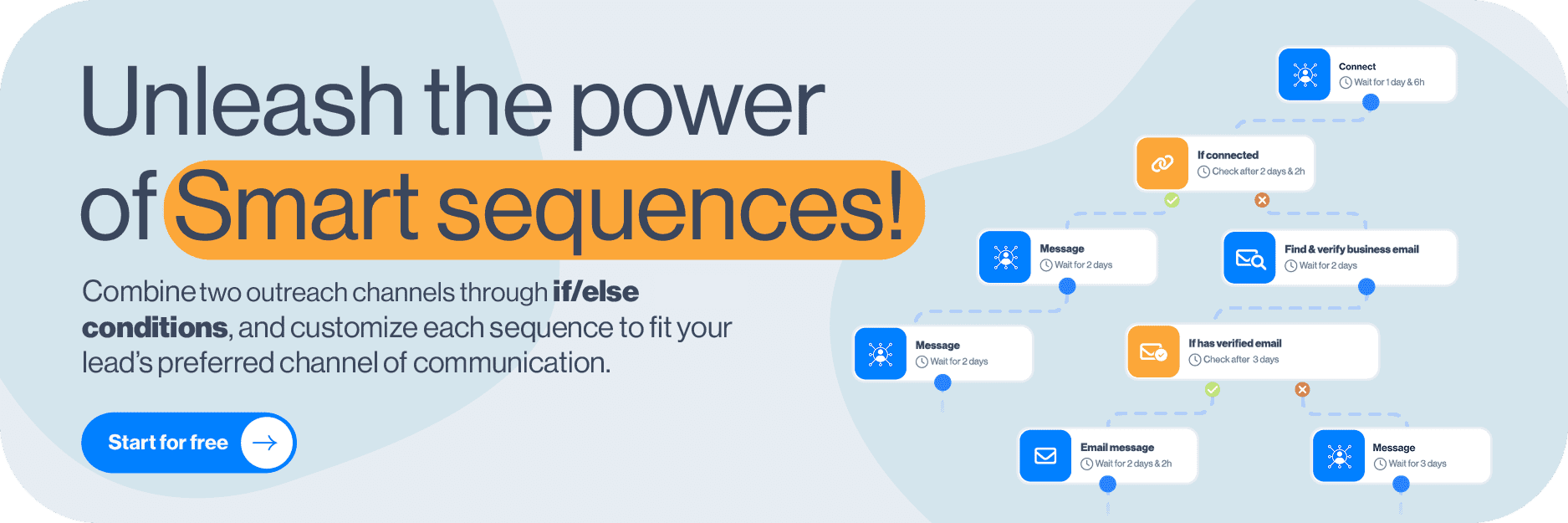
In essence, they are algorithms that combine the above-mentioned LinkedIn and email actions with if/else conditions. As a result, you get coherent outreach flows that unfold according to the way your prospects behave.
For instance, let’s say you tried adding a lead to your network on LinkedIn, but they haven’t accepted the invite.
If this were a simple sequence, you’d get stuck at this step and miss the opportunity to get to the lead.
But with Smart sequences, you get to maximize touchpoints by covering every possible scenario.
In this case, you can add the ‘’If Connected’’ condition to your campaign and then define the following steps.
For example, you can set up Skylead to automatically message your lead when they accept your connection request. If they don't, you can try to locate their email address, and if the tool finds it, send them an email. But if that doesn't work, you can always send an InMail to maximize getting in touch with leads.

Of course, there are a thousand more ways this can go. Smart sequence builder is your playground, so feel free to experiment with different branching paths.
Or, you can try our tried and tested Smart sequences templates inside the tool for guaranteed results!
Smart inbox
Smart inbox, although serving the same purpose as Instantly.ai’s Unibox, is far superior. That’s because it doesn’t only aid email management. It also lets you manage your conversations on LinkedIn, Sales Navigator, and Recruiter, whether it’s messages or inMails.

But what makes our Smart inbox truly irreplaceable is the opportunity to label chats. These labels are great because they can help you keep track of ROI and conversions. That said, you can choose between a couple of predefined ones or add your own.

Image & GIF personalization
They say a picture is worth a thousand words. And we agree, which is why we introduced our image and GIF personalization feature.
Believe it or not, by personalizing visuals for each recipient, you can increase your response rate to more than 63%.
That said, our image and GIF editor lets you upload any picture you like and personalize it with:
- Your lead’s name
- Their and/or your profile image
- Their and/or your company logo
- A custom message
The choice is yours! Either way, you’ll surely leave a lasting impression.
In fact, just look at the astonishing 76% response rate we got using the following visual!


Advanced analytics
Speaking of results, Skylead comes equipped with advanced analytics, which are available on the Reports page.
Here, you can see how all of your campaigns are performing or examine the stats for a single campaign.
That said, there are 3 ways to observe results:
- In a graph form, to visually compare oscillations between different metrics;
- In table-view, to observe fluctuations on a daily basis;
- Step-by-step, to see how your A/B tests are performing.
Unlike Instantly.ai, Skylead even lets you download these reports. The good news is that there are 2 different formats to choose from: CSV and PDF.

What Skylead reviews say
Skylead reviews are positive, with people praising it for what it has helped them accomplish.
For instance, Daniel Hoffmann, a Managing Director at Toplevel Performance, has said that:
“Since I’ve started working with these clients and using Skylead, I have earned approximately $33.000.”
In the meantime, NewPoort's founder, Toine Boelens, has highly praised our Smart sequences and email finder and verifier:
‘’If/else conditions in Smart Sequences are also great. It's low code, so it's great because I'm not good at coding yet. I also like the Find & verify business email step, which finds email addresses most of the time. So you get, like, two ways you can get in touch with the client. ‘’
Instantly.ai vs. Skylead

Pricing
All of Skylead’s native features + access to Mailivery come with a monthly subscription of only $100 per seat.
AI data enrichment acts as an add-on. What makes this pricing truly different is simple: our core value is not to make money from these credits, and it will never be our business model. Credits are priced based on the actual costs of our third-party providers (OpenAI, Bright Data, etc), and we offer a special rate of $1 for 100 credits.
To test out the tool and its functionalities, feel free to take advantage of our 7-day free trial period. Moreover, our customer support remains available for a 1-on-1 onboarding call—completely free of charge!
2. Lemlist

Lemlist is a cloud-based tool primarily used for email outreach. Nonetheless, its higher-tier subscription supports multichannel outreach, letting you add automatic LinkedIn actions and calls to the mix.
In terms of LinkedIn automation, the tool can visit your leads' profiles, invite them to connect, and send them a message. Moreover, you can add conditions to your sequences to cover several outreach scenarios.
You can also perform any other action on LinkedIn. However, you’ll need to add it as a manual step to your campaign, the same as calls.
The software offers advanced personalization features, including custom images, intro lines, and dynamic landing pages.
It's also known for Lemwarm, a built-in email warm-up tool that helps emails stay away from spam.
Now, even though Lemlist comes with an email finder and verifier, like Skylead and Instantly.ai, it limits the number of emails you can discover and verify by plan. In fact, even with their most expensive plan, you can only discover and verify up to 1,000 emails a month. If your needs exceed this, you can purchase additional credits. However, this comes at a cost of $1 per 100 verified emails.
That's not it for limitations, though. For instance, you can't connect unlimited email accounts to the tool. Moreover, although Lemlist offers a B2B lead database with over 450M contacts, the quality of leads isn't the highest.
This is somewhat compensated for with the Chrome extension for prospecting on LinkedIn. However, considering that Chrome extensions inject code into LinkedIn that may jeopardize your account, you might want to think twice before using it.
Instantly.ai vs. Lemlist

Pricing
| Email Starter | $39/mo per user with 1 sending email address |
| Email Pro | $69/mo per user with 3 sending email addresses |
| Multichannel Expert | $99/mo per user with 5 sending email addresses |
| Outreach Scale | $159/mo per user with 15 sending email addresses |
| Outbound agency | Contact sales for pricing details |
3. Apollo

Apollo.io is a multichannel sales engagement platform that combines email, LinkedIn outreach, and cold calls in seamless sequences.
It allows users to set up campaigns that feature both automatic and manual emails.
When engaging leads via LinkedIn, Apollo can automate connection requests, messages, and interactions with posts.
However, its multichannel sequences—known as Playbooks—are relatively simple. Namely, unlike Skylead's Smart sequences, they don't unfold according to your lead's behavior, making them less than ideal.
Regarding integrations, the platform natively integrates with tools like Pipedrive, HubSpot, and Slack.
The software also has A/B testing capabilities, which help optimize outreach efforts. Additionally, it comes with a built-in AI writing assistant that those previously using ChatGPT for sales writing may find convenient.
Now, in terms of pulling leads into a campaign, Apollo does it through its databases of over 275M contacts. However, certain users have complained about the quality of these leads.
Like Lemlist, the platform can also scrape new leads from LinkedIn. However, this process, yet again, involves using a Chrome extension and could lead to account penalties.
Instantly.ai vs. Apollo

Pricing
| Free | $0/mo per user with 1 email account / 2 sequences |
| Basic | $59/mo per user with 1 email account / Unlimited sequences |
| Professional | $99/mo per user with 5 email accounts / Unlimited sequences |
| Organization | $149/mo per user with 15 email accounts / Unlimited sequences (minimum 3 users / billed annually) |
4. Smartlead.ai

Smartlead is a robust email outreach tool designed to automate and streamline lead generation efforts.
It supports unlimited email accounts and email warmups, features inbox rotation, and uses a Master Inbox for streamlined email management.
The platform offers advanced personalization options like variables, spintax, and liquid syntax, along with split testing capabilities for up to 26 email variants.
Smartlead also integrates with various CRMs, including HubSpot, via API and webhooks.
However, it has some drawbacks.
Additionally, it lacks image and GIF personalization and an email discovery feature that Skylead has.
Finally, while you can create subsequences for each campaign to make it reactive to your leads' behavior, you must break the campaign creation flow to do so. Not to mention, you can only add leads to your campaign through a CSV file or HubSpot.
Instantly.ai vs. Smartlead.ai

Pricing
| Basic | $39/mo per account with 2,000 active leads |
| Pro | $94/mo per account with 30,000 active leads |
| Custom | starting at $174/mo per account with up to 12M active leads |
Pro and Custom plans support adding additional seats, with each costing $29 a month.
5. Mailshake

Mailshake is a cloud-based tool designed primarily for sending emails and follow-ups.
Nonetheless, it does have a Chrome extension that transforms it into a multichannel outreach and may lead to getting your LinkedIn account restricted. You can use it to set up simple outreach sequences to automatically:
- View your leads' profiles on LinkedIn,
- Send them invites to connect,
- And messages.
At the same time, you can use the extension for cold-calling purposes, as it comes with a built-in dialer and call recorder. However, this option is available strictly for leads based in the US and Canada.
Moreover, you can integrate the tool with more than 1,000 software via Zapier webhooks. In terms of native integrations, there are those with Pipedrive and HubSpot.
A/B testing is supported, too, and so is inbox rotation. Unfortunately, you can't connect unlimited email accounts to Mailshake as you can with Skylead and Instantly.ai. In fact, the highest-tier subscription limits you to a maximum of 5 accounts.
LinkedIn automation and calls are restricted to the highest-tier plan, too.
Lastly, the use of a Chrome extension for LinkedIn actions risks account restrictions.
Instantly.ai vs. Mailshake

Pricing
| Starter | $29/mo per user with 1 sending email address |
| Email Outreach | $59/mo per user with 2 sending email addresses |
| Sales Engagement | $99/mo per user with 5 sending email addresses |
6. Woodpecker

Woodpecker is a tool that automates emails and follow-ups to help individuals connect with ideal clients.
What's great about it is that it lets you connect as many email accounts to it as you want, just as Skylead, Instantly.ai, and Smartlead do. The same can be said about inbox rotation.
Sequences you can create with Woodpecker are condition-based. This means they adapt according to the way your leads behave.
With Woodpecker, you can A/B test up to 5 different variations of your message copy. And if you have trouble writing, its AI writing assistant is there to help.
Moreover, the tool supports plenty of 3rd party integrations, such as the one with Dux-Soup. This integration allows its users to tap into LinkedIn outreach, not just email, but it will cost you more.
That said, not everything's ideal with this tool.
Why, yes, the Dux-Soup integration turns Woodpecker into a multichannel outreach solution. The catch is, however, that they must subscribe to Dux-Soup’s Turbo plan for this to be made possible. This raises the cost of a subscription that's already steep and depends heavily on the number of contacted prospects.
Instantly.ai vs. Woodpecker

Pricing
| Cold Email | Starting at $29/mo per user |
| Agency | Starting at $29/mo per user |
| Custom | Contact sales for pricing details |
The exact cost of the Cold Email and Agency plan is determined by the number of leads contacted. It ranges between $29 for 500 contacted leads and $395 a month for 25,000.
Although price points for these plans are the same, they differ in one thing: the Cold Email plan is designed for individuals, whereas the Agency plan is meant to be used by teams. That said, the latter supports adding additional users at the price of $27 per each.
Additionally, the Dux-Soup integration adds an extra $55 a month to the subscription.
7. Salesloft

Salesloft is a cloud-based sales engagement platform ideal for sales teams that want to automate workflows and connect with more prospects.
Its Cadences—a form of campaign—integrate email, phone, and Sales Navigator tasks, though only emails are automated.
Nonetheless, the platform shines in email tracking and advanced analytics, offering A/B testing and customizable email templates.
However, Salesloft only integrates with Sales Navigator, missing support for LinkedIn Premium and Recruiter accounts.
Additionally, it lacks the Smart sequences that Skylead has, which limits touchpoints with leads.
Users have also complained about a less user-friendly interface and a buggy dialer.
Instantly.ai vs. Salesloft

Pricing
At this time, Salesloft doesn’t disclose its pricing details for either of its plans: Essentials, Advanced & Premier. Instead, upon visiting the "Pricing" page, their bot prompts you to contact their team for a tailored quote.
However, the information on the Internet suggests that users are paying anywhere from $75 to $125 per user a month.

8. Outreach.io

Outreach.io is a complete sales engagement platform designed to streamline the sales process for enterprise teams.
It integrates email, phone, LinkedIn, and live chat into a unified workflow, allowing for seamless multichannel outreach.
The platform lets you create personalized outreach sequences with automated follow-ups and response-based triggers. However, any actions on LinkedIn that are part of your sequences must be completed manually.
The tool integrates well with popular CRMs like Salesforce and HubSpot for smooth data synchronization.
Key features include robust email tracking, detailed analytics, A/B testing, and a library of customizable email templates.
Outreach.io also provides AI-driven sentiment analysis, call scheduling, and a pipeline calculator to estimate necessary sales expenses.
Its conversation intelligence tool, Kaia, offers real-time call transcription and insights, enhancing sales interactions and coaching.
In terms of cons, it's worth noting that the platform can be expensive for small businesses. Furthermore, no free trial is available, and the interface is complex.
Also, the platform connects to Sales Navigator accounts only and caters primarily to sales professionals. As such, it may lack features that marketing experts and lead generation agencies need, such as email discovery and verification.
Lastly, users can connect a maximum of 2 email accounts to the tool unless otherwise outlined in the contract.
Instantly.ai vs. Outreach.io

Pricing
Much like Salesloft, Outreach.io doesn’t disclose pricing details to non-users. Instead, the price is customized and heavily depends on the number of users within a team.
However, we did some research online and found that one user was quoted $130 per month per user, with a minimum requirement of 20 users.
9. QuickMail

QuickMail is an effective outreach tool that goes beyond email campaigns.
It supports multichannel outreach, combining email, LinkedIn, calls, and SMS to help you reach your prospects where they are.
Linked outreach actions that QuickMail can perform are automatic and include:
- Profile views
- Connection requests
- Messages
Contrary to tools like Skylead, which lets you import leads directly from LinkedIn, QuickMail offers 2 import options: a CSV file or Google Drive.
The tool comes with a built-in email warm-up and an inbox rotation feature that maintains high deliverability rates. It supports A/B testing and natively integrates with popular CRMs like Pipedrive and HubSpot. Nonetheless, you can integrate any tool with it via Zapier.
While email verification is available, QuickMail relies on 3rd party tools for this.
Similarly, Image and GIF personalization, while there, isn't native. For this, you’ll need Hyperise, which incurs additional costs.
Moreover, if you want to use LinkedIn in your outreach, you'll need QuickMail’s Chrome extension, which can put your account at risk.
You can add unlimited team members to your QuickMail account. However, you can connect a maximum of 50 email accounts and 15 LinkedIn accounts to the tool. And this is for the highest-tier subscription.
Instantly.ai vs. QuickMail

Pricing
| Basic Plan | $49/mo for 1 LinkedIn account and 5 email addresses |
| Pro Plan | $89/mo for 5 LinkedIn accounts and 20 email addresses |
| Expert Plan | $129/mo for 15 LinkedIn accounts and 50 email addresses |
10. Snov.io

Snov.io is a cloud-based multichannel outreach tool that lets you create automated campaigns that combine emails and LinkedIn touches. These include profile visits, post likes, messages, and connection invites.
The platform lets you add "triggers" to your sequences, similar to Skylead's if/else conditions. These make your outreach smart and adaptable based on how your prospects react.
Additionally, Snov.io comes with a built-in email warm-up tool and a CRM. While the CRM isn’t the most advanced, it has enough functionality to be a good choice for those on a budget.
Snov.io can verify your leads' emails, but this feature isn’t unlimited. In fact, the number of emails you can verify depends on your plan.
Furthermore, for LinkedIn automation, you’ll need to pay an extra $69 per LinkedIn account you want to add to the software.
While Snov.io's LinkedIn automation is cloud-based, the tool prompts you to use their 2 Chrome extensions:
- One for prospecting on LinkedIn
- Another for finding leads' emails across the web.
However, if you choose to use them, be cautious as Chrome extension is not the safest way to do prospecting on LinkedIn.
Instantly.ai vs. Snov.io

Pricing
| Starter | $39/mo per account | |
| Pro - has 4 sub-plans that differ in price based on the number of leads you can contact | Pro 5K | $99/mo per account |
| Pro 20K | $189/mo per account | |
| Pro 50K | $369/mo per account | |
| Pro 100K | $738/mo per account | |
| Managed Service | $3,999/mo per account | |
11. Salesblink

SalesBlink is one of the best Insantly.ai alternatives for cold emailing.
It uses its AI, BlinkGPT, to craft smart email sequences with follow-ups that adapt based on your leads' behavior.
Plus, with its email warm-up feature, your messages are more likely to land in your leads’ inboxes instead of their spam folders.
SalesBlink lets you connect unlimited email accounts and automatically rotates them while sending emails, thus keeping you within safe limits.
Furthermore, it comes with a Unified inbox that keeps all your conversations in one place, similar to Skylead, Instantly.ai, and Smartlead.
Although SalesBlink supports adding multichannel tasks to your sequences, these tasks need to be done manually, making them compliant with LinkedIn's ToS.
The tool also provides email verification, but this feature is limited. Simultaneously, it isn't available to subscribers to the lowest-tier plan.
Instantly.ai vs. Salesblink

Pricing
The number of emails you can send with the software depends on your plan.
For example, the basic plan lets you send up to 6,000 emails, while the top tier allows up to 100,000.
| Scale | $29/mo per account |
| Growth | $99/mo per account |
| Business | $199/mo per account |
12. Hunter.io

Hunter.io is a tool renowned for its email finding and verification capabilities.
It boasts a user-friendly interface and frequently updates its database with new publicly available emails.
One of its standout features is the ability to invite team members and grant role permissions, which makes team collaboration much easier.
Additionally, Hunter.io offers multiple cold email templates and supports integrations with various CRMs and software via Zapier.
However, there are some limitations. For example, you can only create outreach campaigns if you connect a Gmail or Outlook account. Other email service providers are not supported. It also lacks features like A/B testing, advanced message personalization, and email warm-up.
Furthermore, the tool requires a bit of a learning curve, and the support response time can be slow.
Instantly.ai vs. Hunter.io

Pricing
| Free | 0€/mo per account with 1 sending email address |
| Starter | 49€/mo per account with 3 sending email addresses |
| Growth | 149€/mo per account with 10 sending email addresses |
| Business | 499€/mo per account with 20 sending email addresses |
| Enterprise plan | Contact sales for pricing details |
How to cancel Instantly.ai subscription?
If you’re not satisfied with Instantly.ai, you can cancel your subscription and try another tool from our list.
Here's how:
- Log into your account.
- Go to the Billing page.
- Under your active plan (s), find the "Cancel plan" button. Click it to confirm your cancellation.

If you have one plan only, you can use it until the end of the billing cycle.
However, if you have both a Lead Finder and Email Outreach plan and cancel only one, the cancellation of said plan takes effect immediately.
Also, if you want to cancel multiple plans, keep in mind that you'll need to cancel each one individually.
Lastly, to confirm your plan is canceled, look at the date listed next to the plan on the Billings page.

Frequently asked questions (FAQs)
What is instantly.ai?
Instantly.ai is an advanced email automation tool designed to help individuals manage their email campaigns more effectively. It offers a range of features, including unlimited email accounts, email warm-up, B2B Lead Finder, and a Unibox.
What does instantly AI do?
Instantly.ai automates various aspects of cold emailing and customer relationship management. It helps users manage multiple email accounts, warm up emails to improve deliverability, find new leads, and keep track of them. The platform also consolidates all emails into a single inbox, making it easier to manage conversations and follow-ups.
How to use instantly.ai?
Using Instantly.ai is easy. Just create an account, add and configure email accounts, and use the email warm-up feature to prepare your accounts for sending. Then, create and launch your email campaigns and manage interactions through Unibox. Finally, use the tracking and analytics page to analyze campaign performance.
Is instantly.ai free?
Instantly.ai is not free but offers various pricing plans to suit different needs and budgets. Each plan provides access to a range of features, allowing you to choose the one that best fits your requirements.
Does Instantly AI have a free trial?
Yes, instantly.ai offers a free trial for new users. This allows you to test out the platform and its features before committing to a paid plan.
How many emails can you send with instantly AI?
The number of emails you can send per month depends on the plan. For instance, the lowest plan limits you to sending 5,000 a month, whereas the Custom plan allows you to send more than 500,000.
Instantly.ai vs. alternatives: What’s the better option?

And there you have it—our deep dive into Instantly.ai and its top 12 alternatives.
As you’ve discovered, Instantly.ai has some powerful features. But it's not perfect, mainly because of the lack of multichannel outreach support that tools like Skylead have.
That said, if your strategy relies heavily on engaging prospects across multiple channels, Instantly may not be for you.
Luckily, your perfect alternative is out there, waiting for you to discover it.
We've given you the options. Now, it's up to you to try them out.
But why not start with Skylead?
With a 7-day free trial, you can experience the true power of email and LinkedIn automation combined.
So, come chat with us, sign up, and begin scaling your outreach — to infinity and beyond!
Disclaimer: Skylead is not affiliated, endorsed by, or connected with LinkedIn in any way.
It’s 2026, and LinkedIn is still the most essential and fastest-growing professional network globally. As such, it is full of potential clients, connections, and different growth opportunities.
It takes only one wrong step to lose the deal of a lifetime or make a wrong impression that could cost you money and your business image. That’s why proper professional etiquette is important for building and maintaining your brand.
To ensure this doesn’t happen to you, we decided to share how to network on LinkedIn and some dos and don’ts from our own experience.
How to network on LinkedIn
Networking on LinkedIn is a powerful tool for building professional relationships, expanding your career opportunities, and staying updated in your industry. And we, as a company, can vouch for that.
We’ve been in the industry for 5 years, and LinkedIn is our second nature. For example, our CEO, Relja Denic, first started networking on LinkedIn in 2019. Since then, he managed to gain about 25K connections and 22K followers. Not to mention our other crew members.
That said, here are the actions that will help you understand how to network on LinkedIn.
#1 Connect with people from your area of expertise
To expand your network on LinkedIn, the first choice would be to find people whose occupation is the same or similar to yours. You can exchange tips, tricks, and valuable resources.
That said, your connection request message can sound something like this:
Hey {{firstName}},
I saw that you are also {{Occupation}} and wanted to connect with you and exchange our experiences, tips, and tricks. ?
#2 Connect with your target audience
One of the best ways to network on LinkedIn and research your market is to ask your target leads yourself. Don’t be afraid of how to network on LinkedIn with them. Simply say you’re exploring their position and current challenges. Like this:
Hey {{firstName}},
I noticed you work as {{Occupation}}. I am currently researching {{Occupation}}’s challenges and pain points, so I was wondering if you’d like to connect and chat about it. ?
#3 Attend LinkedIn events and mingle
Another way to network on LinkedIn is to attend LinkedIn events and chat with other attendees. To find a list of attendees, apply for the event yourself by clicking the Attend button.
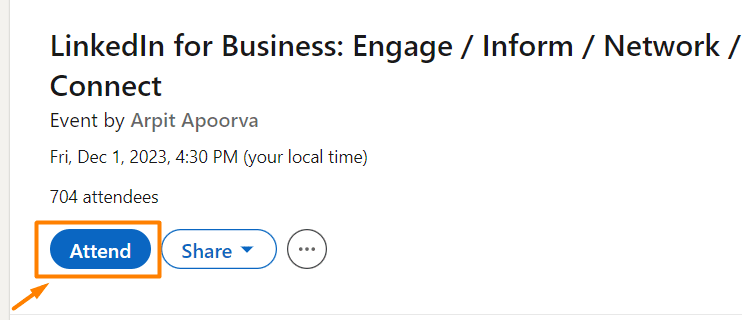
Then, hit Attendees to get a list of all the people who are attending the event.
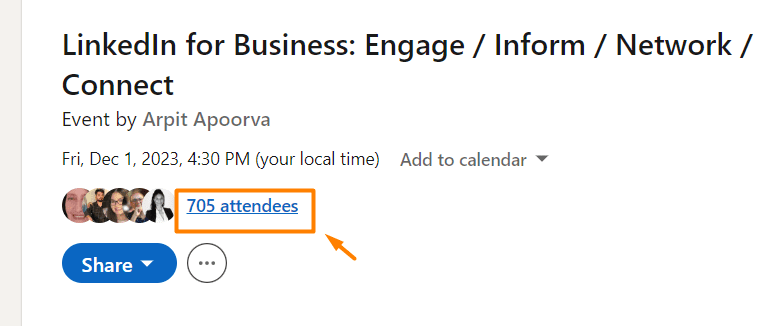
You can then send them a connection request such as this one:
Hey {{firstName}},
I noticed you’re also attending {{eventName}}. I’d love to connect and chat about our experience and the value we get from there!
Or you can simply send them a message from the Networking tab.
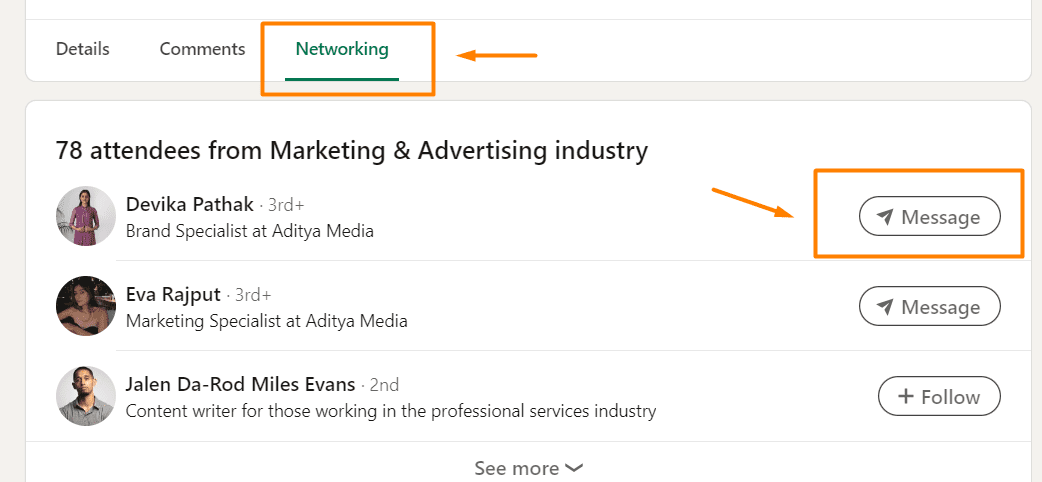
#4 Join LinkedIn groups
LinkedIn groups are considered to have no engagement whatsoever. However, that doesn’t stop you from approaching each member individually and genuinely connecting. That said, join the LinkedIn group that aligns with your and your potential client’s interests and industry.
Being part of a LinkedIn group whose members are from the same industry as you gives you a chance to learn from other people’s experiences, know what your competitors are up to, and connect with your colleagues.
On the other hand, being part of a LinkedIn group whose members are your potential clients helps you understand their needs, concerns, and what they expect from certain products or services (that might be the ones you are offering).
In any case, it’s a win-win situation!
Extra tip: You can also target members of a specific LinkedIn group if you upgrade your LinkedIn plan to Sales Navigator.
That said, to get to the members’ list, hit Show All in the upper right corner.
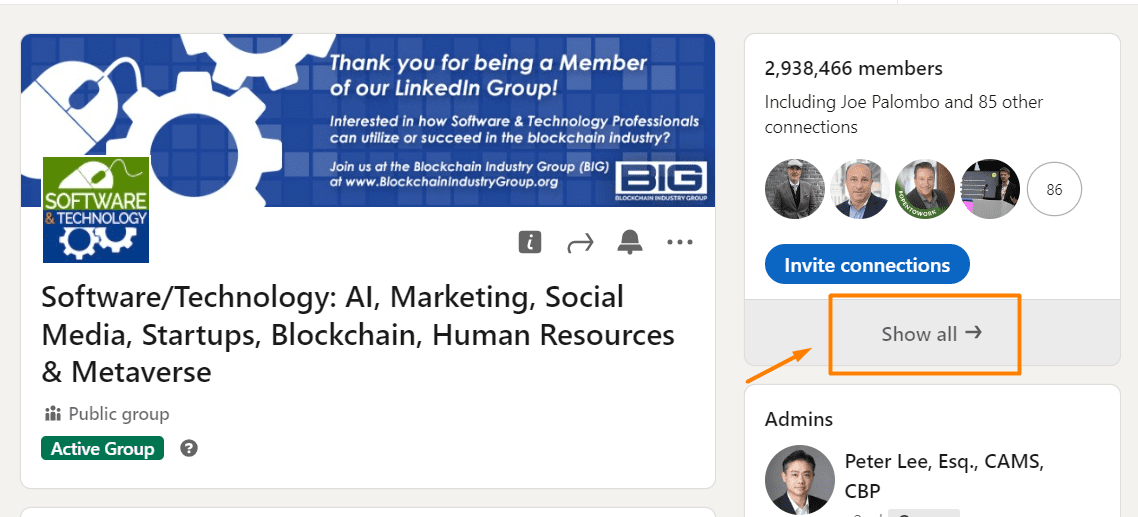
Then, send them a message explaining why you wish to connect with them. If, for example, you joined a group with people from your industry, give this message a go:
Hello {{firstName}},
I noticed you are also a member of {{groupName}}. I would love to connect with you since I can see we're both in the {{industry}}.
#5 Create content and engage with people who comment
If you’re passionate about creating and posting content on LinkedIn, you should know that this can be another form of networking on LinkedIn. For example, a 1st-degree connection can comment on your post. In return, you can like their comment, respond, or message them and continue the conversation.
In addition, if your post reaches your 2nd or 3rd-degree connections and they comment or like a post, send them a connection request. However, be sure that your connection message is not out of context.
6 dos for networking on LinkedIn
Personalize invites to connect
LinkedIn is a place to network, but that doesn’t imply randomly adding anyone you run into.
It is rather a platform for meaningful business connections, and as such, it is highly recommended to reach out to people you either know or are interrelated with due to the nature of your industry.
Either way, it is always a good practice to send a personalized Invite to Connect.
Firstly, if you are reaching out to someone you don’t know, why risk being banned on LinkedIn in case they click on the I don’t know this person option? A certain number of these will get you restricted, you know?
Secondly, many people on LinkedIn appreciate Invites to Connect with an explanation of why they should connect with you. It doesn’t need to be a full-on sales pitch, but rather an interest or a reference in common. This is why a well-planned LinkedIn prospecting and targeting people attending the same event or those who are members of the same LinkedIn group can work so well to your advantage.
If you follow one simple tip such as this one, you will significantly increase your success on LinkedIn and stand out from numerous people who don’t consider it at all.
Complete your LinkedIn profile
Most people will not reply if your LinkedIn profile is incomplete. Or if they’re nice, they will do it reluctantly. This is because without a profile picture, experience, and LinkedIn summary, nobody can get an entire picture of who you are and what you’re about, and they would think the profile is fake. That said, to keep your integrity, finish up your entire LinkedIn profile.
Respond promptly
Just like with Emails, responding promptly to your Messages, Invites to connect, and LinkedIn InMails is a sign of professionalism.
Good etiquette implies replying within 24 h.
Of course, the timeframe within which you answer is equally important to the content and tone of your message.
Any of the people you are responding to might be your future client, collaborator, or colleague. Make informed decisions and give confirmed information.
This way, you will build the image of a trustworthy, knowledgeable professional with integrity.
And that’s what we all want, don’t we?
Introduce people
Introducing connections to each other creates positive social capital for you.
It shows that you genuinely care about people and making meaningful connections that could benefit the industry.
Furthermore, a highly appreciated gesture of this kind will invoke the law of reciprocity.
Namely, your connections will most likely return the favor by introducing you to other professionals who are, in their opinion, good for you.
There is no better way of growing your business network than through positive word of mouth. Remember that the best advertising for business is free. But it takes time to build trusted and loyal connections.
So, stick to our dos over here.
Stay top of mind
Your lone presence on LinkedIn is not enough to stay top of mind with your connections.
- Post quality content.
- Respond promptly to Messages, Invites to Connect, and InMails.
- Congratulate people on promotions and new jobs in a professional manner, while still showing that you genuinely care.
- Respond to comments and reactions to your posts and tag people you are replying to.
- Post authentic responses to the most interesting discussions.
- Join LinkedIn groups.
Check your SSI
If you run out of networking ideas, check your LinkedIn Social Selling Index Score. It will show you your overall networking status and what networking area you can improve.
5 don’ts for networking on LinkedIn
LinkedIn is NOT Tinder
Avoid adding people just because you like their looks.
Avoid adding people just because.
Don’t start messages with “Hello Dear”, give compliments that are not business-related or argued, or send any type of messages with a strong personal note.
Not only will you be ignored, but you will be marked as a spammer and most likely earn a reputation as a weirdo.
News travels fast.
People will not be eager to connect with you, let alone do any business with you.
Don’t spam people
Sending irrelevant, long, impersonal messages that don’t bring anything to any of the sides involved cannot earn you a good reputation.
It’s like a story of a girl who cried wolf.
If you keep sending messages that are only spamming other users, once you send something meaningful, nobody will be interested in reading it or answering back.
Save your Messages and InMails for significant business outreach and communication.
Your contacts will appreciate hearing from you less but leading insightful conversations regarding your industry or any other business-related topic.
Don’t post self-serving content
Whether sharing content or replying to messages or a discussion, make sure to provide value first and foremost.
The biggest mistake on LinkedIn is the misconception that people care about what you have to say. They only care about finding solutions to their problems or gaining valuable insights into the industry trends and demands. That’s all.
There is always a way of giving something to your readers while managing to promote your product or services.
Don’t ignore job proposals & invitations
Even if you are satisfied with your current job, you never know what the future holds.
Don’t burn bridges.
Answer to any job or business proposal you might receive. Be polite and professional.
Firstly, you don’t know if life will take you in that direction. The offered position might not even be in line with your future aspirations. However, keep in mind that the company has other departments as well.
Secondly, the world is small. The Human Resources Manager who contacted you for that particular job might be the Human Resources Manager for another company in no time. And they will remember if you ignored or were impolite when they reached out.
The same applies to LinkedIn users who write to you regarding business opportunities and collaboration. Maybe you are not interested at the moment, but that’s for sure not a reason to keep the door open for future contact.
Don’t talk negatively about competitors
Social media can be such a negative space.
People have had it enough already.
Not only does everyone want to belong to a positive, proactive, and like-minded community, but posting negatively about your competition is a sign of bad sportsmanship.
Did you know that when you are talking badly about someone, people who are listening are subconsciously attributing all the negative features to you?
Treat others with respect, just as you would like to be treated.
Also, have in mind that even when you are commenting on behalf of yourself, people might ascribe your opinion to the general attitude of the company you are currently working for. Be careful about it, especially on LinkedIn, which is, as we said before, a professional network.
You are representing your brand, your company, and the industry at the same time.
Frequently asked questions
How can one measure the effectiveness of their LinkedIn networking efforts beyond the Social Selling Index Score mentioned in the article?
Measuring the effectiveness of LinkedIn networking extends beyond the Social Selling Index Score through the analysis of connection growth rate, the relevance of new connections in your industry, engagement (likes, comments, shares) on your content, and direct feedback from your network, reflecting the value and impact of your networking efforts.
What specific strategies can be used to recover from a negative impression or mistake made while networking on LinkedIn?
Recovering from a negative impression on LinkedIn involves acknowledging the mistake directly if it affected specific individuals, demonstrating professionalism in your response, and consistently sharing valuable content to rebuild your reputation. Engaging positively with the community and offering genuine contributions can gradually restore trust and credibility.
Are there any tools or features within LinkedIn that can help automate or facilitate networking activities without violating LinkedIn's policies on automation and spam?
LinkedIn offers several tools to streamline networking without breaching its policies, such as LinkedIn Sales Navigator for targeted connections and insights, and LinkedIn Learning for improving your skills and offering value to your network. However, you can use LinkedIn automation tools, such as Skylead, to build your network while respecting LinkedIn’s policies.
Now you know how to network on LinkedIn. Are you ready for it?
Networking, brand engagement, and generating leads on LinkedIn are the activities that are the strongest they've ever been.
Therefore, LinkedIn is not just your online resume.
It reflects your entire way of doing business and communicating with your leads and customers.
Everything that happens on LinkedIn has consequences, positive or negative, that you have to be ready to take responsibility for.
Since it’s better to be safe than sorry, stick to our tips, and you will be just fine.
Disclaimer: Skylead is not affiliated, endorsed by, or connected with LinkedIn in any way.
LinkedIn private mode, or LinkedIn incognito mode, is a LinkedIn feature that allows you to browse other people’s LinkedIn profiles without sharing any or some of your LinkedIn profile information with the owners of the profiles you’ve viewed.
As you may already know (or not?), every time you visit someone’s profile, LinkedIn notifies the profile’s owner via the Who’s Viewed Your Profile feature, providing an opportunity to check you out on LinkedIn.
So, suppose you don’t want people whose profiles you’re viewing to know you took a sneak peek at their professional activities.
In that case, the platform allows you to go incognito partially (LinkedIn semi-private mode) or completely (LinkedIn private mode).
LinkedIn incognito mode is available to ALL members, independent of their LinkedIn subscription type.
Therefore, continue reading if you wish to know the following:
- What LinkedIn private mode is;
- How to make your LinkedIn private;
- Ways to customize your private mode on LinkedIn;
- How to know if someone else viewed your profile in the incognito mode;
- A few lesser-known hacks on LinkedIn private mode, and much more.
Ready?
Let’s get started!
[Mission Impossible Theme Song Playing]
What is LinkedIn private mode?
LinkedIn private mode, or LinkedIn incognito mode, is a LinkedIn feature that allows you to browse other people’s LinkedIn profiles without sharing any or some of your LinkedIn profile information with the owners of the profiles you’ve browsed.
There are 3 visibility modes on LinkedIn according to the platform’s Visibility settings:
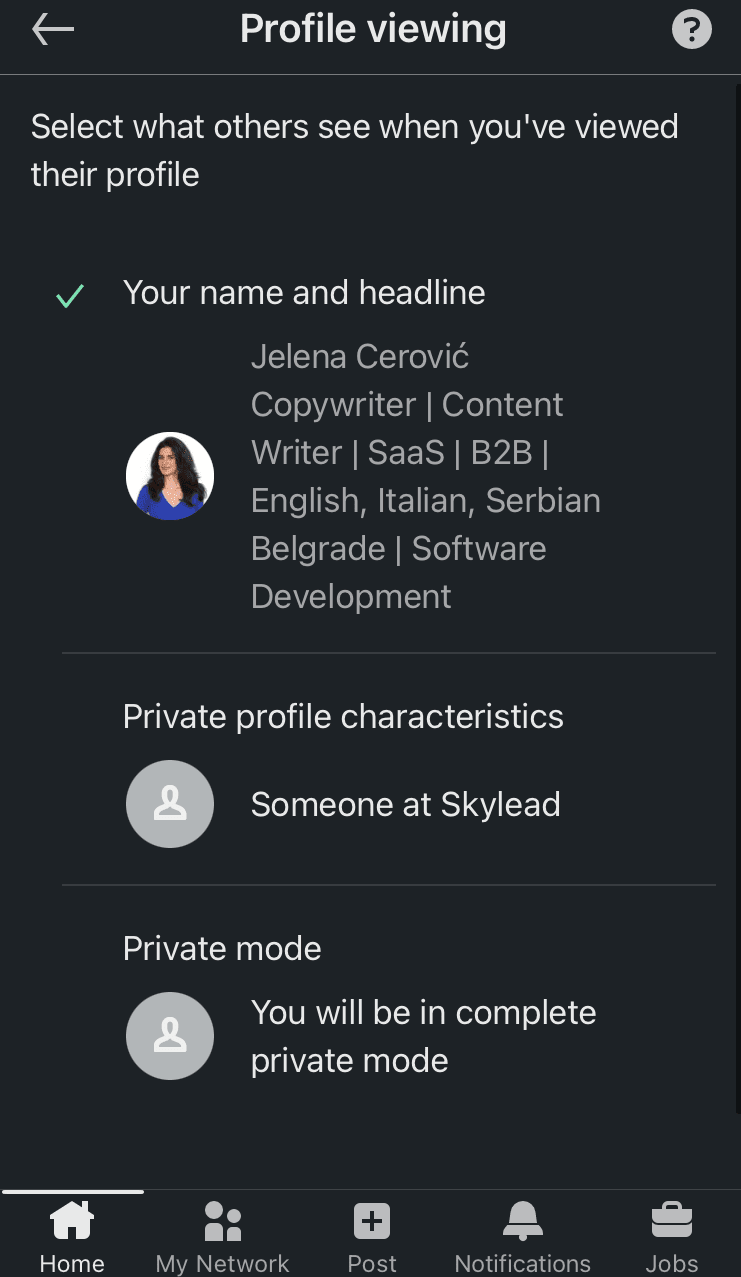
- LinkedIn public mode (or ‘Name and headline’) shows your picture, full name, headline, geographical location, and industry to people whose profiles you’ve viewed.
- Semi-private mode shows specific profile information, such as either only the company you work at or your job position and the company you work for.
- (Full) private mode doesn’t show any profile information.
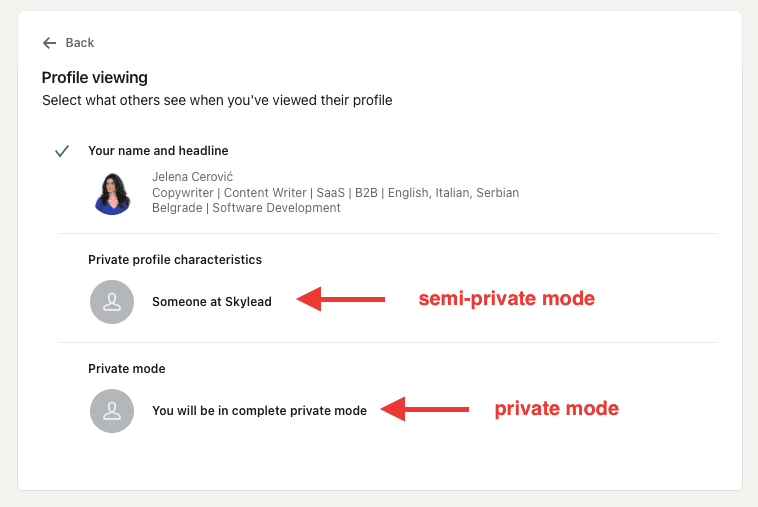
Do I have to pay for LinkedIn incognito mode?
LinkedIn private mode is available to ALL LinkedIn subscribers free of charge.
However, if you have a free (basic) LinkedIn plan, switching to private or semi-private mode will turn off the Who’s viewed your profile feature and erase your viewer history.
We’ve tested it ourselves, and we can confirm you will lose all previously collected data and can only see who's viewed your profile after switching to one of the private modes on LinkedIn.
Once you turn off the LinkedIn incognito mode, the feature Who’s viewed your profile will be back in a maximum of 24 hours and will show only those members who viewed your profile after turning off the private mode.
Also, you won’t be able to retrieve information on who has viewed your profile during the time spent in private mode on LinkedIn.
On the other hand, all other users on paid LinkedIn plans, such as LinkedIn Careers or Business, any Sales Navigator plan, and any Recruiter plan, will still be able to see these analytics and statistics despite keeping their profiles in private mode.
Furthermore, no LinkedIn plan subscriber, free or paid, can ever know the profile information of members browsing in private or semi-private modes on LinkedIn. Also, no LinkedIn plan subscriber can block or prevent other members from viewing in private or semi-private mode.
How do I view profiles in private mode on LinkedIn?
Here are 2 ways to switch from browsing in public to browsing in private mode on LinkedIn, whether you’re accessing your profile on a desktop or mobile.
Private Mode on Desktop
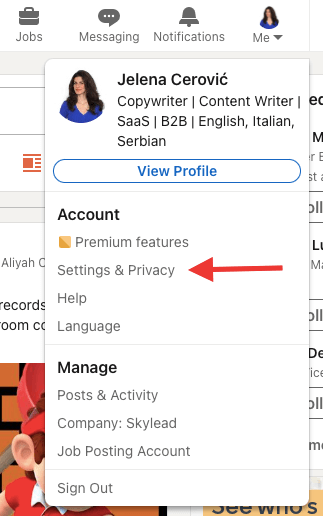
Click the Me icon in the top right corner, then choose Settings & Privacy.
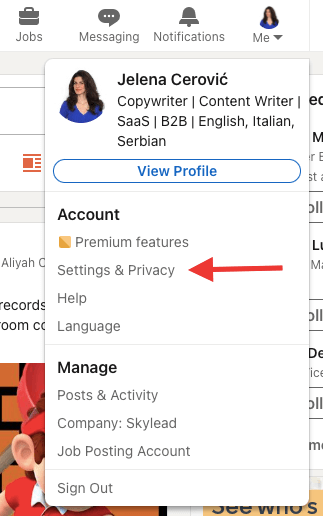
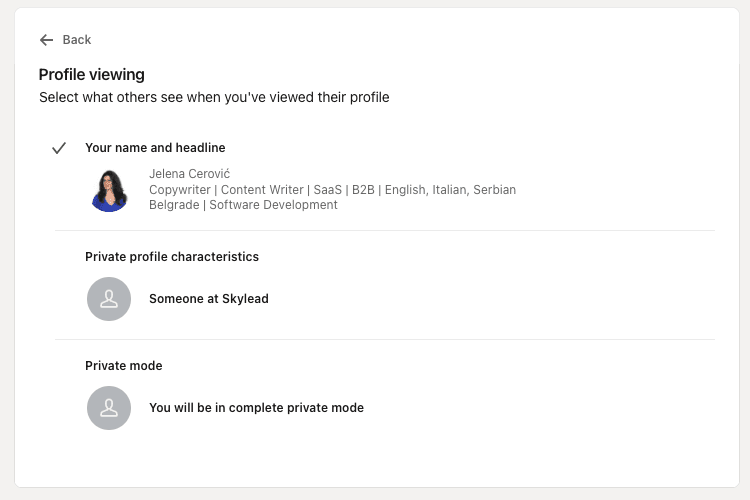
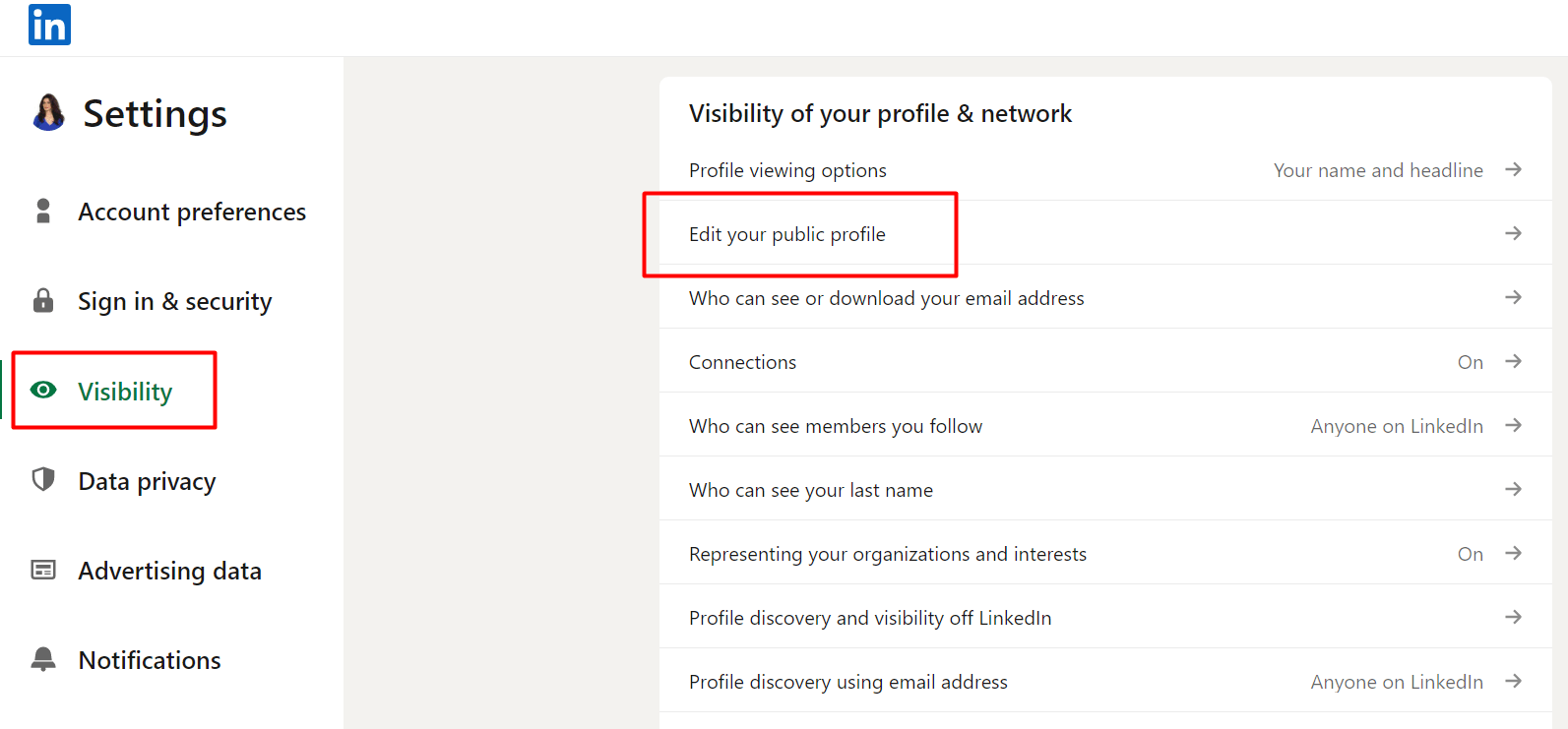
Then, choose Visibility on the left toolbar and click on Profile viewing options.
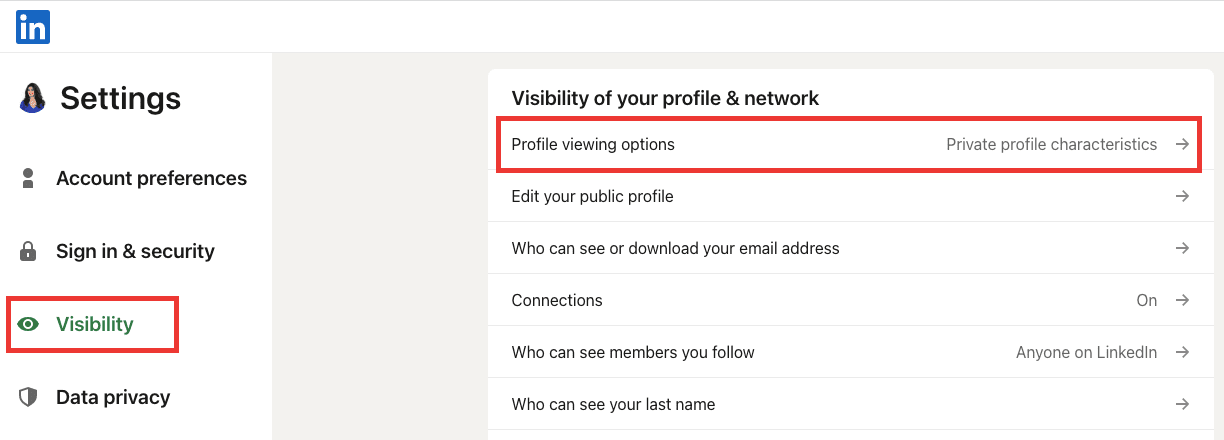
Finally, choose among the 3 visibility modes.
Private mode on mobile
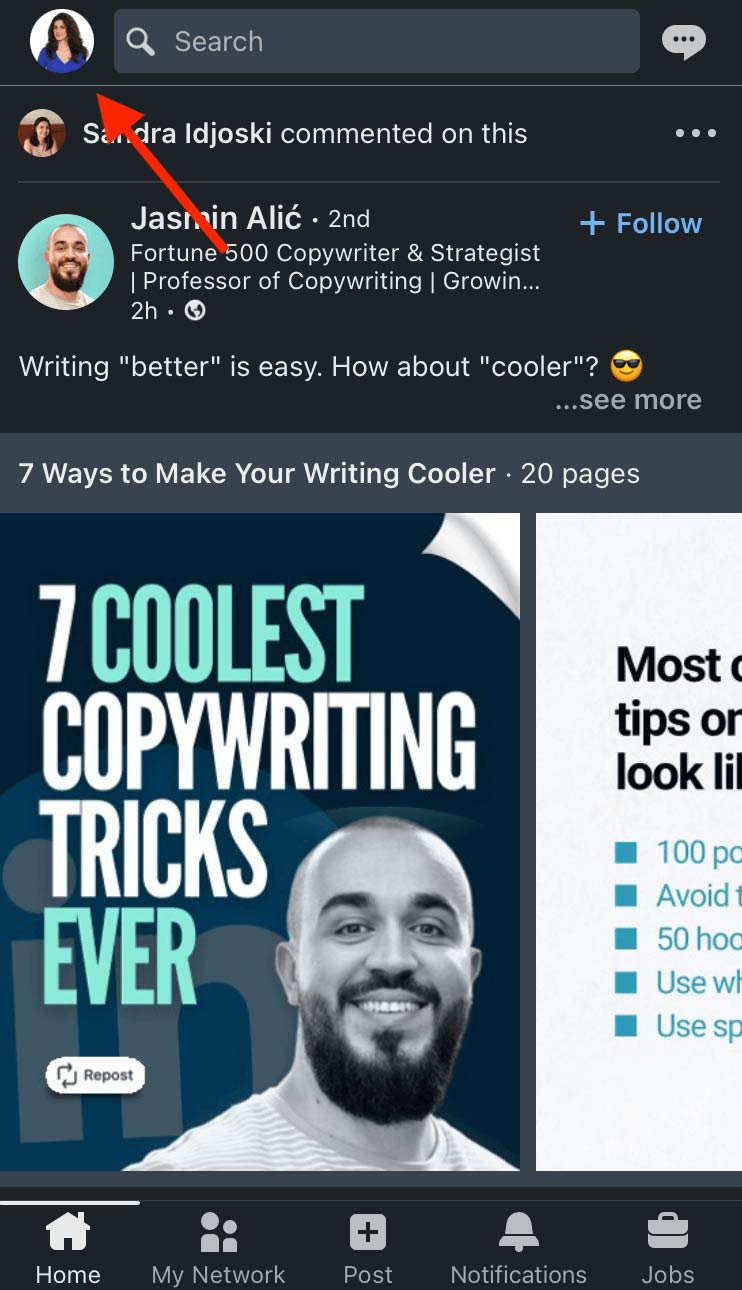
Open your LinkedIn app, and click on your picture in the upper left corner.
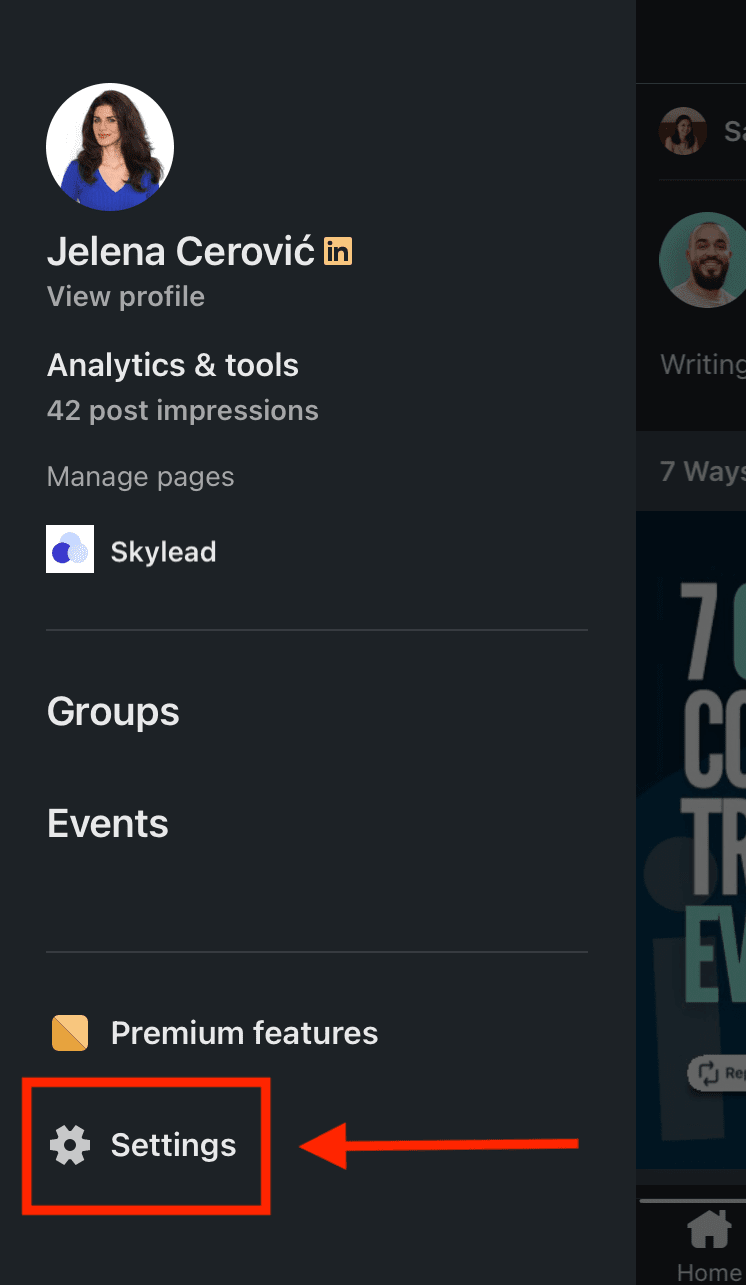
Then, choose Settings.
Click Visibility.
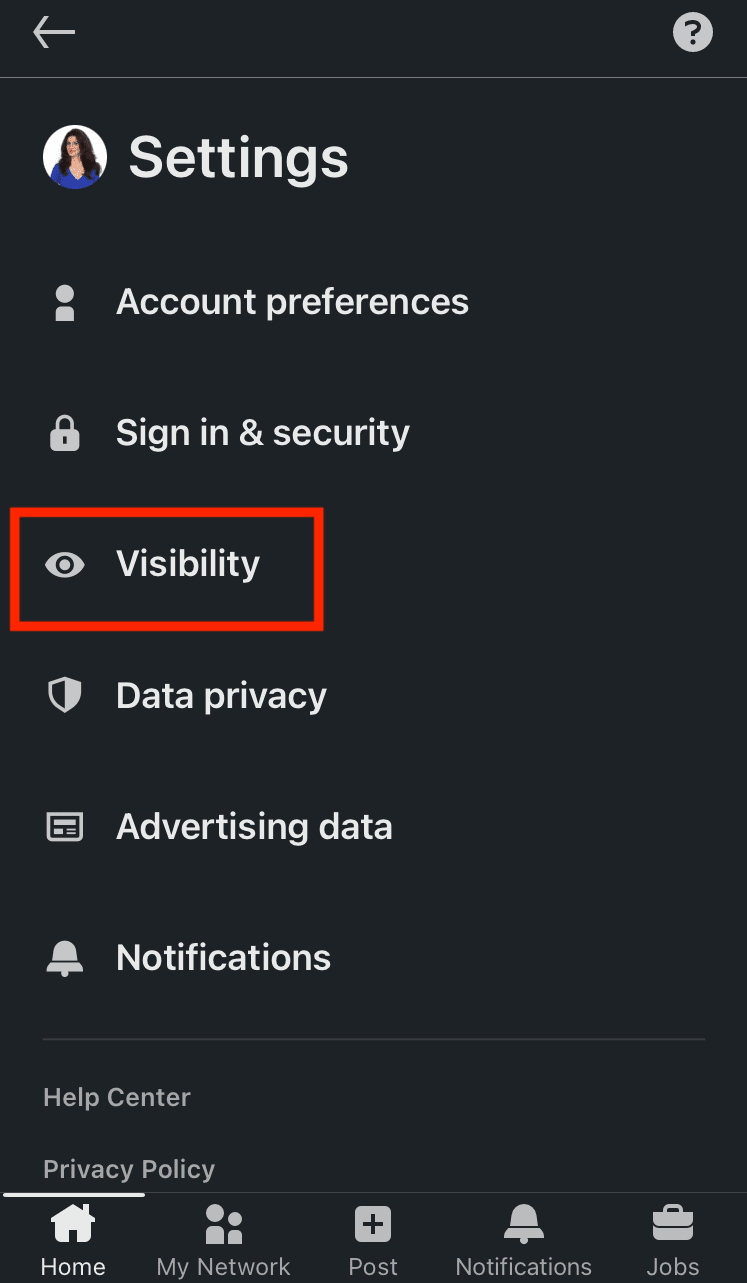
Then, choose Profile viewing options.
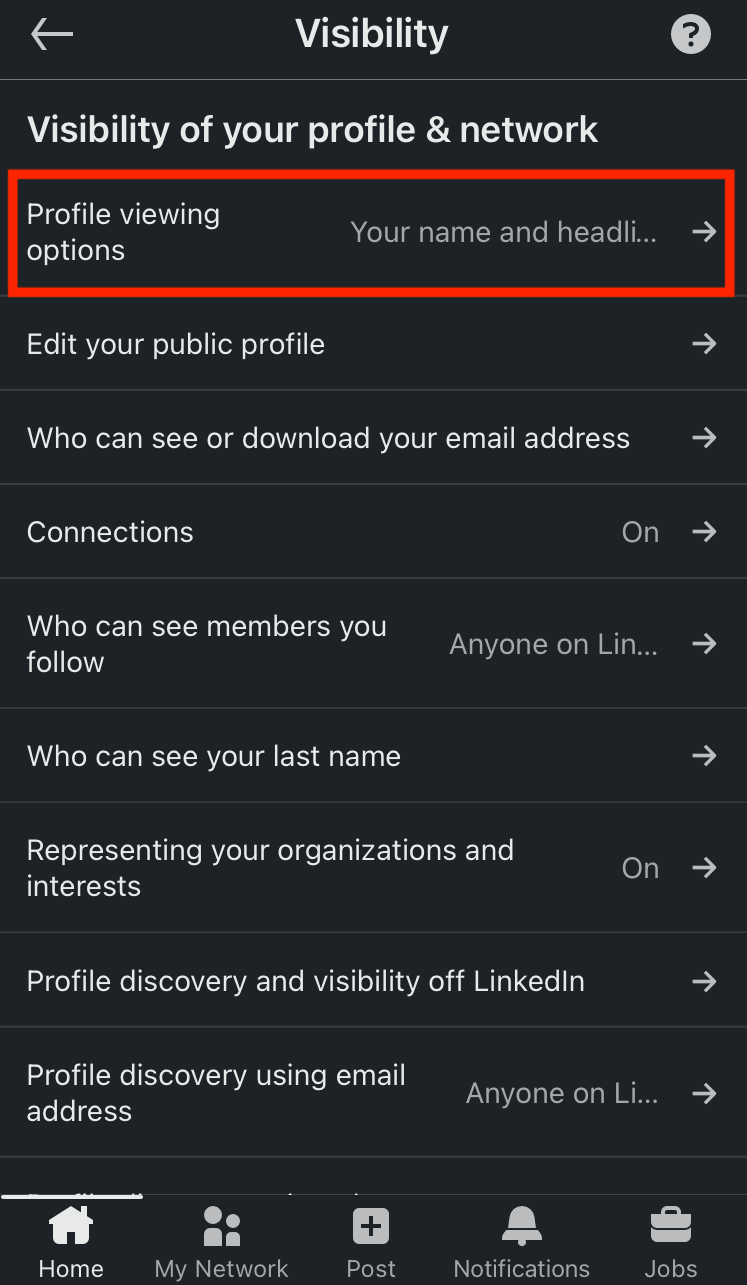
Choose the mode in which you wish to browse other members on LinkedIn.
How do I customize my public mode on LinkedIn?
If you decide to browse in public mode on LinkedIn, you can still determine what information to make available to members not part of your network.
As you may already know, LinkedIn profiles rank on Google (and other search engines) based on the keywords used on your LinkedIn profile, such as name, profession, LinkedIn URL, LinkedIn headline, summary, etc.
Therefore, this option is advantageous if you don't want everyone to access your LinkedIn profile or wish to keep specific information to your 1st-degree connections only.
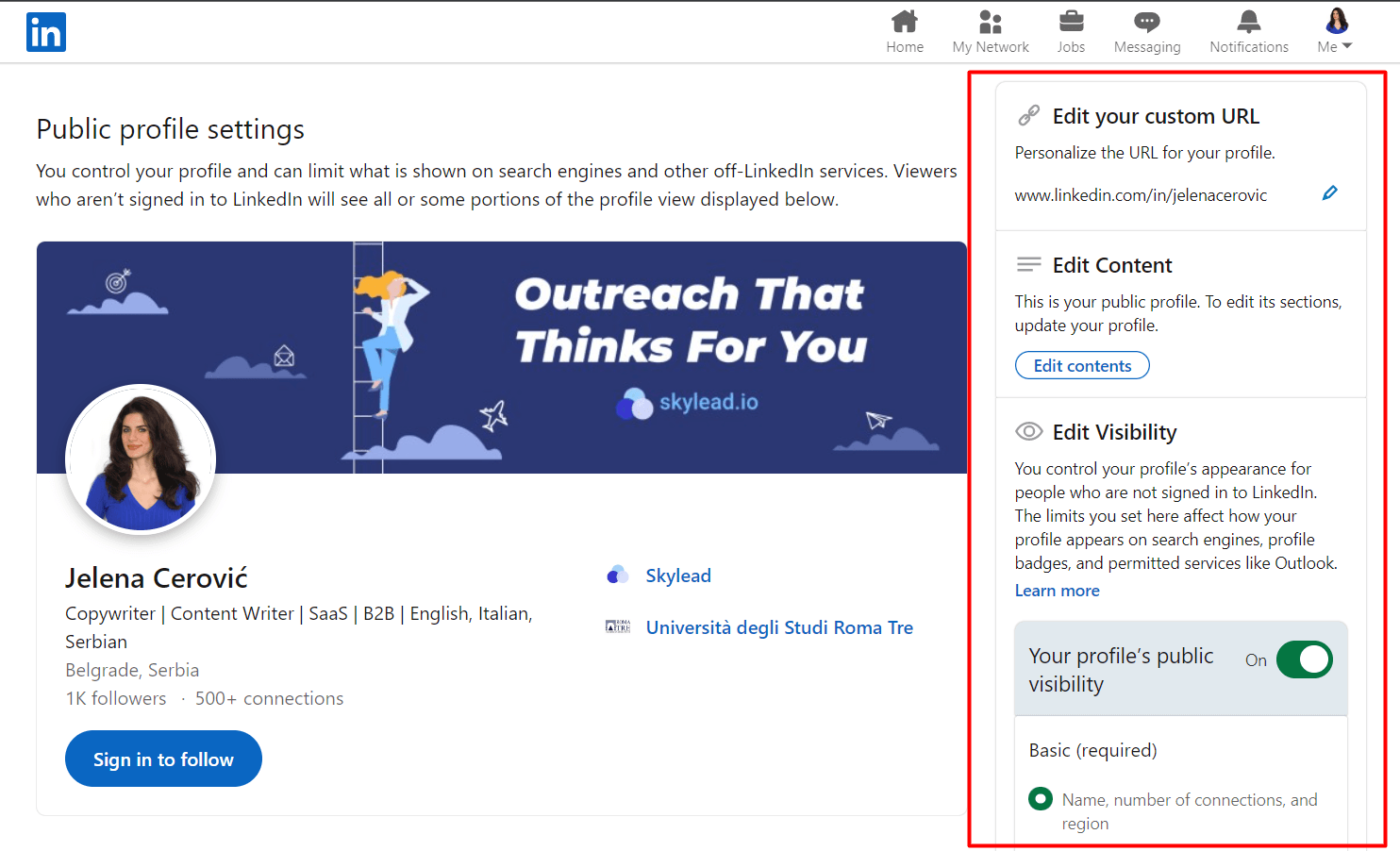
Go to Settings & Privacy.
Go to Visibility, and then choose Edit public profile.
Scroll down the right sidebar and move the toggle buttons depending on what parts of your profile you wish to make available to anyone on LinkedIn and which ones should be reserved for your 1st-degree connections only.
How do I know if someone viewed my LinkedIn in private mode?
LinkedIn subscribers get a notification each time someone views their profile.
If a member views your profile in semi-private or private mode on LinkedIn, it will appear in your notifications just like other alerts here (picture below).
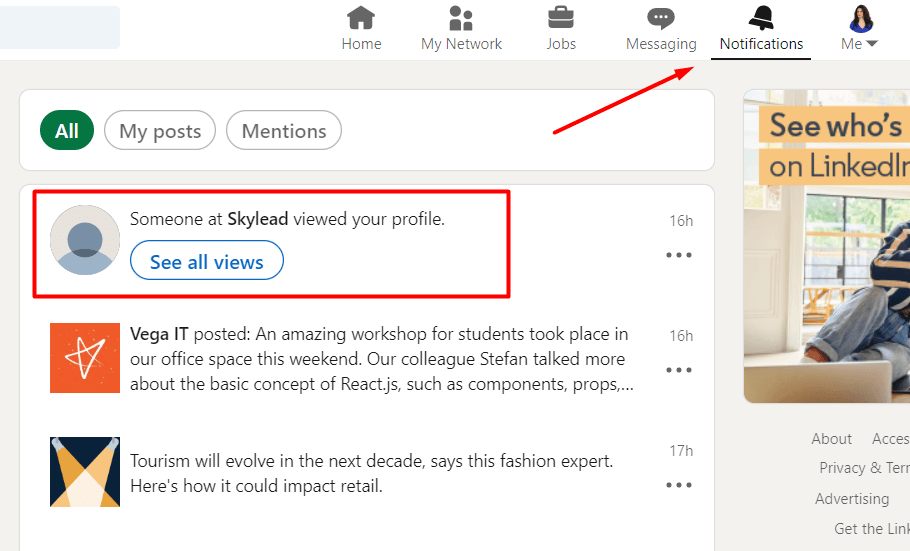
If you click on See all views right below the notification, it will take you to the Who’s viewed my profile LinkedIn page with the list of all viewers in the past 90 days, statistics, and additional filters.
Here are a few examples of what a notification regarding members browsing in semi-private mode on LinkedIn looks like.


Here are a few examples of what a notification about members browsing in private mode on LinkedIn looks like.


As you may have noticed, there’s a Search button next to members viewing your profile in semi-private mode.
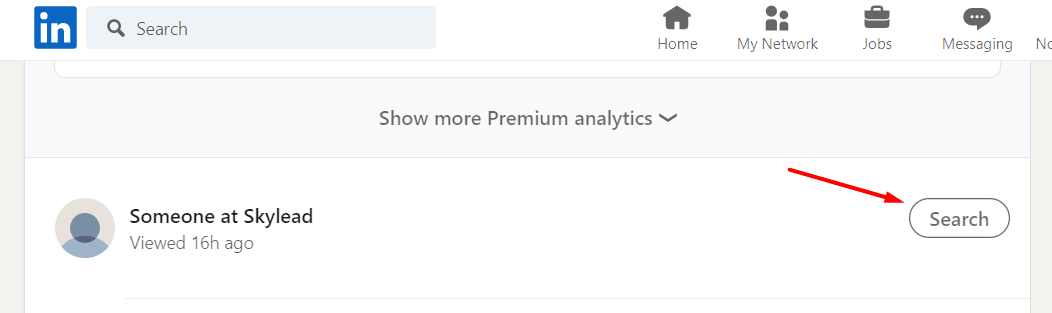
Clicking on it will take you to LinkedIn search results of all people who work in that company and have LinkedIn profiles.
However, Recruiter subscribers don’t have the Who’s viewed your profile feature on their Recruiter pages. They must go to their LinkedIn profiles to check these types of notifications.
Sales Navigator subscribers will not see these notifications in the All alerts section because this is a purposely focused section that notifies about saved leads, saved accounts, and unsaved leads from saved accounts.
Sales Navigator subscribers can click on the profile picture in the top right corner of their Sales Navigator home page and choose Who’s viewed your profile.
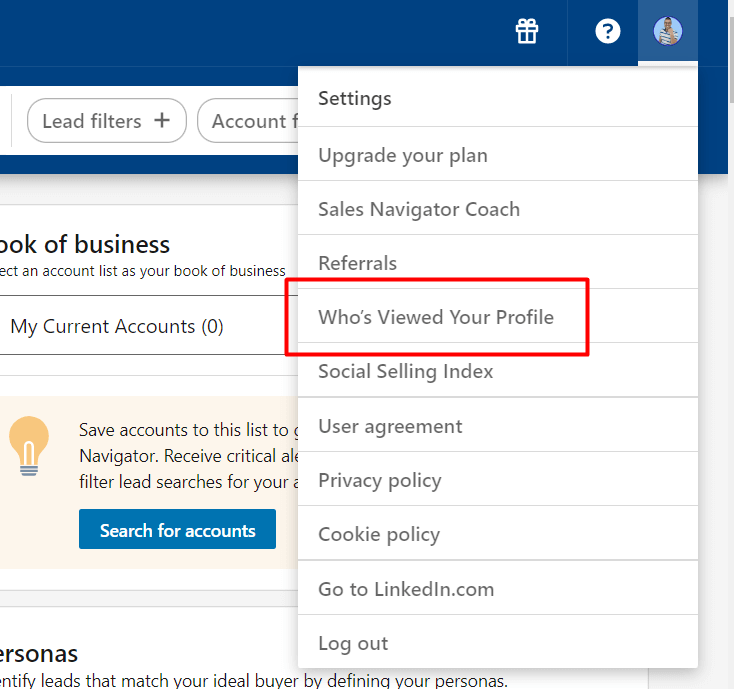
This action will take them to the LinkedIn statistics page.
When should I use LinkedIn private mode?
From our experience, it’s better not to keep your profile in private mode when browsing on LinkedIn.
Why?
By viewing other people’s profiles, you are showing some kind of interest - whether for LinkedIn lead generation, finding ideal candidates for a company position, expanding your network, showing an interest in a job opening by viewing the hiring manager’s profile, etc.
Also, viewing someone's profile on LinkedIn can help you connect with them faster and even bypass LinkedIn weekly invitation limits.
However, there are a few scenarios in which keeping your profile in LinkedIn incognito mode makes sense.
#1 You’re researching your competitors.
This one is pretty straightforward.
If you want to see what your competitors are up to, what they are posting on LinkedIn, or to scrape their network, you should keep your profile in private mode.
However, it’s not just competitors.
You may wish to check something on your former employer’s profile, a former or current customer, or anyone else to whom you don’t want to reveal your profile information.
#2 You still need to optimize your profile.
Here, you have 2 scenarios.
Scenario 1 implies you wish to browse relatively random profiles to identify good practices to optimize your profile.
These members are not necessarily the ones you wish to connect with on LinkedIn or relevant to your business, but they've done an excellent job earning the all-star status.
Scenario 2 implies you wish to browse people who are relevant to why you joined LinkedIn, but you don’t want them to know because your profile is still not optimized.
If they check you out, they might lose interest or ignore your LinkedIn connection request because incomplete profiles on LinkedIn seem scammy.
#3 You’re a recruiter shortlisting candidates.
If you don't want all potential candidates to think they are being considered for a job opening at your company, you can view their profiles using LinkedIn incognito mode.
That way, you will avoid people not matching the requirements approaching you on LinkedIn and not get someone's hopes up.
LinkedIn Incognito Mode FAQ
Is private mode on LinkedIn really private?
Yes, LinkedIn private mode is really private. The platform cares about keeping its members' privacy, and there is no way to see members' profile information when browsing in private mode on LinkedIn. Also, no member can block or prevent other members from viewing in private mode.
Should I be private or public on LinkedIn?
Staying private or going public on LinkedIn will depend mainly on your goal on the platform. It’s better not to keep your profile in incognito mode because showing interest in other members’ profiles can help you connect with them and even bypass LinkedIn's weekly connection limits.
LinkedIn private mode vs. private profile on LinkedIn
LinkedIn private mode, or LinkedIn incognito mode, lets you browse other LinkedIn members' profiles anonymously. On the other hand, when you set your LinkedIn profile to 'private profile status, ' it means no one can find you on the platform or in any search results (e.g., Google search results).
How do I stay private on LinkedIn (private profile status)?
To switch your profile to private profile status and not even appear in the platform’s search results at all, go to Settings & Privacy > Visibility > Edit your public profile > Your profile’s public visibility (push the toggle button to the left in the right rail).
Does LinkedIn show who viewed your profile?
Yes, LinkedIn notifies members who have viewed their profiles. However, if you set your profile to browse in incognito mode, members whose profiles you’ve viewed won’t be able to see your profile information, partially or at all, depending on the visibility mode of your choice.
Do I have to pay for LinkedIn private mode?
No, LinkedIn’s semi-private and private modes are FREE of charge and available to all members. However, when free LinkedIn members switch to private mode, they lose access to the Who’s viewed my profile in the past 90 days feature, unlike paid LinkedIn members, who can still see these statistics.
Why would someone use private mode on LinkedIn?
Reasons to use private mode are infinite, but members usually browse LinkedIn in incognito mode if they are researching their competitors, checking out former or current customers or employers, shortlisting candidates for open positions, or don't feel their LinkedIn profiles are optimized enough to reveal their identity.
Who can see my private LinkedIn profile?
A private profile on LinkedIn means that you've set your entire profile to 'private profile status' and that it won't appear in LinkedIn or any other search results (e.g., Google search results). If your LinkedIn is set to private, no one can find your profile on the platform or online.
Can people see if I viewed their LinkedIn?
Unless you are browsing in semi-private or private mode on LinkedIn, other LinkedIn members will get notified once you’ve viewed their profile, and can check out your LinkedIn profile to see who you are.
Can LinkedIn Pro see private viewers?
LinkedIn cares very much about keeping the privacy of those members who browse in semi-private or private mode on LinkedIn, and there is no way to see their profile information, no matter what LinkedIn subscription plan you have. Also, you cannot prevent anyone from browsing your profile in incognito mode.
What is the disadvantage of private mode on LinkedIn?
If you have a free LinkedIn plan and switch to private mode, it will turn off the Who's viewed your profile feature and erase your viewer history. You will lose all previously collected data and can only see who's viewed your profile after switching to incognito mode.
Why do people browse in private mode on LinkedIn?
People usually use the private mode on LinkedIn to research their competitors, check out former or current customers, former employers or employees, shortlist candidates for open positions, or simply because their LinkedIn profiles are incomplete and they don’t want to reveal their identity yet.
Can you hide your profile on LinkedIn?
You can either choose to browse in semi-private or private mode on LinkedIn, or you can switch your profile to private profile status and not even appear in the platform or other search engines' search results at all.
How can I view someone on LinkedIn without them knowing?
You can view someone’s profile on LinkedIn without them knowing by browsing in semi-private or private mode on LinkedIn. To turn one of these 2 modes on, go to Settings & Privacy > Visibility > Profile viewing options > Choose between Private profile characteristics (semi-private) and Private mode (fully private).
To Sum Up
While it's true that LinkedIn's private mode offers privacy, it can also compromise the transparency vital for building trust and credibility — the core of LinkedIn's purpose.
Balancing privacy and transparency is crucial for maximizing LinkedIn's effectiveness in lead generation. And, speaking of maximizing LinkedIn, test out Skylead - a leading LinkedIn automation tool and cold email software - for 7 days free, and see how you can leverage the power of both LinkedIn and email to reach relevant leads faster.
Disclaimer: Skylead is not affiliated, endorsed by, or connected with LinkedIn in any way.
The topic of how to cancel a LinkedIn invitation is rarely discussed, simply because people tend to leave invites pending for… Well, forever.
However, everyone should monitor their pending invites, especially if you are in sales or a recruiting business, as the integrity of your LinkedIn profile can get damaged. Yes, it’s that serious.
So to keep your integrity intact and help you reduce the number of pending invites in the first place, in this article, we’ll cover:
- Why do you need to cancel your LinkedIn invite;
- What you need to know about the cancellation process;
- How to cancel LinkedIn invitations that are pending for a long time;
- Why your LinkedIn invites aren’t getting accepted;
- How to create engaging invitations that will increase your acceptance rate.
Why should you cancel your pending invitations?
You should cancel LinkedIn invite because of 3 reasons:
- There’s a risk of getting your account restricted;
- Your LinkedIn experience can get damaged;
- LinkedIn won’t allow you to send new ones unless you clear the list.
Let’s clarify these statements.
Firstly, and most importantly, if you do not cancel your LinkedIn invite for a long time, you risk piling them up. It would be fine if LinkedIn didn’t have an eye out for suspicious activities. And, yes, LinkedIn does consider this suspicious.
In other words, if you do not withdraw your pending invites after a month or two and leave them piling up, LinkedIn can restrict your account. Moreover, you won’t be able to send any other connections until you clean out your pending invite list.
Secondly, if the connection doesn’t accept the invite for a while, the chances are they either are not interested, or they aren’t within your business industry.
To clarify. The quality of your network on LinkedIn plays a significant role in experiencing benefits while using this platform. So, one of the things that will boost your career is taking the effort and making a strategy to connect only with people related to you and your business, and cancel LinkedIn invites sent to those who are not.
Lastly, a word on the street is that if you have too many pending requests, LinkedIn won’t allow you to send new ones. Some people say they reached a whopping 3000 pending invites before LinkedIn restricted them from sending more invites. LinkedIn didn’t publish the precise number of how many pending requests you can have officially. However, to avoid this scenario some people experienced in the past, be sure to clean your list regularly.
What you need to know before proceeding to cancel LinkedIn invite?
Before you withdraw any of your LinkedIn invites, you should know a couple of things first.
First of all, you can’t cancel LinkedIn invites in bulk.
Also, if you send a LinkedIn connection request to a person, they will see the notification as soon as they log into their account. However, in case you cancel the LinkedIn invite before the user sees it, they wouldn’t even know that you’ve sent it.
In addition, canceling an invite will stop the recipient from receiving further LinkedIn notifications or emails to remind them of the request.
When can you cancel your LinkedIn invite?
You can cancel LinkedIn invite you’ve sent accidentally or that you regret sending, as long as the LinkedIn member hasn’t accepted your invitation.
In case the LinkedIn user accepts your connection request, there is always an option to remove them from your connections.
If you withdraw your request, you will have a tiny restriction.
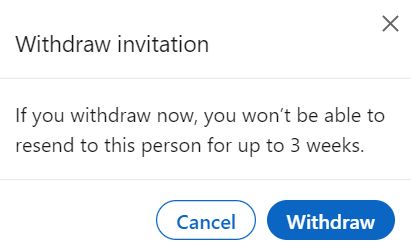
After you cancel your invite, you won’t be able to resend it to the same recipient for up to 3 weeks.
How to cancel LinkedIn invite in 5 simple steps?
In case you’ve sent the requests you wish to withdraw or are pending too long, here’s how you can do it.
Cancel LinkedIn invite via desktop
First, go to Linkedin, and click on My Network in the header bar.
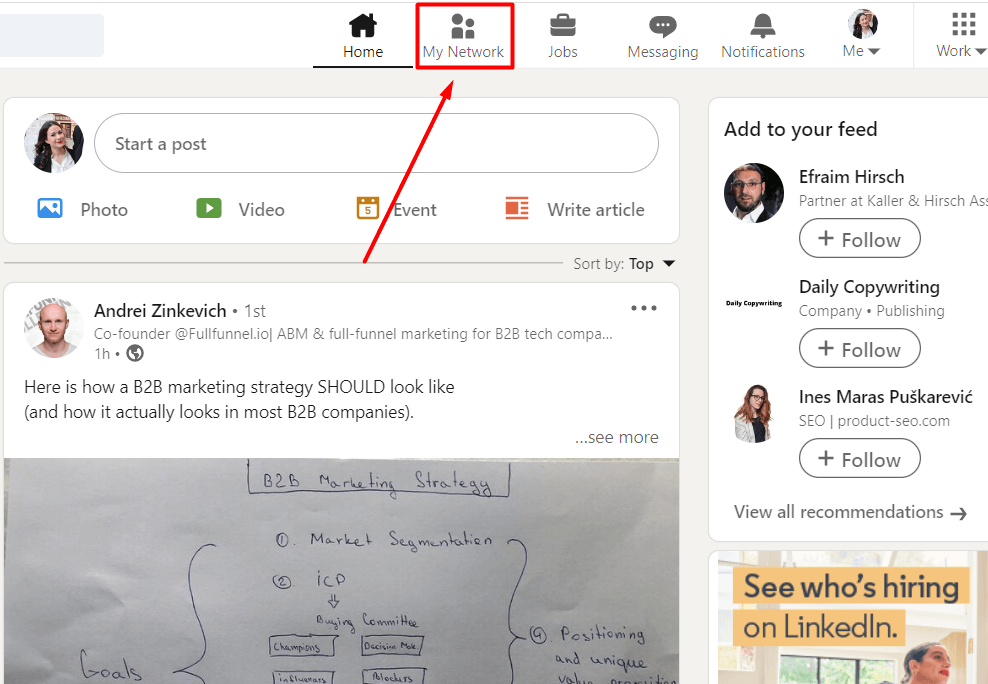
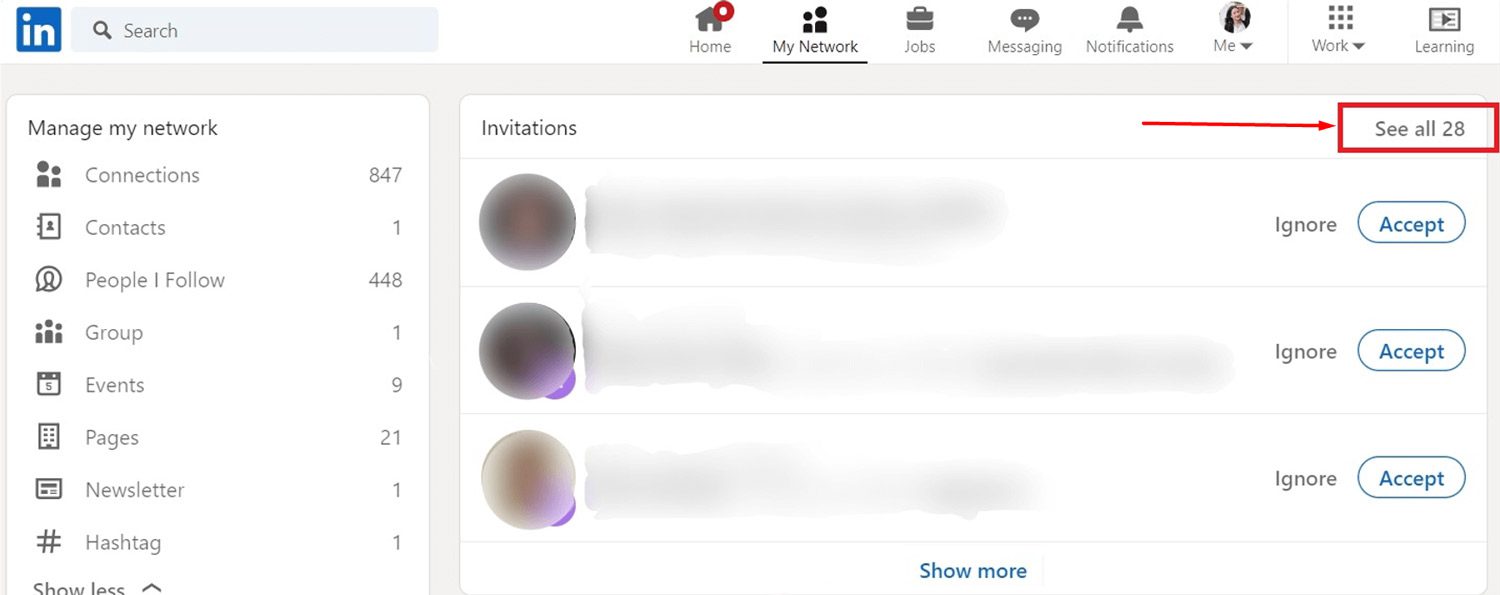
Once you do, you will see the list of invites other people sent you. Hit See all # in the top right corner.
If you don't have any invites you need to approve on this page, the section will look slightly different. In this case, just click the Manage button.
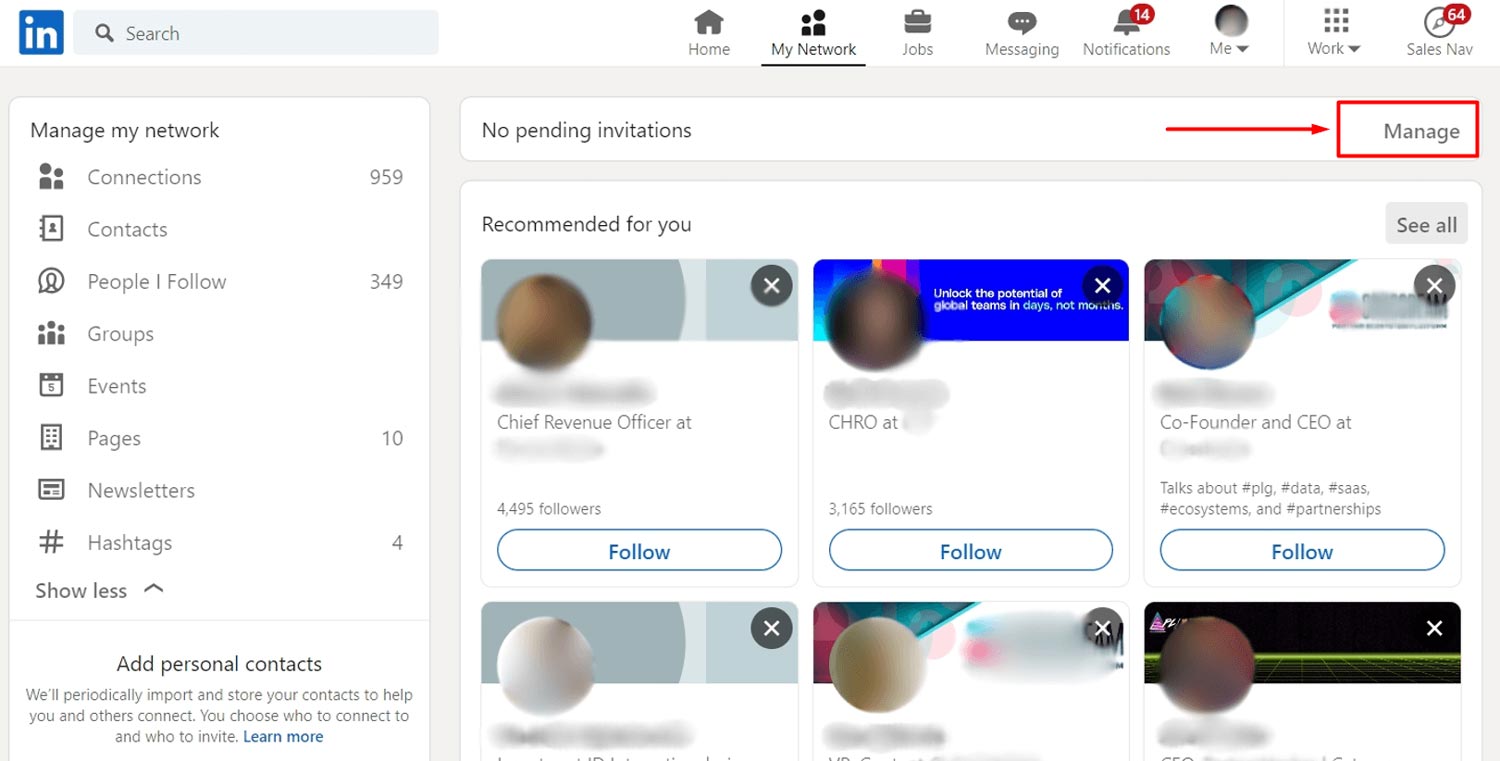
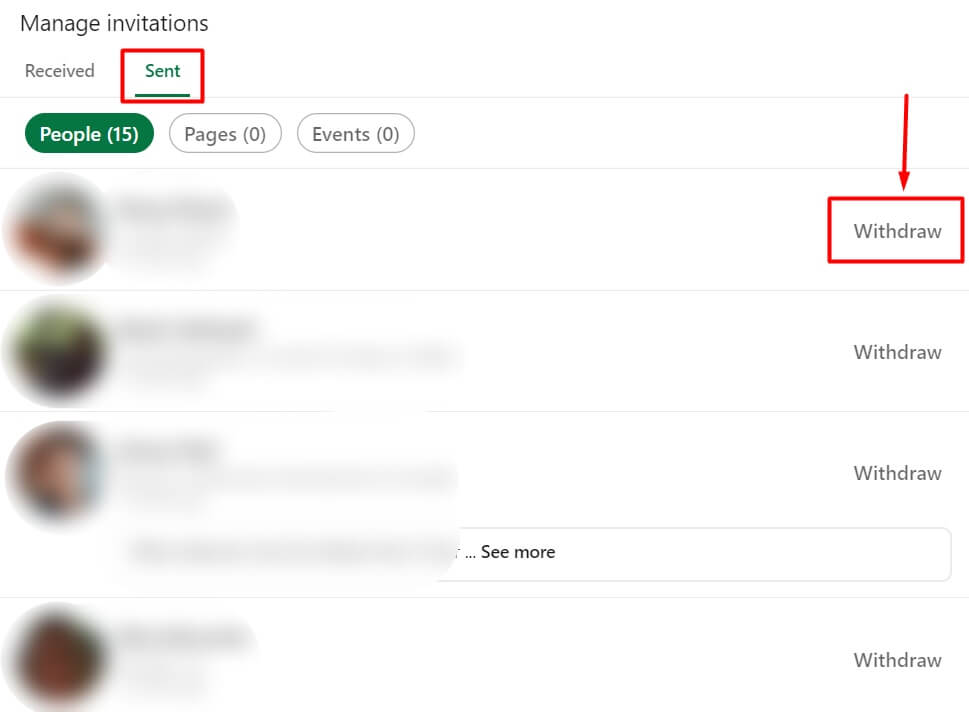
Here, you can see all the invites people sent you. To find the ones you sent out, go to the Sent tab and click the Withdraw button to cancel the LinkedIn invite.
Lastly, LinkedIn will double-check if you wish to withdraw your invite with the notification. Continue the cancellation process, and you will be done.
Canceling invites via Android
You can withdraw invitations using your android phone too, and the process is not that different than the one using your PC.
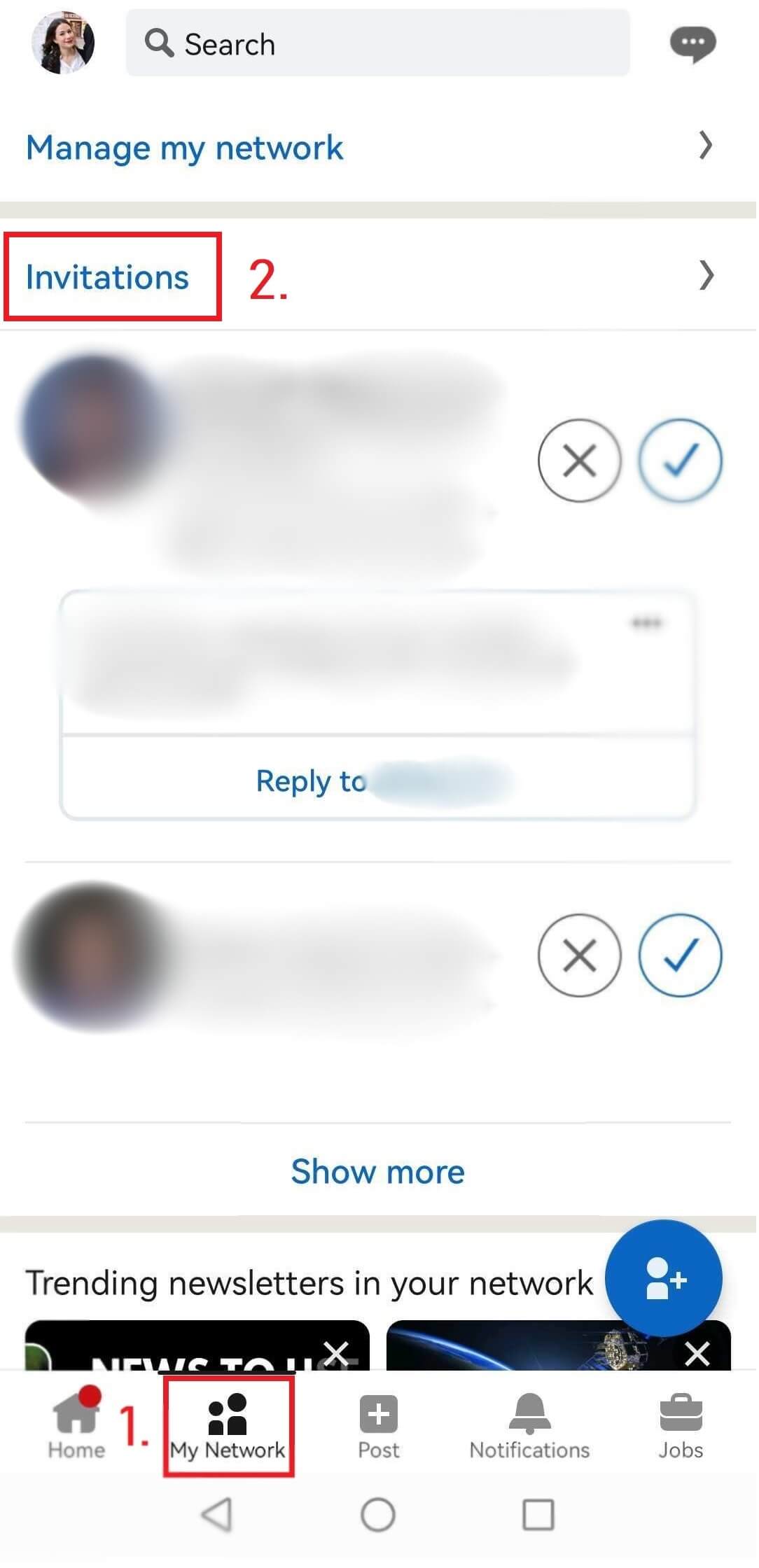
First, go to your Network page, and click the Invitations button.
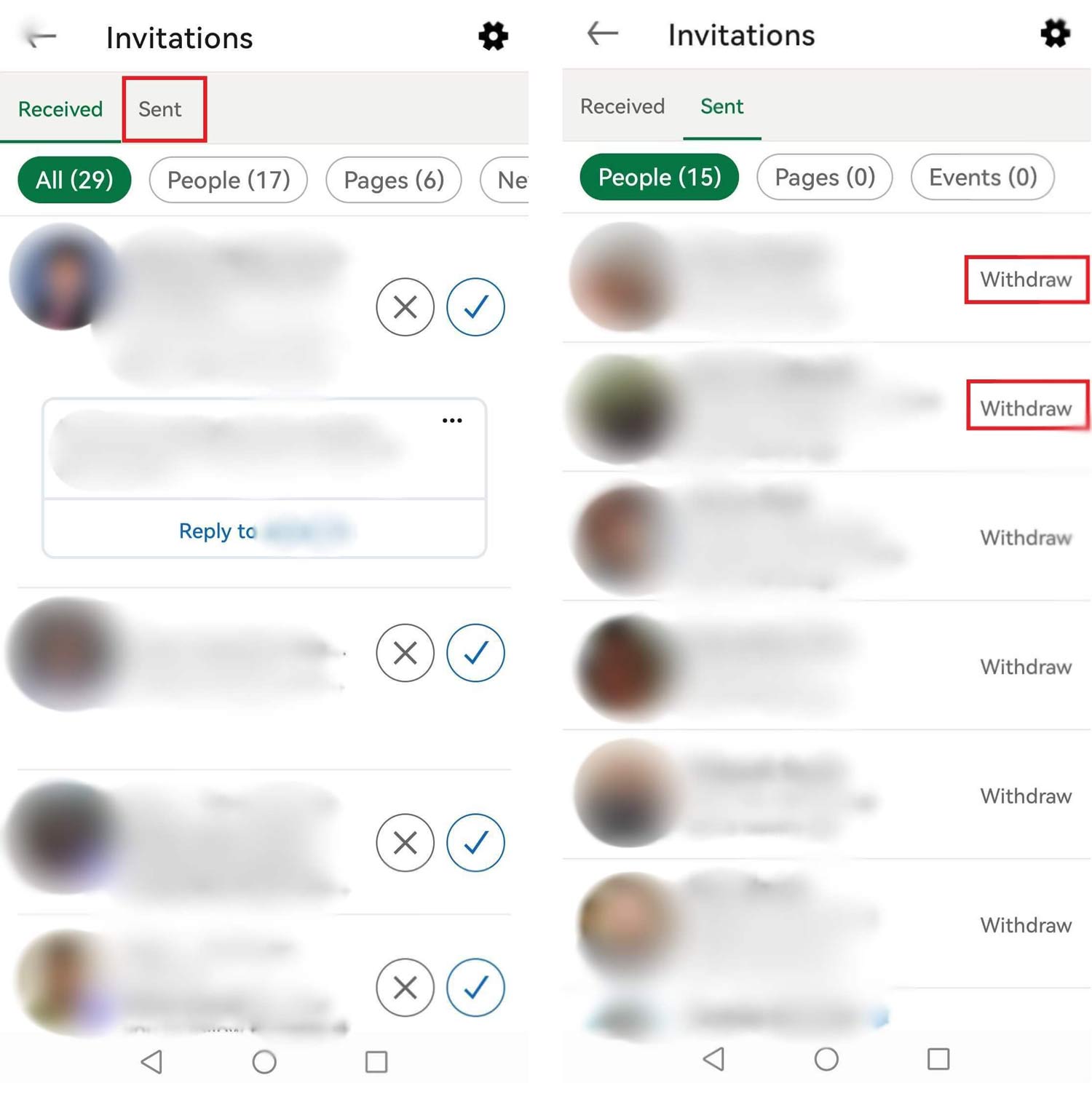
Next, click the Sent tab, and withdraw the invites you wish.
How to cancel LinkedIn invite on iOS
The process is somewhat different on iOS devices. So if, for example, you have an Apple phone, here is how you can cancel LinkedIn invite.
First, go to Notifications at the bottom of the screen. Then, click the Invitations button at the top. After the pop-up opens up, click View invitations you sent.
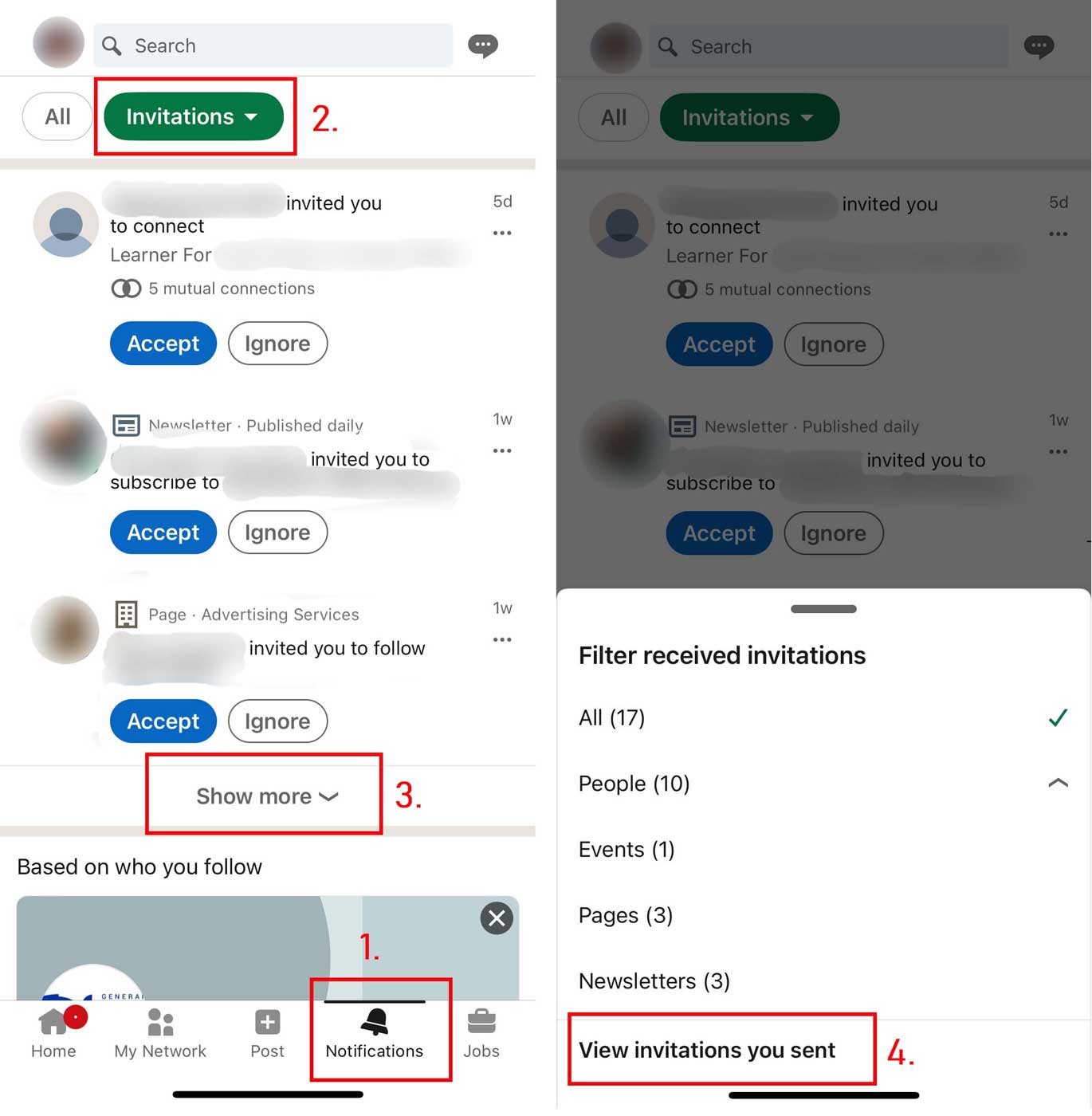
From there, choose the LinkedIn invites to withdraw and cancel them one by one.
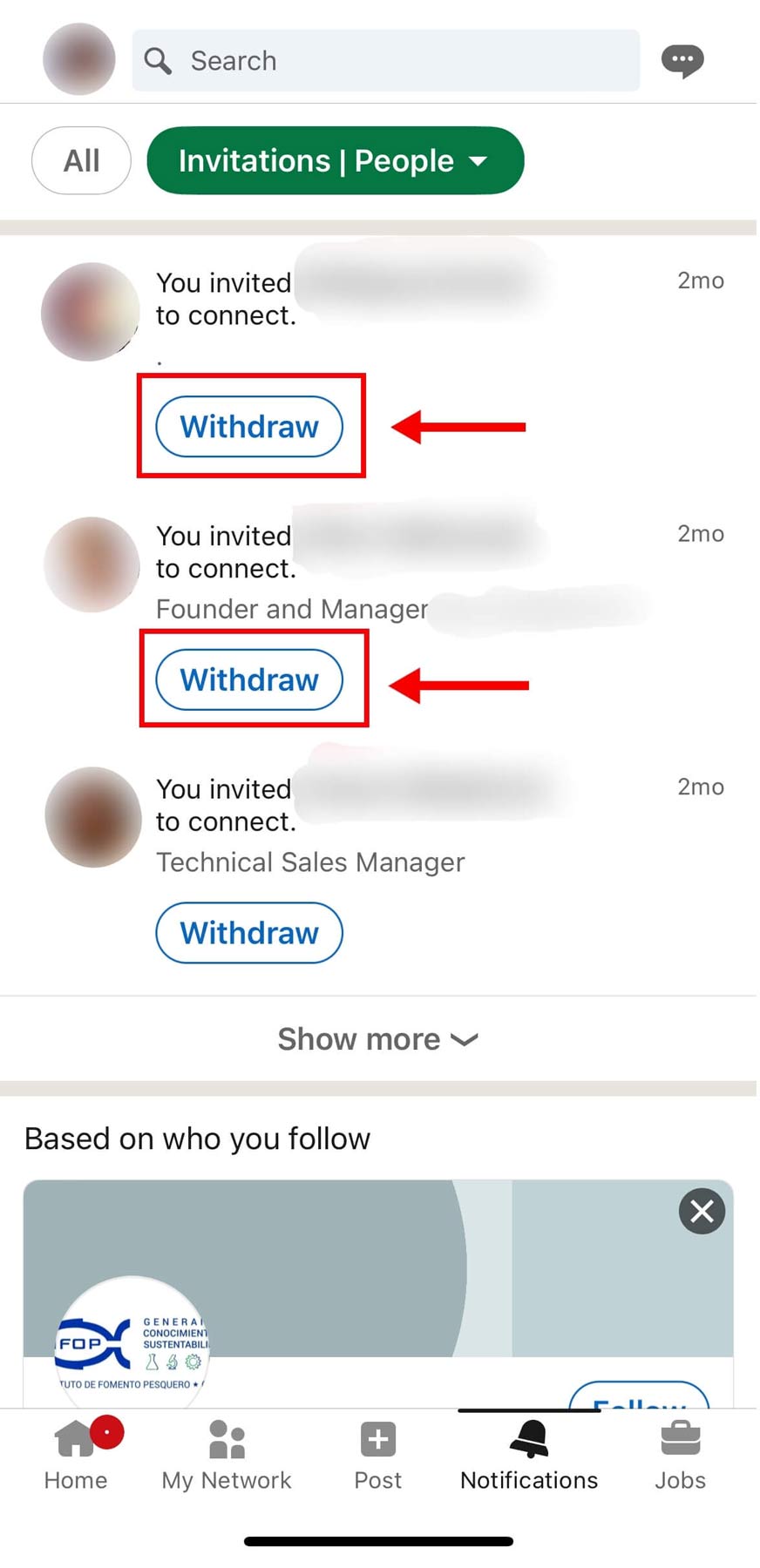
Let Skylead do the withdrawal for you
Canceling LinkedIn invites, one by one, can work if you have just a few pending. However, what should sales managers or recruiters do when they have thousands of invites pending? Should they all cancel the thousands of invites manually? No.
Remember when we said you could not cancel LinkedIn invites in bulk on LinkedIn? The point still stands - you cannot withdraw them all at once… Within the LinkedIn platform, that is.
However, you can use an automation tool for LinkedIn and Email outreach, such as Skylead, to do it for you.
In other words, you can use our LinkedIn outreach tool and set how many pending connections you wish to have before Skylead starts removing them automatically to keep your account safe and healthy.
Why your LinkedIn invitations aren’t getting accepted
Speaking of connecting on LinkedIn, the best case practice is to connect with people related to you, your position, and your business industry. Naturally, if you are a salesperson or a recruiter using LinkedIn for lead generation, you’d go with your target group.
In the end, no matter who you wish to connect to and why, the goal is the same – to get the right message across and be accepted. However, there are numerous reasons why your LinkedIn invitations aren’t getting accepted or stay pending for a long time. So, to help you increase your acceptance rate, let’s first cover the possible reasons why this metric is not high at the moment.
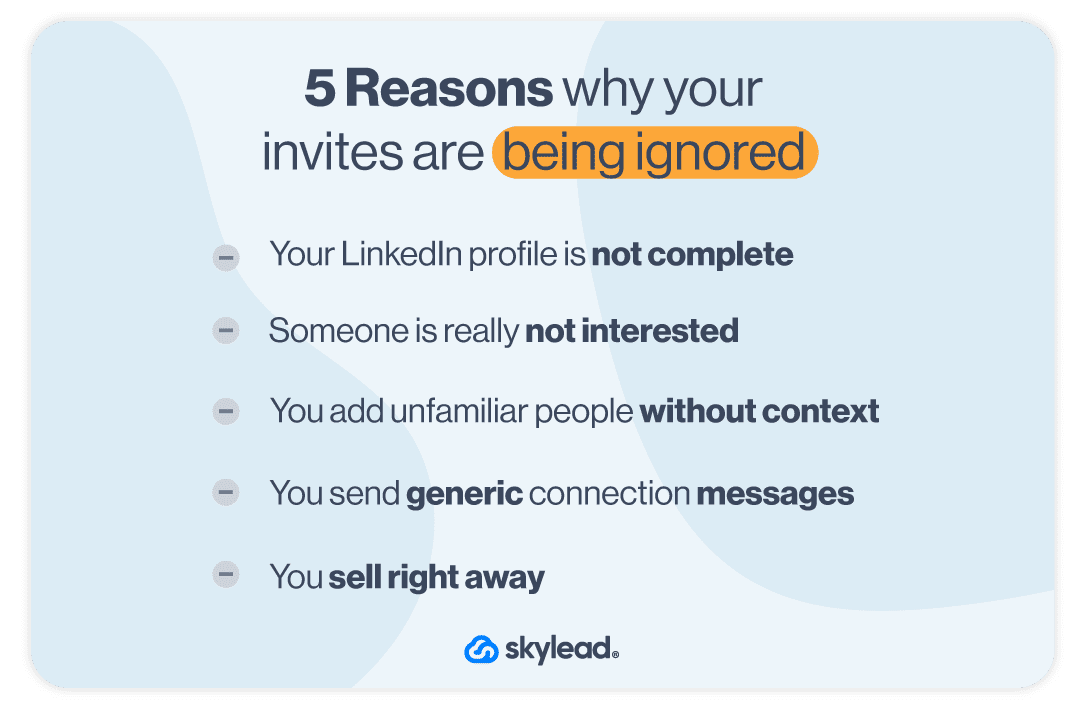
1. Incomplete LinkedIn profile
Sending invitations actively to users without previously setting up your profile is a huge mistake.
There are many profiles on LinkedIn that look like this, and you don’t want yours to be one of them.
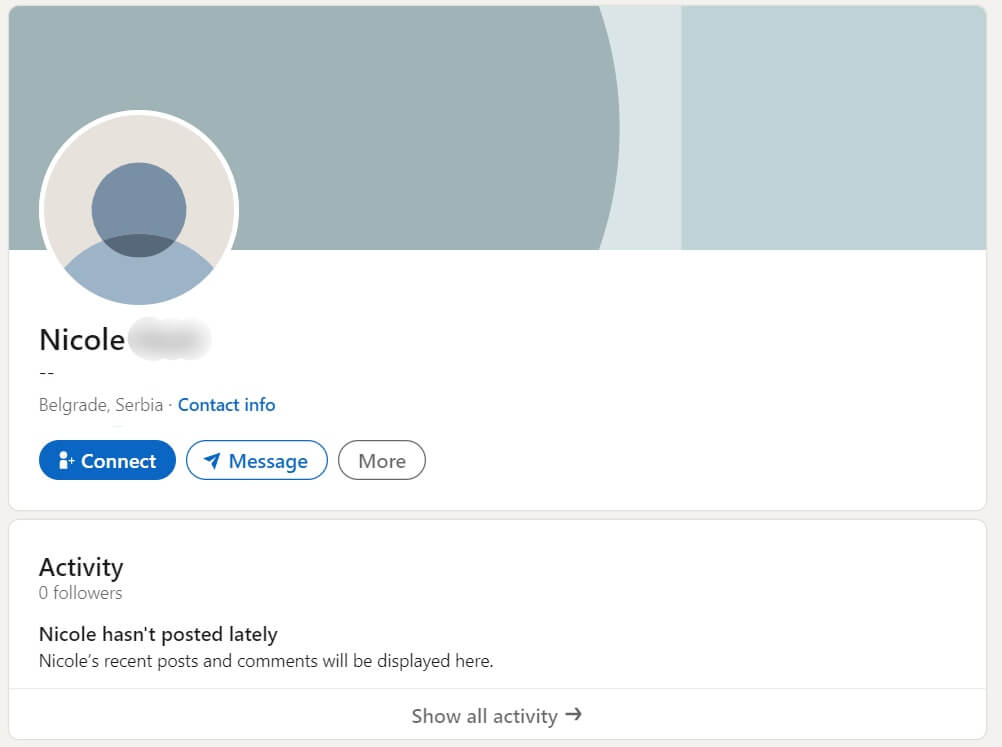
Start from yourself - would you accept an invite from this kind of profile? No, you wouldn’t.
If you have no photo, no description of any kind, and no experience details, no one on LinkedIn will take you seriously. Why would they want to connect with you without knowing who you are, right?
So if you send a request to someone with a profile like the one above, go back and cancel LinkedIn invite yourself. Then focus on setting up your LinkedIn profile first.
2. Someone is really not interested in accepting the invite
One reason may be that the user does not wish to connect with you and just prolongs declining your invite. I know - it’s like ripping off the band aid, but it had to be said.
3. Outreaching unknown people without context or common connections
This depends on the person, but some LinkedIn users don’t accept unfamiliar people. To clarify, those people sometimes see nothing they have in common with you, which makes them skeptical.
In this case, it’s good to have or reference a mutual connection, so they do not ignore your request.
4. Sending generic message requests
This mistake is the one that most LinkedIn users make. They think that writing something generic like “Hey, I’d like to connect with you” is enough to have their request accepted. Yeah, right!

These requests may be accepted in some cases, but not by a person who gets a lot of invites daily. Such people tend to get tons of messages that resemble yours and mostly ignore them. So, why would they make an exception for you?
What’s more, with this kind of message or no message at all, there is a chance the recipient can click the Ignore button and then the I don’t know this person option. With too many “I don’t know this person clicked“, you risk getting your account restricted by LinkedIn.
5. First touch selling
The chances of successfully selling something via the LinkedIn invitation request are close to zero.
You have probably received tons of invitation messages where someone is trying to sell insurance to you.
It is not the way sales work. Nowadays, it’s all about social selling and sales engagement, where building trust and delivering value come before the pitch.
In your invitation message, you should explain why you want to connect with the user you’re reaching out to, but not by trying to sell something. First, focus on personalizing, building normal human connections, and providing value before they buy anything you’re selling.
How to create engaging LinkedIn invites and boost acceptance rate
We cannot stress this enough. Before you even start creating and sending out your invitations, you need to optimize your LinkedIn profile first.
Almost every LinkedIn user will check your profile before they decide whether they should accept or ignore your invitation. That’s why it’s in your interest to give them a strong reason to accept your invitation, get value from you, and create a relationship.
After you’ve taken care of your profile, you’re ready to start inviting other users to connect. Here is our advice on how to do it more efficiently.
Prepare the ground for an invitation
It’s easy to connect with your colleagues or someone you know because those people know you personally.
However, even if you don’t know someone, you can try to remove that obstacle by becoming more familiar with that person. In other words, it’s good to start engaging with the posts of those potential connections.
Start liking their posts, create meaningful comments, and try to make a connection with them before sending an invite.
This will pave the way for you to build a relationship, and those users will start to perceive you as someone who is a valuable connection. Consequently, you won’t get in a position to cancel a LinkedIn invite that has been pending for a long time.
Personalize your invite messages
Before sending an invitation, make your messages as personalized as you can. It is a must if you want to improve your acceptance rate.
Sending personalized messages helps you leave a good first impression. Also:
- Addressing users by their names,
- Referencing something familiar to them,
- And avoiding generic phrases
play an important role in creating a strong relationship between you two.
Start by answering how you came across their profile and what made you want to connect. Don’t worry - the time you invest in LinkedIn prospecting your potential connection always pays off here.
Since you’re limited to 300 characters, you can use it to be more direct and honest.
Discover 20 ready-to-use connection invite templates with up to 78% acceptance rate.
Mention common interests
Adding many LinkedIn users who aren’t from your niche can decrease the quality of your LinkedIn feed and make it full of irrelevant content. That’s why connecting with someone that you share interests with is a great approach.
Mentioning the shared interests in your invite will show those users that you’ve invested some time into getting to know about them and their work. Moreover, you can mention the topic you wish to discuss with them. A message with these two elements will skyrocket your acceptance rate for sure. So, you won’t have to be in a position to cancel LinkedIn invite that has been pending for a long time. 😉
For example, start your message by commenting on your mutual job position, an event you both attended, or a post you both liked a while back.
Involve a little humor
It’s essential to have a professional tone of voice when you write your connection invite. However, “professional” doesn’t mean not having some sense of humor. You can always add a subtle joke here and there to make your invite stand out.
Moreover, using humor in your outreach is a nice pattern interrupt and has an immediate effect. Here is our example.
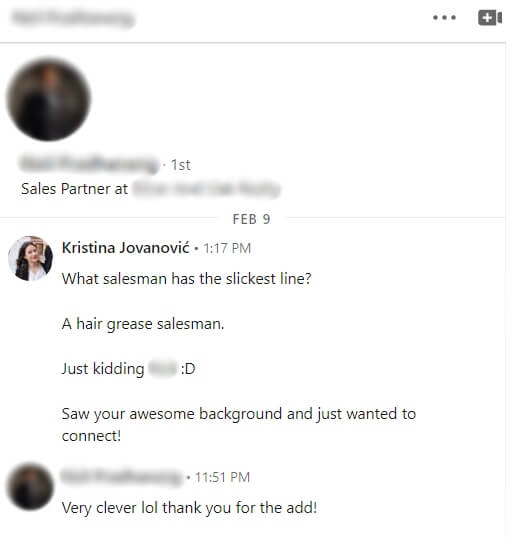
Check out our list of 35 position-related jokes ready to use in your outreach.
At the end of the day
We hope this article helped you understand why your requests have been pending for a long time and learn the tricks to improve the acceptance rate.
Remember: you must keep track of the requests you sent and clear the list on time. This is just so you don’t land on the LinkedIn radar for suspicious activity and get restricted.
That said, we recommend you invest time in your connection messages and your LinkedIn profile because, that way, you'll likely not be in the situation where you have to cancel a LinkedIn invite.
And if you wish to save 11+ hours a week, hours that you can better spend crafting winning messages and optimizing your profile, Skylead is here to help! It's the #1 LinkedIn automation tool and cold email software to use if you wish to optimize your sales processes.
Sounds good? Sign up for our 7-day free trial & take a glimpse at what it can do for you!
Is outreach part of your day-to-day tasks? Are you a part of sales, marketing, customer success, recruiting, or business development teams? Yes? Then, let us introduce you to outreach automation.
Using outreach automation might help streamline your workflow and get you to the desired results, fast. You can use outreach automation for:
- Lead generation
- Segmenting your audience
- Sending personalized messages and emails
- Automating follow-up sequences
- Creating drip campaigns
- Using multiple communication channels
- Collecting data and tracking progress
Sounds like a game-changer, doesn’t it? Cutting hours on manual tasks and improving overall outreach efficiency is what we had in mind when creating Skylead - a LinkedIn automation tool and cold email software for agencies and alike who what to scale their business. In fact, we didn’t just create a tool and give it to our users - we are using it ourselves. To back this claim, we should tell you that we used our mighty tool to boost our user base from 2,500 to 10,000 in 9 months alone!
That being said, we created this article to help you understand the fundamentals of outreach automation. You will learn how to leverage outreach automation to your benefit, reach goals faster, and book 3x the meetings. Moreover, we’ll show you the use cases, the success stories of our users, and the benefits experienced.
So, without further ado, let’s begin introducing you to your latest industry game changer - outreach automation. ⭐️

What is outreach automation?
Outreach automation uses software tools to streamline reaching out to potential leads, customers, or any target audience. You can automate parts of your outreach, such as sending personalized messages and follow-ups on multiple channels, analyzing your outreach results, and optimizing campaigns.
In business-to-business communication (B2B), it is common to come across automated outreach campaigns. Many companies rely on outreach automation due to the large number of cold messages and follow-ups required in outreach to streamline the process and carry out the demanding numbers, especially those working in sales and marketing. In fact, sales professionals claim that automation saves more than 2 hours on manual tasks per day.
We can’t talk about B2B outreach and not mention outbound email marketing and outbound sales. It is similar to cold calling, as you craft cold email campaigns to contact potential prospects and send unrequested cold emails. In fact, outbound marketing is an integral part of many industries, where large audiences are getting reached daily, thus creating the perfect setting for automation tools.
The same goes for business-to-consumer (B2C) oriented industries. No middle person is required, yet automation tools are necessary. Numbers show that companies that use automation software to craft elaborate targeted outreach campaigns get twice as many leads and 58% more conversions than those who send out email blasts.
Good news, marketing folks, too! Direct-to-consumer (D2C) is also favorable for automation. Almost all social media activity can be automated nowadays, saving up to 6 hours per day! Spending funds on marketing automation will provide a jump of 77% in conversions! Not bad, right?
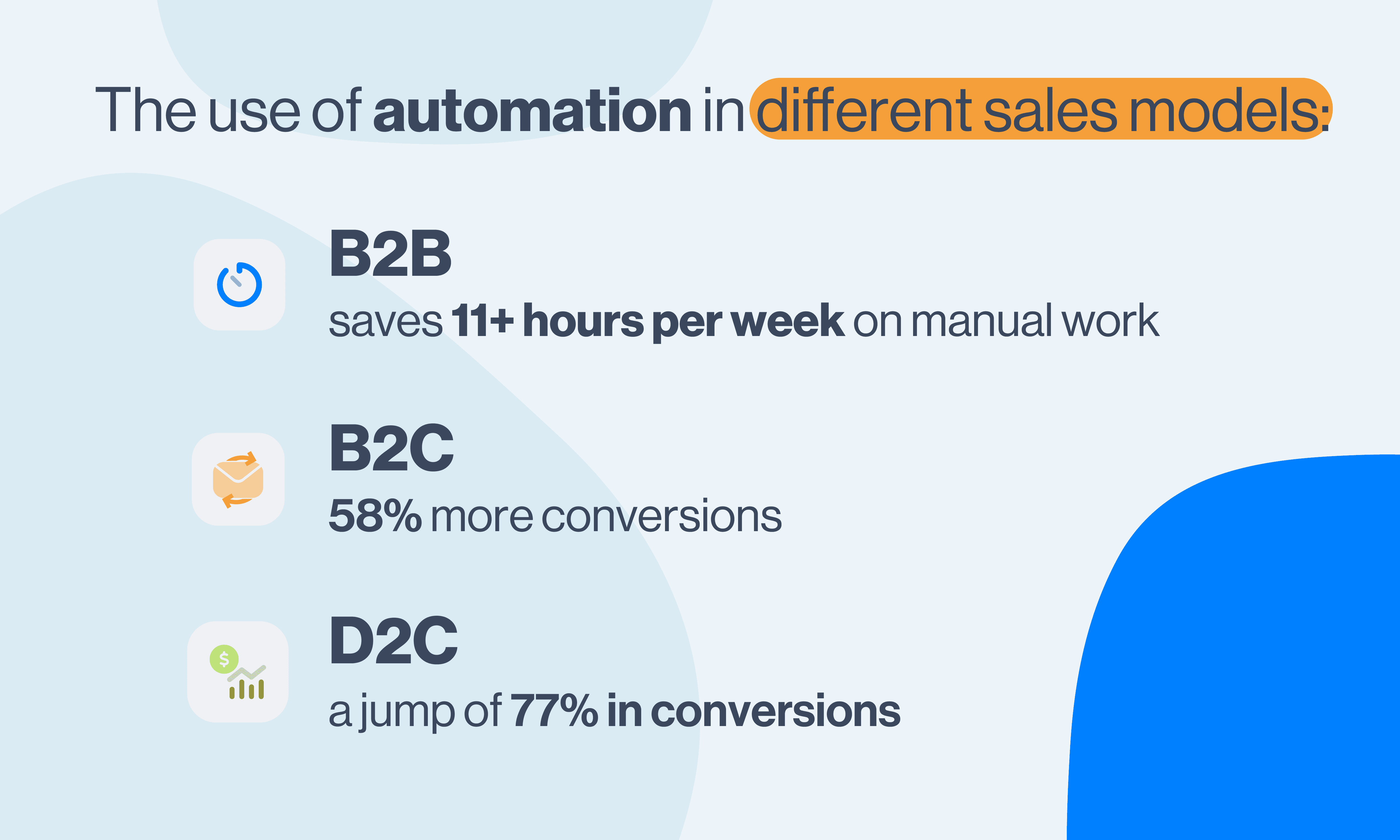
What are the benefits of outreach automation?
If you’re still unconvinced to automate your outreach, we can tell you that both we and our users experienced these benefits firsthand. Here are some of the main benefits of automated outreach and incorporating an automation tool into your workflow:
- Time-saving (the right automation tool can help save up to 11+ hours per week on manual work - that’s 6 days a month! ?)
- Ensures accuracy
- Increases effectiveness
- Scalable (automation tools can help scale your business - this especially applies to sales and marketing)
- Provides consistent engagement with prospects
- Allows for mass personalization (by using variables and other visual elements - images, GIFs, videos, etc.)
- Decreases the chances of errors (if done correctly, automation tools can help in avoiding human error)
Use cases for outreach automation
Thanks to outreach automation, we’ve seen many industries experience significant business development, sales, and marketing among the first. Customer support can also benefit from automating certain parts of their workflow, ensuring customer success. Recruiters can choose a niche, narrow their search, and get to the desired talent in no time.
Now that we know who, let’s look into the specifics and explore when and where we think it’s best to use automated outreach on a real-life example and through our tool - Skylead. ?
Prospecting
Before you go into outreach, you need to find your audience first, and you can do that with prospecting. The good news is that prospecting tools can help with automation by:
- Identifying potential leads by custom criteria
- Sourcing and verifying prospect information
- Organizing prospect data
You can do prospecting in multiple ways:
- Social media (e.g., prospecting on LinkedIn)
- Networking - virtually or in-person)
- Lead magnets - relevant content such as blogs, case studies, newsletters, etc. that resonate with your target audience (inbound marketing techniques)
Once you acquire quality leads via LinkedIn search filters or putting their names, emails, and LinkedIn URLs in a CSV file, you can then pull them into Skylead as a lead source, which could be one of the following types:
- LinkedIn search URL
- Sales navigator search URL
- Recruiter search URL
- Imported list of leads from a CSV file
- People who’ve liked a post on LinkedIn
- Imported Sales navigator leads list
- Recruiter talent pool
- Recruiter pipeline
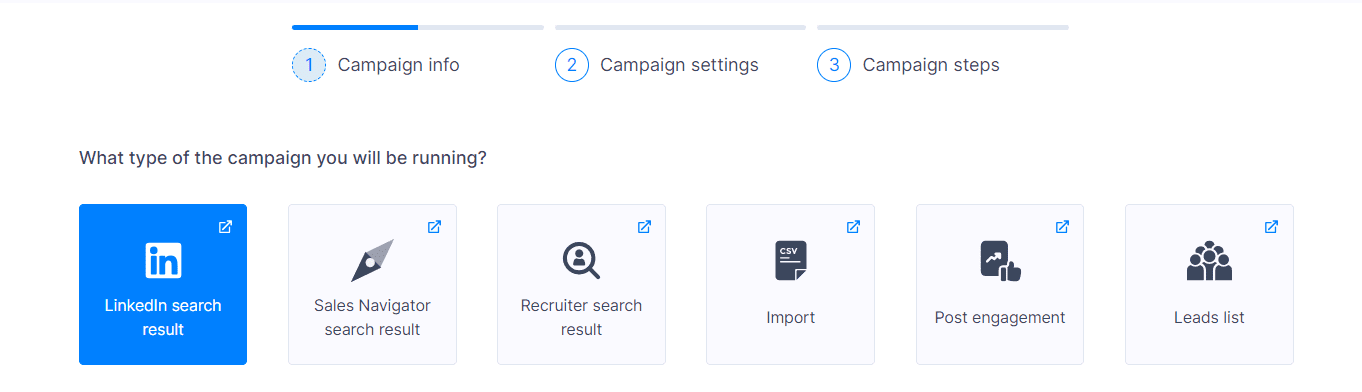
Pro tip: You can use our Email discovery and verification feature to find prospects’ emails and incorporate multiple channels into your outreach.
Lead generation & lead nurturing
After prospecting, we get to lead generation and lead nurturing. Once you acquire qualified prospects, you can start the warm-up and build your future relationships until conversion. Skylead can help with all those processes, even with lead management. This is how you do it with Skylead. ?
Linkedin outreach automation
As the biggest professional social media network, with over 950 million users worldwide, LinkedIn is a safe bet for outreach. But how to automate LinkedIn outreach, you may ask?
Some call them LinkedIn automation tools, and some call them LinkedIn bots, but the premise is the same: these tools can help speed up and streamline LinkedIn outreach.
Here are the actions and conditions you can combine and automate in Skylead, thanks to our Smart sequence builder.
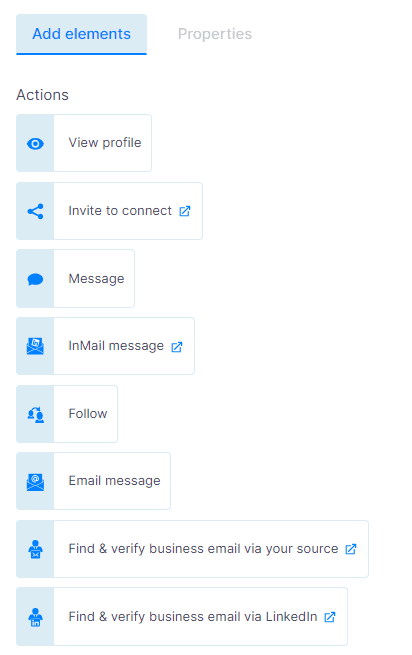
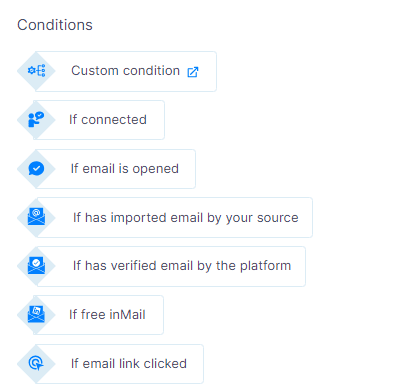
Once you combine these actions and conditions, you get a Smart sequence - an algorithm with different outreach scenarios that Skylead will execute according to your leads' behavior. Here’s an image example:
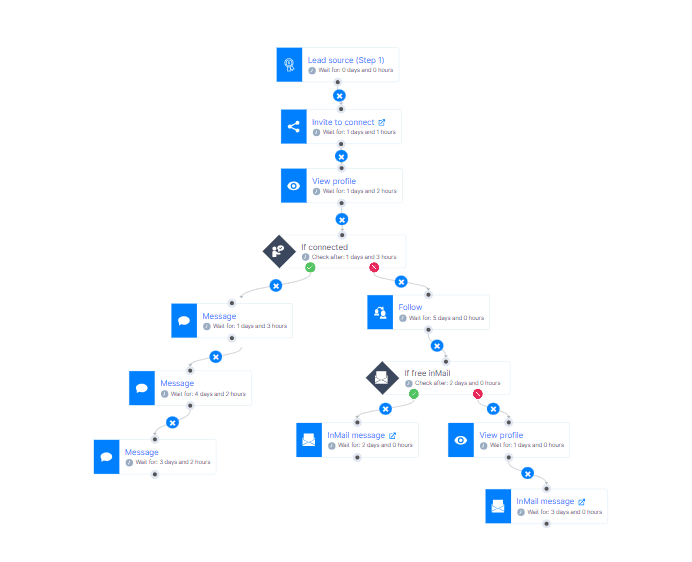
And the best thing about our LinkedIn automation? Once you set it up properly, it does all the work for you! But that’s not everything…

Cold emailing
Hoping to secure new clients? Don’t have an existing relationship with them, or are they not responding to your LinkedIn outreach? Send a cold email or use an email template and start the conversation! Sending cold emails is an integral part of cold email outreach and email marketing. But where does automation fit into all of this? Well, everywhere. Use these tools to:
- Find prospects’ email addresses
- Send cold messages and drip campaigns
- A/B test your email copy for better open and response rates
- Monitor your performance with real-time data and detailed analytics
This is where Skylead comes in. Use unlimited email automation and combine it with LinkedIn automation to create multichannel Smart sequences. Here’s an example of such a sequence, which can be used for outreach, lead nurturing, content and event promotion, etc:
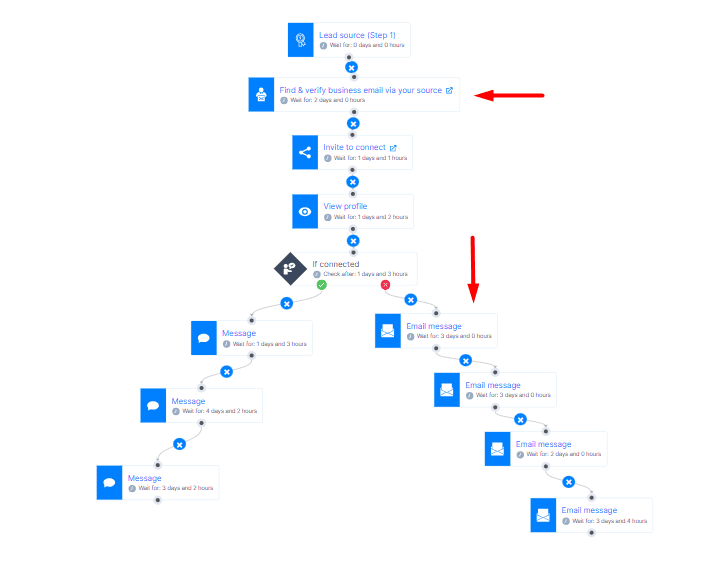
Follow-up
Salespeople are well aware that follow-ups are an absolute necessity when it comes to outreach and closing deals. What if we told you that 70% of salespeople stop after the first sales email? Our experiences show that the first follow-up increases response rates by 43%, and the last follow-up, the so-called breakup email, receives a staggering 53% response rate!
As you can tell, devising an outreach strategy that involves follow-up emails after no response to the first outreach attempt and adding a sales engagement platform to the mix increases your chances of efficiency and success. Use Skylead to automate follow-up sequences and take over once they respond!
Customer retention
If you’re in marketing, and your goal is to keep your customers hooked to your product and nurture relationships easily, this is where marketing automation comes in. For successful customer retention, use Skylead to automate sending emails and LinkedIn messages with special discounts, gifts, promotions, and useful resources.
Event marketing
Have an event you want to promote? Is it a webinar or any kind of happening? Event marketing simply calls for automation. You can use Skylead to create a webinar promo campaign and send invitations automatically, reaching out to your guest list in just a couple of clicks.
When not to use outreach automation
There are only some rare cases where outreach automation isn’t going to work. It is a bad idea to overuse the tool and reach out to more people than is allowed. LinkedIn imposes certain limitations that block excessive use and could potentially lead to your account ending up in LinkedIn jail. The email account’s health could also be damaged, so be careful.
The second case where automation loses its function is the opposite case when you need to send just a couple of messages or don’t use much outreach as a part of your work. Automation isn't efficient enough if you’re planning just one touchpoint with your prospects, so it’s better to do all this manually.
Note: You need an average of 5 touchpoints with a prospect to get a response. We generally don’t advise aiming for just one touchpoint, as that outreach strategy isn’t effective.
Different types of outreach automation tools
LinkedIn automation tools
We’ve mentioned LinkedIn outreach automation, and LinkedIn outreach tools are here to help create outreach campaigns that reach out to a larger number of people in less time. These tools can streamline any LinkedIn action you'd have to do manually to reach out to prospects.
Here are some examples of LinkedIn automation tools:
- Skylead - As we’ve shown you earlier, Skylead is a LinkedIn automation and cold email software. Our cloud-based tool is here to simplify outreach and let users (individuals or companies) streamline their outreach process.
Our LinkedIn automation solution helps you automate LinkedIn actions. Plus, by using Image & GIF personalization, you can personalize all messages in a follow-up sequence, not just the first.
Finally, our first-to-market Smart sequences help combine LinkedIn with unlimited email automation and let you use multichannel outreach in its full glory. This way, you can reach your prospects one way or the other.
- LinkedHelper 2 - Here’s another example. A desktop automation tool that focuses on lead generation and LinkedIn automation. LinkedHelper also has an internal customer relationship management (CRM), so there’s no need to integrate with any other tool. However, if you’re looking for email automation along with LinkedIn, you would need to use another tool and pay extra for this solution.
- MeetAlfred - This cloud-based tool’s main focus is social selling on LinkedIn. It has a native CRM, so there’s no need for another tool integration. Besides LinkedIn, it supports email automation as well. However, you cannot create multichannel outreach in one sequence, as it does not support Smart sequences.
Email outreach tools
Email outreach is one of the oldest types of outreach out there. Whether inbound or outbound, we’ve come to an era that allows us to focus less on manual tasks and more on building solid relationships with prospects. Email outreach tools are here to:
- Automate email outreach campaigns
- Send personalized emails
- Track all relevant email metrics (open rates, response rates, click-through rates, etc.)
- Manage follow-up email sequences
Here are some examples of email automation tools:
- Outreach.io - This is a sales execution platform that covers the entire sales process. It integrates with Hubspot, LinkedIn Sales Navigator, and Gmail. This integration allows sending personalized emails, automating different tasks, and tracking overall engagement.
- Mailchimp - This email automation platform offers audience segmentation, generative AI content features, and thorough analytics. While it could be what you’re looking for, Mailchimp does not provide other outreach channels, potentially slowing down your outreach.
- Salesloft - Salesloft is a revenue workflow platform with an email automation feature, an internal CRM, and sales pipeline software.
Note: While all these tools have unique features that add up to the email automation solution, they do not offer other outreach channels. You can use Skylead for email and LinkedIn outreach, doubling the chances of a response. Multichannel outreach in one tool? Well…

CRM integration tools
These tools are designed to add more value to your existing automation tool. Your outreach automation tools integrated with your CRM system are powerful workflow enhancements used to keep track of all your leads and interactions in one place.
Here are some examples of CRM integration tools:
- Hubspot - Hubspot helps you seamlessly connect your data, teams, and prospects in one place. It’s a sublime CRM platform created to scale with your business.
- Salesforce - This cloud-based CRM makes it easy for companies to find, nurture, and analyze prospects. Salesforce keeps all of your data in one place, no matter the source.
- Zapier - Zapier is a powerful tool made to help end users integrate web applications they use. It’s a time-saving tool that cuts hours of manual work and automates workflows.
Note: Skylead integrates with most 3rd party tools. If you need to integrate your CRM with Skylead, you can do so easily by creating webhooks or using API.
Personalization tools
Tools that add a special visual touch to your outreach messages help you personalize your outreach at scale. Your messages will be more engaging and relevant to prospects, prompting them to hit reply faster.
Here are some examples of personalization tools:
- Personyze - This tool offers a personalized experience with your prospects at any touchpoint. You can send personalized, targeted emails and get a higher response rate.
- Nifty Images - This tool allows for sending customizable images, charts, and other visuals. They also support ESP merge tags, along with 100+ templates.
- Hyperise - Hyperise is a tool that supports image personalization. The main feature, called the dynamic Image editor, allows for 16 personalization points.
Note: You might think how amazing these tools are, but you know what? If you’re already using an automation tool and don’t want to pay extra for another, you can use Skylead. We have a native Image & GIF personalization feature, so there’s no need to add it externally.
Note: Before creating this feature, we tested adding images &GIFs to LinkedIn and email outreach messages, and we’ve managed to increase the response rate to 63%.
Best practices for outreach automation
Segment your audience
Before you begin your outreach endeavors, be sure to dedicate time to audience segmentation. By segmenting your audience, you amp up the efficiency and effectiveness of outreach in general. In fact, this step can affect your outreach efforts later on.
Segmentation begins once you define your ideal customer profile (ICP) and buyer personas. By segmenting your audience well, you can easily personalize the pain points of each segment. Remember: the better the segment and targeting, the better the outreach results.
Personalize your messages
Skylead spent months testing and adapting text & image personalization in cold outreach. Our conclusion might not come as such a shock, but people will respond more to personalized content. In fact, our response rates jumped to 63% in total after numerous test campaigns. You can use this information to further personalize your approach.
Here are some elements you can add:
- Images
- Dynamic text
- GIFs
- Videos
- Variables (with Skylead, you can use variables for First name, Last Name, Current Company, Years in current company, occupation, etc. You can even set up your own custom variables and use them with each new message you craft in a campaign.
Note: Our sales team tested our personalized outreach sequences, and the results show that the response rate increased from the industry standard of 8.5% to a staggering 35%.
Finally, these are the benefits we underline when it comes to personalization:
- Targeted communication - If you know your niche, you can personalize and tailor your messages to a specific group. Your content should be more engaging and relevant to the target audience.
- Increased engagement - It’s a chain reaction. If you segment well, your personalization is on point. Therefore, your response rates are up.
- Improved analytics - Personalization makes tracking results more accurate. You can easily spot which step isn’t working and continue optimizing as you go.
- Brand loyalty - Once your audience gets a sense of your brand and that they can trust you, brand loyalty begins. We can conclude that proper personalization leads to brand loyalty and trust.
Use a variety of channels
Ever heard of multichannel outreach? Using more than one channel is crucial in outreach since it gives you another opportunity for a touchpoint with prospects. In fact, if you’re reaching out with email and the prospect isn’t responding, you can use LinkedIn as another communication tool and vice versa. This is why Skylead combines both LinkedIn and email automation, thus maximizing the chances of a response.
Track your results
Looking at data is always a big part of a successful outreach strategy. By tracking your results constantly and testing each outreach attempt, you will get to higher outreach numbers faster. Skylead offers an A/B testing feature, allowing you to test different types of approaches with prospects. This way, you’ll figure out quickly which part of outreach to keep and what needs to be optimized.
Use safe tools
If we know that LinkedIn doesn’t support the use of automation tools, we have to be sure we are using the safest option out there. We can find multiple types of tools which ultimately determine their safety:
- Chrome extensions (you have to install them + these tools insert a code into LinkedIn, which makes them detectable)
- Desktop apps (doesn’t work when your PC is off)
- Cloud-based tools (they have a dedicated IP address + cloud storage, + the software runs even when your PC is off)
Firstly, many tools are browser-based, yet they are not the safest option because LinkedIn can detect their activity. This could possibly send you to LinkedIn jail - getting your LinkedIn account restricted or permanently banned if LinkedIn’s algorithms spot suspicious behavior. Secondly, desktop apps are inefficient and have the same safety issues as browser-based tools.
Finally, you should opt for a cloud-based solution like Skylead, which is undetectable thanks to the dedicated IP address and the human-like behavior algorithm. Cloud-based tools also allow you to connect multiple accounts and have an integrated inbox with all messages from all communication channels in one convenient place.
Common mistakes to avoid in outreach automation
Sending too many messages
Following up is one thing, but spamming prospects with messages without giving them the proper amount of time to respond is another. That’s one of the biggest mistakes of outreach. Sending regular updates is fine, but make sure not to overwhelm them. Otherwise, you might end up on the spam list.
The adequate wait period in between messages should be anywhere from 2-5 business days before you contact your prospects again. If we know that LinkedIn limits our activity on the platform, as they allow you to send only 100-120 messages per week, it’s better to send them to different people rather than just one.
Not following up
Our Head of Sales, Andrea, says that it usually takes her 4-5 touchpoints before she gets a response from a lead. Therefore, persistence is key. Although sending a follow-up email after no response can be challenging, if all the previous steps were done correctly, there’s no reason for your prospect not to hit reply.
Each follow-up keeps prospects engaged and with your product/service on their mind. If you space follow-ups correctly, with a 2-5 day gap between them, each follow-up should bring more value and a higher reply rate. In fact, our testing suggests that the last follow-up - breakup email received a 53% response rate.
Using spammy tactics
When reaching out, you should avoid using anything that might be perceived as spam to avoid getting your account restricted and email flagged. That includes:
- Using all-caps subject lines
- Excessive use of exclamation points
- Overuse of emojis
- Irrelevant links
- Typos in subject lines and email body
Using too many tools
We’ve already tapped into this a bit before, but some tools offer only a partial solution for your outreach demands. Avoid using tools that need a large number of add-ons. Instead, opt for all-in-one solutions like Skylead that cover the majority of your outreach needs for the price of one.
Case studies
Theory is one thing, but what about real-life examples? We are not one of those big promises types of people, so below are two case studies that show just how efficient automation tools can be. But not just any automation tool. Skylead. Our users are our best advocates. See for yourself ?
Case study 1: How 10x Millennial went from booking 20 to 80 calls per week using outreach automation
Company type: Marketing and lead generation agency
Use case: Sales, marketing
Our first success story is 10x Millenial, which used Skylead to automate certain parts of its business. By using Skylead, Michael Gonzalez, the founder of the company, was able to offer lead gen services to companies and clients through automated email outreach. LinkedIn was an added bonus that the company hadn’t used for outreach before.
They got to book around 80 calls per week and roughly 320 calls per month! The biggest deal they closed using our tool for their client was worth $40K.
Favorites: Smart sequences, Smart inbox, and Support team.
Case study 2: How NewPoort generated 45% of its business using automation
Company type: Lead generation agency
Use case: Sales and recruiting lead generation
The second success story we’re reviewing is from Toine Boelens, the founder of NewPoort. His business model relies on helping recruitment agencies and other companies create and manage LinkedIn outreach campaigns. LinkedIn automation is what helped him generate new clients for his clients, and with it, he usually gets 5 to 10 qualified responses per day and takes it from there.
He underlines that arranging 100 meetings for his clients in 4 months is his biggest success story since incorporating Skylead into his business model. In the beginning, our tool helped Toine generate 40-50% of his business.
Favorites: Suggested sequence templates, Smart inbox, Smart sequences, sending InMails in LinkedIn outreach.
Frequently asked questions
How do different industries adapt outreach automation tools to fit their unique business models and customer interaction strategies?
Different industries tailor outreach automation tools by identifying customer interaction patterns unique to their sector, integrating these tools with industry-specific CRM systems, and customizing communication templates to align with the professional tone and language preferred by their target audience.
What specific metrics or KPIs should businesses focus on to accurately measure the success of their outreach automation efforts?
Businesses should focus on metrics such as response rates, conversion rates from lead to customer, engagement levels (like open and click-through rates), and ROI from automated outreach campaigns to measure the effectiveness of their outreach automation efforts accurately.
How does the implementation of outreach automation impact the roles and responsibilities of sales and marketing teams within a company?
Implementing outreach automation can streamline the workload of sales, recruiter and marketing teams, allowing them to focus on strategy and personalized engagement with high-priority leads. It often leads to a redefinition of roles towards more analytical and strategic tasks rather than manual outreach processes.
How do you automate emails for outreach?
Outreach emails can be automated with the use of automation tools. These tools can automate cold emails, entire follow-up message sequences, and drip campaigns. Some can even find and verify emails of prospects without the need for email lists.
Why do companies use outreach?
Outreach is used to promote products and services to individuals or other businesses, increase brand awareness, and build customer loyalty with the goal of selling those products/services. By using outreach, you can attract new customers and clients faster and build brand authority.
What is outreach sales automation?
Sales automation tools are designed to save time on manual tasks like sales outreach, email campaigns, and data collection by automating parts or the entire process. These tools enhance the sales cycle by streamlining repetitive tasks, thus giving sales reps more time to focus on building and nurturing lead relationships.
Ready to automate your outreach?
Incorporating automation resources into your outreach is the key to streamlining workflows, and boosting in-house productivity, not to mention overall results.
To jog your memory, with automation tools, we can:
- Save time on manual tasks
- Use additional outreach channels
- Automate parts of the sales pipeline (prospecting, lead generation, and lead nurturing)
- Focus more on building solid relationships with leads
- Easily monitor and optimize campaigns by using detailed analytics
And what should you keep in mind when looking for this wonderful tool? Here’s a rundown:
- It should be cloud-based (for your account health and safety)
- Possible multichannel outreach (for better outreach results)
- An all-in-one solution (without the need for add-ons and extra costs)
So, where do you begin? With Skylead, of course! ?
Here’s a demo video to give you an idea of what our tool looks like, and if you’re sure about automating your outreach right, then do not hesitate to test Skylead today and enjoy the beauty of an outreach that thinks and works for you!
Disclaimer: Skylead is not affiliated, endorsed by, or connected with LinkedIn in any way.
If you're in sales, chances are you've given social selling on LinkedIn a try. You may also be all too familiar with the following scenario: you spend hours sending invites to connect, crafting messages, and follow-ups, only to realize the results are…nowhere to be found. Conversations die out before they've truly begun, engagement is flat, and you're left wondering if all this effort is even worth it. But LinkedIn isn’t the problem. It's how you're using it. LinkedIn is a powerful sales engine, but only with the proper LinkedIn sales strategy.
So, how do you create one? And, more importantly, how do you put it to work?
Since our sales guru, Andrea, is an expert on sales (and LinkedIn), we thought we'd pick their brains to answer these. And now, we'll be using their knowledge and firsthand experience to break down:
- How to create and execute a LinkedIn sales strategy that gets results;
- How to track and analyze its performance;
- And what mistakes you need to avoid to minimize wasted efforts.
So, if you are ready to turn things around on LinkedIn sales-wise, it's time to dig in!
How effective is LinkedIn for sales?
Why bother using LinkedIn for sales engagement to begin with?
Because it’s home to over 1 billion professionals spread across 200 territories. Out of these, a whopping 63 million are decision-makers and another 10 million C-level executives. This means your audience is definitely there. You just need to get to them.
Basic users are slightly limited when it comes to LinkedIn prospecting and LinkedIn lead generation. And while you can use any LinkedIn Premium subscription to get to sales leads, Sales Navigator remains your solid bet.
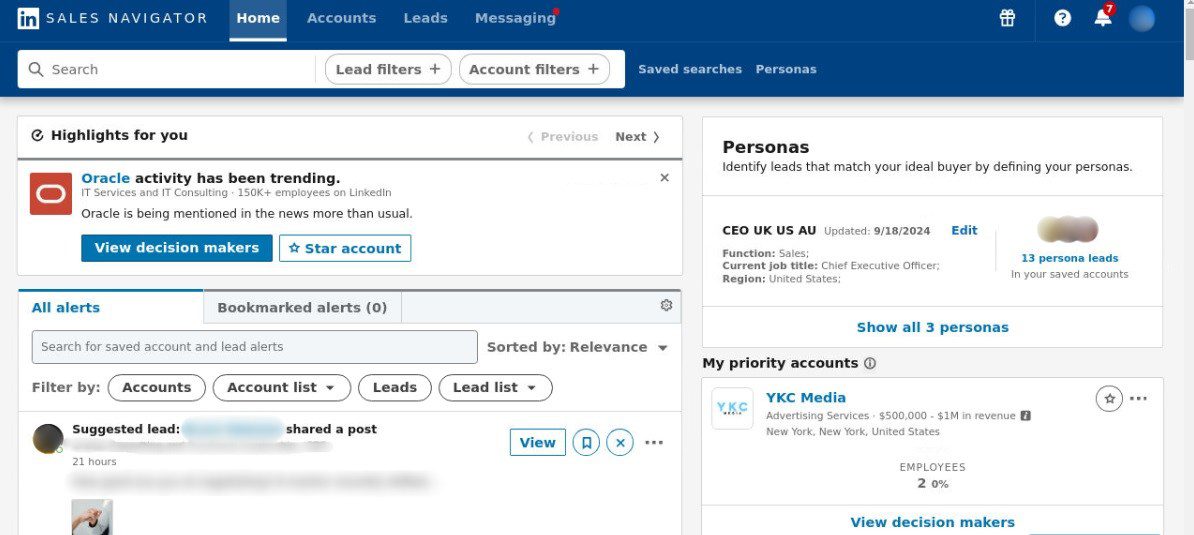
That’s because it’s aimed precisely at sales professionals and equipped with over 50 lead and account LinkedIn Sales Navigator filters that simplify prospecting. Not to mention, it comes with advanced features that aren’t available to other Premium subscribers (e.g., Buyer Intent and Persona features).
We could spend hours talking about the LinkedIn Sales Navigator vs Premium differences. But instead, let’s focus on the stats that prove just how effective LinkedIn, or Sales Navigator, is for sales professionals.
Namely, its users manage to:
- Close 31% more deals
- Connect to 4x more decision-makers
- Save 65+ hours annually due to reduced tool switching
Moreover, Forrester Consulting conducted a study on Sales Navigator in 2023, where they revealed that this subscription yields an impressive 312% ROI over the course of 3 years. It also pays itself off in less than 6 months.
So, if you’re in sales and LinkedIn, especially its Sales Navigator, isn’t part of your strategy, it’s likely you’re losing out on some serious opportunities.
What is a LinkedIn sales strategy & why do you need one?
A LinkedIn sales strategy is a structured plan for using LinkedIn to find prospects, generate leads, and drive sales. It focuses on tapping into LinkedIn’s networking opportunities, sharing valuable content, and using sales tools to connect with potential customers, build relationships, and nurture them into clients.
In fact, with a LinkedIn strategy in place, you can:
- Target the right individuals who fit your Ideal Customer Profile and Buyer Persona.
- Build credibility and trust through thought leadership posts, insightful comments, and meaningful conversations.
- Increase efficiency by focusing on high-value activities like nurturing warm leads and minimizing time spent on low-potential prospects.
- Drive measurable results by converting these leads into paying customers.
On the other hand, without a clear and actionable LinkedIn sales strategy, the results are often wasted effort, time, and, ultimately, money.
What should you do before creating a LinkedIn sales strategy?
So, having a social selling strategy for LinkedIn is a must. That much we established.
But now, let’s show you what you should do before you create one, according to our sales team at Skylead.
Identify your sales objectives & goals
Every successful LinkedIn sales strategy starts with clear objectives. That’s because defining them upfront helps you measure success later on.
To establish them, think about what you are trying to achieve.
Are you looking to:
- Generate leads,
- Increase product demos,
- Or drive sales directly?
Objectives are meant to guide your strategy and point you in the right direction.
But a strong LinkedIn sales strategy also needs goals to keep you focused and on track.
Unlike objectives, goals are specific, measurable, and highly influenced by key performance indicators (KPIs).
For example, your goals could be to:
- Bring 250 warm leads from LinkedIn in Q1.
- Increase product demos by 30%.
- Bring $20K of sales directly from LinkedIn.
To track these goals effectively, you’ll need to define relevant KPIs.
Based on the examples above, your sub-KPIs could be to:
- Increase connection requests by 50%
- Reach a 30% response rate
When clearly defined, KPIs become measurable, allowing you to plan activities, allocate resources, and monitor progress efficiently. As you move closer to your goals—and, ultimately, your objectives—you can refine and optimize these metrics to improve your results over time.
Define your ICP and Buyer Persona
After you identify your objectives and goals, it's time to figure out who to target. In other words, you should define your Ideal Customer Profile and Buyer Persona.
Your ICP represents the type of companies that benefit the most from your product or service.
In the meantime, your Buyer Persona is a more detailed representation of decision-makers within those companies.
To paint a better picture, say you’re selling a CRM for small businesses. In that case, your ICP may include SaaS companies with 10-50 employees. As for your Buyer Persona, it could be a VP of Sales who struggles with pipeline visibility and wants to simplify the sales process.
With these two defined, you can focus on the right people and improve your odds of driving sales.
Optimize your LinkedIn profile
What’s the first thing your prospects will see after you’ve invited them to connect?
Your LinkedIn profile!
Thus, it needs to make a strong first impression. Otherwise, your entire efforts could be for nothing.
So, before creating and implementing a LinkedIn sales strategy, you need to optimize it for impact.
Firstly, begin with your profile photo. Use a high-quality, professional image where you look approachable and confident. Avoid selfies or overly casual pictures, as they don’t inspire trust.
You should also make your LinkedIn cover photo count. Use it to highlight your expertise, showcase your company’s branding, or feature an eye-catching tagline that tells prospects how you can help them.
Then, focus on your LinkedIn headline. Emphasize the value you bring or the problem you solve instead of simply typing out your title. For example, try ''Helping SaaS companies streamline their sales process and close more deals.’’
Your headline should be complemented by a strong LinkedIn summary. Focus on who you help and how and the results you’ve achieved. Keep it conversational but professional, and don’t forget to include keywords your audience might search for through Boolean search.
Finally, opt for a custom URL (e.g., linkedin.com/in/yourname). It makes your profile easier to share and looks way more professional in emails and on business cards.
Prepare supporting resources
Outbound outreach is one of the LinkedIn sales strategies. But truth be told, the chances of your closing a deal after the 1st message are slim, to say the least. Your prospects will likely have questions before they're ready to convert. Some of them may also object to what you're offering.
But, as our wonderful Head of Sales, Andrea, says:
''Hearing things like 'I’m not interested' or 'I don’t have time' doesn’t mean you’ve lost your prospect. It just means you need to handle their objection.''
Some objections you can handle on the spot. But it's better to be safe than sorry. In other words, you should prepare supporting resources.
For instance, Andrea commonly uses case studies that our marketing team has prepared to handle objections involving uncertainty about profitability. They demonstrate measurable results in terms of the ROI that our sales engagement platform, Skylead, has delivered to other businesses.
Some other resources you could create yourself or have your content team do to aid objection handling include:
- Blog posts that explore your prospects' pain points in detail and provide solutions to them
- Videos, such as product demos and how-to guides
- Case studies that explain how you solved others’ problems
- eBooks or whitepapers that establish your expertise
A good practice is to also anticipate the most common questions or concerns your prospects may have and prepare materials/scripts to support your answer.
For example, if they say:
- ‘’This seems too expensive,” have a value breakdown or an ROI report ready to provide.
- ‘’I’m not sure this will work for my industry,” share industry-specific case studies or testimonials.
- ‘’I don’t have time to implement this,” explain how your solution saves time in the long run.
Having these resources ready in advance allows you to respond quickly and confidently. Thus, they minimize the chances of potential deals going to waste.
How to create a LinkedIn sales strategy
By now, you should know exactly who your target audience is. But you still need to think about the best way to reach them.
That said, you can use one or combine several prospecting strategies into a broader LinkedIn sales strategy.
To get you started, here are 4 prospecting strategies. Need more? Check out our LinkedIn prospecting blog, where we’ve covered a total of 18!
Different prospecting strategies to include in your LinkedIn sales strategy
1. Using Sales Navigator filters to zero in on ICP and Buyer Persona
Sales Navigator filters help you translate your ICP and Buyer Persona into actionable search criteria.
That said, one of Andrea’s LinkedIn sales strategies is to rely on account and lead filters to filter out ICPs and promising individuals inside them.
Then, they build Lead lists that they later use to create outreach campaigns in Skylead.
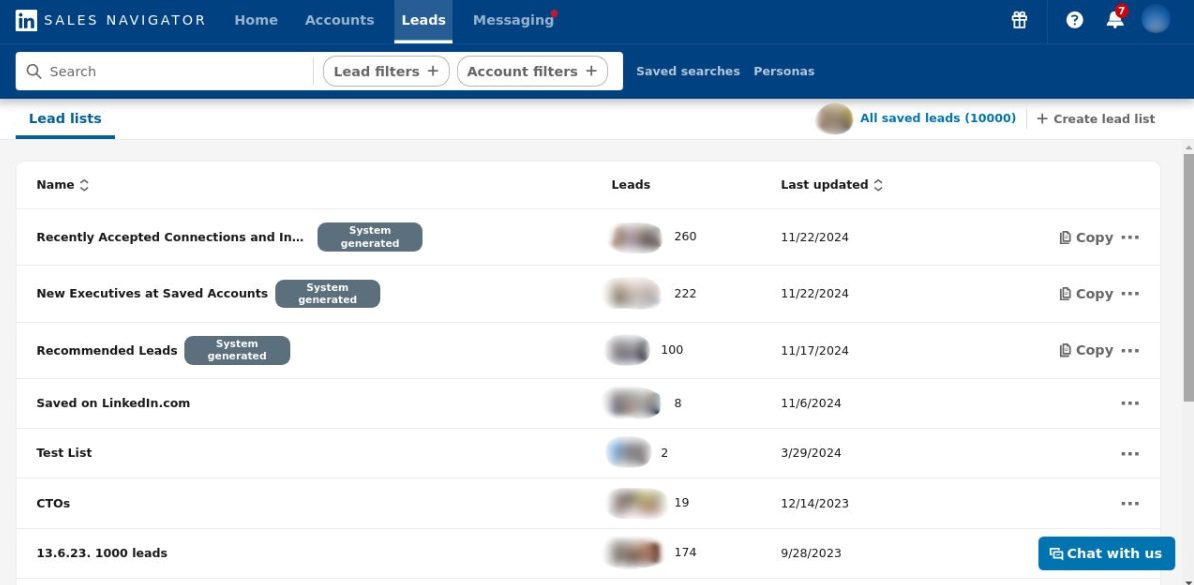
But Skylead doesn’t only support campaign creation from Sales Navigator Lead lists—it also allows campaign creation directly from its search results. This is a faster approach, though not as detailed as the first.
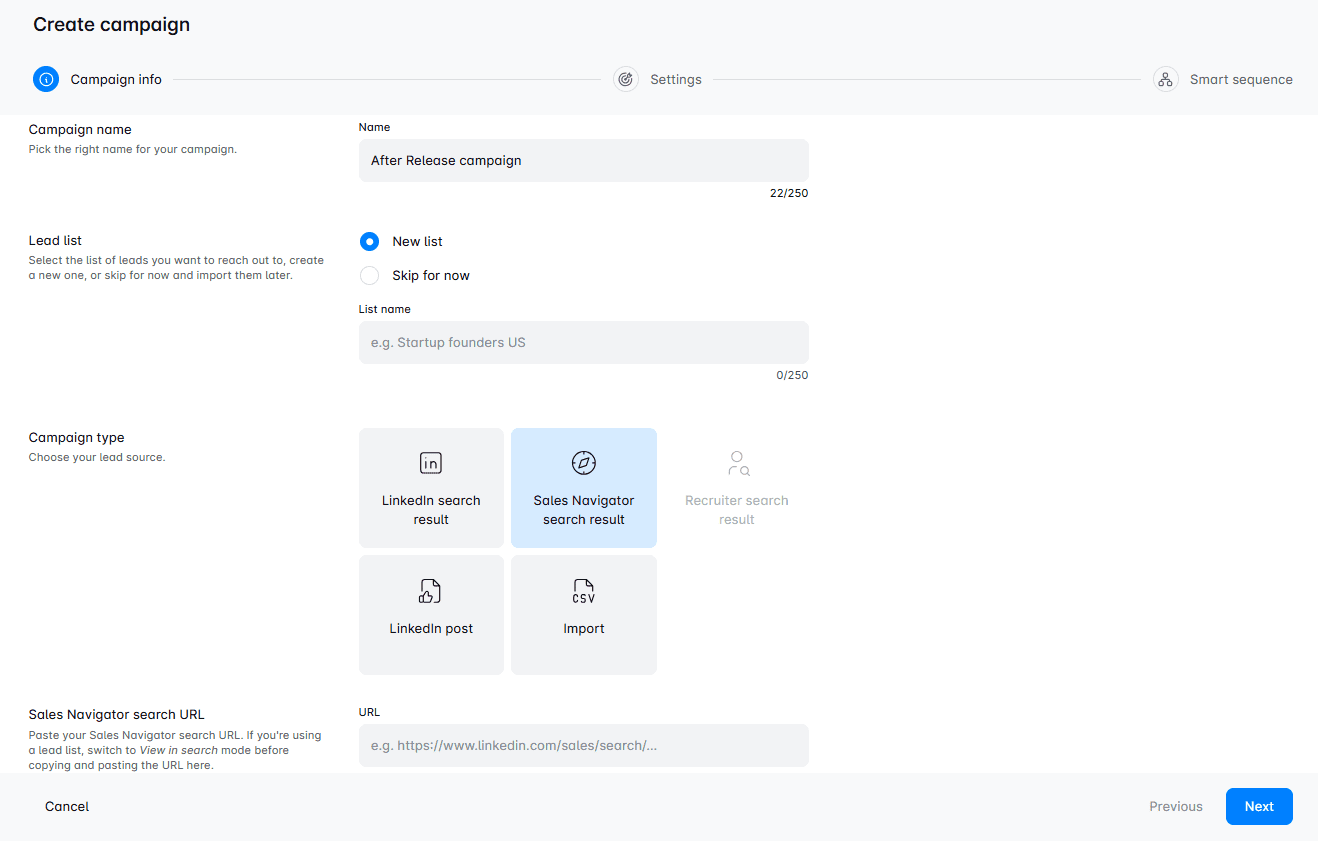
What's more, you can create company lists first through the Sales Navigator URL, and let Skylead help you zero in on people who work in those companies. In other words, once you add your companies, Skylead can help you find and match contacts within those selected companies so your pipeline stays aligned to your ICP. This way, you can really zero in on your target companies that are most likely to convert, are your true partners, and have greater lifetime value.
Apart from account-based prospecting, we introduced a game-changing feature - AI data enrichment ,which you can use to:
- Enrich contact & company data
- Prompt AI to get specified info or generate personalized icebreakers for each contact
- Use all gathered info directly inside your sequences as variables.
It’s Clay-like in what it can uncover, but it’s connected to your outreach workflow, so you avoid constant tool switching and data importing.
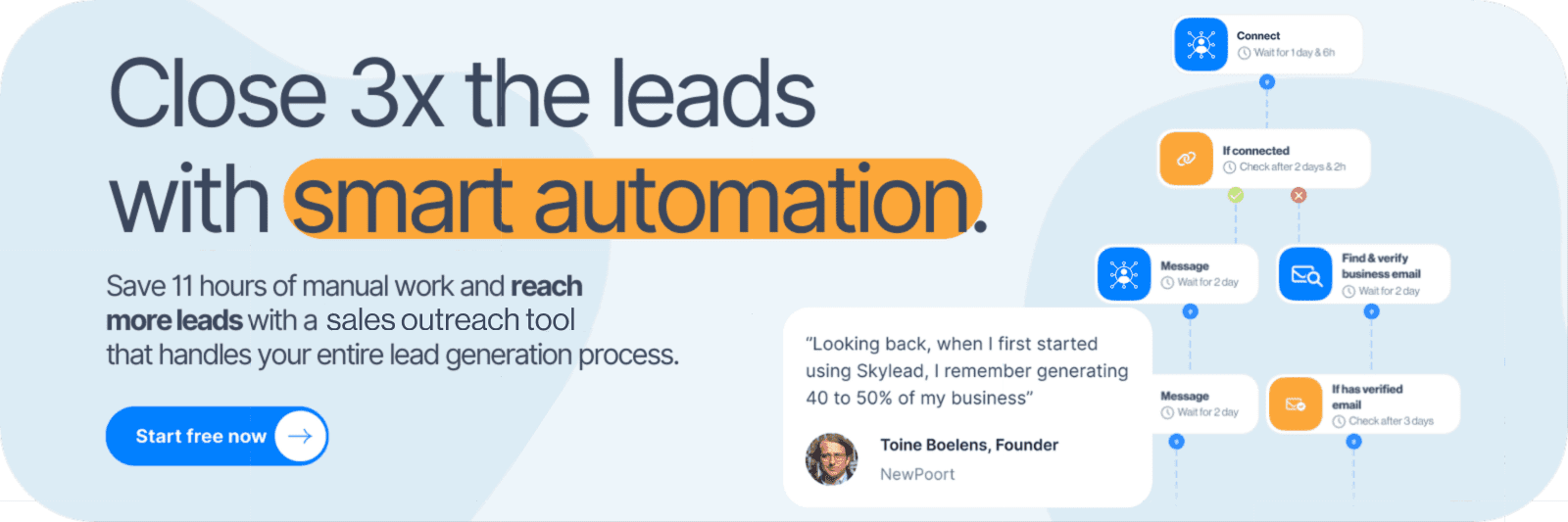
2. Fishing for leads through LinkedIn groups
Speaking of search filters, did you know that Sales Navigator, unlike standard LinkedIn, has a dedicated "Groups" filter? This one is especially useful since it allows you to isolate members of specific LinkedIn groups, which you can later reach out to.
Before jumping into sales outreach, though, you’ll need to take a few preparatory steps:
- Identify groups your audience is likely a part of.
- Compile information about these groups into a single place for easy reference (e.g., CSV file).
- Consider joining these groups yourself to engage with members (if they are active).
That said, most LinkedIn groups are inactive these days. Nonetheless, the right groups can still be valuable sources of leads. You just need to be strategic about how you use them.
3. Setting up lead alerts to determine the right moment to reach out
Sales Navigator has a handy feature that helps you stay updated on your leads’ activity— Sales Navigator alerts.
You can use these alerts, as our sales team does, to track when:
- Leads post or engage with content.
- They’re mentioned in the news.
- They switch roles or companies.
This can help you identify whom exactly to reach out to and when with relevant, personalized messages.
So, if you want to increase the likelihood of starting meaningful conversations, incorporate these alerts into your LinkedIn sales strategy.
4. Attracting prospects through thought leadership content
Thought leadership isn’t a direct prospecting strategy. Nonetheless, it plays a big role in warming up leads, increasing brand visibility, and making your direct outreach more effective.
At its very core is content. That’s because quality content grabs attention, starts conversations, and builds trust.
That said, your content should speak directly to your target audience's pain points, challenges, and goals. So, before you go about creating it, think about what your ICP and Buyer Persona would find valuable. Then, make a list of topics you could cover that aim to educate rather than only sell.
You'll also need to plan for different content formats, such as:
- Text-only posts
- Images
- Videos
- Carousels
- LinkedIn Pulse articles
- LinkedIn polls
From our experience and that of our sales team, videos and carousels drive the most engagement and have the highest reach on LinkedIn. Still, you want to balance them with other post types to keep your content appealing to those with different consumption preferences.
Moreover, LinkedIn's algorithm loves consistency. This means that to remain on people's radars, you need to post at least 2-3 times a week. Thus, it's important to create a posting calendar. And stick to it!
Of course, posting is only part of the equation. You’ll need to reply to comments you receive, keep conversations going by asking follow-up questions (this will increase your reach, too!), and comment on others' posts. That's how you’ll establish credibility and authority on LinkedIn and build thought leadership that sells for you.
How to prepare a LinkedIn sales strategy message according to the prospecting strategy
Your messaging is just as important as the strategy and sales tactics you’re using.
Since each strategy calls for a slightly different tone and structure to really connect with your audience, we’ve got you covered with some practical tips to simplify message creation.
And to make it even easier, we’ve included message examples for each strategy—personally approved (and used) by Andrea!
1. Sales Navigator filters
Focus on personalization and contextual relevance when reaching out to prospects found through filters.
- Reference a detail from their profile or company to make your outreach feel extra personal.
- Keep your message concise, focusing on how you can address a specific challenge they face or offer value.
Template example:
‘’Hi {{FirstName}}, I came across your post about {{PainPoint}} and couldn’t help but think about the challenges that come with it.
When I worked with {{SimilarCompanies/Professionals}}, we tackled this by {{Solution}}, leading to {{TangibleBenefit}}.
I’d love to share a few insights or ideas that might help you achieve something similar if you're open to it.''
2. LinkedIn Groups
When targeting leads from LinkedIn Groups, establish a connection by referencing your shared interest in the group or ongoing conversations.
- Mention the group explicitly to build rapport.
- Position yourself as helpful and not overly promotional.
Template example:
“Hi {{FirstName}}, I saw we’re members of the same group, {{GroupName}} and wanted to reach out.
I specialize in {{Expertise}} and thought it’d be great to connect and exchange ideas!”
3. Sales Navigator alerts
Timing is everything when using Sales Navigator alerts. Thus, craft your message around the alert to show you’re paying attention and reaching out with purpose.
- Acknowledge their recent activity, like a promotion or a post they shared.
- Use the alert as a conversation starter in the sales engagement process.
Template example:
“Hi {{Name}}, congratulations on your new role at {{Company Name}}!
Transitioning into {{Role}} must be exciting. But having worked with others like you, I know how tough it can be trying to handle {{SpecificChallenge}} while navigating new responsibilities.
One approach that’s proven effective for others in your field is {{Solution}}, which helped them achieve {{Result}}.
I’d be happy to share more details. Let me know if you’re open to a quick chat!”
4. Thought Leadership content
When reaching out after sharing thought leadership content, reference your post or their comment to bond immediately.
- Highlight shared values or goals to build credibility.
- Use the message to guide them toward exploring your expertise further.
Template example:
“Hi {{Name}}, I noticed you liked my recent post about {{Topic}}. It’s great to see others in {{Industry}} contributing to the discussion!
I’d love to hear your thoughts—what’s been your biggest challenge with {{Issue}}?”
How to execute a LinkedIn sales strategy
After choosing one or more prospecting strategies we talked about, it’s time to roll up your sleeves and execute. This is where strategy meets action.
No matter which approach you take—leveraging Sales Navigator filters, finding prospects through LinkedIn groups, setting up lead alerts, or sharing thought leadership content—the next step boils down to one activity: outreach.
Here are some tips to help you effectively execute your LinkedIn sales strategy in your outreach messages.
1. Choose the right tool for execution
Attracting sales leads naturally is the dream.
But you don’t want to rely on generating inbound leads only. And cold outreach is how you’ll get outbound leads.
You could do everything manually, for sure. But know that tools can simplify and speed up the process drastically.
When it comes to LinkedIn-specific tools, Sales Navigator is the gold standard, especially for prospecting, as we’ve explained earlier.
Then, you also need to decide on a tool to use for the actual outreach part.
You have a number of LinkedIn automation tools to choose from. However, our advice is to go for Skylead. Not because it’s ours, but because it’s truly the most complete tool on the market.
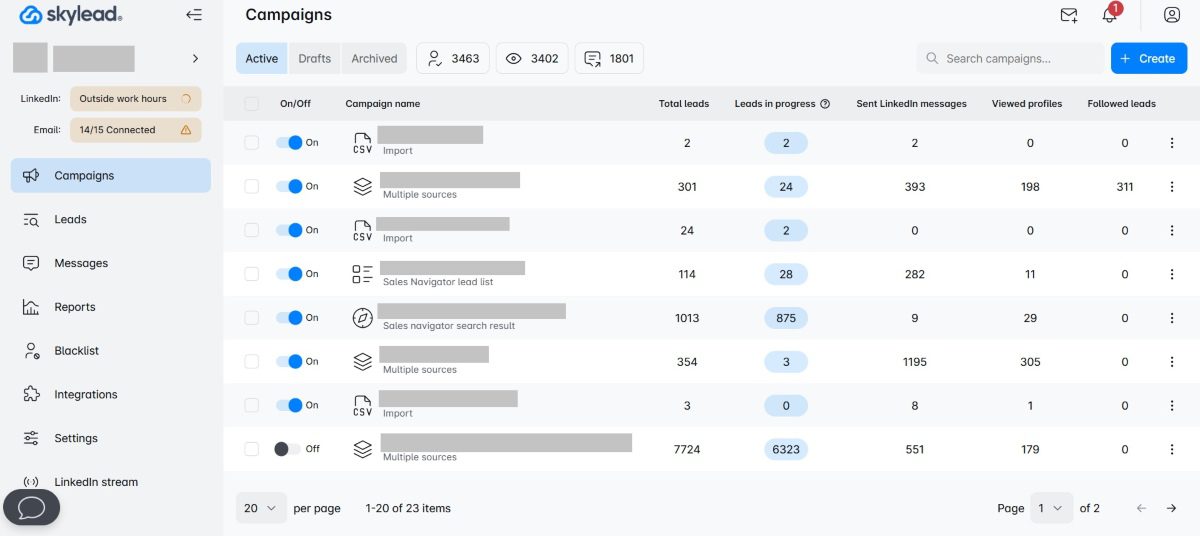
To paint a picture, our Skylead is your one-stop-shop LinkedIn automation and cold email software that sales teams can use to:
- Prospect by company and matching leads thanks to Account-based prospecting.
- Automate lead generation at scale.
- Combine LinkedIn outreach with unlimited email outreach to maximize touchpoints with leads.
- Find and verify emails of leads to reduce bounces.
- Increase response rates to 76% and more with AI data enrichment and hyper-personalized images & GIFs.
- Warm-up infinite emails thanks to our partnership with one of the best email warm-up tools, Mailivery, to keep emails away from spam.
In essence, Skylead lets you make the most of your LinkedIn sales strategy and complements it by introducing multichannel outreach into the mix. This is possible thanks to our Smart sequences. We were the first tool on the market to introduce this feature, which lets you combine LinkedIn and email steps with if/else conditions. As a result, you get coherent outreach flows that react according to your leads' behavior to reach them in the fastest way possible.
And did we mention you get all this at a single price?
On top of a reliable outreach solution like Skylead, you also need to choose a CRM. If you don’t use one already, that is.
A CRM helps you connect all your leads’ details, track their progress through the sales funnel, and monitor conversions. Some of the best CRM software for sales include HubSpot, Pipedrive, Salesforce, and Monday.
If you want, you can also use content scheduling tools for LinkedIn, such as Hootsuite or Buffer. However, LinkedIn has its own post-scheduling feature. So, if other social media platforms aren’t part of your sales strategy, these may be redundant.
The point is to choose tools that fit your workflow and the ones that you’ll actually use.
2. Create an outreach campaign
After choosing the tools, it’s time to create an outreach campaign.
We’ll walk you through the process using Skylead and Sales Navigator search as a lead source.
However, bear in mind that you can also use these lead sources with our tool:
- Sales Navigator Lead list (as mentioned)
- LinkedIn and Recruiter search result
- Recruiter Talent pool and Pipeline URL
- LinkedIn post
- LinkedIn event
- CSV file
That said, here’s how to create a campaign step-by-step.
Step 1: Use Sales Navigator filters to refine the search
Narrow down your audience in Sales Navigator using filters like industry, job title, geography, company size, etc.
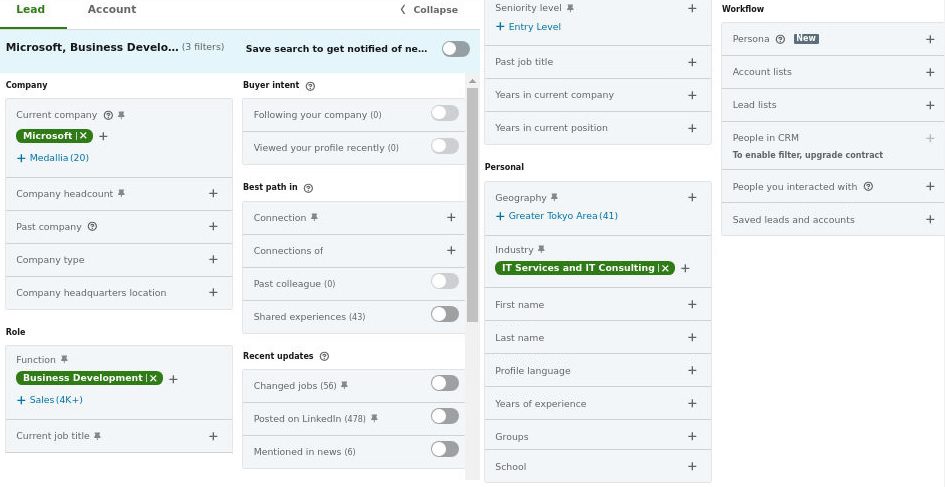
Once your search results are refined, copy the search URL.
Step 2: Begin campaign creation in Skylead
Now it’s time to hop into Skylead.
- Go to the Campaigns page and click Create New Campaign.
- Name your campaign.
- Paste the search URL into the corresponding field.
- Choose a connection degree.
- Hit Next.
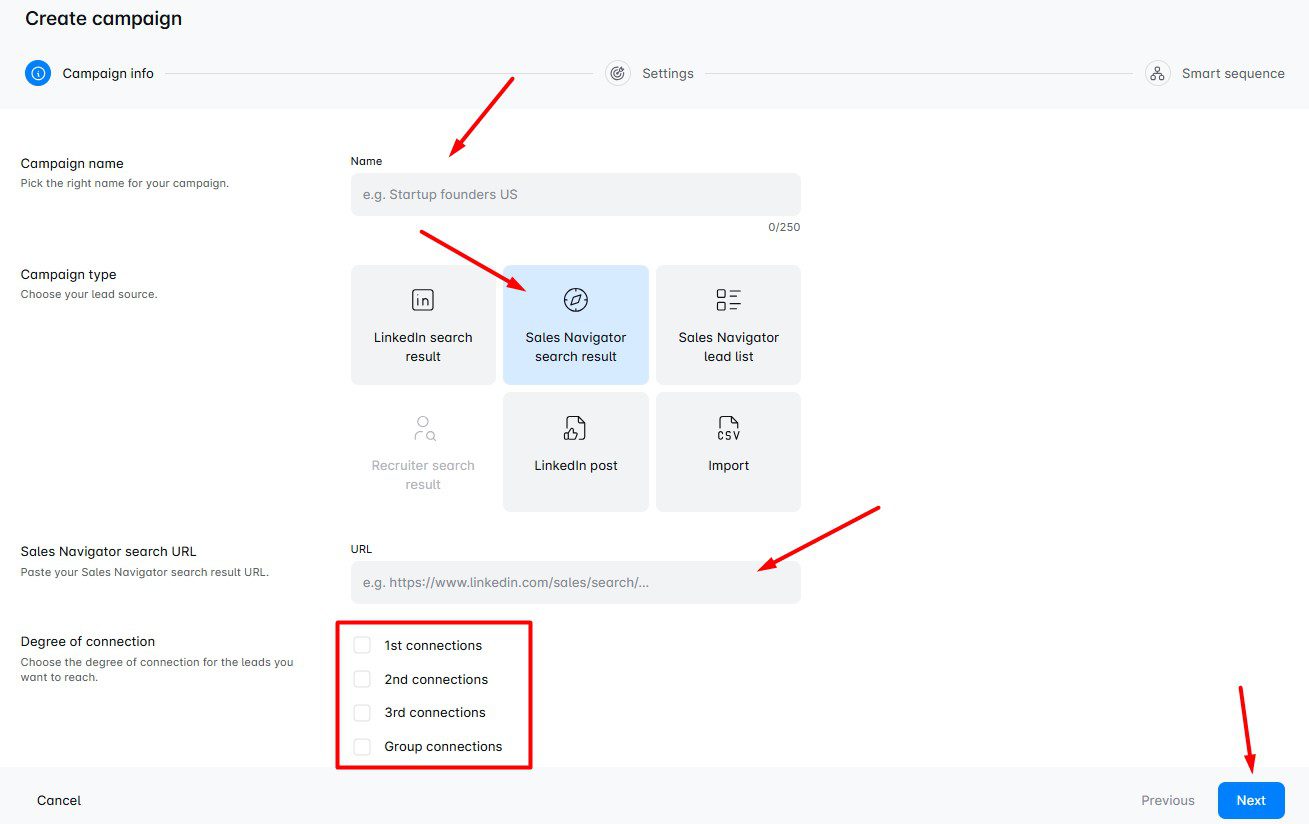
Step 3: Define campaign settings
There are 3 types of settings to set up next:
- LinkedIn settings
- Email settings
- Global settings
Under LinkedIn settings, you get 2 options you can toggle on or off:
- Collect contact information - If turned on, Skylead will collect publicly available information from your leads’ profiles.
- Refresh search automatically - Turned on, it prompts Skylead to refresh search results and add new leads into a campaign if they appear.
If you’d like to use email as an outreach channel, use email settings to select the specific accounts. Skylead lets you connect unlimited mailboxes and rotates through them while sending emails. As a result, you can send tens of thousands of emails a month at no additional cost.
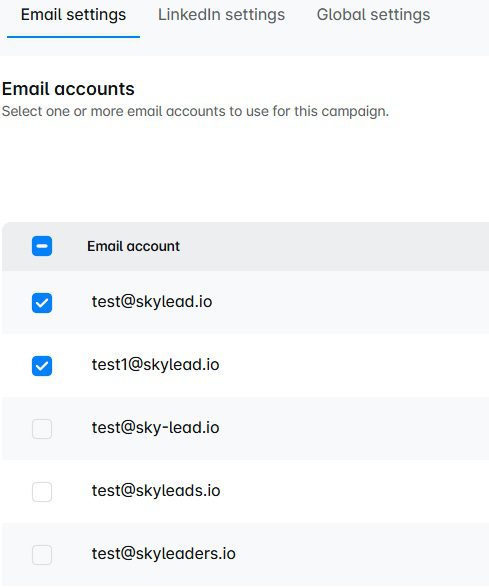
Finally, as part of global settings, you get to set a schedule Skylead will use for the campaign, along with targeting options.
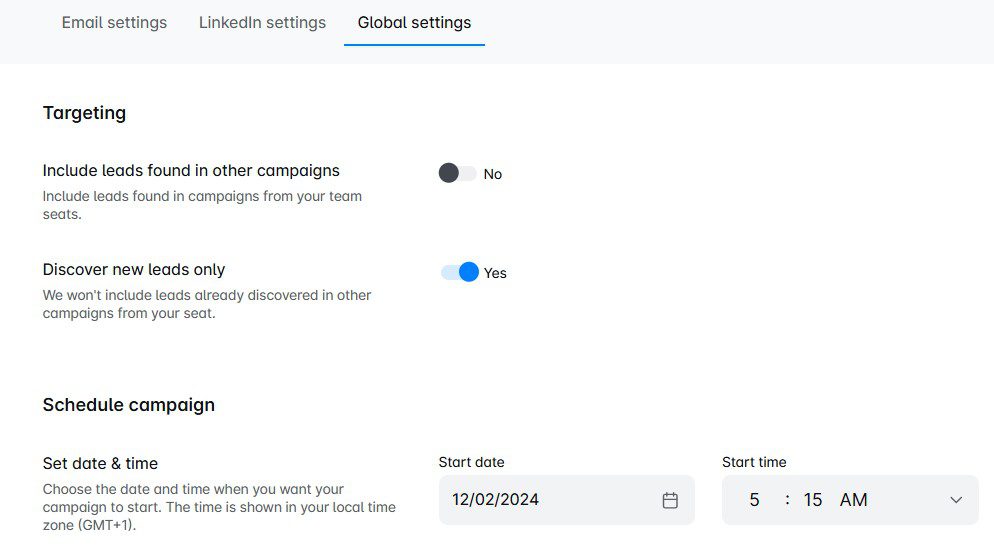
When you’re happy with the settings, click Create sequence.
Step 4: Create your Smart sequence
This is where you get to build your own Smart sequence.
Just drag actions and conditions from the right and drop them into the workspace. Then, connect them to each other to form coherent outreach flows. Don’t forget to set delays between steps while at it!
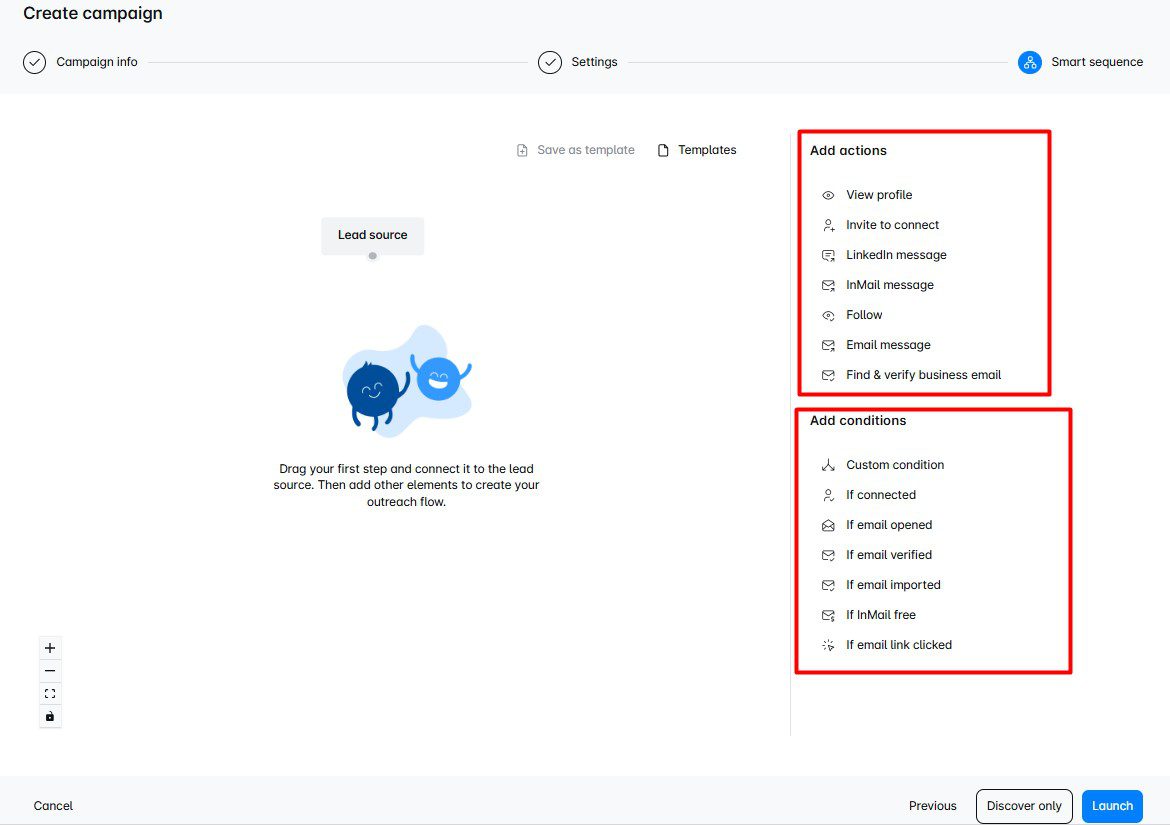
Here’s an example of a Smart sequence for inspiration.
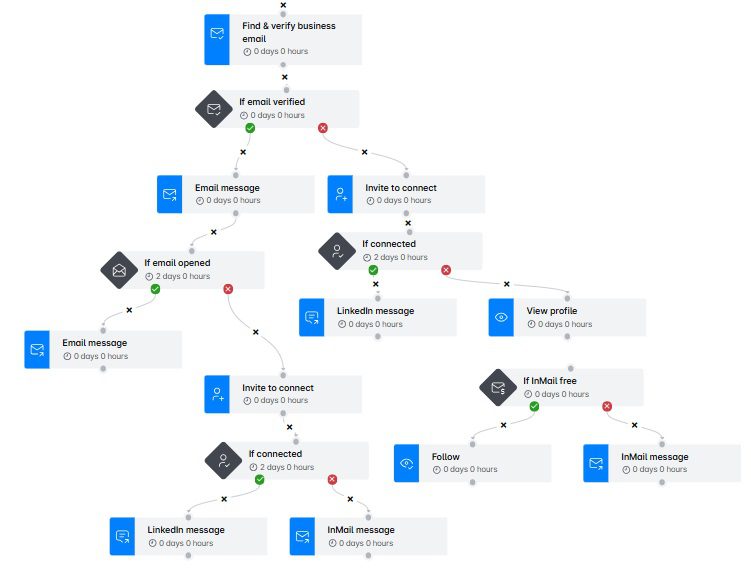
Need more inspiration? We’ve got a library of in-app Smart sequence templates that Andrea personally tested. So, feel free to check them out and use them in your outreach for guaranteed results!
Step 5: Add hyper-personalization
Message-based steps (e.g., Invite to connect, LinkedIn message, inMail, and email) allow you to use variables for personalization.
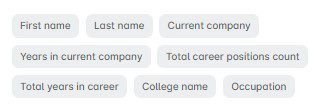
But we’ve got another feature that helps you truly stand out in your leads’ inboxes: native image & GIF hyper-personalization.
To enter the image & GIF editor, click the Add image button above the message field.
Then:
- Click Create new template
- Upload the image/GIF
- Submit
A new window will open where you’ll have the option to personalize the visual with:
- Your or your leads’ LinkedIn profile photo
- Your leads’ logo or a custom logo
- Custom text
Once you’re happy with the results, just click Save Image, and it will be added to your message for a chance at up to 76% response rate, as we had using this feature.
And if you’re happy with your entire sequence, this is consequently the time to kick your campaign running!
The tool will then reach out to your prospects on your behalf. If they reply, the chat will immediately appear in your Smart inbox, where you can take over the conversation and nurture away.
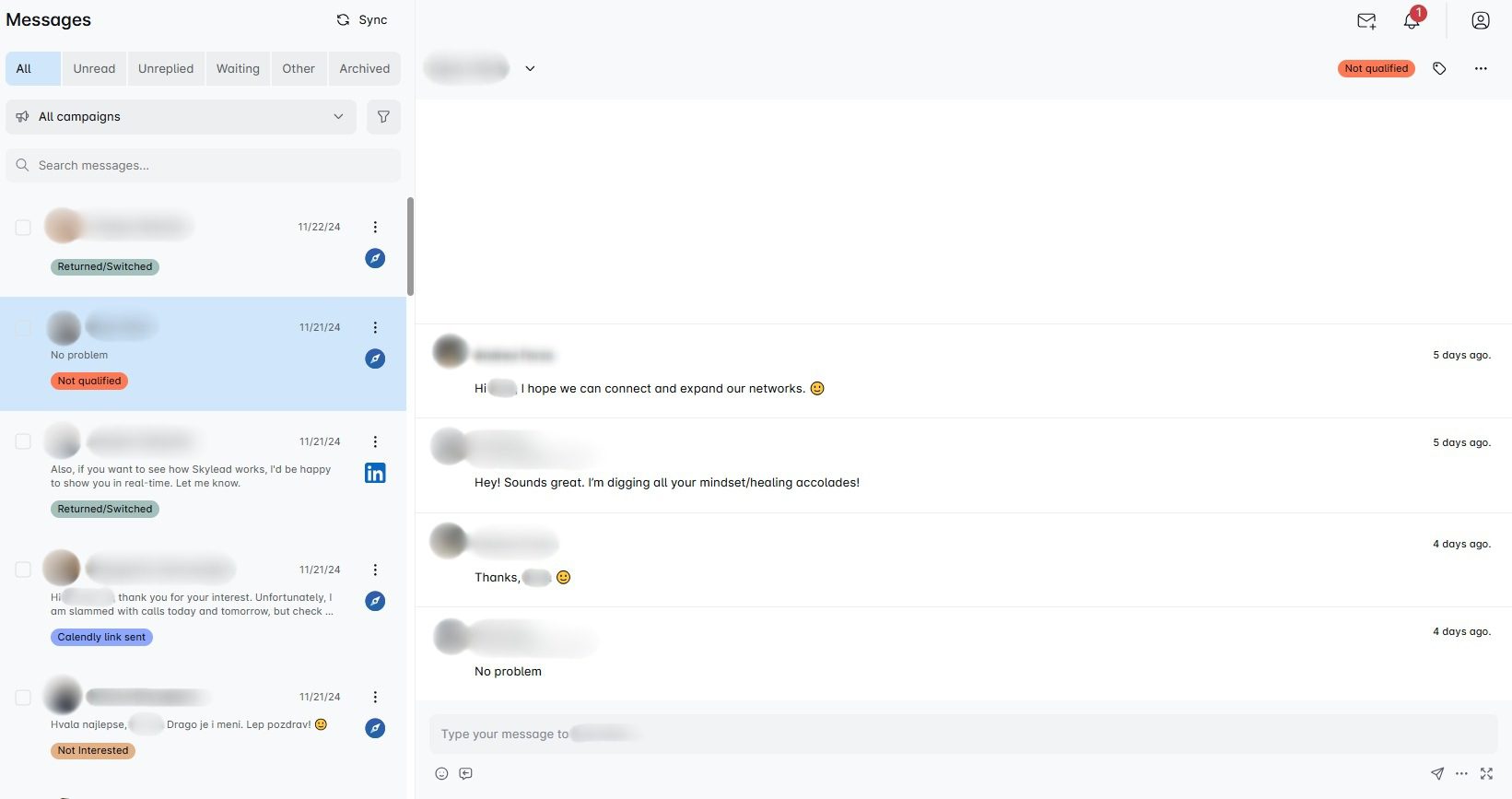
Smart inbox is consequently where you can label leads according to whether they are warmed up, if they booked a call, or converted. Thus, you can also use it to keep track of conversions and ROI.
3. Focus on value, not the pitch
By now, you've probably done the research about the lead from Sales Navigator, so instead of leading with what you sell, highlight what they’ll gain. Share a resource, insight, or quick win that showcases you as a trusted partner rather than just another salesperson. Think about your approach as: “Here’s something useful” before “Here’s what I offer.”
4. Leverage social proof
Share success stories, results, or testimonials from clients in the same industry or role as your leads. Instead of saying “Our tool can help you,” say “[similar company] cut response time by 30%. You can read all about it here.” This kind of credibility reduces resistance and builds trust faster.
5. Nurture with consistency
Most deals don’t happen on the first touch, so they need a bit of a nudge :). That said, comment on their posts, engage with their content, and send a thoughtful follow-up that adds new value. Building familiarity makes it easier for them to say yes when the timing is right.
How to analyze the success of your LinkedIn sales strategy
Crafting and executing a LinkedIn sales strategy is only half the battle. To make sure it’s working as intended—and to make improvements where needed—you need to track and analyze its performance.
That said, the first thing to do is analyze the KPIs that you defined in the strategy. Doing so will help you determine which parts of your strategy are driving results and which need to be refined.
Depending on the type of KPIs that you want to analyze, you can use LinkedIn’s native analytics to track:
- The demographics of your profile viewers (e.g., job titles, industries, locations).
- The performance of your posts and articles, including impressions and engagement rate.
- Trends in follower growth and audience interactions over time.
In terms of specific LinkedIn sales strategies, LinkedIn’s social selling index is a good indicator of whether your thought leadership strategy is working or not.
Furthermore, if you aren’t sure of the impact of the messages you prepared in a strategy, a good practice is to experiment with A/B testing.
What’s more, if you’re using Skylead for outreach, you can easily keep track of different KPIs, like the number of leads you reached out to (connections sent), connections accepted, response rate, etc. These are available on our Reports page via:
- Graph view to spot oscillations at a glance;
- Table format to analyze day-to-day change in performance and sport patterns;
- Step-by-step mode to identify exact spots where prospects drop off or engage.
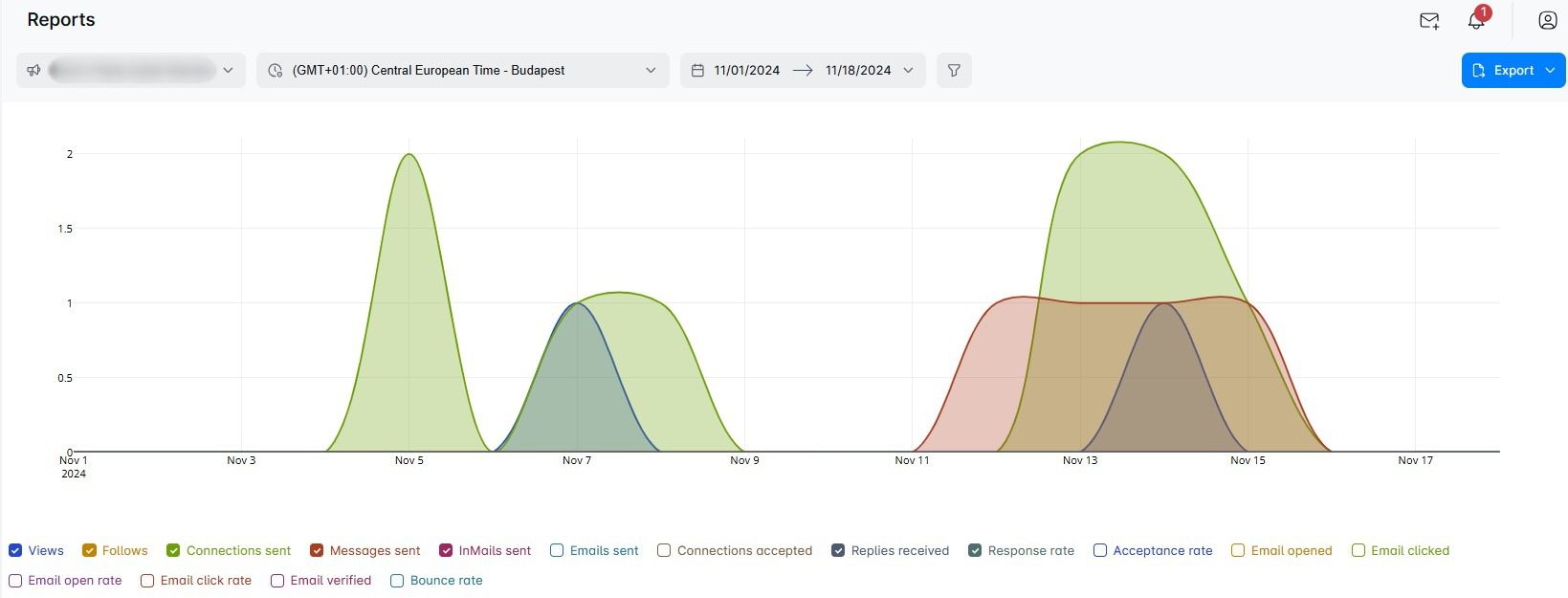
Furthermore, if you aren’t sure of the impact of the messages you prepared in a strategy, a good practice is to experiment with A/B testing. For example, while creating a Smart sequence in Skylead, you can define up to 5 different variants of your messaging and compare them against each other later on.
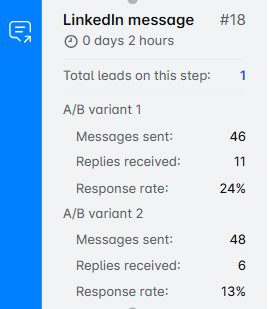
Of course, if results aren’t there immediately, that doesn’t mean all hope is lost. Often, they take time to show. That said, Andrea suggests you give your LinkedIn sales strategy 2 to 4 weeks to reflect progress. Only then should you evaluate its performance and optimize it accordingly.
Common mistakes to avoid when creating and executing a LinkedIn sales strategy
Even the best-intentioned LinkedIn sales strategies can fall flat if certain pitfalls aren’t avoided.
That said, here are some of the most common mistakes to watch out for—and how to steer clear of them.
1. Not adjusting your strategy to your audience
Your audience isn’t a monolith, so your approach shouldn’t be universal. After all, a generic strategy often leads to low engagement and missed opportunities.
Avoid this mistake by:
- Tailoring your messaging and content to the specific needs and pain points of your ICP and Buyer Persona.
- Regularly revisiting your target audience criteria to make sure they’re still relevant.
2. Sending generic connection requests
Nothing screams “spam” more than a connection request that says “Let’s connect!” without context. These requests often get ignored or outright declined.
Instead, personalize every connection request with a reference to something specific about the prospect, such as their recent post or a common interest.
For example:
"Hi {{FirstName}}, I loved your recent article on {{topic}}—it gave me some great insights, such as {{insight 1}}! I’d love to connect and exchange ideas on {{shared interest}}."
3. Sending sales pitches right after connecting
The fastest way to lose a connection is by pitching your product or service immediately after connecting. Social selling is about building relationships above all.
Therefore, engage with their content before sending a direct message. When you finally message them, focus on providing value first and your offerings second.
4. Neglecting to follow up with connections
Not everyone will respond to your initial outreach message. That doesn’t mean they’re not interested, though. In such a situation, a lack of follow-up can cost you some valuable opportunities.
Avoid this by sending a polite and value-driven follow-ups spaced a few days apart.
To follow up after no response, feel free to share a relevant blog post or case study with a message like:
"Hi {{FirstName}}, I thought this article might be helpful based on our earlier conversation about {{topic}}. Let me know if it resonates!"
5. Giving up too soon
LinkedIn sales strategies often take time to show results, as we pointed out earlier. Many give up after a few weeks of minimal engagement. By all means, don’t do the same!
Instead:
- Be consistent with your efforts.
- Evaluate your performance occasionally and make data-driven adjustments.
Frequently asked questions (FAQs)
How do you use LinkedIn effectively for sales?
Focus on building relationships. Optimize your profile, create engaging content that speaks to your audience’s pain points, and use Sales Navigator for targeted prospecting. Combine this with personalized outreach and consistent engagement to nurture leads and drive conversions.
What’s the recommended balance between inbound (content-driven) and outbound (cold outreach) efforts in a LinkedIn sales strategy?
A 60/40 split is often ideal, from our experience. This means you should devote 60% of your efforts to inbound (content-driven) strategies to build trust and visibility and 40% to outbound (cold outreach) to directly engage with prospects. Then, adjust as you go based on audience response and resource availability.
Seal the deal with the proper LinkedIn sales strategy
Creating and executing a successful LinkedIn sales strategy is the difference between chasing leads aimlessly and actually closing deals.
So, take the time to plan it out and put it into motion when you're confident you’ve got it right. And whatever you do, don’t cut corners - success on LinkedIn is all about doing things the right way.
Just keep in mind that results may not come overnight. But that’s just part of the process. Be patient, stay consistent, and tweak things as needed. Over time, it’ll all start to click, and your hard work will pay off.
Disclaimer: Skylead is not affiliated, endorsed by, or connected with LinkedIn in any way.
Here are 13 proven LinkedIn InMail examples for 13 different LinkedIn scenarios to get you inspired and help you save the necessary time to compose compelling messages that get responses.
LinkedIn InMails are for many platform members a mystery, therefore underused and often wasted. That’s quite a shame, taking into account that, according to the official LinkedIn learning courses, InMails have an average response rate of between 18 to 25% compared to cold emails’ 3% average response rate.
For this reason, we’ve dedicated an entire resource to a detailed explanation of what LinkedIn InMails are, how many InMail credits each subscription plan has, how to check the status of your InMails, how to know whether you’re sending a free or paid LinkedIn InMail, and much more.
After you know this extremely useful LinkedIn feature to its finest details, check out our guidelines for writing a LinkedIn InMail that is likely to get a response and get inspired by the LinkedIn InMail examples shared below.
Some of the templates were directly used by our Sales Team in their outreach efforts, and some were directly inspired by our other teams’ examples used for LinkedIn lead generation, recruitment, and content promotion.
For more InMail examples, detailed outreach strategy, and sales templates for every step of the multichannel approach, check out our Sales E-Book: Sales Templates That Leveled Up Skylead. It is available for free download.
What makes a good LinkedIn InMail?
- Personalizing your InMails.
Not personalizing your InMails will make them look more like spam. Even if you wrote a compelling sales message and maybe even highly relevant to your lead, you MUST show that you’ve done your research. I mean, there’s no way to convey relevance by sending a generalized InMail anyway. This implies that personalizing your InMail should go beyond calling your prospect by name. Good LinkedIn prospecting starts with thorough research of who you are talking to and their pain points.
- Don’t make it all about yourself.
The 1900+ InMail characters at your disposal are not for self-promotion. Briefly introducing yourself and what your business is about can be beneficial for the outcome of your LinkedIn InMail. However, make sure it doesn’t take up all the space. Always focus on making it about the person reading the InMail.
- Investing time into coming up with a catchy subject line.
Think of a LinkedIn InMail as a cold email. Your open rate will depend on the LinkedIn inMail subject line and your response rate on how much relevance you manage to convey through the body of your email. But, we'll get to that later. For now, think about how to get your lead to open your InMail.
- Keeping it to a reasonable length.
Yes, we said that one of the LinkedIn InMail benefits is for sure its extensive character limit. However, this doesn't mean that you have to use all of it. Busy decision-makers that you are trying to reach out to via InMail are still very busy even when they do open your InMail. Practice the art of writing compelling and straight-to-the-point sales messages.
LinkedIn InMail template #1: Reach out to a potential collaborator
InMail example with variables
Subject line: Are you still providing {{service/product}} services?
InMail message:
Hey {{firstName}},
I am currently in need of a {{occupation}} in the {{industry}} industry. After doing some research, I came across your profile. I decided to reach out to you, due to {{reason}}.
Do you still provide {{service}} services?
If yes, I would love to discuss it further with you.
Thank you in advance!
Kind regards,
{{yourName}}
{{yourCompany}}
{{contact}}
LinkedIn InMail real-life example
Subject line: Are you still providing copywriting services?
InMail message:
Hey Jenny, I am currently in need of a copywriter in the SaaS industry.
After doing some research, I came across your profile. I decided to reach out to you, due to your vast experience in lead generation-related topics and your university degree in software engineering.
Do you still provide copywriting services? If yes, I would love to discuss it further with you.
Kind regards,
Edward Jones
LeadUp Technologies
edward.jones@leaduptech.com
This InMail template works because:
- It is clear that you’ve researched and picked a handful of LinkedIn members whose professional background you found relevant to the type of collaboration you need.
- You approached with a concrete reason and reference.
- Even if your lead is not interested in collaboration at the moment, it is always good to connect with someone who is a potential collaborator in the future.
LinkedIn InMail template #2 Invite your lead to an event
InMail example with variables
Subject line: Join us for {{event}}
InMail message:
Hello {{firstName}},
{{CompanyName}} is organizing the {{event}} event in {{location}} on {{date}}. Our goal is {{goal}}.
Since you work as {{occupation}}, I thought it would be interesting for you to check it out. Some of the main topics that will be covered are:
- {{topic1}}
- {{topic2}}
- {{topic3}}
If it sounds interesting, here are more details on the link - {{link}}.
In case you have any questions don't hesitate to contact me.
Best regards,
{{Name}}
{{Title}} at {{Company}}
{{Contact}}
LinkedIn InMail real-life example
Subject line: Join us for Best Digital Practices for 2023
InMail message:
Hello John,
TMS Advertising is organizing the Best Digital Practices for 2022 event in the Marriott Hotel on December 5, 2022. Our goal is to gather digital marketing professionals and discuss innovative digital practices and predictions for 2023.
Since you work as a Digital Marketer, I thought it would be interesting for you to check it out. Some of the main topics that will be covered are:
- 2022 tendencies expected to die out in 2023.
- Top challenges of 2022 digital marketers, and how to solve them in 2022.
- New types of influencers and how to approach them.
If it sounds interesting, here are more details on the link - http://www.bestpracticesevent2023.com.
In case you have any questions, don’t hesitate to contact me.
Best regards,
Jennifer Collins
Head of Growth at TMS Advertising
jencol@tmsadvertising.com
This InMail template works because:
- You’ve done the research, know who you are talking to and that the event can be of your lead’s interest.
- Mention their occupation to specify at whom the event is aimed Leads can work in different industries, yet it is their role/title in that specific industry that counts.
LinkedIn InMail template #3 Offer your service/product to a decision-maker
InMail example with variables
Subject line: Need help with {{problem}}?
InMail message
Hello {{firstName}},
We are currently helping {{companyType}} companies to {{service/product}}. I see that you are {{occupation}} at {{currentCompany}}, so I thought you might see the value in it.
{{product/service}} can provide the following for your business:
- {{problem1}}
- {{problem2}}
- {{problem3}}
However, our {{product/service}} is not limited to this!
I would love to have a chance to jump on a quick call and discuss each challenge you meet at your workplace that our {{product/service}} could help solve.
Have a great day.
Best,
{{yourName}}
{{occupation}}
LinkedIn InMail real-life example
Subject line: Need help with intent data?
InMail message:
Hello Steven,
We are currently helping SaaS companies to understand their audience and know exactly whom to target.
I see that you are the Head of Marketing at GetLeads, so I thought you might see the value in it.
DataCollector can provide the following for your business.
- Accurate analytics
- Increased on-site conversion
- Targeting specific prospects with ads
However, DataCollector is not limited to this! I would love to have a chance to jump on a quick call and discuss each challenge you meet at your workplace that DataCollector could help solve.
Have a great day.
Best,
Anna-Marie Peterson
Head of Sales
This InMail template works because:
- You reached out to a lead with a concrete reference.
- The person to whom you sent an InMail is a decision-maker. You’ve done your research and made a reference to it.
- Even if currently not interested in your product/service, they will probably still want to connect because it is the product/service that could be relevant for their business in the future.
LinkedIn InMail template #4 Content promotion
InMail example with variables
Subject line: To answer your question in {{group/post}}
InMail message
Hello {{firstName}},
I saw that you asked {{question}} in {{group}} / as a comment to {{name}}’s post, and I thought that the blog that we recently posted {{blogTitle}} could help answer your question.
Either way, I see that you work in the {{industry}} industry, and the content that we publish might generally be of your interest. If so, check it out here - {{link}}.
Let me know if you found {{blogTitle}} useful.
Best,
{{yourName}}
LinkedIn InMail real-life example
Subject line: To answer your question in Jane Durst’s post comment
InMail message:
Hello Susan,
I saw that you asked how to target leads attending a specific LinkedIn event as a comment to Jane Durst’s post, and I thought that the blog that we recently posted “How to target LinkedIn event attendees: A Full Guide” could help answer your question.
Either way, I see that you work in the Lead Generation industry, and the content that we publish might generally be of your interest.
If so, check it out here - www.leadgencontent.com.
Let me know if you found “How to target LinkedIn event attendees: A Full Guide” useful. Best,
Jane Johnson
This InMail template works because:
- You made a concrete reference to a comment a LinkedIn member left.
- The content you sent is relevant to their question and business/field of work.
- They are more likely to connect with you because your work is relevant to their business/industry.
LinkedIn InMail template #5 Reach out to a mutual connection by recommendation
InMail example with variables
Subject line: {{mutualConnection}} recommended I reach out
InMail message
Hi {{firstName}},
Our mutual connection, {{mutualConnection}}, and I were talking about {{topic/issue/specialty}}. I heard you are an expert on the issue.
I might need relevant insight on {{topic/issue/specialty}} for my business and would love to schedule a meeting with you. If yes, let’s connect on LinkedIn or you can send me an email to the address in the signature section.
Let me know what works for you.
Best regards,
{{yourName}}
{{contact}}
LinkedIn InMail real-life example
Subject line: Helen Goldberg recommended I reach out
InMail message:
Hi Jasmine,
Our mutual connection, Helen Goldberg, and I were talking about the difficulty and importance of building and maintaining an online presence of a business. I heard you are an expert on the issue.
I might need relevant insight on building and maintaining an online presence for my business and would love to schedule a meeting with you. If yes, let’s connect on LinkedIn or you can send me an email to the address in the signature section.
Let me know what works for you.
Best regards,
Justin Greene
justin.g@jbselectronics.com
This InMail template works because:
- The lead came to you as recommended.
- You made a concrete reference to a person who recommended the lead, and how their name came up.
- You are familiar with the person’s expertise.
- By expressing the need for concrete service/business help, your intention is clear.
LinkedIn InMail template #6 Reach out to a lead as a recruiter
InMail example with variables
Subject line: Loved your LinkedIn post on {{topic}}
InMail message:
Hello {{firstName}},
First of all, I loved your LinkedIn post on {{topic}}! It spurred me to reach out to you, as you seem to be the right fit for the position of {{position}} at {{company}}. I also see that you studied {{studies}} at {{university}} which I find to be a great asset to this role.
Anyways, as you may have guessed, I am a recruiter at {{company}}. I would love to take this conversation further in case you are interested. Here’s a link to the job description - {{link}}.
Please let me know!
Best,
{{yourName}}
{{Contact}}
LinkedIn InMail real-life example
Subject line: Loved your LinkedIn post on paid advertising on social media
InMail message:
Hello Nicolas,
First of all, I loved your LinkedIn post on paid advertising on social media! It spurred me to reach out to you, as you seem to be the right fit for the position of digital marketer at Jeffrey & Co. I also see that you studied Marketing at the University of Cleveland which I find to be a great asset to this role.
Anyways, as you may have guessed, I am a recruiter at Jeffrey & Co.
I would love to take this conversation further in case you are interested. Here’s a link to the job description - www.jeffreyco/careers/digitalmarketer.
Please let me know if you are interested.
Best,
Nancy Nicolson
n.nicolson@jeffreyco.com
This InMail template works because:
- You reached out with a concrete reference not only to the person’s education and/or experience but to their contribution to the LinkedIn community.
- It’s not just a random InMail, the person is truly qualified for the position and you are acknowledging it.
- Even if the person is not interested in the job offer, they will want to stay in touch with a recruiter who did not just randomly throw a link to a job post at them.
LinkedIn InMail template #7 Reach out to a recruiter for a specific position
InMail example with variables
Subject line: Inquiring about the {{occupation}} job opening
InMail message:
Hello {{firstName}},
I see that you’re the recruiter in charge of the {{occupation}} position at {{company}}.
As a {{occupation}} with over {{years}} years of experience in the {{industry}} industry, I am currently in search of {{positionType}} position in this sector.
I am interested in applying but would like to ask you a few questions first.
Let’s schedule a call.
Best,
{{yourName}}
LinkedIn InMail real-life example
Subject line: Inquiring about the Head of Sales job opening
InMail message:
Hello Tatiana,
I see you’re the recruiter in charge of the Head of Sales position at MTS Logistics.
As a Senior Sales Specialist with over 6 years of experience in the Transportation and Logistics industry, I am currently in search of a leadership position in this sector.
I am interested in applying but would like to ask you a few questions first. Let’s schedule a call.
Best,
Rosie Goldstein
This InMail template works because:
- You didn’t talk too much about yourself but highlighted the aspects of your career that are relevant to the position you’re applying for.
- There’s a hook, enough to schedule a call. On the call, you can discuss your qualifications, and also get the know the company and its culture.
- By sending this InMail, you will most likely stand out in the selection process.
LinkedIn InMail template #8 Reach out to a recruiter as a job seeker
InMail example with variables
Subject line: Inquiring about your {{department}}
InMail message:
Hello {{firstName}},
I saw that you are a recruiter at {{company}}.
I am a {{occupation}} with over {{years}} of experience in the {{industry}} industry, currently seeking new opportunities.
I’d like to schedule a call and further discuss my qualifications, as I am very open to hearing more about {{company}} and the dynamics of your {{department}}.
Best regards,
{{yourName}}
LinkedIn InMail real-life example
Subject line: Inquiring about your Sales and Marketing departments
InMail message:
Hello Miriam,
I saw that you are a recruiter at MTS Logistics.
I am a Lead Generation Specialist with over 10 years of experience in the Transportation and Logistics industry, currently seeking new opportunities.
I’d like to connect and chat to see if my background fits any of your openings.
I would like to schedule a call with you and further discuss my qualifications, as I am very open to hearing more about MTS Logistics and the dynamics of your Sales and Marketing departments.
Best regards,
Helen Rosenberg
This InMail template works because:
- You’ve done your research and know that your expertise could be relevant to the company to which recruiter you're approaching.
- The recruiter can tell you right away if they have a job opening or if you could potentially even be a fit for some positions.
- You included data that are relevant to the recruiter but didn’t talk about yourself all the time nor you said too much.
- You asked to schedule a call where you can obtain additional information about the company, and allow the recruiter to get to know you better.
LinkedIn InMail template #9 Invite industry professionals to join your community
InMail example with variables
Subject line: Invite to join {{communityName}}
InMail message:
Hello {{firstName}},
I would love to officially invite you to join {{communityName}}. It is a {{typeOfcommunity}} community aimed towards {{industry}} professionals with the goal of {{goal}}.
We would really love it if you joined. Your vast experience as {{occupation}} spurred me to reach out.
Here is the link - {{link}}, check it out and see.
Hope to see you there.
Have a great day,
{{yourName}}
{{occupation}}
LinkedIn InMail real-life example
Subject line: Invite to join Ads Growth Hacker
InMail message:
Hello Matt,
I would love to officially invite you to join Ads Growth Hacker. It is a Facebook community aimed toward advertising professionals with the goal of sharing knowledge, discussing current and past trends, and exchanging ideas on how to improve and grow your business through ads.
We would really love it if you joined. Your vast experience as an advertising manager spurred me to reach out.
Here’s the link - www.facebook.com/groups/adsgrowthhacker, check it out and see.
Hope to see you there.
Have a great day,
Michelle J. Spears
Director of Advertising
This InMail template works because:
- The lead’s occupation is relevant to the community. It is not just some random person you’ve invited to join your community.
- The community is relevant to the person’s occupation too.
- You briefly explained what the community is all about.
LinkedIn InMail template #10 Invite a guest speaker to your event
InMail example with variables
Subject line: Be our guest speaker
InMail message:
Hello {{firstName}},
I would like to use this opportunity to invite you to be a guest speaker at {{nameEvent}} event.
Due to your {{numberOfyears}} years of experience in the {{industry}} industry, we felt that your insight on {{topic}} would be an invaluable asset to the {{industry}} industry.
Here is a link to the organizer if you would like to check it out beforehand - {{link}}.
Please let me know if this sounds interesting to you.
Best regards,
{{yourName}}
{{title}}
{{contact}}
LinkedIn InMail real-life example
Subject line: Be our guest speaker!
InMail message:
Hello Ellis,
I would like to use this opportunity to invite you to be a guest speaker at the 2022 Online Sales Hacks & Tendencies event.
Due to your 8 years of experience in the Sales industry, we felt that your insight on the dying trends in online sales would be an invaluable asset to the Sales industry.
Here’s a link to the organizer if you would like to check it out beforehand - www.mpadvisory.com/events/educational/online-sales-hacks-tendencies.
Please let me know if this sounds interesting to you.
Best regards,
Joshua Henricks
Head of Training and Development
joshua.h@mpadvisory.com
This InMail template works because:
- You are making a concrete reference to the person’s years of experience and expertise. It points out that you’ve done your research and are not inviting a random person to be a guest speaker.
- There is a link to the event so the potential guest can inform themselves on the subject.
- Of the soft call-to-action at the end.
LinkedIn InMail template #11 Reach out to someone who’s using your competitor’s product or service
InMail example with variables
Subject line: {{competitor}} alternative
InMail message:
Hello {{firstName}},
The reason for my outreach is that I saw that your company {{company}} is using {{competitor’sProduct}} to {{mainPurpose}}.
{{yourProduct}} is {{uniqueSellingProposition}}.
If you would like to hear more about {{yourProduct}} and how it can benefit your business, I would be happy to chat with you.
Let me know!
{{yourName}}
{{contact}}
LinkedIn InMail real-life example
Subject line: FunkyMonkey alternative
InMail message:
Hello Jennifer,
The reason for my outreach is that I saw that your company FunkyMonkey is using SurveyGo to collect feedback on customer satisfaction.
UpSurv is also a customer-survey tool that has the option of exporting individual and all reports as a CSV file, comparing results among different data sources, and finding data matches.
These options speed up the entire survey and data analysis process 3 times. If you would like to hear more about UpSurv and how it can benefit your business, I would be happy to chat with you.
Let me know!
James Uri
jameruri@upsurv.com
This InMail template works because:
- You’ve done your research, and know that the company you are reaching out to uses your competitor’s solution.
- You’ve highlighted your solution’s unique selling propositions instead of just saying how your product is “better”.
- The InMail is wrapped up with a soft call to action.
LinkedIn InMail template #12 Value proposition
InMail example with variables
Subject line: Let me show you {{painPoint}}
InMail message:
Hello {{firstName}},
I heard about the amazing job your {{company}} has done by helping {{client}} {{result}}. Good job on that!
I wanted to reach out because {{whatYourBusinessSolves}}.
This way, you will be able to {{valueProposition}}.
I would like to show you my plan of {{personalizedHook}}. Let’s chat!
Best regards,
{{your Name}}
LinkedIn InMail real-life example
Subject line: Let me show you how you can get 3x more leads in less time
InMail message:
Hello Jimmy,
I heard about the amazing job your lead generation agency has done by helping Scavo's level up their business. Good job on that!
I wanted to reach out because our software takes care of time-consuming lead generation tasks and allows you to focus your efforts on finding quality leads and turning them into prospects for your clients.
This way, you will be able to manage more clients and make their companies grow more and faster. I would like to show you my plan of getting 3x more leads for your clients in 6h less a week.
Let’s chat!
Best regards,
Annie Matis
This InMail template works because:
- You’ve done your research and mentioned one of the biggest success stories of your clients.
- You connected your product with that story and showed them that their story could be even greater success with your solution.
- There’s a call to action with a concrete reference to what you can do for your potential client.
LinkedIn InMail template #13 Use InMail as the last resource
InMail example with variables
Subject line: Did I cross the line?
InMail message:
Hey {{firstName}},
I tried reaching you via email, so just wanted to check here one last time if I’ve crossed the line. Hopefully not.
Maybe it's me, but I get the feeling now is not the right time to connect.
As a parting gift, I wanted to share with you templates that could help you in your outreach {{gift}}.
I won't be sending you any more messages, don't worry.
All the best,
{{yourName}}
{{title}}
LinkedIn InMail real-life example
Subject line: Did I cross the line?
InMail message:
Hey John,
I tried reaching you via email, so just wanted to check here one last time if I’ve crossed the line. Hopefully not.
Maybe it’s me, but I get the feeling now is not the right time to connect.
As a parting gift, I wanted to share a templates that could help you in your outreach: www.skylead.io/templates.
I won’t be sending you any more messages, don’t worry.
All the best,
Nick Jefferson
Head of Sales
This InMail template works because:
- You tried multi-channel outreach, and nothing worked. That’s why you are using InMail as the last resource to reach your lead.
- There is a free resource included.
- You ask for an apology in case you crossed the line. People are more likely to either respond by saying that they haven’t seen your previous messages/emails/InMails or respond knowing you will not “bother” them anymore.
Frequently asked question
How can one tailor these InMail templates for highly specialized industries or roles to ensure relevance and increase response rates?
Tailoring InMail templates for specialized industries or roles involves researching the recipient's industry trends, challenges, and language. Incorporating this insight can make your message more relevant and compelling, thus increasing response rates.
What are the metrics or indicators to measure the success of these InMail strategies beyond the reply rate?
Beyond reply rate, success metrics for InMail strategies can include conversion rates (e.g., leads to meetings or sales), long-term engagement (follow-ups or continued conversations), and the growth of your professional network within your target industry.
Are there specific follow-up strategies recommended if the initial InMail does not receive a response, considering LinkedIn's limitations on InMail credits?
For follow-up strategies without a response, you should wait a few weeks before sending a polite follow-up InMail. Highlight new information or value you can provide while being mindful of LinkedIn's limitations on InMail credits to ensure efficient use. You can also check if a lead has an open profile. In that case, you can send free InMails without spending credits once a week.
Summary
With this blog, we’ve covered the main things you need for effective and smart use of a LinkedIn InMail, together with 13 LinkedIn InMail examples with a 25% reply rate formula for 13 different LinkedIn scenarios.
The above 13 LinkedIn InMail examples with a proven response rate can be used as they are or adjusted to fit your business goals.
Furthermore, if you wish to speed up yoursales process and put time-consuming tasks such as - finding the perfect path to your ideal leads, on autopilot, test out our LinkedIn automation tool and cold email software, Skylead, 7 days FREE of charge.
See how Skylead can help you focus on finding the qualified leads for your business and on closing the deal, while the platform thinks of the rest.
Disclaimer: Skylead is not affiliated, endorsed by, or connected with LinkedIn in any way.
Did you know that LinkedIn lead generation is one of the most vital activities for the sales departments of B2B companies?
“Why?” you ask.
Well, because LinkedIn is the #1 social media for generating leads. Its lead conversion rates are 3x higher than any other major social media platform. Moreover, LinkedIn alone generates 80% of B2B leads coming from all social media channels a company uses.
We can go on with the metrics, but you get the gist. LinkedIn is one of the best social media platforms for generating tons of qualified leads that convert successfully.
Sadly, many people do not take advantage of this social media platform. Or they do not have the desired results using LinkedIn lead generation and just give up.
So, in this complete guide, we will walk you through everything you need to know about LinkedIn lead generation. To be more precise, you will learn:
- What is LinkedIn lead generation;
- How to generate qualified leads on LinkedIn whether you are a marketer or a salesperson;
- What you need to do before you even think about a LinkedIn lead generation;
- Top intent-based strategies to make your LinkedIn lead generation flow with results and shorten the buying cycle;
- What the best LinkedIn lead generation tools are;
- How to perform outreach after you have generated high-quality leads;
- Answers to the most frequently asked questions about LinkedIn lead generation.

What Is LinkedIn Lead Generation?
LinkedIn lead generation represents activities associated with identifying, gathering, and warming up potential clients on LinkedIn. Sales and marketing teams do so by using ads, forms, various tools, strategies, and outreach to generate qualified leads. It is an ongoing process that creates steady income for all B2B companies.
Why LinkedIn?
With the competitive market, generating high-quality leads has become somewhat of a challenge for B2B companies. Thus, everyone needed to step up their lead generation efforts to stay relevant in the market.
That is where LinkedIn comes in. With 875 million members from 200+ countries, this #1 social media for professionals became a goldmine for B2B marketers and sales executives.
Due to a large pool of professionals, 4 out of 5 LinkedIn users drive certain business decisions. Hence this audience has 2x buying power of the average web audience. Therefore, LinkedIn has been recognized as a perfect place where companies can find ideal leads and offer a solution to their problems.
To make it easier for you to find the perfect lead, LinkedIn provides insights such as job titles, company they work in and its size, content they like and more. Moreover, this social media platform offers many ways sales and marketing teams can use to acquire qualified leads. So we will talk about all of them today.
How To Generate Leads From LinkedIn?
To generate high-quality leads on LinkedIn you need to perform different sales and marketing activities, leverage performance data, and improve. These activities include but are not limited to defining target audience, outreach, creating or sharing gated content, communicating benefits, and lead nurturing.
Depending on whether you are a salesperson or B2B marketer these activities may vary but do have the same goal. So let’s break them down and check out what is the main focus for each professional.
LinkedIn Marketing For Lead Generation
LinkedIn marketing is a form of digital marketing where B2B marketers use LinkedIn to promote businesses, share content and generate leads. In most cases, marketing managers use LinkedIn to provide value and raise awareness through posting educational or gated content on the company page, thus generating more leads.
In other words, marketers use LinkedIn to:
- Provide value through posting educational and engaging content on the company’s LinkedIn page;
- Raise awareness about the product/service by creating and sharing case studies or specialized landing pages;
- Grow following and increase engagement with target audience;
- Create gated content and share it on LinkedIn with benefits and call-to-action for the said content;
- Optimize LinkedIn page and content for SEO;
- Host and share an online event ( webinars, hangouts, etc).
As a part of their marketing strategy, some content marketers even become influencers or thought leaders themselves. This way, digital marketing managers can expand their network and have an additional channel to share their content.
The previously-mentioned activities are heavily based on organic content marketing. However, as a part of LinkedIn marketing, you can get paid traffic, engagement or generate leads by publishing sponsored content, aka ad campaigns.
LinkedIn Ads
Digital marketers often publish sponsored content through the LinkedIn campaign manager as part of lead generation efforts. They do so by specifying their target audience with certain demographics or other parameters and presenting them with the purposeful ad they create.
For example, they can create an ad campaign with a call-to-action button to visit a landing page with gated content. The target audience then goes to a landing page and leaves contact information.
For those who don’t know, gated content is digital material, such as educational videos, ebooks, or other documents that request users to fill out a contact form before they can download or access them. This is one of the classic ways marketers use to generate leads.
Therefore, to get their lead gen forms to a wider audience and gather potential customers for their sales team, digital marketers can opt-in for sponsored content on LinkedIn as a part of their marketing strategy.
What does this mean in terms of activities? Well, marketers can use LinkedIn campaign manager to:
- Raise awareness about their business or product;
- Boost content engagement;
- Launch lead generation campaign (LinkedIn lead gen forms or landing page promotion);
- Or message your potential customer directly through ads.
They say a visual is worth more than a thousand words, so here is how sharing gated content or launching a lead generation campaign works in real life.
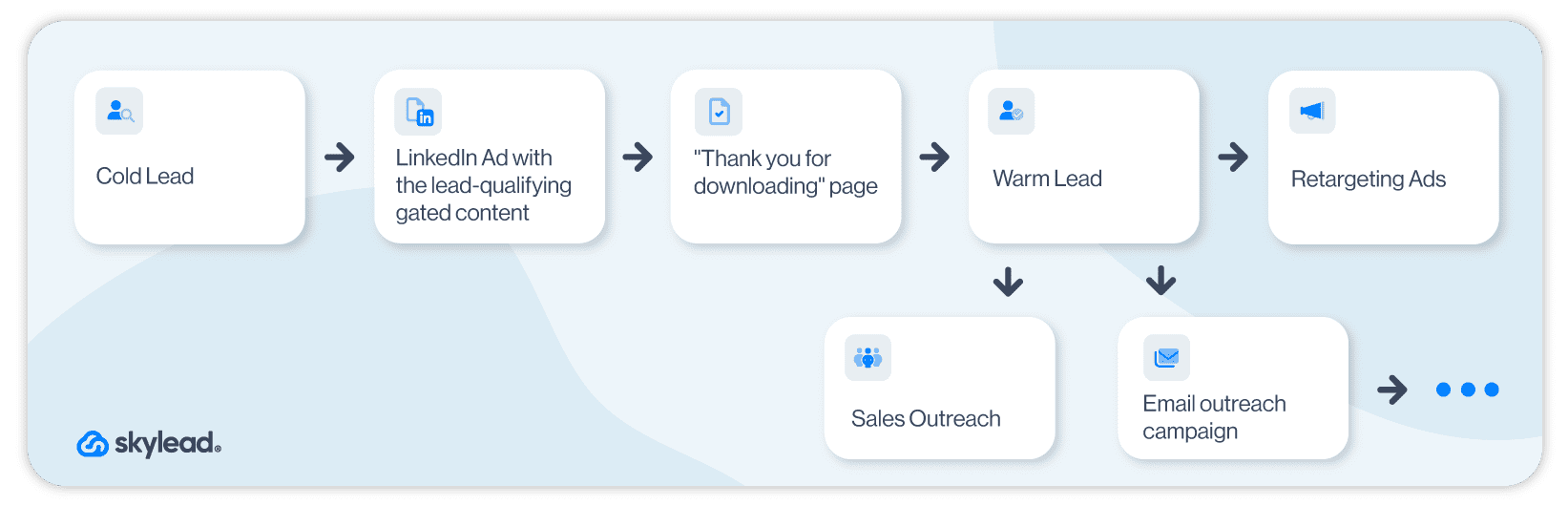
Even though LinkedIn ads are a part of overall LinkedIn marketing, they are not mandatory for LinkedIn lead generation, as you can do certain things organically. However, they can be immensely beneficial if you wish to go all in.
That said, here is what all LinkedIn marketing activities would look like in a funnel.
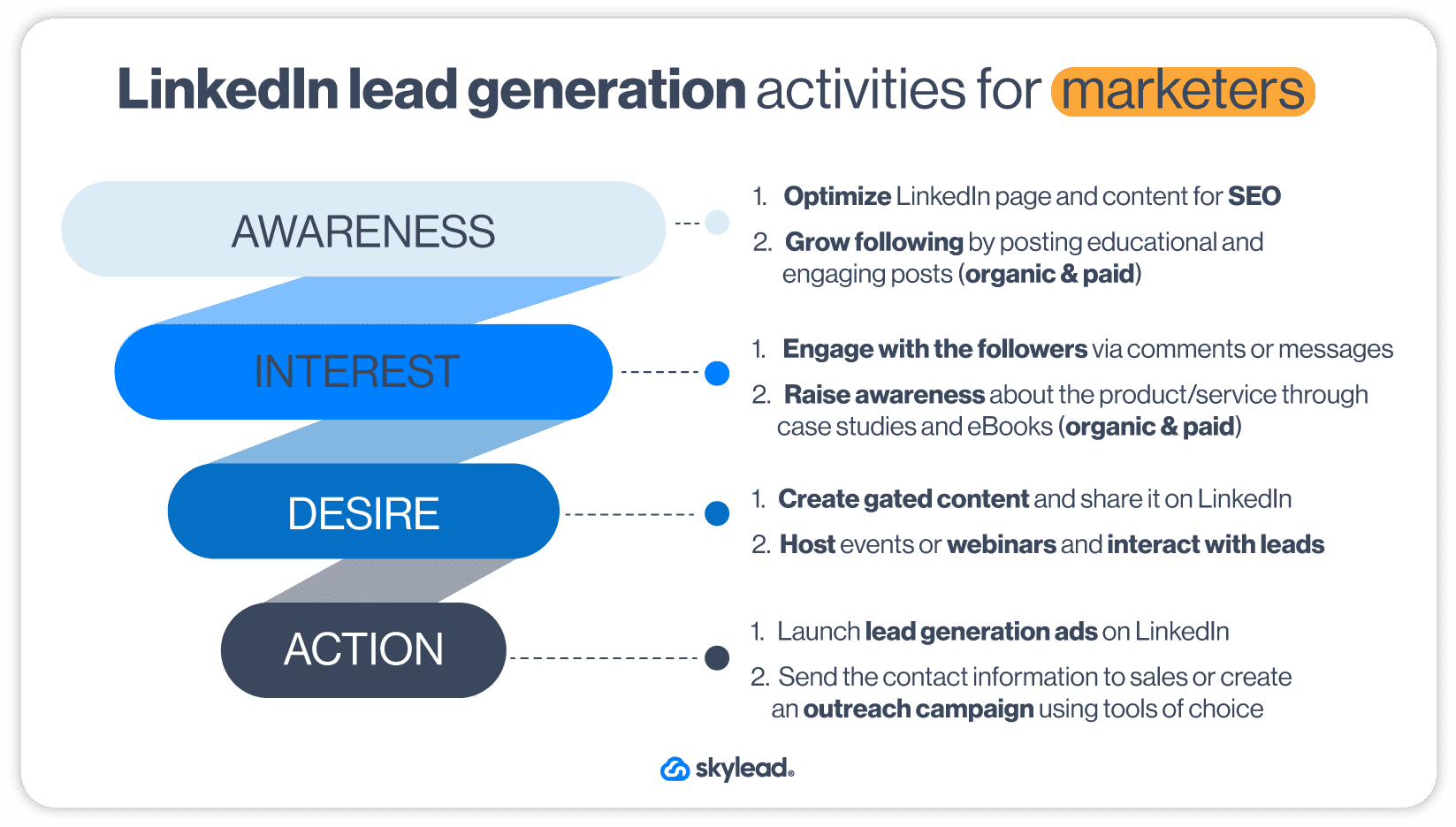
Using LinkedIn Outreach For Lead Generation
LinkedIn outreach signifies contacting and warming up potential customers on LinkedIn. It is the next step in the lead generation process, once salespeople finish with LinkedIn prospecting or after the marketing team acquires contact information through gated content. LinkedIn is the preferred social media for outreach due to communication simplicity.
Salespeople can outreach two types of leads to generate and qualify them: inbound or outbound leads. Inbound leads are the ones who have already interacted with your company (e.g. gave their information due to lead generation strategy or contacted via chat). On the other hand, sales professionals outreach outbound leads by themselves after finding them via prospecting.
Outreach on LinkedIn is definitely a long and separate subject on its own. However, there are definitely a couple of main principles we must mention for the sake of this article.
LinkedIn Outreach Principles
Firstly, LinkedIn outreach is the main part of the social selling strategy. In other words, it focuses on building relationships, offering a solution to problems, and nurturing leads throughout the buying journey.
For example, you will usually find sales professionals starting the conversation on LinkedIn by asking about the lead's workflow. Or they will offer educational content or case studies long before they pitch their product or service.
Secondly, LinkedIn outreach is about quality, not quantity. So make sure to find and outreach the right people according to your ICP or Buyer Persona.
Lastly, as marketing can retarget website visitors, salespeople can use retargeting of their own. To clarify, they can reach out to people they already had contact with in some shape or form and didn’t convert. The outreach message can be a simple follow up to catch up after a while or a full product update, depending on where they left off the conversation.
With that in mind, here is a funnel with all the activities that sales people go through regarding LinkedIn lead generation.
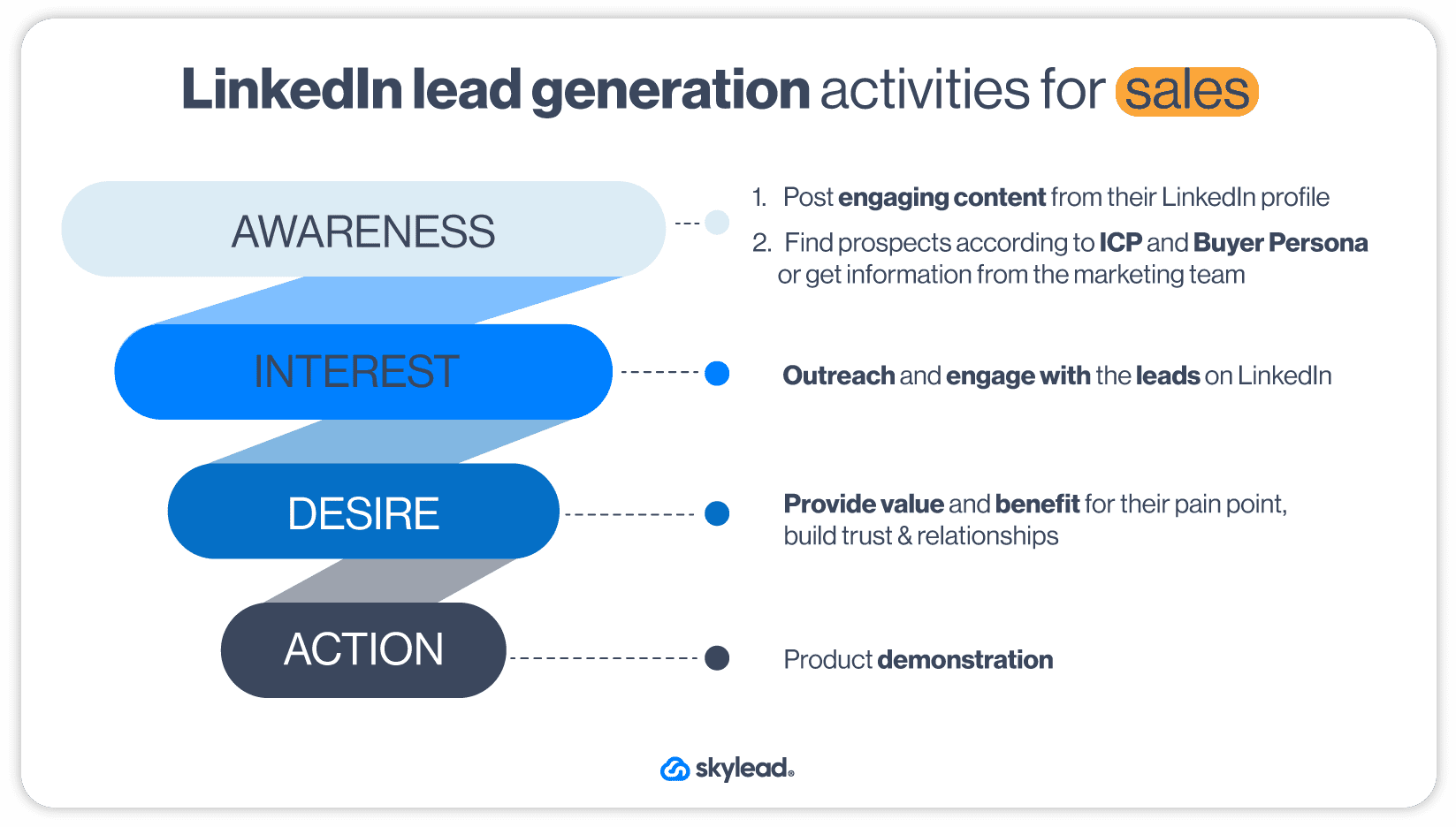
If you do not have time to do the above-mentioned activities, you can always hire a LinkedIn lead generation agency to do it for you. However, if you wish to do it yourself, stay tuned as we will show you tips, tricks, and strategies on how to do it right.
What Do You Need to Do Before LinkedIn Lead Generation?
As previously stated, LinkedIn lead generation is undoubtedly the main focus for B2B companies. However, you can’t just dive right into LinkedIn lead generation without first establishing the basics.
If you do, you will generate a miserable number of leads and not the good ones either. The reason for such an outcome is poor LinkedIn lead generation basic steps, strategy, targeting, and outreach method. Luckily we will cover everything below.
Are you ready? We will start with what you need to do first.
Create Highly Converting LinkedIn Profile
Before you start any LinkedIn lead generation activity, you must improve your LinkedIn profile and optimize it for conversions. If you do it thoroughly, it will stand out from other profiles and attract more people to visit it.
For example, your LinkedIn URL optimized for SEO and the LinkedIn headline created to boost LinkedIn lead generation will get you more profile views. Even a profile and LinkedIn cover photo can get you 14x more profile views. More visits will result in a lot more connection requests and engagements.
Let’s take a look at this way. What profile photo captures your attention first in the following example?
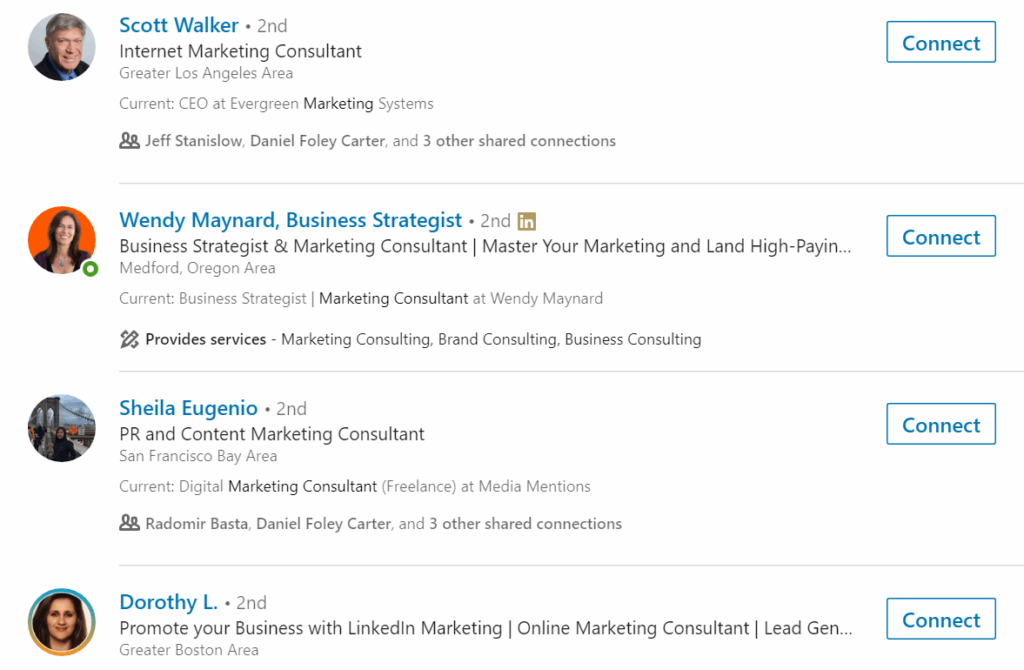
We would guess that your answer is the lady with the orange background.
The reason she captured your attention is the fact that she implemented steps that more than 80% of LinkedIn users don’t.
People are more prone to send you a connection request if they like your profile. Furthermore, they will accept your requests frequently. Thus, your success in generating new leads, acquiring new users, and even selling will increase significantly.
Marketers, this goes for the company’s LinkedIn page, as well. Set the high-quality logo as your profile picture, add a high-quality cover photo that mirrors your branding, and import as much info as possible. Lastly, don’t forget to optimize your LinkedIn public URL for SEO, as LinkedIn users and search engines will use it to find your page.
So, to stand our case, optimizing your profile will improve the conversion rate. Thus, it is one of the most important first steps to successful LinkedIn lead generation.
Define Your ICP And Buyer Persona For LinkedIn Lead Generation
Ideal Customer Profile and Buyer Persona are complementary documents that define your perfect customer and their company. In other words, they contain lead specification variables such as job title, the industry they work in, company size, or location.
You should create your ICP and Buyer Persona based on your current customer data. This way, these documents will contain what type of lead:
- Has the shortest buying cycle;
- Keeps high retention rate and LTV;
- Refer your product elsewhere.
If you do not define your ICP and Buyer Persona, you won’t be able to:
- Prepare your LinkedIn lead generation outreach message that converts;
- Generate high-quality leads;
- Or create thought-leadership content to appeal to your ideal potential customers.
In other words, you can’t do all these things because you don’t know who you are doing it for, to begin with. So be sure to define both to make your LinkedIn lead generation strategies more effective.
Become A Thought Leader
Here is an interesting fact for you. Did you know that many decision-makers, 54% of them to be more precise, claim they spend 1+ hour per week reading and reviewing thought-leadership content?
Being someone others follow to discover more about their position-related news is one of the essential activities of LinkedIn lead generation. Keep in mind that being a thought leader is a continuous process. Once you get started with it, you need to be consistent to grow your network.
The best hook for any thought leader is offering valuable and actionable content to your network. Moreover, you will have better engagement if you add proof of success, for example, the exact results you achieved.
By offering a lot of valuable content, you’re earning people’s trust and building the image of an expert in your field. This will help you gain influence status in your market and get tons of leads through your posts.
Whatsmore, you will connect with people on a much deeper level by being proactive and initiating different conversations based on your content.
How To Become Thought Leader?
Provide people with actionable steps to implement in their business. In addition, these steps should demonstrate your experience in improving your own or someone else’s business. Or, you could share stories about tools and strategies you used to get incredible results.
To clarify the previously stated, let’s go through an example.
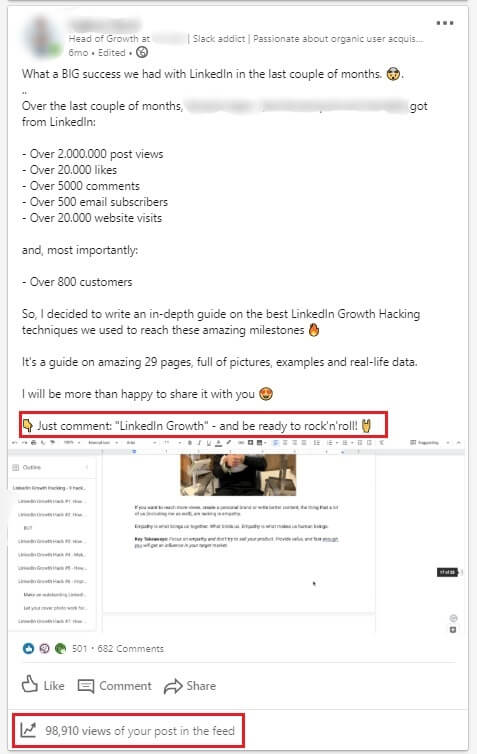
Why did this post work?
Firstly, the opening line promises a lot and entices readers to discover more about the story.
Secondly, the author showcases the astonishing results and what they could bring to anyone who follows the same steps.
Thirdly, by explaining how the content they share helped his company, the author provides the direct benefit and why people should read the document.
Lastly, they include an alluring CTA so people continue engaging with the post. Moreover, said CTA plays the main role in increasing this post’s tremendous reach (98,910 people).
How?
Well, this post uses the LinkedIn algorithm to its fullest potential. To clarify, when you publish a post, this is what the LinkedIn algorithm does:
- First, it shows your post to a small group of people called a test group;
- Secondly, if the test group engages with your post, LinkedIn starts showing your post to all your 1st-degree connections and their friends;
- Lastly, if the 2nd or 3rd-degree connections engage with it, it will appear in their network too.
That’s how the wider audience can see this post and engage with it.
What the author asks of people who want to see the guide, in this case, is to first engage with the post by commenting on it.
That’s why the post became viral. And not only did the post become viral, but it paved the way for network expansion and lead generation. All that from the post alone. Wow!
Build Your Network And Relationships On LinkedIn
Being a thought leader is all nice and fun. However, you won’t get far unless you use this social media for what it truly is for: building a network and nurturing real relationships with other members.
There is no workaround for this one. The only way to build a relationship with your network is to reach out and start a conversation with them (read between the lines - LinkedIn outreach). Talk about their work experience, and what they find most challenging or exchange tips. You can also have a digital coffee with them.
That said, establish a habit of finding new people to interact with each day. After all, from honest and good relationships, great customers are born. And that is Social Selling for you folks.
Create A Personalization Spreadsheet
Speaking of Social Selling, you should know that its backbone is actually personalization in communication. Nobody would want to talk to you if you appeared generic or dishonest. Thus, if you wish to do LinkedIn lead generation right, you need to first hyper-personalize your communication on this social media.
So, when you start generating leads on LinkedIn, you need to research what that person is all about so you can start a genuine conversation. The one thing that will help you keep organized in this detective work is a lead personalization spreadsheet. It is a simple yet effective document where you will gather everything about your leads, such as:
- First and last name;
- LinkedIn profile URL;
- Company name.
- The topic of the content they published;
- What stood out for you the most from the particular post;
- School they went to;
- Field of study;
- Jobs they posted;
- The technology they use;
- Company growth information;
- Personalized message intro (the message you can create based on the above-mentioned);
Keep in mind that this spreadsheet functions as an actionable document you can use in your LinkedIn lead generation efforts. Don’t worry. We will explain how it actually becomes actionable, so stay tuned.
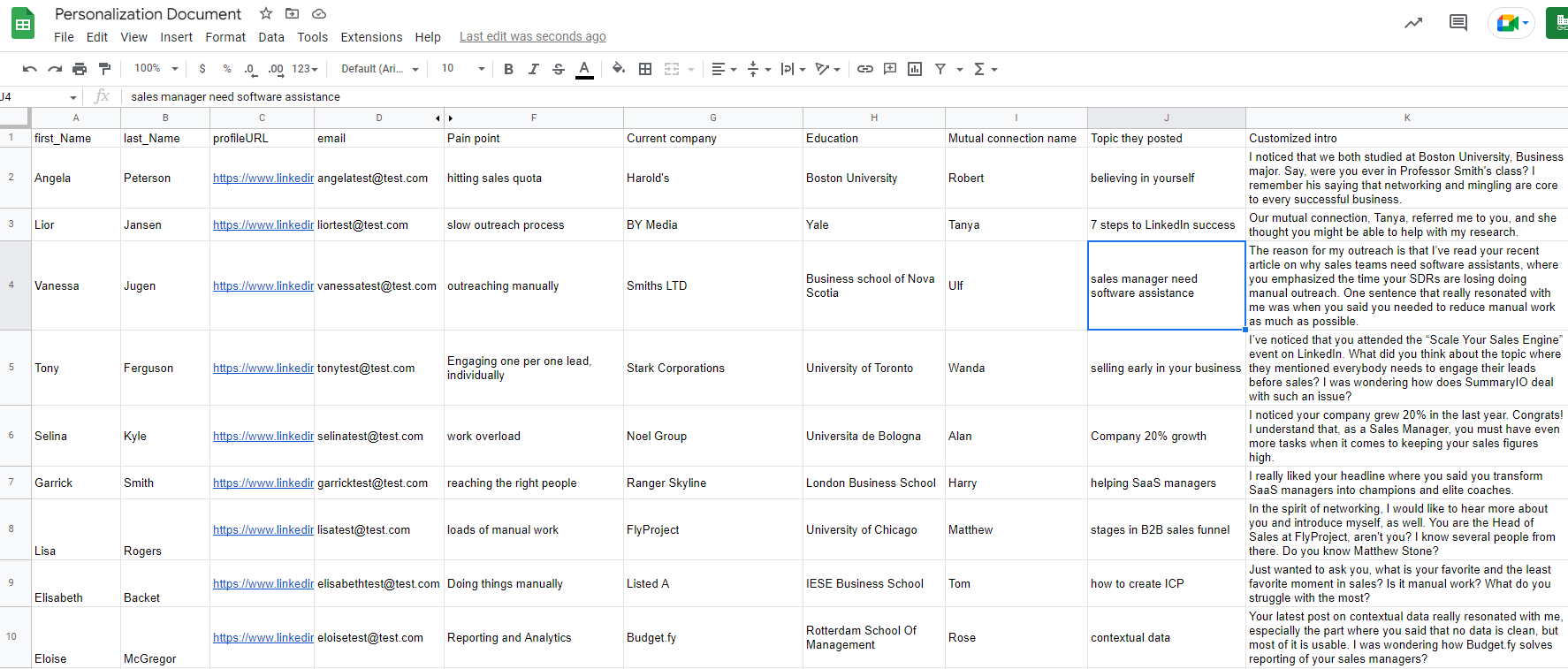
Understand Buying Signals When Doing LinkedIn Lead Generation
If we needed to label the urgency of what you should do before LinkedIn lead generation, this would be Very Urgent on our list. Why? Because marketing and sales change their approaches rapidly. So you must keep up with these changes to stay relevant in the market.
To be more precise, you need to be aware of this change called buying signals. It is the activity that leads perform to indicate buying intention for a specific product or a service. Or a buying signal can be an event that has taken place within the company that changed the company’s needs.
For example, a prospect can post about a service explaining their good or bad experience and demonstrate their (dis)satisfaction.
Content marketers and sales are already using buying signals to generate high-quality leads with specific intent because it is a way to faster and better conversion. Consequently, LinkedIn is no exception.
For example, marketing may notice a buying signal if visitors from LinkedIn go to several pages and end up on a pricing page in one session. Marketing then can post sponsored content on LinkedIn, retargeting those who ended up on a pricing page with another highly-converting landing page.
The sales team, on the other hand, can notice a person liking a case study they shared. After checking if the person has interacted with the business in some other way, they will outreach them on LinkedIn to connect or follow up on the said topic.
That is what is happening in sales and marketing at the moment. People are figuring out holistic high-intent and signal-based approaches, and you should be one of them. So if you plan to work on LinkedIn lead generation, first learn to detect these signals on LinkedIn and use them to their fullest potential.
Top LinkedIn Lead Generation Strategies To Generate More Leads in 2026
Do not worry if you are still unsure of buying intent and how to create your strategy based on it. We’ve got your back. Some of the LinkedIn lead generation strategies listed below will give you an idea of how to do the prospecting on LinkedIn to detect these signals, find them, influence them, and reach out to your leads at just the right moment.
1. Use LinkedIn Sales Navigator Search For Lead Generation
LinkedIn Sales Navigator, a platform for sales executives, is a the first method for B2B lead generation.
Apart from the leads they get from marketers, who use LinkedIn lead gen forms, sales executives can generate their own leads using Sales Navigator’s extensive list of filters.
Sales Navigator offers Lead filters to search for your Buyer Persona and Account filters if you wish to find your ICP.
However, amidst all the filters, we wish to highlight one in particular that every sales expert in SaaS or BaaS companies would like to see - the Technology used filter. This filter allows you to find people who use software similar to yours or even your competitor's products and reach out to them.
Simply go to your Sales Navigator Account filters and find Technology Used or search by keyword.
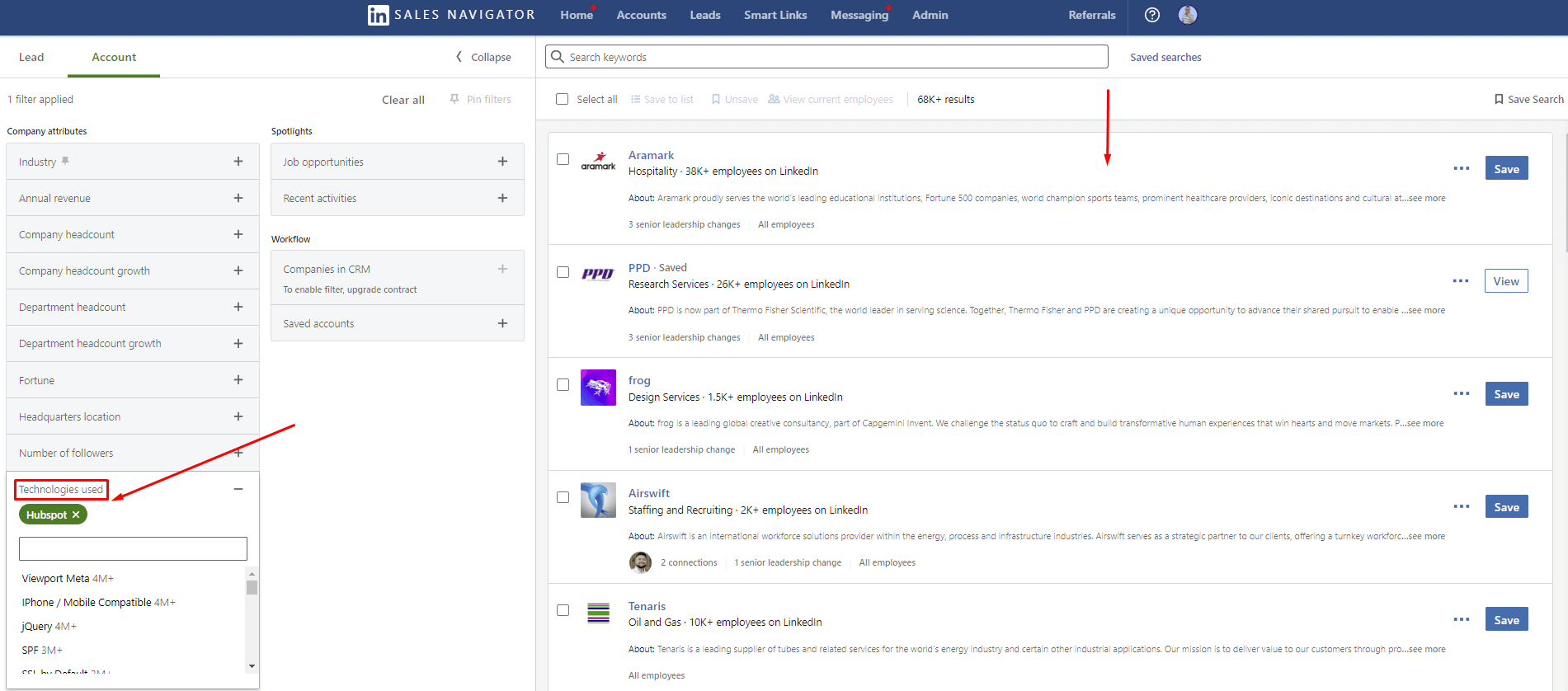
Once you do, go to that company page and find the decision-maker and reach out to them.
You can also send them gated content that will act like a LinkedIn lead gen form for your marketing team. They can use it to target the leads with other beneficial content. Whatsmore, you will raise awareness and establish contact with them without pushing them to buy, but rather pulling them towards your company.
2. Search According To Your ICP Or Buyer Persona
One of the well-established ways for B2B lead generation is to use the LinkedIn search filters to their fullest.
Dear sales teams, this is where your ICP and Buyer Persona come into play. If you read our guides, then you already know that each piece of information in these documents should be actionable.
Set the filters according to the documents using either LinkedIn Premium or Sales Navigator accounts to narrow your search. Once you do, copy the search URL. You are going to need it soon.
Trust us. By combining LinkedIn lead generation with your ICP or Buyer Persona, you will notice far better results than before since your leads will be more qualified.
3. Use LinkedIn InMail Templates For Lead Generation
LinkedIn InMails are direct and private messages you send or receive from a LinkedIn account that is not in your network.
InMails is a nifty feature for salespeople to use if they cannot get a hold of the lead using other methods (e.g. by sending a connection request). To clarify, once you send an InMail, the person will receive a notification as they would for regular messages.
If you are unsure what type of message to write to generate leads and get additional contact information via InMail, stop by our other blog and check out 13 LinkedIn InMail examples with a 25% response rate formula.
4. Job Posting Search
If a company publishes a job post, it usually means that they:
- Got funding for the department;
- Something is not right in the current process;
- Or a person from the team is leaving for some reason.
Whatever happened here, this is your chance to investigate and detect the buying signal.
In other words, this LinkedIn lead generation strategy focuses on job vacancy search, adding companies to a spreadsheet, and then finding decision-makers and reaching out to them.
Here is how you can generate leads by discovering specific job posts. For example, let’s say your company outsources sales specialists. To find these job posts, simply type that keyword in the LinkedIn search field. For example, you can search for a Sales Manager and use all filters to get as close to your ICP as possible.
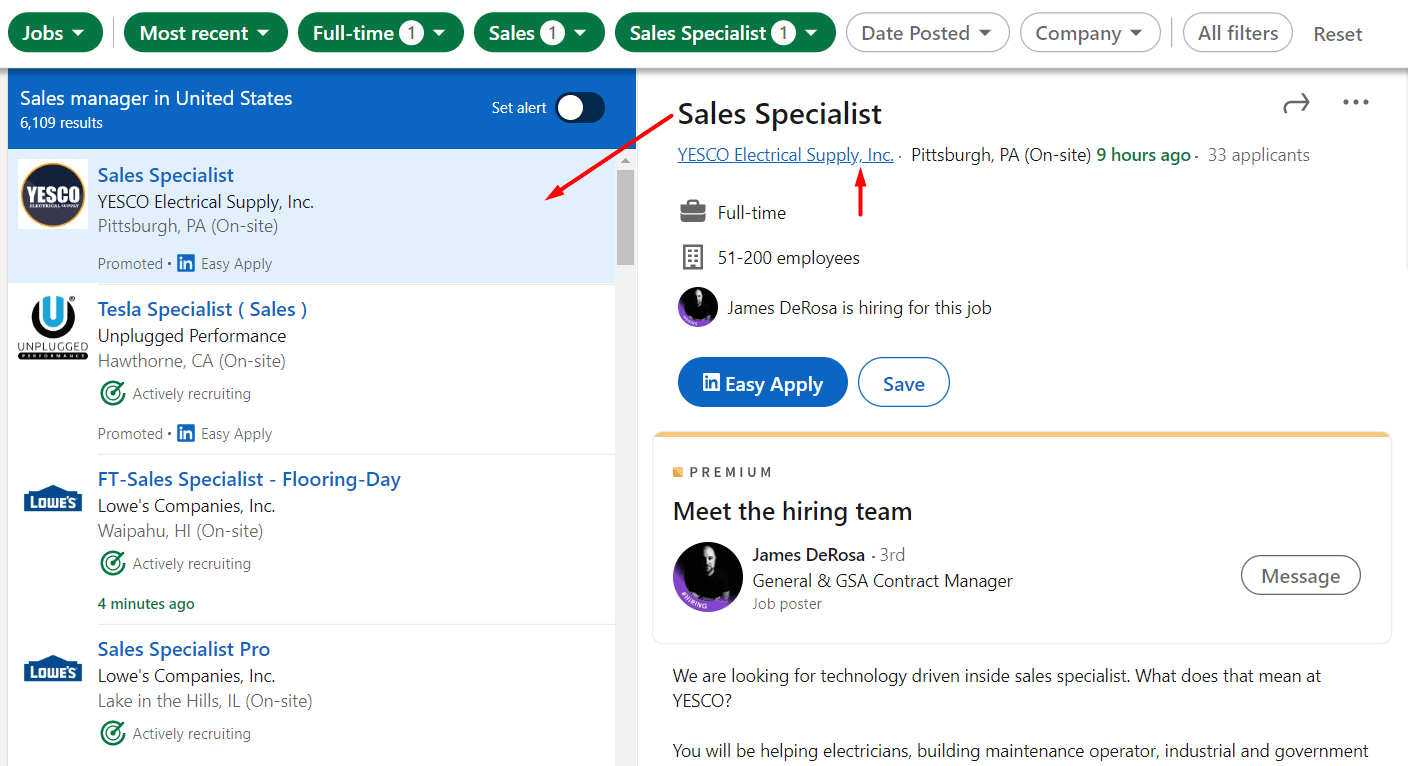
Once you find the desired company, go to their LinkedIn page and search for decision-makers within those companies. Lastly, write them down in your Personalization Spreadsheet so your outreach can later be more effective.
5. Team Up Sales And Marketing Efforts For Ultimate LinkedIn Lead Generation
We cannot talk about LinkedIn lead generation and miss mentioning the marketing and sales synergy. Today people research services of interest first before contacting sales or support. Thus, it became essential for marketers to cater to these research needs by creating content and working alongside the sales department to generate leads with personalized sponsored content.
On the other hand, salespeople are responsible for inbound contact and outbound activities. They do this through thought leadership, prospecting, and personal contact once the lead lands in the funnel.
Here is an example of how sales and marketing activities should be in synergy.
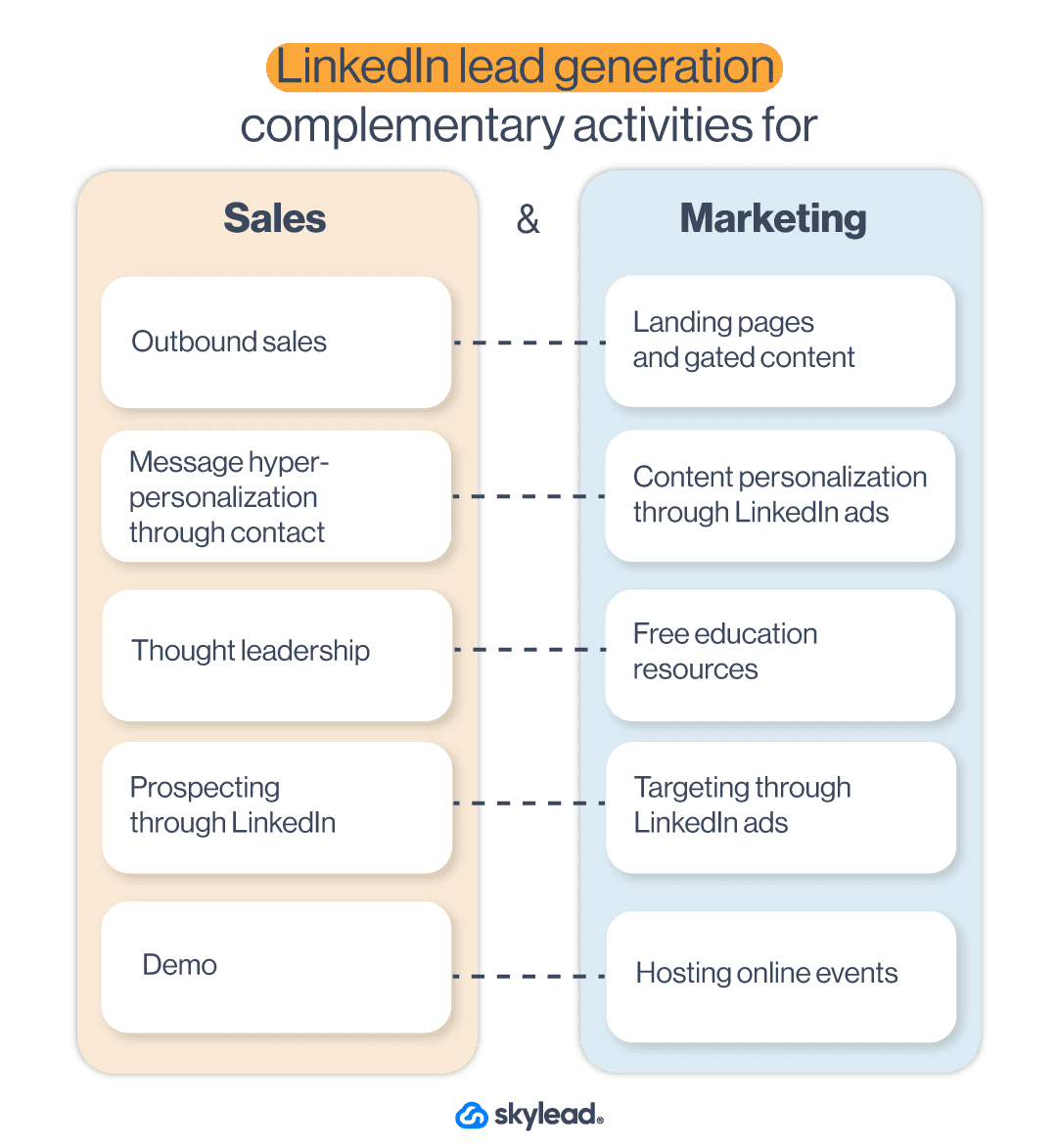
Thus, one of the main LinkedIn lead generation strategies should be aligning their activities on LinkedIn too. In other words, marketing and sales should:
- Communicate the same benefits and messaging;
- Create gated content;
- Serve personalized content on LinkedIn;
- Address immediate pain points and buying signals.
It is essential to align your sales and marketing teams since they are equally valuable. In other words, if the sales team targets the leads using buying signals, marketing should do the same as one of their activities. For example, if sales send the leads to a book-a-demo page, marketing can create a LinkedIn lead generation ad to target people who visited the demo page but didn’t convert.
Note: To reach the ultimate results using lead generation, the best-case practice is to extend your lead research beyond LinkedIn. In other words, discover other places to find B2B sales leads according to buying signals and trace them back to LinkedIn for outreach.
6. Check For Buying Impulses By Searching LinkedIn Hashtags
LinkedIn offers many holistic ways to generate leads. Thus, searching for the leads who shared their pain points or someone who wasn’t satisfied with your competitors via hashtags is one way to do it.
This strategy is perfect for zeroing in on the leads based on buying signals. However, it might need some time as it requires manual work.
All you need to do is type your competitor’s name to find dissatisfied customers, search for the hashtag. Or explore hashtags to find a person who asked for advice on their pain point.
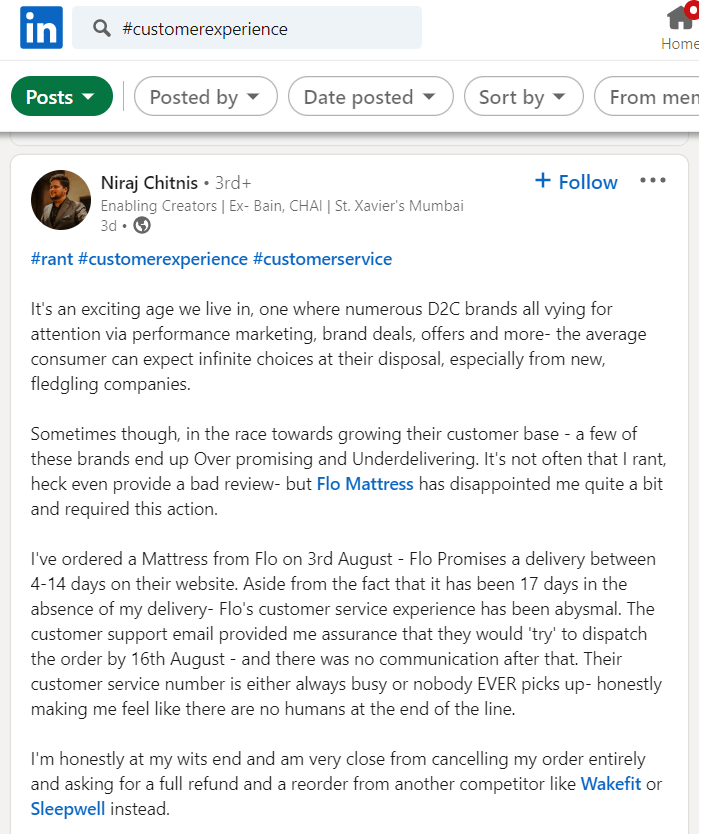
Once you do, write down everything you discover in your personalization spreadsheet. This way, you will gather all the information you need to personalize the message for the outreach.
7. Combing Through LinkedIn Groups
You can also find the leads by searching through LinkedIn groups - the themed places for professionals of all caliber to share their thoughts and experiences or ask questions about the group topic in one place.
Unfortunately, post-engagement-wise, LinkedIn groups are dead. However, that doesn’t mean that your leads aren’t there or their content. In other words, these groups still hold a place for LinkedIn accounts that joined the group in the first place. So go ahead and find the groups your Buyer Persona would be in. Join those groups and leverage them for LinkedIn lead generation by reaching out to its members or finding a post that demonstrates buying signal or intent.
For example, if your target group is marketers, you can search the group by keyword and find your ideal leads.
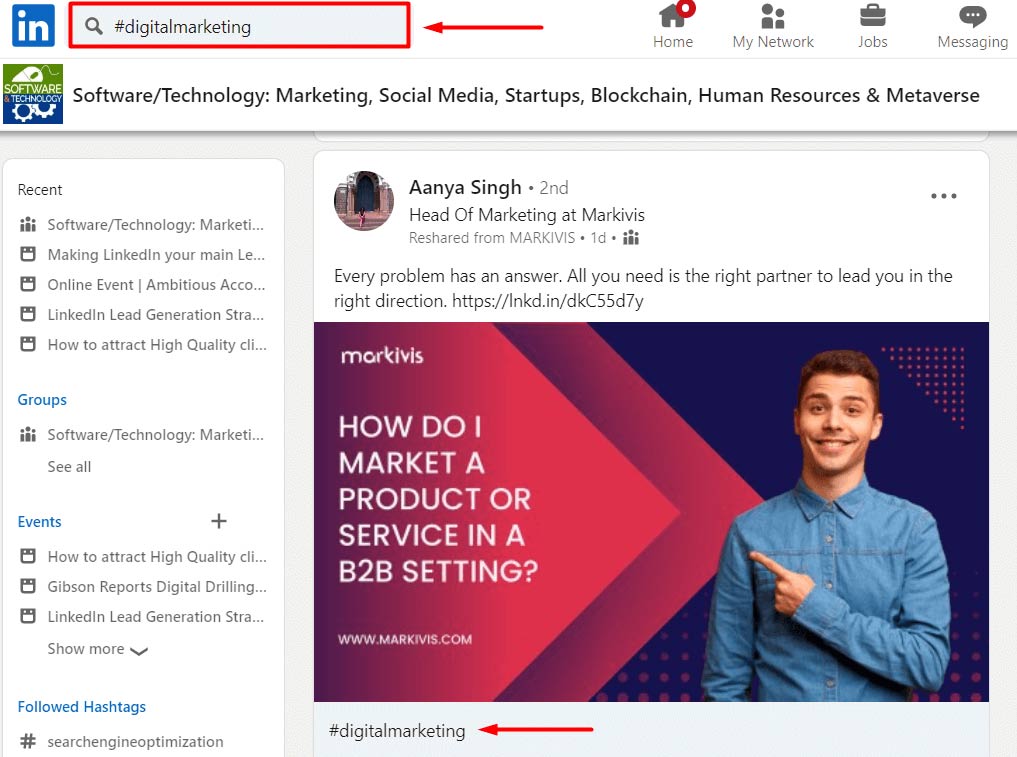
From there, you can invite them to connect with you by writing a message such as this:
Hey Aanya,

I’ve seen your interesting posts on the right partnership in digital marketing in the Software/Technology group. So I’m reaching out in hope to connect with you on that topic.
8. LinkedIn Lead Generation Strategy That Includes Targeting Posts
One way to jump over gatekeepers and reach decision-makers directly is to find content that appeals to them. Let’s take a look at the following post, for example.
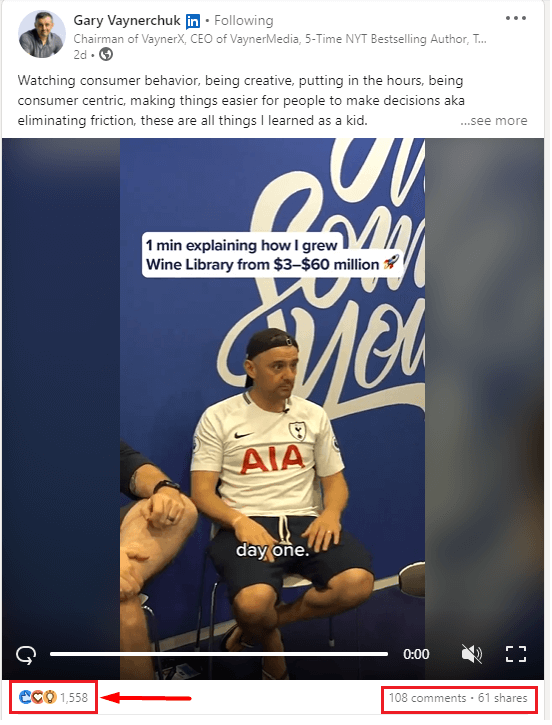
If you click the reactions or comments, you will for sure find some decision-makers out there.
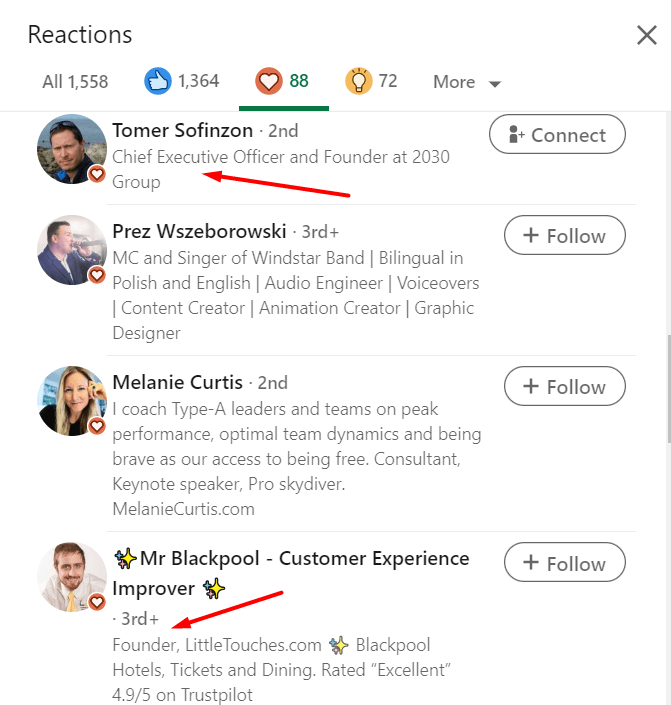
This is a valuable LinkedIn lead generation strategy, as you will have the perfect conversation starter once you outreach the decision-maker. For example, your conversation starter, based on the previous example, could be:
Hey Tomer,

I noticed you liked Gary Vaynerchuk’s post on making decisions easier by watching consumer behavior, being customer-centric, and putting in the hours. I wanted to ask you how you make decisions in your company. Are there any obstacles and challenges in what Gary mentioned? Let’s connect on this.
Furthermore, you can check the post reactions a dissatisfied customer wrote on your competitor and generate the people who agreed with their opinion. The possibilities are endless.
9. Generate Leads From Event Attendees List
If you wish to research your leads’ buying signals, you need to start thinking about what LinkedIn events your ideal audience attends. Whatsmore, you can find them all in one place. Attending an event of this kind gives you valuable insight into their problems and needs.
To target event attendees, you need to first search for the events. Then, choose the event and click the Attend button.
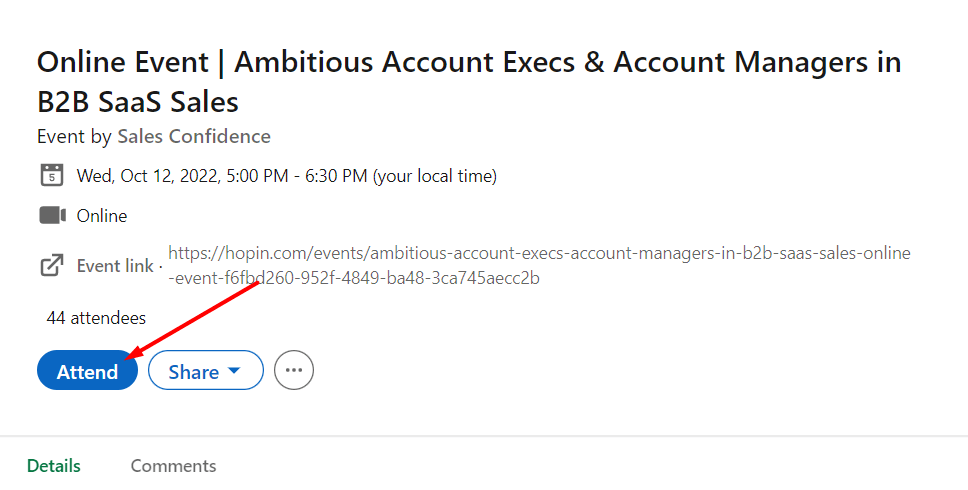
Next, click the Attendees button and check for the list.
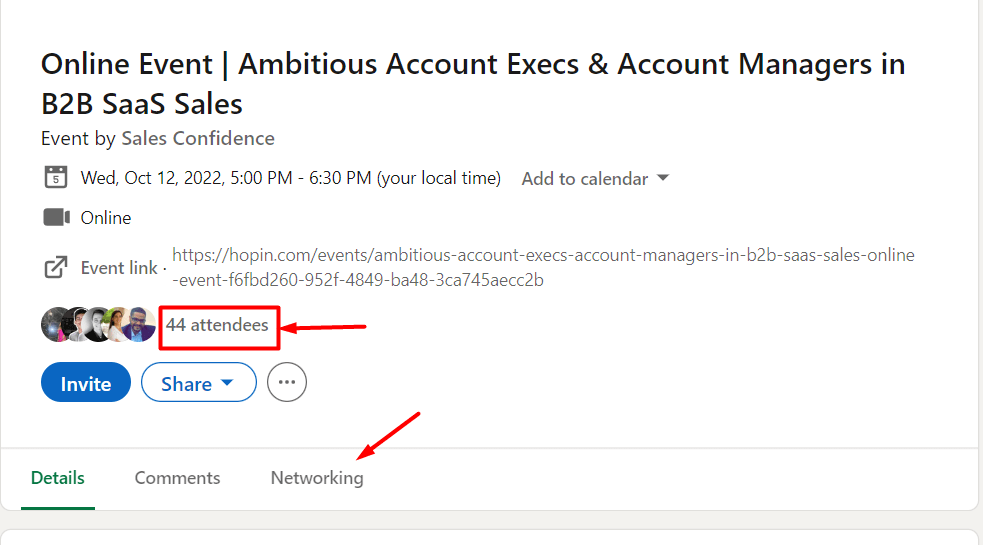
Once the event is live, be sure to write down all the questions, concerns, or comments your leads have so you can personalize your outreach later on.
10. Referral Program For LinkedIn Lead Generation
LinkedIn’s main benefit is networking. So why shouldn’t you use this benefit for LinkedIn lead generation?
The key here is to connect with your customers and offer them an incentive to refer your service to people who might be interested in using it. In other words, you can create a referral program for your current customers.
Here is an example of how the LinkedIn lead generation referral program works. First, you can offer a 20% discount for 1 month to your customer for every LinkedIn user who comes to your demo. If they find three people, that’s a 20% discount for 3 months.
What happens, in this case, is that if the recommended leads convert, they can branch out and find other leads for you to contact and convert.
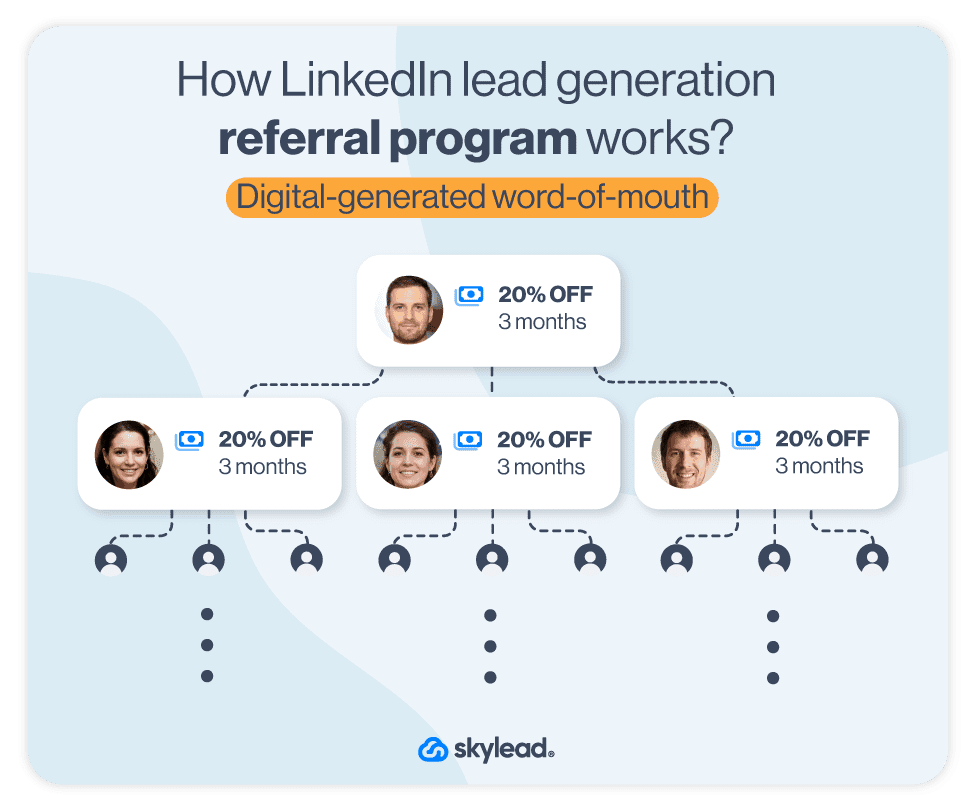
This referral program acts as word-of-mouth and a passive LinkedIn lead generation. You get leads with the buying signal, and your clients become your advocates. In return, they receive an incentive. Win-Win.
11. Generate Leads From Your LinkedIn Post
Posting content on LinkedIn as a thought leader is the most beneficial way of attracting the leads you wish. The type of content you post is your decision and creative liberty. However, for LinkedIn lead generation purposes, be sure to post in a way to appeal to high-quality leads in a unique and personalized way.
Once you see the reactions piling in, you can gather the LinkedIn profiles in one place, and outreach them manually or have one of the best LinkedIn automation tools do it for you. But we will talk about this soon.
12. Gated Posts As LinkedIn Lead Generation Strategy
Another thing you can do for LinkedIn lead generation that includes posts is to create a piece intended for acquiring new B2B leads.
To clarify, B2B marketers publish lead generation campaigns to boost their overall lead generation efforts. The type of sponsored content they publish the most are gated content and LinkedIn lead gen forms with call to action.
Similarly, salespeople can share gated content with their network. The catch is to write about the benefits of said content within your post. At the end of your post, you can share a landing page that leads to a form. Or you can ask the network to leave a comment on your post for two reasons:
- To appeal to LinkedIn’s algorithm and get more eyes on your post (more engagement leads to more impressions);
- And to have a reason to contact the leads directly and keep the conversation going (or use a lead generation tool to do the outreach for you).
Here is an example. Do you remember the post example from the How to become a thought leader section? Yes, that was gated content designed specifically for starting a conversation with new leads who are already interested in seeing the valuable content. What’s best is that they are the ones who initiated the contact. Thus social selling can go upright from here on now.
To post about gated content for LinkedIn, you can share any valuable piece your marketing team prepared for you. Or you can write one from your experience – the choice is yours. However, keep in mind that this content needs to showcase good results as proof, be industry-specific, and aim to cater to your prospects’ pain points.
Just try it, and you will see why this strategy is one of the best for B2B lead generation.
13. Linkedin Lead Generation Forms (Lead Gen Forms)
LinkedIn lead gen forms are a type of LinkedIn ad where the leads need to fill in a form to access the promoted material. It is similar to gated content on the website. However, the only difference is that LinkedIn alone hosts the lead gen form.
Once the lead clicks on the call to action, LinkedIn prefills the form, making it easier for leads to submit the information. You can then easily access the leads list, download it, and import it into the preferred automation tool. Or send it to your sales team. ?
LinkedIn charges this type of ad by cost per lead. In other words, you pay once the lead fills out the form. However, it can get quite expensive. It all depends on the industry and other parameters, but the projection for 2023 is that the average cost per lead on LinkedIn will be $75.
In addition, please keep in mind that not all LinkedIn lead generation ads need to have a LinkedIn lead gen form. They can be a single image or a video that leads to another landing page with the form. So let’s talk about them.
14. LinkedIn Lead Generation Ads
As we previously stated, LinkedIn ads are powerful thus, they are one of the best strategies marketers can apply. However, many shy away from launching the ads due to their complexity at first glance.
However, marketing teams, to be fair, LinkedIn lead generation ads are not for a scare. They are just a tad more expensive. 🙂
So here is how to launch any other type of lead generation ads in 7 simple steps.
7 Steps To Create LinkedIn Lead Generation Ad
Go to the Work section and navigate to the Advertise button.
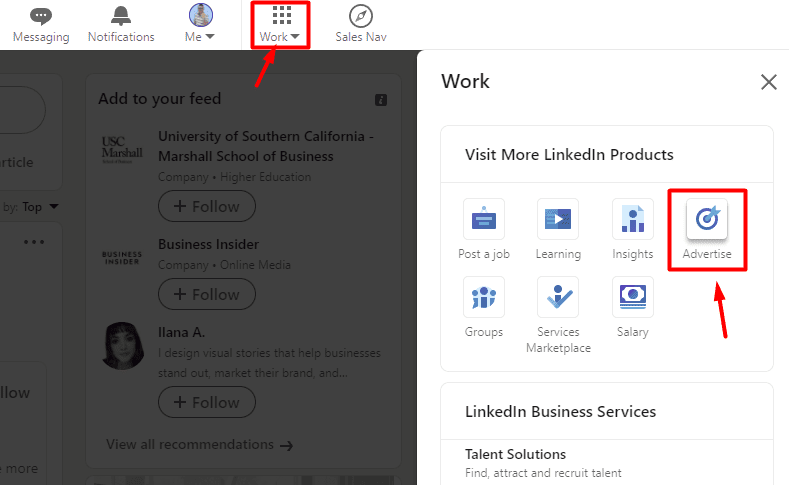
Next, if you already have your account set up, choose your account and click the Create button and choose Campaign.
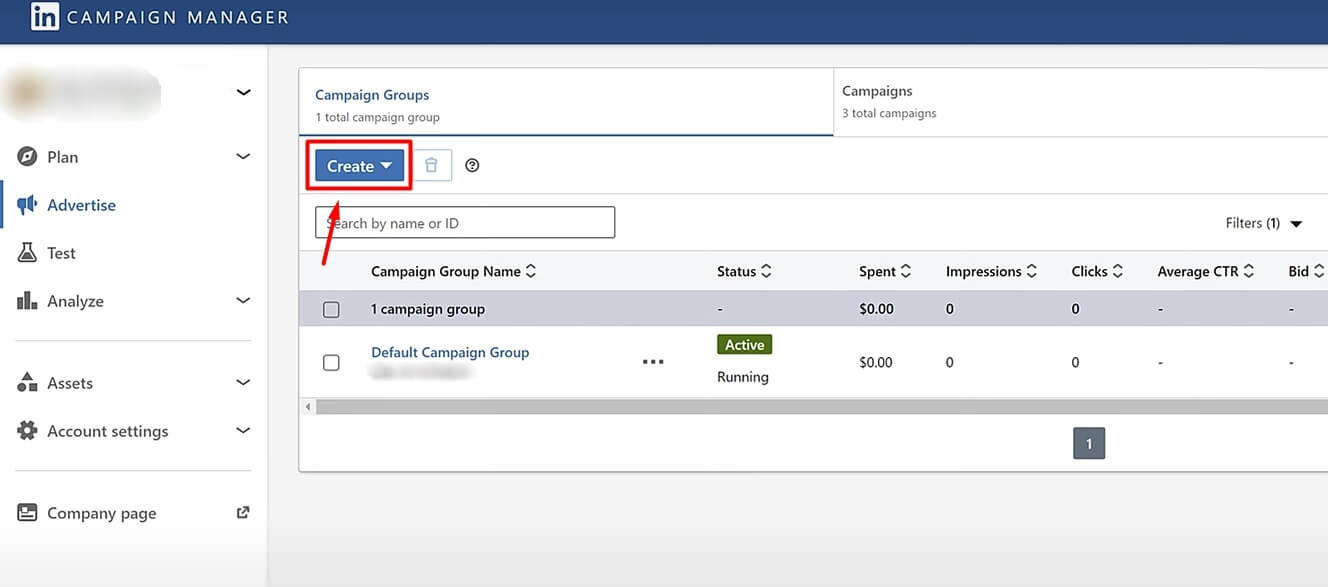
Then, select the goal of the campaign. You can choose among awareness, website visits, engagement, video views, and conversions. If, for example, you wish to promote your LinkedIn group or company’s LinkedIn page, choose the engagement campaign type. Or, if you wish to publish the LinkedIn lead gen form, use the Lead generation under Conversion.
Next, define their target audience. While choosing who you wish to see your LinkedIn ads, you can set parameters such as demographics, job titles, or similar parameters. Or, you can opt-in for retargeting your website visitors via LinkedIn Insight Tag. In both cases, do not forget to set conversions to track metrics.
Then, select ad format and placement (should you wish for LinkedIn to distribute your ad elsewhere). Keep in mind that message type ad acts as LinkedIn InMails, and will be labeled as Sponsored (unlike regular InMails). Moreover, the recipient will receive a notification for a message but won’t be able to respond or follow up with you. They can only interact with your call-to-action button.
Your next step is to select the budget and conversion tracking if needed.
Create Your Ad
Now the real fun begins. Once you click Next, you will arrive at the ad dashboard. To start, click the Create new ad button.
Lastly, create your message, enter the website URL where your gated content is and define a call-to-action button. Here, you are making sure that the core message resonates with the selected target audience, depending on where they are in the buying journey.
What’s more, keep in mind that this interface differs depending on the ad form you choose. Here is how it should look if you wish to create a LinkedIn lead gen form.
Once you insert the ad details, click Create at the bottom right of the screen, and your ad will be ready. You can then track your metrics and success back in the campaign manager.
LinkedIn Lead Generation Ads Examples
One of the shortest and sweetest ads we’ve seen must be the LinkedIn lead gen form that Hubspot published. It carefully emphasizes benefits - everything one needs to promote their business on Instagram and offers a cheat sheet as an easy solution. Moreover, the LinkedIn lead gen form auto-populates the fields, and the leads need only to click the Submit button.
Next on our list is GetResponse, who asked one of their customers to create a short video.
This ad is a win because of three reasons. Firstly, they used video format, which is the preferred format nowadays. Secondly, their customer gives a testimonial, a live word, and their experience with the product. Lastly, they promote their forever-free account, so it’s easier for the leads to sign up without any obligations.
Last, but not least, we have Atlassian’s webinar promotion.
Not every lead generation ad needs to have a service sign-up as the ultimate goal. Webinar sign-ups work for different buying cycles just as well, and Atlassian recognized it.
What is a win in this situation is not the copy above, nor a visual (though it helps), but the wording “on-demand”. You see, many of us do not have time, or have different schedules. So it makes it harder to fit one webinar by the time it is up live. The phrase “on-demand” makes it easier for leads to sign up, as they can watch the webinar whenever they find the time.
15. Use Sales Navigator’s Buyer Intent Feature For Lead Generation
Lastly, Sales Navigator introduced its Buyer Intent feature. It offers insights into accounts showing the level of interest. Buyer Intent helps sales professionals reach out to the right people and companies at the right time.
How it works is that LinkedIn tracks accounts that interacted with your business on many levels (e.g. if the leads viewed your profile or a company page, accepted your request, etc). It then labels them by the level of interest and recommends them to you. It is a perfect way to generate leads that previously showed some level of interest in your company.
However, keep in mind this feature is only available for Sales Navigator Advance and Advance Plus users. Thus, if you have a Sales Navigator Core account, you won’t have this functionality.
Best LinkedIn Lead Generation Tools
LinkedIn lead generation tools are automation tools that streamline your lead generation activities on LinkedIn, help you track metrics, and optimize your efforts for success. In other words, these somewhat done-for-you tools automate the processes, such as prospecting and initial outreach, that you’d otherwise do manually. In addition, they help you with time-consuming tasks, thus saving you time to focus on closing the deal.
What’s more, LinkedIn lead generation tools are data-driven. To clarify, they provide you with precise metrics of your activities and show you how to optimize them for better results.
So what tools and platforms are the best for your LinkedIn lead generation efforts?
Campaign Manager For The LinkedIn Lead Gen Forms Ads
Unlike the Sales Navigator platform, created for sales executives, LinkedIn’s campaign manager is a tool created for marketers. It basically allows marketing specialists to publish different kinds of ads on LinkedIn,
As we previously mentioned, one of the best ad types is the Lead Generation Form ads. However, they are and will be expensive as they directly generate the leads’ contact info on LinkedIn.
Thus, you are probably wondering if you can use something less expensive. Yes, you can generate leads on LinkedIn via outreach, which is a cheaper method, even if you use the tool with it.
Sales Navigator For Prospecting
We cannot stop gushing about Sales Navigator simply because it offers many possibilities for sales professionals to streamline prospecting efforts as part of LinkedIn lead generation. In other words, Sales Navigator offers:
- 15 different Account filters to narrow down your search according to your ICP;
- Apply 29 Lead filters to find your Buyer Persona;
- Leveraging the Buyer Intent feature to generate high-intent leads;
- Setting alerts for leads or companies to get a notification if something changes;
- Integration with CRMs (such as Salesforce);
- Creating Lead lists to separate and save different decision-makers' profiles.
And these are just to name a few, as there are many other Sales Navigator features for lead generation. However, be aware that the features you'll have at your disposal entirely depend on the type of Sales Navigator plan you use. Thus, read about all the plans and choose the one that will suit you best.
So, once you find your ideal leads, you can outreach them directly from Sales Navigator or use the LinkedIn automation tool.
LinkedIn Automation Tools Designed For The Outreach
You could outreach the leads manually. Simply define the personalized message according to the info you gathered about them in the document. Then, reach out to them one by one via LinkedIn or email.
However, I have a question: What would happen if you generate hundreds or even thousands of leads? Would you manually reach out to them and watch over each step of the outreach process for every lead?
Well, the good news is you don’t have to. You can use a LinkedIn automation tool to do it for you.
LinkedIn automation tools are software that help you save time by streamlining the most time-consuming part of the outreach process.
To clarify, let’s take our very own Skylead. With Skylead, you can streamline the process of:
- Finding your ideal companies and the right contacts within them, courtesy of the account-based prospecting feature
- Enriching your leads' data
- Building your network to accelerate becoming a Thought Leader;
- Outreaching and establishing the first contact with your leads according to their behavior via Smart Sequences (this is one of the best Skylead’s functionalities);
- Sending native hyper-personalized messages with variables, Images, and GIFs to increase the response rate;
- Finding and verifying your leads’ email addresses to multichannel your outreach;
What’s more, you can integrate Skylead with your favorite CRM in 3 clicks, as well as connect it to the rest of your tool stack via Zapier webhooks or by using the API. The choice is yours.
That said…
How Should You Approach Outreach After Previously-Mentioned LinkedIn Lead Generation Activities?
Our third and final part of the ultimate guide to LinkedIn lead generation will show you how to leverage a LinkedIn automation tool to streamline your outreach process. Moreover, we will cover how to approach your leads and start converting them seamlessly.
Let’s go!
Save The Time And Outreach Smart
Here is how you can use Skylead to get the outreach done easily and quickly. Firstly, go to your Skylead dashboard and click the Create button.
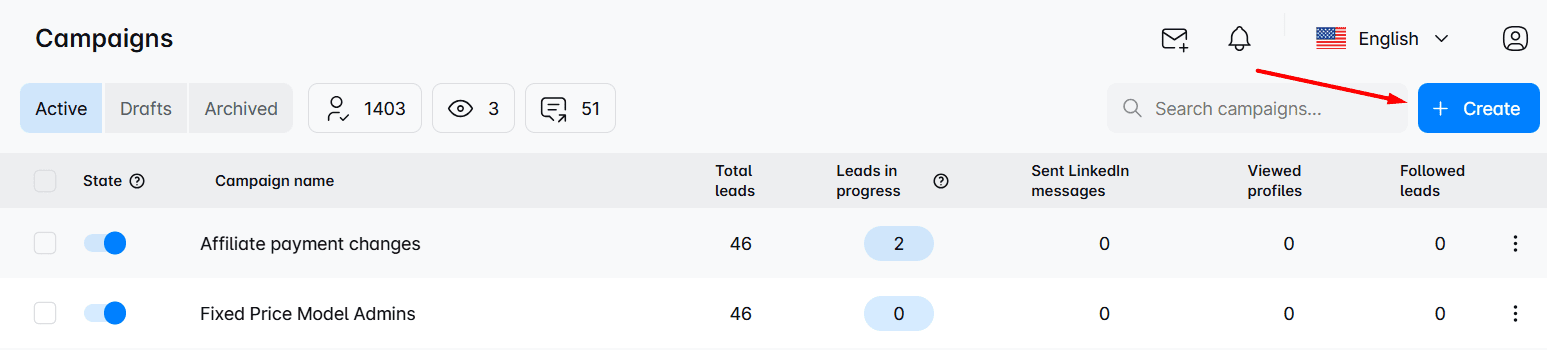
Next, choose the lead source, aka where Skylead will pull your leads from. For the sake of this article and to show you how to use a Personalization Spreadsheet, we will choose to upload a CSV file. In addition, don’t forget to name your campaign.
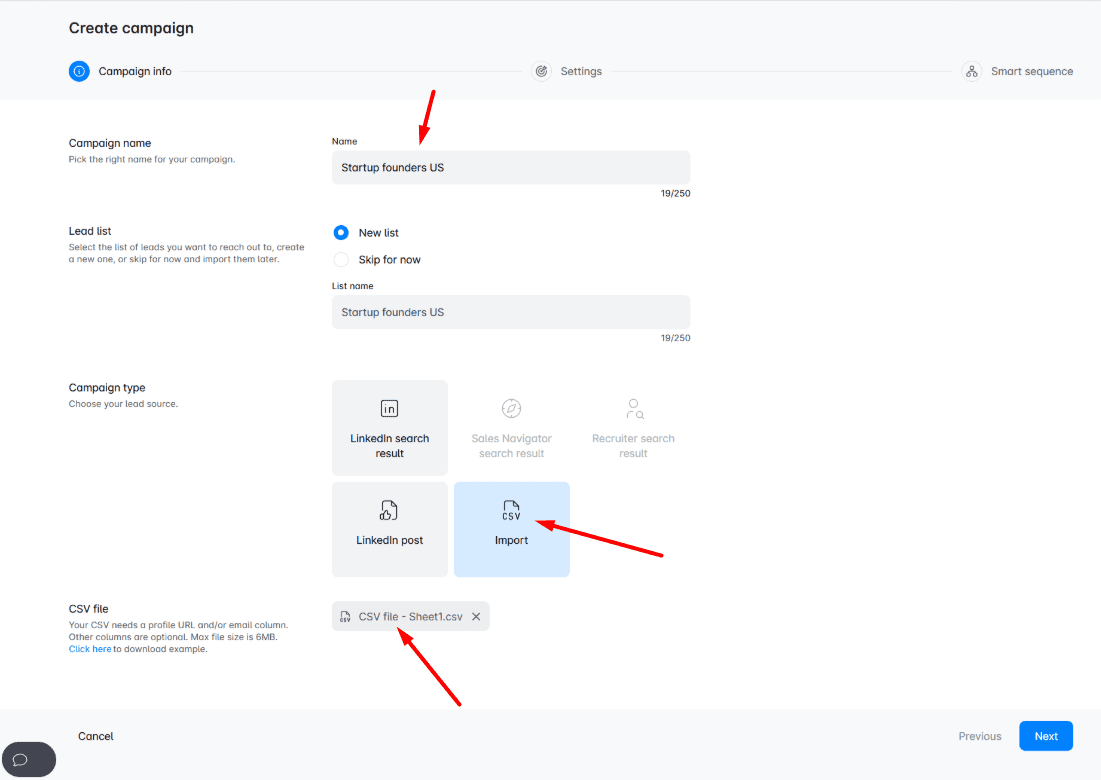
Be sure to create a new CSV file out of the information you gathered about your leads. The only condition here is to insert a person’s LinkedIn profile and/or email address. If you cannot find the person’s email address, you can use one of these ways to find emails yourself, or let Skylead take care of that.
Skylead provides the following native variables you can use to personalize your messages:
- First name
- Last name
- Current company
- Years in current company
- Total career positions count
- Total years of experience
- College name
- Occupation
In addition, you can insert other information in columns, such as the topic of the article they wrote, and Skylead will recognize them as custom variables. In other words, this column becomes actionable data you will use in your outreach.
For example, your CSV file can end up looking something like this:
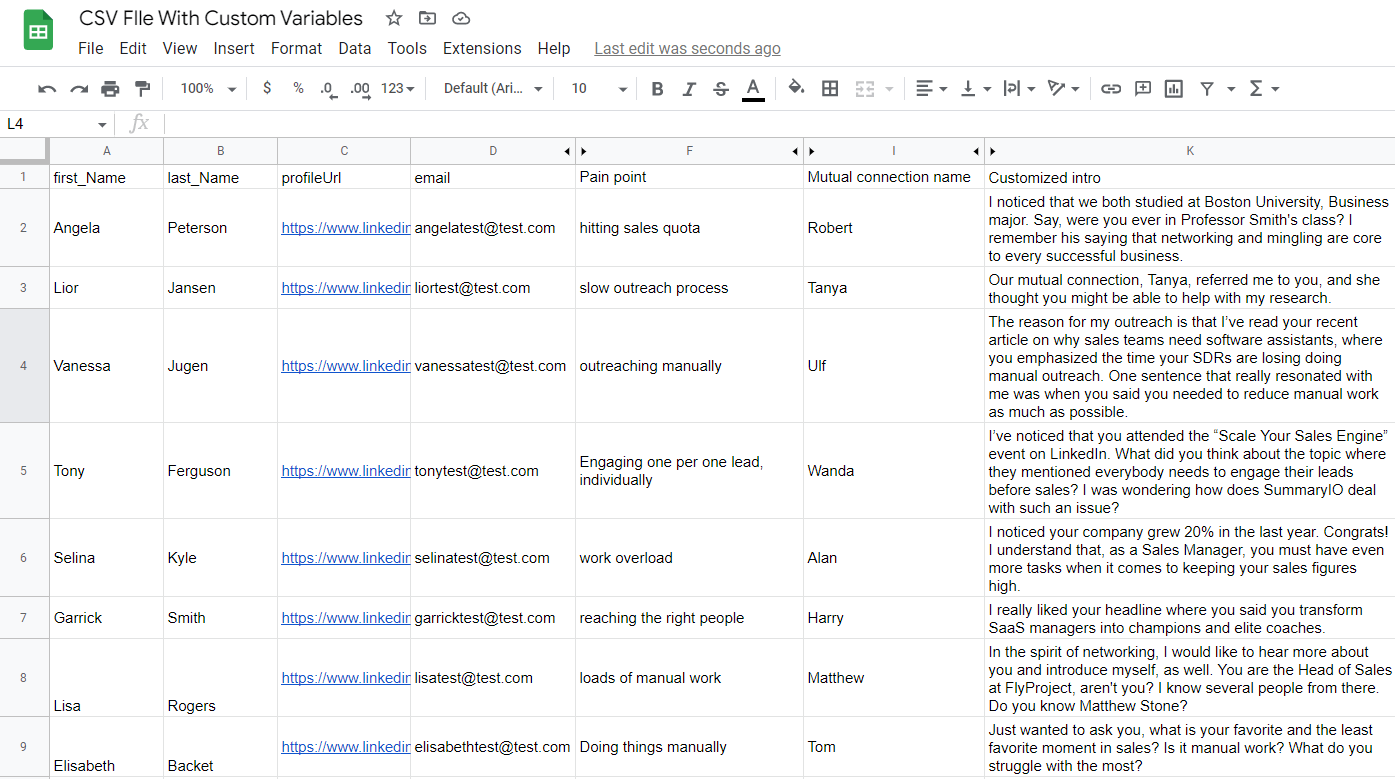
Once you click next, set up your additional campaign settings, and when you wish to launch your campaign.
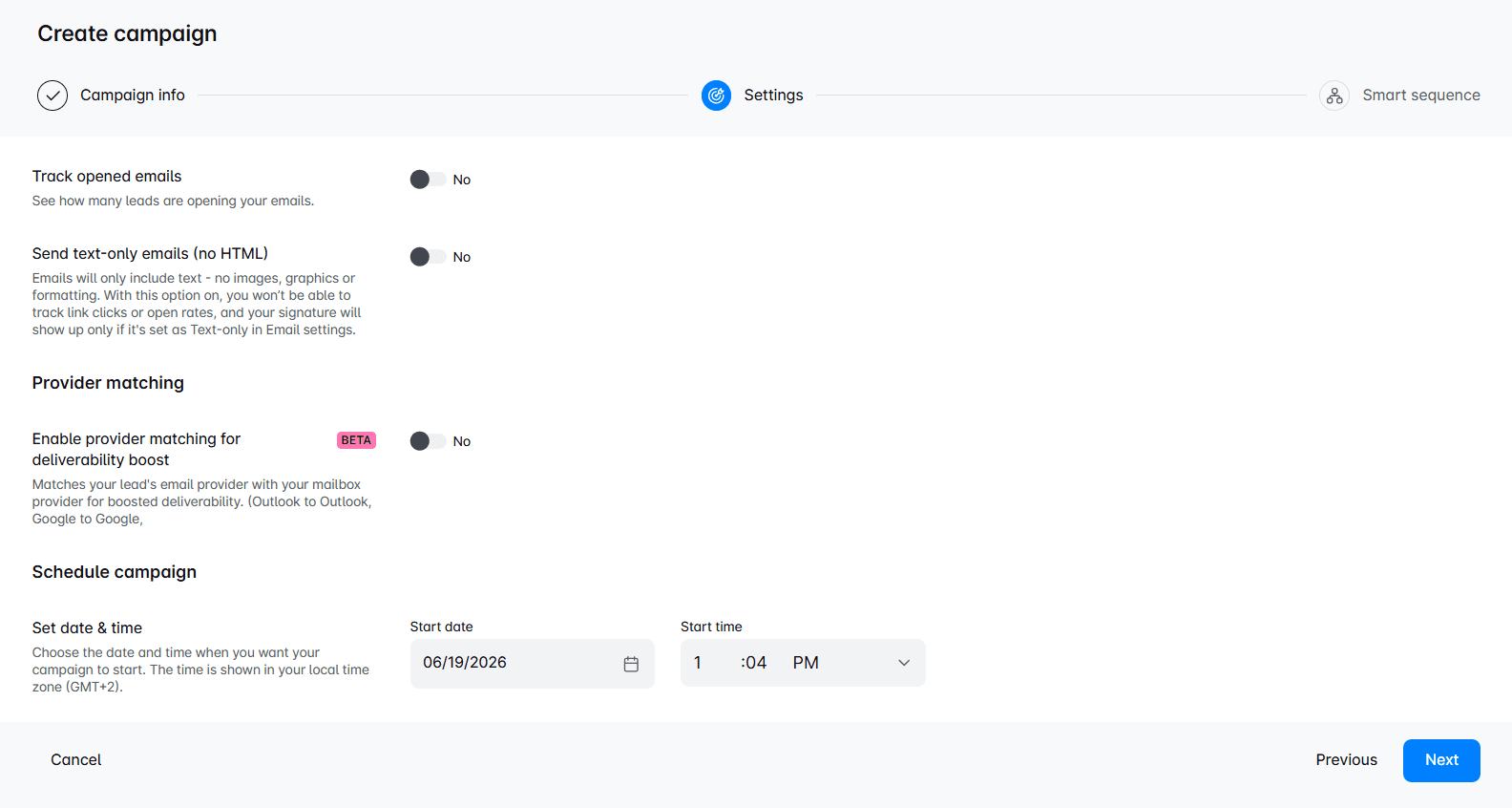
Smart Sequence Creation
Welcome to the Smart Sequence builder page. Here, you need to create an action path that Skylead will follow once you launch the campaign. This action path (Smart Sequence) will observe the leads’ behavior and act accordingly until they respond to your outreach.
Simply drag and drop actions and use different conditions based on their behavior to maximize getting in touch with your leads.
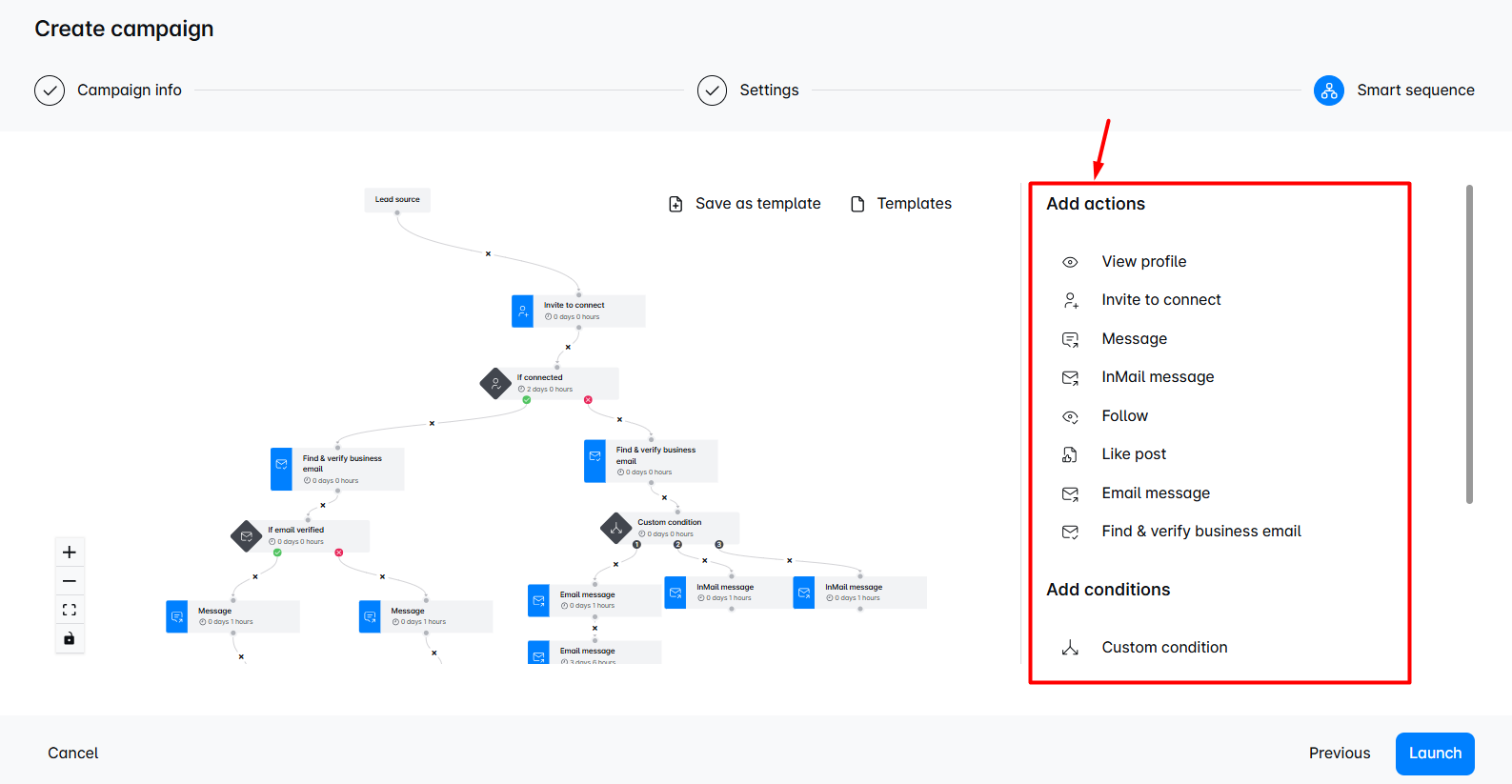
Do not forget to write personalized messages for an invite to connect, InMail, LinkedIn, or Email message steps.
The good practice here is to connect with your leads on a deeper level. So, craft your outreach messages to be as genuine as possible. For example, if you wish to send an invite to connect, try one of our invite-to-connect templates with up to a 78% acceptance rate, such as:
Hello {{firstName}},

I’ve noticed you have {{MutualConnectionName}} in your network. I worked with them at {{CompanyName}} a while back. I really loved {{whatYouLovedAboutMutualConnection}}.

That said, I see that we are both in the {{IndustryName}} industry and would love to have you in my network.
Or, if for example, a lead doesn’t respond, get inspired by our follow up after no response templates and write something thematic like:
Hey {{firstName}},

 I’ve just seen your fantastic LinkedIn post on {{Topic}}. The thing that really resonated with me was {{Quote}}.
 It would be great to hear more about how your business operates in this regard and also share some of my tips if you’re up for it.

 What do you say? Would you like to chat about this?
After you define all the steps and messages, you can finalize the process by clicking the Launch button, and your campaign is ready. Easy peasy.
Frequently asked questions about Linkedin Lead Generation
Oh, what a journey has been so far, hasn’t it? However, we still want to cover everything there is to know about LinkedIn lead generation. Therefore, here are a couple of FaQs to sum up LinkedIn lead generation.
What specific challenges do companies face when implementing these strategies, and how can they overcome them?
Companies may face challenges like creating engaging content and measuring ROI. Overcoming these involves using analytics for insights and continuously refining strategies based on performance data.
How do these lead generation strategies integrate with other marketing tools and platforms for a cohesive campaign?
Integration with other sales and marketing tools can be achieved through CRM systems and marketing automation platforms, ensuring a seamless flow of lead data and consistent messaging across channels.
Can small businesses or solo entrepreneurs effectively implement these strategies on a limited budget, and if so, how?
Small businesses and solo entrepreneurs can effectively use these strategies by focusing on highly targeted outreach and leveraging free or low-cost tools available on LinkedIn for engagement and networking. They can also get a LinkedIn automation tool and cold email software that has an excellent price-to-feature ratio, like Skylead.
Which LinkedIn Ad Format Is The Best For Lead Generation?
The LinkedIn ad format best for lead generation is a Single Image ad because it looks organic with other content you see in the newsfeed. Moreover, if combined with Lead gen form, it can bring amazing results. The next best thing is to promote gated content on your website.
How Do I Target A Lead On LinkedIn?
You can target leads with your ads by using LinkedIn campaign manager. All you need to do is to define demographics, firmographics, and other parameters of your target audience or choose to retarget your website visitors via LinkedIn Insight Tag. Then create an ad, and publish it.
How Do I Generate B2B Leads On LinkedIn?
You can generate B2B leads on LinkedIn by using any of the strategies mentioned in this article, such as posting gated content, using lead generation form ads, and generating leads from event attendees. Moreover, you can generate leads from job postings, leveraging Sales Navigator’s buying intent feature, and more.
Why Is LinkedIn Best For Lead Generation?
LinkedIn is best for lead generation because it’s the #1 professional network in the world. According to LinkedIn, lead conversion rates are 3x higher than any other social media. Moreover, 4 out of 5 LinkedIn users drive certain business decisions and have 2x buying power of the average web audience.
Ready To Scale Up Your LinkedIn Lead Generation?
LinkedIn is the #1 place to generate new leads by creating valuable content and reaching out to new connections.
However, before you get started with LinkedIn lead generation, you need to make sure to:
- Create a highly converting LinkedIn profile;
- Define your ICP and Buyer Persona;
- Become a thought leader;
- Build your network and relationship regularly;
- Create a personalization spreadsheet;
- Learn more and understand buying signals.
Once you do, you can apply one or all LinkedIn lead generation strategies to generate leads.
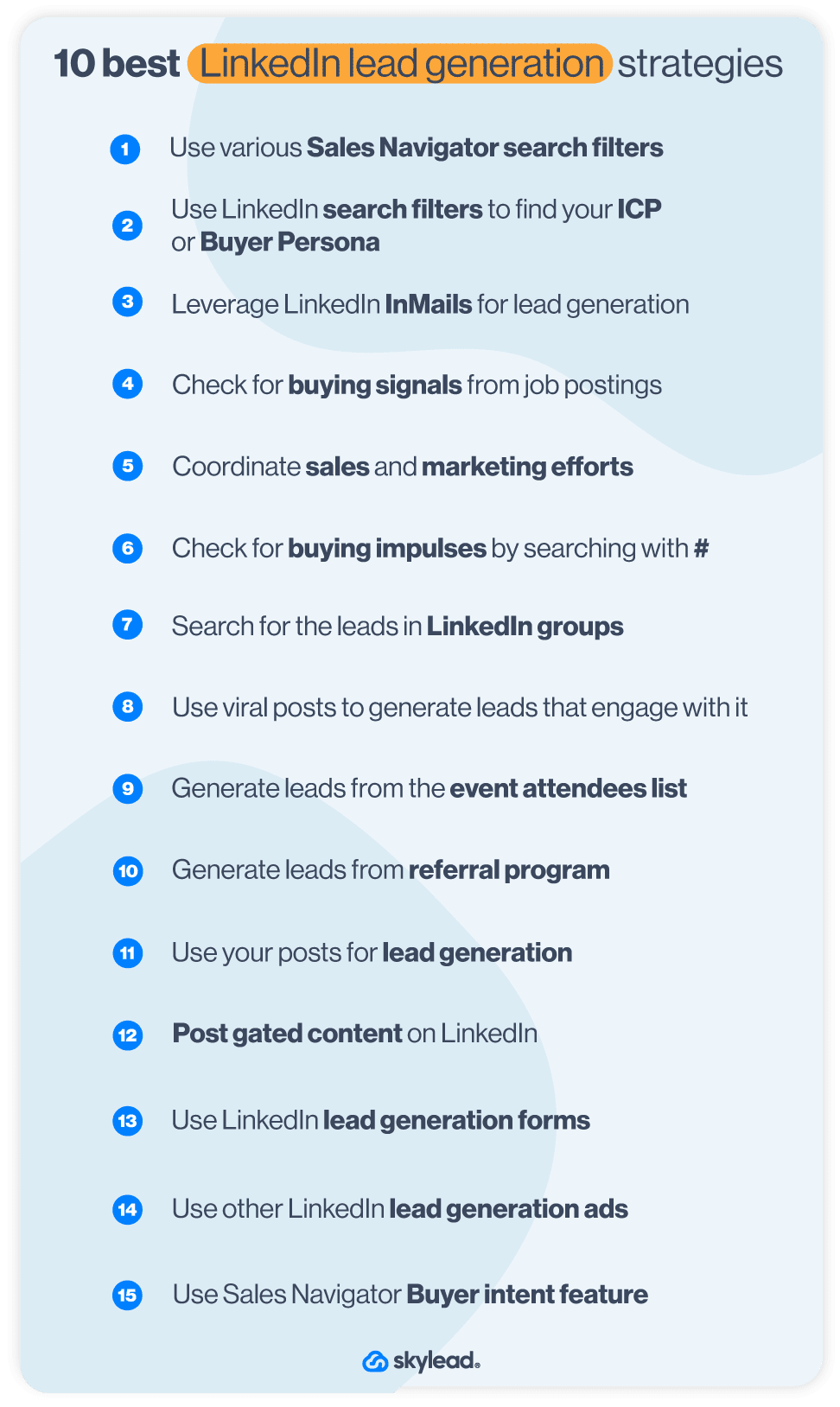
LinkedIn lead generation works best if you combine it with other lead generation methods outside of LinkedIn and then circle back to LinkedIn to reach out to them.
However, you don’t have to do the outreach alone. Skylead can help you do that, as well as find and enrich your ideal prospects. So come by, check it out, and start your 7-day Free Trial now!
Disclaimer: Skylead is not affiliated, endorsed by, or connected with LinkedIn in any way.
How many content writers does it take to change a lightbulb?
Doesn’t matter, the head of marketing will change it anyway.
Jokes aside, the answer is - none. Because content writers don’t like to change anything.
Plus, the light bulbs don’t really change, they’re replaced.
I’ll stop now.
Ok, maybe your first thought was not to add me to your LinkedIn network after reading my cringe jokes, but you would be surprised how well people react to humor in outreach. So, if you ever wondered what the best way to expand your network is or how to outreach the leads you found via prospecting on LinkedIn, then industry-related jokes in your Connection Request Messages, LinkedIn InMails, or LinkedIn Messages are definitely top of the list.
A good industry-related joke not only helps your acceptance and response rates, but also creates a positive first impression between the two. I personally tend to use them in my Connection Request Messages, but they can be a great conversation starter in messages for LinkedIn lead generation as well.
Since I know how hard it is to find industry-related jokes, I decided to do a little research for you and put them all in one place. This way I want to make using humor to expand your network on LinkedIn a little bit less time-consuming and to encourage you to get bold and creative in your outreach.
Expand your network: How to use humor in outreach?
As mentioned before, a good joke finds its place anywhere you want. Use it to connect with other LinkedIn members, to start a conversation, or to make a hook for a potential business proposal in an InMail.
There are multiple ways to use an industry-related joke in your outreach.
Example #1
Use the joke as the opener when networking on LinkedIn.
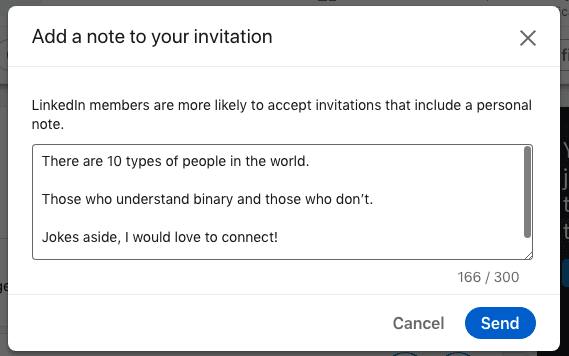
Example #2
Use the joke as the opener, but add a personal note to it.
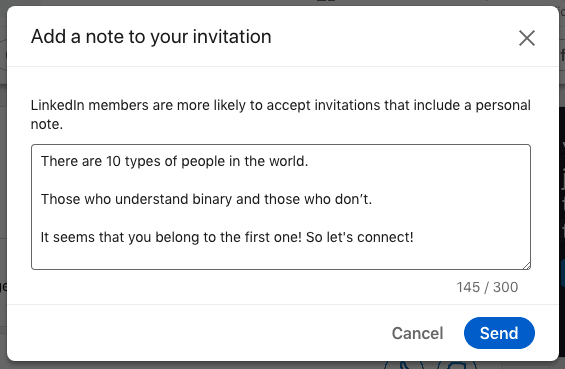
Example #3
Make the joke part of your hyper-personalized message to expand your network on LinkedIn.
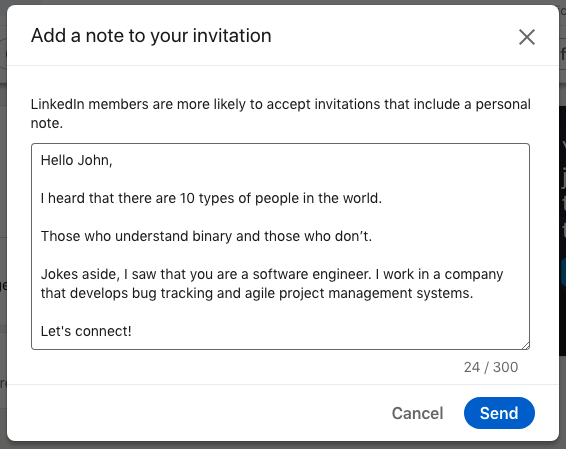
Here is the list of jokes for:
- Sales representatives;
- Marketers;
- Managers;
- Developers;
- Customer Support Specialists;
that you can use right away or combine them in your outreach.
Dos and Don’ts when using humor to expand your network
DOS
- Do the research before you choose the joke that you want to use. Consider each person’s unique cultural background and personal story. You want it to be relevant to the person you are talking to.
- Make sure that the joke is not offensive or maybe on the edge of being offensive.
- Have in mind that you are reaching people whose sense of humor you don’t know. A joke that is funny to you might not be to them. So don’t take things too personally in case they don’t take the direction that you wanted. However, people usually react well to humor.
- Do get to the punchline fast. Be short.
- Do laugh at yourself when you get a chance. Telling a joke that you made up from your personal experience always works. It makes you more human and approachable, and people generally love to work with people who don’t have a problem laughing at themselves.
DON’TS
- Don’t force a joke where it doesn’t belong.
- Don’t use jokes that talk bad about someone or call someone out, even if it’s their/your competition. It is not only rude and pathetic but unprofessional and it doesn’t make you look good at all.
- Avoid jokes that have to do with current hot-topics, that are political, or have to do with anyone’s sexual or religious orientation. No one wants to hear that or have those kind of people in their professional (or personal, for that matter) network.
- Don’t overdo it. Know when to stop. If someone answers back with a joke or a funny punchline, make sure that you know when joking about the same topic becomes too much.
Jokes for salespeople
Expand your network on LinkedIn by incorporating these sales jokes in your LinkedIn Connection Request Messages, Messages, or InMails.
Sales Joke #1
Always trust a glue salesman.
They tend to stick to their word.
Sales Joke #2
How do salespeople traditionally greet each other?
Hi. Nice to meet you. I’m better than you.
Sales Joke #3
What did the horrible buyer say to the salesperson who had a 24h deadline?
Give me another week to think about it.
Sales Joke #4
What salesman has the slickest line?
A hair grease salesman.
Sales Joke #5
How many salespeople does it take to change a light bulb?
None. You don't need a new light bulb - you need to upgrade your socket to the newest version.
Jokes for marketers
Expand your network on LinkedIn by incorporating these marketing jokes in your LinkedIn Connection Request Messages, Messages or LinkedIn InMails.
Marketing Joke #1
How did Yoda get his first lead?
He used the SalesForce.
Marketing Joke #2
What is the safest place to hide a body?
The second page of Google.
Marketing Joke #3
Why did the marketing couple break up?
They weren’t on the same landing page.
OR
Lack of engagement
Marketing Joke #4
How many marketers does it take to screw in a light bulb?
None – they’ve automated it.
Marketing Joke #5
Why don’t marketer’s like trampolines?
They’re scared of high bounce rates.
Marketing Joke #6
How do SEO experts celebrate improved search rankings?
SERP-rise parties.
Marketing Joke #7
Why do digital marketers love to shop at Whole Foods?
They have a lot of organic content.
Marketing Joke #8
What’s a marketer’s favorite drink?
Brand-y.
Marketing Joke #9
What’s a pirate’s favorite type of content?
A webinAAARRRR!
Marketing Joke #10
What does the SEO professional see when they see twins?
Duplicated content.
Marketing Joke #11
Why do SEO experts love driving during peak hours?
They appreciate the traffic.
Marketing Joke #12
An SEO copywriter walks into a bar, bars, tavern, pub, pubs, public house, Irish, bartender, drinks, beer, wine, liquor.
Jokes for managers
Expand your network on LinkedIn by incorporating these management jokes in your LinkedIn Connection Request Messages, Messages, or InMails.
Management Joke #1
What is the hardest part of being a product manager?
Explaining what you do to your parents and friends.
Management Joke #2
How many managers does it take to change a light bulb?
A roomful - they have to hold a meeting to discuss all the ramifications of the change.
Management Joke #3
Don’t stand around doing nothing.
People will think you’re the manager.
Management Joke #4
How many project managers does it take to change a lightbulb?
None, they are all still discussing the best way to do it.
Management Joke #5
A product manager walks into a bar.
It isn't what he expected so he immediately blames development for no reason.
Jokes for developers
Expand your network on LinkedIn by incorporating these software engineer jokes in youConnection Request Messages, Messages, or InMails.
Developer Joke #1
Why did the front-end developer buy the flat under his?
He always wanted a sub-domain.
Developer Joke #2
A developer’s wife asks him - Would you go to the store and pick up a loaf of bread? And if they have eggs, get a dozen.
The developer returns home with 12 loaves of bread. They had eggs, he explained.
Developer Joke #3
Why do programmers always mix up Christmas and Halloween?
Because Dec 25 is Oct 31.
Developer Joke #4
If doctors were like software engineers, they would say things like “Have you tried killing yourself and being reborn?”
Developer Joke #5
A developer is a tool that transforms caffeine into code.
Developer Joke #6
Give a man a program, frustrate him for a day.
Teach a man to program, frustrate him for a lifetime.
Developer Joke #7
Software undergoes beta testing shortly before it’s released.
Beta is Latin for 'still doesn’t work’.
Developer Joke #8
What do you call a software wizard that installs applications?
The Wizard of OS.
Developer Joke #9
What's the difference between a junior software engineer and a senior software engineer?
A senior software engineer writes wrong code faster.
Jokes for customer support specialists
Expand your network on LinkedIn by incorporating these CSS jokes in your LinkedIn Connection Request Messages, Messages or InMails.
CSS Joke #1
Evil queens are just Disney princesses who worked in Customer Support too long.
CSS Joke #2
Those who say “there is no such thing as a stupid question” obviously never worked in Customer Care.
CSS Joke #3
Anyone who ever said that “the customer is always right” has never worked in Tech Customer Support.
CSS Joke #4
Customer Service is like…
If you understand English, press 1.
If you do not understand English, press 2.
Frequently asked questions
How effective are humorous templates across various industries, especially in more conservative fields?
Humorous templates' effectiveness varies across industries. In conservative fields, they may be less appropriate. Tailoring the humor to suit the industry's tone can improve reception.
What are the best practices for personalizing jokes to ensure they resonate well with specific audiences or sectors?
Personalizing humor involves understanding the recipient's background, industry norms, and possibly their company culture to ensure the joke aligns with their professional environment.
Are there examples of negative reactions or feedback to consider when using humor in professional outreach?
Negative reactions to humor in professional outreach are possible, especially if the humor is misinterpreted or deemed unprofessional. It's crucial to balance humor with professionalism and consider the potential for diverse interpretations.
Summary
Jokes that you use in your outreach or in real life quickly impact your personal brand image and reputation, for good or bad. Ideally, whoever you talk to shares your sense of humor and can understand a light-hearted critique of the industry.
As mentioned above, here we’ve listed jokes that you can use right away for:
- Sales representatives;
- Marketers;
- Managers;
- Developers;
- Customer Support Specialists.
Be bold in your outreach. It will for sure pay off.
And for the end:
How many marketers does it take to generate 10 times more leads in less time?
None, they use Skylead.
With quotas looming over their heads and little time to meet them, many SDRs succumb to the spray-and-pray cold outreach tactics. In other words, reaching out to as many people as possible using the same message. The thing is, generic messages don’t work. They haven’t for a long time, and prospects can recognize them from a mile away. So, what’s the better approach? Personalized outreach. It’s the present and the future. And if you’re not in on the game, your results are likely to suffer.
That’s because sales are all about providing a solution to someone’s specific problem and actually solving it. This is especially true if we’re talking about B2B sales.
We’ve built Skylead on the premise of helping individuals personalize their outreach. Thus, in this article, we’re drawing from our own experience to show you how to do it yourself effectively using dynamic placeholders (variables) and images and GIFs.
We’ll also provide message templates that you can immediately use in LinkedIn automation tools and cold email software to scale your personalized outreach efforts, all while saving +11 hours a week.
Let’s go!
What is personalized outreach?
Personalized outreach is a tactic used to connect with prospects that implies understanding who they are and using those insights to create messaging that feels personal and relevant. When done right, it grabs attention, builds trust, and shows you’re genuinely invested in solving their problems. Its focus is on quality, making it ideal for businesses that value meaningful, long-term relationships.
Why personalization matters in outreach?
Did you know that using personalization in B2B sales outreach can lead to a 1.4 times higher revenue growth? Not to mention, personalized emails have 29% higher open rates and can boost conversion by 600%.
There are a lot more statistics that go in favor of personalized outreach. But speaking about tangible benefits, we’d like to specifically highlight that it led our team to:
- Stronger connections. When prospects see you made an effort to get to know them, they'll be more likely to engage with you and form a bond.
- Improved response rates. Your outreach immediately becomes more relevant after referencing a specific pain point of your prospects’ recent achievements.. As a result, they become more inclined to reply.
- Better brand perception. Messages that resonate leave a lasting impression and position your brand as thoughtful. This gives you a competitive edge.
- Saving time in the long run. While personalized outreach might seem like more effort upfront, it saves time overall. Fewer ignored messages mean fewer follow-ups and better conversations lead to quicker results.
- Increased conversions and ROI. Prospects are far more likely to book a meeting, attend a demo, or subscribe to your product/service if they see you understand their pain points. This directly translates into higher ROI.
So, given the benefits, it’s clear that using personalization in cold outreach just makes sense.
The foundations of personalized outreach
But the thing is, you can’t just personalize away without any prep; you need a solid foundation.
That said, before you resort to this tactic, it’s important you commit to:
1. Knowing your audience
The first step in any personalized outreach strategy is to know who you’re targeting. In other words, defining your Ideal Customer Profile (ICP) and Buyer Persona(s).
Your ICP represents the type of company or individual most likely to benefit from your product or service.
Meanwhile, a Buyer Persona is a semi-fictional representation of your ideal customer within that same company based on real data and educated guesses about their goals, challenges, and behavior.
Having one without the other won’t cut it. You need both to make sure you’re focusing your efforts on the right people. This way, you won’t waste time reaching out to prospects who aren’t a good fit for your business.
2. Researching prospects
Once you’ve identified your audience, it’s time for prospecting. You can choose your leads from whichever platform is your target platform, or find their email addresses. However, keep in mind you should research each prospect individually to uncover details that can make your messaging stand out.
This may include:
- Recent achievements or company milestones.
- Common pain points in their industry.
- Insights from their LinkedIn profile or company website.
The more specific you can get, the more relevant and impactful your outreach will be. To save time, feel free to use Chat GPT for sales-related prospect research.
3. Settings objectives
What are you trying to achieve with your outreach?
Are you looking to:
- Book more meetings?
- Increase brand awareness?
- Close more deals?
Whatever it is, it’s important to make it clear from the start. That’s because, after setting objectives, you’ll have specific outcomes to drive your outreach towards. Moreover, you’ll have an easier time tracking results and making improvements to your targeted outreach strategy.
How to write personalized outreach messages or emails for your prospects [+ templates]
As we mentioned before, personalization is a big deal in cold outreach. It provides your prospect with a sense of caring and shows them that you really wish to remove their pain points.
But how do you actually structure your LinkedIn messages and emails to show you’ve done your homework?
Generally speaking, there are 3 main parts of any message you want to include:
- Hook
- Body
- Call to Action (CTA)
While writing the hook for cold outreach, you must introduce yourself and clearly explain why you’re reaching out. But don’t stop there—include a specific detail about the prospect that prompted you to send the email/message.
Your hook should be designed to spark interest and provoke a response. For example, you might aim to connect your company with the prospect’s personal or professional needs. To do this effectively, tie your reason for reaching out to your company’s value proposition and explain how it addresses their challenges or goals.
Meanwhile, the body of your message should explain what your company offers in terms of value and features. Just keep in mind that this section is often skimmed over. Prospects typically focus on who you are and what you want before jumping to the closing. Only if those parts resonate will they circle back to read the body. Length-wise, it should not be longer than your hook.
The Call to Action (CTA) is a clear and direct one-liner that prompts the prospect to take action, like booking a call or signing up for an event. That said, it’s important to keep it short and actionable.
Of course, your message length may vary depending on the channel of communication and character limit. Nevertheless, these are the main guidelines you should follow.
How to use message variables in personalized outreach
If you are using sales outreach tools, you’ve probably come across variables that help you create personalized outreach messages for your prospects.
But if not, dynamic placeholders, a.k.a. variables, are customizable fields that get populated with prospects’ details while the rest of your message remains the same.
Now, let’s say you are using Skylead, our LinkedIn automation tool and cold email software for LinkedIn lead generation and to personalize your cold outreach.
Skylead lets you create outreach campaigns based on:
- LinkedIn and Sales Navigator search results
- LinkedIn posts
- Sales Navigator Lead lists
- Sales Navigator Account search result
- Your custom CSV file with the prospects’ information
In the case of the first 4, Skylead picks up the information from your prospects’ profiles automatically, which it uses to populate the variables. However, if you’re using a CSV file as a campaign source, you need to include their LinkedIn URLs or input the information manually for it to be able to do so.
That said, the basic variables you get to use with our tool are the following:
- First name
- Last name
- Current company
- Years in current company
- Total career positions count
- Total years in career
- College name
- Occupation
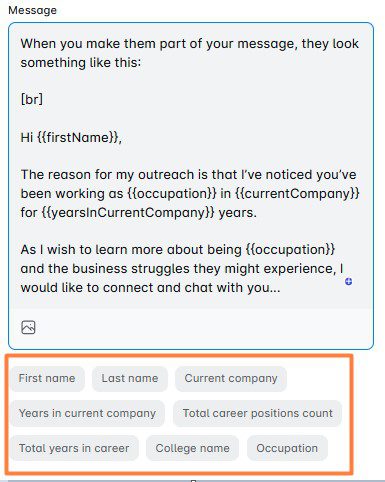
Now, apart from these standard variables, you can import your custom variables, as well. Custom variables are the placeholders that you can create, state their purpose yourself, and import to Skylead.
They can be:
- Demographics - Variables such as age, gender, location.
- Firmographics - Company name, size, performance, executive titles.
- Psychographics - Classification by prospects’ opinions, pain points, attitude, interests.
Custom variables can be used only if your campaign source is a CSV file. That said, here’s a quick guide on how to create a Skylead-friendly CSV file with custom variables.
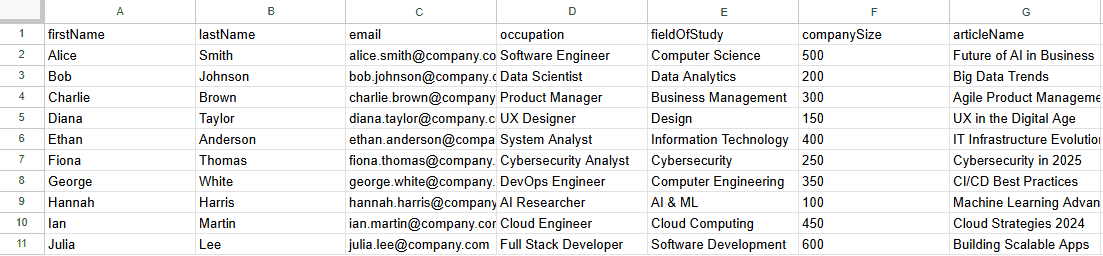
Custom variable examples for your message
The main part of the personalized outreach process and the entire sales process, for that matter, is finding as detailed information as possible on the prospect and putting it in the hook part of your message to catch their attention.
That’s why we are going to concentrate primarily on the variables for the intro of your message.
#1 Personalized outreach hook: Prospects’ original content
When you first meet the person, do you instinctively like them more if they are interested in your thoughts, opinions, and what you created? Most of us will not admit it, but the answer to this question is a big YES.
That is why the first type of placeholder you need to consider is the content they created by themselves, and you can find it on their LinkedIn page or company website.
It usually includes the following:
- Webinars hosted
- Articles written
- Posts published
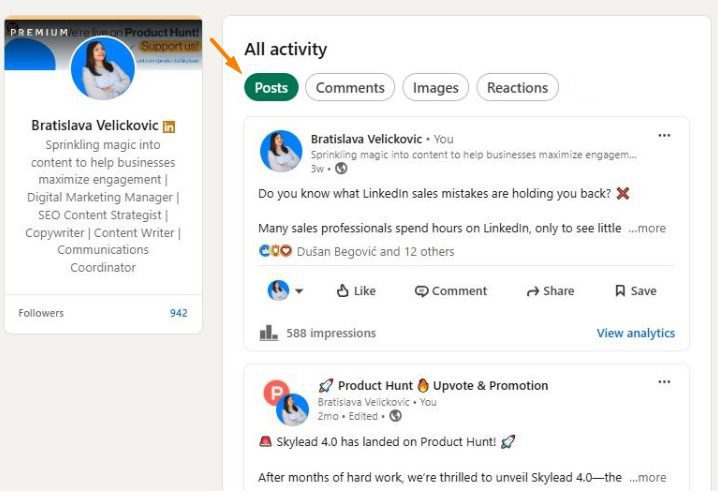
Your goal here is to reference something specific they’ve created in the introduction, then position your message as adding value to their existing work.
Example email using prospects’ original content as variables:
Hey {{firstName}},
The reason I’m reaching out is that I’ve read your recent article {{ArticleName}} where you emphasized {{TheirPoint}}.
One sentence that really resonated with me was {{TheirSentenceWithPainPoint}}.
What if I told you that {{PainPoint}} is easily overcome by {{ProvideLightValue}}.
So I was wondering, have you ever come across {{YourCompanyProduct}}?
Real life example:
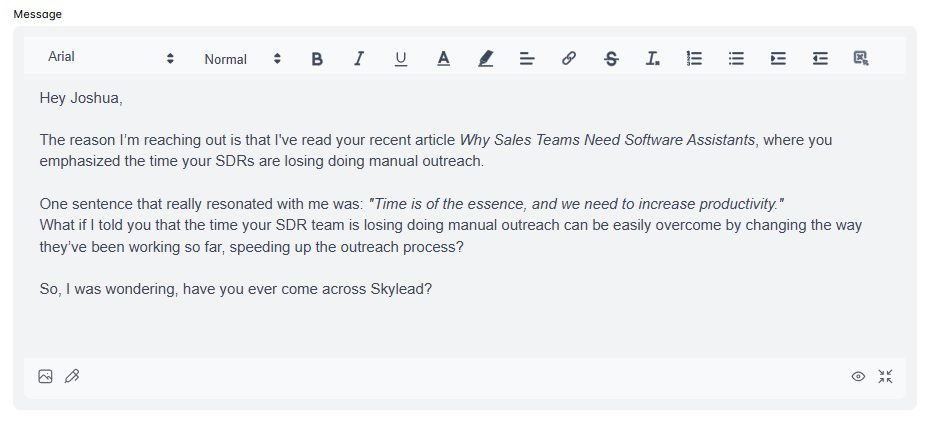
#2 Personalized outreach hook: Content that prospects engaged with
This type of content implies any post, article, or video they liked or shared on LinkedIn but didn’t create themselves. Alternatively, you can use a webinar or LinkedIn events that they attended.
Although not as strong as the previous hook, using content they engaged with still shows your genuine interest and will provide you with an opportunity to relate it to your company.
Example LinkedIn message with content that the prospect engaged with:
Hey {{firstName}},
I’ve noticed that you attended {{WebinarOrEventName}}.
What did you think about {{PainPoint}}?
I was wondering, how does {{currentCompany}} deal with such an issue?
Real-life example:
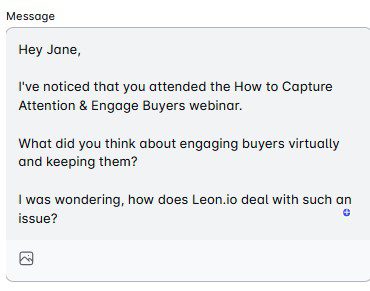
#3 Personalized outreach hook: Using prospects’ self-attributed traits
Prospects' self-attributed traits are sentences you’ll find on their social media, and they usually show what they are talking about themselves.
For example, prospects view LinkedIn as a place where they can talk about their accomplishments, things they are skilled at, and what they like to do in the business world.
That said, you can easily find this information under their:
- LinkedIn headline
- LinkedIn summary
- Work experience
Here, they will communicate to the world what is important to them, therefore, you can hook what your product/service does to this information.
Example email using self-attributed traits:
Hi {{firstName}},
I noticed and really liked your profile line about the {{HeadlineWithPainPoint}}.
What I really liked was the sentence {{SentenceFromHeadline}}.
What if you could make sure that as {{Occupation/Team}} you can easily overcome {{PainPoint}} ?
Let me know if we could catch up over a quick call.
Best,
Real-life example:
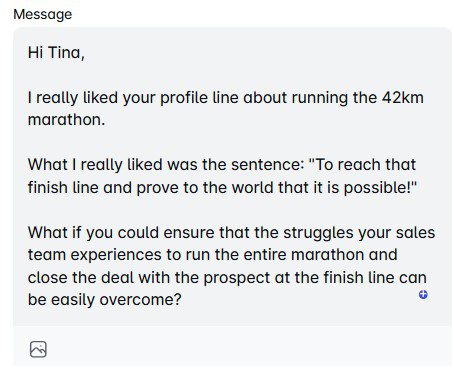
#4 Personalized outreach hook: Prospects’ background information
If you cannot find any information we mentioned in previous hook examples, you need to dig a little bit deeper, as a private investigator would. Find schools they attended, hobbies, and personal interests. Again, the rule is that you have to link it back to your company.
Example email using prospects’ background information:
Hi {{firstName}},
I noticed you enjoy occasional {{Hobby}}. You know what they say: {{QuoteAboutHobby}}.
Hiking is pretty much like {{Department}}. What if I told you that {{Department}} process can be {{AtributesFromQuote}}?
That said, have you ever come across {{YourCompanyProduct}}?
Real-life example:
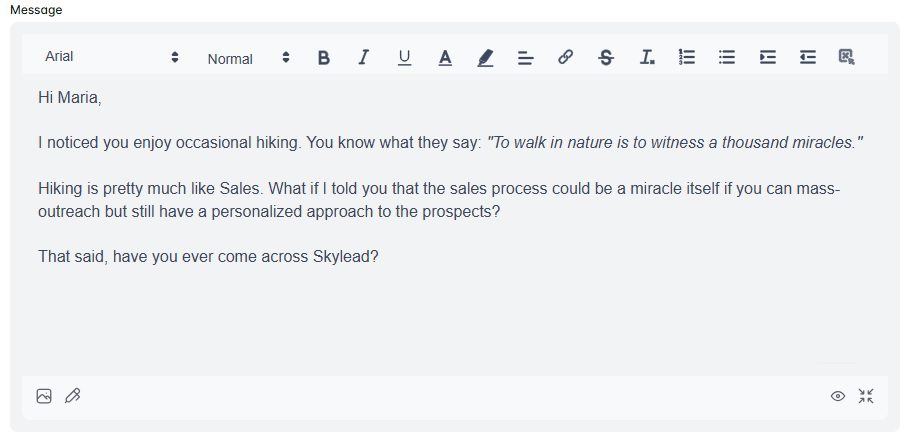
#5 Personalized outreach hook: Company information
The reason why the previous 4 hooks are so strong lies in the fact that they all include psychographic details.
Psychographic traits are something that someone believes in, has an attitude toward, or something that hits them more to the core. That said, the above hooks trigger the largest response rate as they are closer to the heart.

Now, the following personalization variables are classified as firmographics.
For instance, Wikipedia states that:
‘’Firmographics (also known as firm demographics) are sets of characteristics to segment prospect organizations. What demographics are to people, firmographics are to organizations.’’
That said, it’s not surprising that firmographic details to use as variables would include:
- Merger and acquisition information,
- Company growth information,
- Website language,
- Job openings,
- etc.
These variables are the least effective on the list. Nonetheless, if you say only one thing about your prospect’s company specifically, they will feel more special as they know you are talking ONLY to them.
When using this kind of information, be as detailed as you can but briefer in character length than you would in other cases.
Example email using company information:
Hi {{firstName}},
I noticed your company grew {{CompanyStatistics}} in the last year. Congrats!
I understand that as {{occupation}} you must have even more tasks when it comes to {{PainPointProcess}}.
What if I told you that your life as {{occupation}} can be easier so your {{CompanyStatisticsBoosted}}?
I was wondering, have you ever heard of {{YourCompanyProduct}}?
Real-life example:
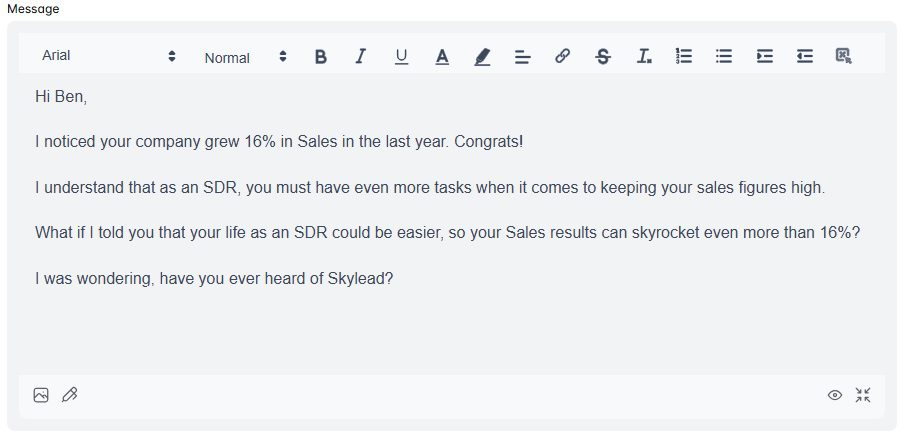
#6 Personalized outreach hook: Personalized introduction
If you find previous variables a little more in-depth than you are willing to go, you can help yourself with the previously mentioned concept ideas, but use one variable only.
To put it simply, you can use a personalized intro that changes depending on the prospect, while the rest of your email or LinkedIn message stays the same for everyone.
Example email using personalized intro:
Hey {{firstName}},
{{PersonalizedIntro}}
That said, I was curious if you are using a solution for your cold outreach?
I would love to show you a solution that can combine Email and LinkedIn with a hyper-personalized approach that will help you book 30+ additional meetings per month and keep your pipeline full.
Real-life example:
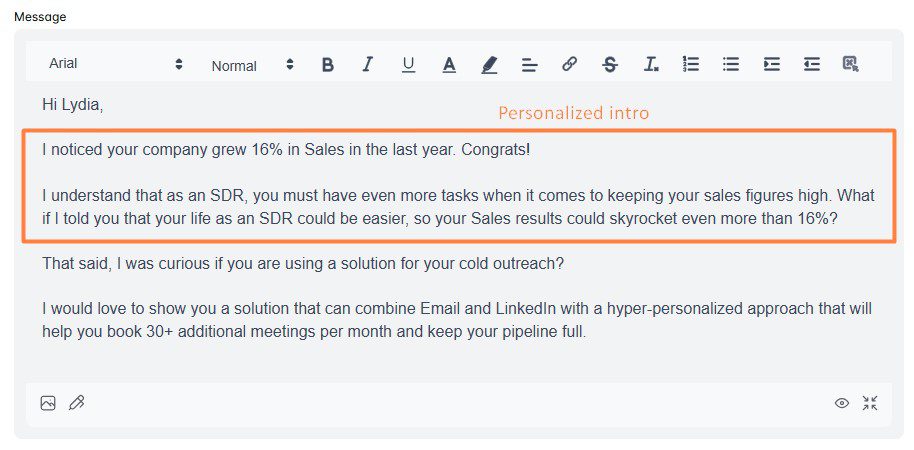
Bonus: Short variables
Need additional placeholder ideas that you can use for personalized outreach? Take a look at the following examples:
- {{TeamMemberName}}- Using the lead’s colleague’s name will create a sense of familiarity.
- {{SalesPitchAccordingToTheIndustry}}- You can create a short pitch block in your message according to the prospects’ industry, with the main pain points and values demonstrated.
- {{BirthdayDate}} - If listed on their LinkedIn profile, you can extract this information and prepare a special pre-birthday gift as a Pain Point relief for their business needs.
How to use images and GIFs in personalized outreach
Variables can help you personalize the content of your messages at scale.
But if you truly want to up your personalized outreach game, your best bet is to use them in combination with custom-made images and GIFs.
Not many people realize the power of personalized visuals. But trust us, if you include them in your outreach, you’ll get response rates of up to 76%, as we have!
The good news is that Skylead comes with a native image and GIF hyper-personalization feature that lets you do just that!
It’s built right into the platform, too, meaning that all you have to do to create a custom image or a GIF is click the ‘’Image’’ icon under the message body field.
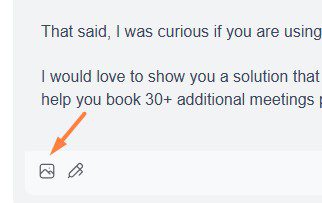
Then, all you have to do is choose the visual you wish to edit…
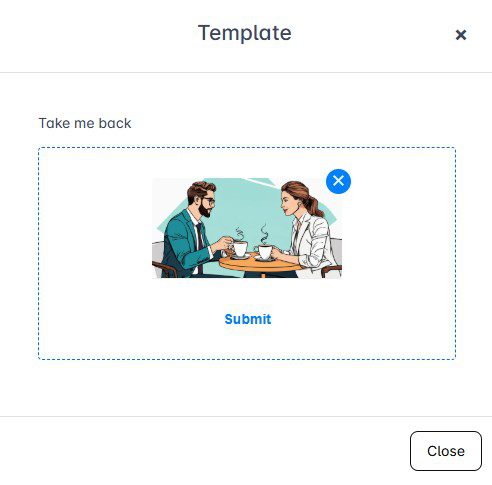
…and enrich it with any of the following:
- Your image
- Your lead’s image
- Custom logo
- Your lead’s company logo
- Text with variables
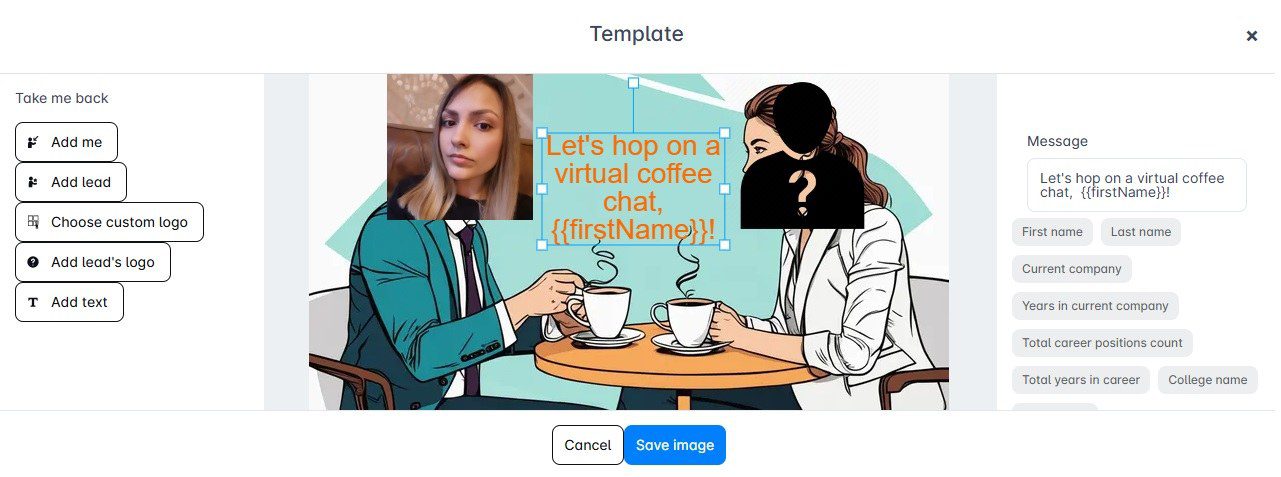
Once happy with the design, click ‘’Save image’’, and the final product will be inserted into your message.
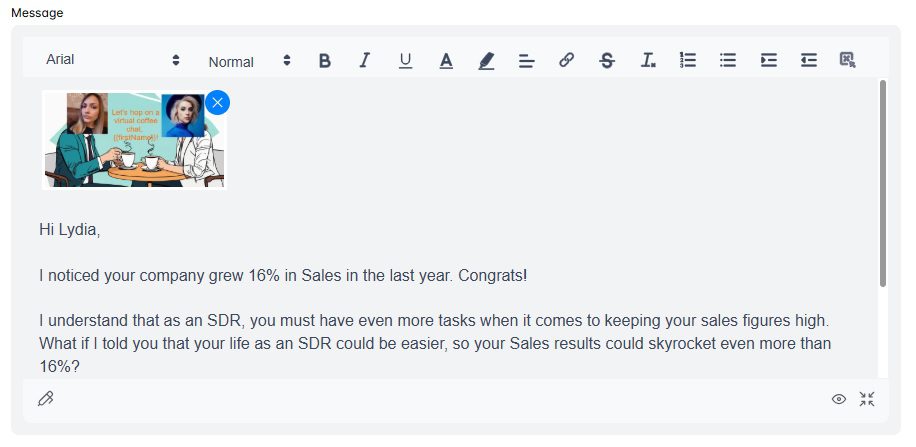
Best practices for using personalization in outreach
Personalized outreach can make all the difference in standing out, but only if you do it the right way.
To help you get the most out of your efforts, here are some best practices that we personally tried and tested.
1. Focus on value, not just details
While it’s tempting to show off how much you know about your prospect, personalization doesn’t imply only adding their name or referencing their social media activity. Rather, it implies solving their problems.
If unsure, ask yourself this while writing your message copy:
- How does this message provide value?
- What’s in it for the prospect?
For example, instead of saying,
“I noticed your company is hiring a lot,’’
You could say,
“I noticed your company is growing rapidly—congrats! Scaling a team is challenging, and we’d love to help simplify that process with {{YourProduct}}.”
2. Be relevant and contextual
Personalization without context can feel forced. Thus, it’s important you make sure your outreach aligns with the prospect’s current situation.
Say a company recently announced a product launch. In that case, your message could reference how your solution complements their new offerings or helps them achieve their next goals. This shows your outreach has a purpose.
3. Go multichannel
Don’t limit yourself to one channel only! Rather, opt for the multichannel outreach route by combining LinkedIn outreach with email outreach to maximize touchpoints with leads.
You could go about it manually, but why waste time when, with Skylead, you can do it all on autopilot?
As we mentioned, Skylead is a LinkedIn automation and cold email software that you can use to automate LinkedIn messages, LinkedIn inMails, and send tens of thousands of emails a month at no extra cost…while keeping them all personalized!
How is this possible? Well, it’s thanks to our Smart sequences. Namely, Smart sequences are algorithms that you can use to combine LinkedIn and email actions with if/else conditions to form coherent outreach flows that react to your prospects’ behavior.
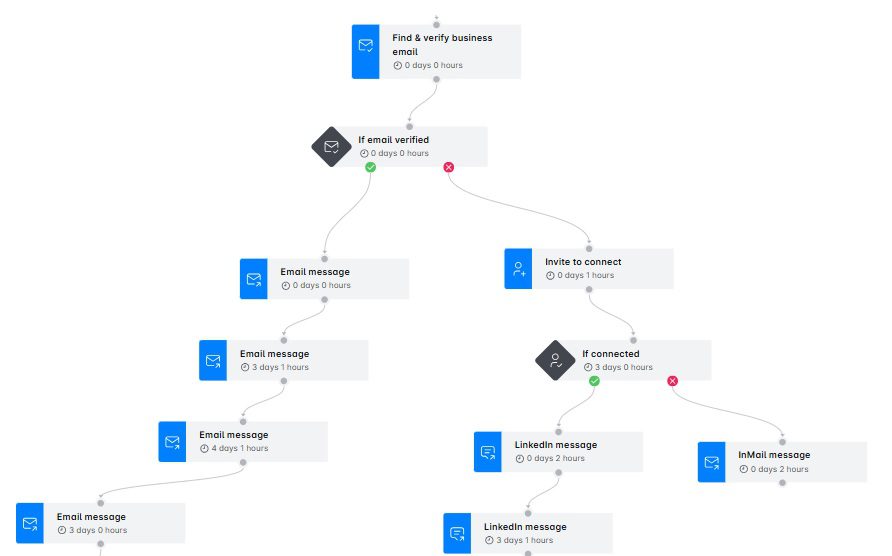
4. Optimize timing and follow-up frequency
Timing is everything in outreach, personalized outreach included. Thus, pay attention to when your prospects are most likely to respond and schedule your messages accordingly.
Also, don’t be afraid to send a follow-up email after no response. In fact, many prospects reply only after a 2nd or 3rd touchpoint. Just make sure your follow-ups provide additional value rather than simply repeating your initial message.
5. Test and iterate
Every audience is different, so what works for one might not work for another. That’s why A/B testing is your best friend here.
If you’re using Skylead, know that you can A/B test up to 5 different versions of your:
- LinkedIn connection request messages
- Email subject lines
- LinkedIn inMail subject lines
- Email body messages
- inMail body messages
- LinkedIn messages
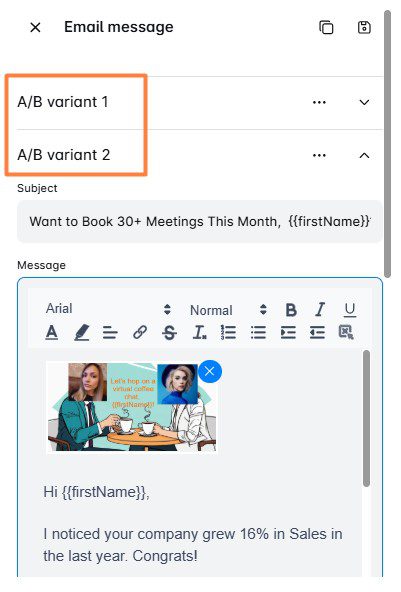
After the results are in, you can check them on our Reports page in Step view. Then, you can use the data to refine your strategy and double down on what gets the best results.
Frequently asked questions
How do you approach personalized outreach to potential leads?
Start by identifying your ICP and Buyer Persona and researching each prospect to understand their goals and challenges. Use this information to craft tailored messages with a strong hook, value-driven body, and actionable CTA. Also, remember that personalization should focus on solving their specific pain points effectively.
How to scale outreach personalization?
You can use automation tools like Skylead to automate personalization with variables that populate prospect-specific details. However, we recommend you combine automation with genuine research to maintain authenticity while scaling outreach efforts.
How can you balance personalization and scalability?
Balancing both requires automation tools for efficiency and strategic personalization for impact. Use dynamic variables and templates to make messages feel unique. Meanwhile, focus on meaningful details, like pain points or goals, instead of overloading messages with superficial personalization that doesn’t add value.
What is the best tool for automating personalized outreach?
The best tool is the one that fits your needs and budget. However, if you’re looking to personalize LinkedIn messages, InMails, and emails using variables and even add personalized images and GIFs, Skylead is a good choice.
Take your outreach personalization to the next level!
Personalized outreach is no longer optional. Moreover, when done right, it boosts conversions, strengthens relationships, enhances retention, and positively impacts your sales KPIs.
But do you want to know the real secret behind personalized outreach? Treat your prospects as more than just that. Take the time to understand their pain points, goals, and challenges. After all, they’re humans first, and nothing resonates more than authentic, well-researched outreach that shows you genuinely care.
So, commit to doing the research, creating a strategy, and writing messages that truly add value.
And if ready to scale your hyper-personalized cold outreach efforts, check out Skylead.
Start your 7-day free trial today, and see how meaningful connections lead to measurable results!
Disclaimer: Skylead is not affiliated, endorsed by, or connected with LinkedIn in any way.
Spread the word about your product or service to as many people as you can, and you’ll surely get someone to buy it. That may be true, but think about how much time and resources you’d spend in the process. Precision matters in outreach as much as it does in everything else in business and life. And that’s what targeted outreach is all about.
Targeted outreach helps you connect with people and businesses that need your product or service only—the same ones that can increase your return on investment (ROI) and conversion rates.
The question is, how do you make it work for you?
That said, in this blog, we’ll be covering:
- What targeted outreach is,
- Who and how can benefit from it,
- How to plan and execute a targeted outreach campaign,
- Actionable strategies and best practices for targeted outreach,
- Common challenges you may encounter.
As a bonus, you'll get message templates to immediately transform your outreach strategy from a shot in the dark to a laser-focused one.
Off we go!
What is targeted outreach?
Targeted outreach is a type of outreach that focuses on engaging specific, predefined groups or individuals. It implies delivering tailored messages, resources, or services that align closely with the needs, interests, and behaviors of these targeted audiences.
While traditional outreach employs a broad, one-size-fits-all strategy, targeted outreach is more nuanced. Namely, it uses detailed data and insights to not only identify the target audience but also understand them. In contrast to traditional outreach, which relies on mass communication channels and broad demographic information, targeted outreach is all about relevancy and personalization.
Benefits of targeted outreach
Blasting your message to everyone and anyone might get you a few bites. However, targeting your outreach is a much smarter, more efficient way to connect with leads. It's a tactic sales professionals, marketing specialists, and B2B founders, in particular, stand to gain a lot from.
But the question is, what?
Firstly, one of the primary benefits of targeted outreach is superior LinkedIn lead generation and that on other platforms.
When you are precise about who you’re targeting and why, the results are higher-quality leads. Moreover, when you aren’t wasting your time chasing irrelevant prospects, you can afford to spend more time nurturing those more likely to convert.
Then, there’s better brand awareness and recognition.
When messages are tailored to resonate with specific audiences, they are more likely to be noticed and remembered. This relevance makes the outreach more effective and also helps in building a stronger connection with prospects. Over time, this leads to increased brand loyalty but also a more substantial presence in the market.
However, increased conversion rates and a higher return on investment (ROI) are perhaps the most compelling benefits of targeted outreach.
Targeted campaigns are more likely to generate returns, as the goal of this strategy is to minimize wasting efforts on uninterested parties. This fact alone is precisely whytargeted outreach strategies are some of the mostcost-effective sales and marketing strategies.
How to plan your targeted outreach campaign
Looking to jump on the targeted outreach wagon?
Congrats! That said, let’s see how you can prepare and launch one such campaign.
Targeted outreach preparation
1. Define your target audience
The first and arguably most important step in planning your targeted outreach campaign is defining your target audience. After all, without knowing who you're talking to, your message is likely to miss the mark.
So, how do you pinpoint your ideal audience?
Start by identifying your Ideal Customer Profile (ICP).
Your ICP represents the type of company or individual who would most benefit from your product or service.
To define it, consider factors like:
- Industry
- Company size
- Location
- Challenges they face
For example, if you're offering a software solution for project management, your ICP might be mid-sized tech companies in urban areas that struggle with team collaboration.
Once you've nailed down your ICP, it's time to refine it further by creating detailed Buyer Personas.
A Buyer Persona is a semi-fictional representation of your ideal customer in your ideal company. You define it based on market research and real data about your existing customers.
This should include:
- Demographic details—age, gender, education
- Professional information—job title, responsibilities, goals
- Behavioral insights—pain points, decision-making process, preferred communication channels
Combine your ICP with detailed Buyer Personas, and you’ll have a crystal-clear picture of who you should target. Doing so will allow you to tailor your outreach messages accordingly, making them more relevant and compelling to those who receive them.
2. Conduct online research
Now that you know who you should be targeting, it's time to find leads and understand their pain points.
This is where online research comes in handy, with LinkedIn being one of the most valuable tools available.
For most of your research, you’ll rely on LinkedIn search filters to identify key prospects and gather insights.
However, if you are subscribed to Sales Navigator, you might be better off using it for this part of the process.
Why? Because Sales Navigator filters include a total of 34 Lead filters, 16 Account filters, and a Keyword filter.
Arvind Rongala, CEO of Edstellar—a one-stop instructor-led corporate training and coaching solution—explained that Sales Navigator played a big role in the company’s targeted outreach. It helped them define their target audience, which would later result in a 30% increase in lead generation, a 25% rise in sales, and a significant improvement in customer retention.
He mentioned that:
‘’Tools like Google Analytics and LinkedIn Sales Navigator provided valuable insights into the demographics, interests, and behavior of our potential clients.’’
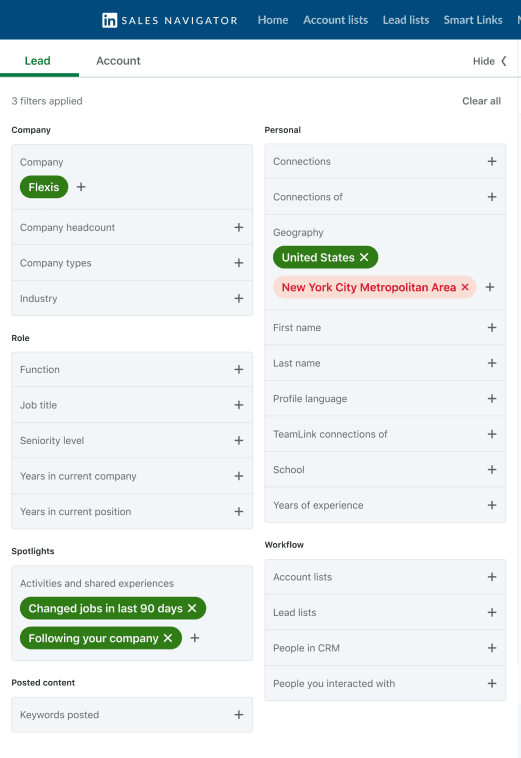
Now, as for researching leads, what you want to do first is use the search bar and filters to look up companies that fit your ICP. Once you have a list of potential companies, explore their LinkedIn pages to gather information about them, check their recent updates, and learn about their company culture.
Then, look for decision-makers within these companies.
Pay attention to their:
- Job titles
- Responsibilities
- Career history
- Posts they published
These can help you understand their roles within the company, but also how your product/service can solve their problems.
Another good place to find and research leads is LinkedIn’s collaborative articles. Think of these as "knowledge topics" filled with real answers submitted by the LinkedIn community.
Check if any of your potential leads have contributed to them. If they have, fish for information regarding:
- The topics they are discussing,
- Pain points and interests they have potentially mentioned.
Once done with LinkedIn prospecting, compile the info you gathered into one centralized document.
And if you’ve found your leads through filtered searches, hold onto the URLs. You might need them later.
But more on that in a bit. ?
Targeted outreach execution
1. Develop your message
Planning your targeted outreach efforts is only part of the process, and it’s the execution that matters.
But before you begin reaching out to your target audience, you need to craft messages that your prospects will find intriguing.
As you do, think about what you want to achieve with them.
Are you looking to book more meetings, invite people to join your community, or simply make an introduction?
Either way, your goal should be clear from the get-go. This way, you won’t lose focus, and your messaging will remain direct and to the point.
Don’t be afraid to leverage what you learned during research! Instead, use the information about your prospects’ pain points, interests, and company challenges to craft messages that speak directly to them. Generic messages are easy to ignore. However, a tailored message shows that you've done your homework and makes you stand out in their inboxes.
As for the message itself, start it with a strong, engaging opening. This could be a relevant observation, a question, or a compliment. For instance, if you noticed a company update or a recent achievement on their LinkedIn page, feel free to mention it.
It’s important not to beat around the bush, though.
In fact, aim to deliver your message in a few short paragraphs at most, as busy professionals appreciate brevity.
Also, make sure to avoid jargon and keep your language clear and straightforward.
Here’s an example of a LinkedIn message that follows through on these practices:
‘’Hi Alex,
I noticed on your LinkedIn that you recently attended the Sales Leadership Forum. I came across a report that explores strategies discussed there, particularly around improving forecast accuracy and reducing sales cycle times.
Would you like me to send it to you? I’d love to hear your thoughts !''
2. Choose the right channels
So, you have your message. Now what?
It’s time to decide on the channel to use for targeted outreach.
Email remains one of the most effective ones, with, according to HubSpot, the email open rate ranging from 25% to 41%. As for the average response rate, some sources indicate it's as low as 1%, whereas others report it to be up to 8%.
Apart from email, most professionals who use LinkedIn for B2B marketing or sales use it to reach out to their leads directly. Besides, the average response rate for LinkedIn messages is much higher. For example, we at Skylead had an average response rate of around 39%.
Beyond email and LinkedIn, social media platforms like Facebook and X can also be effective, depending on your audience.
Even the old-fashioned cold-calling might work on some prospects, although success rates can widely range between industries.
However, that begs the question: What channel should you opt for?
We say multiple ones!
A multichannel approach allows you to reach prospects through various touchpoints and, thus, increases your chances of engagement.
This way, you have the highest chance of getting through, even if the prospect is more active on one channel over another.
But more on that in the next section.
3. Create a multichannel targeted outreach campaign
The multichannel route is the best one to take for your targeted outreach. That much we’ve established.
But why engage your prospects through several channels manually when you can do it all on autopilot?
Enter email and LinkedIn automation.
LinkedIn automation implies the use of LinkedIn automation tools to automate repetitive tasks on this platform. These typically include sending connection requests, messages, LinkedIn inMails, profile visits and follows all on autopilot.
But since the premise of multichannel outreach is to use, well, multiple channels, using a LinkedIn automation tool isn’t enough.
You need LinkedIn automation AND cold email software - and our very own Skylead is just what the doctor ordered!
And you know what's great about our tool? You don’t necessarily need to find your leads’ emails yourself. Skylead can discover and double verify emails for you at no additional cost and without breaking your targeted outreach flow or without leads being part of your network.
It also lets you connect an unlimited number of email accounts at no extra cost. In turn, it helps you scale your email outreach by allowing you to send tens of thousands of emails a month.
What's more, you can use it to warm up infinite emails, hyper-personalize your messages with custom images & GIFs, and even find prospects and enrich their data.
Now, let’s walk you through the process of creating a targeted outreach campaign involving LinkedIn and email in Skylead.
Firstly, go to your Campaigns page and click ‘’Create’’.
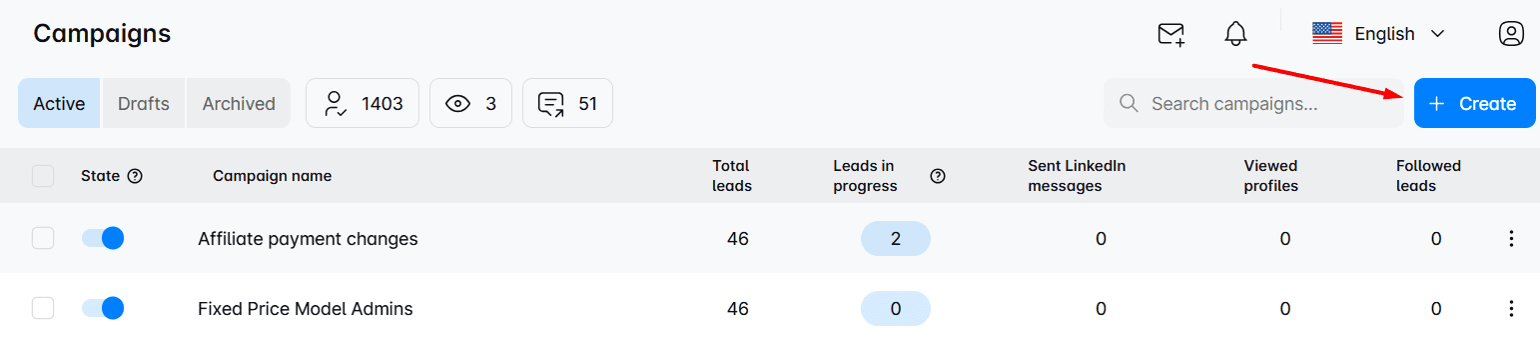
Next, choose your campaign type, name it, and insert the URL you saved while prospecting. Skylead will use it to extract leads.
You can use:
- LinkedIn search, post, and event URL
- Sales Navigator search and lead list URL
- Recruiter search, Talent Pool, and Pipeline URL
You can also import your leads' information into the software directly. In that case, upload a CSV file with precise leads’ information. The tool even allows you to pull in leads from a Lead list you saved. Though this option is relevant only if you previously took the account-based prospecting route, which we explained in detail here.
Finally, choose the connection degree based on whether you want to target your 1st, 2nd, or 3rd-degree connections, and hit ‘’Next.’’
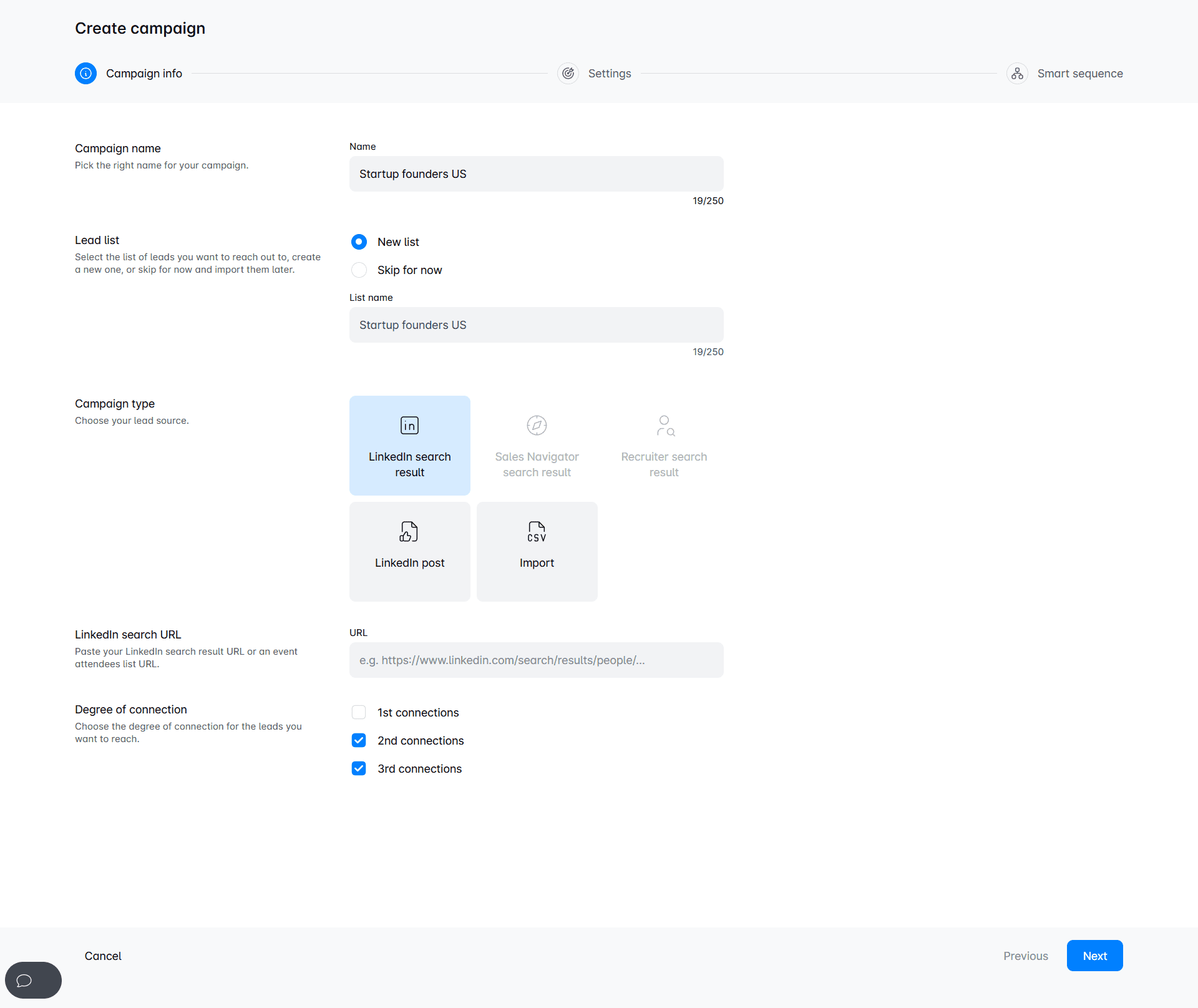
Your next step is defining campaign settings.
Feel free to check out our blog about launching a 1st outreach campaign to learn more about available settings. You can also play around with them on the spot.
Finally, when you're happy with the setup, you can move on to create a sequence.
How to make a targeted outreach sequence
Skylead was the first tool on the market to introduce smart outreach sequences, or as we call them, Smart sequences.
Smart sequences combine if/else conditions with LinkedIn and email actions to create coherent outreach flows. These unfold according to your leads’ behavior and, thus, help you maximize touchpoints with them.
For instance, you can start with a LinkedIn connection message and move on to email if the prospect isn’t responsive. Nonetheless, if neither proves fruitful, you can always go back to LinkedIn and try your luck with an InMail.
To create one, simply drag and drop the elements, a.k.a. actions and conditions, into the open space and connect them in a coherent outreach flow.
This is what one Smart sequence can look like.
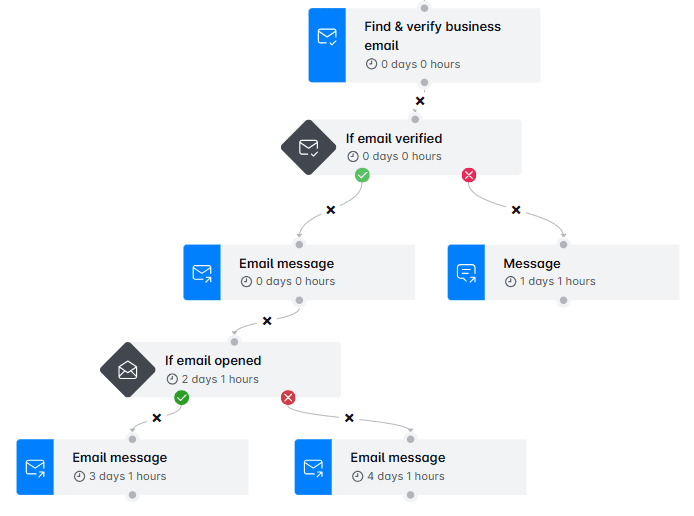
You can also personalize messages by inserting pre-set variables (merge fields) or create your own. What's more, you can perform A/B testing of up to 5 different message variants.
Additionally, you can insert an image or GIF into your message and personalize it to each recipient for added flair.
Once you’re happy with the sequence and your messaging, you can save the sequence as a template. Then, hit the ‘’Launch’’ button and watch your targeted outreach efforts come to fruition!
Actionable strategies and best practices for targeted outreach
Want to maximize the effectiveness of your targeted outreach?
If so, use the following strategies and best practices to connect with your leads on a deeper level and give your conversion rates a boost!
1. Personalize, personalize, personalize
As we’ve already established, personalization is the backbone of targeted outreach.
When you take the time to customize your messages, recipients feel more valued and understood. This can significantly boost response rates.
Start by using their name in your communication and referencing specific details you previously learned.
Here’s an example of a personalized outreach message:
‘’Hi Sarah,
Seeing as your focus is on customer engagement at Innovate Marketing, I thought you might appreciate this guide on enhancing customer retention. It dives into actionable tactics for maintaining long-term relationships with customers, which could offer some fresh perspectives for your team.
Feel free to check it out here—I’d love to hear your thoughts!’’
You might be thinking: all of this takes a lot of time and effort.
Why, yes. But it doesn’t have to. At least, not with Skylead.
Our tool can help you save up to 11 hours a week on time-consuming targeted outreach tasks such as this one.
Instead of tweaking information message by message, why not rely on Skylead to fill in variables according to each lead?
Variables are placeholders used to increase the level of personalization in cold outreach messages. Skylead lets you use pre-set ones that automatically get filled in based on information available on your leads’ LinkedIn profiles, including:
- First name
- Last name
- Current company
- Years in current company
- Total career positions count
- Total years in career
- College name
- Occupation
However, you also have the option to create custom variables using any information you want to catch your leads’ attention even further.
But if you really want to stand out in their inboxes, we’ve got another surprise in store: our native Image & GIF personalization feature.
To use it, upload any image or GIF you want to our image editor.
Then, enrich it with your or your lead’s:
- Profile image
- Company logo
…and add any text of your choice, complete with variables.
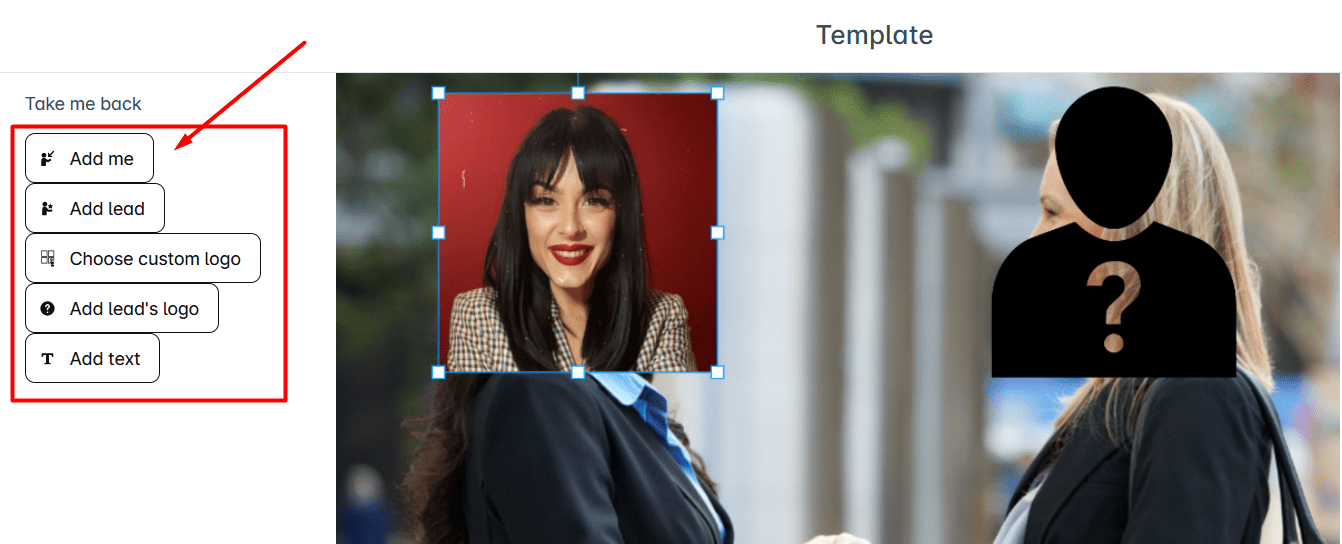
Finally, insert the unique visual into your message, kick off your campaign, and watch your response rate increase to 63% & more!
Don’t trust this is possible?
Just look at the impressive results we had with this image!

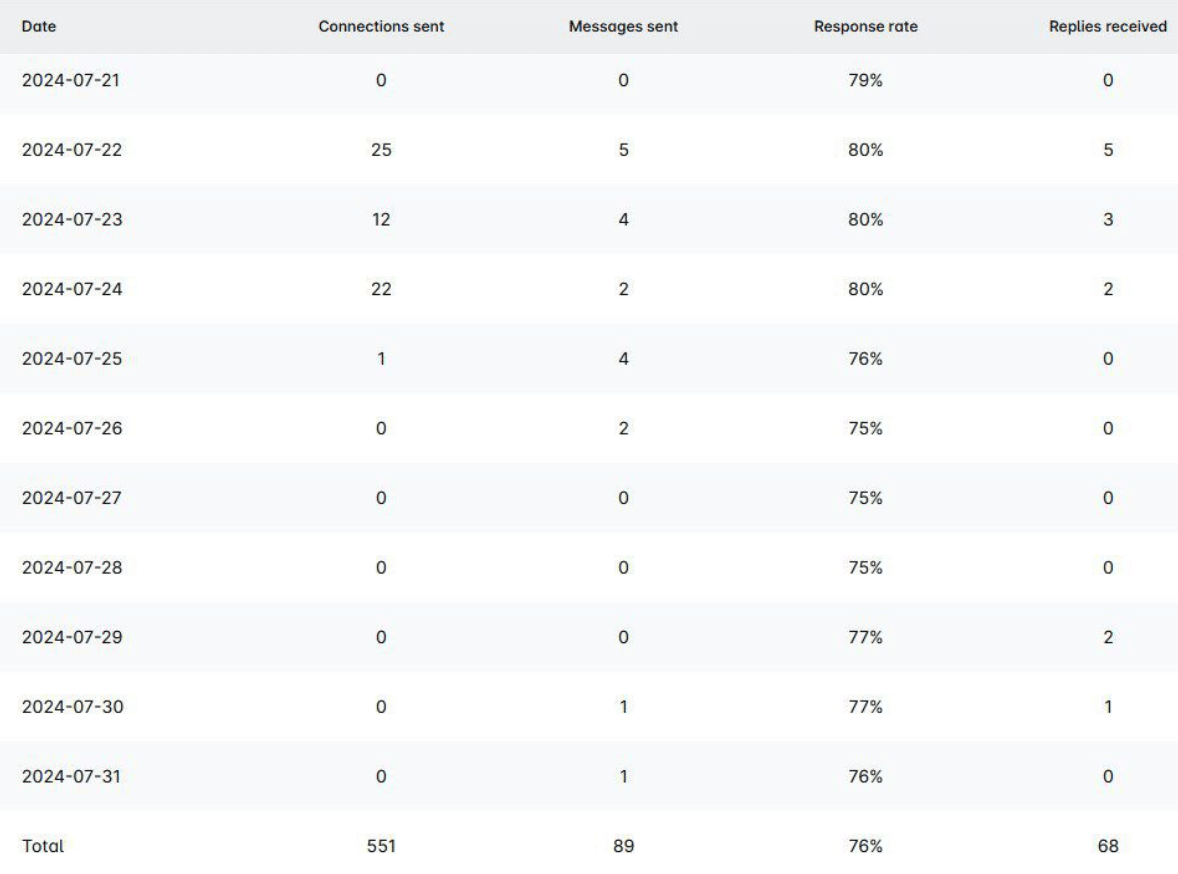
2. Provide a strong value proposition
Your targeted outreach messages need to convey the value you bring to the table. That said, it’s not enough for your prospects to understand what you’re offering. They need to understand why it matters to them specifically.
A strong value proposition addresses their pain points and demonstrates how your solution can solve them.
Now, say you were selling project management software. Don’t bore your prospects to death by talking about the features on and on! Instead, position your tool as one that increases efficiency, saves time, and reduces operational costs.
Here’s an example message to paint a better picture:
"Hi Lisa,
I know how challenging it can be to keep multiple projects on track, especially with the fast-paced environment at AdVantage Pro. That’s where TaskFlow can make a difference. Our software centralizes tasks and automates routine processes so you can focus on what really matters.
With TaskFlow, you’re looking at saving around 10 hours a week and cutting operational costs by up to 20%—giving you more time to drive the strategic growth you’re aiming for."
If you can, also incorporate testimonials or case studies in your pitch to back up your claims and build credibility in your prospects’ eyes.
So, ensure your value proposition is front and center in your messages, and you’ll capture attention immediately.
3. Nurture relationships beyond initial contact
Targeted outreach is not a one-and-done process. The connections you establish need to be nurtured for the cold prospects to remain warm leads.
So, after your initial contact, send follow-ups to keep the dialogue alive.
Remember to check in regularly and keep providing value long-term.
You can do so by, for example, sharing a useful ebook, inviting them to a webinar, or giving them early access to new features. This shows you’re always working to support their business, making them more likely to turn to you when they need your services.
Take a look at this example:
"Hi Alex,
I wanted to follow up and share something I think you’ll find valuable. Next week, we’re hosting a webinar on advanced project management strategies specifically designed for teams like yours at Bright Ideas Co.
It’s a great opportunity to dive deeper into techniques that can help streamline your processes and drive better results. I’d love for you to join us—let me know if you’re interested, and I’ll send over the details.’’
Challenges of targeted outreach and how to solve them
While targeted outreach can bring excellent results, chances are not everything will go according to the plan. That's why you must prepare for challenges and learn how to overcome them once they come.
Rejections
You'll encounter 3 types of leads during targeted outreach:
- Unresponsive leads
- Those who react positively to what you are offering them
- Those who react negatively or throw objections your way
Objections are a natural part of the process, but receiving them doesn't automatically mean a lead has gone to waste.
Sales representatives, for example, encounter them on a daily basis. However, top sales reps are top for a reason because, as our CEO, Relja, puts it:
‘’They see each objection as a different opportunity.‘’
So, instead of dreading the objections, learn how to handle them gracefully to turn them into precisely that!
Objection handling involves active listening to understand where the lead is coming from without interrupting or becoming defensive.
It also implies acknowledging their concerns to defuse tensions and allow for a constructive conversation.
When faced with a specific objection, you also want to address it with relevant information that highlights the benefits of your product or service. Use data, case studies, or testimonials to back up your claims.
Also, if the objection concerns pricing, emphasize the long-term value and ROI your product/service offers. On the other hand, if it concerns features, explain how your solution better meets their needs than competitors.
Furthermore, keep in mind that sometimes an objection might signal that the lead needs something slightly different. So, be flexible and offer alternatives or adjustments that might better suit them.
If they remain hesitant, don't push too hard. Instead, suggest a future check-in and express your willingness to help whenever they are ready.
Poor time management
Targeted outreach is more complex than traditional outreach. As such, it takes more time. Therefore, it's not surprising that some people who use it struggle with poor time management.
Inefficient time use can lead to missed opportunities and subpar results.
Nonetheless, you can get ahead of it if you prioritize tasks based on their impact on your outreach success. Focus on high-value activities such as identifying high-potential leads, personalizing messages, and analyzing campaign performance.
Not making data-driven decisions
Speaking of analyzing campaign performance, did you know that many people tend to overlook it?
When you don’t keep up with campaign results, you miss out on making data-driven decisions that can improve its performance.
Fortunately, Skylead streamlines campaign tracking thanks to a dedicated Reports page.
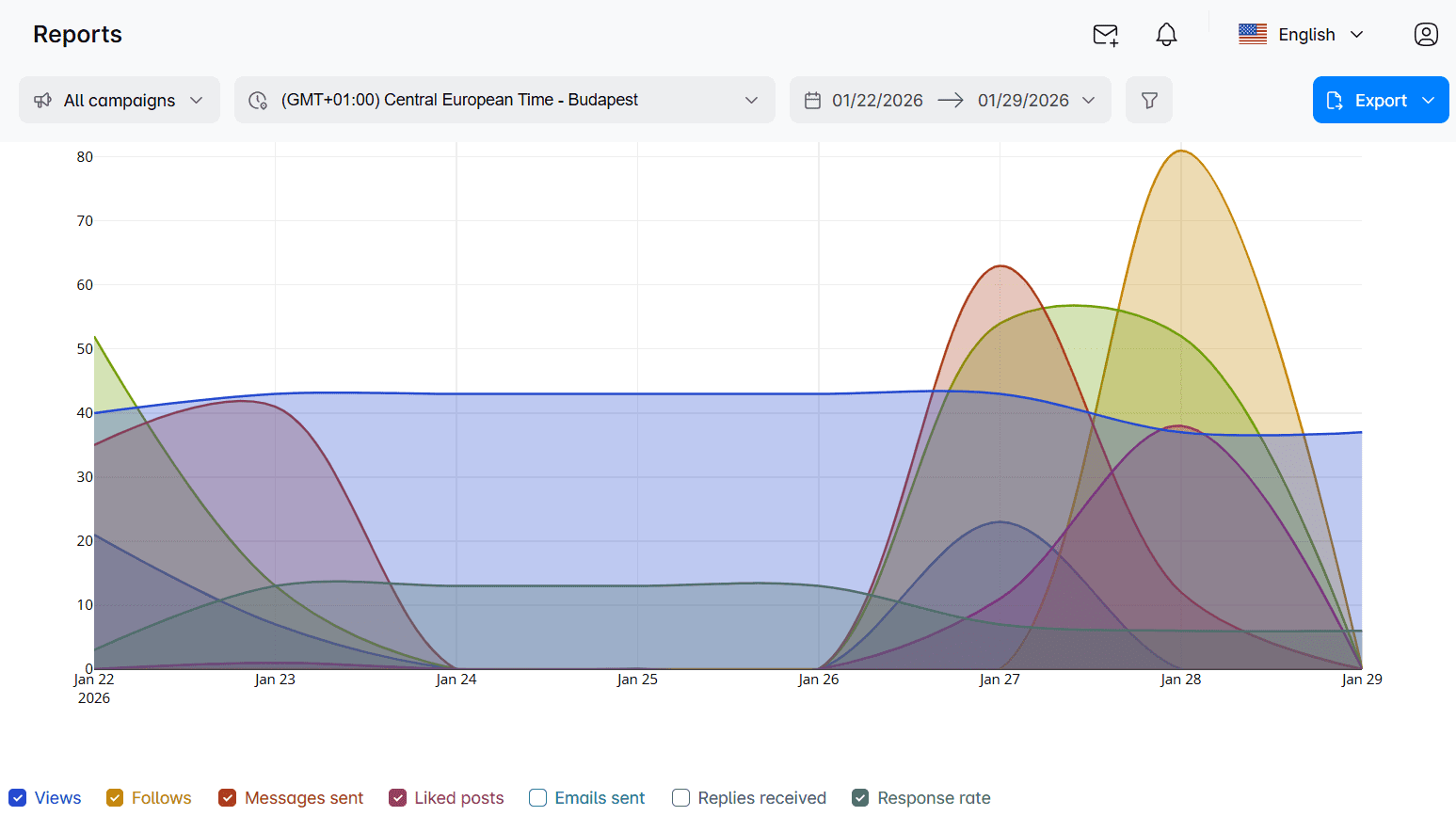
Here, you can analyze your campaigns for any given time period in 3 different view modes:
- Graph - To observe oscillations and spot trends easily;
- Table - To keep track of metrics and review daily changes;
- Step-by-step - To identify the most promising sequences and review the results of your A/B tests.
Now, say your campaign involved multiple channels. Think how much time you'd be losing switching between them manually, only to keep the conversations going.
Luckily, Skylead also comes with a Smart inbox that holds all your email and LinkedIn correspondence in one place. And since it does, it makes it possible to streamline your workflow without missing important interactions. What's more, you can even label chats for added organization and improved ROI and conversion tracking.
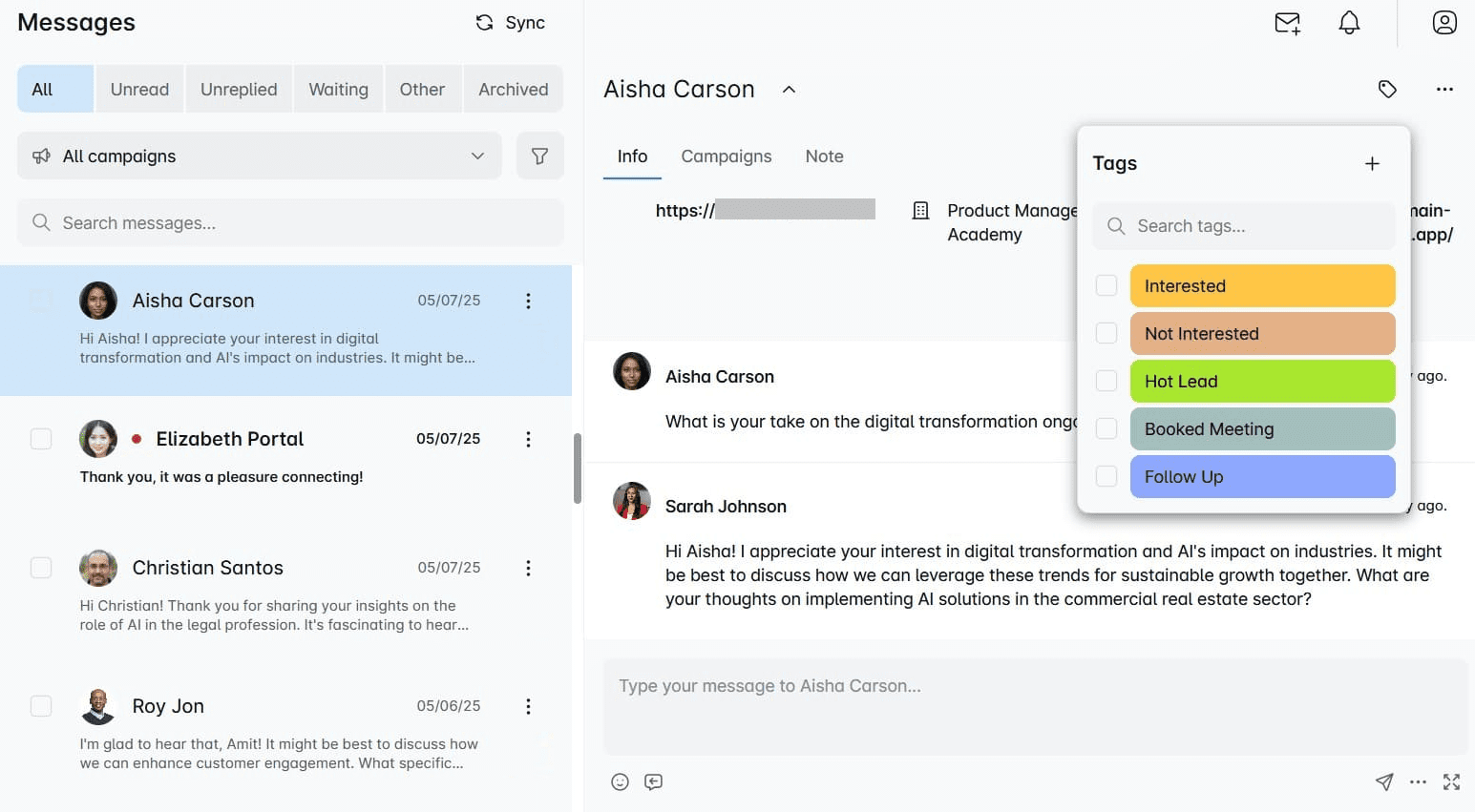
Targeted outreach message templates for sales & marketing
1. Targeted outreach message templates for sales
#1 Connection request
Results we got:
- Acceptance rate: 34%
- Response rate: 17%
Hi {{FirstName}},
I noticed your work in {{Industry}} and thought we could connect.
I'm researching how companies like {{LeadsCompanyName}} can achieve {{UniqueValueProposition}}.
Let's connect on this!
Example:
Hi Emily,
I noticed your work in the tech industry and thought we could connect.
I'm researching how companies like InnovateX can achieve scalable growth through data-driven marketing strategies.
Let's connect on this!
#2 Email
Response rate: 13%
Subject: {{YourProduct}} - Outperforming top {{IndustryRole}}...
Hi {{firstName}},
Can your current {{Solution}} {{UniqueValueProposition}}?
Clients like {{ClientExample}} are {{SpecificResultsAchieved}} with less than {{TimeSpent}} of work every {{TimePeriod}}.
Would love to share some examples if you're open to it.
Best regards,
{Signature}
Example:
Subject: Skylead - Outperforming top sales rep...
Hi Alex,
Can your current platform fully automate your process of LinkedIn outreach + find valid business + send emails + image personalization at scale (see screenshot example)?
Clients like TechMasters are reaching over 3,000 unique prospects across LinkedIn + email with less than 3 hours of work every single month.
Would love to share some examples if you're open to it.
Best regards,
Sarah Mitchell
2. Targeted outreach connection message and email when referencing someone’s post
#1 Connection request
Results we got:
- Acceptance rate: 76%
- Response rate: 35%
Hi {{FirstName}},
I saw your post about {{PainPoint}} and how it’s impacting your team at {{LeadsCompanyName}}.
I’ve been working on a solution that addresses this challenge by {{UniqueValueProposition}}.
Let’s connect and explore this!
Example:
Hi Jessica,
I saw your post about the difficulties with customer segmentation and how it’s impacting your team at TechWave Solutions.
I’ve been working on a solution that addresses this challenge by using AI-driven analytics to create more precise segments.
Let’s connect and explore this!
#2 Email
Response rate: 3%
Subject: Give your {{Field/Activity/Sector}}a boost with {{Product/ServiceName}}!
Hi {{FirstName}},
I recently saw your post about {{PainPoint}} and was impressed by your insights at {{LeadsCompanyName}}.
Given your focus on {{SpecificArea}}, I thought you might be interested in a new approach that has helped companies like {{ClientName}} achieve {{SpecificBenefit}}.
Our product/service, {{Product/ServiceName}}, is designed to {{BriefDescriptionOfBenefits}}, and I believe it could directly address {{PainPoint}}.
I'd love to schedule a brief call to show you how {{Product/ServiceName}} can help {{LeadsCompanyName}} achieve greater results.
Would you be available for a chat next week?
Looking forward to hearing from you.
Best regards,
{{Signature}}
Example:
Subject: Give your marketing a boost with EngagePro!
Hi Sarah,
I recently saw your post about the challenges of increasing customer retention and was impressed by your insights at BrightIdeas Co.
Given your focus on customer engagement, I thought you might be interested in a new approach that has helped companies like InnovateX achieve a 30% boost in retention rates.
Our product, EngagePro, is designed to deliver personalized content at scale, driving deeper connections with your audience, and I believe it could help solve the challenges of increasing customer retention you’re facing.
I'd love to schedule a brief call to show you how EngagePro can help BrightIdeas Co. achieve greater results.
Would you be available for a chat next week?
Looking forward to hearing from you.
Best regards,
Lisa Reynolds
Frequently asked questions (FAQs)
1. What specific data sources or tools can be used to identify the target audience?
Leverage platforms like LinkedIn and Sales Navigator, pull data from gated content submissions or your CRM to identify and pinpoint your target audience. The former have filters that allow for precise targeting, whereas the latter offers insights into information like audience demographics, behavior, and preferences.
2. How do you measure the success of a targeted outreach campaign?
To measure the success of your campaigns, you can track metrics like acceptance rates, open rates, response rates, conversion rates, lifetime value, and return on investment (ROI).
3. How do you balance personalization with scalability in targeted outreach campaigns?
To balance personalization with scalability, use automation tools that incorporate variables such as names, job titles, and company details into your messages. Also, opt for tools with dynamic images and GIF personalization that tailor visuals to each recipient. This enhances personalization, making outreach more engaging without increasing manual effort.
Making targeted outreach work for you
Targeted outreach can be a game changer for your business. After all, by focusing your efforts on the right audience, you maximize your chances of success while conserving valuable resources.
Armed with the actionable strategies and templates we provided, you’re now ready for the next phase: implementation!
So, outreach away with all facts in check and watch as your conversion rates soar, your brand recognition grows, and your ROI hits new heights.
But not before you’ve signed up for your 7-day free trial with Skylead—because impactful outreach starts with the right tool!
Disclaimer: Skylead is not affiliated, endorsed by, or connected with LinkedIn in any way.
If you've ever wondered if there is a way to speed up lead-generation activities and overcome the time-consuming, repetitive nature of the manual marketing and sales process, we have a proposition. Why not automate lead generation?
Yes, that's right. Automation has been around for a while, especially for lead generation and management. And no wonder it's so effective since this way, you can find the most qualified leads and scale up your business. But, more importantly, you can generate your leads daily.
Having automated our own lead generation process, we’ve witnessed its power firsthand. And now, it’s time you did the same.
Not sure how to do so? Fear not! We’ll guide you on how to automate every sales and marketing lead generation task by showing you how we did it—step by step!
You’ll also learn the difference between automating inbound and outbound lead generation and get a rundown of the best tools to help you do it.
| ? Best tools to automate lead generation | ⭐ Average rating (Capterra, G2, Software Advice) |
| Skylead | 4,8 / 5 |
| OptinMonster | 4,3 / 5 |
| Moosend.com | 4,6 / 5 |
| Mailchimp | 4,4 / 5 |
| Tidio | 4,7 / 5 |
What is automated lead generation?
Automated lead generation is a process of using technology to perform time-consuming sales and marketing lead generation tasks on your behalf. To do this, you have different kinds of automation tools at your disposal. For example, you can use software to automate sending emails or LinkedIn connection requests.
Automated lead generation offers benefits such as:
- Reducing human error and thus improving your workflow;
- Saving time by performing manual tasks and decreasing workload;
- Providing insights into the performance of lead generation activities so you can optimize the process and improve it;
- Consistency in the workflow so you can generate leads daily;
- Leaving room to focus on building relationships and lead nurturing.
That said, there are plenty of automation tools on the market to choose from.
However, let’s first distinguish the types of automated sales and marketing lead generation activities to discover which tool you should use accordingly.
Types of lead generation automation
There are 2 types of automated lead generation, but they work best when used in synergy.
1. Inbound lead generation automation
Inbound lead generation is a marketing strategy for attracting leads to your company. For example, a marketing team can create content that is valuable to the best leads for your business. The purpose of the content is to compel a lead to take specific actions first that will eventually lead to sales.
Since today’s leads often prefer to research independently, inbound lead gen aims to assist rather than sell. It guides potential leads to valuable resources, just like this blog, ebooks, and guides, allowing them to explore your brand and offerings at their own pace.
That said, the purpose of inbound lead generation automation is to streamline the said process using automation tools.
For example, you can use the following types of tools to automate your inbound tasks:
- Chatbot - to provide answers to questions and nurture leads;
- Pop-ups & forms - to offer personalized content, lead magnets, or surveys on the website.
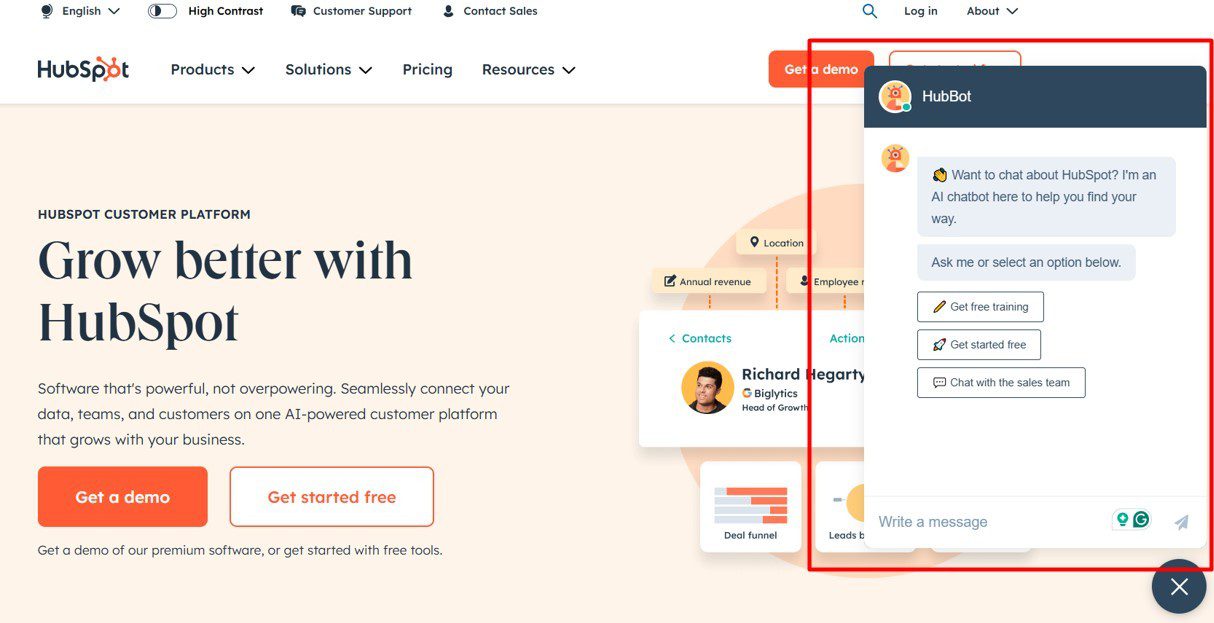
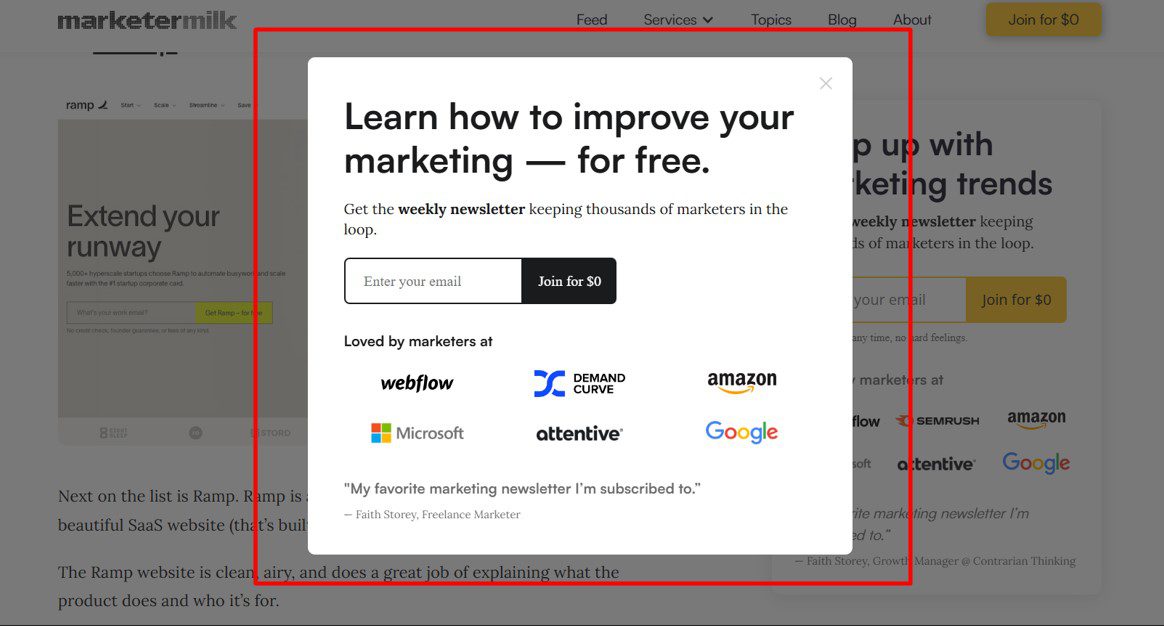
2. Outbound lead generation automation
Outbound lead generation is about finding and reaching out to your ideal leads directly. Rather than waiting for leads to find your website and reach out, like in inbound lead gen, you are the one who makes the first move.
That said, to automate your outbound lead generation tasks, you can use the following types of tools:
- Email marketing and outreach tools - for outbound marketing and sales to automate sending emails, newsletters, or themed email sequences;
- Prospecting tools - for marketing and sales to find outbound leads and contact information;
- Social media automation tools - for sales to automate outreach on social media;
- Advertising tools - for marketers to automate buying digital advertising space.
B2B lead generation automation vs B2C lead generation automation
Business-to-Business (B2B) lead generation automation is a process of using software to generate potential leads who work in a company to offer them your services.
On the other hand, Business-to-Consumer (B2C) lead generation automation uses software to streamline and generate leads who are individual customers.
Even though they have different potential customers, both B2B and B2C companies use the same lead generation automation for a similar purpose.
With that in mind, here is how different companies use automation tools for their purpose.
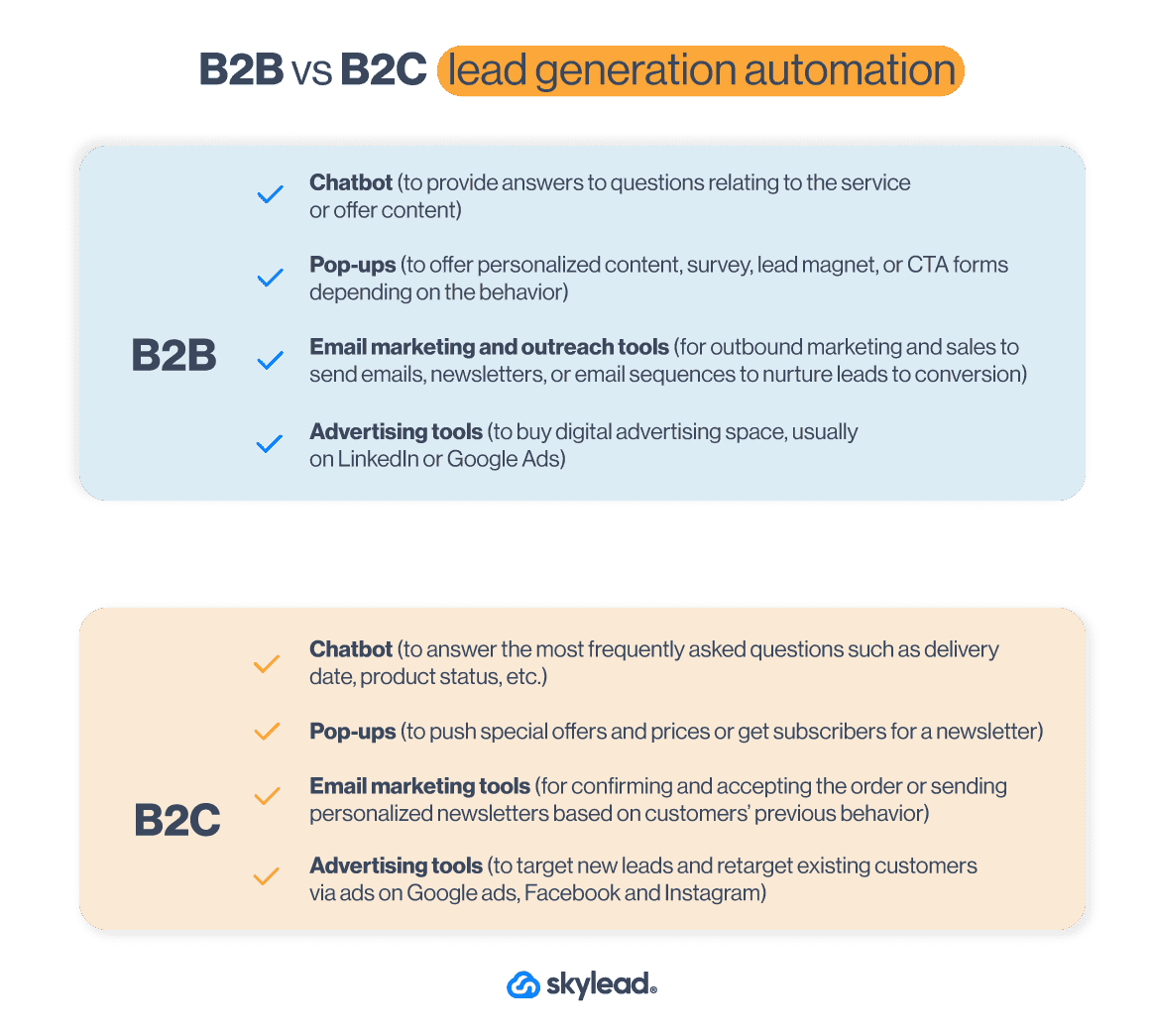
How to automate lead generation
It’s not enough to know the difference between inbound and outbound lead generation automation. You need to know HOW to execute the process successfully.
To help you do just that, we’ve prepared a step-by-step lead generation automation guide. It’s informed by experiences and tactics that proved effective to us and is designed to get you immediate results.
How to automate outbound lead generation
1. Define your ICP and buyer persona
Your outbound lead generation needs a good basis to get quality leads that convert. That’s why sales teams start their lead generation process by creating their Ideal Customer Profile and Buyer Persona, as we have. This way, you can generate the best leads and guide them through the sales funnel. Not to mention, these documents can help with lead scoring.
What worked best for us when it comes to the creation of both of these documents was to analyze current customer data and gather users who:
- Have the shortest buying cycle;
- Have a high retention rate;
- Would advocate for our product.
2. Find contact data
Once you establish your ICP and Buyer Persona, it’s time for prospecting.
Almost all sales teams use LinkedIn prospecting to find the best leads for their sales funnel. Moreover, there are a lot of proven LinkedIn lead generation strategies out there to find quality leads. You can also find leads using different databases like Zoominfo or Crunchbase.
However, when it comes to gathering the leads’ contact information, we’ve learned it’s best to automate the process using:
- LinkedIn Premium or Sales Navigator to get publicly available info and profile URLs;
- Tools to identify your website visitors, such as Lead Forensics;
- Scraping tools for Facebook group members;
This way, you can build your lead lists, send them to your CRM, and prepare for email or LinkedIn outreach.
3. Craft a compelling message
Whatever channel you use to reach out on, consider your messaging carefully. Cold outreach is hard when you know nothing about the person. That said, it’s important to include research into the lead generation process and figure out what your leads are all about.
In other words, comb through their company page, LinkedIn profile, and find the About section, posts they published, or what they shared. This way, you can personalize your communication and appear genuine when explaining how you can solve their problems.
For successful messaging, we found mentioning your unique selling point tailored to your leads’ exact pain point, particularly useful. That said, if you need help crafting such a message, you can always use Chat GPT for sales messages.
4. Send cold emails
It’s easy to let the cold email mistakes slither into your outreach. However, you reduce the chances of some of these mistakes by using automated lead generation tools to send cold emails.
Just keep in mind that 70% of salespeople stop at one cold email. Meanwhile, incorporating follow-up messages into your sequence increases your chances of hearing back by25%. That’s why we make sure to send follow up emails as well, as you should.
5. Automate LinkedIn lead generation
LinkedIn and email outreach have been part of the sales funnels for years. And with hundreds of leads we reach every week via LinkedIn, it’s time-consuming and nearly impossible to get the desired results. Unless you use different automated lead generation tools, that is.
That’s why various LinkedIn automation tools are there to help you streamline different outreach actions on LinkedIn. For example, our very own Skylead can automate sending connection requests, messages, free and paid inMails, and even emails. In addition, you can combine these actions and create scenarios based on your leads’ behavior. But we’ll talk more about that later on.
5. Gather lead information
Once you start conversing with your leads, you need to keep track of them.
This is where CRM, like HubSpot or Pipedrive, comes into play. To clarify, Customer Relationship Management is a software that helps you automate gathering all the information about your sales leads in one place, such as:
- Notes about the sales leads,
- Lead scoring,
- Information about the company,
- Deal value,
- Position in the sales funnel,
- The next task to perform,
- Conversation link, and so on.
This way, you can check where your leads are in the funnel and what level of nurturing they need.
7. Nurture leads
Speaking of nurturing leads, you can do so by integrating your CRM with your outreach tool and exchanging the information between the two. Then, you can label leads or send them to outreach campaigns.
We commonly use Skylead for our customer-nurturing program. Why? Because you can use it to send automated outreach campaigns for:
- Churn customers, if you have any special upgrade to offer a discount;
- Current customers, to send them personalized content, upsell, or offer help as their dedicated account manager.
Moreover, our Smart Inbox also helps with nurturing by consolidating all conversations across email and LinkedIn in one place. You can use it to respond to leads directly and label them to monitor conversions and ROI.
How to automate inbound lead generation
1. Set up your lead generation website
The first step towards automated lead generation is creating a website to connect all your lead generation automation tools. We can write an entire blog on creating a website, but we’ll mention 3 most important things.
Firstly, good practice here is to create a website that will provide the best user experience with UX/UI design that converts.
Secondly, your content marketing team must prepare visuals and copy for the website. The copy needs to provide information about your product or service. However, it should be presented in a way that describes how it solves the problem and removes pain points your high-quality leads have.
Lastly, it would be best to create an SEO plan to rank your website better.
2. Create a lead magnet
The next step is for your content marketing team to create a lead magnet.
A lead magnet could be a guide, eBook, or mini-course that you publish on your website, available for leads to download in exchange for their contact information, like their name and email.
This lead generation strategy helps you gather emails, allowing you to send newsletters to leads or pass the contacts to your sales team to reach out to them. Just remember, though—you shouldn’t ask for an email unless you’re offering something genuinely valuable.
Once your lead magnet is ready, you can automate the process by connecting your forms to a CRM like HubSpot or Monday. This way, new leads are automatically added to your pipeline. And if your CRM is integrated with sales engagement tools, you can even send leads straight into campaigns.
Lastly, to promote your lead magnet, you can publish ads to generate a large pool of leads. Alternatively, use pop-ups to promote the content throughout the website depending on users’ behavior.
3. Set up your landing page
To attract high-quality leads, whether organically or through ads, you’ll need a landing page that offers a seamless user experience. In other words, it must contain concise information tailored to your high-quality leads.
A good approach is to have dedicated feature pages that highlight the main features and explain the problems they solve.
Say you’re offering a project management tool. In that case, one feature page could focus on “Efficient task management.” This page could detail how your tool enables teams to assign tasks, track progress, and meet deadlines. Include a step-by-step walkthrough of the feature, screenshots of the interface, and testimonials from teams that have successfully used it to build credibility.
Moreover, your landing page should have a converting design and messaging that motivates visitors to take action. Make sure it’s properly optimized for SEO to increase visibility as well.
Finally, don’t forget a clear call to action and a contact form or lead magnet to capture those valuable leads.
4. Capture leads with a chatbot
Another way to generate leads via your website is to use a chatbot. It allows you to turn your website visitors into leads and qualify them for future sales or marketing activities.
You can set up a chatbot to offer lead magnets or some free service depending on users’ website behavior. Or, if a person wants to contact your customer support, develop a list of questions a chatbot will pose before connecting. This is a perfect automation system for lead scoring, qualifying, and integrating with lead distribution to route prospects to the right sales teams.
Many chatbots can also automatically gather information like email addresses, company size, and other relevant details. Once collected, you can set it up to create a new deal in your CRM and seamlessly add those leads to your outreach campaign, just like with lead magnets.
5. Get traffic to your page
Once you’ve set everything up, the next step is getting leads to visit your website.
There are 2 main ways to bring in traffic:
- Paid - you can launch paid campaigns via Google Ads, Bing Ads, or social media such as Facebook or LinkedIn. You can either target new leads or retarget your previous visitors.
- Organic - Create blogs or videos that follow SEO standards so they can rank better organically and get you as many visitors as possible.
6. Nurture the leads automatically
When you start getting leads to your website, you need to nurture them to some sort of conversion. Therefore, look no further than using pop-up forms or chatbot conversations personalized to their web behavior.
You can personalize messages and offer relevant content based on things like:
- The pages they are visiting,
- If they are returning customers, or
- Their exit intent.
7. Use marketing automation for lead generation
Once you gather your leads’ emails, it’s time to use marketing automation to reach out to them. You can create email campaigns to offer personalized content on a mass scale according to your leads’ behavior.
For example, you can send certain messages depending on whether they opened an email. In other words, you can create outreach sequences with different scenarios to offer tailored content that will lead to conversion.
The good practice here is to start with valuable educational content. Then, offer a solution to the particular problem, and then present your product or service. But by all means, never start the first message with a pitch!
Best tools to automate lead generation
You know how to automate your lead generation, and now’s the time for action.
But to actually do it, you need the right tool for the job.
Lucky for you, we’ve tested several lead generation software on the market. Based on our findings, we’ll name a few of the best and their average ratings, as per Capterra, G2, and Software Advice.
Nonetheless, you are free to research other tools and check review websites should you feel the need to do so.
1. Skylead
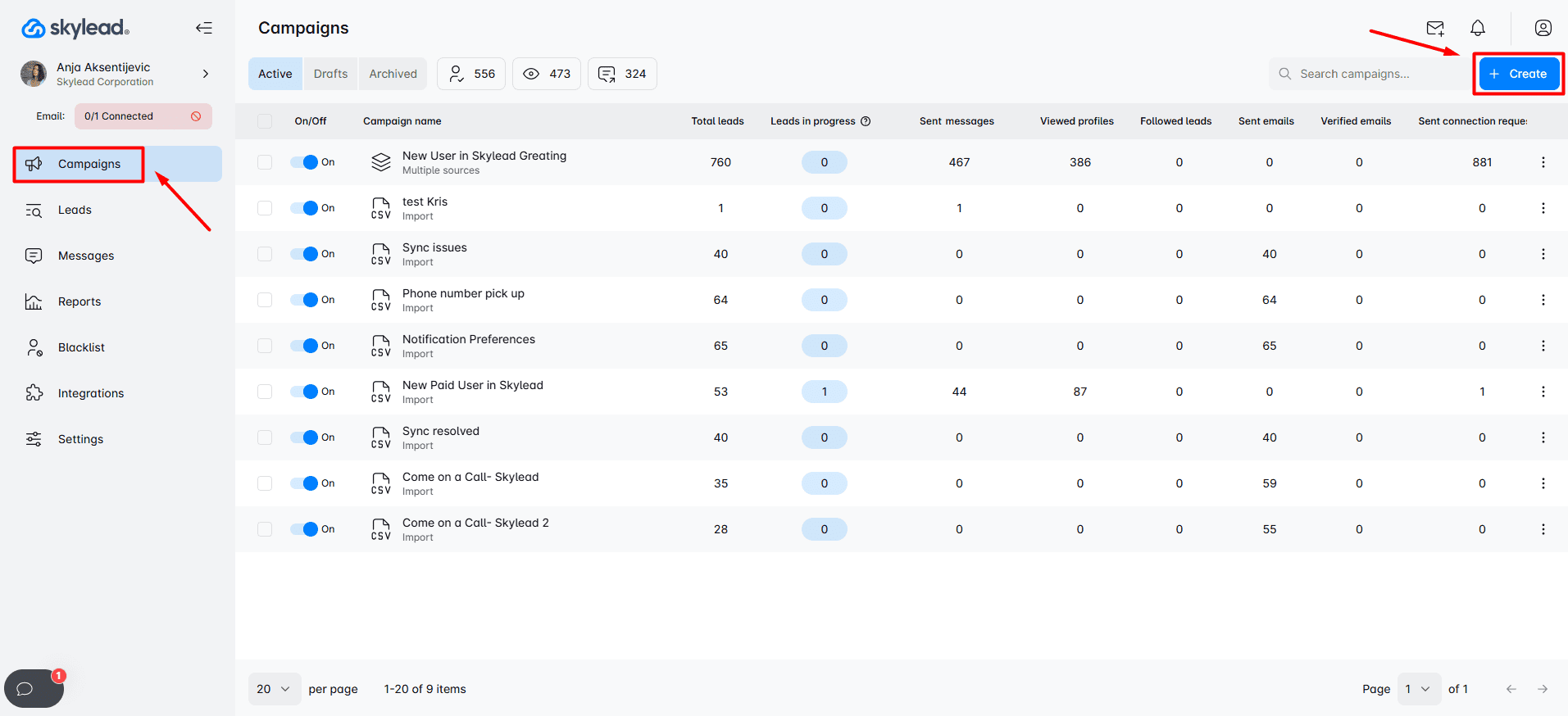
Yup. As we previously mentioned, that's us.
Skylead is an all-in-one LinkedIn automation tool and cold email software that streamlines the most time-consuming sales outreach tasks.
These tasks include sending:
- LinkedIn connection requests
- Messages,
- InMails,
- And emails all on autopilot
…to all the leads you imported into Skylead via LinkedIn, Sales Navigator, Recruiter, or CSV file.
But LinkedIn and email outreach aside, you can also use Skylead to:
- Find your ideal companies and the right contacts inside them
- Get AI-enriched company and prospect data and generate personalized icebreakers
- Warm up an infinite number of emails,
- Find and verify email addresses of your leads,
- Improve response rate, courtesy of the image and GIF personalization feature.
Moreover, you can sync Skylead to your favorite CRM in 3 clicks. Or connect it to any other tool in your stack using webhooks or API to push data in or out.
Now, let’s take a closer look at groundbreaking Skylead features.
Features
Account-based prospecting
The most effective way to find your ideal leads is to start by identifying your ideal companies. That is exactly what Skylead helps you do with account-based prospecting.
With it, you can:
- Create account lists directly in Skylead
- Discover contacts by company and reach out to them
In other words, after you add your target companies, Skylead can help you find and match relevant contacts within those companies, keeping your pipeline closely aligned with your ICP. This allows you to focus on the companies most likely to convert, become valuable partners, and bring higher lifetime value.
AI data enrichment
In addition to account-based prospecting, we have introduced a powerful AI data enrichment add-on.
You can use it to:
- Enrich contact and company data
- Prompt AI to find specific information or generate personalized icebreakers for each contact
- Use all collected insights directly in your outreach sequences as variables
It works similarly to Clay in terms of what it can uncover, but it is built into your outreach workflow, helping you reduce tool switching and avoid repeated data imports. And did we mention it's up to 95% more cost-effective compared to similar tools on the market?
LinkedIn & email automation
Skylead seamlessly combines LinkedIn and unlimited email automation, allowing you to reach your leads through the channel that suits them best.
This wouldn’t be possible if it weren’t for our Smart sequences.
Skylead was the 1st tool on the market to introduce this feature, which has changed how everyone performs sales.
But what are Smart sequences?
Simply put, they are coherent outreach flows you create using different LinkedIn and email actions and if/else conditions. These if/else conditions allow Smart sequences to operate in real-time, adjusting as they go according to your leads' behavior to find the fastest path to them.
That said, here is an example of one Smart sequence.
What’s really great is that the number of outreach scenarios you can create with Smart sequences is truly limitless.
You can play around with different actions and conditions as you see fit. Or you can use our pre-tested Smart sequences inside our tool, which have been proven to work. The choice is yours.
Email discovery & verification
Setting up a Smart sequence with email steps is easy when you have your leads' addresses. But what if you don’t?
You rely on our email discovery and verification!
With this feature, you can find and double-verify your leads’ business emails to:
- Reduce bounce rates
- Protect your domain reputation
This functionality is built into the platform, meaning we don’t rely on third-party services to perform it. Thus, you can add an email discovery and verification step into your Smart sequence to find and verify emails without breaking the outreach flow.
Moreover, Skylead offers unlimited email discovery and verification credits at no extra cost. This allows you to expand your outreach without worrying about added expenses.
Infinite email warm-up
Speaking of features that come at no additional cost, Skylead has partnered with Mailivery, one of the best email warm-up tools, to bring you another one: Infinite email warm-up.
Mailivery lets you warm up an unlimited number of email accounts to make sure your emails always reach your leads.
That said, here’s what Skylead users can take advantage of thanks to our partnership with Mailivery:
- Easy setup in just a few minutes - Mailivery’s setup is native, fast, and compatible with all email providers, including custom SMTP. You only need to switch warm-up on in Email settings, and it will run in the background.
- Safer sending volume ramp-up - Mailivery gradually increases email volume at the right pace, helping accounts warm up naturally without looking suspicious.
- Built-in domain health checks - SPF, DKIM, DMARC, and blacklist status are monitored to help ensure safer warm-up and stronger deliverability.
- Daily sending volume control - You can track deliverability for each account and set the maximum number of emails it can send per day.
- Warm-up status tracking for every account - Each connected email account will show warm-up status, so you know when accounts are ready for outreach.
As you can, with this powerful tool and Skylead, your outreach remains secure, effective, and truly limitless.
Native image & GIF personalization
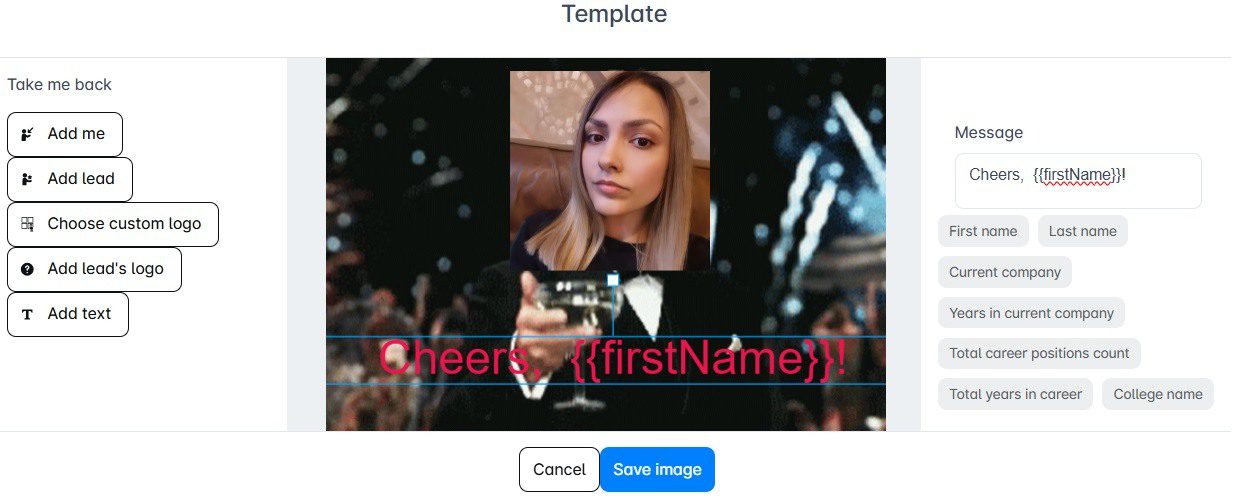
If you want your messages to stand out and be memorable, visuals are a powerful tool.
Luckily, our native image & GIF personalization makes it easy to create eye-catching visuals that are bound to get noticed.
You can use our built-in editor to customize images and GIFs with your and your prospect’s name, picture, company logo, or any other detail that speaks directly to them. However, you don’t have to customize one by one.
This hyper-personalized approach not only looks good; it actually gets results! In fact, our users have seen response rates soar by as much as 76% simply by adding personalized images and GIFs to their outreach.
So, if you want to make a lasting impression and boost engagement, this feature is your go-to.
Skylead use cases
Skylead users include:
Now, let’s see how these teams are using Skylead:
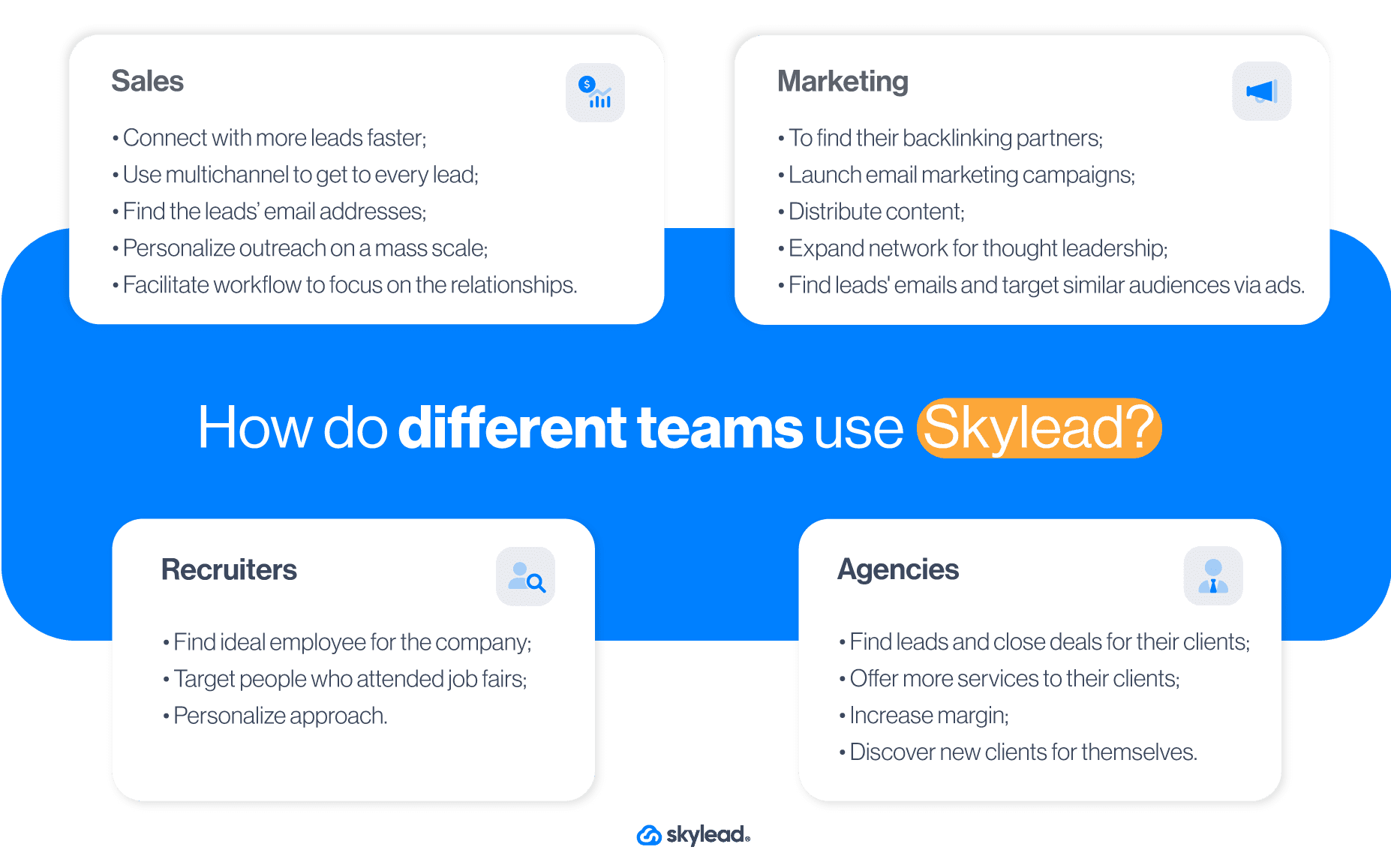
Pricing
Skylead has an all-in-one pricing plan of $100 per seat/month.
Average rating: ⭐ 4,8 / 5
2. OptinMonster
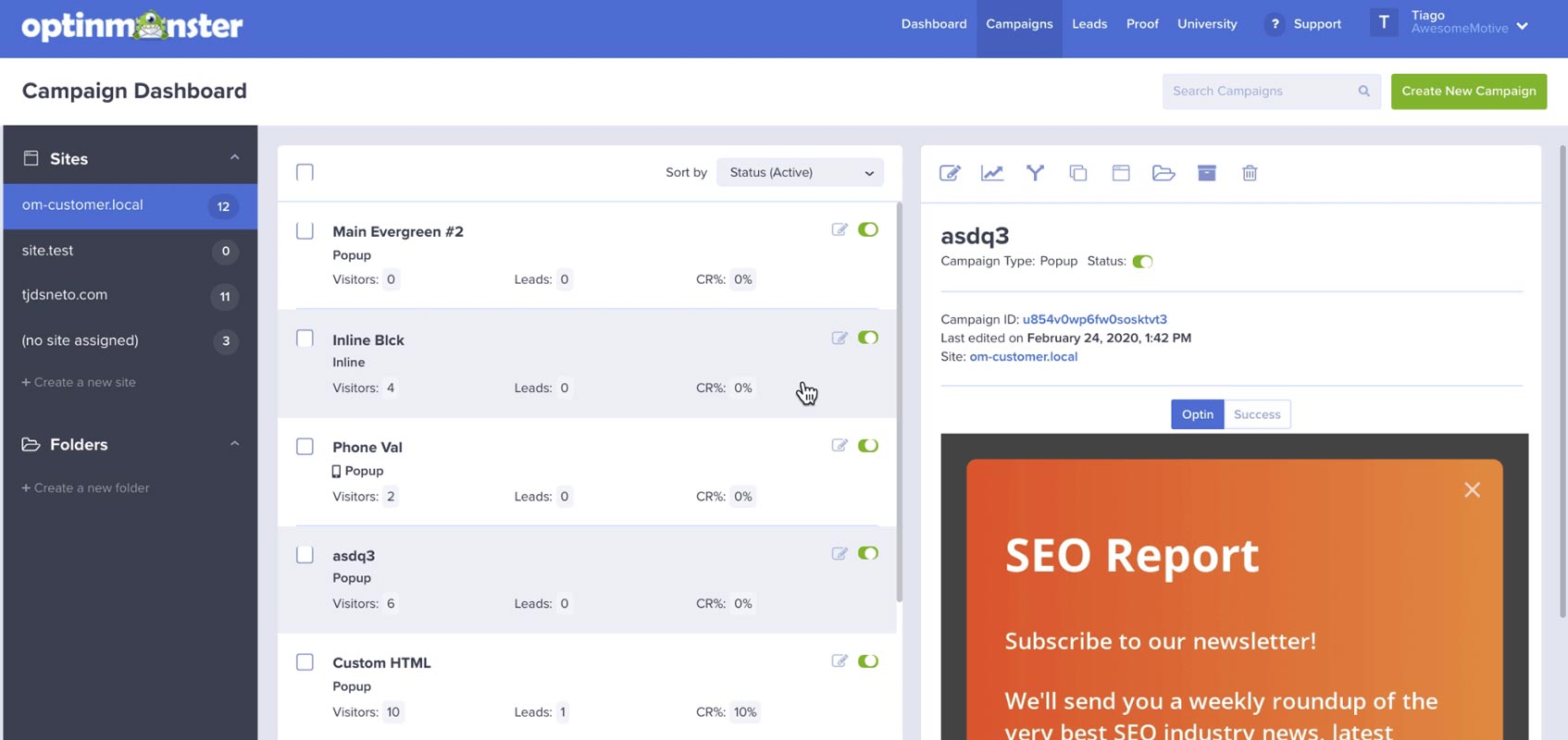
br]
This is another tool you can use to automate lead generation. Marketing teams typically use it for e-commerce lead capture. However, B2B marketers frequently use it for their lead-generation efforts as well.
OptinMonster is a software that offers automated lead generation forms presented as pop-ups, slide-in windows, and gamified spin-to-win wheels. Moreover, you can place these pop-ups or forms on any landing page.
That said, these automated forms help you gather contact information to:
- Build an email list for your email campaigns,
- Display personalized content,
- Nurture your visitors through their customer journey.
Features
OptinMonster’s main advantage is that it turns your website visitors into paying customers, webinar attendees, or newsletter subscribers.
That said, many B2B marketing teams use these forms to increase their conversion rate, thanks to:
- Page-level targeting - You can display pop-ups, forms, and notifications based on the user’s interaction with different landing pages.
- Exit-intent technology - OptinMonster monitors visitors’ movements and detects when they plan to exit the page without leaving their contact information or making a purchase. This feature can boost conversion rates and, as part of your content strategy, increase newsletter subscribers and webinar sign-ups for future campaigns.
- Lightbox pop-up - This type of pop-up appears based on triggers, prompting visitors to make a choice with minimal distractions as the background content fades. Thus, it keeps their attention focused on the decision.
- Onsite retargeting - You can show returning visitors something new every time they return to your website. Simply create pop-ups to show new promotions or offers based on their previous interactions on your website.
- List segmentation - Reduce website abandonment and churn by personalizing content for leads on your email list and website. What’s more, you can integrate OptinMonster with any CRM app, such as HubSpot or email automation software, to further adjust your messaging.
? Pro tip: Create a synergy between your marketing and sales teams. Once you generate leads through OptinMonster, you can push them automatically to your Skylead sales or marketing campaign through API.
Pricing
OptinMonster has 4 pricing plans:
| Basic | $18/mo *Use on 1 site |
| Plus | $48/mo *Use on 2 sites |
| Pro | $73/mo *Use on 3 sites |
| Growth | $123/mo *Use on 5 sites |
In addition, they offer around 40% off per month if you opt for an annual subscription.
Average rating: ⭐ 4,3 / 5
3. Moosend.com
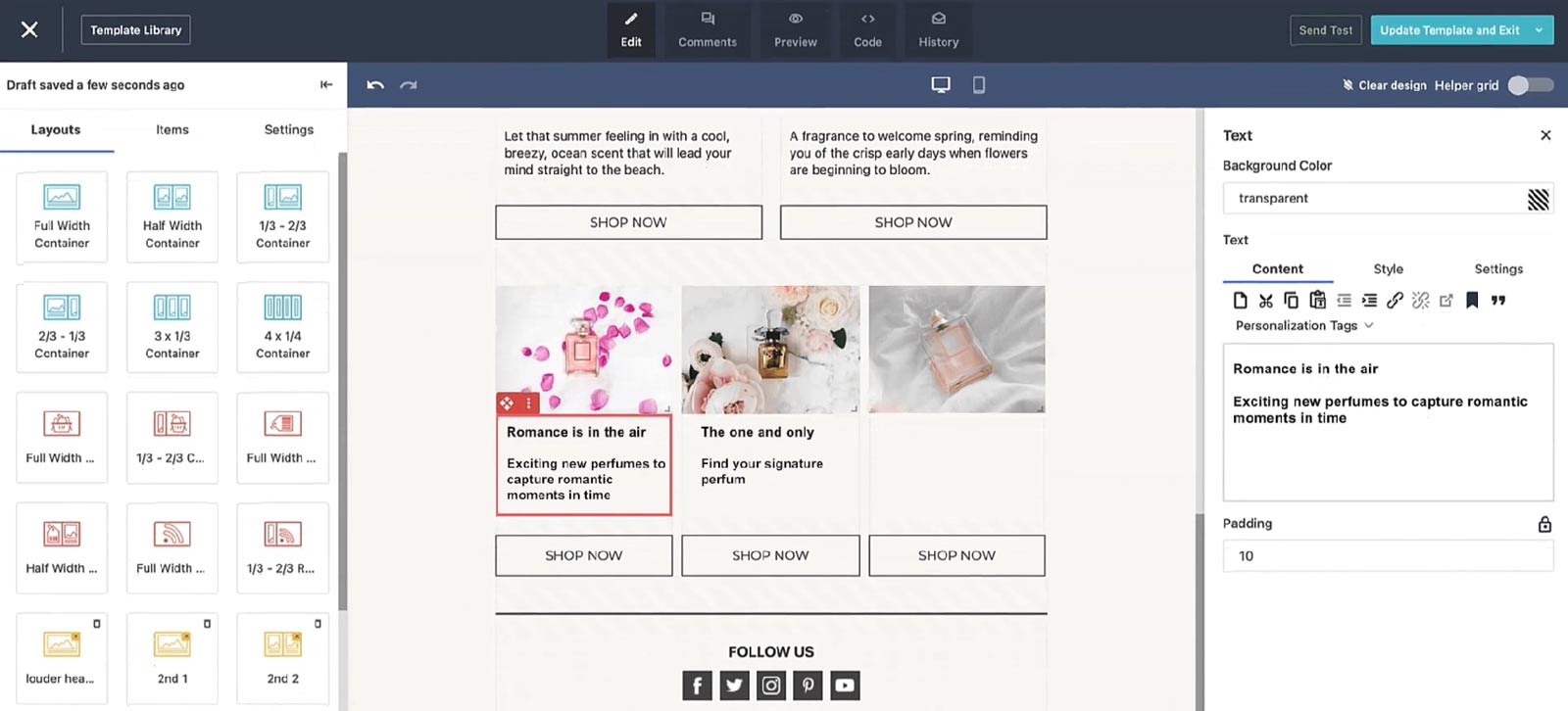
In general, Moosend is an email automation tool that helps you create and send personalized newsletters to your leads. It’s most suitable for small businesses specializing in e-commerce. However, this automation tool can be used for B2B email campaigns as well.
Features
One of the best things about Moosend is that you can create newsletters or pop-up banners with a simple drag-and-drop.
In addition, they leverage AI to analyze the data from your website, such as your subscriber behavior. This way, you can send more personalized messages or email notifications and maximize customer experience and retention.
That said, similar to Skylead, you can use this marketing automation tool to create a sequence with if/else conditions, such as “if the purchase was made” and so on. This way, you can check for your subscribers’ actions and send suitable follow-up messages.
Moosend offers a vast library of templates for creating newsletters or landing pages for email marketing campaigns. Whichever you choose, you’d be glad to hear that every template comes with device optimization functionalities.
Next, you can group leads from your email list and send separate messages. You can divide the leads based on keywords, if they clicked on the link in the previous email, etc.
Like OptinMonster, Moosend can help you gather new leads and increase your lead generation efforts. In other words, it offers customizable forms like pop-ups to promote your lead magnets, like webinars, and create email lists.
Lastly, you can integrate Moosend with your CRM, such as HubSpot, or other apps to streamline your related tasks.
Pricing
Moosend has 3 pricing systems:
- Pro - This plan is suitable for small businesses because it goes from as low as $9 per month for up to 500 subscribers. On the other hand, this plan goes as high as $5840 a month for up to 1M subscribers.
- Moosend+ - Contains everything in Pro, plus add-ons of your choice. However, you need to reach out to Moosend directly to get a custom quote for this one.
- Enterprise - This plan is for agencies. Pricing is also custom-made, so contact their team for details.
Average rating: ⭐ 4,6 / 5
4. Mailchimp
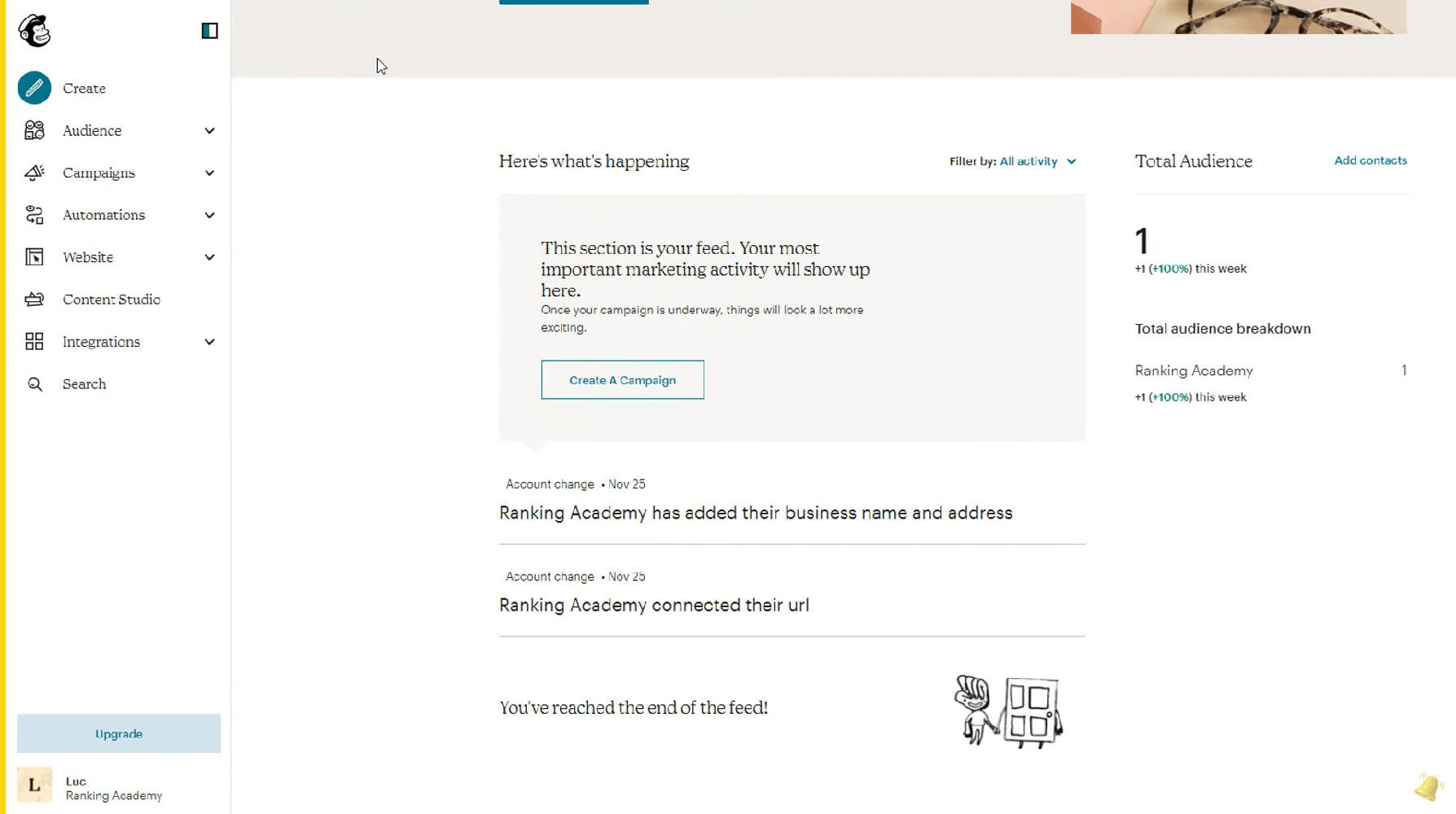
Another email automation software on our list is Mailchimp.
This marketing automation tool started as software that helps marketers create newsletters in the e-commerce environment. However, it has developed into a more well-rounded automated lead generation tool.
Features
Email marketing
Firstly, Mailchimp offers an email automation tool for sending newsletters or other messaging material to your subscribers. You can create your own message design or use the template.
Regarding targeting, you can segment your leads based on their behavior, such as:
- Campaign activity,
- Location,
- If the last email opened,
- App activity, etc.
Lead generation
Mailchimp offers a couple of features that are perfect for B2B lead generation.
Firstly, they have their own website builder to create beautifully designed landing pages for your new leads. In addition, you can make it from scratch or from the numerous templates they offer.
Secondly, they offer sign-up and pop-up forms for your website to generate potential customers. Moreover, you can also integrate their free appointment scheduling tool so potential leads can book calls with your sales team.
Lastly, Mailchimp offers a campaign manager that combines social media platforms, Facebook, Instagram, and Google Ads, into one dashboard. This way, you can target potential leads with interests similar to those of your current contacts. You can also retarget visitors as they browse the web or social media.
Automated customer journeys
Last but not least, Mailchimp has a function to enhance user experience with Customer Journey Builder. In other words, you can automate activities, such as emails and follow-ups, according to your leads’ behavior and nurture them to conversion.
Moreover, you can integrate Mailchimp with any app, including your CRM of choice or LinkedIn outreach solution for omnichannel presence.
Pricing
Mailchimp offers 4 plans with the following highlighted features:
- A free plan is for up to 1K emails sent. It includes forms, landing pages, and pre-built email templates.
- The Essentials plan starts at $13 a month. This plan includes up to 5K emails sent, 3 audiences, and simple automated customer journeys.
- The Standard plan starts at $20 a month. It includes up to 6K emails sent, 5 audiences, enhanced customer journeys, newsletter templates, a predictive analytics tool, and a campaign manager.
- The Premium plan costs $350 per month. It includes everything from other plans plus 150K emails sent, as well as advanced segmentation and targeting.
Average rating: ⭐ 4,4 / 5
5. Tidio
As mentioned before, one of the best ways to capture leads is via live chat or chatbot. And Tidio is one of many on the market.
This tool can automatically collect and qualify leads based on their website behavior. For example, let’s say a visitor lands on your pricing page. A chatbot can then ask if they are interested in a custom quote, and if they are, invite them to leave their contact information.
Moreover, you can set Tidio to answer FAQs, offer news, or upsell your users. This way, you’re leaving time for your support team to focus on burning problems while improving your customer experience.
Pricing
Tidio offers a couple of plans, respectively:
| Free | *Up to 50 handled conversations |
| Starter | Starts at $29/mo *Up to 100 handled conversations |
| Growth | Starts at $59/mo *Up to 2,000 handled conversations |
| Plus | Starts at $749 *Custom quota of handled conversations |
| Premium | Starts at $2999/mo *Unlimited handled conversations |
Average rating: ⭐ 4,7 / 5
Automated lead generation examples
So, you know how to automate your lead generation and the tools to use when doing so.
Now, let’s walk you through real-life examples of automated inbound and outbound lead generation. And what better way to do so than to use our very own?
a. Outbound lead generation automation example
In October 2023, we launched Skylead 3.0 on Product Hunt and received an incredible 2nd place.
But that wouldn't have been possible if we didn't automate our outbound lead generation.
Namely, what we did several months before the launch was find leads using Product Hunt LinkedIn groups.
Why these groups, though? Because they’re filled with individuals already interested in Product Hunt. And since the purpose was to generate leads who’d vote for us once we launched, these individuals were highly valuable.
The first step was to identify such groups. Then, we took advantage of LinkedIn Sales Navigator filters, specifically the ''Group'' filter, to isolate their members so we could add them to our campaigns.
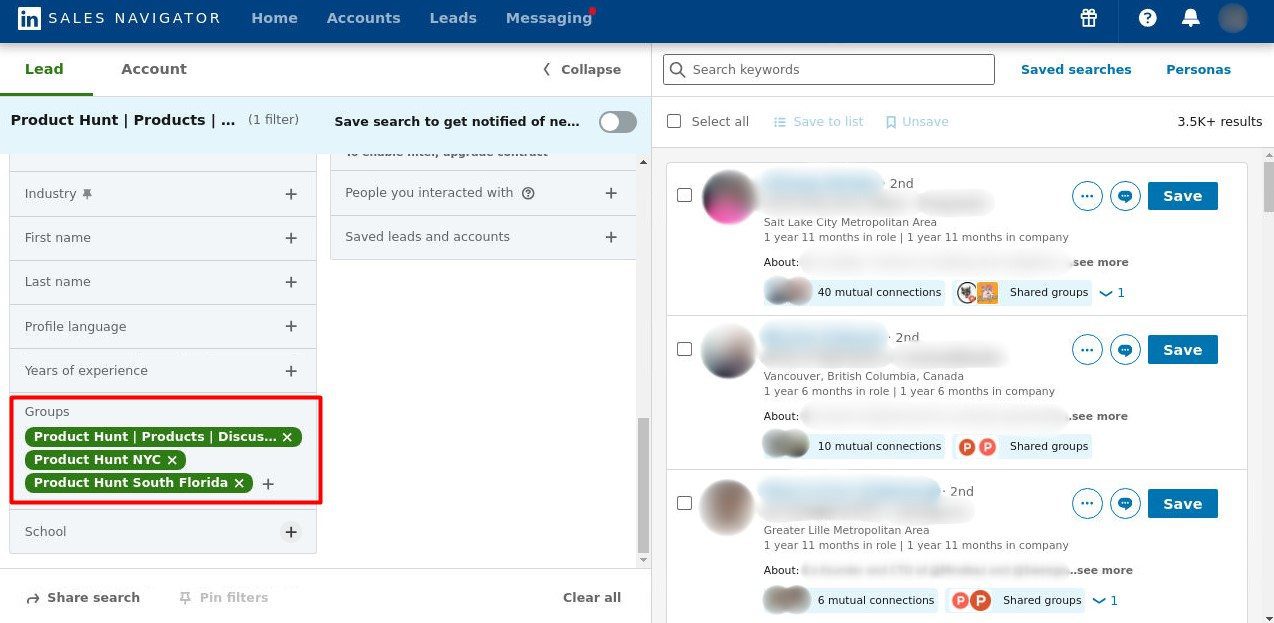
The next step was to create a targeted outreach campaign using Skylead.
To do so, we copied the search URL from Sales Navigator.
Then, we visited a Campaigns page in Skylead and clicked the ‘’Create’’ button.
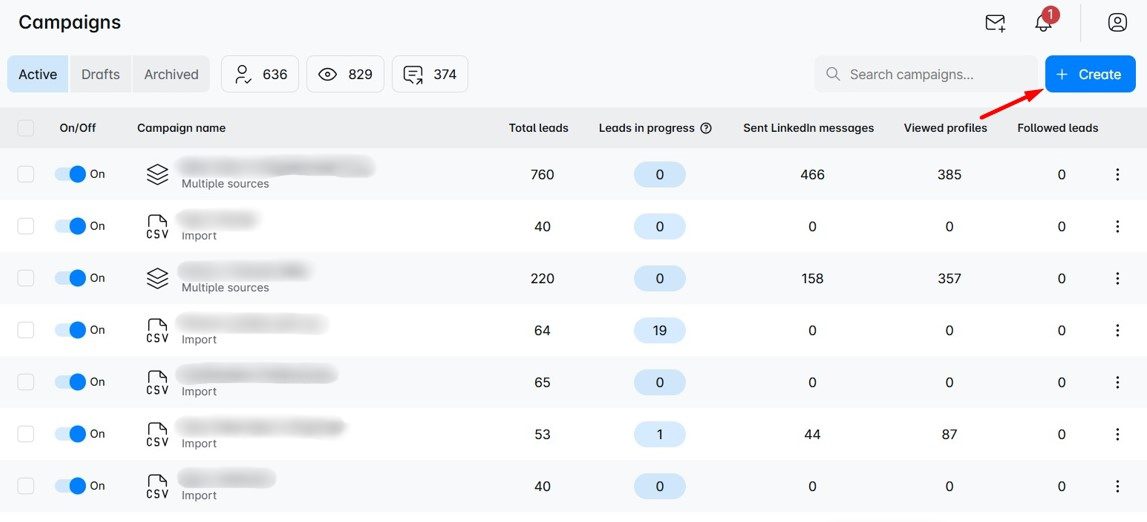
We gave the campaign a name, selected the Sales Navigator search result as the campaign type, and pasted the URL. We also decided to go with 2nd and 3rd-degree connections and clicked Next.
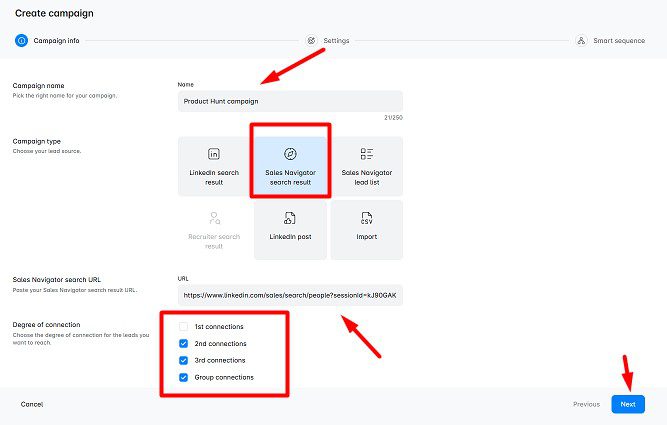
Moving on, we defined email, LinkedIn, and global settings and proceeded to create a Smart sequence.
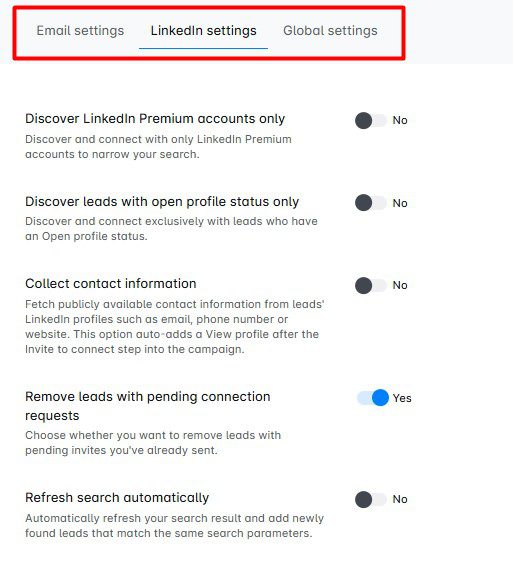
Here's an example of a Smart sequence one of us created for this purpose.
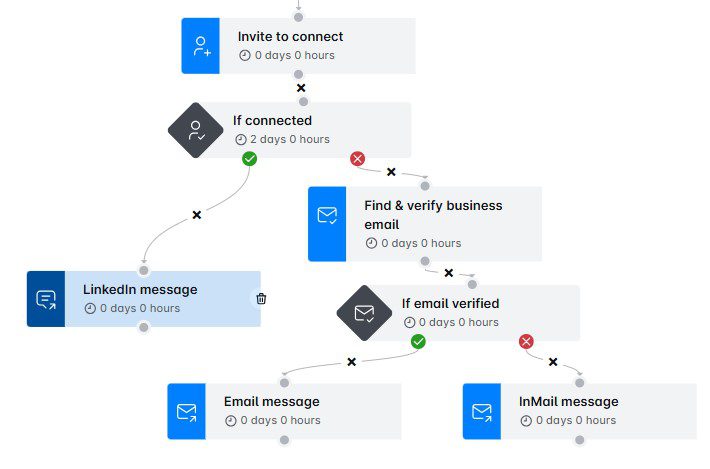
Moreover, since Skylead supports A/B testing of up to 5 different subject lines and messages, we decided to add a few variants to see what drives the best results.
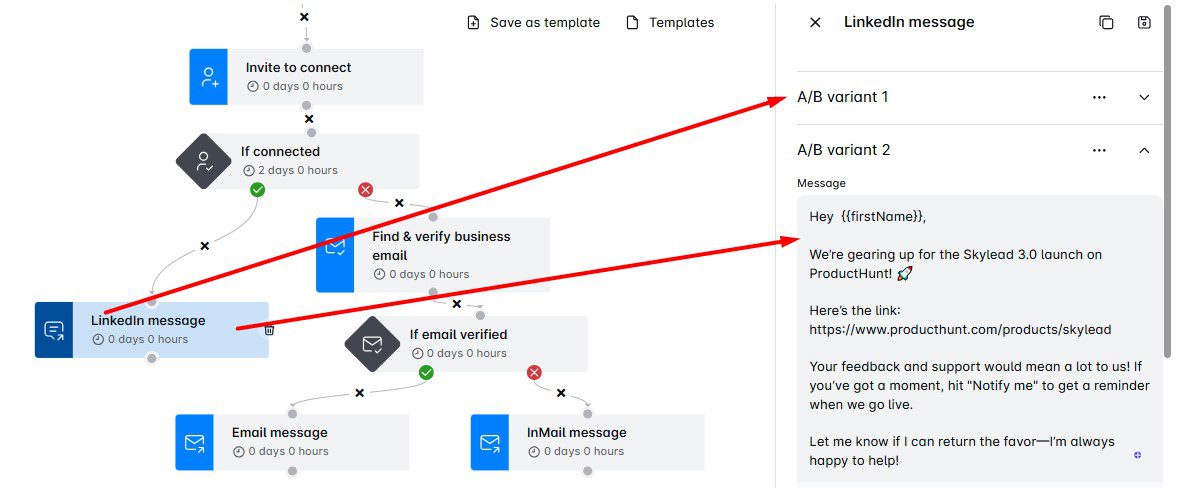
To maximize the number of leads we got and get more votes, each member of our team kicked off their own campaign. But first, we turned off the option to include leads from other team campaigns to avoid contacting the same individuals.
b. Inbound lead generation automation example
To naturally attract leads, we decided to create a lead magnet that our audience would find genuinely useful. That’s how our sales eBook came to life—built on the same principles and strategies we used to scale Skylead.
The eBook was a collaboration between our marketing and sales teams. Alongside creating the content, we also designed a brand-new landing page with a form to collect lead information. Once someone filled out the form, they would instantly be redirected to a page where they could download the eBook for free.
However, the eBook didn’t benefit only those who downloaded it. Thanks to the lead generation form, we were able to capture the email addresses of inbound leads that we later used in outreach.
We compiled them all into a CSV file and used it to create a CSV-based campaign in Skylead. As a result, we managed to convert a high percentage of warm leads into paying customers.
Frequently asked questions (FAQs)
Can you automate lead generation?
Yes, you can automate lead generation using a variety of tools designed to perform repetitive tasks like prospecting and outreach. By setting up automated workflows, you can streamline these processes and generate leads consistently, thus saving time and boosting efficiency.
What is the fastest way to generate leads?
The fastest way to generate leads often involves combining inbound and outbound automation. Using targeted ads and automated outreach emails to quickly identify, engage, and convert leads with minimal manual effort.
What are the ethical considerations when automating lead generation on LinkedIn?
When automating lead generation on LinkedIn, it's vital to maintain transparency and respect user privacy. Avoid spamming and ensure all automated interactions provide value to potential leads. Ethical automation respects LinkedIn's terms of service, focusing on building genuine connections rather than exploiting the platform.
How can businesses ensure the quality of leads when using automation tools?
To ensure the quality of leads when using automation tools, you should define clear target parameters and continuously refine your ideal customer profile. Utilizing advanced filtering options and personalized outreach messages can significantly increase the relevance and quality of automated lead generation efforts.
Can automation tools integrate with other CRM platforms, and how does this affect lead management?
Many automation tools like Skylead are designed to integrate seamlessly with CRM platforms, enhancing lead management processes. This integration allows for the automatic update of lead information and activities, providing a unified view of the sales funnel and enabling more efficient tracking, nurturing, and conversion of leads.
Automate lead generation to skyrocket your leads
80% of marketing automation users experience an increase in the number of leads, and even 77% an increase in conversion. That is no small number to ignore.
That said, we hope this article helped you understand how you can automate your lead generation activities.
However, before you do, create a good-quality basis for the automation, starting from your website, content strategy, and LinkedIn profile. Only then will you be able to pave the way for successful lead generation automation.
Once you go automation, you will also start looking at your other tasks and ask yourself:
‘’Can I automate that?’’
So, don’t wait a second longer! Sign up for Skylead’s 7-day free trial and automate your lead generation away!