6 Expandi alternatives: choose the right outreach tool

Updated on: October 1st, 2026
Looking for an Expandi alternative? Start with the part of your outreach you want to improve. Maybe you need to find business emails before someone accepts your connection request. Perhaps you want to manage several clients, personalize messages with company research, or spend less on a LinkedIn-focused setup.
The best replacement depends on that workflow. A lower subscription price doesn’t help much if you still need separate tools for prospecting, email outreach, and reply management.
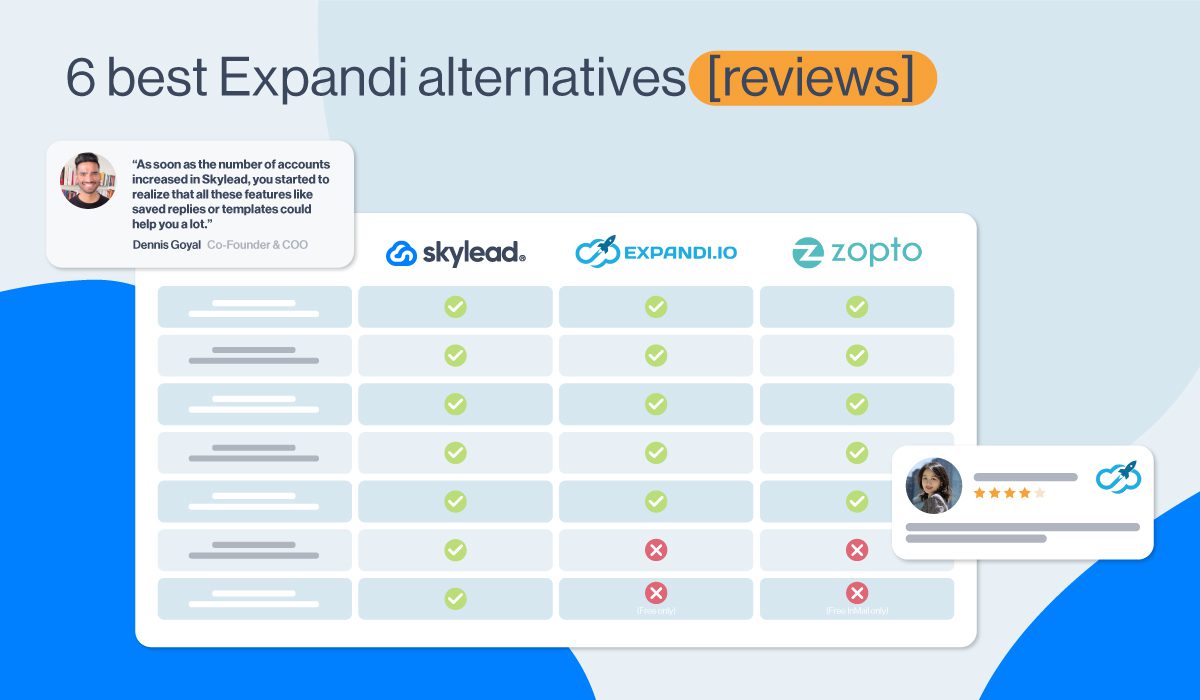
Let’s check that together. We’ll cover Expandi first, then compare six alternatives: Skylead, MeetAlfred, LinkedFusion, LinkedHelper 2, Dux-Soup, and Dripify. You’ll find pricing, useful features, practical trade-offs, and a checklist for making the switch.
A quick disclosure: we make Skylead, so you’ll see where our platform fits. This comparison is based on our personal performance testing. Skylead is not affiliated with or endorsed by LinkedIn.

Expandi alternatives at a glance
Here’s the shortlist before we get into the details.
| Tool | Worth shortlisting for | Monthly USD pricing | What to check |
|---|---|---|---|
| Expandi | Cloud-based LinkedIn and email sequences | $99 per account; agencies quoted separately | Personalized images/GIFs cost extra; MCP access is in beta |
| Skylead | Agency benefits, Prospecting, Post signals, AI data enrichment, LinkedIn and email outreach in one workflow | $100 per seat; flat agency pricing - $999 for 50 seats or $1999 unlimited seats | Post signals are included; AI enrichment and AI SDR are add-ons |
| MeetAlfred | Outreach alongside social publishing | Basic $59; Pro $99; Team $79 per user | Multichannel outreach starts on Pro; check team eligibility |
| LinkedFusion | LinkedIn and email outreach with CRM integrations | Professional $65.95; Grow $95.95; Ultimate $135.95 per user | CRM availability varies by plan; email-finder API keys are extra |
| LinkedHelper 2 | Desktop LinkedIn automation with a lower entry price | Local storage: Standard $15, Pro $45; cloud storage: Standard $29.90, Pro $59.90 per license | Both storage options still run automation on your computer or VPS |
| Dux-Soup / STACKED | LinkedIn drip campaigns with local or managed cloud execution | Local $55; cloud $99 per seat | Compare deployment options; email sending needs a separate workflow |
| Dripify | LinkedIn and email sequences with campaign analytics | Basic $59; Pro $79; Advanced $99 per user | Basic has one campaign; LinkedIn inbox and team features depend on plan |
These are monthly billing prices for the configurations shown, before applicable taxes. Annual discounts, data credits, third-party subscriptions, and agency agreements can change the total. Check the linked pricing pages in each section before buying.
Which Expandi alternative should you choose?
Before comparing every feature, write down the job your replacement needs to do:
- Find leads and reach them across channels: shortlist Skylead if account-based prospecting, enrichment, email discovery, conditional outreach and AI SDR need to work together.
- Combine outreach with social publishing: look at MeetAlfred, or LinkedFusion if its LinkedIn publishing and CRM connections fit your process.
- Reduce the entry cost of LinkedIn automation: compare LinkedHelper 2’s local-storage plans, while budgeting for the machine and any separate email software.
- Choose where LinkedIn campaigns run: compare Dux-Soup’s STACKED local and cloud editions.
- Run LinkedIn and email sequences with step-level reporting: consider Dripify alongside Skylead and Expandi.
- Manage outreach for clients: compare client permissions, billing, inbox access, branding, and onboarding. Ask for an agency quote based on your actual account count.
Already happy with Expandi’s campaigns? You may not need to replace it. The useful question is whether another tool removes a specific bottleneck in your LinkedIn lead generation process.
Expandi or alternatives? What Expandi offers today
Expandi is a cloud-based LinkedIn automation and email outreach platform. Campaigns run without keeping your own computer on. Its sequence builder combines outreach actions and conditions, so it deserves a fair comparison with other multichannel tools.
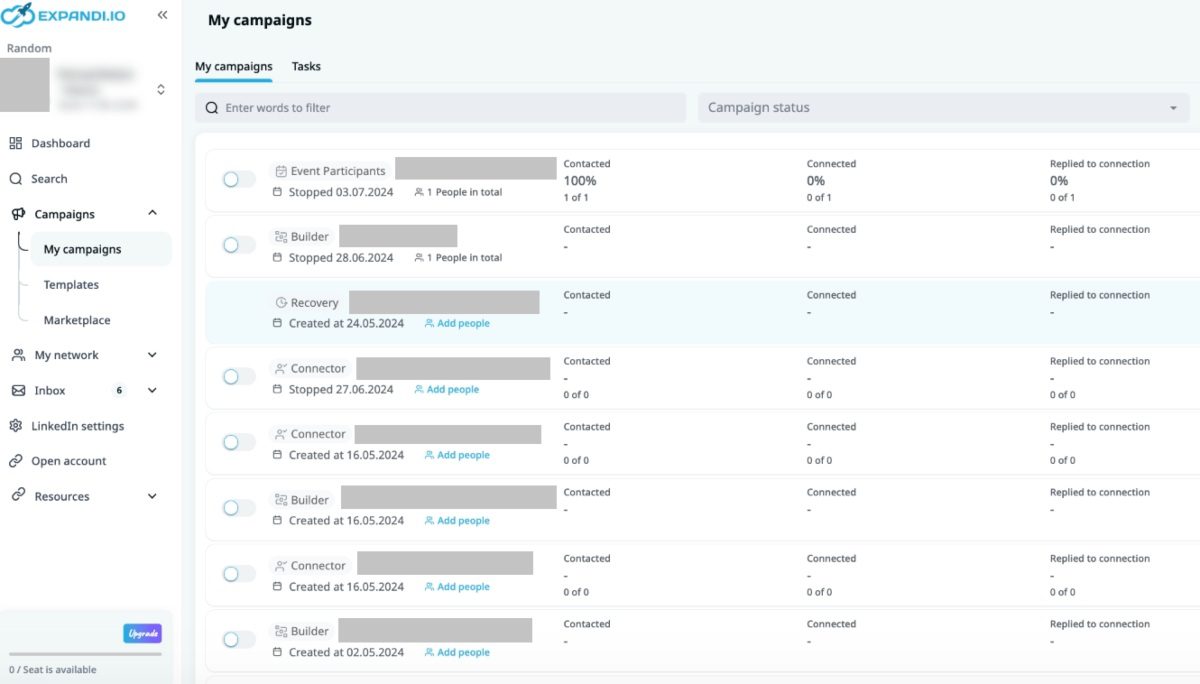
Expandi features
Conditional LinkedIn and email sequences
Expandi supports connection requests, follow-up messages, LinkedIn InMails, and email steps. You can combine actions with conditions in its builder, inspect campaign statistics, and adjust your messaging. Its Business plan also lists dynamic placeholders, duplication prevention, scheduling, and centralized reporting.
That means email outreach and branching are not reasons, by themselves, to dismiss Expandi. Compare the exact sequence you want to build, including what happens when a connection request goes unanswered.
Lead qualification and content-based prospecting
Expandi’s Lead Qualification list finds people using criteria such as job title, location, industry, and company size. A list can hold up to 5,000 leads. Its qualification criteria are locked after creation, although results can refresh manually or automatically.
Expandi also has a Content feature that discovers posts using keywords or tracked profiles and creates lead lists from people engaging with them, like Skylead.
CRM, agency, and AI connections
Expandi offers CRM integrations, including HubSpot, Pipedrive, and Salesforce, alongside webhooks. Its agency offering includes roles, centralized dahsboard, client reports, and white labeling. However, it doesn't offer advance agency benefits like GTM integration or client risk detection like Skylead does.
Its MCP connection is in beta, with access opening in batches so it's not fully out yet. Regarding AI, Expandi has a campaign helper, meaning you can give a context and goal so AI to generate replies for you. However, it doesn't have advanced training sets where you can train your SDR with your own sales pitches, or objection handling strategies.
Expandi pricing and trade-offs
Expandi costs $99 per account per month on monthly billing and offers a seven-day trial. Agency pricing for 10 or more seats and white labeling is custom.
Image and GIF personalization carries an additional charge. If your workflow also needs external data providers or other software, include those costs in your comparison. They are optional configuration costs, so it would be misleading to describe one bundled estimate as every user’s minimum bill.
Another thing that Expandi can’t help you with is email warm-up. Surely, warm-up settings for LinkedIn outreach exist. But when it comes to improving email deliverability and SPAM prevention, Expandi isn’t your ideal solution.
Lastly, we experienced some lagging in the system. Also, their customer support team is not the most responsive, nor are the issues solved promptly.
Consider an alternative when: you want a different prospecting workflow, email warm up, AI data enrichment, AI SDR, native visual personalization, or benefits that better fit your agency.
6 Expandi alternatives compared
Expandi alternative #1: Skylead
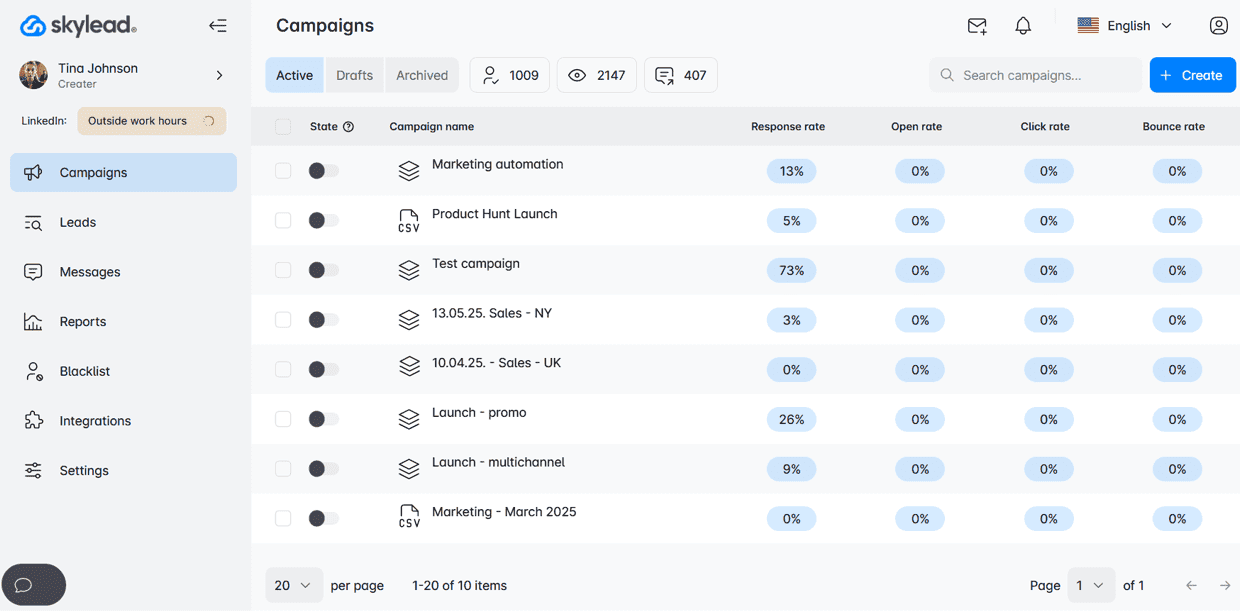
The first Expandi alternative is Skylead.
Yes, that is us! 🙂 Hello!
Skylead is a cloud-based LinkedIn automation tool and cold email platform for sales teams, recruiters, marketers, and agencies managing client outreach. Its appeal is bringing prospecting, personalization, outreach, and conversations into a connected workflow.
For LinkedIn prospecting, you can work with LinkedIn, Sales Navigator, and Recruiter lead sources, event attendees, people who wrote or reacting to a LinkedIn post, and CSV imports with custom variables. You can also build contact and company lists through Skylead’s B2B database and account-based prospecting features.
Skylead features: account-based prospecting and B2B database
Sometimes, the best place to start is with your ideal companies. That’s what account-based prospecting helps you do:
- Create and manage focused company lists.
- Define the contacts you want to find within those companies.
- Move those contacts into your outreach workflow.
For example, a recruitment agency could start with a list of software companies, find relevant hiring decision-makers, and write messages around that account context. That is a workflow example, not a claim that every company is hiring.
The B2B database adds another prospecting route: filter contacts and companies, review matches, and save relevant results to your lists. This is useful when you want to research accounts and prepare outreach without moving between separate databases and spreadsheets.
Signals: discover prospects through relevant conversations
Skylead’s Signals source discovers posts around the topics, keywords, or problems you want to monitor, then identifies people engaging with those conversations. You can filter those people against your ideal customer profile before adding them to outreach.
For example, if your product helps with sales handoffs, monitor conversations about that problem, identify relevant participants, and check their role and company fit. Engagement gives you a reason to research someone; it does not prove they are ready to buy.
Signals is live and included in the All-in-one subscription at no additional cost. Compare the discovery, filtering, and campaign handoff with Expandi’s Content feature using a topic relevant to your market.
AI data enrichment
Skylead’s AI data enrichment add-on helps you enrich contact and company records, generate icebreakers or pitches, and use the resulting information as message variables. It’s Clay-like in what it can uncover, but it’s connected to your outreach workflow, so you avoid constant tool switching and data importing.
Our providers include ScrapIn, Prospeo, Bright Data, PredictLeads, and Enrichley. The practical benefit is keeping research connected to your outreach. You can gather account context, review it, and use it in the sequence instead of repeatedly exporting and importing files.
Smart Sequences
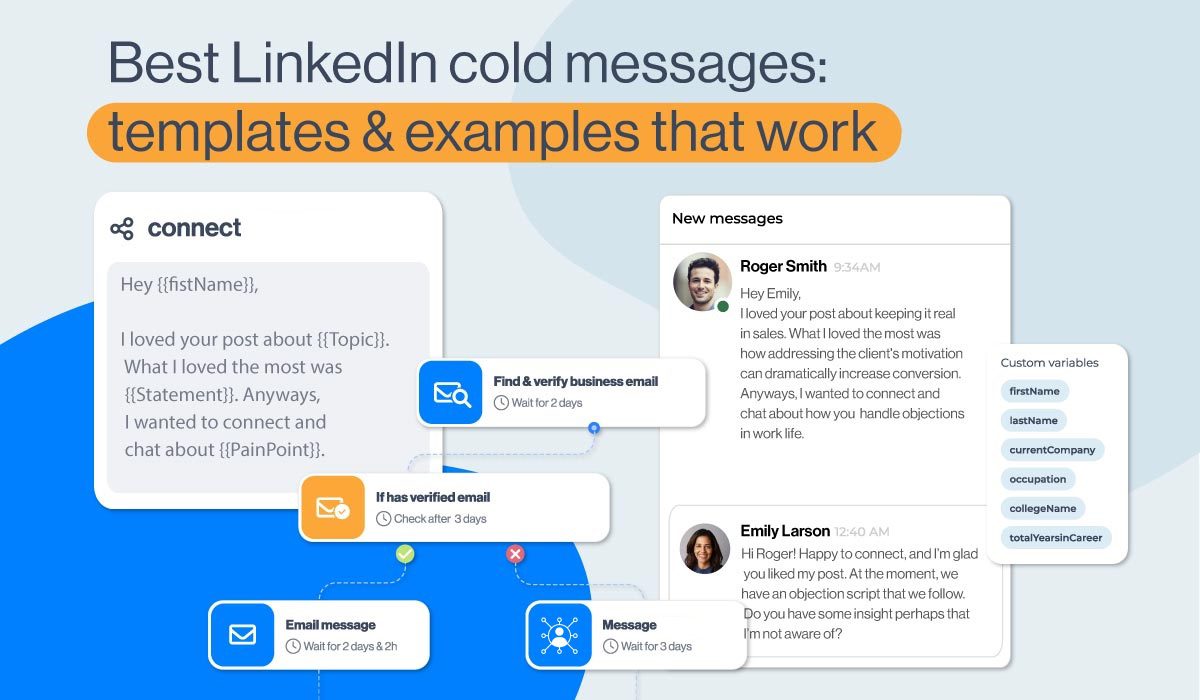
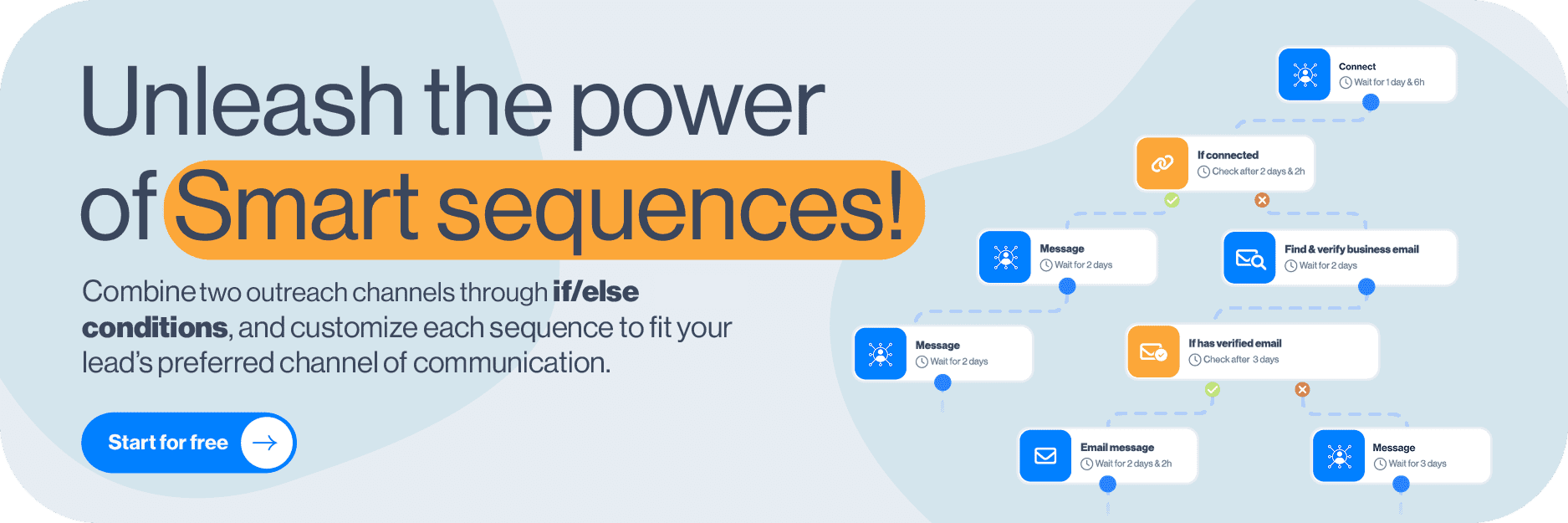
Smart Sequences combine LinkedIn actions, email outreach, and email discovery with if/else conditions. Build your own workflow or start with a template and adapt the copy and timing.
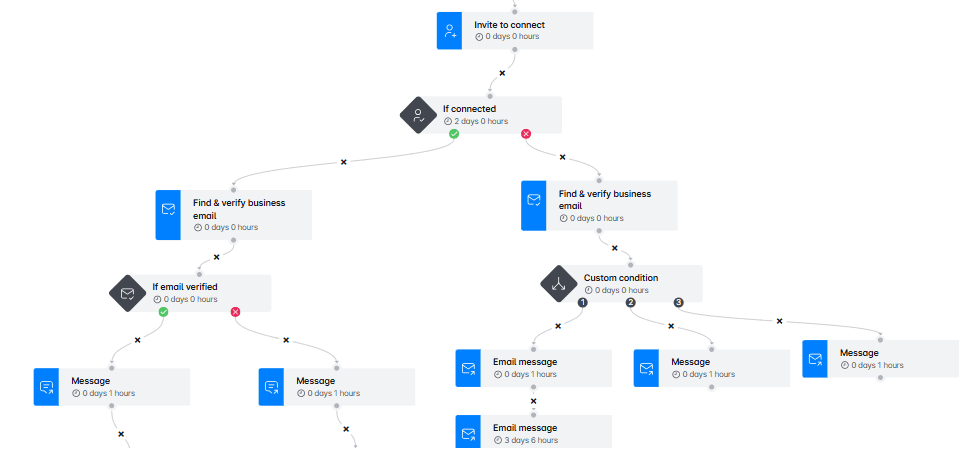
Here’s a practical use case: send a relevant connection request, follow up on LinkedIn if the person connects, and use a verified business email as another route when they don’t. Review each branch before launch so your follow-ups match the interaction that actually happened.
That’s the value of conditional outreach: you can choose a relevant next action instead of sending the same follow-up to everyone. Our guide to outreach sequences can help you plan the messages around that logic.
Email outreach
Multichannel outreach gives your prospects a well-rounded lead-generation experience. But, more importantly, it shows that you wish to help them resolve their problems.
That’s why Skylead also has an integrated email outreach feature that you can combine with the other channels in one outreach sequence.
In addition, Skylead offers various personalization variables to help you write your most converting messages and follow-up emails after no response.
Now, as opposed to Expandi or any other tool from this list, Skylead allows you to connect unlimited email accounts at no additional cost. The tool auto-rotates between them while sending emails. As a result, it enables you to send tens of thousands of emails a month without damaging your domain.
Lastly, unlike Expandi, with Skylead, you can use email outreach to its full potential.
And here’s how!
Email discovery and verification
With native email discovery and verification, you can look for business emails as a step in a Smart Sequence. Skylead double-verifies addresses, so discovery and outreach can stay in the same flow.
You don’t need a LinkedIn connection to use this route. That matters when your ideal prospect doesn’t accept your invitation but email remains an appropriate channel. Verification can help reduce invalid addresses; it does not guarantee zero bounces or inbox placement.
Infinite email warm-up
Speaking of unlimited email outreach, we’ve got another surprise in store: Infinite email warm-up powered by Mailivery.
Mailivery is one of the best email warm-up tools. And thanks to Skylead’s partnership with them, you gain infinite email warm-up capability at no extra cost.
This means you can warm up unlimited email accounts to keep your emails out of the SPAM folder!
Don’t believe us?
Just look at the value Mailivery adds to Skylead!
- Easy setup in just a few minutes - Mailivery’s setup is native, fast, and compatible with all email providers, including custom SMTP. You only need to switch warm-up on in Email settings, and it will run in the background.
- Safer sending volume ramp-up - Mailivery gradually increases email volume at the right pace, helping accounts warm up naturally without looking suspicious.
- Built-in domain health checks - SPF, DKIM, DMARC, and blacklist status are monitored to help ensure safer warm-up and stronger deliverability.
- Daily sending volume control - You can track deliverability for each account and set the maximum number of emails it can send per day.
- Warm-up status tracking for every account - Each connected email account will show warm-up status, so you know when accounts are ready for outreach.
So, with Skylead and Mailivery working together, you’re set for safe, effective, and totally limitless outreach.
⚠️ Disclaimer: The infinite email warm-up feature operates under a Fair Use Policy, with a 100-email slot limit per team. Should you need additional slots, contact our support team at support@skylead.io to discuss possible arrangements.
Native image and GIF personalization
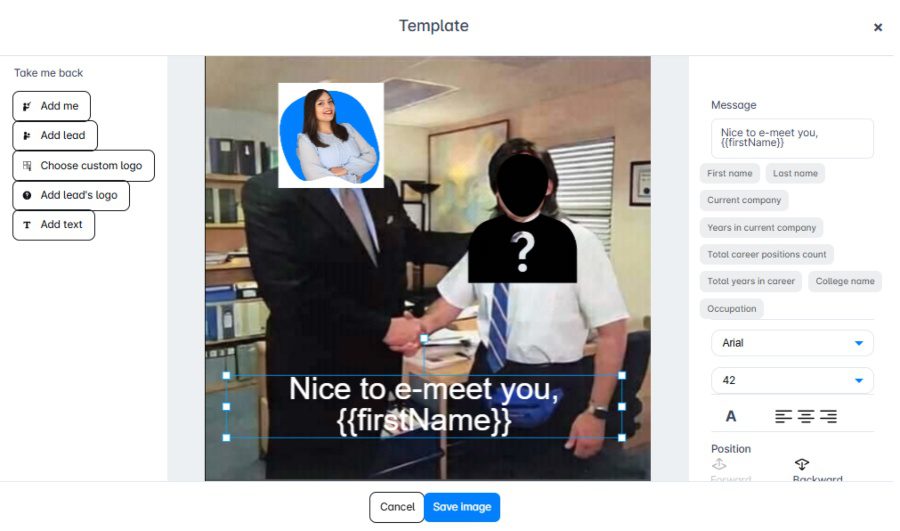
To maximize your response rate, Skylead introduced a native image & GIF hyper-personalization feature. Thanks to it, you can send messages or follow-ups in a more personalized and unique way to catch your prospects’ attention.
Skylead personalizes your chosen images and GIFs on autopilot by pulling the information from your and your leads’ profiles. These include:
- Lead's picture
- Company logo
Moreover, you can insert any text you like, complete with variables, to enrich the visuals further.
As you can see, you don’t have to worry about personalizing countless versions of the same image. Instead, Skylead will do it for you at scale!
To top it off, we’ve had incredible success using image & GIF personalization in our own outreach. We even managed to get a whopping 76% response rate! And so can you!
Reports, A/B testing, and CRM sync
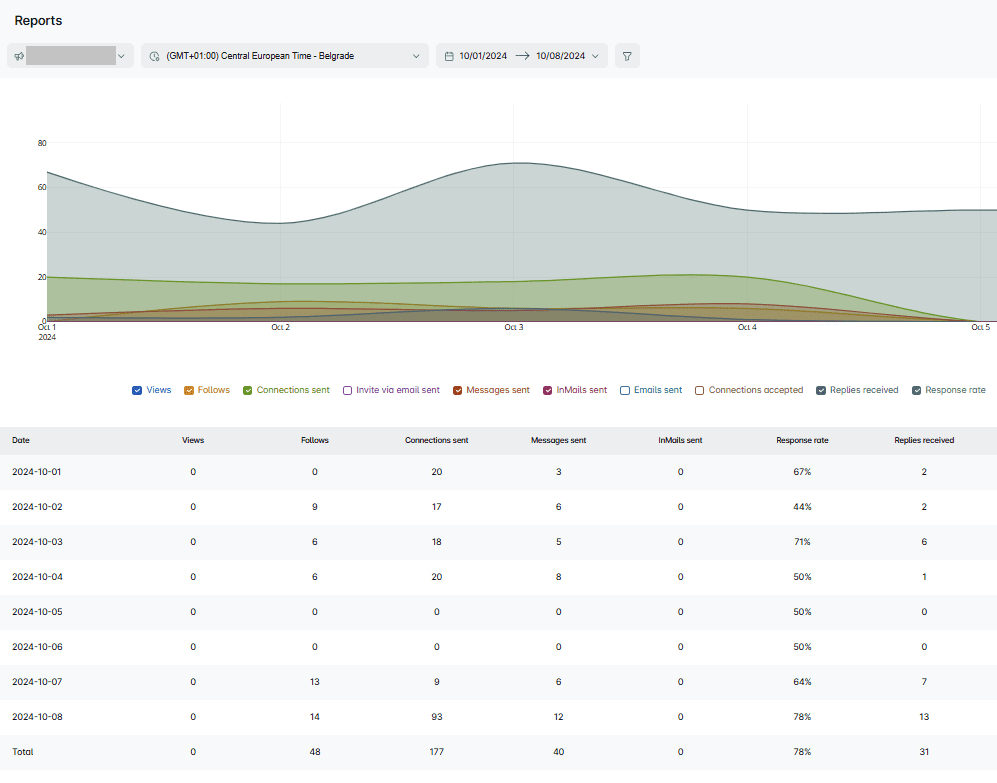
Skylead offers graph metrics, a table view, and sequence-step insights. You can review campaign activity and A/B test your outreach messaging, including subject lines and connection requests.
Its real-time CRM integrations connect with HubSpot, Pipedrive, and Salesforce. Lead activity and conversations can sync as outreach progresses. For other workflows, Skylead also supports webhooks and API connections.
Skylead’s Smart Inbox helps you manage outreach conversations and organize leads with labels. The AI SDR add-on adds suggested replies and automatic reply handling.
You choose the level of control: use semi-automatic mode to review suggestions before sending, or automatic mode to send replies. Train the setup with company knowledge, conversation instructions, goals, topic guidance, and sample answers, then use feedback and saved examples to improve it.
This is useful when you want replies to follow your qualification process. Start with reviewed suggestions and check real conversations before giving the AI more independence. AI-written replies still need clear boundaries around what your company can promise.
Agency and white-label options
For agencies, Skylead offers an agency dashboard, client risk detection, GTM integration, granular roles, and reusable AI SDR training. White-label agreements can include your branding, branded support, and a branded help center. See more of agency benefits on our white-label solution page.
Skylead pricing
The All-in-one plan is $100 per seat per month. AI data enrichment and AI SDR are add-ons. Credits for these features are priced based on the actual costs of our third-party providers (OpenAI, Bright Data, etc) making it up to 95% cost-efficient than comparable tools.
For agencies we offer a flat pricing - $999 for 50 seats per month, or $1999 for unlimited seats.
Shortlist Skylead if: you want more advanced prospecting, enrichment, conditional LinkedIn and email outreach, and AI SDR connected to the same workflow.
Think twice if: you only need a low-cost desktop LinkedIn tool, or if email isn't part of your process.

Expandi vs. Skylead
Both Expandi and Skylead support cloud-based LinkedIn and email outreach with conditional sequences. Both offer agency functionality. The decision comes down to what you want around those campaigns and what benefits you.
Skylead combines company-list prospecting, Signals, AI enrichment, native email discovery and verification, email warm-up, image/GIF personalization and AI SDR. Expandi offers its own lead qualification and content-discovery workflows, plus external AI assistance through its beta MCP connection, though it's not fully live yet.
Want the focused comparison? See Skylead vs. Expandi. Or start Skylead’s seven-day free trial and build the sequence you actually need before deciding.
Expandi alternative #2: MeetAlfred
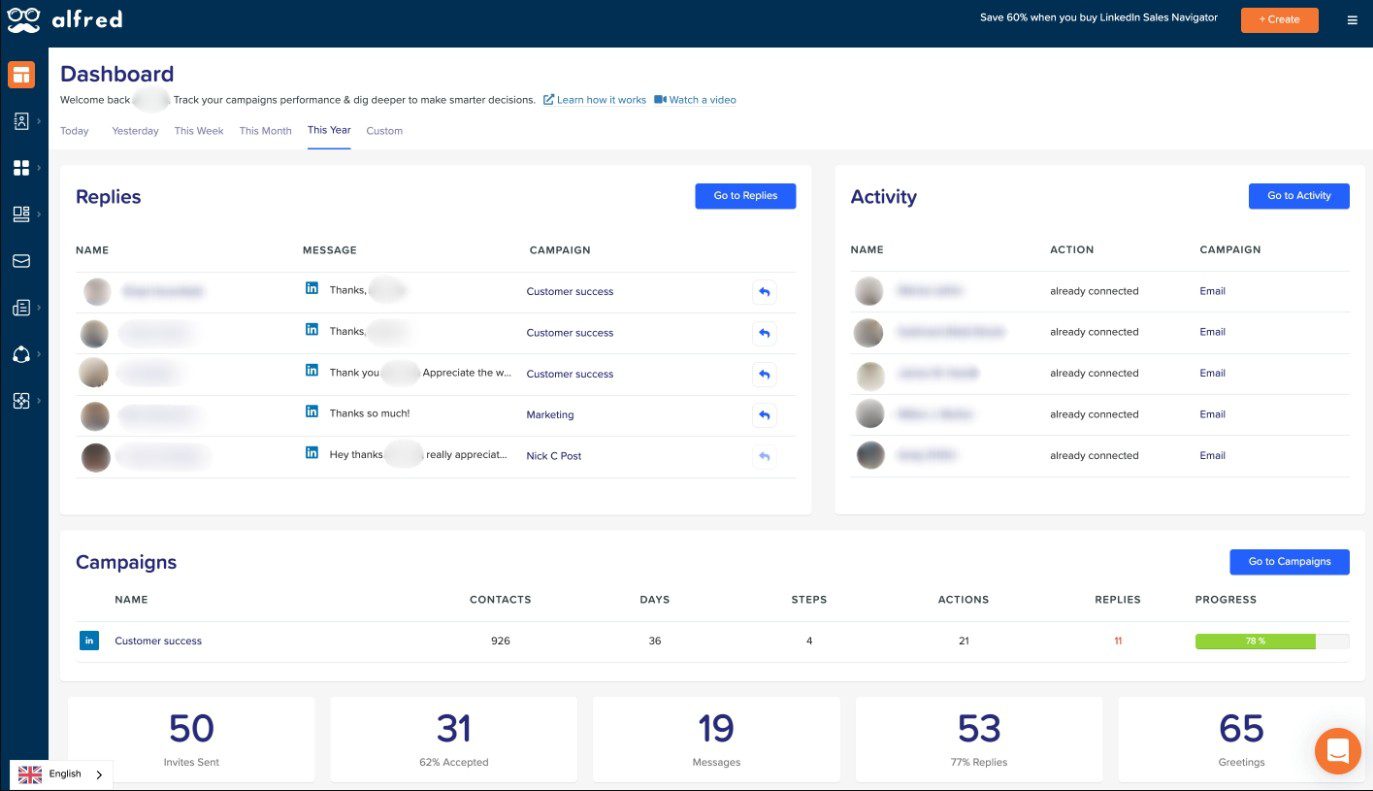
MeetAlfred combines outreach with social publishing. It is worth considering if your team wants lead management, campaigns, and content scheduling together.
Prospecting and outreach
Its Lead Finder searches by criteria such as job title, industry, location, and company size, and supplies available contact details. Sales Navigator is not required for that feature.
Meet Alfred provides contact enrichment through Lead Finder, including email addresses, phone numbers, and company information when available. However, since it’s researching only on LinkedIn, if this data is not available it will not display it.
This tool also has Saved Lists and Saved Filters feature. A list preserves selected leads; a filter reruns the same criteria to find fresh results. Those are useful distinctions when you repeat prospecting each month.
Its multichannel campaigns combine LinkedIn, email, and advertised X outreach, however X campaign is currently under maintenance. Social post scheduling is another reason to shortlist it.
Inbox, integrations, and agency fit
MeetAlfred’s inbox is positioned around LinkedIn conversations. If your team depends on a unified reply workflow across channels, choose where email replies are handled before picking it.
It offers team controls and white labeling. Meet Alfred has only native integration with HubSpot, but only available through Teams, Agency and Enterprise plans. However, all other integrations need to be through Zapier or webhooks.
Pricing and Expandi comparison
Monthly pricing lists Basic at $59, Pro at $99, and Team at $79 per user. Basic focuses on LinkedIn; Pro adds multichannel automation. Team eligibility and white-label requirements matter to the final quote.
Shortlist MeetAlfred if: publishing and outreach need to sit together. Compare carefully if: your main requirement is a precise branching workflow, agency benefits, AI SDR, more detailed AI data enrichment for precise targeting or centralized reply management.

Expandi alternative #3: LinkedFusion
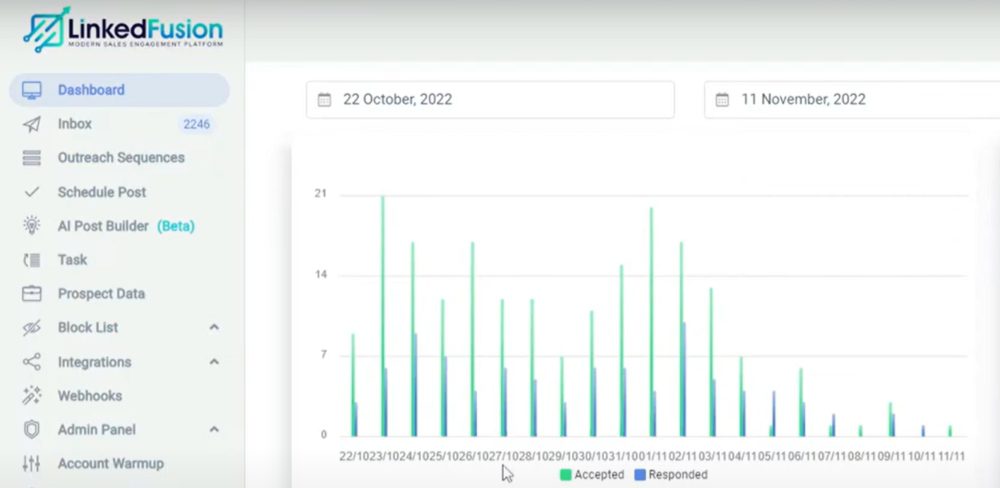
LinkedFusion is a cloud-based outreach platform with LinkedIn campaigns, email steps, and a strong emphasis on CRM connections.
Features and practical trade-offs
LinkedFusion offers native prospect search, follow-ups, a LinkedIn inbox, team controls, and reporting. It also offers AI-assisted LinkedIn comments, post creation and scheduling.
Its integrations include HubSpot, Pipedrive, and Salesforce, with availability depending on the plan. If your outreach already revolves around a CRM, test what triggers a sync and which fields and conversations arrive in the right record.
There’s also a practical difference between using enriched data and producing it. LinkedFusion’s webhook setup lets you define custom fields and receive externally prepared values alongside a LinkedIn profile URL. However, Skylead explicitly connects enrichment, AI-generated icebreakers, and campaign variables.
Moreover, LinkedFusion doesn’t have account-based prospecting nor post signals to target leads like Skylead does.
Regarding outreach, LinkedFusion has separate campaigns for invitation sequences for 2nd and 3rd degree connections, messaging sequences for existing connections, and InMail sequences for eligible Open Profiles. You choose the sequence type, configure the audience, and then add the messages. The tool supports email step, though sequence are limited compared to Skylead, MeetAlfred and Expandi.
If you want to try it out, the downside is that you need to pay $2 to test it out for 10 days, after which subscription starts. Although support is available, from our experience they often do not resolve issues promptly.
Pricing and Expandi comparison
Monthly pricing is $65.95 for Professional, $95.95 for Grow, and $135.95 for Ultimate, per user. The pricing page explicitly excludes email-finder API keys. It also lists Hyperise integration for image personalization, so account for the separate service if you plan to use it.
LinkedFusion offers white labeling through its team. However, it doesn’t have an agency dashboard, rather an admin panel with teammates and roles only. They do not offer more agency benefits like Skylead or Expandi.
Shortlist LinkedFusion if: its CRM connections and LinkedIn publishing features fit your existing stack. Compare carefully if: you want enrichment, email discovery, and visual personalization bundled into one defined price.
Expandi alternative #4: LinkedHelper 2
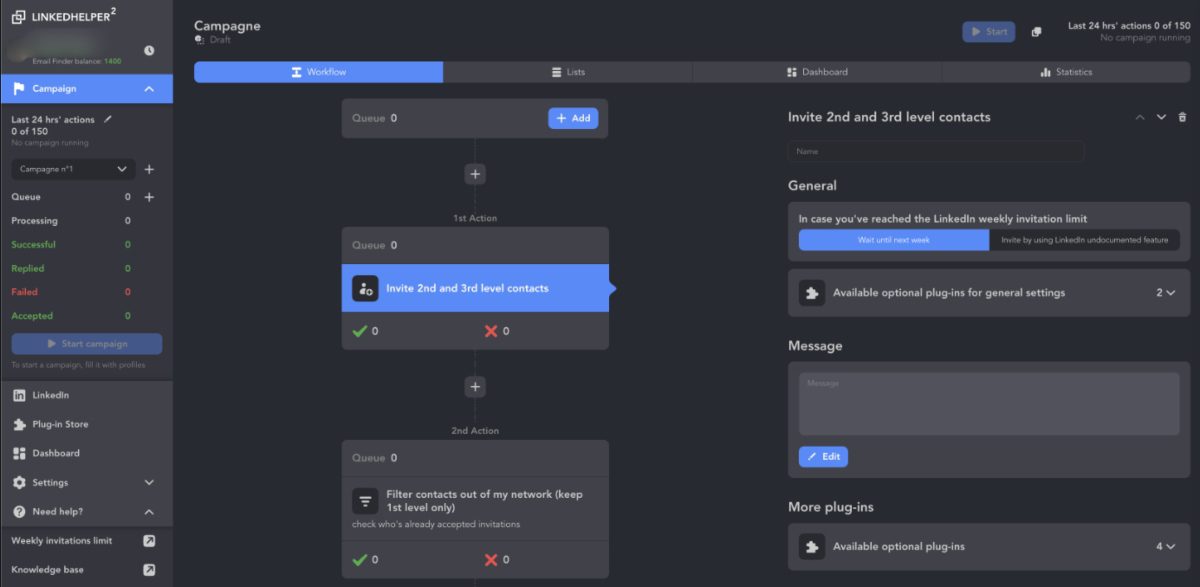
LinkedHelper 2 is desktop software for LinkedIn automation, meaning unlike Expandi or Skylead - cloud-based solutions - your PC needs to be kept on for LinkedHelper to run. Its lower entry price can make it appealing when you mainly need LinkedIn outreach and are comfortable managing a local application.
Outreach, Agency, Prospecting, and AI
LinkedHelper 2 doesn't have AI data enrichment, though it can enrich phone numbers, social links (X, Messenger or website), profile info, emails, company data, which is pulled from internal LinkedHelper database.
It does have an AI reply assistant nested in the inbox that replies based on prompt users type. However, it is limited and cannot do training with it like with Skylead.
LinkedHelper 2 doesn’t have email outreach. Users need integration with other outreach tools to do so. Therefore it doesn't have a multichannel outreach infrastructure with if/else conditional sequences.
On a brighter note, Linked Helper has an AI ICP detection. Add a qualification step that scores a profile against your criteria and filters unsuitable leads. It also lists AI message personalization, commenting, and an inbox reply assistant.
Regarding agencies, it the moment, there is no fully fledged White Label program where you can resell Linked Helper at your own price, however, customers can modify LinkedHelper 2 logo and name to present it as their in-house development.
Pricing and LinkedHelper vs. Expandi
The pricing calculator separates storage, plan, term, and license count. One-month local-storage prices are $15 for Standard and $45 for Pro; cloud-storage prices are $29.90 and $59.90. Term and volume discounts can reduce the effective price.
Choose LinkedHelper 2 over Expandi when: a desktop LinkedIn workflow and lower license cost suit you. Prefer a hosted multichannel option when: keeping a machine running, or moving email outreach to another tool would add friction.
Expandi alternative #5: Dux-Soup / STACKED
Dux-Soup’s current offer is STACKED, powered by Dux-Soup. Its pricing now distinguishes local desktop execution from managed cloud execution. The old shorthand that Dux-Soup is just a Chrome extension no longer describes the current offer well.
Campaigns and lead management
STACKED supports LinkedIn drip campaigns with up to 12 actions, configurable delays, and response detection that pauses campaigns. Actions include visits, follows, connection requests, messages, InMails, endorsements, and post likes. However, these are simple drip campaigns without conditional logic.
It provides campaign statistics, funnel-stage views, lead exports, an action queue, and activity history. Those controls can help you inspect where prospects are waiting and what has already happened.
There’s also a Stacked store where you can buy email finder credits (though it’s not very useful considering Dux-Soup doesn’t support email automation).
The official feature breakdown also lists CRM and workflow integrations, including HubSpot, Pipedrive, Salesforce, Slack, Microsoft Teams, Zapier, and Make. AI personalization is available through connected AI services.
Pricing and Expandi comparison
STACKED local costs $55 per seat per month; cloud costs $99. Local runs on your Mac or Windows machine. Cloud runs on Dux-Soup’s infrastructure and continues without keeping your computer on. Annual rates and multi-seat discounts differ.
Shortlist Dux-Soup if: you want LinkedIn drip campaigns and a choice of deployment. Compare carefully if: you need LinkedIn and email sending with if/else conditions in one builder. Map out the separate email workflow and its costs before choosing it over Expandi or Skylead.
Expandi alternative #6: Dripify
Dripify is a cloud-based LinkedIn and email outreach platform. Its current offer goes beyond LinkedIn-only campaigns.
Multichannel sequences, personalization, and analytics
Dripify combines LinkedIn actions, emails, conditions, and delays.
You can add leads from LinkedIn searches, groups, post engagement, or CSV imports. Dripify also offers Evergreen uploads for keeping lead lists growing.
Campaign and step-level analytics help you review invitations, replies, email delivery, and bounces. Dripify also allows editing campaigns after launch. However, the ones that already passed through the step edited, won't see that change.
The built-in inbox handles LinkedIn conversations only. Email replies and Sales Nav InMail replies are not shown.
That distinction matters if you want your team to answer every channel from one screen.
Pricing and Expandi comparison
Monthly pricing is $59 for Basic, $79 for Pro, and $99 for Advanced, per user. Basic permits one campaign. Pro adds unlimited campaigns, a dedicated inbox, HubSpot integration, webhooks, and API access; Advanced adds team-management capabilities. Each paid plan includes 100 email-finder credits per month, with additional credits sold separately.
Shortlist Dripify if: you want LinkedIn and email sequences with detailed campaign reporting. Compare carefully if: your priority is company-list prospecting, a broader enrichment workflow, native visual personalization, or agency white labeling.
Compare the cost of the workflow, not just the seat
Here’s a more useful way to compare prices: write down the tools and allowances you need for one real campaign.
| Cost component | Question to answer |
|---|---|
| Outreach seats | How many LinkedIn accounts or users will run campaigns? |
| Prospecting access | Do you need a separate LinkedIn subscription or contact database? |
| Email infrastructure | How many domains and mailboxes do you need, and what are their provider limits? |
| Discovery and enrichment | Are email lookups and company research included, credit-based, or supplied by another tool? |
| Personalization | Are images, GIFs, and AI-generated copy native or paid integrations? |
| Operations | Will you pay for a VPS, connectors, white labeling, or client-management services? |
For example, Expandi’s $99 monthly seat and Skylead’s $100 monthly seat are close in base price. The meaningful comparison is whether each plan covers your required discovery, email, personalization, and reply workflow. Optional features should stay optional in the calculation.
How to switch from Expandi without losing your outreach context
Found a tool that fits? Before cancelling Expandi, make a plan for your leads and conversations:
- Export what you need. Preserve lead records, tags, campaign copy, reports, and suppression lists using the options available in your account.
- Separate active conversations from untouched leads. Avoid restarting a first-touch sequence for someone who has already replied.
- Map the workflow. Rebuild conditions, delays, variables, and stop rules in the replacement. Check that every imported field has the right value.
- Pause overlapping outreach. Avoid running the same LinkedIn account or audience through competing campaigns at once.
- Start with a small, relevant audience. Inspect the actual messages, reply handling, and CRM records before expanding.
- Confirm cancellation terms and cancel subscription. Here is how to do it.
How to cancel Expandi?
If you are unsatisfied with Expandi and want to try out other tools from our list, here is how to cancel your Expandi subscription.
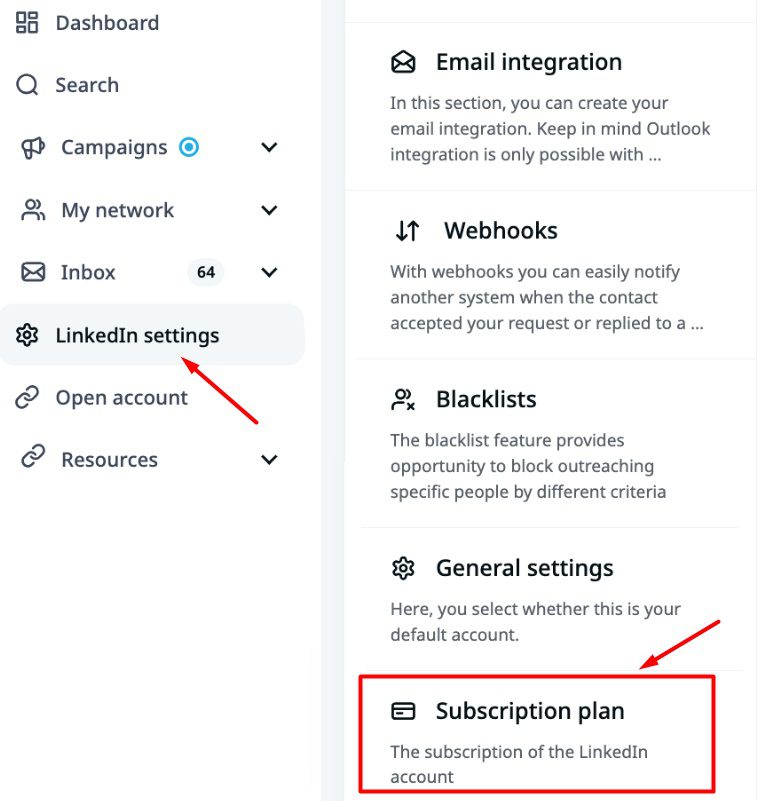
First, log in to your account and click the LinkedIn Settings button in the sidebar menu. Then, navigate to the Subscription plan section.
Next, click the Remove button.
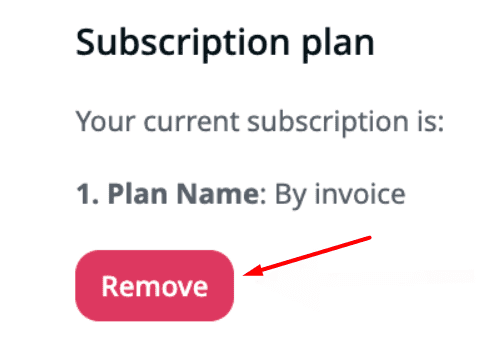
Expandi will ask you to state the reason why you wish to cancel. You cannot proceed unless you do.
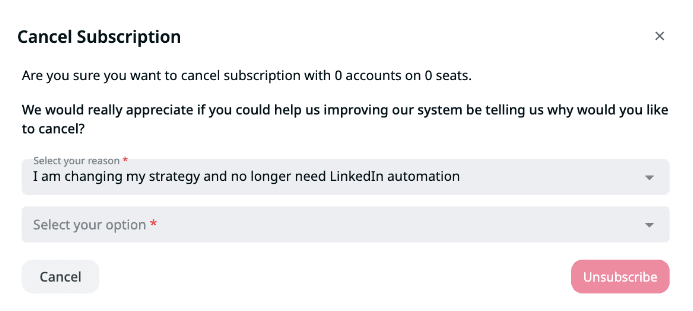
Once you cancel your subscription, you’ll immediately lose access to Expandi features. So, we advise you to do it at or near the end of your billing cycle.
Ready to try an Expandi alternative?
Choose the tool that solves your actual bottleneck. For some teams, that’s a lower-cost desktop setup. For others, it’s bringing prospecting, email discovery, conditional outreach, and conversations together.
If that second workflow sounds like yours, we’d love to help. 🙂
Start your seven-day Skylead free trial, add a zero in on your leads thanks to robust prospecting feature and AI data enrichment. Build one LinkedIn-and-email sequence and let AI SDR handle the conversations. Compare the setup and day-to-day work with your current process. You can also check current plans or say hello through our website chat.