31 LinkedIn Bots Compared: Features, Pricing, Pros & Cons
Updated on: October 22nd, 2026
Looking for a LinkedIn bot that takes repetitive outreach off your plate? You’ve got plenty of options. Choosing one that fits your sales process takes a little more digging.
Some tools send connection requests and follow-ups. Others help you find prospects, enrich their information, combine LinkedIn with email, and manage replies. A growing number also offer AI features - but an AI message writer and an AI SDR that handles conversations are very different things.
We’ve brought those differences together in one comparison, using our team’s hands-on findings.
You’ll find pricing, pros, cons, and a clear “best for” for each tool, so you can build a shortlist without opening 33 pricing tabs. Well, unless you enjoy that sort of thing. 🙂
Disclaimer: Skylead is not affiliated, endorsed by, or connected with LinkedIn in any way.

TL;DR: Which LinkedIn bot should you choose?
Start with the job you need the tool to do:
- Choose Skylead if you want company and contact prospecting, AI data enrichment, LinkedIn and email sequences, and a trainable AI SDR in one platform.
- Consider Octopus CRM or LeadConnect if your priority is straightforward LinkedIn outreach through a Chrome extension.
- Consider PhantomBuster if you need a flexible data-collection and automation toolkit and are comfortable connecting separate workflows.
- Compare Lemlist, Salesflow, We-Connect, Dripify, Waalaxy, Expandi, Meet Alfred, and LinkedFusion for different approaches to LinkedIn and email outreach.
- Look at STACKED powered by Dux-Soup or Linked Helper if you prefer LinkedIn only and desktop execution. STACKED also offers a cloud version.
- Consider Reply.io if you want a broader enterprise sales-engagement platform with an AI SDR.
- Review La Growth Machine if you want to send AI personalized messages to your 1st-degree connections on LinkedIn.
Compare the subscription price with the cost of enrichment.
LinkedIn bots compared at a glance
Pricing checked October 22, 2026. Prices retain their published currencies. Annual equivalents require annual billing. Starting prices may exclude the features needed for your workflow.
| # | Tool | Deployment / category | Best for | Pricing reference |
|---|---|---|---|---|
| 1 | Skylead | Cloud-based outreach platform | Connected prospecting, data enrichment, LinkedIn + email, and trainable AI SDR | $100/seat/month; AI add-ons extra. Agency first-year promotion: $999/month for 25 seats or $1,999 for unlimited seats |
| 2 | Crystal | Web app + Chrome extension | Personality-informed prospect and meeting preparation | Predictions: $59/month; separate products have different prices |
| 3 | GetProspect | Web app + Chrome extension | Contact discovery, enrichment, and email preparation | Free; paid from $49/month |
| 4 | UseViral | Paid engagement service | Purchasing engagement packages; not recommended for qualified prospecting | LinkedIn likes from $4.99; followers from $8.99; package prices |
| 5 | SidesMedia | Paid engagement service | Purchasing engagement packages; not a sales-outreach platform | LinkedIn likes/comments packages from $4.99 |
| 6 | Planable | Cloud content-management platform | Content collaboration, approvals, and scheduling | Basic $39/workspace/month; Pro $59; annual discounts |
| 7 | Evaboot | Chrome extension + web/API workflows | Sales Navigator exports and email enrichment | From $9/month for 100 credits; Sales Navigator separate |
| 8 | AeroLeads | Web app + Chrome extension | Contact-data purchases without recurring subscriptions | Free trial credits; $49 one-time for 2,000 credits |
| 9 | Lempod | Account-connected engagement service | Engagement-pod functionality | Lite $9.99/month; Starter $14.99; credits and add-ons apply |
| 10 | Linkboost | Server-side engagement platform | Engagement communities and AI commenting | Free; Premium $31/month and Plus $47/month, billed annually |
| 11 | SocialPilot | Cloud social-management platform | Multi-account publishing and agency content operations | Essentials $30/month; Standard $50; higher tiers available |
| 12 | Buzzli | Web content and research application | AI content creation and prospect research | 750 one-time free credits; paid packs from ₹667 |
| 13 | Taplio | Cloud content and engagement platform | LinkedIn publishing, AI content, and personal branding | Starter $39/month; Growth $69; Pro $199 |
| 14 | Octopus CRM | Chrome extension | Simple LinkedIn action campaigns | From $9.99/month |
| 15 | PhantomBuster | Cloud workflows + Chrome extension for LinkedIn | Data collection and configurable automation | From $56/month, billed annually |
| 16 | Lemlist | Cloud platform + supporting extension | Email-led multichannel sales engagement | Email Pro $69/user/month; Multichannel Expert $109; annual discounts |
| 17 | We-Connect | Cloud outreach platform | LinkedIn campaigns, optional email, and AI reply modes | Growth $69/seat/month; Professional $79; annual discounts |
| 18 | LeadConnect | Chrome extension + reporting dashboard | LinkedIn connection and follow-up workflows | Free; paid from $25.95/month |
| 19 | Salesflow | Cloud outreach platform | Branching LinkedIn + email campaigns and team management | From $99/seat/month; volume tiers available |
| 20 | Waalaxy | Extension-based LinkedIn automation + web app | Template-led outreach | Displayed rates: Pro €19, Advanced €49, Business €69/user/month; confirm billing term |
| 21 | Expandi | Cloud outreach platform | Conditional LinkedIn + email sequences | $99/account/month; agency terms custom |
| 22 | STACKED powered by Dux-Soup | Local desktop or cloud | LinkedIn drip campaigns with a choice of execution model | Local $55/month; Cloud $99; annual discounts |
| 23 | Dripify | Cloud platform + supporting extension | Visual LinkedIn + email sequences and step analytics | Pro $79/user/month; Advanced $99; annual discounts |
| 24 | Linked Helper 2 | Desktop; optional cloud data storage | Detailed LinkedIn workflows a | Local Standard $15/month; cloud-storage Standard $29.90 |
| 25 | MeetAlfred | Cloud outreach and publishing platform | Outreach alongside social publishing | Confirm live configuration; conflicting public price displays |
| 26 | LinkedFusion | Cloud outreach platform | LinkedIn campaigns and CRM synchronization | From $65.95/user/month |
| 27 | LinkedProspect | Cloud outreach platform | Self-service campaigns and managed options | Basic $49/month; Standard $99; email add-on $49 |
| 28 | Reply.io | Cloud sales-engagement platform | Multichannel sales workflows and optional autonomous AI SDR | Multichannel from $99/user/month; Jason AI SDR separately priced |
| 29 | Podawaa | Community extension or hosted Private mode | Engagement boosts and content tools | Free Community plan; Private Scale €59/month, Accelerate €89, Dominate €159 |
| 30 | La Growth Machine | Cloud multichannel platform; Chrome extension for lead extraction | Connected prospecting, enrichment, and outreach | Basic from €60/identity/month, billed annually |
| 31 | IFTTT | Cloud integration platform | Publishing updates to a personal LinkedIn profile | Free; Pro $2.99/month and Pro+ $8.99/month, billed annually |
The lowest-priced plan may not include the features discussed below. Each review explains the important differences.
How we evaluated these LinkedIn bots
We evaluated the tools around their intended use case: sales prospecting and outreach, marketing through content and follower growth, or a combination of both. A bot designed to manage posts or grow an audience serves a different purpose from one built to find prospects and start sales conversations.
For sales-focused tools, we assessed the workflow a sales team or agency needs to complete: find a relevant prospect, understand their business, reach out, and handle the conversation. For marketing-focused tools, we considered content management, audience growth, and engagement features.
We considered seven areas:
| Evaluation area | What we looked for |
|---|---|
| Primary use case | Whether the tool supports sales prospecting and outreach, marketing through content and follower growth, or both |
| Deployment | Whether automation runs in the cloud, through a browser extension, or in a desktop app; whether your browser or computer must stay on |
| Prospecting | Search sources, built-in databases, company lists, decision-maker discovery, and intent signals |
| Data enrichment | Email discovery versus broader contact and company research; providers, verification, and usable campaign variables |
| Outreach | LinkedIn actions, email, conditional branches, reply stopping, personalization, and campaign editing |
| AI SDR | Whether AI only writes copy, assists with replies, or can handle conversations toward a meeting |
| Practical ownership | Content scheduling and audience analytics where relevant, plus inbox coverage, reporting, CRM synchronization, team permissions, agency controls, and total cost |
This is a workflow comparison, not a controlled benchmark of reply rates or account-restriction rates.
We also publish Skylead, so we explain where it fits and where a simpler or differently structured tool may suit you better.
What is a LinkedIn bot?
LinkedIn bots, also known as LinkedIn automation tools, are designed to simplify the outreach process by largely decreasing the number of manual tasks. This means time-consuming actions like sending messages, invites to connect, follow-ups, scraping profiles, and posting updates are fully automated.
But how does it work? Here’s an example. ?
The bot analyzes your lead source, which could be one of the following:
- LinkedIn search URL
- Sales navigator search URL
- Recruiter search URL
- Imported list of leads from a CSV file
- People who’ve liked a post on LinkedIn
- Imported Sales navigator leads list
- Recruiter talent pool
- Recruiter pipeline
It then performs all the previously mentioned actions according to your settings and interacts with the selected prospects on autopilot. Did we mention that this happens while you’re focusing on something else? The magic of LinkedIn bots is this - once you tune it according to your needs, it works on its own for you.
Those are category-level examples. Individual tools support different sources and actions. You remain responsible for targeting, message accuracy, consent and privacy obligations, and responding appropriately to prospects.
Send LinkedIn connection requests
LinkedIn connection bots can help with one of the most basic LinkedIn tasks, such as sending connection requests. You can target a certain group of people when entering a lead source, and the bot will do the rest.
Send drip messages & run sequences of actions
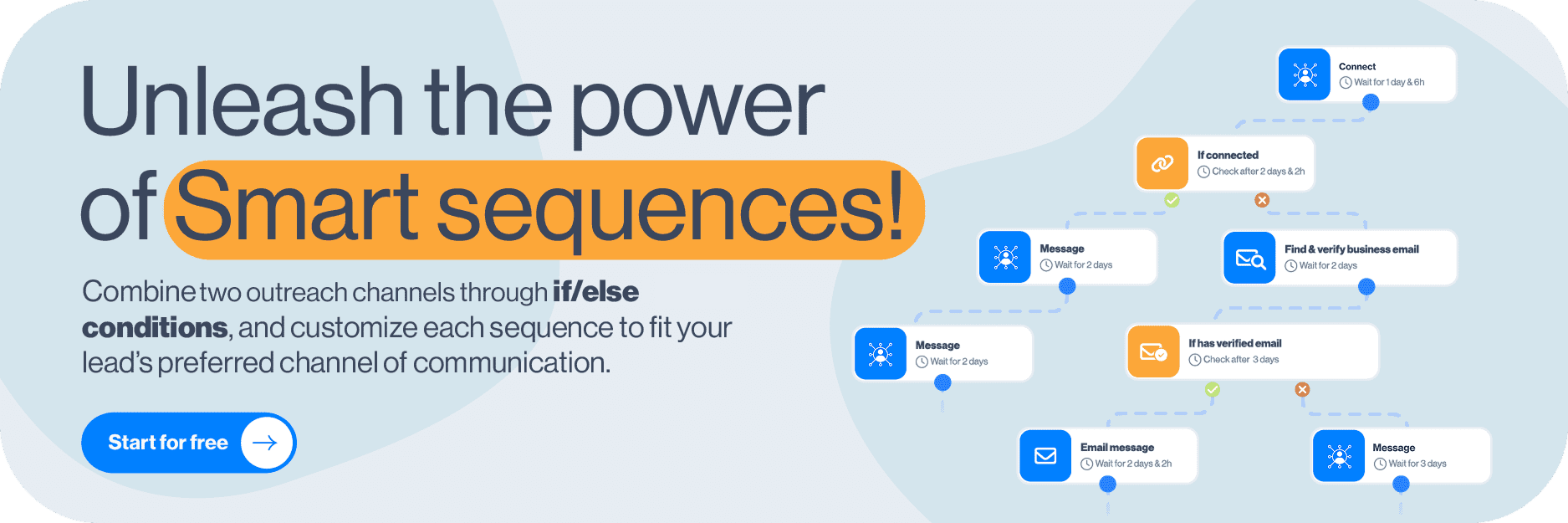
You’ve found your target audience, but now it’s time to reach them with your pitch. LinkedIn bots can automate the entire process by sending a series of messages in a drip campaign. You craft the campaign and messages, and the bot delivers. Some tools even offer a multichannel smart sequence feature, that lets you combine outreach methods. This means you can send outreach messages according to your prospects’ actions, covering all scenarios with if/else conditions.
Personalize LinkedIn messages
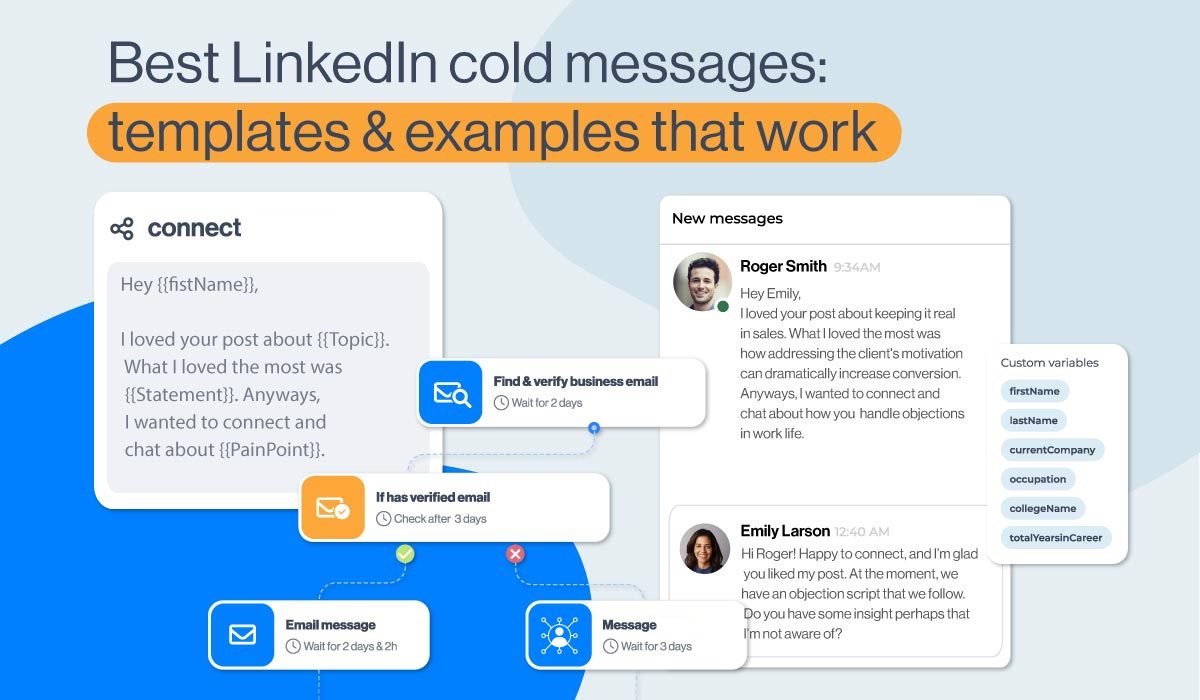
A good LinkedIn connection bot can offer you the option to personalize your content. Most tools are working hard to give as many personalization options as possible to balance out the automation. Message hyper-personalization is possible by adding native variables to your message requests, InMails, or follow-up messages such as:
- Name
- Last name
- Current company
- Years in current company
- Total career positions count
- Total years in career
- College name
- Occupation
Available variables depend on the tool and the data you actually have. Preview messages with missing fields before launching a campaign; a substitute variable is much better than sending “Hi {first_name}.”
31 LinkedIn bots to consider
1. Skylead
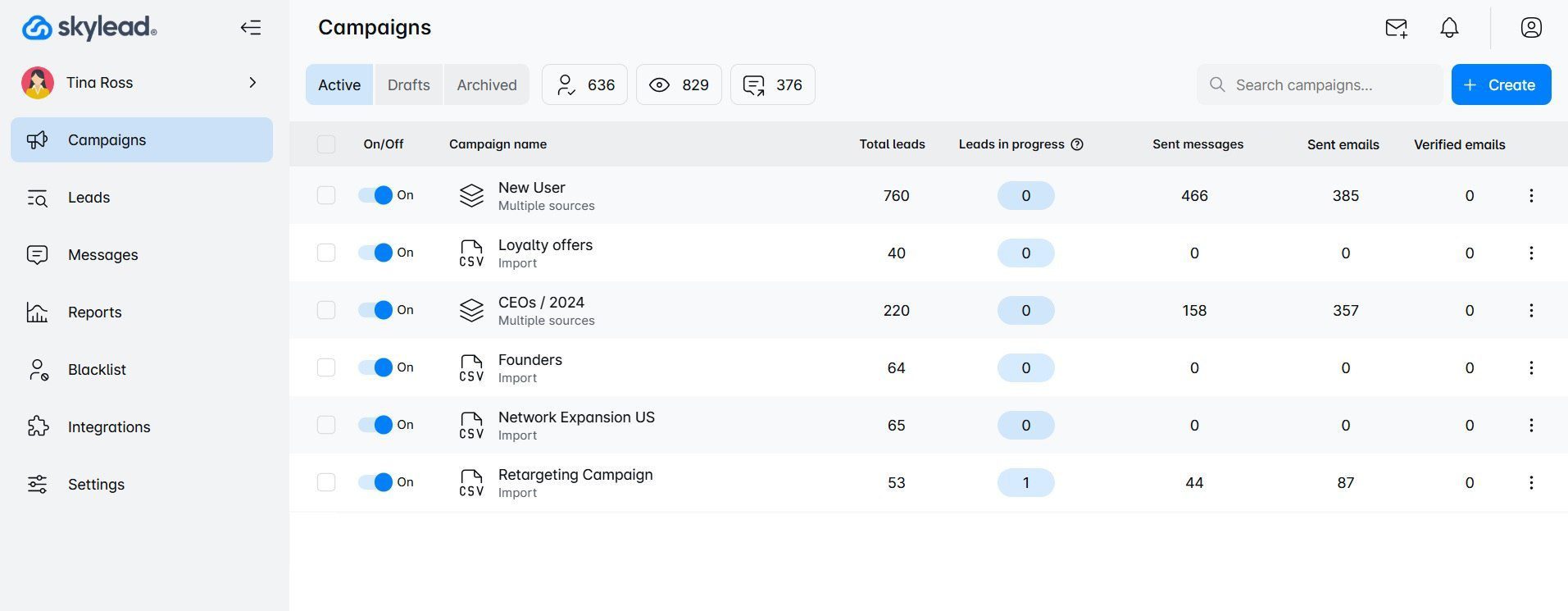
Best for: Sales teams and agencies that want prospecting, enrichment, LinkedIn and email outreach, and AI-assisted conversation handling in one workspace.
Skylead is a cloud-based LinkedIn automation tool and cold email software that thinks and works for you! It’s made for agencies , sales teams, founders, marketers, recruiters, individuals, and agencies looking to scale their business.
Pros
Skylead is your all-on-one comprehensive platform that is both LinkedIn automation tool and cold email software, but also supports prospecting, AI data enrichment and AI SDR all in one. It offers sales teams, marketers, agency founders, and recruiters a chance to streamline their multichannel outreach efforts.
One of our main features is smart sequences. Skylead is the first software to introduce smart sequences to automation tools. You can use them to combine two outreach channels according to your prospects’ behavior by using if/else conditions and multiple actions.
Another pro of Skylead is the fact that you can add unlimited email accounts and warm them up at no extra cost. It also has a native image & GIF personalization feature and a personalized messages option. Our research suggests that when using personalization, you get a 63% higher response rate.
Remember - the best way to find your ideal leads is to find your ideal companies first. That is exactly what Skylead offers - account based prospecting. With it you can:
- Create account lists directly in Skylead
- And discover contacts by company to reach them out.
Apart from account-based prospecting, we introduced a game-changing feature - AI data enrichment which you can use to:
- Enrich contact & company data
- Prompt AI to get specified info or generate personalized icebreakers for each contact
- Use all gathered info directly inside your sequences as variables.
It’s Clay-like in what it can uncover, but it’s connected to your outreach workflow, so you avoid constant tool switching and data importing.
Lastly, you can also integrate Skylead with your chosen CRM via a Zapier webhook or an API and transfer data between tools. Lastly, Skylead offers thorough insights and analytics and the A/B testing option. This means you’ll see detailed reports about your results, plus you’ll get to test out what approach works best with your prospects.
Cons
You can make campaigns in Skylead from multiple sources, but you cannot make campaigns from a group search. Nonetheless, if you want to create a group-based campaign, you can do so by using LinkedIn Sales Navigator filters and import prospects via a CSV file.
Another thing to note is that Skylead does not have a X integration, which is used as a means of expanding your social selling strategy. However, bots that support X can only automate post likes and reposts, which won’t help much with overall outreach efforts.
Conclusion
We believe that Skylead is a comprehensive tool that supports multiple advanced features that you would have to pay extra for with other bots. Keep in mind that when picking a bot, you need to have a combination of quality features, safety, a friendly interface, and a reasonable price per month. Skylead checks all the boxes, plus impeccable customer support. All of these factors contribute to our tool's effectiveness, cutting manual tasks and saving up to 11+ hours of manual work per week.
2. Crystal
Best for: Preparing communication approaches and sales conversations using personality insights.
Deployment: Web application with a Chrome extension and integrations.
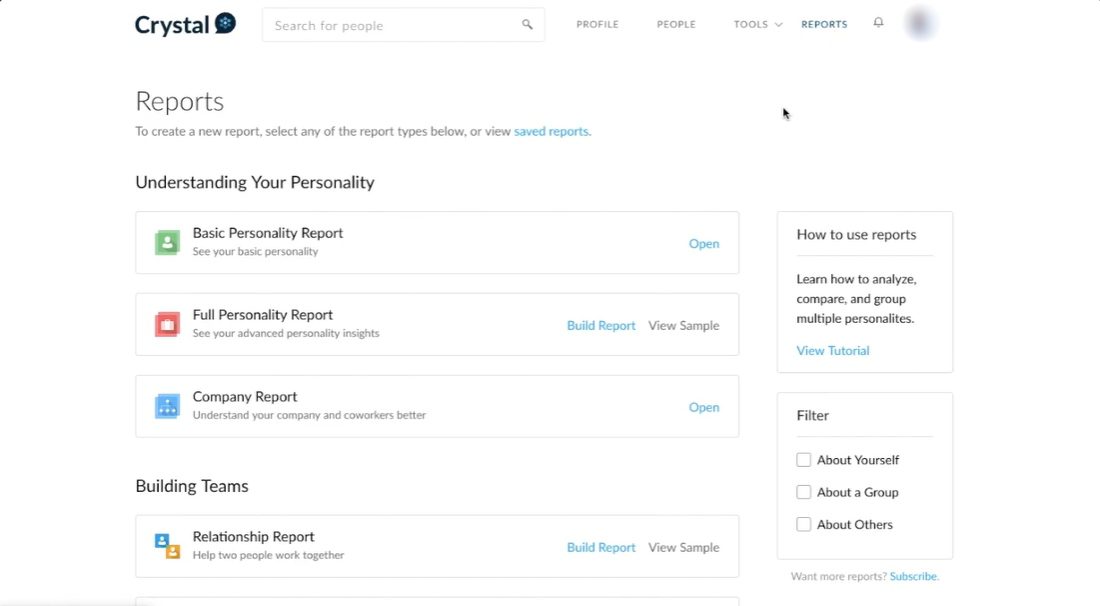
Crystal helps you think about how to communicate with a prospect. Its Predictions product provides personality-informed buyer profiles, meeting preparation, and follow-up guidance.
That makes it a supporting research tool rather than a LinkedIn connection-request or messaging bot. You could use its suggestions while preparing outreach, but personality predictions should be treated as hypotheses about communication preferences, not established facts about a person.
Pros
- Provides communication guidance and meeting-preparation material.
- Offers a LinkedIn connector for prospect research.
- Has team and API options for incorporating insights into other workflows.
Cons
- Does not replace a LinkedIn outreach sequence builder.
- Personality predictions need judgment and should not override what prospects actually tell you.
- Predictions, Assessments, and the API are separate products, so check which subscription you need.
Pricing
Crystal Predictions Premium is $59/month, or $590 annually, including 20 prospect profiles per month. Its one-time trial includes three prospects. Crystal’s separate $49/month Premium product should not be confused with the Predictions subscription. See Crystal pricing.
3. GetProspect
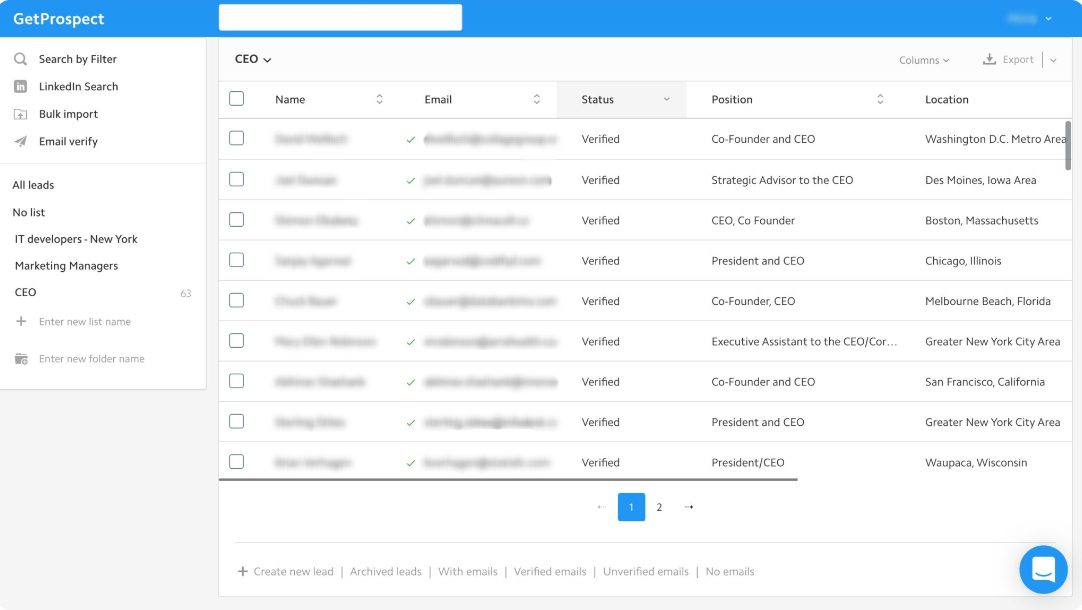
Best for: Finding business contact details, enriching prospect lists, and preparing email outreach.
Deployment: Web application, Chrome extension, API, and integrations.
GetProspect provides a searchable database of people and companies. You can filter prospects, organize lists, find verified business emails, obtain available phone numbers, and enrich imported files.
Its extension brings contact discovery into LinkedIn and Sales Navigator browsing. Current materials also describe cold email functionality, so calling it exclusively an email finder would overlook part of its offering.
The distinction for this comparison: contact discovery and email outreach do not automatically establish LinkedIn connection-request automation or a cross-channel AI SDR.
Pros
- Combines database search, lists, and contact enrichment.
- Supports CSV enrichment, CRM integrations, and API access.
- Shared workspace credits and unlimited teammates.
- A free allowance lets you check data coverage.
Cons
- Email, verification, and phone credits are separate balances.
- Data availability varies by prospect.
- A LinkedIn messaging sequence builder and autonomous AI SDR were not established in this review.
Pricing
Free includes 50 valid emails and 100 verifications. Monthly paid plans start at $49 for Starter and $99 for Growth 5K. Check email-sending allowances separately from contact-data credits. See GetProspect pricing.
4. UseViral
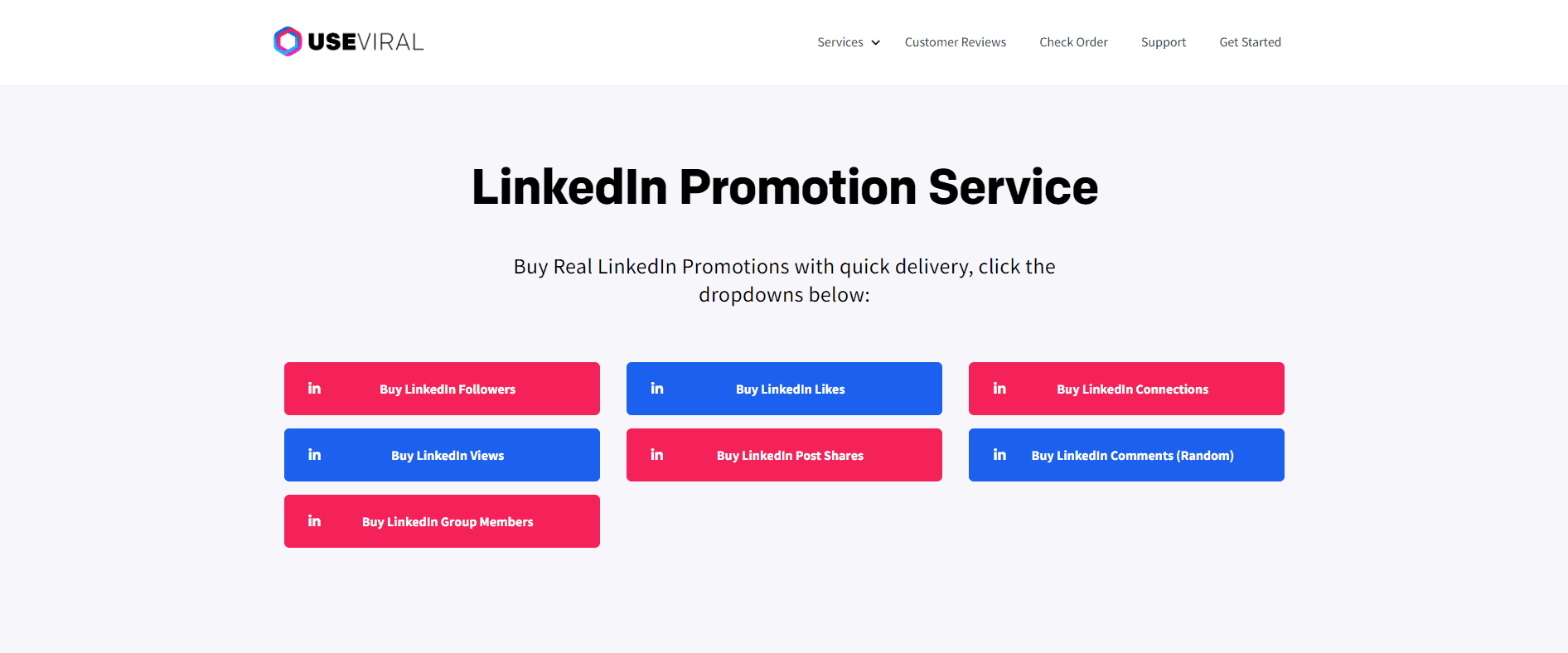
Best for: Understanding paid social-engagement services; not recommended here for qualified B2B prospecting.
Deployment: Website-based ordering service rather than an outreach application.
UseViral sells packages of LinkedIn followers, likes, and connections alongside services for other platforms.
That is a different purchase from software that identifies relevant decision-makers and manages conversations. Buying engagement does not establish that the accounts match your ICP, have buying intent, or will become customers.
The vendor makes claims about account authenticity and safety. We have not independently verified those claims or established a conversion benefit.
Pros
- Public package pricing.
- The vendor describes an ordering process based on a public profile or post URL.
Cons
- Does not provide a comparable prospecting, enrichment, sequence-building, or AI SDR workflow.
- Purchased counts do not demonstrate qualified audience growth.
- Claims about safety, authenticity, and business outcomes require independent evidence.
Pricing
The site lists LinkedIn likes from $4.99, followers from $8.99, and connections from $19.99. These are package starting prices, not monthly outreach subscriptions. See UseViral’s services.
For a sales pipeline goal, prioritize relevant conversations over purchased engagement totals.
5. SidesMedia
Best for: Comparing paid engagement packages; not recommended here as a sales-outreach platform.
Deployment: Website-based service ordering.
Similar to UseViral, SidesMedia sells social engagement, including LinkedIn likes and comments. You select a package and submit the relevant public URL.
Its offering does not provide the same workflow as a LinkedIn automation platform: researching accounts, qualifying contacts, sending personalized sequences, and handling sales replies.
We have not independently verified its claims about account quality, delivery, account safety, or conversion impact.
Pros
- Package-based ordering.
- Published service options and starting prices.
Cons
- Purchased engagement is not evidence of qualified demand.
- No comparable prospecting database, enrichment workflow, or AI SDR was established.
- Engagement purchases can make performance harder to interpret if they are mixed with earned audience activity.
Pricing
The dedicated LinkedIn likes and comments page advertises packages from $4.99. Prices depend on the selected service and quantity. See SidesMedia’s LinkedIn offering.
6. Planable
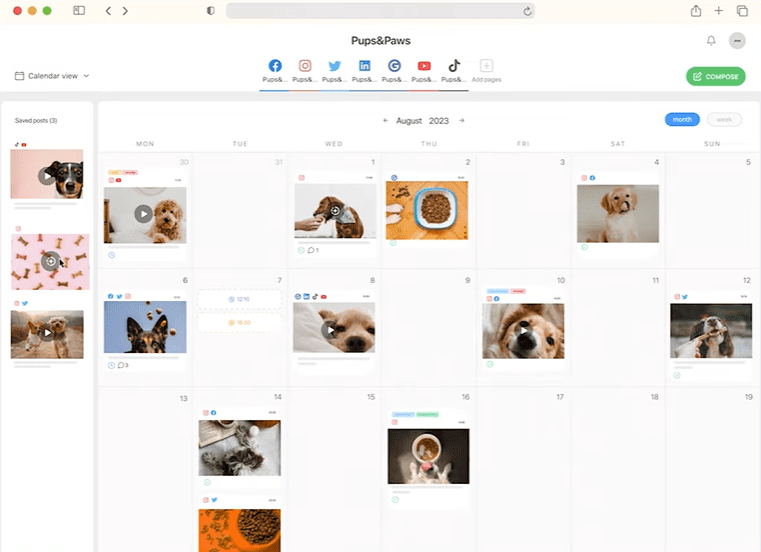
Best for: Teams and agencies planning, reviewing, approving, and scheduling LinkedIn content.
Deployment: Cloud application with mobile access.
Planable helps teams organize content production. You can prepare posts, collect feedback, manage approvals, and schedule publishing through a shared workspace.
This solves a collaboration problem rather than a prospecting problem. Its social inbox and AI reply suggestions also need to be understood in context: supported comments and messages vary by network. A social inbox does not automatically mean access to personal LinkedIn sales conversations.
Pros
- Shared calendars, previews, and feedback.
- Unlimited users on paid plans.
- Required approvals on Pro and more complex approval workflows on Enterprise.
- Suitable for separating client or brand workspaces.
Cons
- Does not replace a LinkedIn connection-request and follow-up platform.
- Costs scale with workspaces.
- Analytics, social inbox, and listening can add to the subscription.
- Channel-specific inbox coverage needs checking.
Pricing
Monthly plans are Basic $39/workspace and Pro $59/workspace; Enterprise is custom. Annual billing reduces the equivalent monthly cost. The first 50 posts are free in total, rather than a recurring monthly allowance.
7. Evaboot
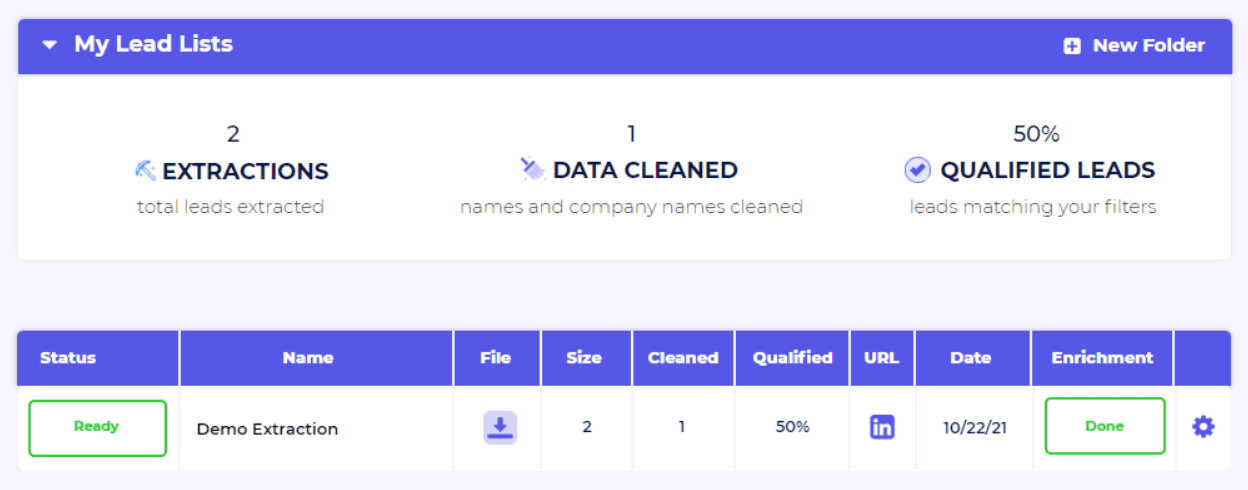
Best for: Exporting and cleaning Sales Navigator prospect data, then finding and verifying business emails.
Deployment: Chrome extension with a web dashboard, API, and integrations.
Evaboot focuses on preparing prospect data for the next stage of your workflow. It supports Sales Navigator exports, data cleaning, filtering, LinkedIn URL enrichment, and email discovery.
You still need an outreach platform to run outreach campaigns and conversations. API or MCP access can connect Evaboot to an AI-assisted workflow, but those connections do not make it an autonomous AI SDR.
An active Sales Navigator seat is required for its Sales Navigator export workflow.
Pros
- Focused export and data-preparation workflow.
- Email finding and verification.
- Shared credits with unlimited seats.
- API and integration options.
Cons
- Sales Navigator adds a separate subscription cost for that workflow.
- Does not replace a multichannel sequence builder or sales inbox.
- Exporting a lead consumes a credit even when no email is found.
Pricing
Starter is $9/month for 100 credits, Grow $29 for 400, and Scale starts at $49 for 1,000. Credit consumption depends on the operation. See Evaboot pricing.
8. AeroLeads
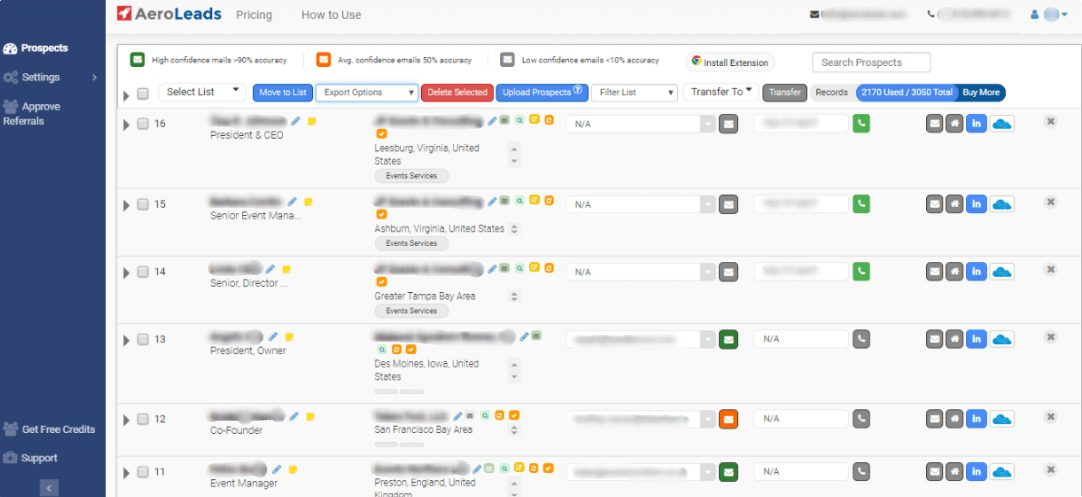
Best for: Buying contact-data credits without committing to a recurring data subscription.
Deployment: Web application with a Chrome extension and API/integration options.
AeroLeads helps find business emails, phone numbers, company information, and decision-makers. It also supports list enrichment and contact discovery while browsing LinkedIn.
Its current pricing differs from older subscription descriptions: the public page now offers one-time credit packs.
Think of it as a data source for prospecting and enrichment. They do not offer a native LinkedIn-and-email sequence builder or autonomous reply-handling AI SDR.
Pros
- One-time purchases rather than automatic subscription renewal.
- Email and phone data available from the same credit balance.
- Database search, list enrichment, and integration options.
- Ten free credits for checking coverage.
Cons
- Phone numbers consume more credits than emails.
- Data availability varies.
- A separate outreach platform may still be needed.
- Maximum email and phone allowances are alternatives, not quantities you receive together.
Pricing
Take Off is $49 for 2,000 credits, Climb $149 for 8,000, and Cruise $299 for 20,000. A verified business email uses one credit; a personal phone number uses five. See AeroLeads pricing.
9. Lempod
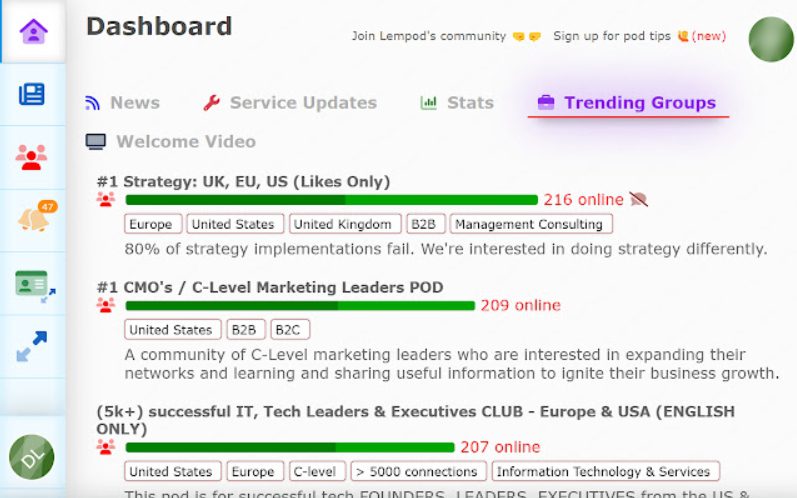
Best for: Comparing engagement-pod functionality; not a replacement for prospecting or sales outreach.
Deployment: Account-connected engagement service; confirm the current browser and execution requirements during onboarding.
Lempod organizes engagement around pods: groups whose members support posts through likes and comments. Its website also describes AI-generated comments and engagement tracking.
Lempod and Lemlist are separate products. Lempod focuses on post engagement; Lemlist focuses on sales engagement and outreach.
More reactions do not prove that you reached relevant buyers. Automated engagement also carries platform-policy and reputational considerations, so review what the tool will do through your account.
Pros
- Pod selection by industry and location.
- Post-engagement tracking.
- AI-assisted comment functionality.
Cons
- Does not establish buyer intent or sales qualification.
- No comparable prospecting, enrichment, or multichannel sales sequence was established.
- Credit balances and add-ons make costs more involved than the old per-pod model.
Pricing
Current listed monthly plans include Lite $9.99, Starter $14.99, and Essential $29.99, with higher tiers available.
10. Linkboost
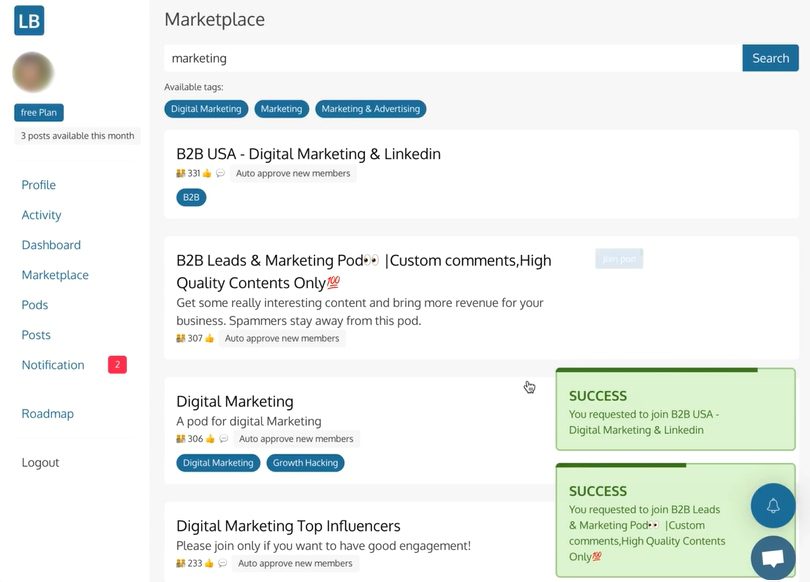
Best for: Comparing LinkedIn engagement communities and AI-assisted commenting.
Deployment: Server-side service, according to its current website.
Similar to Lempod, Linkboost, the product at linkboost.co, uses engagement pods and AI commenting to support LinkedIn content activity. It is different from similarly named SEO link-building products.
Its offering includes pod management, audience options, analytics, and AI comments. Some paid features extend to connecting with pod members.
That remains a different use case from researching target accounts, enriching contacts, and managing conditional LinkedIn-and-email campaigns. Pod membership alone does not establish that someone is a relevant prospect.
Pros
- Free entry plan.
- Pod creation and management.
- Audience controls and engagement reporting.
- AI-assisted comments on paid plans.
Cons
- Engagement totals do not demonstrate qualified leads.
- No comparable enrichment or autonomous AI SDR was established.
- Automated interactions need review for relevance and account-policy risk.
Pricing
Free includes three posts per month. The displayed annual-billing equivalents are $31/month for Premium and $47/month for Plus. Monthly billing differs. See Linkboost’s current plans.
11. SocialPilot
Best for: Agencies and teams managing LinkedIn publishing alongside other social channels.
Deployment: Cloud application.
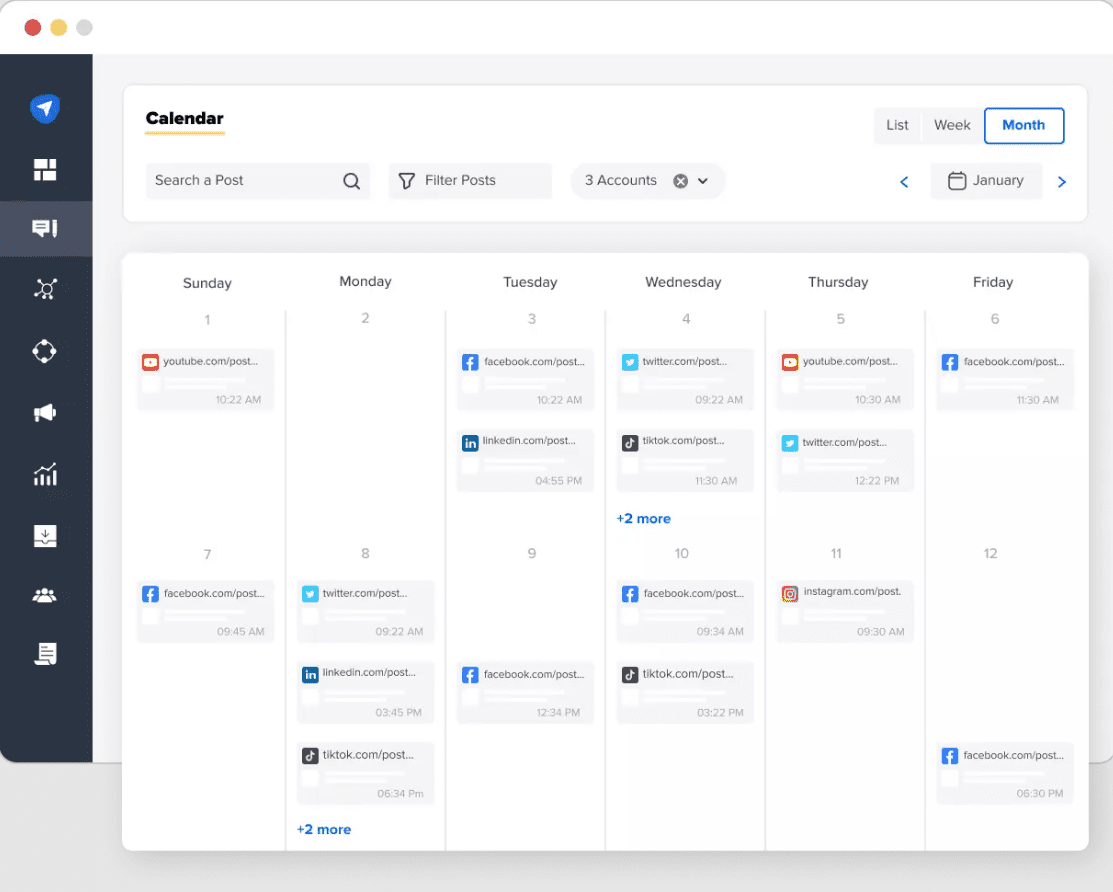
SocialPilot supports content scheduling, publishing, AI-assisted creation, reporting, and team workflows. Higher plans add client approvals and branded reporting.
Its value is coordinating content operations across accounts. It is not a direct substitute for a prospecting database or LinkedIn connection-to-follow-up campaign.
When evaluating its inbox, check the exact network and account-type coverage. A cross-platform inbox feature does not establish access to every kind of LinkedIn message.
Pros
- Multi-account publishing and content organization.
- Team and client approval options.
- Analytics and white-label reporting on eligible plans.
- A fourteen-day trial without a credit card.
Cons
- Account and user allowances vary by plan.
- Advanced analytics and agency features require higher tiers.
- A comparable LinkedIn prospecting, enrichment, and AI SDR workflow was not established.
Pricing
Published USD monthly rates are Essentials $30, Standard $50, and Premium $100.
12. Buzzli
Best for: LinkedIn content creation and sales research with usage-based credits.
Deployment: Web application.
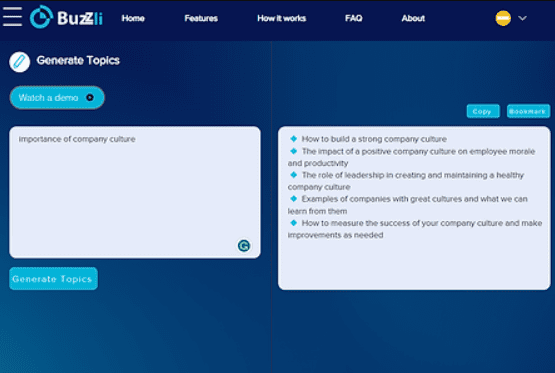
Buzzli’s current offering includes AI-assisted posts, content ideas, scheduling, and profile analysis.
Its Sales product also supports finding LinkedIn leads, saving lists, discovering available emails, and generating research insights.
Here’s the important boundary: Buzzli says Outreach Studio prepares and saves drafts; it does not send messages for you. Research and drafting therefore should not be described as automated outreach or an autonomous AI SDR.
Pros
- Content creation and lead research in one product.
- Saved prospect lists and research insights.
- Published credit costs for sales-research actions.
Cons
- Outreach drafts require a separate sending step.
- Email and research coverage depend on available data.
- Search, email discovery, content, and insights consume credits differently.
Pricing
The current site lists free plan for 17 posts, a Pro pack of $12.5, and Premium with 10,000 credits for $25. These are displayed as pay-as-you-go purchases, not monthly subscriptions. See Buzzli’s current offering.
13. Taplio
Best for: LinkedIn content creation, publishing, engagement, and personal-brand management.
Deployment: Cloud application.
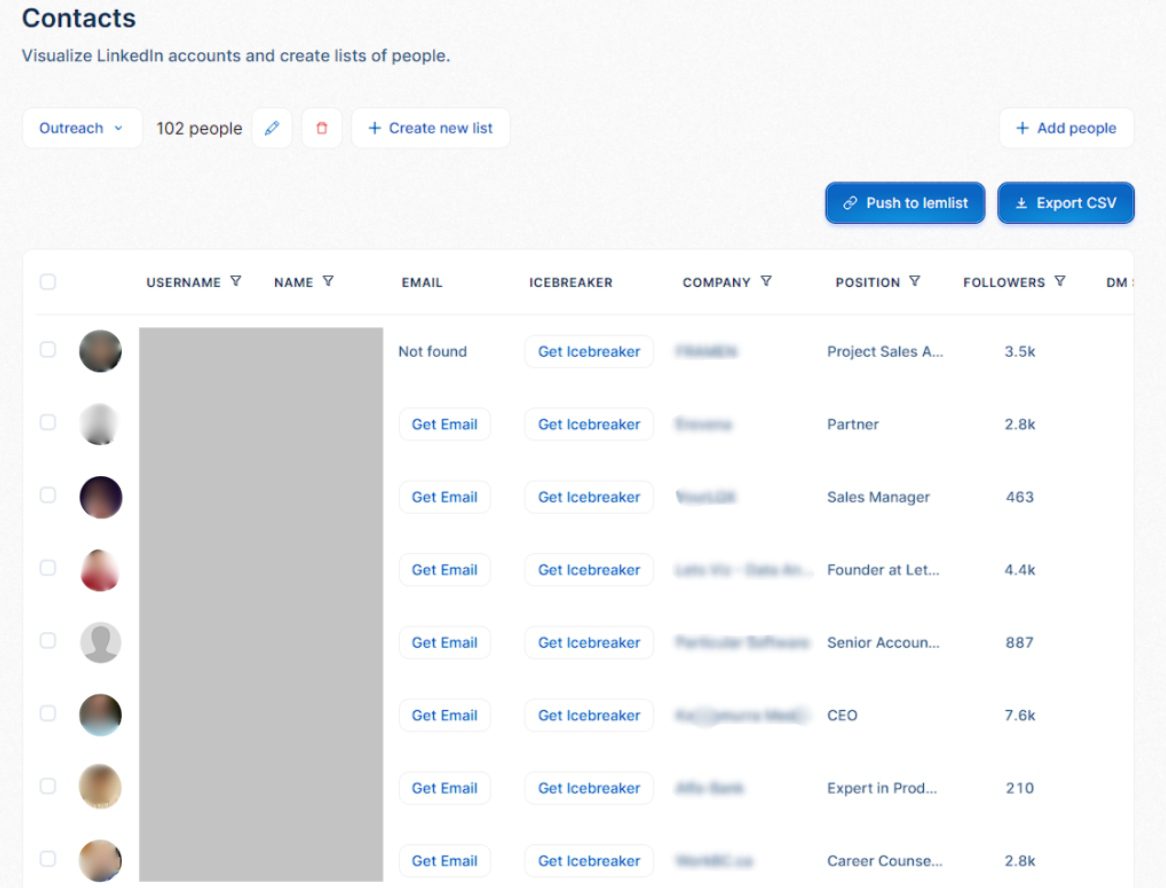
Taplio combines post planning, scheduling, analytics, and content inspiration. Growth adds AI writing and commenting; Pro adds higher AI allowances and advertised lead-outreach functionality.
That means calling it exclusively a scheduler would be too narrow. However, the existence of outreach features does not establish a configurable enrichment pipeline, LinkedIn-and-email branching, or autonomous sales-reply qualification.
For a content-led strategy, it is worth evaluating. For outbound sales, ask to see your exact prospect-to-reply workflow.
Pros
- Connected content planning, publishing, and analytics.
- AI writing and commenting on eligible plans.
- Contact-list and lead-related features.
- Seven-day trial with Pro access.
Cons
- Starter does not include AI writing.
- Advanced lead functionality requires Pro.
- A comparable multichannel sequence builder and autonomous AI SDR were not established in this review.
- Content engagement needs separate measurement from sales outcomes.
Pricing
Monthly plans are Starter $39, Growth $69, and Pro $199. Annual equivalents are $32, $49, and $149 per account/month.
14. Octopus CRM
Best for: Individuals who want straightforward LinkedIn action campaigns at a lower starting price.
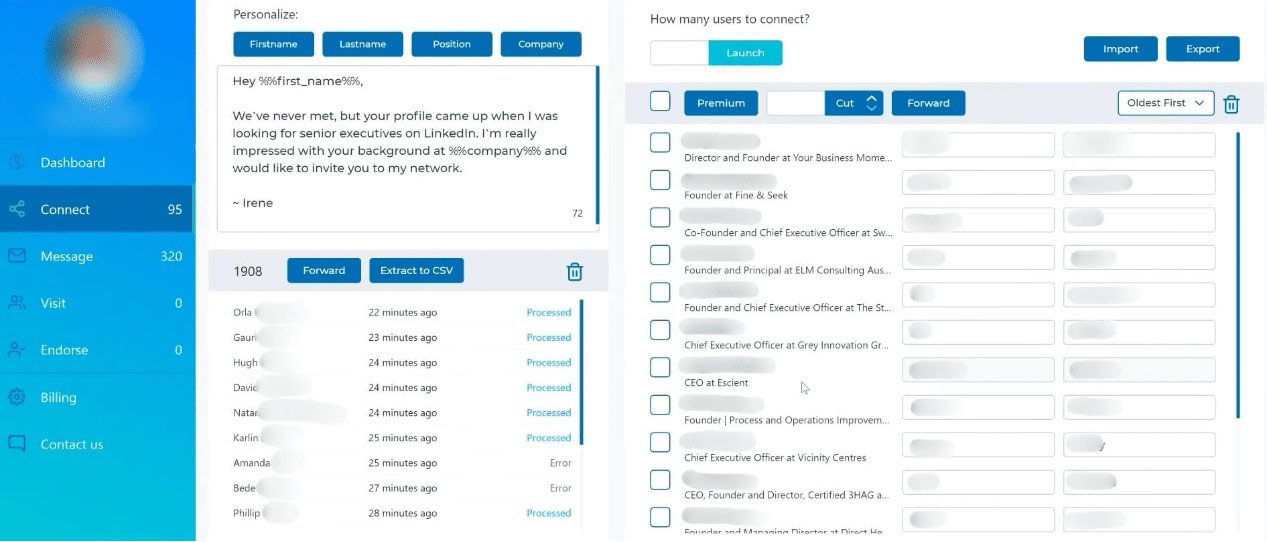
Octopus CRM runs through a Chrome extension. You transfer prospects from supported LinkedIn searches, existing connections, or CSV files into campaigns organized around four actions: Connect, Message, Visit, and Endorse.
Its campaign-linking feature can move people who accept an invitation into a messaging campaign. That supports a simple connection-to-follow-up process, although our team did not find a custom builder with complex conditional branches.
Personalization covers basic profile fields, while campaign reporting tracks activity, acceptance, and responses.
One distinction worth making: “Connect by email” sends a LinkedIn invitation using an email address. It is not cold email outreach.
Pros
- Accessible starting price.
- Clear action-based campaign setup.
- CSV exports and Zapier integration.
- Campaign history helps avoid repeating processed actions.
Cons
- No cold email campaigns.
- No shared cloud team workspace or integrated reply inbox in our review.
- Less flexible campaign logic than branching builders.
- Limited outreach: Doesn't have smart outreach sequence with if/else conditions like Skylead
Pricing
Monthly plans are Starter $9.99, Pro $14.99,
15. PhantomBuster
Best for: Teams that need configurable data collection and automation across several platforms.
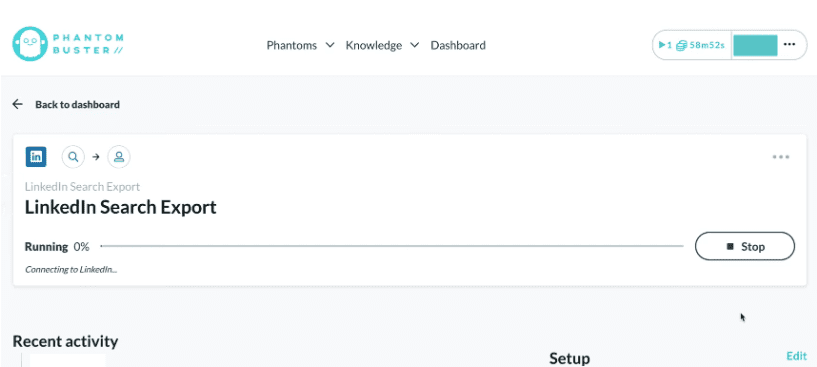
PhantomBuster executes workflows in the cloud. Its Chrome extension helps connect account sessions; the product is broader than an extension that sends LinkedIn invitations.
Our team explored LinkedIn data collection, profile enrichment, email discovery, and separate outreach workflows. PhantomBuster also supports other platforms, making it useful when your research process extends beyond LinkedIn.
Its flexibility comes with assembly work. Collecting leads, enriching them, and starting outreach can involve separate automations. In our reviewed workflow, it did not provide the same integrated LinkedIn-and-email branching experience or reply-management workspace as a dedicated sales-engagement platform.
Pros
- Broad data-collection and automation use cases.
- Flexible workflows and integrations.
- Email discovery and verification options.
- Useful for teams comfortable connecting tools.
Cons
- Several workflows may be needed for one sales process.
- Execution time, automation slots, and credits affect capacity.
- No autonomous reply-handling AI SDR was established in our review.
- Setup and maintenance can be more involved than a dedicated outreach platform.
Pricing
The public page displays USD annual-billing equivalents: Start $56/month, Grow $128/month, and Scale $352/month. Compare execution hours, automation slots, email credits, and AI allowances, not just the headline rate. See PhantomBuster pricing.
16. Lemlist

Best for: Sales teams combining email and LinkedIn with a broader outbound workflow.
Lemlist is a cloud sales-engagement platform with a supporting Chrome extension for LinkedIn outreach. Our team reviewed its lead imports, database, conditional campaigns, personalization, inbox, and reporting. LinkedIn steps can sit alongside email and other outreach tasks, while CRM imports and signals provide additional campaign entry points.
The platform also offers enrichment, with usage and availability depending on your plan and add-ons.
lemAgent helps with work such as finding leads, building campaigns, and analyzing results. We distinguish that campaign assistance from an AI SDR independently handling every prospect conversation.
Pros
- Broad outreach-channel coverage.
- Conditional campaigns and multiple personalization options.
- Central conversation management.
- CRM integrations and campaign-building assistance.
Cons
- Data and signal costs can increase the total.
- Connected-sender allowances depend on the plan.
- More configuration than a LinkedIn-only tool.
- Campaign assistance should not be mistaken for a fully autonomous reply workflow.
Pricing
Email Pro is $69/user/month, and Multichannel Expert is $109/user/month. Their annual equivalents are $55 and $87. Data and Signals have separate pricing options. Check current warm-up inclusions rather than relying on older comparisons. See Lemlist pricing.
17. We-Connect
Best for: Teams comparing cloud LinkedIn outreach with optional email and AI reply handling.
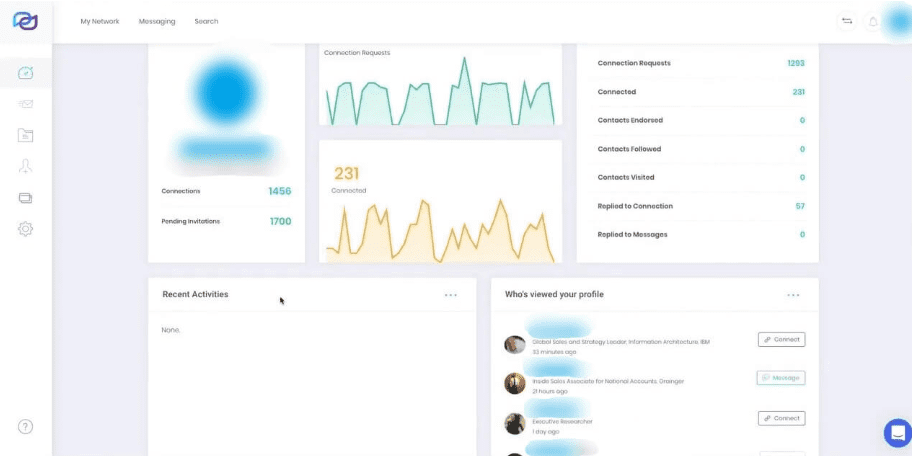
We-Connect provides a visual campaign builder with conditional paths. Our team also reviewed its LinkedIn lead sources, watchlists, team controls, and agency options.
Growth focuses on LinkedIn. Professional adds email to the workflow, which matters if you want prospects to move between channels.
Some builder and prospecting capabilities carry beta, limited-time, or coming-soon labels. Treat those labels as part of the buying decision.
The current public offering also advertises AI replies in copilot and autonomous modes. That updates our earlier findings: it would be inaccurate to describe We-Connect as offering writing assistance only. We have not established an equivalent to Skylead’s reusable agency Training Sets.
Pros
- Cloud execution and conditional campaign paths.
- LinkedIn sourcing and monitoring options.
- Email available on Professional.
- Team, agency, and white-label options.
Cons
- Growth does not include multichannel email campaigns.
- Some advertised capabilities have availability qualifications.
- Verify enrichment coverage and AI controls in your intended plan.
- Coming-soon features should not determine a purchase today.
Pricing
Monthly pricing is $69/seat for Growth and $79 for Professional; annual equivalents are $49 and $59. The Scale tier was marked coming soon when checked. Agency pricing is custom. See We-Connect pricing.
18. LeadConnect
Best for: LinkedIn connection and follow-up campaigns with HubSpot handoffs.
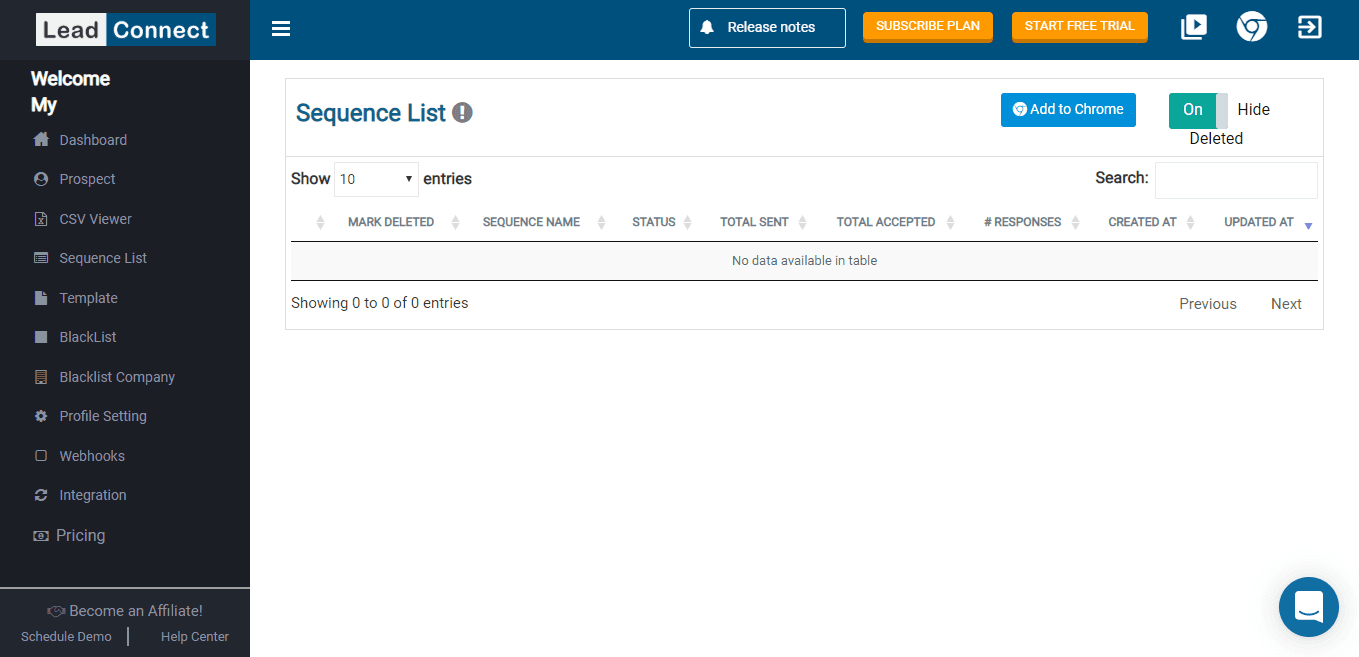
LeadConnect runs campaigns through a Chrome extension. The reporting dashboard does not independently execute outreach: Chrome must stay open with LinkedIn logged in.
Our team reviewed invitation sequences and messaging sequences for existing connections. You can add follow-ups with day-based delays, and a reply stops the sequence.
Team Sync helps prevent teammates from inviting the same prospect. HubSpot integration supports contact and conversation handoffs, while external integrations can find business emails.
Those email integrations do not turn LeadConnect into an email outreach platform.
Pros
- Straightforward connection-to-follow-up workflow.
- Free plan.
- Team duplicate-prevention controls.
- HubSpot and Zapier integrations.
Cons
- Browser-dependent execution.
- No cold email campaigns.
- Replies open in LinkedIn rather than a full reply inbox.
- Manually skipped leads can appear in Responses, so interpret that list carefully.
Pricing
Free Forever costs $0. Paid monthly plans are Professional $25.95, Grow $45.95, and Ultimate $85.95.
Published activity allowances are product limits, not assurance that LinkedIn permits that volume. See LeadConnect pricing.
19. Salesflow
Best for: Teams running branching LinkedIn and email campaigns with centralized management.
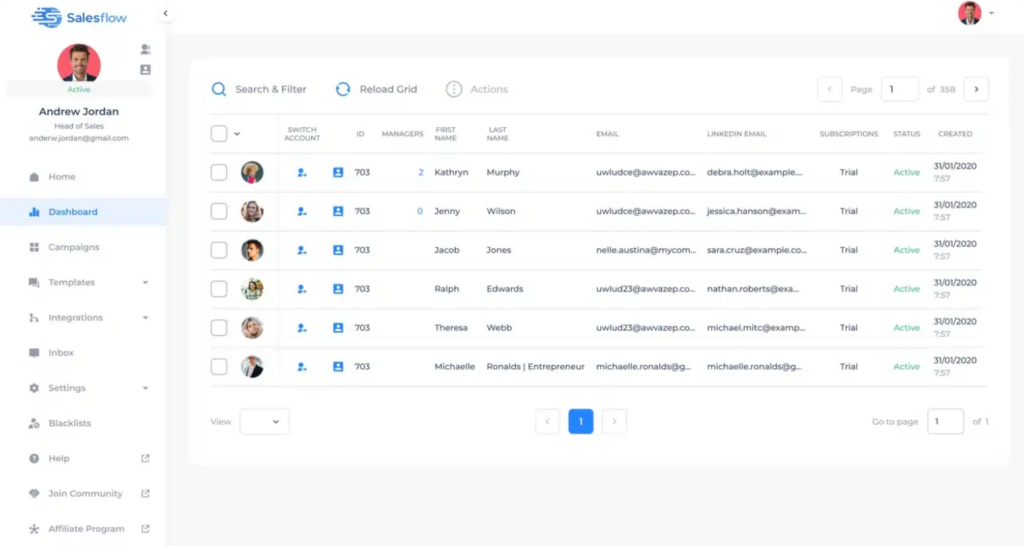
Salesflow runs in the cloud. Its Dynamic Outreach builder combines LinkedIn and email actions with conditions such as connection status, Open Profile status, email availability, and email opens.
Our team found an important editing constraint: once leads are in a Dynamic Outreach campaign, you can adjust copy and timing, but cannot freely add or remove steps. Plan the workflow before enrollment.
The built-in inbox supports LinkedIn and Sales Navigator conversations. Native HubSpot integration, team roles, and higher-tier branding options support managed outreach.
AI-generated templates help with copy; they should not be confused with autonomous prospect conversations.
Pros
- Branching LinkedIn and email workflows.
- LinkedIn and Sales Navigator inbox.
- Team controls and volume pricing.
- Native HubSpot integration.
Cons
- Structural edits become restricted after adding leads.
- Dynamic Outreach campaign sharing has limitations.
- Broader enrichment may require additional tools.
- Some detailed email reporting was still listed as upcoming in the reviewed documentation.
Pricing
Published seat tiers start at $99/month for one seat, $70 per seat at five or more, and $39.95 at twenty or more. Higher-volume Agency and Enterprise tiers involve annual commitments billed monthly. A seven-day Pro trial is available without a credit card. See Salesflow pricing.
20. Waalaxy
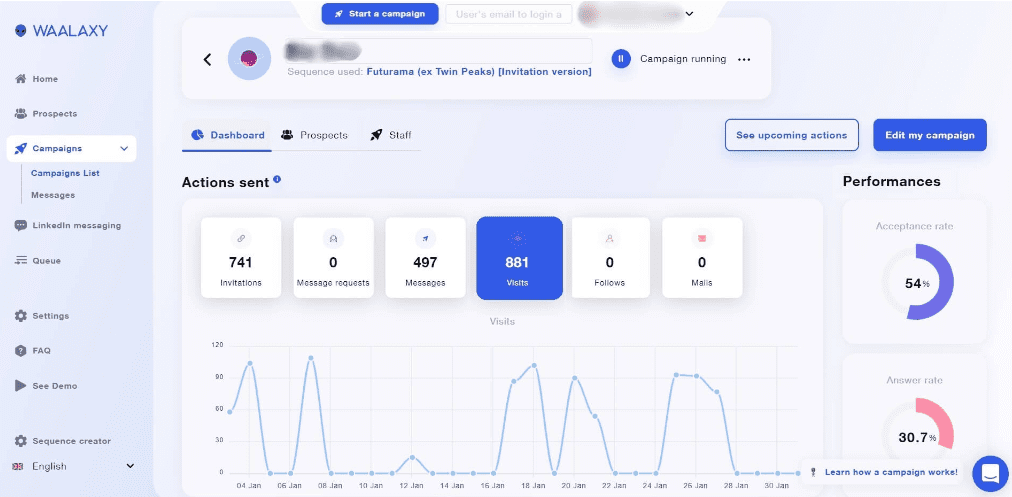
Best for: Users who prefer choosing a ready-made outreach sequence over building one from scratch.
Waalaxy combines extension-based LinkedIn automation with a web app. Its sequence library includes LinkedIn actions and, on the relevant plan, email outreach.
The main trade-off our team found is flexibility. You choose an existing sequence and edit messages and delays, but cannot freely design your own sequence or change a template’s underlying steps.
Email Finder supports professional email discovery. That is useful contact enrichment, although it differs from configurable research across company and contact data.
A separate LinkedIn Inbox adds conversation-management features. It does not centralize email replies.
Pros
- Large library of ready-made sequences.
- LinkedIn and email workflows on Business.
- Email discovery within campaigns.
- Team collaboration and duplicate prevention.
Cons
- Fixed template structure limits custom workflows.
- LinkedIn Inbox has a separate pricing.
- Email replies are not included in that inbox.
- Finder credits and plan differences affect total cost.
Pricing
Displayed rates are €19 for Pro, €49 for Advanced, and €69 for Business per user/month. LinkedIn and email campaigns require Business. Confirm the selected billing term, credits, and Inbox add-on at checkout. See Waalaxy pricing.
21. Expandi
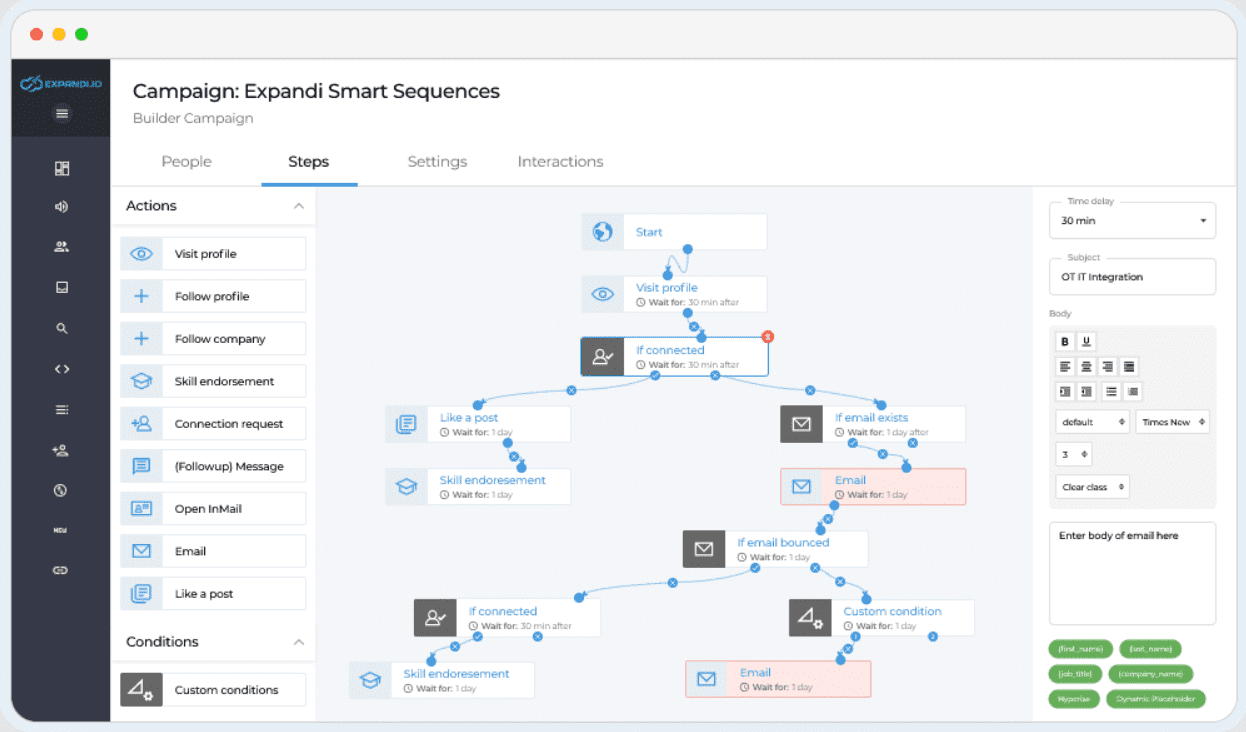
Best for: Users who want cloud-based LinkedIn and email campaigns with conditional sequences.
Expandi supports custom outreach sequences, LinkedIn actions, email steps, and personalization.
Our team examined two prospecting approaches: importing LinkedIn or Sales Navigator searches, and configuring a Lead Qualification List around ICP criteria. The latter helps identify matching people without first building a search URL yourself.
In our review, this remained a people-focused workflow rather than a dedicated company-list and decision-maker process.
Expandi also offers agency and white-label functionality. AI campaign assistance can help prepare messaging, but we did not establish an equivalent to a trainable, cross-channel reply-handling AI SDR.
Pros
- Cloud execution.
- Conditional LinkedIn and email sequences.
- ICP-based lead qualification.
- Agency and white-label options.
Cons
- Company-first prospecting was not established in our testing.
- Advanced research may require another tool.
- Image personalization integrations can add cost.
- Agency pricing depends on account volume and terms.
Pricing
The standard subscription is $99/account/month, with a seven-day trial. Agency arrangements are custom. See Expandi pricing.
22. STACKED powered by Dux-Soup
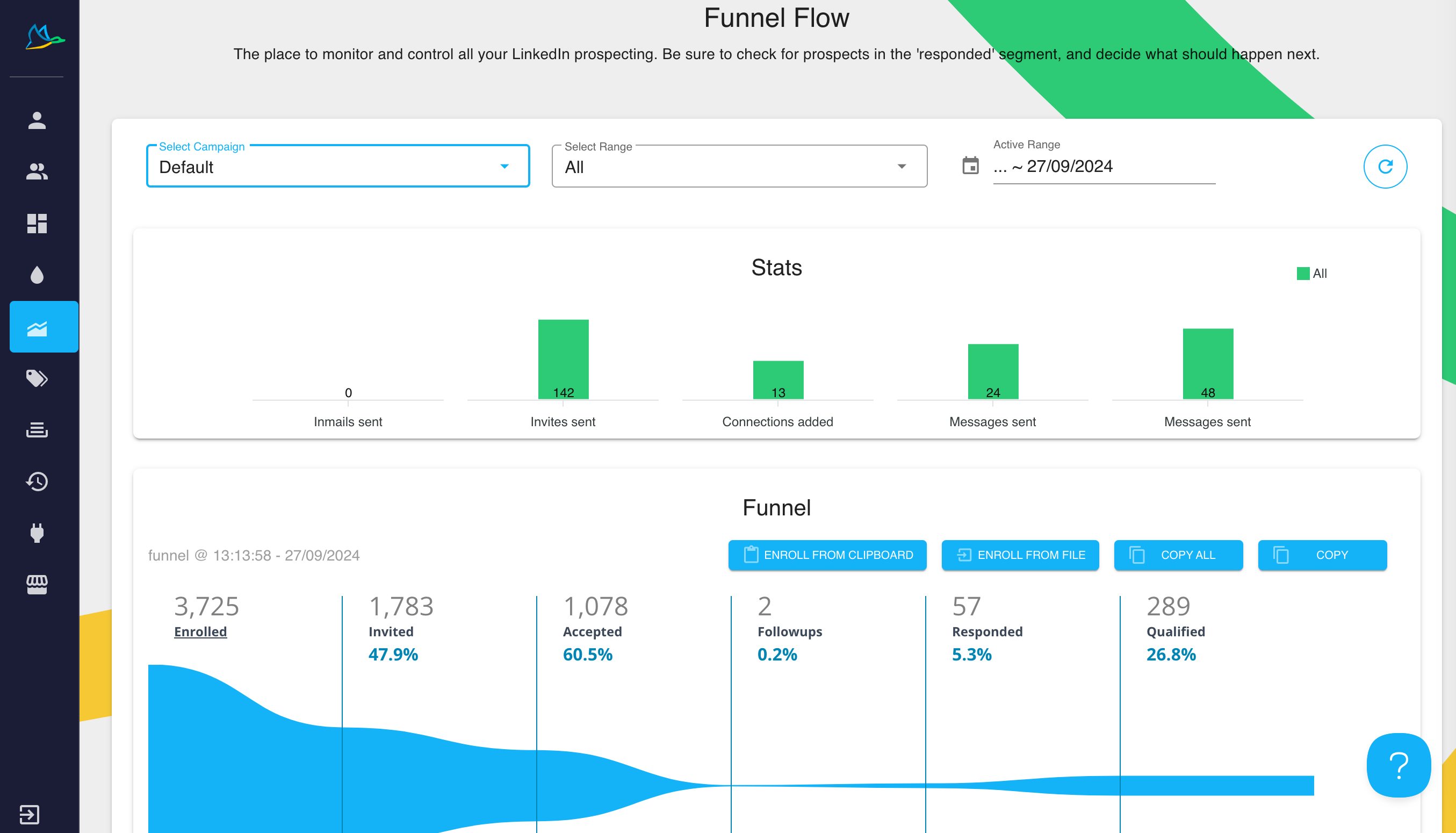
Best for: LinkedIn drip campaigns where you want to choose between local desktop and cloud execution.
Dux-Soup’s current STACKED offering changes an important deployment comparison: it has both local and cloud versions.
The local app needs your computer running. The cloud version offers hosted execution. Neither deployment should be treated as proof of LinkedIn approval.
Our team reviewed drip campaigns, prospect enrollment, activity queues, funnel reporting, and AI connectors. Campaigns use a series of actions and delays; our testing did not establish a flexible if/else branching builder.
Manual replies open in LinkedIn rather than a built-in conversation inbox.
Pros
- Choice of local or cloud execution.
- Detailed queued and completed activity views.
- CRM and automation integrations.
- AI connectors for personalization.
Cons
- Local execution requires an active computer.
- No native cold email campaigns in our reviewed workflow.
- No integrated reply inbox in our testing.
- Less flexible sequence logic than branching platforms.
Pricing
STACKED Local is $55/month, or $41.25/month with annual billing. STACKED Cloud is $99/month, or $74.17/month annually. See current Dux-Soup pricing.
23. Dripify
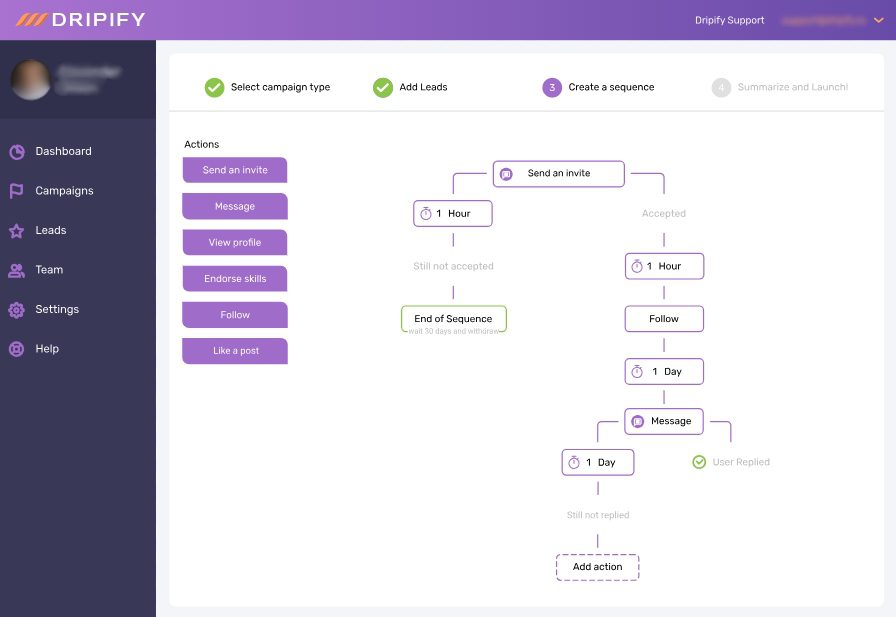
Best for: Teams that want a visual LinkedIn and email sequence builder with step-level reporting.
Dripify supports LinkedIn actions, email, conditional paths, and email discovery. Our team reviewed its lead queue, campaign editing, personalization fields, and reporting.
A useful detail: conditions evaluate a lead’s status when that step runs. A later change does not automatically move the lead into the other branch.
Replies pause outreach. Campaign editing is possible, but changes can affect existing leads—including completed leads when an end point is extended.
In our testing, the inbox covered LinkedIn conversations, not email replies or Sales Navigator InMail replies.
Pros
- Custom visual sequences.
- LinkedIn and email in one campaign.
- Step analytics and lead-queue inspection.
- Custom variables and AI copy assistance.
Cons
- Inbox coverage does not match all sending channels.
- Additional email-finder credits cost extra.
- Some testing and evergreen features have beta qualifications.
- Team functionality depends on the plan.
Pricing
Current monthly plans are Pro $79/user and Advanced $99/user; annual equivalents are $59 and $79. Enterprise is custom. The current page no longer uses the older Basic-plan structure referenced in many comparisons. See Dripify pricing.
24. Linked Helper 2
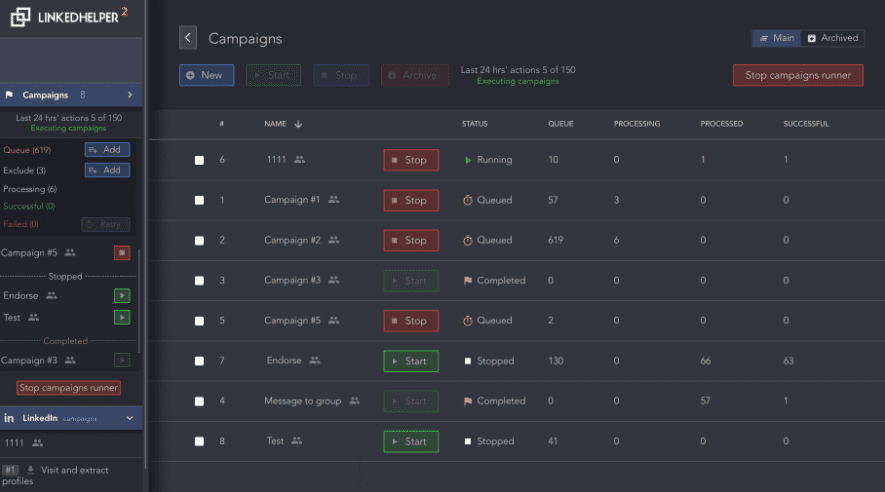
Best for: Users comfortable managing a desktop application who want detailed LinkedIn workflows and AI qualification.
Linked Helper is a desktop application. Optional cloud data storage changes where data is stored and shared; it does not turn local campaign execution into a cloud outreach service.
Our team reviewed AI ICP detection, profile-based personalization, email-finding integrations, and an AI reply assistant.
AI ICP detection can qualify profiles against your criteria before outreach. Setup matters: the profile fields you ask the AI to inspect need to match the information your ICP definition requires.
The reply assistant helps compose responses, but we did not establish an autonomous LinkedIn-and-email AI SDR.
Pros
- Detailed LinkedIn workflow controls.
- AI-assisted profile qualification.
- CRM and email-finder integrations.
- Lower-priced local-storage plans.
Cons
- Your computer or hosted desktop environment must remain running.
- No native email outreach in our review.
- No flexible if/else multichannel builder established.
- External personalization and data services can add cost.
Pricing
Local-storage plans are Standard $15/month and Pro $45/month. With cloud storage, Standard is $29.90/month and Pro $59.90/month. Annual discounts are available. Compare both storage and execution requirements. See Linked Helper’s plan explanation.
25. Meet Alfred
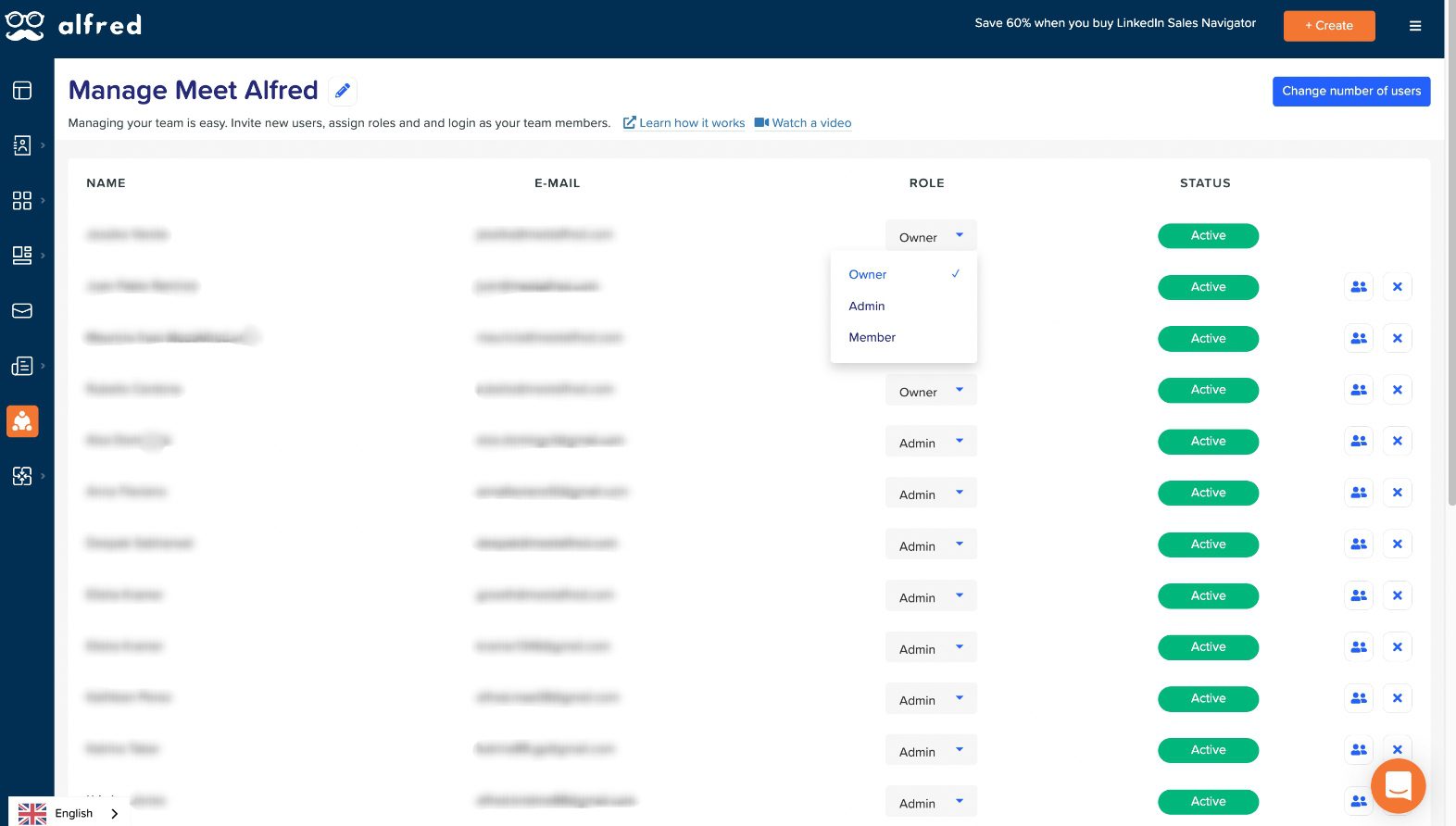
Best for: Teams that want outreach and social publishing capabilities in one product.
Meet Alfred combines prospecting, multistep outreach, team management, and publishing features.
Our hands-on review did not establish a branching builder comparable to Skylead’s Smart Sequences. Email replies were also not visible in the inbox we tested; its inbox documentation focuses on LinkedIn conversations.
Lead Finder and current documentation describe prospect searches, Saved Lists, and reusable filters. We therefore would not describe list management as absent simply because a particular view wasn’t found during testing.
Meet Alfred supports agency use and white labeling, although custom-domain setups have documented integration and connection restrictions.
Pros
- Prospecting and outreach alongside social publishing.
- Saved-list and filtering functionality in current documentation.
- Team and white-label options.
- HubSpot integration on eligible plans.
Cons
- Branching flexibility needs verification for your workflow.
- Tested inbox did not include email replies.
- Custom-domain restrictions can affect setup.
- An autonomous AI SDR was not confirmed in the reviewed materials.
Pricing
Use the current pricing configuration or request a quote. During verification, the main pricing page exposed incomplete dynamic price fields, and other official pages showed different offers. We have not treated those placeholders as valid prices. Check Meet Alfred pricing.
26. LinkedFusion
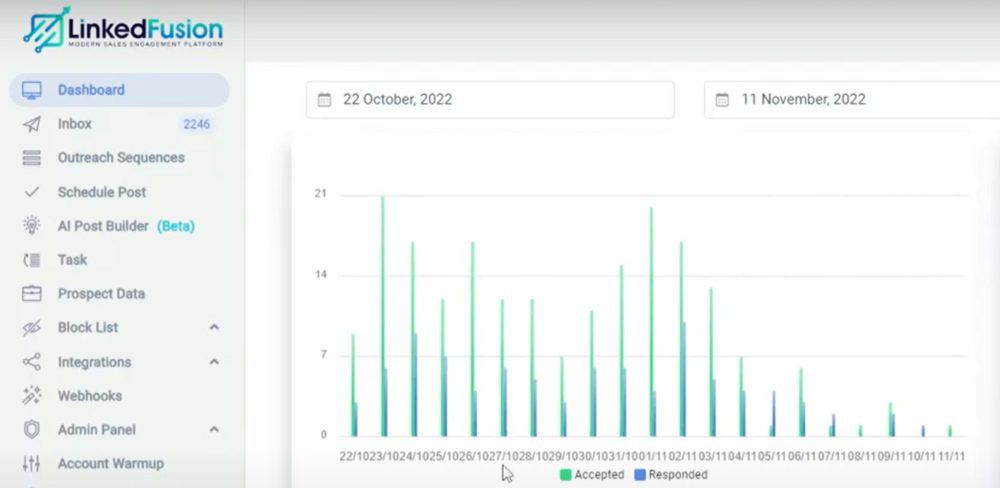
Best for: Teams prioritizing LinkedIn campaigns and CRM contact and conversation synchronization.
LinkedFusion runs in the cloud. Our team reviewed its prospect search, invitation, messaging and InMail workflows, email steps, and CRM integrations.
It can accept externally prepared custom-field data through webhooks. That supports personalized outreach, but receiving enriched data is different from producing that research inside the platform.
Our review did not establish branching flexibility equivalent to a custom multichannel builder. Its AI commenting and publishing features also should not be treated as an autonomous reply-handling AI SDR.
Multi-account management and white labeling are available; evaluate the actual client controls rather than assuming all agency interfaces provide the same capabilities.
Pros
- Cloud execution.
- Native CRM synchronization options.
- Prospect search and custom-field support.
- Multi-account and white-label functionality.
Cons
- External data services and API keys can add cost.
- Equivalent advanced branching was not verified.
- AI content features do not establish autonomous sales conversations.
- White-label terms need clarification before purchase.
Pricing
Monthly plans are Professional $65.95, Grow $95.95, and Ultimate $135.95 per user. The trial setup describes a $2 verification payment and a ten-day trial followed by subscription billing. Review those terms before entering payment details. See pricing.
27. LinkedProspect
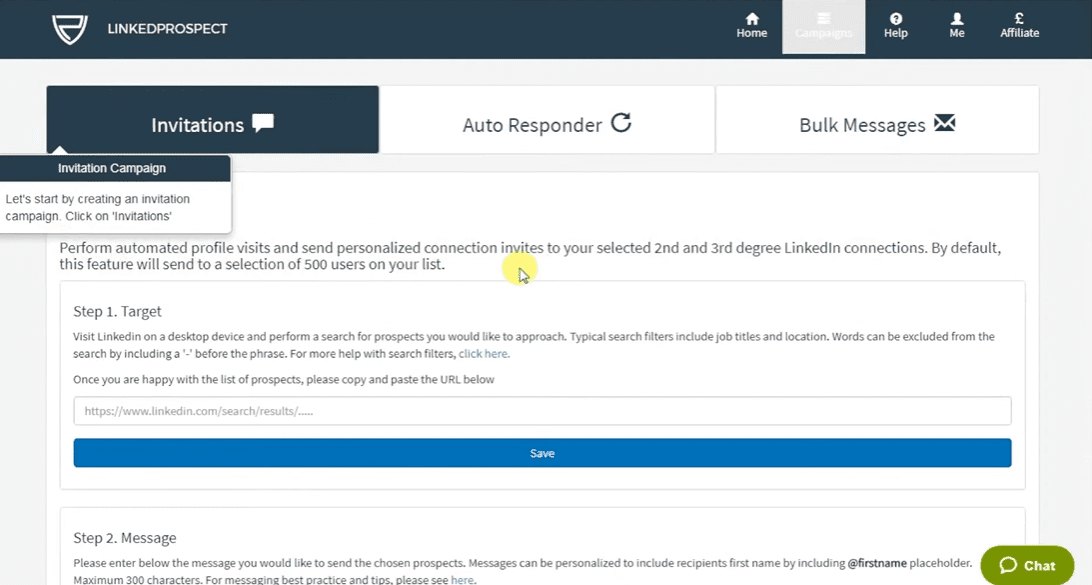
Best for: Buyers comparing self-service LinkedIn outreach with higher-touch managed options.
This entry is based on official documentation rather than our hands-on testing.
LinkedProspect describes cloud-based connection and messaging campaigns, AI-generated introductions, testing, and reply detection. Its pricing also separates self-service and more managed offerings.
Email is available as an add-on to Standard, so older descriptions calling it exclusively LinkedIn-only miss an important qualification.
Evaluate the exact plan’s reply detection, reporting, and service scope. AI-generated introductions do not by themselves establish autonomous conversation handling.
Pros
- Self-service and managed options.
- AI-assisted introductions.
- Email add-on available.
- Cloud-based campaign operation.
Cons
- Email increases the listed Standard price.
- Capabilities vary across the service tiers.
- Advanced branching and autonomous AI SDR controls were not established in this review.
Pricing
Basic is $49/month, Standard $99, Plus $250, and Premium $750. Standard’s email add-on is listed at $49/month. See LinkedProspect pricing.
28. Reply.io
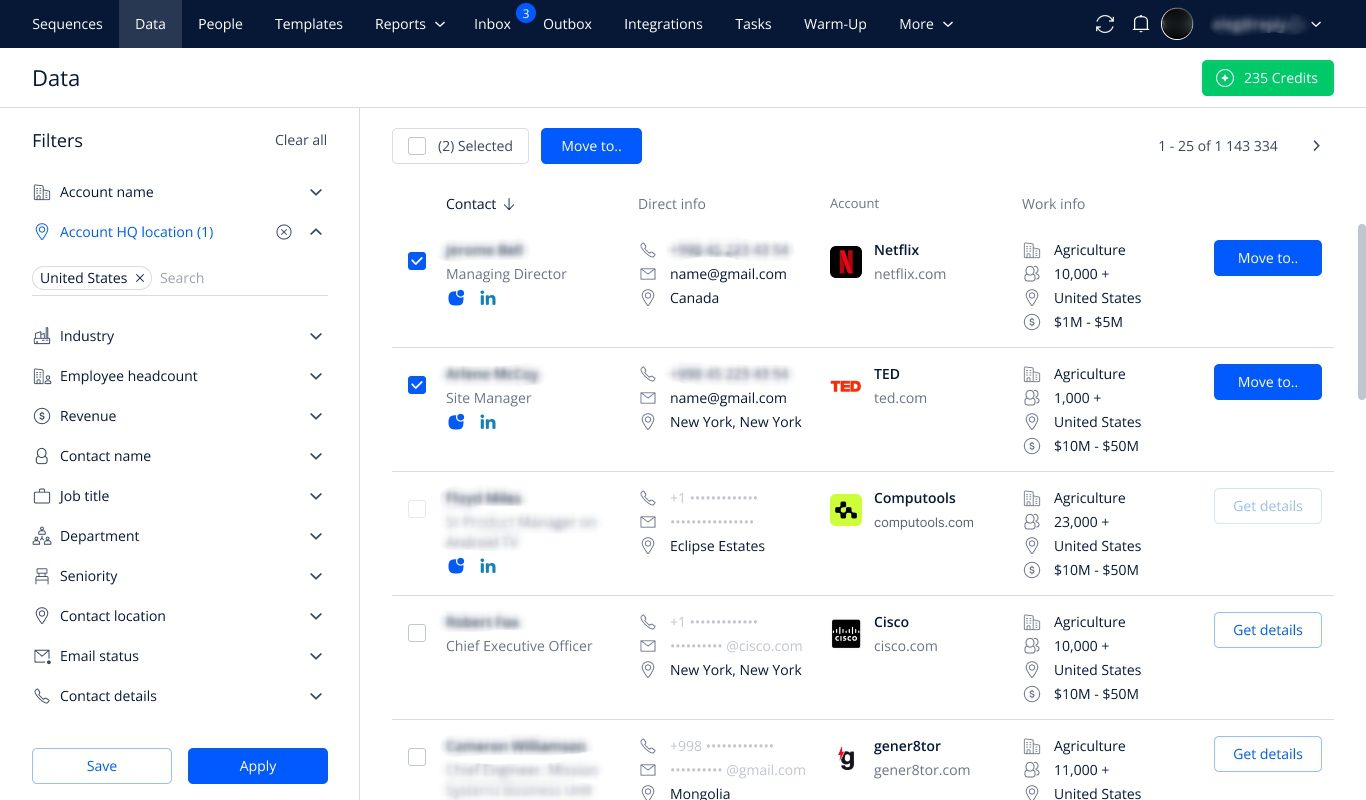
Best for: Sales organizations comparing broad multichannel engagement with an optional autonomous AI SDR.
Reply.io combines email and LinkedIn outreach with a wider sales-engagement workflow. Check the selected package carefully because LinkedIn access differs by product and plan.
Its separate Jason AI SDR product documents prospecting, personalized outreach, reply handling, and meeting scheduling, with automatic or approval-based workflows. That is a more substantial AI scope than simply generating campaign copy. See Jason AI SDR.
Pros
- Broad sales-engagement coverage.
- Separate autonomous AI SDR offering.
- Approval-based AI controls.
- Team and CRM-oriented workflows.
Cons
- Different products and add-ons complicate price comparisons.
- AI SDR pricing is substantially higher than basic outreach subscriptions and comparable tools.
- Validate the exact channel coverage and permissions in your chosen configuration.
Pricing
Multichannel starts at $99/user/month, or $89 with annual billing. Jason AI SDR starts at $500/month with annual billing; monthly terms differ. See Reply.io pricing.
29. Podawaa
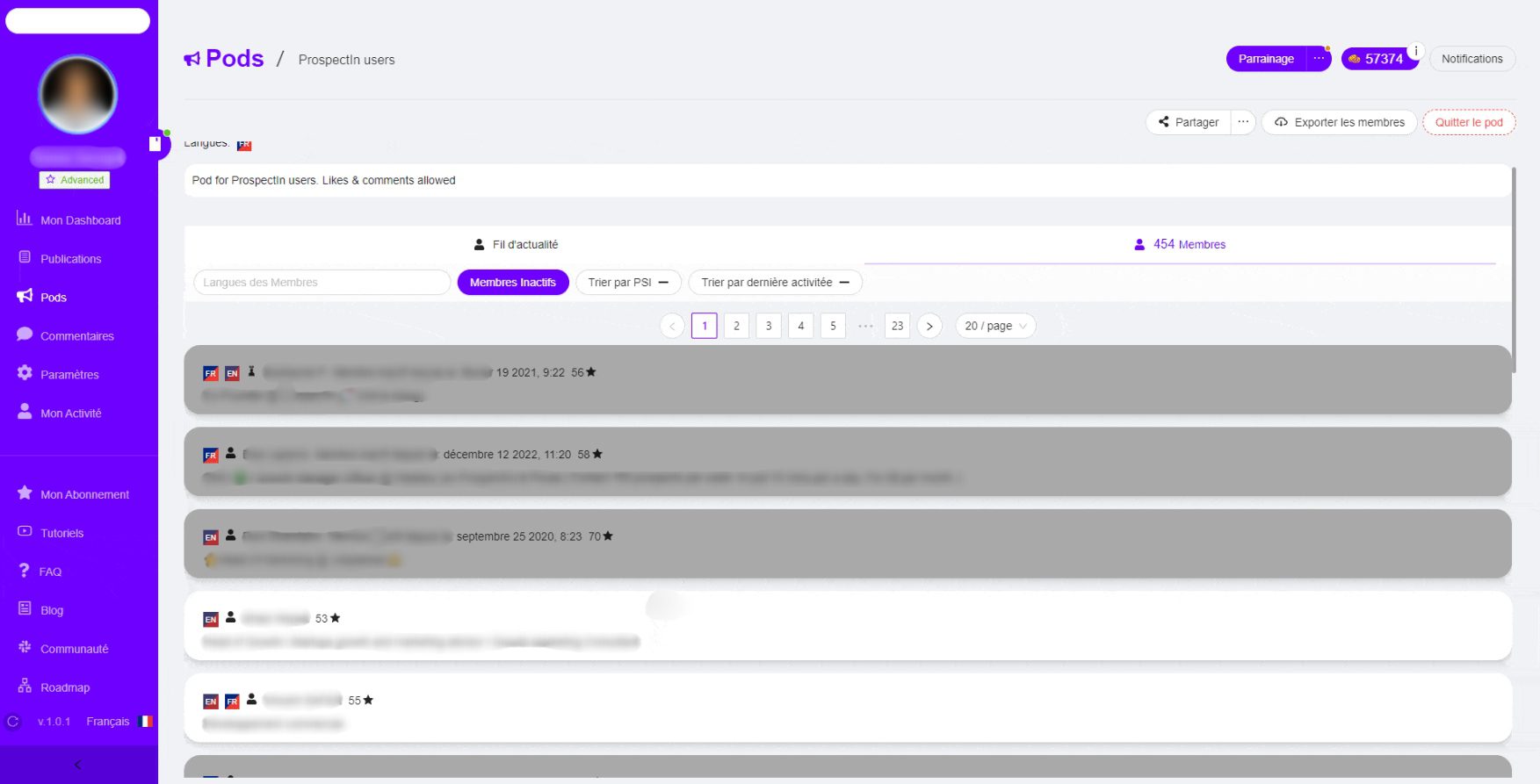
Best for: Comparing LinkedIn engagement boosts and accompanying content tools.
Deployment: Chrome extension in Community mode; hosted service without an extension in Private mode.
Podawaa supports two different arrangements. Community mode exchanges engagement: your account interacts with other members’ posts, and they interact with yours. Private mode delivers engagement without using your account to engage with other members.
The current offering also includes AI writing, scheduling, and comment-management features on eligible plans.
These are content and engagement functions. They do not establish prospect qualification, business contact enrichment, or an AI SDR handling private sales conversations.
Pros
- Free Community entry plan.
- Clearly distinguishes reciprocal engagement from Private delivery.
- Higher plans combine boosts with content and comment tools.
Cons
- More likes and comments do not demonstrate buyer intent or conversions.
- Community mode authorizes interactions through your account.
- AI comments need relevance and accuracy checks.
- Weekly introductory offers renew at their full weekly rates.
Pricing
Free Community includes five boosts per month. Monthly Private plans are Scale €59, Accelerate €89, and Dominate €159. Annual billing lowers the equivalent rate. Ignore older credit-based prices when comparing the current offer. See Podawaa’s current plans.
30. La Growth Machine
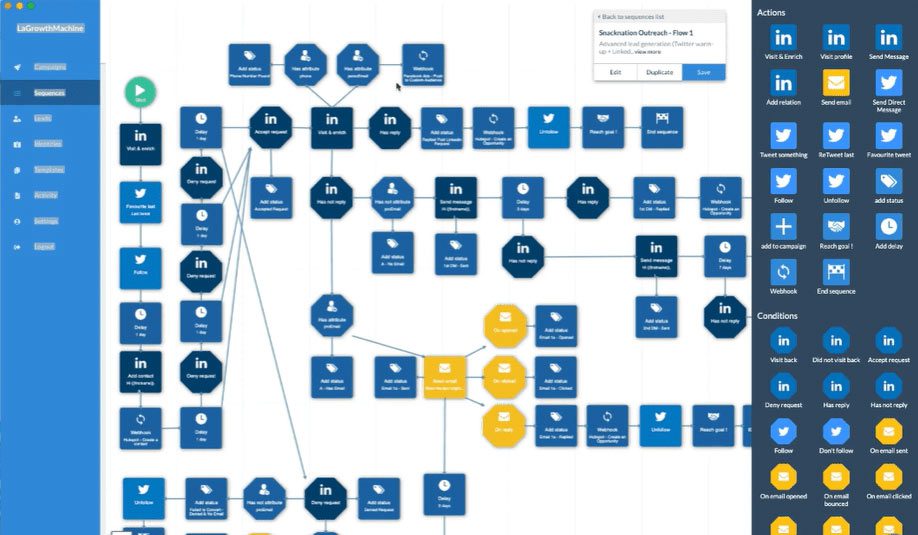
Best for: Teams seeking connected prospecting, enrichment, and multichannel outreach with identity-based pricing.
This entry is based on official documentation rather than our hands-on testing.
La Growth Machine brings prospecting, enrichment, and outreach into one workflow. Its offering includes LinkedIn and email, with additional channels and customization depending on the plan.
Higher plans include custom workflows and a unified LinkedIn-and-email inbox. AI writing and voice features should be evaluated separately from autonomous reply qualification and meeting booking, which we did not confirm.
Pros
- Connected prospecting and outreach.
- Waterfall email enrichment.
- Unified inbox on eligible plans.
- Custom workflows on higher tiers.
Cons
- Pricing is per sending identity, so define how many you need.
- Enrichment and connected-mailbox allowances vary.
- Advanced workflow and inbox features are plan-dependent.
- They do not offer AI SDR capability.
Pricing
Basic starts at €60 per identity/month with annual billing. Pro is displayed at €120 per identity/month annually. A fourteen-day trial is available.
31. IFTTT
Best for: Automatically sharing content to a personal LinkedIn profile.
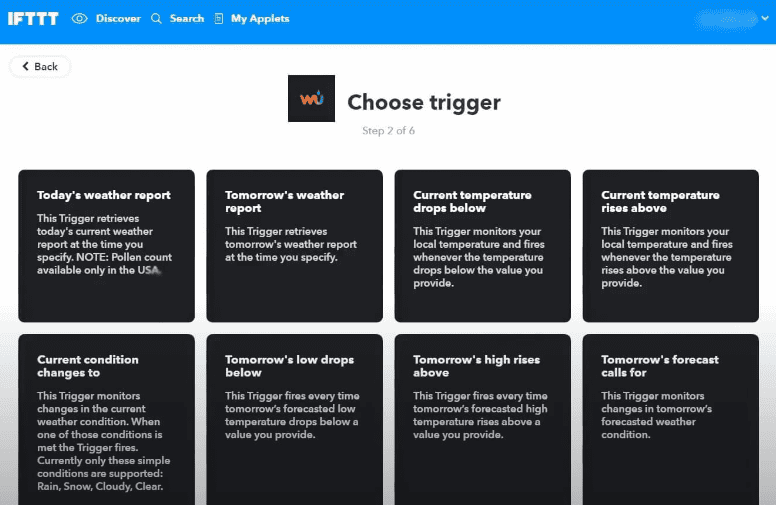
IFTTT uses events from connected apps to start automations. For example:
- A new item in an RSS feed
- A new WordPress or Blogger post
- A new Instagram photo
- A scheduled time
- An incoming Webhook
These events can trigger a LinkedIn post. The LinkedIn integration is for publishing content, rather than importing leads into an outreach campaign.
LinkedIn actions
- Share a text update
- Share a link
- Share an update with an image
- Share an update with a video
The integration works with personal LinkedIn profiles only. LinkedIn Company Pages are not supported.
Pros
- Simple cross-app publishing
- Reusable content fields
- Conditional options on higher plans
Cons
- No LinkedIn outreach sequences
- No prospect enrichment
- No reply-handling AI SDR
Pricing
Free includes two Applets. Annual-billing rates are $2.99/month for Pro and $8.99/month for Pro+. See IFTTT plans.
However, if you’re looking to automate LinkedIn and email outreach, you should be looking at other bots for LinkedIn.
How to choose a LinkedIn bot for your workflow
Start with the problem before the feature list
If you already have a clean prospect list and only need LinkedIn follow-ups, a focused tool may be enough.
If your team spends hours finding accounts, researching contacts, and moving data between products, evaluate the prospecting and enrichment workflow too.
Try describing your requirement in one sentence:
“We need to find finance leaders at companies matching our ICP, research a relevant business trigger, contact them through LinkedIn and email, and route interested replies to the right rep.”
Now ask each vendor to show that exact process. A long feature list is less useful than seeing where your workflow requires a workaround.
Separate email finding from broader enrichment
“Data enrichment” can mean several things:
- Finding a business email address.
- Verifying an address you already have.
- Collecting LinkedIn profile fields.
- Researching company events, technologies, or business context.
- Generating a personalized opening based on verified information.
Those tasks have different costs and uses.
Ask where the information comes from, how recently it was checked, what happens when providers disagree, and whether you can use the output directly in a campaign.
For example, “First name + company name” is basic personalization. A relevant message about a verified hiring initiative needs a different research process.
Check the sequence you actually need
A fixed template works well when it matches your process. Custom branching matters when it doesn’t.
Before buying, map a simple scenario:
- Send a relevant connection request.
- If accepted, send a LinkedIn message.
- If not accepted and an appropriate business email is available, use email.
- Stop automated outreach when the person replies.
- Assign the conversation or activate the approved AI reply workflow.
Check whether the tool supports this directly, through a template, or through multiple separate campaigns.
Also ask what you can edit after leads enter the sequence. Changing a live workflow can affect people already partway through it.
For a more detailed walkthrough, see our guide to automating LinkedIn messages.
Look beyond the word “AI”
An AI writer helps create copy.
An AI reply assistant drafts a response for a person to review.
An autonomous AI SDR can send responses and move conversations toward a defined goal.
These are different levels of responsibility.
For reply-handling AI, evaluate the practical controls:
- What product knowledge and examples can you provide?
- Can you review messages before sending?
- Can you define qualification questions and disallowed claims?
- When does it hand a conversation to a person?
- How do corrections influence future replies?
- Can agency clients access the underlying strategy or training?
- What does each action cost?
Test these controls with difficult questions, ambiguous replies, and requests the AI should escalate.
Compare total cost using one realistic campaign
Calculate the cost of the workflow you intend to run:
Subscription + sending identities + data enrichment + AI usage + inbox or integration add-ons.
For agencies, include white labeling, client access, support responsibilities, and the cost of adding accounts.
For example, Skylead’s agency offer uses flat seat packages, while other vendors use per-account or volume-based pricing. Either model can be appropriate; the answer depends on your active seats and the services you need.
Confirm renewal terms, too. A first-year promotion should not become an assumed permanent operating cost.
the platform-policy risk, review account-access arrangements, respect opt-outs, and keep targeting and messaging under human oversight. For email, separately check the privacy and marketing requirements that apply to your audience.
What should you test during a free trial?
You don’t need to run a huge campaign to find out whether a tool suits your team.
Build a small, relevant test around one real use case:
- Find or import prospects who match a clearly defined ICP.
- Check the accuracy and source of the information you’ll use.
- Preview messages with complete and missing data.
- Build your intended sequence, including fallback paths.
- Verify what happens when someone replies or opts out.
- Check whether conversations and CRM records appear where expected.
- If using AI replies, review factual accuracy, tone, escalation, and meeting handling.
- Record the full cost, including credits and add-ons.
Judge the result by qualified conversations and workflow fit. Connection acceptance or total replies alone won’t tell you whether the tool supports your sales goals.
Choose the LinkedIn bot that fits the whole conversation
The right LinkedIn bot depends on how much of the process you need it to handle.
A simple extension can cover basic LinkedIn actions. A workflow toolkit can help collect and move data. A multichannel platform can coordinate outreach. An AI SDR adds another decision: how much responsibility you want to give software once someone replies.
If you want to connect account research, contact enrichment, LinkedIn and email sequences, and trainable AI reply handling, start by testing that workflow in Skylead.
Find a relevant account. Identify the right person. Build a message around something useful. Then check how the platform handles the next step.
Need more guidance? Chat with us! Say hello to Skylead’s support team, and let them help you start your 7-day free trial now!