8 HeyReach alternatives: A founder’s honest comparison
Last updated: .
I’ve tested every LinkedIn automation tool on the market. I’m not easily impressed.
I started coding Skylead in 2019, and I’m still building it today. As an engineer, I know the bits you won’t see in a product demo: account sessions, action queues, sending limits, and the campaign logic underneath the dashboard.
So when I look at HeyReach alternatives, I know what to look for. I want to know what a tool does well, where it gets awkward, and whether it’s worth paying for.
Yes, I’m Skylead’s founder. It’s on this list. So are seven alternatives I’d choose for different jobs. And if HeyReach already does what you need, I’ll tell you that too.
HeyReach alternatives at a glance
| Tool | Why I would shortlist it | Monthly plans and prices |
|---|---|---|
| Skylead | Prospecting, LinkedIn, email, and reply handling in one platform | All-in-one: $100/seat/month Agency (first-year promotion): $999/month for 25 seats or $1,999/month for unlimited seats |
| Expandi | LinkedIn campaigns with conditional email follow-ups | Business: $99/account/month Agency/white label: custom quote |
| La Growth Machine | LinkedIn, email, and voice messages, with calls on higher plans | Basic: €60; Pro: €120; Ultimate: €180 per identity/month |
| Lemlist | Email-led outreach with LinkedIn and calls alongside it | Email: from $69/month (50,000 emails) Multichannel: $109/user/month Enterprise: custom quote |
| Waalaxy | Lower-cost LinkedIn outreach with ready-made sequences | Classic: Pro €39; Advanced €99; Business €139 per user/month Separate Waalaxy AI: $80/LinkedIn account/month (launch offer) |
| Dripify | LinkedIn and email drip campaigns, with more analytics on Advanced | Pro: $79; Advanced: $99 per user/month Enterprise: custom quote |
| Linked Helper | A few accounts, control over IP setup, and AI filtering and reply assistance | Local storage: Standard $15; Pro $45 per license/month Cloud storage: Standard $29.90; Pro $59.90 per license/month |
| Meet Alfred | Built-in prospecting and agency white label; confirm X availability before buying | LinkedIn Only: $59; Multi-Channel: $69; Agency: $79 per seat/month (Agency has a 3-seat minimum) Unlimited: custom quote |
Monthly billing only; prices checked November 11, 2026. Custom plans are quoted separately. Promotions, agency minimums, and separate products are labeled. Add-ons, taxes, and volume discounts can change the total.
When I would keep HeyReach
I keep seeing people describe HeyReach as “the best tool for agencies with multiple senders.” I think that framing is bullshit. It mixes two separate advantages: running multiple accounts through one campaign and getting good pricing across many accounts.
Here’s where I think HeyReach deserves credit.
Multiple LinkedIn accounts connected to one campaign
I tested HeyReach with 10 LinkedIn accounts while selling another product to nonprofit organizations. I wasn’t running an agency. I was running a sales team, and I needed multiple senders connected to one campaign.
If you only need LinkedIn and want multiple accounts sending through a single campaign, especially five or more, HeyReach is my first choice. For that job, throw everything else in the garbage, and don’t read any further.
That’s where HeyReach has a very clear advantage. You don’t need to be an agency to benefit from it.
Agency pricing
HeyReach helped pioneer fixed pricing for agencies, including a flat-price unlimited plan. That was a big deal in a market where adding accounts usually meant multiplying your bill.
HeyReach’s Growth plan starts at $79 per sender per month. For larger setups, its monthly agency plans are:
- $999 for 25 accounts
- $1,399 for 50 accounts
- $2,999 for its Unlimited plan, with a published fair-use cap of 300 senders. Contact HeyReach if you need more.
I still consider that very good pricing. But there are better-priced options on the market now. HeyReach helped set the standard; it no longer automatically wins on price.
Most agencies I know run separate campaigns for different clients. If that’s your setup, compare the total cost for the accounts you actually need. HeyReach deserves a place on your shortlist, but I wouldn’t choose it on pricing alone.
A simple interface
The interface is another reason I like HeyReach. It’s clean, straightforward, and easy to follow.
I’d put it among the better tools on the market for UI and simplicity. You don’t always need more features. Sometimes you need the features you already have to be easier to use.
Useful list management
I also like how HeyReach handles lead lists. I can use:
- Combine lists: Create a new list containing leads from both selected lists.
- Intersect lists: Create a new list containing only the leads that appear in both lists.
- Exclude from list: Create a new list containing leads from the first list that don’t appear in the second. HeyReach calls the confirmation button Difference.
All three actions keep the original lists unchanged. For example, I can take a fresh prospect list and exclude a second list containing people I’ve already contacted. That creates a new audience without changing either source list. It’s a snapshot of those lists, so I still need to keep my exclusions current. HeyReach also supports company lists.
Account safety
For account safety, I’d put HeyReach in the upper tier based on my experience. Most of my accounts worked fine, although two of the 10 got restricted. I rate its account protection, but I wouldn’t pretend restrictions can’t happen.
HeyReach publicly says it uses static residential IPs. I consider that a strength, but the word “residential” gets too much hype. Finding high-quality static residential IPs is difficult, and they can still get flagged as proxies.
I prefer that approach to a basic datacenter-proxy setup. Still, I care about the actual IP quality and how the accounts behave, not just what the vendor calls its proxies.
My take
Keep HeyReach if you need multiple LinkedIn accounts working through one campaign. That is its clearest advantage.
Keep it on your agency shortlist if its fixed plans give you good economics across client accounts. That is a separate reason to choose it.
Its interface and list management make both use cases easier. I also like that its MCP can help an AI assistant work with lead lists, campaign setup, reply tagging, and CRM handoffs. That’s useful integration access; it doesn’t by itself mean the product includes an autonomous AI SDR. If those strengths match how I run outreach, switching just because another tool has a longer feature list makes no sense.
How I evaluated these alternative tools
For safety, I describe the infrastructure and my own observations. I’m not publishing a controlled comparison of restriction rates here. For new or beta features, I distinguish what I’ve tried from what the vendor currently documents.
I focused on five things:
- Pricing for your setup. A good deal for an agency managing 25 client accounts can be expensive for a three-person sales team. I compared the cost for each setup, including the plans, credits, and add-ons you actually need.
- LinkedIn safety. I looked at how each tool handles IPs, account sessions, sending limits, and the pacing of actions. As an engineer who builds this software, I care about what happens underneath the dashboard. A “safe automation” badge tells me very little.
- Prospecting and finding your ICP. Importing a Sales Navigator search URL doesn’t mean you have a qualified lead list. Even good filters leave plenty of junk. I looked at how well each tool helps you find the right companies and people, check whether they fit your ideal customer profile, and exclude irrelevant leads before contacting them.
- LinkedIn and multichannel capability. I looked at the LinkedIn actions, campaign logic, and ability to connect multiple senders to one campaign. I also checked how email and other channels fit into the sequence, including what works inside the platform and what needs another tool.
- AI SDR support. Replying to messages takes up a huge amount of a sales rep’s LinkedIn time, especially across multiple senders or agency clients. I checked whether each tool has a native AI SDR that can handle replies, qualify prospects, and move a conversation toward a meeting. I distinguish that from AI that only writes campaign copy or drafts replies for a rep to review and send. I also looked at training, approval controls, and where a person or an external AI setup is still needed.
Skylead: For agencies building client systems and sales teams that need more than sending
When to choose Skylead as a HeyReach alternative
I would choose Skylead if you’re an agency that wants to build a system your clients can follow: how they find their ICP, how they contact those people, and how they reply quickly when a lead responds.
You can customize the white-label platform and give clients specific permissions over what they can see and do. For agencies that want this kind of collaboration, I would choose Skylead over HeyReach. The exception is when you need many LinkedIn senders connected to one campaign.
For a sales team, I would choose Skylead when you need better ICP filtering and enrichment, native LinkedIn and email sequences, or AI SDR to help handle conversations.
With Post Signals, I can find LinkedIn posts about the problems my offer solves and the people engaging with them. I can then filter for ICP fit and add qualified leads to a campaign.
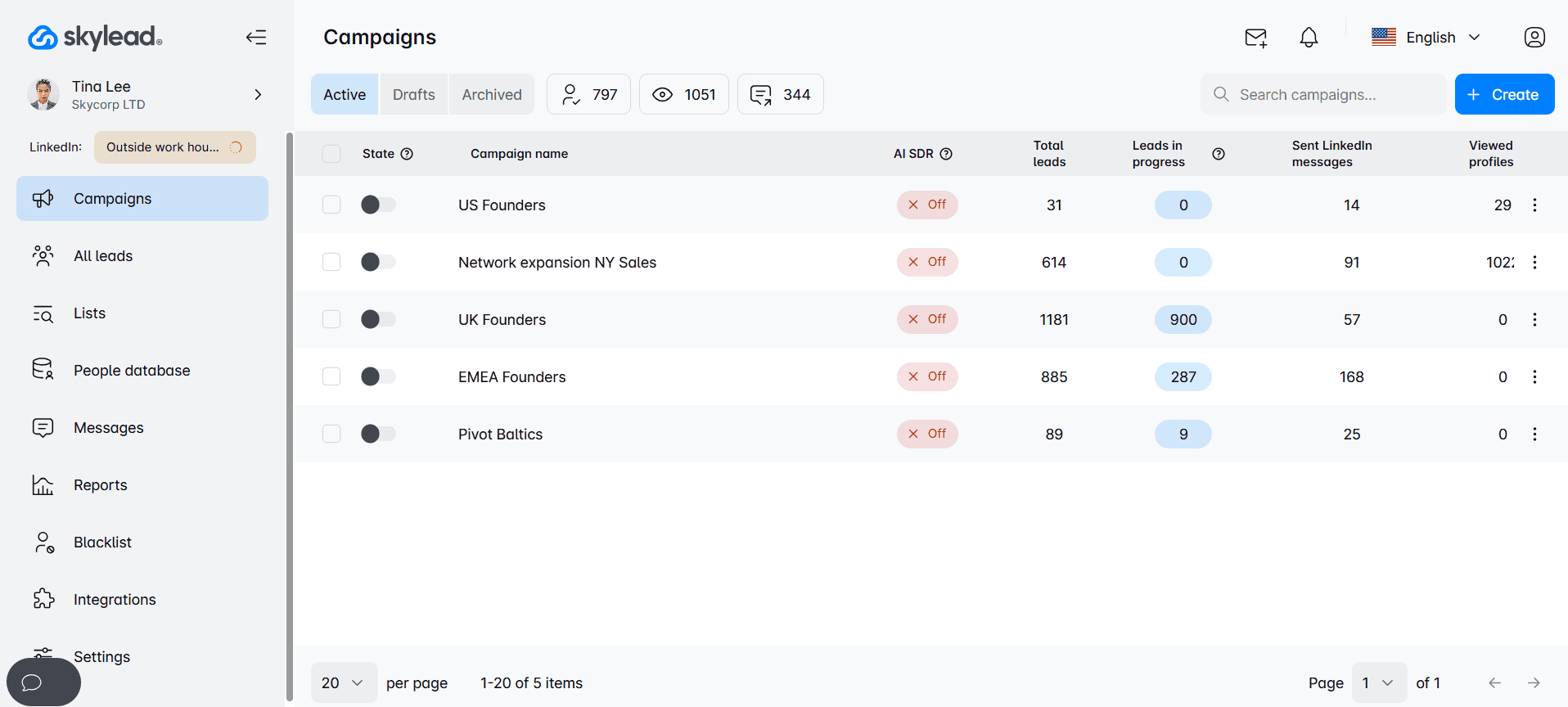
How Skylead compares with HeyReach
- Pricing for your setup. Skylead’s All-in-one plan is $100 per seat per month. For agencies, the current first-year promotion is $999 for 25 LinkedIn seats or $1,999 for unlimited seats. HeyReach’s monthly plans are $999 for 25 accounts, $1,399 for 50, and $2,999 for its Unlimited plan. The better deal depends on your account count and which capabilities you need.
- LinkedIn safety. We’ve been developing and refining Skylead’s automation algorithms since 2019. Skylead uses IPRoyal residential proxies, with IP addresses that can change over time while staying within the ISP you selected. That resembles the dynamic IP behavior many regular internet users have. I care about these details because the connection underneath the software matters, not just the interface you see.
- Prospecting and finding your ICP. This is where I think Skylead clearly beats HeyReach. I can import LinkedIn company or lead URLs and build a process that goes deeper than filtering a search:
Scrape the company’s LinkedIn page → scrape its website → find decision-makers → scrape their LinkedIn profiles → score ICP fit using the lead profile, company page, and website → send qualified leads to a campaign when the score is above my threshold.
I can build that research, qualification, and outreach workflow inside Skylead. - LinkedIn and multichannel capability. You can combine one LinkedIn account and multiple email accounts in the same sequence. Unlimited email warm-up and LinkedIn warm-up are included. The email steps run inside Skylead, so you don’t need a separate email sending platform to build that sequence.
- AI SDR support. Skylead has a native, trainable AI SDR included in the price. You give it your product knowledge and conversation instructions, then train it on individual answers: whether the reply was good or bad, why, and what the ideal answer should have been. You can keep refining how it responds instead of endlessly rewriting one giant prompt. Agencies can reuse that training across clients and adapt the product or service offer without an additional per-client AI SDR fee.
What I like about Skylead
Client permissions go beyond giving someone a login. You can decide what clients can access and how much control they have. That makes it easier to involve them in the work without handing over everything.
White labeling can extend to the support experience. Depending on your agreement, you can customize the platform and offer branded customer support and a branded Help Center.
Unibox helps agencies stay on top of conversations across clients. Sending is only part of delivering the service. You also need visibility into the replies and what happens next.
Where Skylead falls short
Each sequence uses one LinkedIn account. If I need a pool of LinkedIn senders working through one campaign, Skylead is the wrong fit for that workflow.
It takes work to build a good system. I still need to define my ICP, choose useful enrichment steps, build the sequence, and train the AI on how I want conversations handled.
It can be more than I need for basic LinkedIn outreach. If I already have suitable leads and only want connection requests and follow-ups, I may not use enough of the broader platform to justify it.
Expandi: For LinkedIn-led campaigns and reseller agencies
When to choose Expandi as a HeyReach alternative
After testing Expandi, it’s on my shortlist for agencies offering done-for-you or done-with-you outreach that want a branded platform and client billing through their own Stripe account. Check the agency quote carefully: pricing grows with the seat count.
For sales teams, I would choose it when LinkedIn does most of the work, email supports the campaign, and profile visitors are an audience worth contacting.
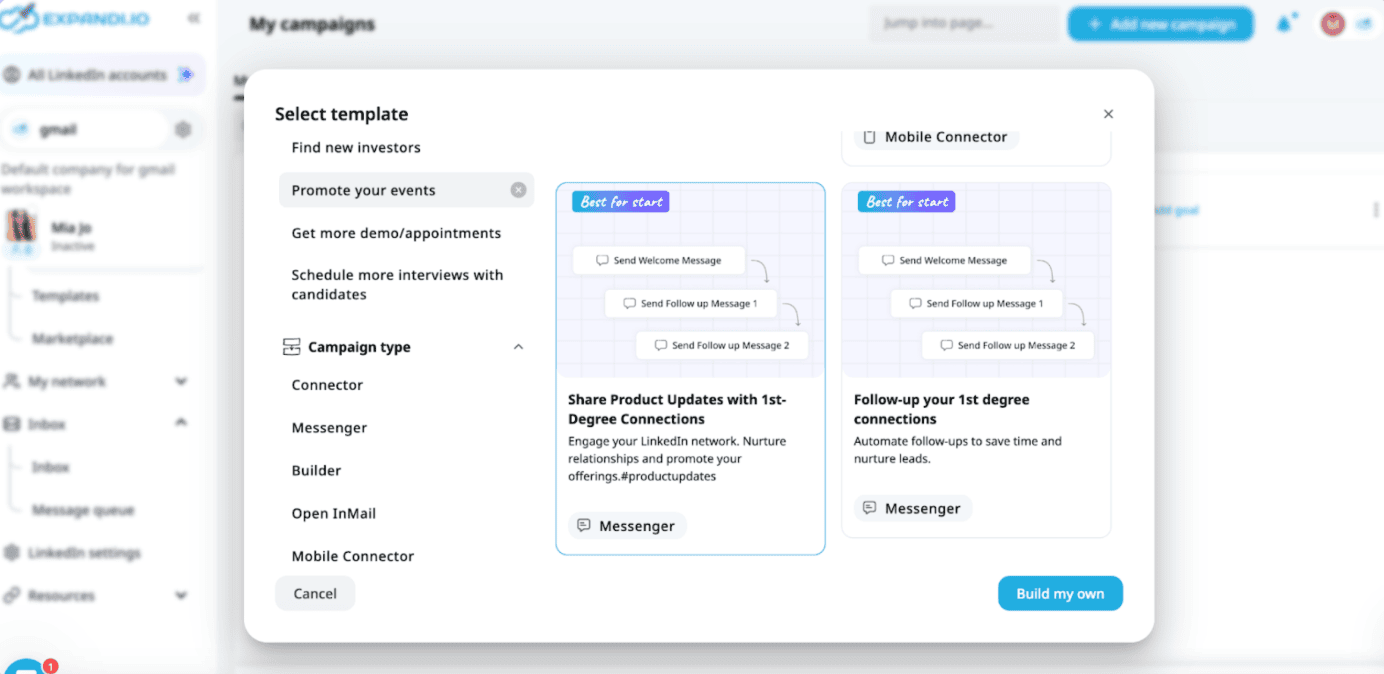
How Expandi compares with HeyReach
- Pricing for your setup. I compared monthly pricing so the numbers were consistent. Expandi Business is $99 per month, making three standard licenses $297, compared with $237 for three HeyReach Growth senders. Agencies with 10 or more seats can request a custom quote. Volume discounts can help, but they don’t automatically beat HeyReach’s fixed account pools.
- LinkedIn safety. Expandi advertises cloud execution, profile warm-up, adjustable daily limits, and dedicated country-based IPs. “Dedicated” tells me how an IP is allocated, but not whether it’s residential or how good its reputation is.
- Prospecting and finding your ICP. The feature that stood out to me was Lead Qualification Lists. I can define criteria such as title, location, industry, and company size, and have Expandi find matching LinkedIn leads without supplying a search URL. The limit is 5,000 leads per list. I can also use LinkedIn or Sales Navigator search URLs and CSV imports.
- LinkedIn and multichannel capability. I like having LinkedIn actions and email follow-ups inside the same conditional sequence. I still see email as the supporting channel here. Expandi Email is rolling out by request: its documentation now describes an Outlook sign-in and consent flow, while Gmail uses an app-password/SMTP setup. I would confirm which version my account has before buying. I haven’t verified a built-in email warm-up network; sending ramp-up is a different feature.
- AI SDR support. Campaign Helper helps with campaign copy, and sentiment analysis helps classify replies. Through MCP, an external AI assistant can also read existing threads and prepare replies for approval. I treat that as AI-assisted reply handling; my team still approves what gets sent.
What I like about Expandi
I like the control over client billing. I can connect my own Stripe account, and resellers can create voucher codes without waiting for support. That’s useful when I want clients buying the service through my business.
I like how much of the white-label setup I can customize. The options cover the logo, colors, domain, menus, SMTP, and dashboard theme. I can also edit the theme after receiving the setup.
I like having profile visitors as another audience. The Inbound campaign lets me contact people who have already checked out the profile, alongside the cold lists I’m targeting.
I also like the scope of Expandi’s MCP. Its documentation covers preparing lead lists, drafting campaigns, reading inbox threads, preparing replies, and reporting. Campaign activation and sending still need my approval. I would check the tools enabled in my account before building a workflow around them.
Where Expandi falls short
Company-first research still takes extra work. Lead Qualification Lists help me filter people, but I would check the workflow for researching company websites and enriching account data before relying on it for company-first prospecting.
I would check the agency reporting carefully. The centralized client hub is useful. Before moving clients over, I want to see whether the account-health views and client permissions cover how I manage those accounts.
The new Email rollout needs checking. Access is arriving in batches. I would confirm which mailbox features are enabled, run my actual LinkedIn and email sequence, and ask a real support question before moving client campaigns.
La Growth Machine: A robust option for sales teams
When to choose La Growth Machine as a HeyReach alternative
I would shortlist La Growth Machine for a sales team that needs company research, contact enrichment, LinkedIn and email sequences, voice messages, and help handling replies. It’s a robust platform when your team will use those capabilities together.
I wouldn’t choose it for an agency whose main job is managing many clients’ LinkedIn campaigns. Pricing grows with each sending identity, and there’s no white label. For that setup, I find the cost difficult to justify against HeyReach. LGM’s company research and reply tools make more sense to me for a sales team using the full platform.
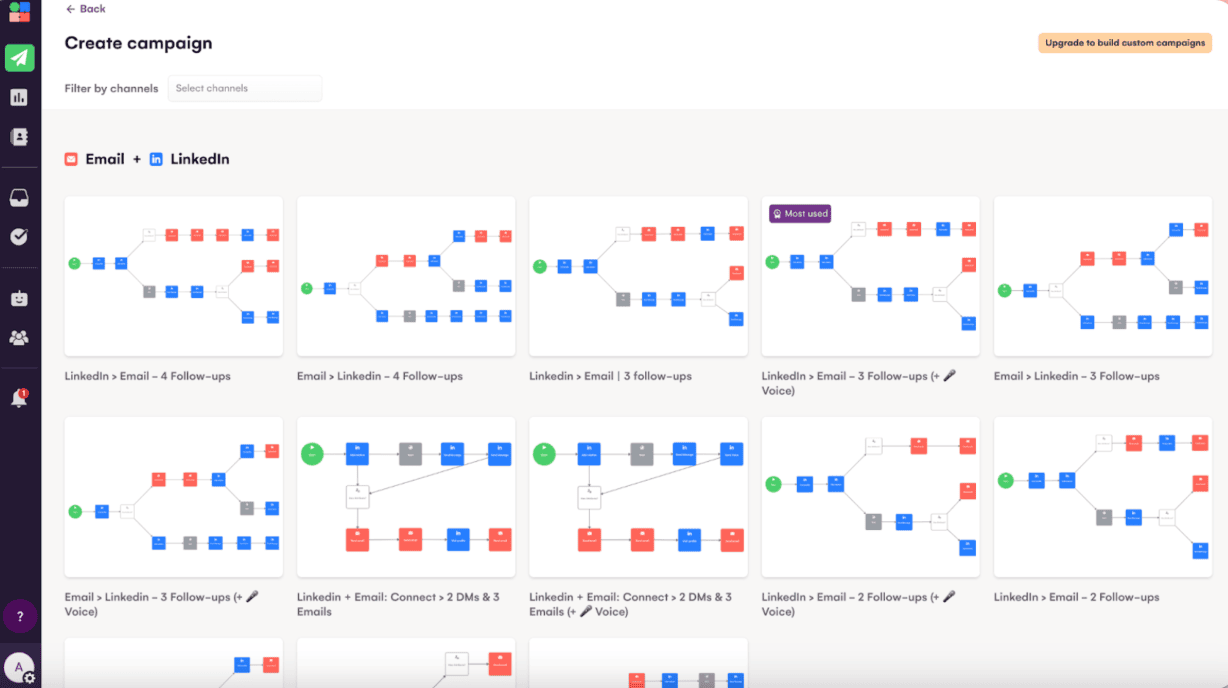
How La Growth Machine compares with HeyReach
- Pricing for your setup. Monthly pricing is €60 per identity for Basic, €120 for Pro, and €180 for Ultimate. An identity is a sender. Custom sequences, calls, and the shared multichannel inbox require Pro or above. At the listed monthly rate, ten Pro identities cost €1,200 before discounts or add-ons. That makes more sense for a sales team using the full platform than an agency adding client accounts.
- LinkedIn safety. LGM says it uses a dedicated 5G mobile proxy for each identity. On IP quality alone, I would expect this to give it an advantage over HeyReach’s static residential setup. But there’s an important catch: geographic coverage. From my experience, most providers cover a limited number of countries and locations with their 5G proxies. Check which locations LGM can actually provide for your accounts. The connection type looks promising, but the available geography matters too. LGM’s safety setup.
- Prospecting and finding your ICP. I like their company database. I can start by finding companies that fit what I sell, identify decision-makers, and enrich their contact details. There are also company lookalikes and a Lead Cleaning feature that removes people who have changed jobs from Sales Navigator imports. This gives me more control over who enters a campaign than treating a Sales Navigator URL as a finished prospect list. Prospecting capabilities.
- LinkedIn and multichannel capability. I can combine LinkedIn and email in a sequence, use LinkedIn voice messages, and add call steps. Calls and custom sequences start on Pro. Those additional channels are a clear reason to choose it over HeyReach. Multichannel capabilities.
- AI SDR support. Limited reply automation through Reply Agent. It’s in beta, rolling out to Pro and Ultimate. It follows an approved playbook to handle certain LinkedIn replies and follow up on vague interest. Interested leads and sensitive questions go back to a person. Email reply handling is listed as upcoming. I like the help with keeping conversations moving. Review its actual answers before relying on it. Reply Agent’s scope.
What I like about La Growth Machine
Their MCP is another strong point for me. It lets an AI assistant work with audiences, campaigns, inbox conversations, and reporting. As an engineer, I like having that access: it gives me more room to build workflows around the platform and connect it to how my team already works. MCP capabilities.
I also like separating senders from collaborators. People helping with research, campaign preparation, or replies don’t automatically need a paid sending identity. That makes sense when sales reps, managers, and operations staff share the work.
Where La Growth Machine falls short
Separate workspaces are a paid add-on. That adds to the cost when I need to keep client work separate.
The starting price leaves out key capabilities. If custom sequences, calls, and the multichannel inbox are why I’m considering LGM, I need to budget for Pro.
Lemlist: For sales teams that start with email
When to choose Lemlist as a HeyReach alternative
I would choose Lemlist when email drives my outreach and I want LinkedIn, calls, and other channels in the same sequence.
That applies to agencies too, when those extra channels are essential to the service they sell. I would choose Lemlist for that specific workflow and budget for the per-sender cost. Its additional channels would have to earn their place in the bill.
I favor HeyReach for LinkedIn safety. Lemlist doesn’t have white label.
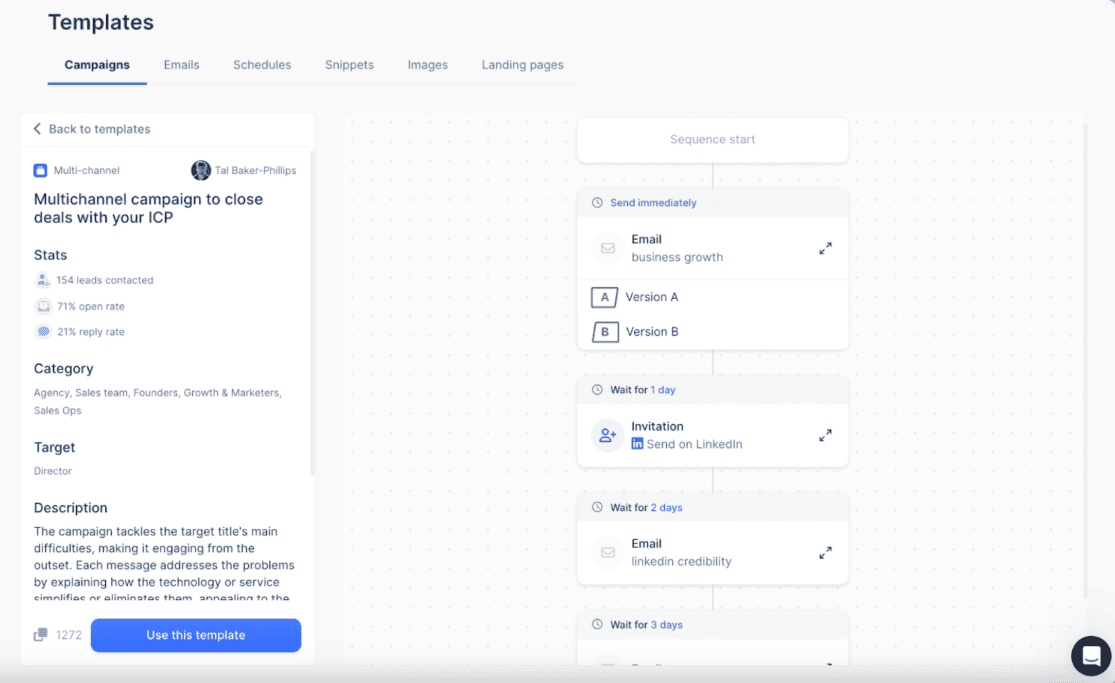
How Lemlist compares with HeyReach
- Pricing for your setup. Multichannel costs $109 per user per month, or $87 with annual billing. Each LinkedIn profile needs its own seat. For sales teams, combining email and LinkedIn can justify the price. For agencies, the bill grows with the sender count.
- LinkedIn safety. I lean toward HeyReach here. I’ve heard reports of clients having LinkedIn issues with Lemlist. Lemlist requires a Chrome extension and browser session cookies to connect LinkedIn, and I couldn’t verify its LinkedIn IP type. HeyReach explicitly documents dedicated static residential proxies. That gives me more confidence in choosing HeyReach for LinkedIn, although I haven’t measured their restriction rates against each other.
- Prospecting and finding your ICP. I can use the built-in database, email and phone enrichment, and signals such as hiring, job changes, or website visits. That gives me more ways to build a relevant audience than relying entirely on Sales Navigator imports. Enrichment and signals cost extra.
- LinkedIn and multichannel capability. I can combine email, LinkedIn, calls, and SMS, with WhatsApp available as an add-on. LinkedIn supports invitations, messages, InMails, and voice messages. Native email and LinkedIn sequences are Lemlist’s strongest advantage over HeyReach for me.
- AI SDR support. lemAgent helps draft replies, with a rep still reviewing and sending them. It uses conversation context to suggest an answer. People still handle qualification and move opportunities forward, so I treat it as assistance for my reps rather than an autonomous AI SDR. Reply-handling capabilities.
What I like about Lemlist
I like the personalization options. Personalized images, landing pages, custom fields, and conditional text give me room to make an offer specific to the prospect.
I also like testing individual messages and entire sequences. That lets me compare both the copy and the approach across channels.
I also like having MCP and CLI access. It gives me another way to connect an AI assistant to the platform. I would check the actual tools available for the workflow I want, rather than treating MCP access as proof of autonomous reply handling.
Where Lemlist falls short
There’s no white label. Client-management tools exist, but I can’t give clients a platform under my own brand. That limits its appeal for an agency building a client-facing service. White-label limitation.
Detailed permissions require Enterprise. Standard plans use Admin and Member roles. If I need more specific access for clients or collaborators, custom roles require an Enterprise agreement. Permissions.
Waalaxy: For teams that want the simplest setup
When to choose Waalaxy as a HeyReach alternative
Waalaxy is probably the simplest LinkedIn outreach tool on this list. It’s my pick for sales teams and low-volume agencies that want one LinkedIn sender per campaign and very little configuration.
For low-volume LinkedIn outreach, Pro can be enough. Advanced gives me a higher invitation allowance and access to MCP/API integrations. Business adds email when I need both channels together.
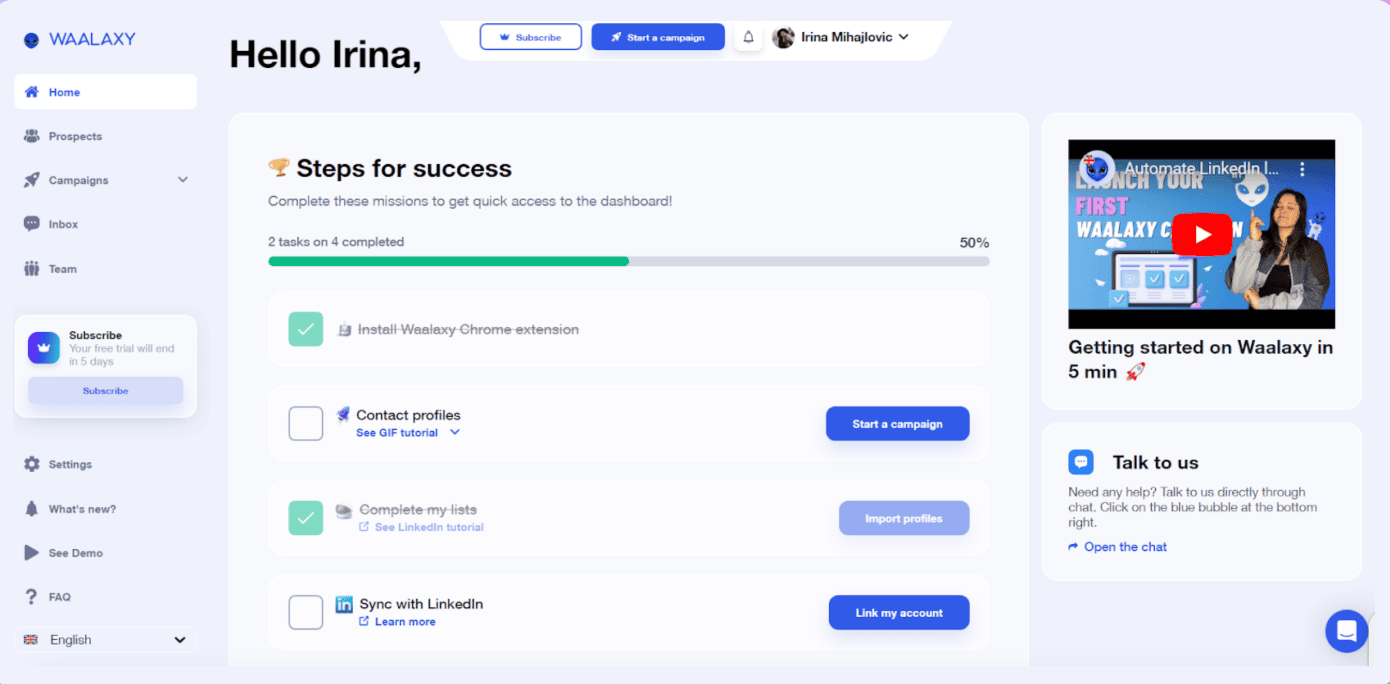
How Waalaxy compares with HeyReach
- Pricing for your setup. Pro is €39 per user month to month and allows roughly 300 invitations per month. Advanced is €99 month to month, or €49 per month with annual billing. Business adds email at €139 month to month, or €69 with annual billing. LinkedIn Inbox adds €20 per user per month on monthly billing. The separate Waalaxy AI product advertises a launch price of $80 per LinkedIn account per month. For an agency needing 25 Advanced accounts, I favor HeyReach’s $999 monthly bundle and its stronger agency functionality. I would compare volume discounts before buying.
- LinkedIn safety. I give HeyReach the edge on the connection setup. I prefer its dedicated static residential proxies to Waalaxy’s documented fixed VPN IP setup. For me, that is another reason to justify paying more for HeyReach. This is my assessment of the infrastructure, rather than a measured comparison of restriction rates.
- Prospecting and finding your ICP. Classic imports from LinkedIn, Sales Navigator, Recruiter Lite, and CSV files. I can also target audiences around posts, groups, and events. Its enrichment mainly finds professional emails. The separate Waalaxy AI product advertises automatic prospect sourcing and filtering. Check its selections against your actual ICP.
- LinkedIn and multichannel capability. Business combines LinkedIn and email in one sequence, which is useful compared with connecting a separate email tool to HeyReach. But I can’t connect multiple LinkedIn accounts to one Waalaxy campaign. There are also no native calls, SMS, or email warm-up.
- AI SDR support. Classic has no native AI SDR. The separate Waalaxy AI product advertises automatic replies, qualification, and meeting booking, with adjustable human approval. Check its actual replies before trusting it with live conversations.
What I like about Waalaxy
Simplicity is its strongest selling point. I pick a sequence, edit the messages and delays, and launch. For someone who wants basic outreach without learning a complicated platform, that matters.
Team duplicate protection is useful. Shared prospecting context helps colleagues avoid contacting the same people.
MCP/API access is useful on Advanced and Business. I can use it to move prospects into lists and campaigns. Its documented MCP scope still excludes full inbox history, automatic replies, and campaign reports. Pro doesn’t include this access.
Where Waalaxy falls short
The templates limit how I build campaigns. I can’t create a Classic sequence from scratch or freely reorder its steps. That simplicity becomes a limitation when my process needs more control.
There’s no white-label option. I can run outreach for clients, but I can’t give them a platform under my own brand.
Dripify: For sales teams that want flexible LinkedIn and email sequences
When to choose Dripify as a HeyReach alternative
I would choose Dripify for a sales team that wants LinkedIn and email in one sequence, control over campaign logic, and clear visibility into where leads get stuck.
A small agency can also use it for client campaigns.
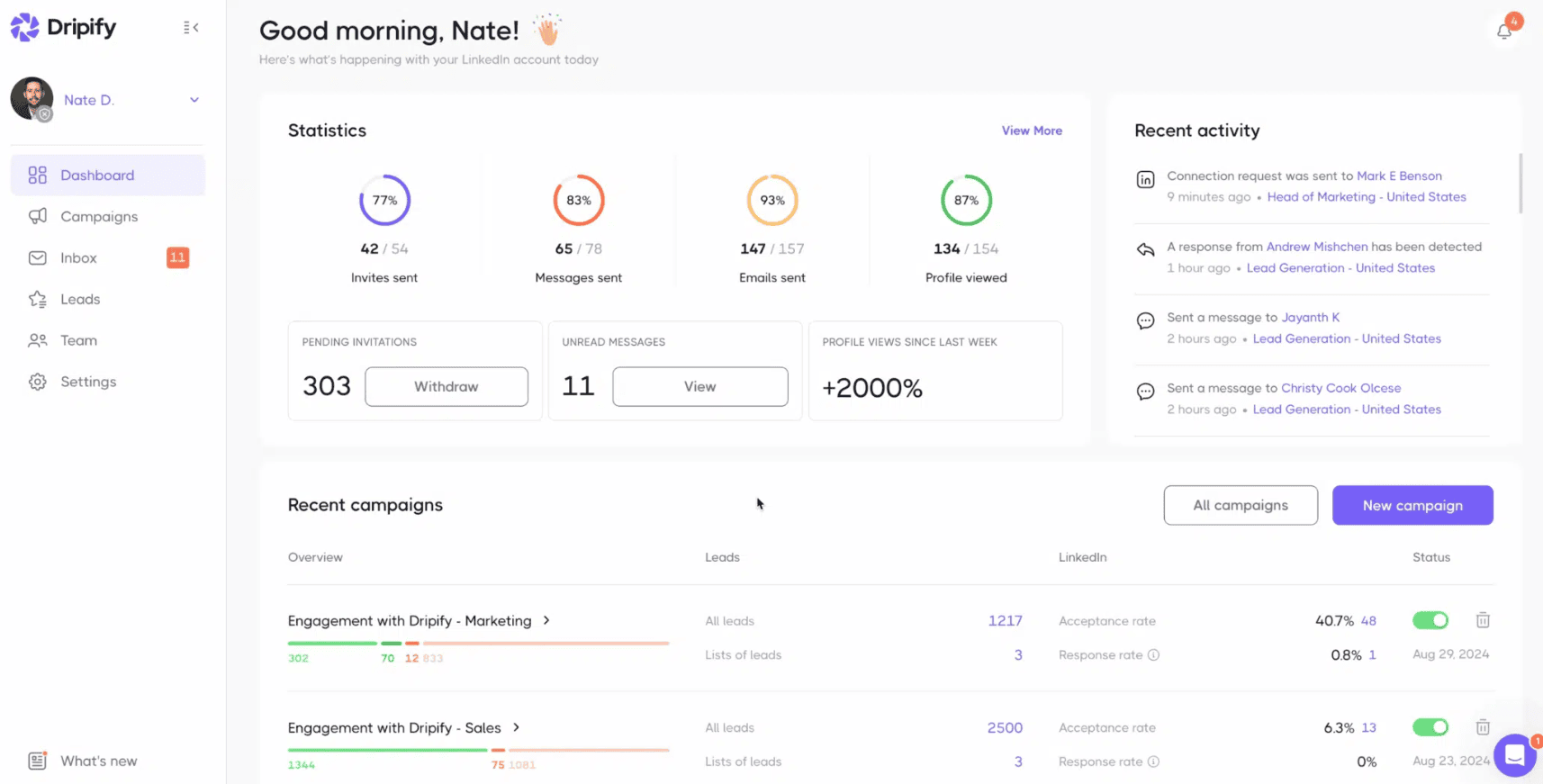
How Dripify compares with HeyReach
- Pricing for your setup. Pro costs $79 per user per month, and Advanced costs $99. Annual billing reduces those to $59 and $79. Each LinkedIn account needs its own paid seat. Team owners or managers need Advanced for team-management features, although teammates can use lower plans. For an agency, request a volume quote and compare it with HeyReach’s account bundles.
- LinkedIn safety. Dripify advertises a dedicated IP in the account’s region, cloud execution, randomized delays, and activity controls. I couldn’t verify whether its IPs are residential, mobile, or datacenter. A dedicated IP tells me how it’s allocated, but doesn’t establish its quality. Without that detail, I can’t judge its proxy quality against HeyReach’s documented residential setup. Dripify’s safety measures.
- Prospecting and finding your ICP. I can import LinkedIn, Sales Navigator, and Recruiter searches, plus audiences from events, groups, and post engagement. Email Finder helps me find verified work emails. But I still need to qualify the audience: importing a search and finding an email doesn’t establish whether someone fits my offer.
- LinkedIn and multichannel capability. I can build custom sequences combining LinkedIn and email, with conditions such as connection status, message viewed, and email availability. Gmail and Outlook are supported. Native email is a clear advantage over adding a separate email product to HeyReach. Dripify doesn’t offer HeyReach’s LinkedIn sender rotation. Feature comparison.
- AI SDR support. No native AI SDR. I still need my reps or an external AI setup to handle conversations and qualify leads. Its built-in AI helps polish campaign copy, but doesn’t take over the conversation.
What I like about Dripify
It stays simple, even with multichannel outreach. I find it very easy to use when combining LinkedIn and email in the same campaign.
I like seeing where a campaign needs attention. The Leads Queue shows which step a lead is waiting at, and failed-action details help me understand what went wrong.
I can adjust live campaigns. Changing copy and delays is useful when improving an existing campaign. Check changes to completed branches carefully: extending them can bring finished leads back into the sequence.
I like having MCP, although its scope is still limited. I can ask an AI assistant to check campaigns and lead lists, find existing leads by email or LinkedIn URL, and upload up to 1,000 profiles per request into an existing campaign. Its documented tools don’t cover creating or launching campaigns, reading inbox conversations, or sending replies. It helps with campaign visibility and lead uploads, while I still manage campaigns and conversations inside Dripify. Current MCP capabilities.
Where Dripify falls short
There’s no white label. I can manage client accounts, but I can’t offer the platform under my own brand.
Inbox updates can get in the way of fast replies. Dripify documents automatic LinkedIn message syncing approximately every 30–40 minutes. Manual refresh can fetch messages immediately, but is limited to once every five minutes. That matters when I want a rep responding shortly after a prospect shows interest. Inbox sync details.
Linked Helper: For sellers who want control at a low price
When to choose Linked Helper as a HeyReach alternative
For just a few accounts, I would choose Linked Helper over HeyReach on both price and LinkedIn safety, provided I configure it properly.
It makes sense for a solo seller or small sales team that wants low licensing costs, AI prospect filtering, and help writing replies, and is comfortable managing the application.
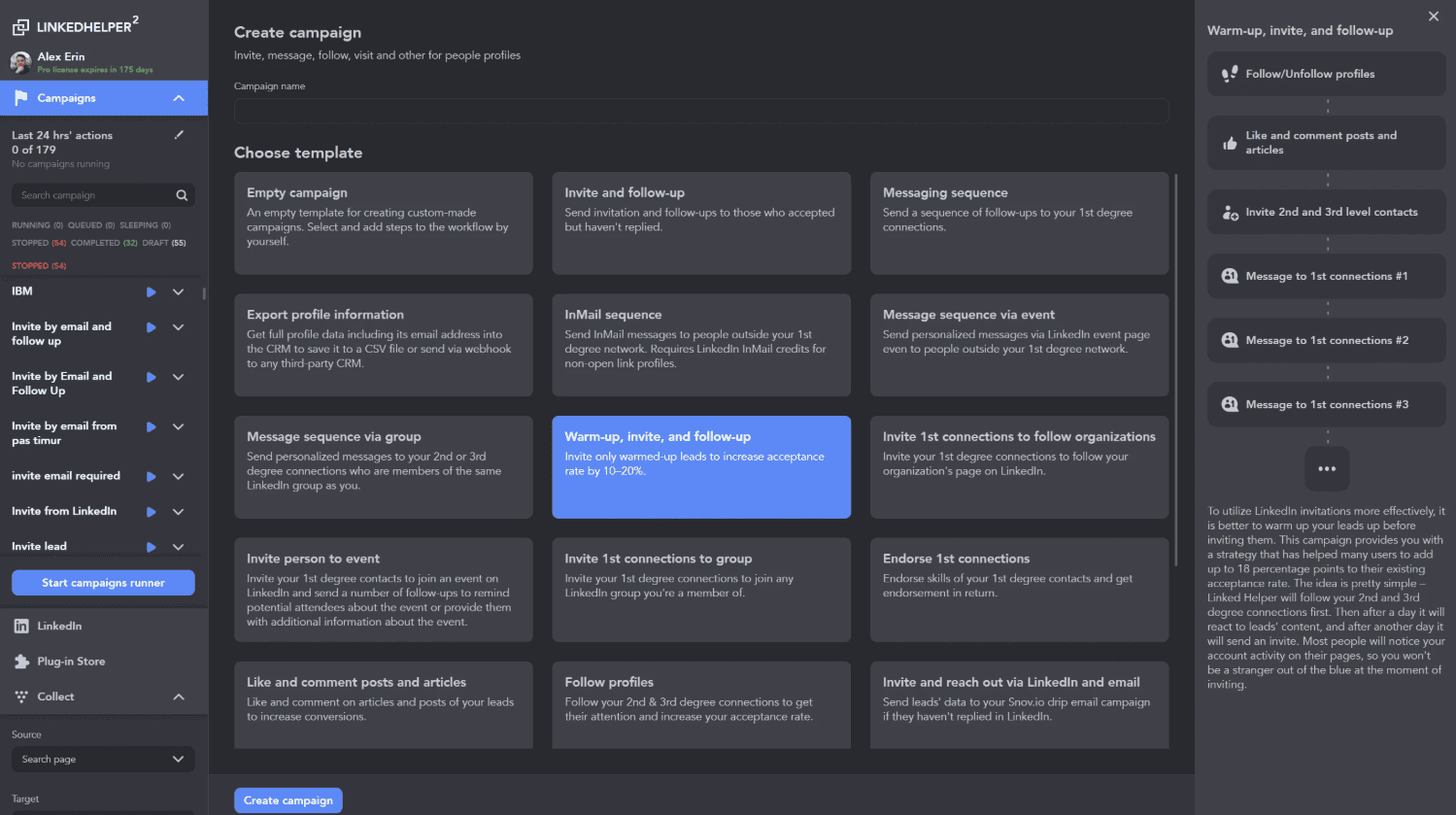
How Linked Helper compares with HeyReach
- Pricing for your setup. Local-storage licenses cost $15 monthly for Standard or $45 for Pro. The cloud-storage versions cost $29.90 and $59.90. Both still run on a computer or server I manage. Standard includes the AI features; Pro increases allowances and removes several advanced-action caps. For an agency, include server, proxy, and additional AI-credit costs when comparing it with HeyReach.
- LinkedIn safety. Linked Helper is one of the strongest tools on the market for safety if configured correctly. For example, if I only need one account, I can use my own IP address, the same one I normally use to access LinkedIn. No rented proxy beats that.
I’ve also personally verified that Linked Helper has a great algorithm for running LinkedIn automation. I know this because I analyzed its behavior on my desktop.
I would say Linked Helper is one of the safest tools on this list, possibly the safest, if configured correctly. - Prospecting and finding your ICP. AI ICP detection is one of its stronger features for me. I can describe my ideal customer, select the profile fields the AI should inspect, and filter profiles before messaging them. That gives me another qualification step after a LinkedIn search. The selected fields need to contain the information required to judge the fit.
- LinkedIn and multichannel capability. Linked Helper automates LinkedIn outreach, with external integrations needed for email sending. Its campaign workflows don’t offer full if/else branching, although message templates can use conditional text. It fits LinkedIn workflows built as a sequence of actions. For native multichannel campaigns, I need another platform.
- AI SDR support. AI reply assistance with human approval. Linked Helper’s native AI Reply Assistant uses the conversation history to draft an answer, and I can guide it with a custom prompt, for example to answer a question or suggest a meeting. My rep still reviews, approves, and sends the response. It helps write replies but doesn’t run conversations as an autonomous AI SDR. Usage consumes AI credits. Reply-assistant capabilities.
What I like about Linked Helper
I like having AI filtering and reply assistance in the same tool. One helps me decide whom to contact; the other helps my rep work through the resulting conversations.
The native CRM connections are useful. HubSpot, Salesforce, and Pipedrive integrations help move prospect information into the sales process without starting with a custom integration.
Where Linked Helper falls short
I have to keep the application running. Turning off my computer stops the automation. Cloud storage doesn’t change that, I need an always-on computer or a server I manage for continuous operation.
Branding support is limited. I can change the application’s logo and name, but Linked Helper says it doesn’t have a full white-label reseller program where I can set my own software price. That falls short of a complete agency white-label offer. Branding and reseller limitations.
Meet Alfred: For agencies that need built-in prospecting and white label
When to choose Meet Alfred as a HeyReach alternative
Meet Alfred is one of the oldest tools on this list. It’s also the only tool here advertising X outreach alongside LinkedIn and email. But its help center currently lists X campaigns as under maintenance. I would confirm that they work for my account before buying it for X.
I would shortlist it for an agency that wants built-in prospecting and a branded client platform. X could be another reason to choose it once availability is confirmed.
For a sales team, it makes sense when I want to find prospects and contact them across several channels in the same platform, with reps handling the conversations.
How Meet Alfred compares with HeyReach
- Pricing for your setup. Monthly prices are $59 for LinkedIn Only, $69 for Multi-Channel, and $79 per seat for Agency. Annual billing reduces those to $39, $49, and $59. Agency has a three-seat minimum, making the monthly starting bill $237. That gives a small agency access to white label and multichannel outreach. The cheapest plan excludes Sales Navigator, InMail, and email automation.
- LinkedIn safety. Meet Alfred advertises cloud execution, a dedicated IP per account, randomized pacing, and configurable activity limits. I couldn’t verify whether its default IPs are residential, mobile, or datacenter. Without that detail, I can’t judge their quality against HeyReach’s published residential setup. I do like that Meet Alfred lets me connect my own proxy if I want control over the connection. Default infrastructure and custom proxy support.
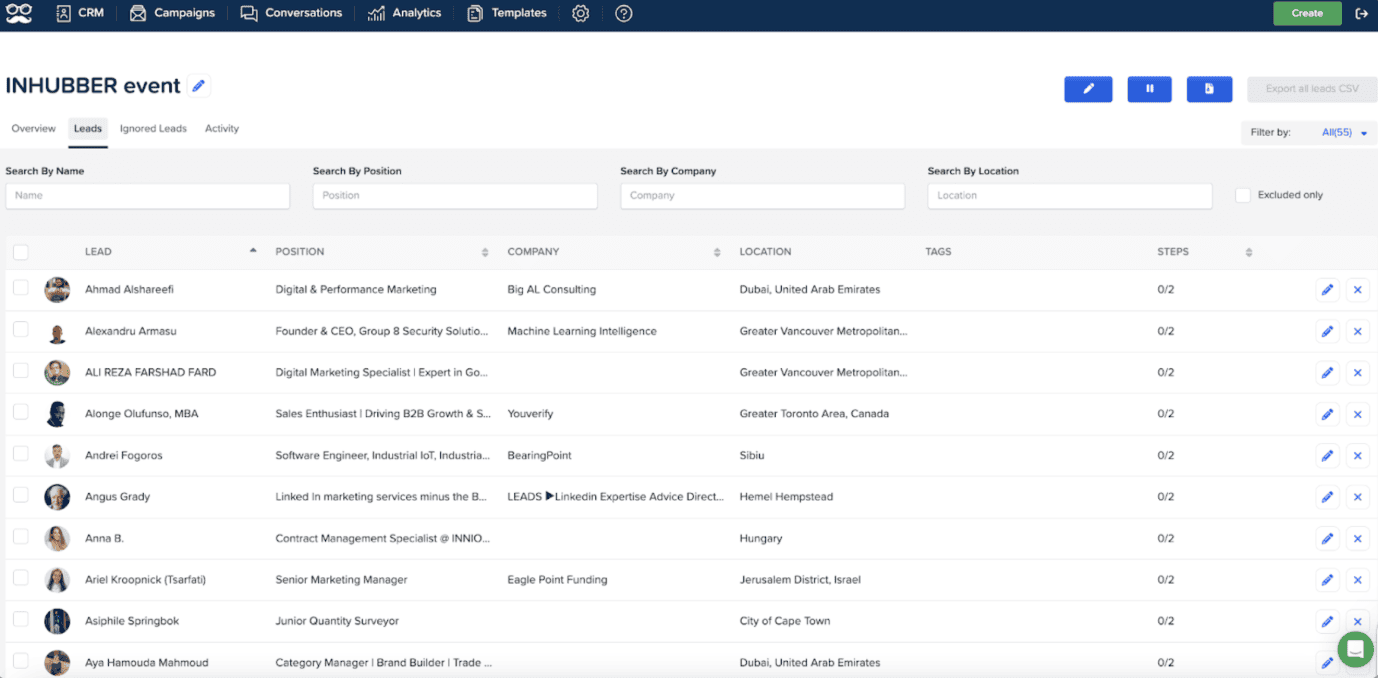
- Prospecting and finding your ICP. Built-in prospecting gives Meet Alfred an advantage over HeyReach. Lead Finder lets me search by title, industry, location, company size, and other criteria without requiring Sales Navigator. I can build an audience inside the tool instead of relying entirely on lists prepared elsewhere. I still need to qualify company fit myself. Those filters don’t establish whether a company needs my offer.
- LinkedIn and multichannel capability. I can combine LinkedIn and email and use built-in prospecting. X outreach could add another useful channel, but its maintenance status needs checking before I rely on it. I would test the exact sequence and integrations I need.
- AI SDR support. No native AI SDR. I still need my reps or an external AI setup to handle replies, qualify leads, and move conversations toward a meeting.
What I like about Meet Alfred
The white label covers the important branding elements. I can customize the logo, colors, login domain, and system notification emails. That gives an agency a practical way to present the platform under its own brand. Branding options.
Social publishing adds something beyond outreach. Facebook and Instagram post scheduling can be useful when my client service includes content alongside prospecting.
Where Meet Alfred falls short
The branded version comes with restrictions. Some social features and integration setup require returning to the Meet Alfred domain. Standard email connections are also removed from the custom-domain version, requiring SMTP/IMAP setup. Check the complete client workflow before promising everything works inside your branded platform. Custom-domain restrictions.
Email reply handling is limited. Its current documentation allows one direct email reply per lead per campaign, with later conversation continuing in the connected mailbox. Gmail and Outlook reply detection checks roughly every 90 minutes and can take longer. That’s a drawback when responding quickly after a prospect shows interest is central to my sales process. Email reply limitations.
Questions before switching from HeyReach
Does HeyReach send emails natively?
No. HeyReach connects campaigns to separate email platforms, including Instantly, Smartlead, and EmailBison. Those platforms send the emails.
If your existing email setup works well, that can make sense. If you want to build and run LinkedIn and email outreach inside one product, look for native multichannel sequences.
Can I move my HeyReach lead lists to another tool?
You can export lists as CSV, but HeyReach only exports its default columns. Custom variables aren’t included.
An AI agent using MCP can also help rebuild supported campaign steps and transfer leads. Continuing from the exact same step depends on the progress data and migration controls each tool exposes, so I would verify that separately before resuming outreach.
Before moving, check how you’ll preserve your personalization data and exclusion lists. Then test an import before rebuilding every campaign.
My advice before you switch
Pick the specific thing HeyReach isn’t doing well enough for your business. Then test the alternative that fixes it.
Use your own leads, build your actual sequence, and check how your team will handle replies. For an agency, include the client’s access and permissions in that test.
Compare the full monthly bill, including data, email infrastructure, and AI usage. A cheaper seat is a bad deal if it leaves your team doing more manual work.
If the alternative makes that workflow better at a price you can justify, switch. If it doesn’t, keep HeyReach.