7 best alternatives to Dux-Soup [2026 review]

Updated on: October 13th, 2026.
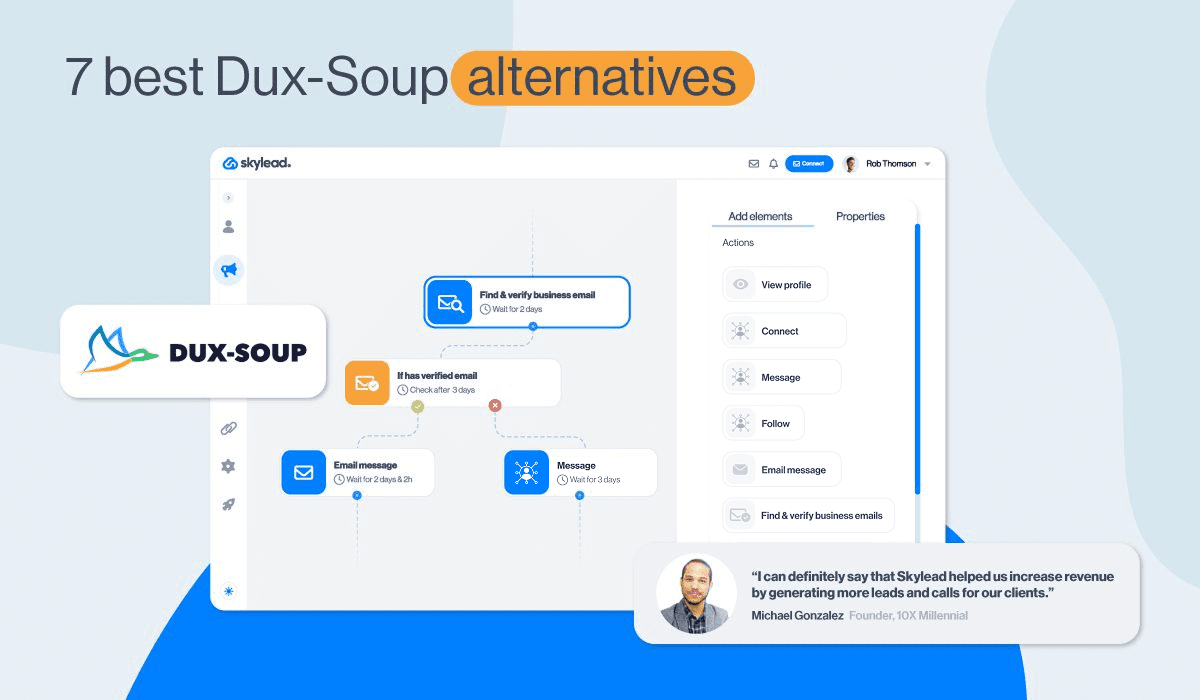
Are you looking for a Dux-Soup alternative but unsure which tool is worth switching to? We reviewed 7 best options using our team’s free-trial notes, workflow screenshots, and current product documentation.
We focused on 3 common reasons for switching:
- More flexibility in LinkedIn campaigns.
- Support for multiple channels.
- Better management of multiple senders and clients.
These needs lead to different choices. For example, a solo rep might prioritize a straightforward campaign builder, whereas a sales team might need conditional follow-ups and a shared inbox. In the meantime, an agency might care more about sender allocation, client workspaces, and volume pricing.
To help you make the right pick, we evaluated each tool across 7 criteria: lead sourcing, campaign logic, personalization and data, channel coverage, reply handling, team operations and deployment and total cost.
Speaking of costs, we looked beyond starting prices. After all, campaign limits, mailbox charges, enrichment credits, and separate email subscriptions can change what you actually pay.
That said, below, you'll find a comparison of 7 Dux-Soup alternatives, with a clear use case, strengths, limitations, and pricing for each, so you can spend less time comparing tools and choose one that fits your needs.
Let's get into it.
TL;DR: The best Dux-Soup alternatives
- Skylead: Best for agencies and sales teams who want one tool for prospecting, data enrichment, outreach, and reply management.
- HeyReach: Best for agencies spreading LinkedIn campaigns across several sender accounts.
- SalesRobot: Best for outreach teams interested in voice/video formats and AI-assisted conversations.
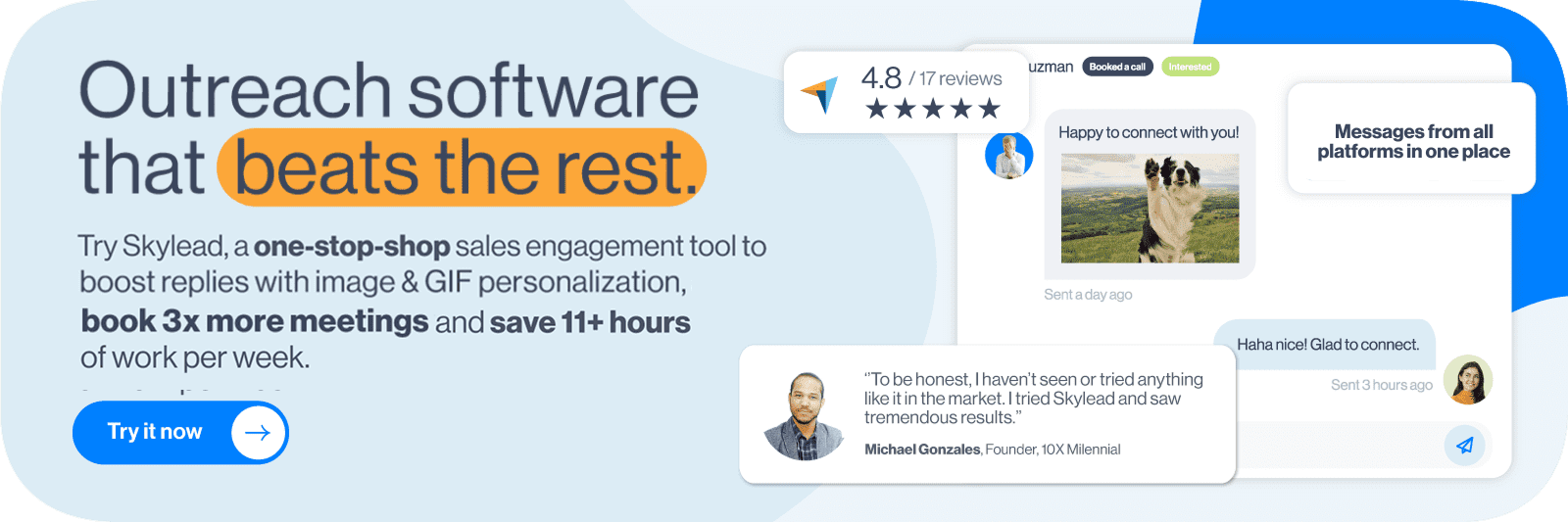
- Dripify: Best for solo reps who need a focused LinkedIn-and-email campaign builder.
- lemlist: Best for email-led sales teams that also want LinkedIn and calling.
- Meet Alfred: Best for teams that want LinkedIn, email, and X outreach alongside social scheduling.
- Salesflow: Best for teams buying multiple seats for structured outreach.
Dux-Soup alternatives: Feature and pricing comparison
All prices below are USD before taxes and optional services. Monthly billing is shown unless an annual commitment is stated.
| Tool | Best for | LinkedIn + email | Starting price |
|---|---|---|---|
| Skylead | Prospecting, outreach, data enrichment, and reply management in one platform | Yes | $100/seat/month |
| HeyReach | Multiple LinkedIn senders | LinkedIn only; email through separately paid tools | $79/sender/month below 10 senders |
| SalesRobot | Outreach formats and reply assistance | Yes; email costs an extra $15/mailbox/month | $59/LinkedIn account/month |
| Dripify | A solo LinkedIn-and-email campaign | Yes | $59/user/month |
| lemlist | Email, LinkedIn, and calling | Yes, on the Multichannel plan | $109/user/month for Multichannel |
| Meet Alfred | Outreach plus social scheduling | Yes, on eligible paid plans | Business: $49/user/month billed annually |
| Salesflow | Volume-seat purchases | Yes | From $99/seat/month for one seat |
What is Dux-Soup, and why consider an alternative?
Dux-Soup is a LinkedIn automation tool that automates actions on LinkedIn.

Although traditionally a Chrome extension, its newer product, STACKED, moves the main workflow from the extension into a Windows/Mac desktop app. You can choose Local, which runs on your computer, or Cloud, which runs on Dux-Soup’s infrastructure without keeping your machine on. However, their Cloud version still operates through a Chrome extension, which injects code into LinkedIn and could lead to getting your LinkedIn account restricted.
What can you do with Dux-Soup?
Dux-Soup covers the main steps of LinkedIn outreach. You can use it to:
- Automate LinkedIn actions: Visit profiles, follow prospects, send connection requests, messages and LinkedIn InMails, endorse skills, and like posts.
- Build drip campaigns: Add up to 12 total actions and set delays between steps measured in days and hours. Outreach is paused automatically when a prospect responds.
- Personalize messages: Use variables such as name, company, and job title. Alternatively, you can use Claude, Gemini, or ChatGPT for sales copywriting and message personalization via MCP.
- Import and manage prospects: Add leads from LinkedIn, Sales Navigator, Recruiter, individual profile URLs, or CSV files. Filter prospects, export lists, and perform bulk actions.
- Track campaign activity: Funnel Flow shows prospect progression and outreach metrics. Queued Activity shows upcoming actions, while the Activity Log records completed and failed actions.
- Connect your existing tools: Integrations include HubSpot, Pipedrive, Salesforce, Slack, Microsoft Teams, Zapier, and Make.
That makes Dux-Soup useful for a LinkedIn-focused workflow, particularly if your CRM and email tools already handle the rest.
Where does Dux-Soup become limiting?
In our research, we identified 3 main reasons for switching to a Dux-Soup competitor:
- Campaign branching: Their campaign builder uses a fixed sequence of actions. We did not find an if/else builder for routing prospects through different paths based on connection status or email availability.
- Email outreach: You can purchase email-finder credits, but that's about all you can do email-wise. Finding an address still leaves you needing cold email software, considering Dux-Soup, a.k.a. STACKED, doesn't support email outreach natively.
- Reply management: The software doesn't have a built-in inbox, let alone automated reply management features. If you want to handle conversations across channels in one place, either manually or automatically, you are better off with a Dux-Soup alternative.
Dux-Soup pricing
| Plan | Monthly price per seat | Monthly equivalent billed annually |
|---|---|---|
| STACKED Local | $55 | $41.25 |
| STACKED Cloud | $99 | $74.17 |
How we evaluated the Dux-Soup alternatives
We assessed each tool against 7 criteria:
- Lead sourcing: Can you import search results, CSVs, and engagement audiences? Can you reuse lists or keep a source refreshed?
- Campaign logic: Is the sequence linear or conditional? What happens after a connection is accepted, an email is missing, or a prospect replies?
- Personalization and data: Which standard/custom fields, email-finding options, and AI features are available? What consumes credits?
- Channel coverage: Does the tool send LinkedIn and email itself, or hand a lead to a separately paid platform?
- Reply handling: Which replies reach the inbox? Can your team tag, follow up, or handle replies automatically?
- Team operations: How are senders, permissions, client workspaces, campaign edits, and CRM handoffs managed?
- Deployment and real cost: Does automation depend on your computer? Which plan, seats, mailboxes, allowances, and commitments does the required workflow need?
7 Best Dux-Soup alternatives in 2026
1. Skylead — Best all-in-one Dux-Soup alternative
Best for: Agencies and sales teams that want to find prospects, enrich data, run outreach, and manage replies from one place.
Yes, that’s us. Hi! 🙂
Skylead is our cloud-based LinkedIn automation tool and cold email software built to connect your entire outreach workflow—from finding the right companies and decision-makers to handling their replies.
If you’re moving from Dux-Soup, that’s where Skylead brings the biggest difference. You can build your prospect lists, enrich their data, and run LinkedIn and email outreach without moving each part of the process into a separate tool.
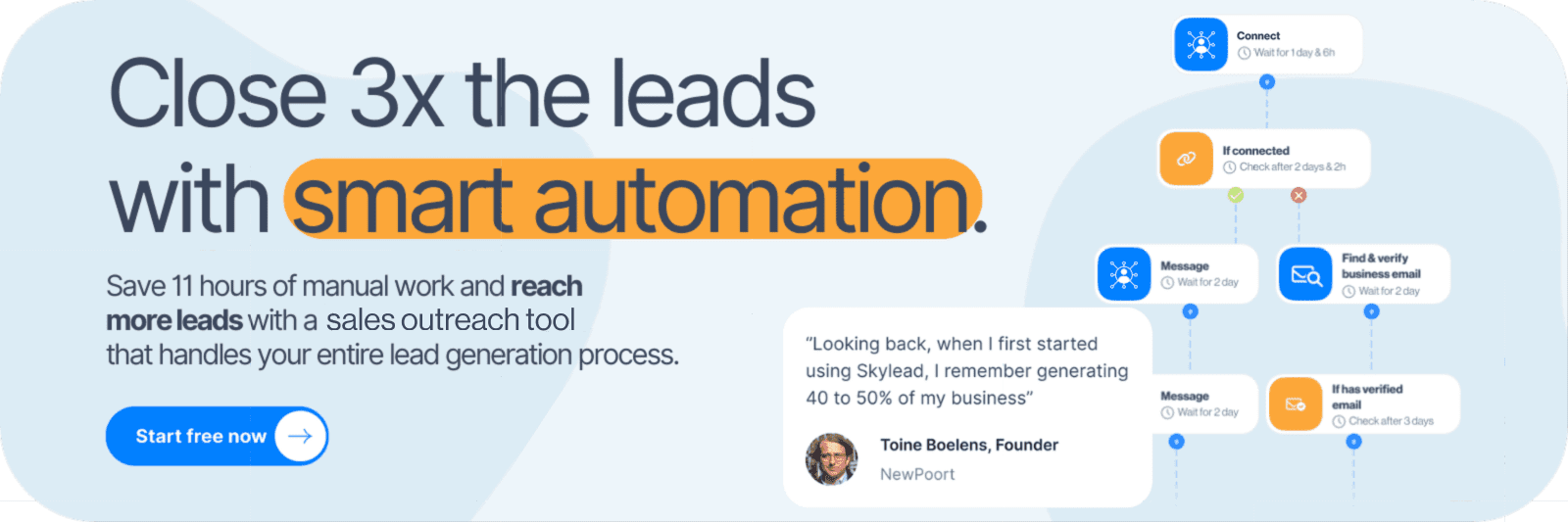
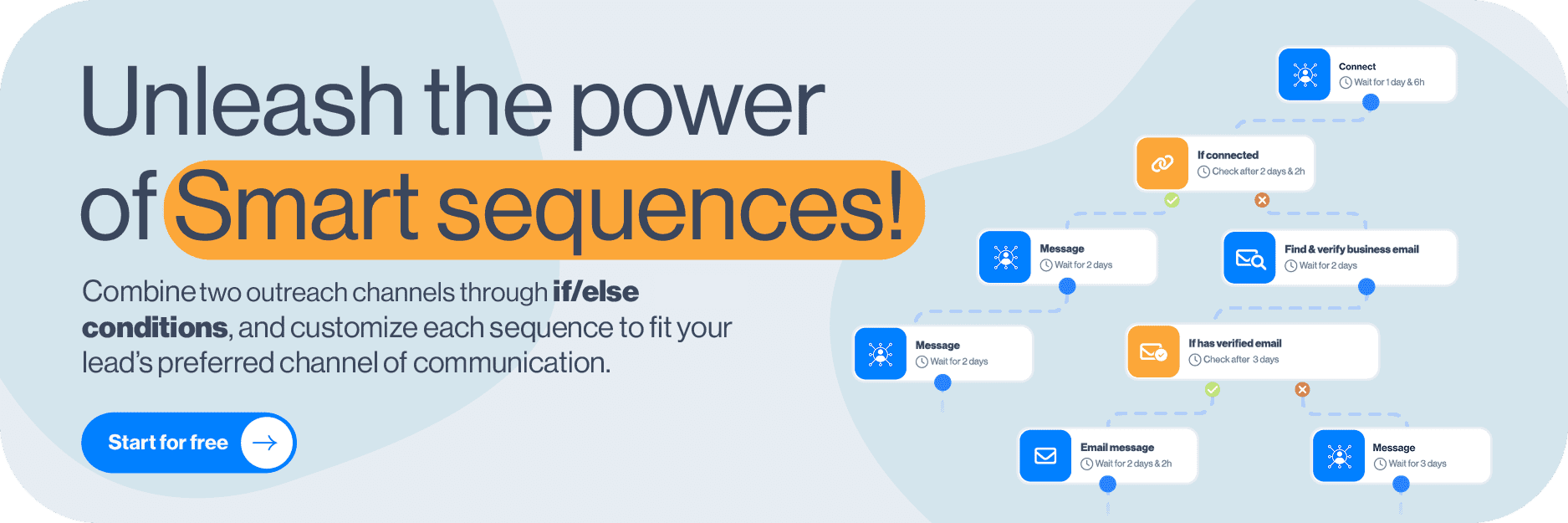
Our Smart Sequences let you decide what happens next based on your prospect’s behavior. For example, if someone accepts your connection request, the tool can continue with a LinkedIn message. If they don’t, another branch can find and verify their business email and follow up there. You set the conditions, messages, and delays.
You can also connect unlimited email accounts, use email warm-up free of charge, and bring LinkedIn and email conversations into our Smart Inbox. That gives your team a connected workflow for starting conversations and following through on them.
Skylead core features
Prospecting and data enrichment
- B2B database and account-based prospecting: Search for contacts and companies or build a list of target accounts and find the relevant decision-makers within them.
- Post Signals: Discover LinkedIn posts around your chosen topics, keywords, or problems, identify creators and engaged people, and filter those prospects against your ideal customer profile and buyer persona.
- AI data enrichment: Research contacts and companies using data from 20+ providers and 10+ signals. Generate custom icebreakers with AI or use the information as variables in your outreach.
LinkedIn and email outreach
- Smart Sequences: Combine LinkedIn actions, email messages, and if/else conditions in the same sequence. Build your own outreach flow or start with a ready-made template.
- Email discovery and verification: Add a find-and-verify step to your sequence so you can discover business emails without exporting your prospects into another tool.
- Unlimited email outreach: Connect multiple email accounts and use mailbox rotation and included warm-up as part of your email workflow.
- Native image and GIF personalization: Add personalized visuals alongside custom variables, Spintax, and Liquid syntax to make your messages more relevant.
- Reporting and A/B testing: Test up to 5 message variations and review performance in graph, table, or step-by-step view to see where your campaigns need improvement.
Reply management and agency features
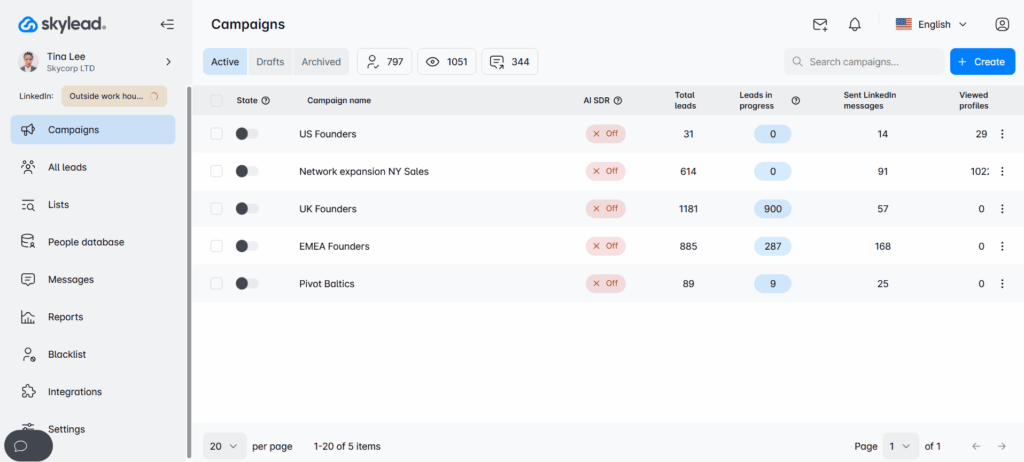
- Smart Inbox: Manage LinkedIn and email conversations together, with labels and sentiment categories to help prioritize replies.
- AI SDR: Train our AI SDR with your company knowledge, conversation strategy, objection handling, and examples. Choose automatic mode or semi-automatic mode to review suggestions before sending. Agencies can create custom AI Training Sets and turn them into reusable IP that clients can use, but can't edit.
- Agency dashboard and Unibox: Oversee client accounts, activity, performance, and conversations from one place, with granular roles and permissions.
- White label and integrations: Offer Skylead under your own brand, and connect it with other tools in your stack via API or webhooks. The tool also integrates with the best CRM for sales (HubSpot, Salesforce, and Pipedrive).
Skylead pros and cons
| Pros | Cons |
|---|---|
| Prospecting, enrichment, native email and LinkedIn automation, and reply management in one platform. | A steeper learning curve due to the number of features available |
| Unlimited connected email accounts and included warm-up. | |
| Smart sequences, advanced personalization, and agency features. |
Skylead pricing
| Plan | Price |
|---|---|
| All-in-one | $100/seat/month *Additional AI data enrichment and AI SDR credits cost $1 per 100 credits. Pricing reflects real provider costs and doesn't include an added margin, making it up to 95% more cost-effective compared to tools like Clay or Apollo. |
| Annual | Pay for 10 months and get 2 free |
| Agency | 25 seats: $999/month Unlimited seats: $1,999/month |
2. HeyReach — Best for multi-sender LinkedIn campaigns
Best for: Agencies and GTM teams managing multiple LinkedIn senders and client accounts.
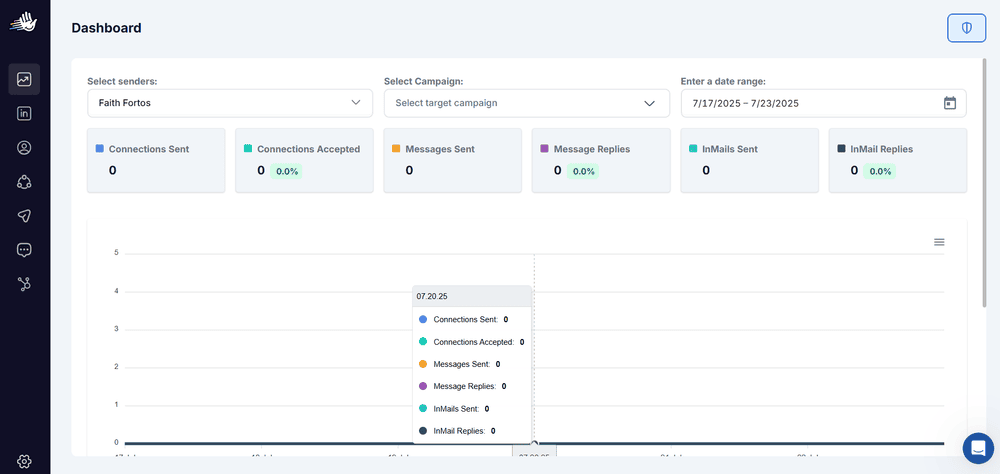
HeyReach is a cloud-based LinkedIn automation platform that lets several sender accounts contribute to the same campaign. It distributes prospects across those accounts and brings their LinkedIn conversations into Unibox, its shared inbox.
Email outreach runs through integrations with Instantly, Smartlead, or EmailBison and require separate subscriptions. This ultimately makes it more expensive than some other HeyReach alternatives, including Skylead.
HeyReach core features
- Multi-sender campaigns: Distribute leads across LinkedIn accounts with individual activity limits.
- Campaign builder: Combine LinkedIn actions, conditions, custom variables, and A/B-tested messages.
- Lead imports: Add prospects from LinkedIn, Sales Navigator, CSVs, Clay, and API integrations.
- Unibox and reporting: Manage LinkedIn replies, tag conversations, and review campaign and sender performance.
- Agency management: Separate client workspaces, role-based permissions, shared sender pools, and ability to white-label LinkedIn lead generation.
- Email discovery and integrations: Find email addresses and transfer prospects into connected email campaigns.
HeyReach pros and cons
| Pros | Cons |
|---|---|
| Multiple LinkedIn senders can share a campaign and inbox. | Email sending requires another platform and subscription. |
| Client workspaces and white labeling support agency delivery. | Unibox covers LinkedIn conversations only. |
| Conditional campaigns, A/B testing, and sender-level reporting. | Finder credits are one-time allowances; additional credits cost extra. |
HeyReach pricing
| Plan | Monthly price | Senders |
|---|---|---|
| Growth | $79/sender | Fewer than 10 |
| Growth | $59/sender | 10 or more |
| Micro Agency | $999 | 25 |
| Agency | $1,399 | 50 |
| Unlimited | $2,999 | Fair-use cap of 300 |
3. SalesRobot — Best for personalized AI reply assistance
Best for: Teams that want LinkedIn/email outreach, voice/video options, and help continuing conversations.
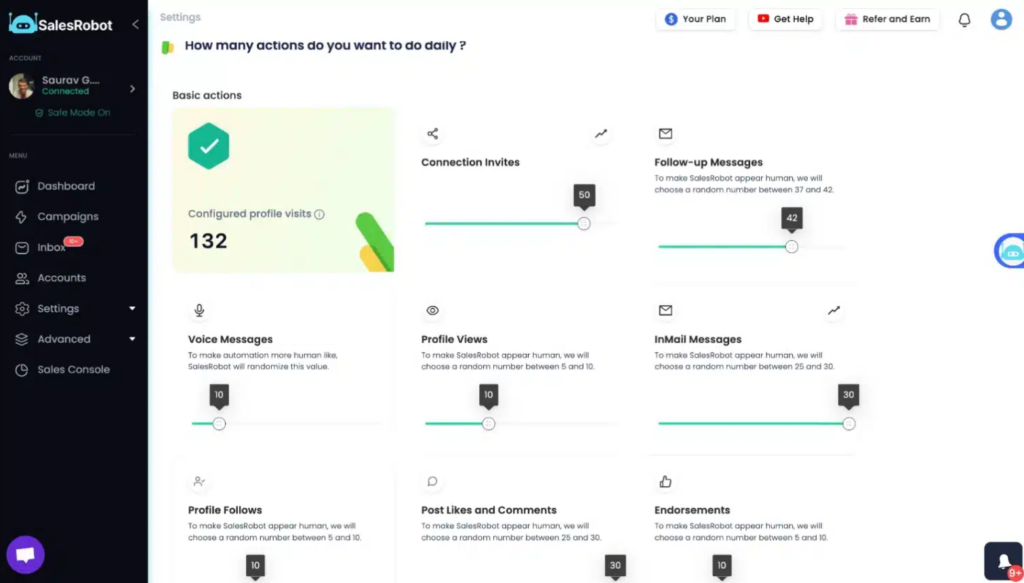
SalesRobot is a cloud-based LinkedIn and cold email automation platform, like Skylead. You can use it to build conditional campaigns, find work emails, and manage conversations across both channels.
Its voice/video message formats add options beyond written follow-ups. Meanwhile, the AI Appointment Setter helps continue conversations, with a choice between approving suggested replies and letting the agent handle responses and meeting booking automatically, which is similar to what Skylead's AI SDR does.
SalesRobot core features
- Lead imports: Add prospects from LinkedIn, Sales Navigator, Recruiter, post engagement, groups, events, and CSV files.
- Conditional campaigns: Combine LinkedIn and email steps, switch channels, and pause messaging when a prospect replies.
- Personalization: Use custom variables, LinkedIn profile data, and voice/video formats on applicable plans.
- Work-email discovery: Find verified business emails and send through Gmail, Outlook, or custom SMTP. Email automation costs extra.
- Inbox and AI replies: Manage LinkedIn/email conversations together, tag leads, and use the trainable AI Appointment Setter in Copilot or Autopilot mode.
- Integrations: Connect with CRM and automation tools, with Zapier/webhook access on higher plans.
SalesRobot pros and cons
| Pros | Cons |
|---|---|
| Voice/video formats give teams more options for starting a conversation. | Basic plan has one active campaign and limited quotas. |
| Combined reply handling and AI assistance can reduce channel switching. | Email costs $15 per mailbox each month. |
| Work-email discovery supports cross-channel outreach. | Inbox, integrations, and advanced features depend on the selected plan. |
SalesRobot pricing
| Plan | Monthly price per LinkedIn account |
|---|---|
| Basic | $59 |
| Advanced | $79 |
| Professional | $99 |
Advanced plan adds unlimited campaigns and inbox/integration features. Email automation costs an additional $15/mailbox/month.
The listed free email-finder allowance is 225 credits per customer, with three credits used per found address—enough for 75 addresses.
4. Dripify — Best for solo reps and small outreach teams
Best for: Solo reps and small teams that want a visual builder for LinkedIn and email campaigns.
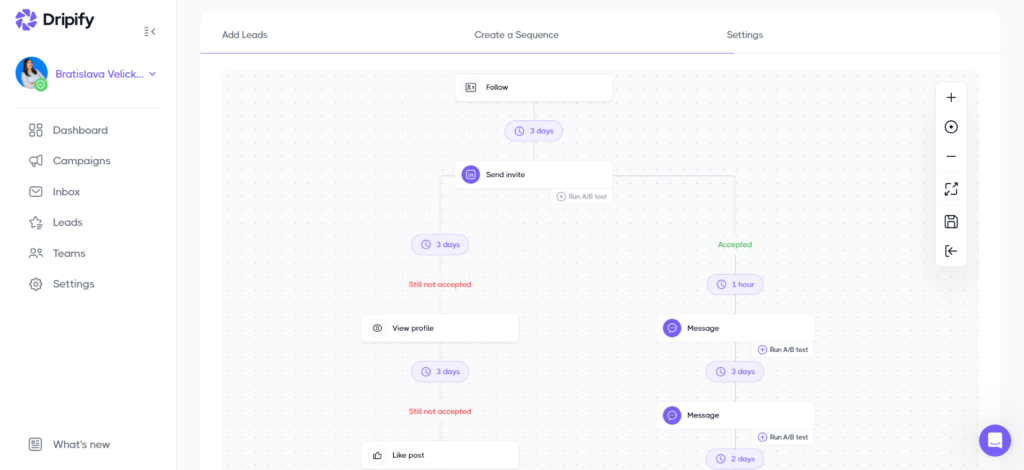
Dripify is a LinkedIn and email automation tool that lets you build campaigns from scratch or customize a template. Add your leads, choose your actions, and set conditions to decide how each prospect moves through the sequence.
You can follow up on LinkedIn when someone connects or take the email route when an address is available. And when a lead gets stuck, the queue and step analytics help you see where—and why.
The main trade-off? Its inbox only handles LinkedIn conversations, so email and Sales Navigator InMail replies need to be managed elsewhere.
Dripify core features
- Conditional sequences: Combine LinkedIn and email actions with conditions such as connection status, email availability, and open-profile status. Conditions check the lead’s status when they run; later changes don’t automatically move the lead to another branch.
- Lead imports: Add prospects from LinkedIn, Sales Navigator, Recruiter, groups, events, post engagement, profile URLs, and CSV files.
- Personalization: Use 19 default lead fields, up to 50 custom fields, and AI assistance to rewrite messages. AI improvements are limited to 150 per month.
- Email outreach: Send through Gmail or Outlook and find verified email addresses using finder credits.
- Campaign visibility: Inspect queued leads, review failed actions, and track results at campaign and individual-step levels.
- Testing and integrations: Test message, invitation, and email variants through its beta A/B feature. Connect HubSpot natively or other tools through API and webhooks.
Dripify pros and cons
| Pros | Cons |
|---|---|
| Visual templates and conditions support LinkedIn and email outreach. | Basic allows only one campaign and has lower activity quotas. |
| Queue visibility and step analytics help troubleshoot campaigns. | The inbox excludes email and Sales Navigator InMail replies. |
| Custom fields and AI editing help personalize messages. | AI improvements and included email-finder credits have monthly limits. |
Dripify pricing
| Plan | Monthly price per user |
|---|---|
| Pro | $79 |
| Advanced | $99 |
Pro plan adds unlimited campaigns, inbox access, lead export, and integrations. Meanwhile, Advanced adds team management, including Owner and Manager roles.
All paid plans include 100 email-finder credits per month. Unused credits expire, and additional credits cost extra.
5. lemlist — Best for email-led teams that also call
Best for: Sales teams that want email, LinkedIn, and calling in the same outreach workflow.
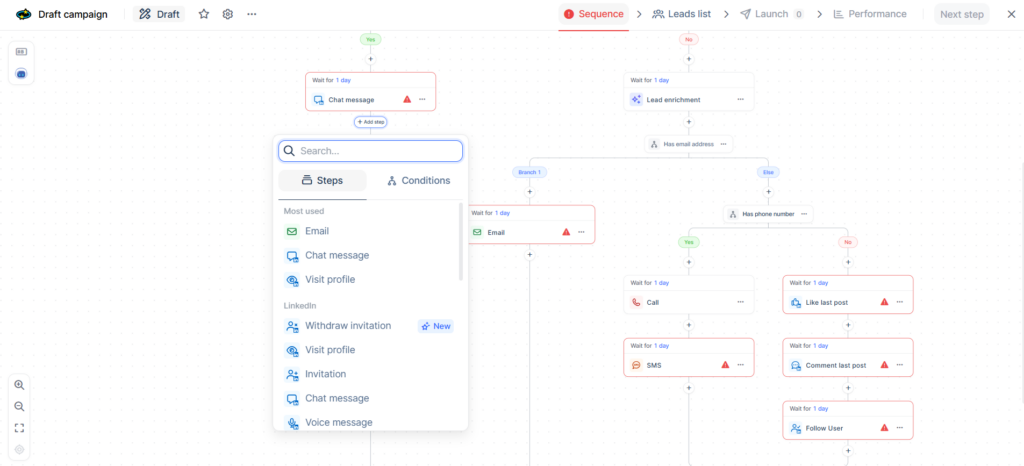
lemlist is a multichannel sales engagement platform built for teams that want more ways to reach a prospect. Start with an email, follow up on LinkedIn, and add a call when the conversation needs a more personal touch.
You can also build outreach around changes at your target accounts, such as a new hire, fundraising announcement, or relevant LinkedIn activity. Its signal agents help turn those events into campaigns, while lemAgent assists with finding leads, building sequences, and analyzing results.
For a Dux-Soup alternative, compare the Multichannel plan. The cheaper Email plan doesn’t include LinkedIn automation.
lemlist core features
- Multichannel sequences: Combine email, LinkedIn, and calling with conditional paths and automated or manual steps. SMS and WhatsApp options extend the channel mix.
- Prospecting and enrichment: Find prospects in the built-in database or import them through CRM connections, CSVs, and its LinkedIn extension. Email discovery, phone lookups, and enrichment cost extra.
- Signal-based outreach: Build campaigns around job changes, company growth, buying signals, and social activity. Signals carry additional charges.
- Personalization and testing: Use custom variables, Liquid syntax, personalized images, landing pages, and voice messages. A/B test individual steps or entire sequences with 2 variants.
- Email sending: Connect Gmail, Outlook, or custom SMTP accounts and rotate senders across new leads.
- Inbox and integrations: Manage multichannel conversations together and connect CRM systems, automation tools, or AI assistants through integrations, API, and MCP.
lemlist pros and cons
| Pros | Cons |
|---|---|
| Email, LinkedIn, and calling fit into one sequence. | LinkedIn automation requires the Multichannel plan. |
| Signals and personalization help make outreach more relevant. | Signals, enrichment, and additional channel usage can increase costs. |
| A shared inbox brings multichannel replies together. | Multichannel pricing grows with the number of users. |
lemlist pricing
| Plan | Monthly price | LinkedIn included? |
|---|---|---|
| From $69/team | No | |
| Multichannel | $109/user | Yes |
| Enterprise | Custom | Yes |
Multichannel includes 5 email senders per user. Data enrichment and buying intent signals cost extra. Visit their pricing page for more details.
6. Meet Alfred — Best for outreach plus social scheduling
Best for: Small teams that want LinkedIn and email outreach alongside social post scheduling.
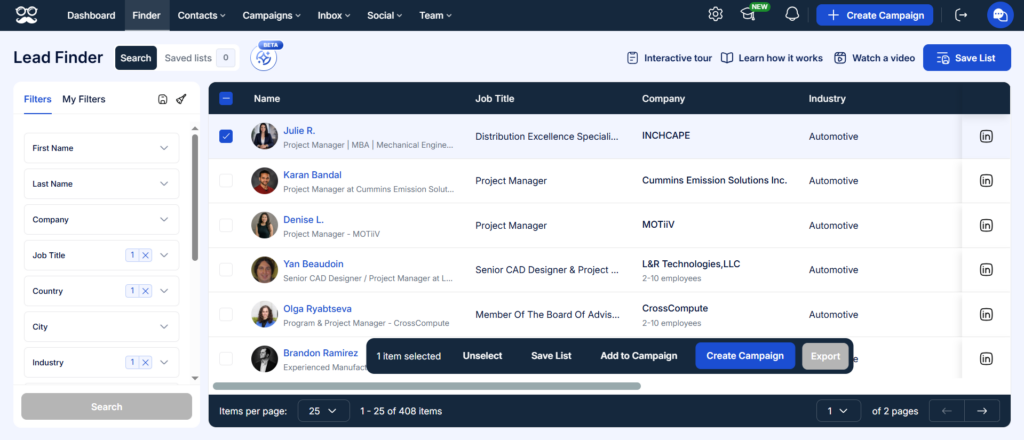
Meet Alfred is another cloud-based LinkedIn automation tool that combines prospecting, outreach, and publishing. You can find leads, enroll them in a drip campaign, and schedule social posts without moving between separate platforms.
Its appeal is convenience. Build a sequence, personalize your messages, and save templates for your team to reuse.
There are limits to that setup, though. Our trial found linear campaigns rather than if/else branching, and email replies weren’t available in the inbox. X messaging was also under maintenance, so we wouldn’t choose Meet Alfred specifically for that channel based on the tested workflow.
Meet Alfred core features
- Lead sourcing: Find prospects through its beta Lead Finder or import them through LinkedIn searches, Sales Navigator lists, existing connections, post audiences, and CSV files.
- LinkedIn and email campaigns: Automate profile views, follows, endorsements, invitations, messages, and email follow-ups. InMails require building a separate campaign.
- Templates and personalization: Save sequences and messages for individual or team use, with variables for names, company, position, and industry.
- Social scheduling: Schedule posts for LinkedIn, Facebook, X, and Instagram. These publishing features are separate from outreach automation.
- Inbox and reporting: Manage LinkedIn, InMail, and Sales Navigator conversations in separate inbox views, and track invitations, messages, replies, and team activity.
- Team tools and integrations: Assign roles, connect Salesforce, and use Zapier or API integrations. White labeling is available on eligible team plans.
Meet Alfred pros and cons
| Pros | Cons |
|---|---|
| Combines outreach and social publishing in one platform. | Simple drip campaigns with no conditions. |
| Multiple lead sources and reusable templates simplify campaign setup. | Only one email account can be connected at a time; email replies aren't shown in-app. |
| Team reporting and branding options support shared operations. | InMails run separately, and X messaging was unavailable during our trial. |
Meet Alfred pricing
| Plan | Monthly price per seat |
|---|---|
| Individual | $59 |
| Business | $99 |
| Teams | $79 *3 seats minimum |
| Unlimited | Custom quote |
7. Salesflow — Best for teams buying several seats
Best for: Sales teams and agencies that need LinkedIn and email outreach with volume-based seat pricing.
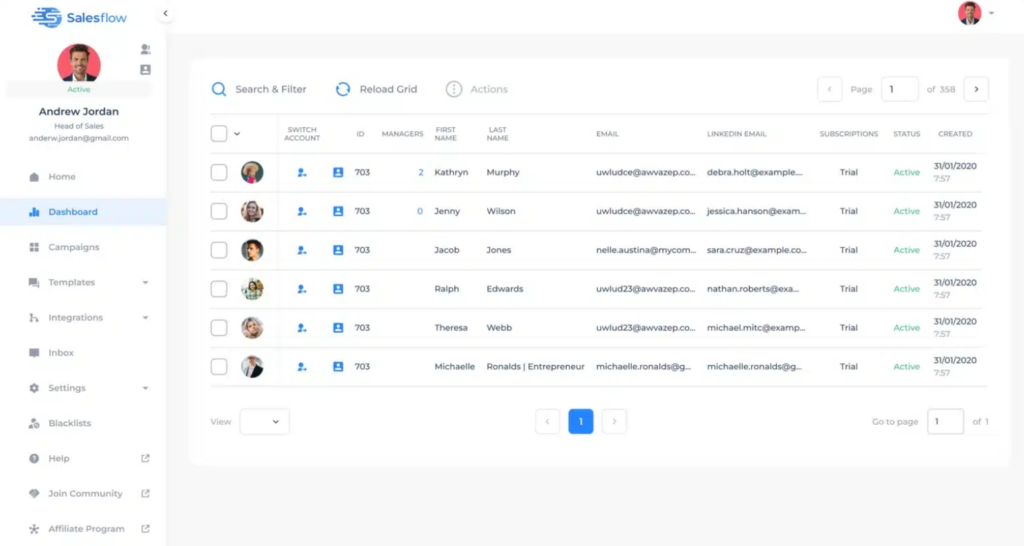
Salesflow is a cloud-based LinkedIn and email automation tool, like Skylead and SalesRobot, meaning campaigns keep running without your computer or browser staying open.
Its Dynamic Outreach builder lets you combine both channels with conditional paths. A Monitor step can wait for a connection acceptance, then send the prospect down the appropriate branch when the monitoring period ends. However, you need to plan your sequence carefully: once leads are enrolled, you can edit messages and delays, but you can’t add or remove steps.
Ultimately, the main buying decision is team size. A displayed $39.95 rate looks attractive, but it requires at least 20 seats. Consequently, pricing for solo users starts at $99.
Salesflow core features
- Conditional outreach: Build LinkedIn/email sequences with connection, open-profile, email-availability, and email-open conditions.
- Lead imports and duplicate controls: Import LinkedIn and Sales Navigator searches, existing connections, groups, events, and CSVs. Re-import saved searches using “New leads only.”
- Personalization: Use profile variables, custom fields, fallback text, reusable templates, and an AI Template Generator.
- Inbox and analytics: Manage LinkedIn and Sales Navigator conversations with tags, notes, reminders, and response templates. Track campaign funnels, sender activity, and positive or negative replies.
- Team management and integrations: Give teammates individual access or centrally manage multiple profiles. Connect HubSpot natively or other tools through Zapier and API, with branding options on eligible plans.
Salesflow pros and cons
| Pros | Cons |
|---|---|
| Conditional sequences combine LinkedIn and email outreach. | Dynamic campaign steps lock once leads are enrolled. |
| Team dashboards and manager access support multiple accounts. | The inbox covers LinkedIn and Sales Navigator conversations, rather than email replies. |
| Volume pricing lowers the per-seat cost for larger teams. | Lower rates require minimum seat purchases; Agency and Enterprise require annual commitments. |
Salesflow pricing
| Plan | Monthly rate per seat | Minimum seats |
|---|---|---|
| Basic | $99 | 1 |
| Starter | $70 | 5 |
| Pro | $39.95 | 20 |
| Agency | $29.98 *billed annually | 50 |
| Enterprise | $24.99 *billed annually | 100 |
The price comparison of your setup
Just because a tool lists one price doesn't mean it's the price you'll actually pay for the entire setup.
To paint a picture of the actual costs, here's the price you can expect to pay for one LinkedIn account and 3 connected email mailboxes across different Dux-Soup alternatives:
| Setup | Published-rate calculation |
|---|---|
| Skylead All-in-one | $100/month; unlimited mailboxes included |
| SalesRobot Advanced + 3 mailboxes | $79 + (3 × $15) = $124/month |
| HeyReach Growth + email platform | $79/month + separate cold email platform |
So, before deciding on the tool, compare total costs of the setup, including any add-ons, credits, and additional subscriptions.
Disclaimer: The calculations in the table above are illustrative, not an identical-feature benchmark. Email hosting, domains, taxes, and LinkedIn subscriptions may add cost.
Is a Dux-Soup alternative safe to use?
No LinkedIn automation tool can guarantee an unrestricted account. LinkedIn’s User Agreement prohibits unauthorized automated activity, and that applies across this comparison.
However, we recommend cloud-based tools with dedicated IP addresses, controlled activity pacing, and configurable daily limits. These features help maintain a consistent connection and spread actions throughout your working hours instead of sending them in sudden bursts to prevent LinkedIn from detecting unusual activity. Skylead, for example, uses a dedicated IP and human-like activity pacing to keep your account safe from restrictions, making it one of the safest Dux-Soup alternatives on the market.
Which Dux-Soup alternative should you pick?
If you’re switching from Dux-Soup, make the move count. Start with the limitation you need to solve, then choose the tool that covers the workflow you actually want to run.
Need several LinkedIn senders sharing a campaign? HeyReach fits that setup. Want a straightforward campaign builder for one rep? Dripify belongs on your shortlist. Need calling alongside LinkedIn and email? Consider lemlist.
But for agencies and sales teams that want prospecting, enrichment, LinkedIn and email outreach, and reply management together, we recommend Skylead.
You can use it find your target companies and decision-makers, personalize outreach with their data, and build Smart Sequences that adapt to prospect behavior. Once replies arrive, Smart Inbox brings LinkedIn and email conversations together, while our AI SDR can help keep those conversations moving in automatic or semi-automatic mode.
Like what you hear? Start your 7-day free trial and build the outreach workflow you wanted from your next Dux-Soup alternative.
Dux-Soup alternatives FAQs
What is the best Dux-Soup alternative for LinkedIn and email?
Skylead is our recommendation for teams that want native LinkedIn/email Smart Sequences, prospecting, and several connected mailboxes. Dripify, SalesRobot, lemlist, Meet Alfred, and Salesflow also support native email on relevant plans or add-ons.
Does Dux-Soup still need an open browser?
Not with its current STACKED setup. STACKED Local runs as a standalone Windows/Mac app, so your computer must stay running, but its main workflow doesn’t require a Chrome extension. STACKED Cloud runs on Dux-Soup’s infrastructure without keeping your computer on.
What is a cheaper Dux-Soup alternative for one user?
Dripify Pro costs $79/user/month on monthly billing, compared with $99/seat/month for Dux-Soup STACKED Cloud. It includes LinkedIn and email sequences and unlimited campaigns. However, it costs more than STACKED Local’s $55/month, so the cheaper choice depends on which Dux-Soup plan you’re replacing.
Which Dux-Soup alternative is best for agencies?
Skylead is our pick for agencies that want to manage the full client outreach process. It combines prospecting, enrichment, LinkedIn and email campaigns, and AI-assisted reply management. The agency dashboard and Unibox provide oversight across clients, while granular permissions, reusable AI SDR training sets, and optional white labeling support different service models. Explore Skylead for agencies.
How do I cancel Dux-Soup before switching?
Email info@dux-soup.com to request cancellation, following Dux-Soup’s official instructions. Before switching, pause your campaigns and export the prospect data you need. Ask support to confirm cancellation and your final billing date. Uninstalling the app or removing the Chrome extension does not cancel your subscription.