Best B2B Prospecting Tools in 2026: Compare 18 Platforms by Use Case

Updated on: October 19th, 2026
Choosing a B2B prospecting tool means looking beyond lead lists. The right platform should fit the way your team finds target accounts, enriches contact data, reaches prospects, and manages follow-up. In this guide, we compare 18 tools across that full outbound workflow - from data providers and CRMs to LinkedIn and email outreach platforms - so you can shortlist the options that fit your team.
TL;DR
- Need prospecting, LinkedIn and email outreach, and reply-handling in one workflow? Skylead combines LinkedIn actions, email automation, Smart Sequences, a Smart Inbox, B2B database, account-based prospecting, optional AI data enrichment and AI SDR features.
- Need CRM-first prospecting and sales operations? HubSpot Sales Hub keeps prospecting, sequences, tasks, meetings, and deal management in the CRM. Its LinkedIn Sales Navigator actions are reminders for reps to complete manually.
- Need to identify companies visiting your website? Leadfeeder focuses on website visitor company identification and account activation.
- Only need contact data rather than an outreach platform? Compare tools such as Lusha, RocketReach, ContactOut, SalesIntel, ZoomInfo, and GetProspect. Check coverage and credit rules against your target market before buying.
- Need to export Sales Navigator results? Evaboot prepares and enriches lead lists; it does not replace a sales engagement platform.
- Need simple LinkedIn campaign actions? Octopus CRM supports LinkedIn prospecting workflows, but it does not provide a shared team workspace or native email outreach.
- Need a low-cost email-finding tool? Hunter, Voila Norbert, AeroLeads, and Clearout cover different combinations of email discovery, verification, and outbound email.
There is no single best B2B prospecting tool for every team. Start with the job you need to do: identify accounts, find contacts, enrich records, run outreach, or manage sales conversations. Then compare the data sources, channels, workflow limits, and total cost.
How we evaluated these tools
We analyzed the tools in this list ourselves, focusing on the full outbound workflow - not only finding prospects. We looked at how each product supports prospecting and account-based prospecting, data enrichment, outreach, and AI SDR workflows. We also considered how those capabilities fit together, where a tool’s workflow stops, and what other products may be needed to complete it.
We reviewed each tool’s current product and pricing information on October 19, 2026, and used our hands-on evaluations to describe its workflows. Feature availability and pricing can vary by region, billing term, seat count, and usage, so check the linked vendor page before purchasing.
In this comparison, AI data enrichment means AI-assisted research or adding context to account or contact records. AI SDR refers to an agent designed to carry out parts of prospecting and sales engagement; AI-written copy alone does not qualify.
B2B prospecting tools at a glance
| Tool | Best suited to | Prospecting | AI data enrichment | Outreach | AI SDR |
|---|---|---|---|---|---|
| Skylead | Agencies and sales teams looking all-in-one outbound tool | Account-based prospecting and database | Yes | LinkedIn and email Smart Sequences | Yes |
| LinkedIn Sales Navigator | Finding and manually researching LinkedIn accounts and leads | LinkedIn search and account insights | Not established as an enrichment platform | InMail and connection workflows | No |
| Clearout | Email finding, verification, and prospect data | Contact discovery and enrichment | Data enrichment; AI SDR not established | Not a full sales engagement platform | No |
| HubSpot Sales Hub | CRM-first sales teams | CRM, Sales Workspace, Prospecting Agent | Prospecting Agent research | Email sequences, calls, tasks; LinkedIn tasks are manual | Prospecting Agent |
| ZoomInfo | Large-scale B2B data and account intelligence | Contact and company data, intent, signals | Data and intent capabilities; specific AI scope varies | Sales workflows and integrations | Not established as a standalone AI SDR |
| ContactOut | Finding contact details | Contact search and browser extension | Contact enrichment; AI SDR not established | Outreach generally needs another platform | No |
| Lusha | Contact and company data | Database, extension, and lookalikes | AI assistant and data features vary by plan | Email sequence automation on supported plans | No |
| SalesIntel | B2B contact data and intent | Contact, company, and intent data | Signal and research features; AI SDR not established | Integrations with sales engagement tools | No |
| Seamless.AI | Contact discovery and data workflows | Contact search and enrichment | AI features and add-ons vary | Connect product supports sales activity | No standalone AI SDR established |
| Leadfeeder | Identifying companies visiting your site | Website visitor company identification | AI-assisted list-building on eligible plans | CRM sync and activation workflows | No |
| AeroLeads | Finding business emails and phone numbers | Contact discovery and exports | Enrichment; | Use another platform for outreach | No |
| RocketReach | Finding professional contact details | Person and company search | Contact data; | Usually paired with another outreach tool | No |
| Octopus | LinkedIn-only campaign actions | LinkedIn search and imported profile URLs | Basic personalization fields; AI enrichment not established | LinkedIn connection, message, visit, and endorsement campaigns | No |
| Datanyze | Contact data through a browser extension | B2B contact search | AI enrichment not established | Usually paired with another tool | No |
| Voila Norbert | Email finding and cold email | Email lookup and enrichment | AI copy features; AI SDR not established | Email sequences | No |
| Hunter | Email discovery and email outbound | Domain search and contact discovery | AI-assisted discovery and writing features | Email sequences | No |
| Evaboot | Preparing Sales Navigator lead lists | Sales Navigator exports and list cleaning | Data cleaning and email finding; | Not a full engagement platform | No |
| GetProspect | B2B email data and cold email | Database, LinkedIn-related search, and enrichment | No | Cold email sequences | No |
How to choose a B2B prospecting tool
1. Decide what “prospecting” means for your team
The term can describe several different jobs:
- Account discovery: finding companies that match your ideal customer profile.
- Contact discovery: finding decision-makers and their business contact details.
- Enrichment: filling gaps in CRM records with firmographic, contact, or intent data.
- Engagement: contacting prospects and managing follow-ups.
- Website visitor identification: identifying companies visiting your website.
- Sales workflow management: tracking tasks, conversations, meetings, and deals.
A contact database will not necessarily help you run outreach. An outreach platform may not include a large prospect database. A CRM may organize your process but require other sources for net-new contacts. Compare the workflow you need, not just the feature count.
2. Compare data coverage in your target market
Before choosing a contact-data provider, test it against a small, representative sample of companies and roles in the countries you sell to. Check whether it returns the right people, whether contact fields are available, how credits are charged, and what happens when a result is missing.
A vendor’s claim about database size does not establish how well it covers your industry, geography, or target job titles.
3. Map the actual outreach steps
Check whether the product sends messages, creates tasks for a rep, or only exports data for another tool. That distinction matters for LinkedIn Sales Navigator integrations, email sequences, and LinkedIn automation tools.
For example, HubSpot Sales Hub can add LinkedIn connection-request and InMail tasks to a sequence when Sales Navigator is connected. HubSpot creates a reminder; the rep completes the action in LinkedIn, meaning it is not automated.
4. Calculate the full cost
The subscription price may not include the full prospecting workflow. Add up the CRM or Sales Navigator seat, data credits, contact enrichment, email-sending capacity, automation seats, and any connectors such as Zapier. Check whether unused credits roll over and whether you pay for a search, a saved contact, or only a result returned.
5. Review platform rules before automating
LinkedIn automation tools generally use one of three deployment models:
- Cloud-based tools run their workflows on remote infrastructure, use human-type behavior, and you get a dedicated IP address. Your computer does not need to stay on for campaigns to run. This can be more convenient operationally.
- Chrome extensions run in the browser and are not the safest option out there. Extensions inject code in LinkedIn and may be detectable by LinkedIn, and can cause restriction.
- Desktop apps run on your computer. The computer generally needs to remain on and connected for local workflows to continue.
18 B2B prospecting tools
1. Skylead
Best for: Agencies and sales teams that want all-in-one outbound solution.
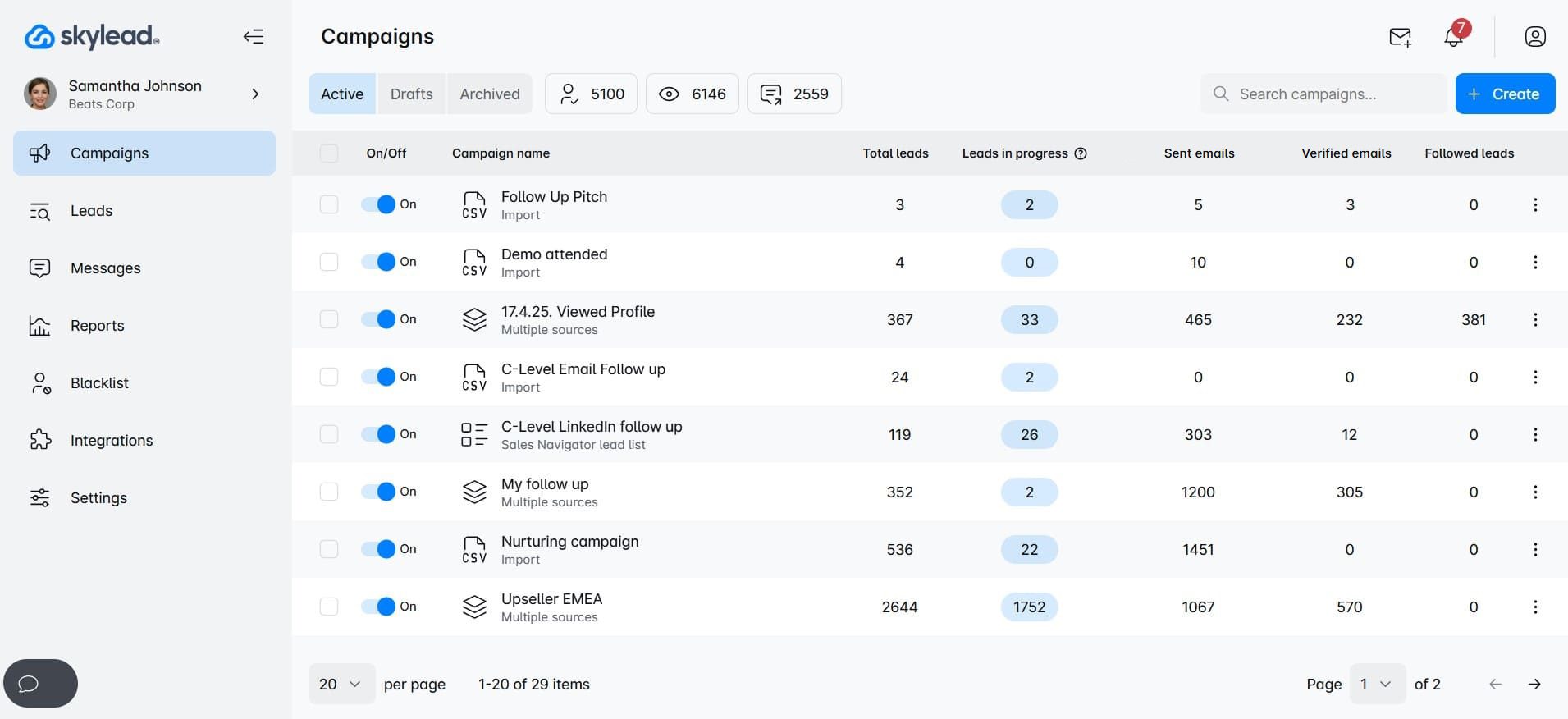
That’s us! But despite that, Skylead is truly one of the best cloud-based prospecting and sales outreach tools on the market. It’s a LinkedIn automation and cold email software that helps you find your B2B leads’ data, maximize touchpoints with your leads, and, therefore, reach them faster.
Prospecting
Firstly, Skylead connects to LinkedIn Premium and Sales Navigator. This means individuals can search for prospects via these platforms and import them directly into a Skylead outreach campaign.
Secondly, Skylead offers - account based prospecting. With it you can:
- Create account lists directly in Skylead
- And discover contacts by company to reach them out.
In other words, once you added your companies, Skylead can help you find and match contacts within those selected companies so your pipeline stays aligned to your ICP. This way you can really zero in on your target companies that are most likely to convert, are your true partner, and have greater lifetime value.
Moreover, Skylead has its B2B database as another lead source. You can search the database for your companies, and matching buyer persona and apply additional filters to hone the search.
Lastly, a major Skylead update brought also another lead source - Post signals - the best way to find your perfect, active ICPs. With Post signals, you can automatically discover leads based on posts around the topics, keywords, or problems you care about. Instead of manually finding individual post URLs, simply define what keywords you want to monitor, and let Skylead continuously find relevant conversations and the people creating or engaging with them.
This means you can identify people who are actively interested in a topic (problem) your product solves, then filter those people down to your exact ICP and get them into the campaign.
AI data enrichment
Apart from account-based prospecting and post signals, we introduced a game-changing feature - AI data enrichment which you can use to:
- Leverage 20+ signals to enrich contact & company data
- Prompt AI to get specified info or generate personalized icebreakers for each contact
- Use all gathered info directly inside your sequences as variables.
Outreach
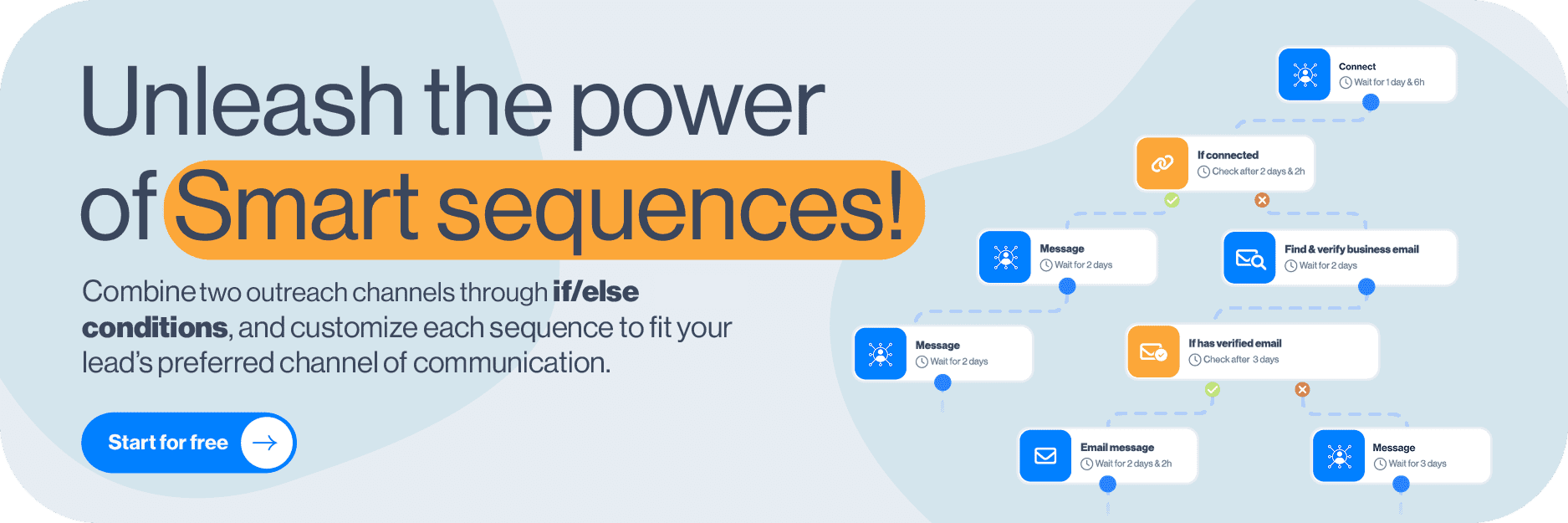
Regarding outreach, Skylead brings LinkedIn actions and email outreach into Smart Sequences. With this multichannel outreach approach, you can maximize getting in touch with every lead. Luckily, you can do just that with our Smart sequences.
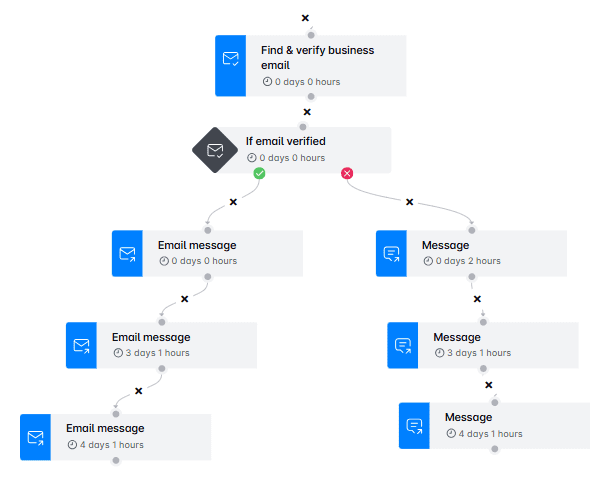
Smart sequences are a type of outreach sequences that combine LinkedIn and email actions with if/else conditions to form coherent outreach flows that unfold according to leads’ behavior.
What's more, Skylead allows you to connect and warm up an unlimited number of email accounts at no extra cost.
There’s no right or wrong way to build your Smart sequence; you can build it any way you like! But if you’re doing it for the first time, we advise you to take a look at some of our in-app, proven-to-work Smart sequence templates for guaranteed results!
AI SDR
Skylead's AI SDR extend automation beyond outreach by handling personalized replies, and keeping conversations moving without constant manual effort. By combining LinkedIn and email outreach with AI-powered conversation management, teams can respond faster, stay consistent, and spend more time focusing on building trust and closing more deals.
Pricing
Skylead has an All-in-one pricing plan of $100 per seat/month. In other words, you get all the features we offer, plus email warm-up powered by Mailivery, at a single price. AI usage demonstrates real provider's cost and is $1 per 100 credits.
Curious to see how it all works? Sign up for our 7-day free trial to test out all of Skylead’s features and then some!
2. LinkedIn Sales Navigator
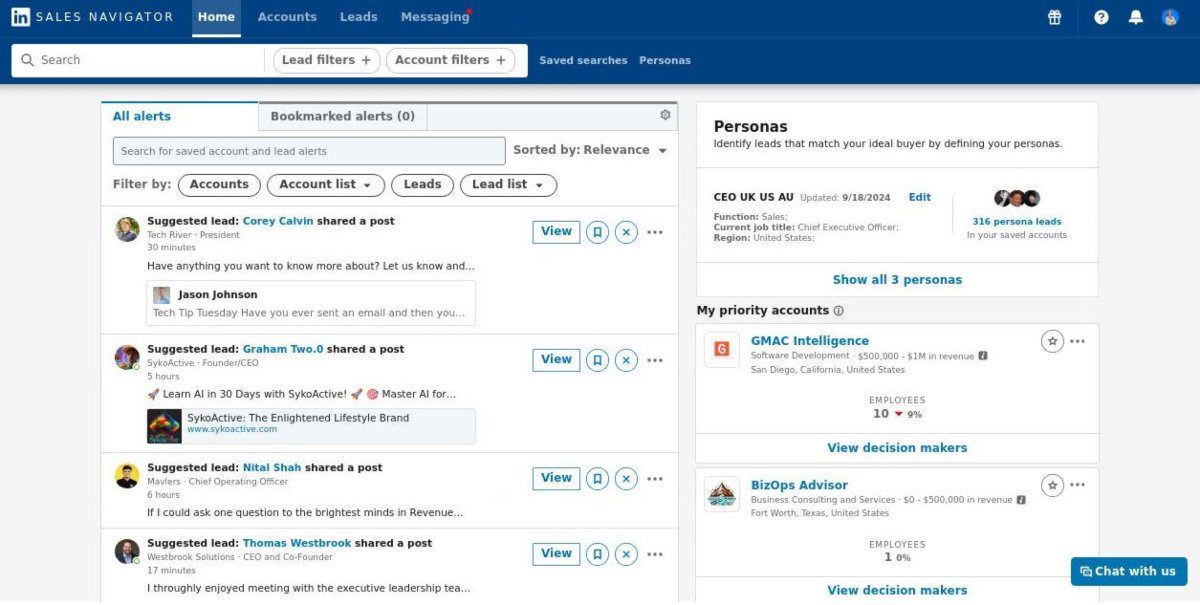
Best for: Sales teams that source and research prospects manually on LinkedIn.
Sales Navigator provides LinkedIn-specific lead and account search, saved searches, lead recommendations, and InMail. It can be paired with a CRM or a separate outreach tool. It is a source and research environment, not a general-purpose multichannel engagement platform.
- Prospecting: Search and account insights are centered on LinkedIn’s professional network.
- AI data enrichment: Not established as a standalone data-enrichment platform.
- Outreach: InMail and LinkedIn connection workflows; automation is not the same as a Sales Navigator task reminder.
- AI SDR: No.
- Limitations: Search results and data are tied to LinkedIn; advanced CRM sync features depend on plan.
Pricing
Sales Navigator Core starts at $119.99 per month or $1,079.88 per year; Advanced starts at $159.99 per month or $1,799.88 per year. Advanced Plus pricing is quote-based.
3. Clearout
Best for: Teams that need email discovery, verification, and contact-data workflows.
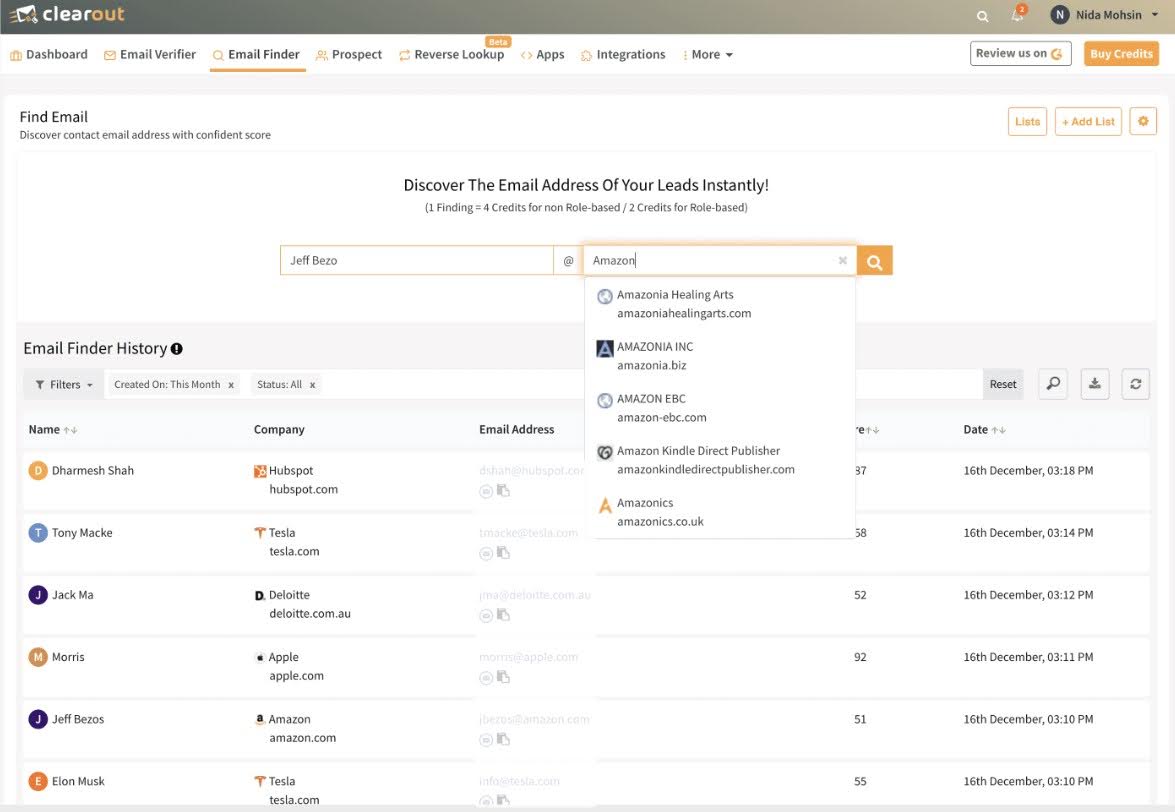
Clearout offers email verification and finder tools, prospecting features, enrichment, and integrations. Its credit model charges differently by action: the vendor’s pricing guide lists different credit rates for finding emails, verifying them, and enriching contact data. New accounts receive 100 free credits.
- Prospecting: Contact discovery and enrichment are available.
- AI data enrichment: Data-enrichment features are offered; a dedicated AI SDR was not established in the materials reviewed.
- Outreach: It is not positioned as a complete sales engagement platform.
- AI SDR: No dedicated AI SDR established.
- Limitations: Model total credit use based on the actions you plan to run, not just the free-credit balance.
- Pricing: Free credits plus paid subscription and credit options; check current plans.
Pricing
Clearout has 5 pricing plans for both email verification and email finding:
| Free | $0 Gives you 100 verification credits upon registration |
| Starter | $23/month for 3,000 verification credits |
| Pro | $58/month for 10,000 verification credits |
| Enterprise | Custom plans with premium features |
4. HubSpot
Best for: Teams that want CRM records, sales tasks, sequences, calls, meetings, and deals in one sales workspace.
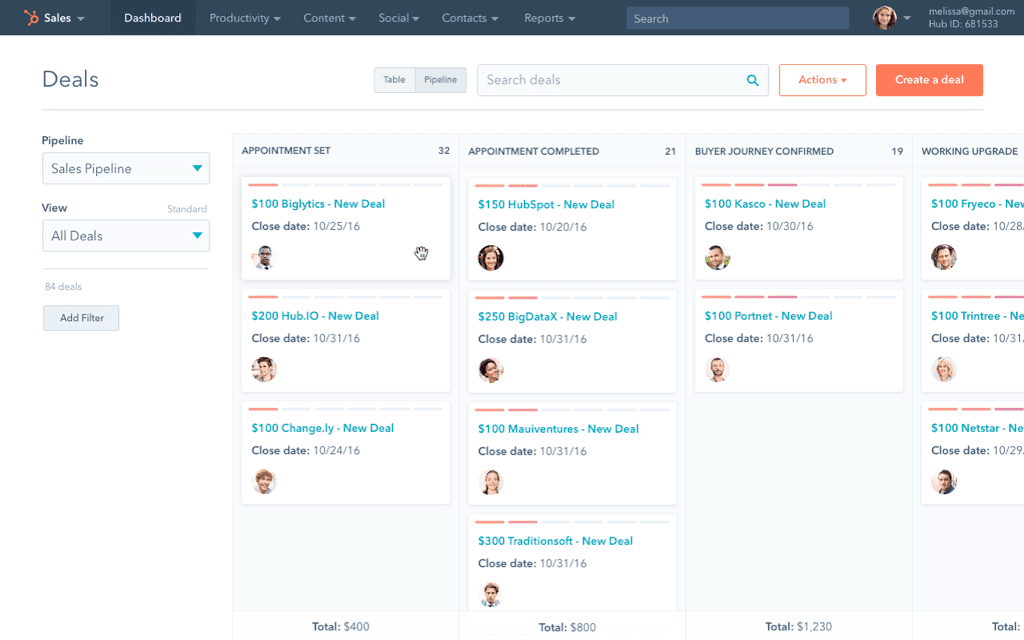
HubSpot Sales Hub is CRM-first. Its prospecting database is primarily the HubSpot CRM; Sales Workspace brings tasks, leads, sequence activity, meetings, and guided actions together. The Prospecting Agent can research accounts and contacts and carry out configured plays. A first-time eligible user can opt into 14 days of free access from the first published play, after which the agent can use HubSpot Credits. See HubSpot’s Prospecting Agent terms.
- Prospecting: CRM records, Sales Workspace, and Prospecting Agent.
- AI data enrichment: The Prospecting Agent researches accounts and contacts; credit use and eligibility apply.
- Outreach: Sales Hub Professional and Enterprise include sequences. Sequences can combine automated email with manual LinkedIn tasks. With Sales Navigator, connection-request and InMail steps are reminders for a rep to complete manually.
- AI SDR: Prospecting Agent supports message personalization, however can't respond to messages like Skylead's AI SDR can.
- Limitations: Sales Navigator integration does not turn LinkedIn actions into automated sequence steps. The rep completes those actions in LinkedIn. HubSpot also notes that LinkedIn InMail conversations are not automatically saved to the record timeline.
HubSpot can suit a team that wants a CRM-centered workflow. Skylead is a more direct fit when the decision is specifically about coordinating LinkedIn and email outreach actions in Smart Sequences.
Pricing
On top of the free option, HubSpot also has a paid version within its Sales Hub product, a.k.a. all-in-one sales software.
They offer 2 plans:
| Sales Hub Professional | Starts at €90/mo/seat |
| Sales Hub Enterprise | Starts at €150/mo/seat |
5. ZoomInfo
Best for: Organizations that need broad B2B company and contact intelligence, intent signals, and sales-data workflows.
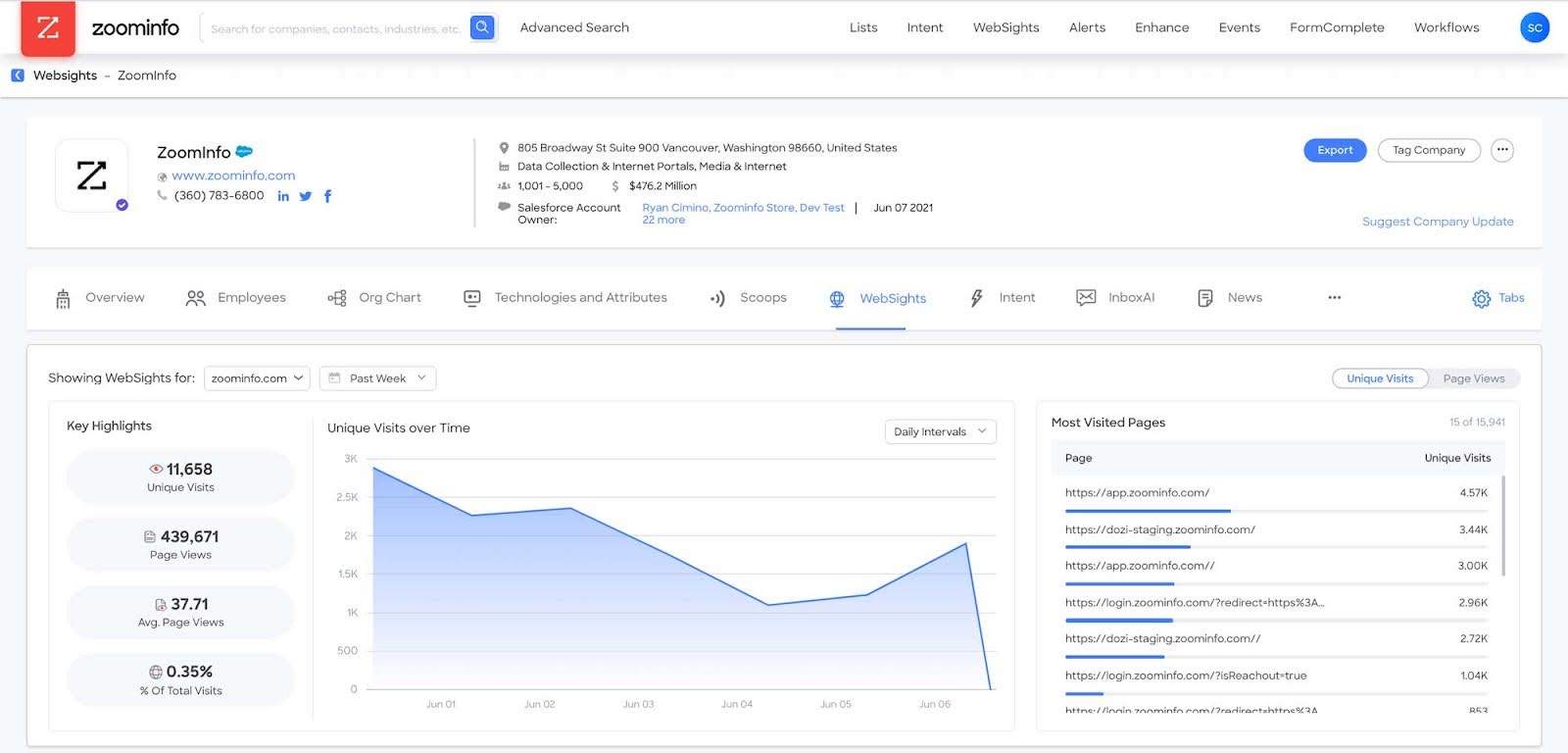
ZoomInfo offers contact and company data, firmographic and technographic information, intent, and other sales intelligence capabilities. Product and data access depend on the package and contract.
Pricing: Generally quote-based. ZoomInfo’s public filings describe subscriptions based on product, function, users, and record counts; request a quote and confirm the specific scope. ZoomInfo investor filing.
- Prospecting: Contact and account research, including data and signals.
- AI data enrichment: The platform offers data and intelligence features; exact AI functionality depends on product and package.
- Outreach: Sales workflow and integrations can support prospect activation.
- AI SDR: A standalone autonomous AI SDR was not established in the reviewed materials.
- Limitations: Enterprise packaging and data availability should be validated against your target market and CRM workflow.
Pricing
To get pricing for each plan, you must leave your contact information and jump on a call with their sales representative.
In addition, the word on the street is that ZoomInfo makes contracts with companies, not single users, which implies the pricing is high. So, if a minimum of 3 seats per contract is not for you, you should consider using other solutions.
6. ContactOut - Best B2B prospecting tool for quick LinkedIn contact extraction on a free plan
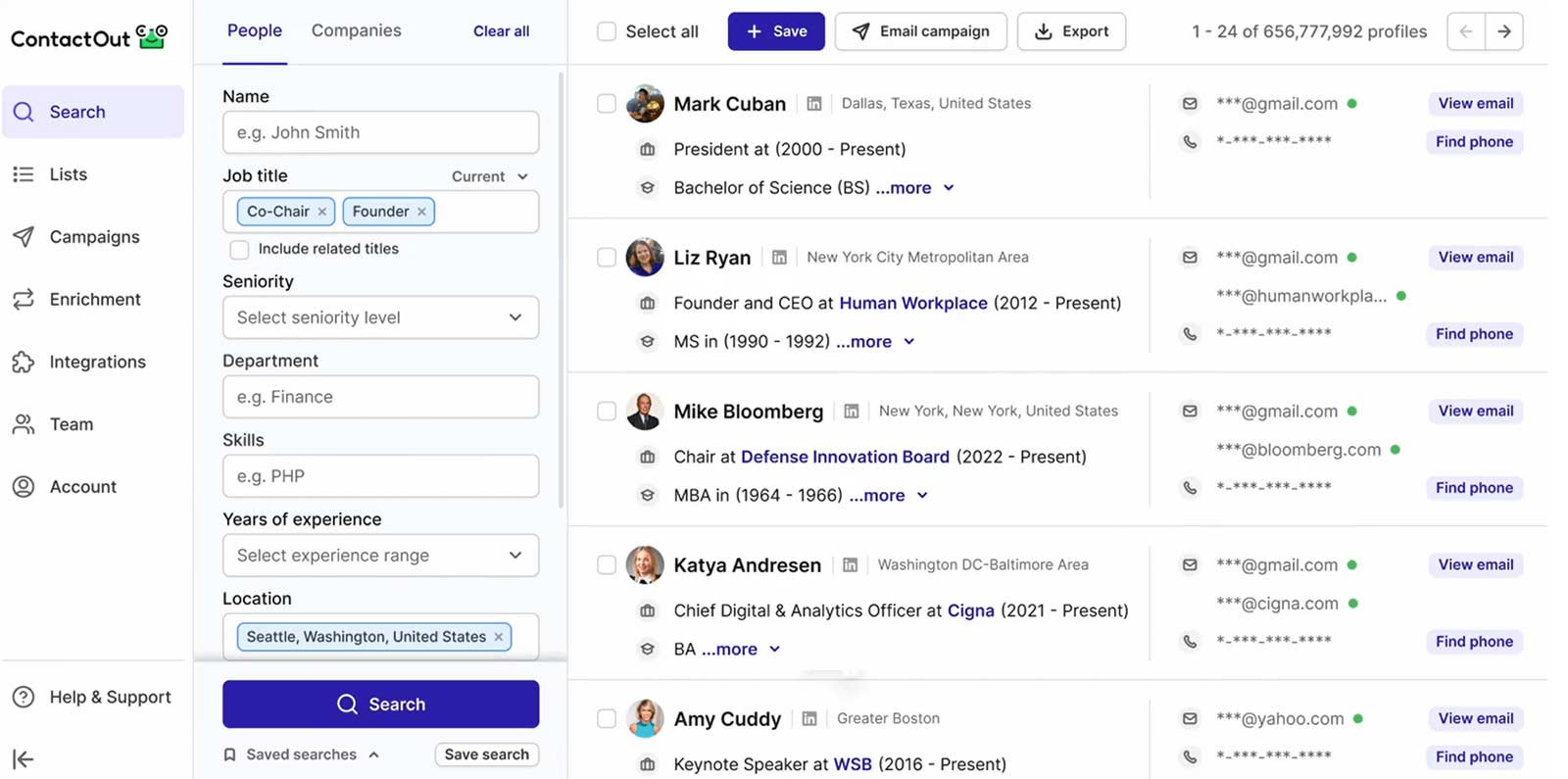
Best for: Finding professional contact details while researching people and companies.
ContactOut provides a database and browser extension for finding contact information, with team and API options. It can support list building, but teams should confirm how its data coverage matches their target roles and regions.
- Prospecting: Contact search and browser-based lookup.
- AI data enrichment: Contact enrichment is available; a dedicated AI SDR was not established.
- Outreach: Plan for a separate engagement tool if you need multichannel sequences and conversation management.
- AI SDR: No.
- Limitations: Confirm the team/API package and credits with the vendor before comparing cost.
Pricing
Speaking of pricing, ContactOut has 3 paid plans, billed monthly:
- Email plan costs $49 per user a month. It offers unlimited email searches and up to 300 contact exports. In addition, it gives you access to their email campaign features, which lets you use the platform for outreach as well.
- Email + Phone plan goes for $99 per user a month. This plan offers unlimited email and phone searches. In addition, with this plan, you can verify your prospects’ emails and use its AI email writer for email campaigns.
- Lastly, a customized plan, Team/API provides you with API access, allows for team collaboration, and connects with Recruiter Pro accounts. However, you need to contact their sales reps to get a quote on this one.
Team and API pricing may require a sales quote.
7. Lusha
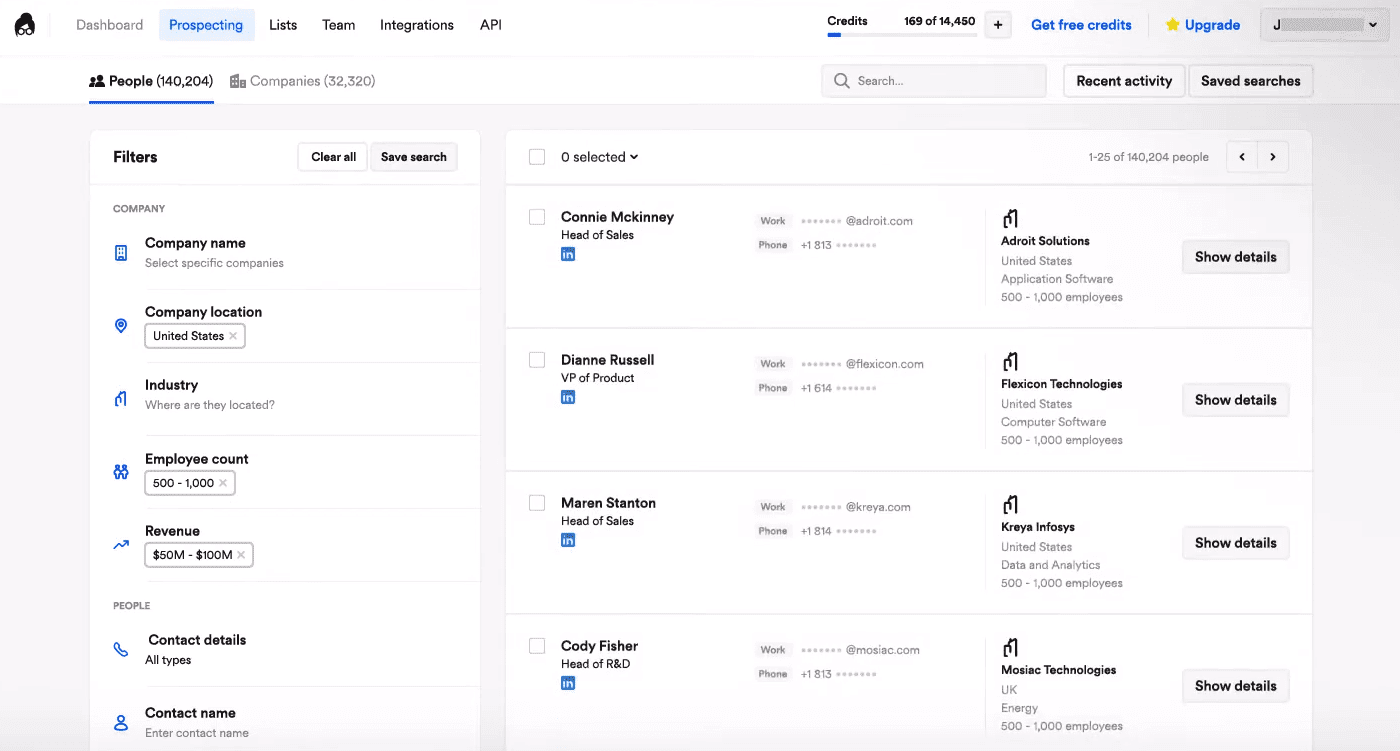
Best for: Finding contact and company data through a database, browser extension, or CRM workflow.
Lusha supports contact and company data discovery, bulk enrichment, and buying-intent features on eligible plans. Its credit model assigns different costs to contact fields; the Lusha FAQ says a verified email reveal costs one credit and a phone number reveal costs five.
- Prospecting: Database, extension, lookalikes, and enrichment.
- AI data enrichment: AI assistant and related data features are listed on paid plans.
- Outreach: Email-sequence automation is included in the plan comparison; review the exact limits and available channels.
- AI SDR: Not established as an autonomous AI SDR.
- Limitations: Credit use can vary considerably depending on whether you reveal email, phone, or company data.
Pricing
Lusha has a permanent free plan with 40 credits per month. Annual-billed plans currently start at $37.45 per month for Starter, $52.45 for Pro, and $299.95 for Premium.
8. SalesIntel
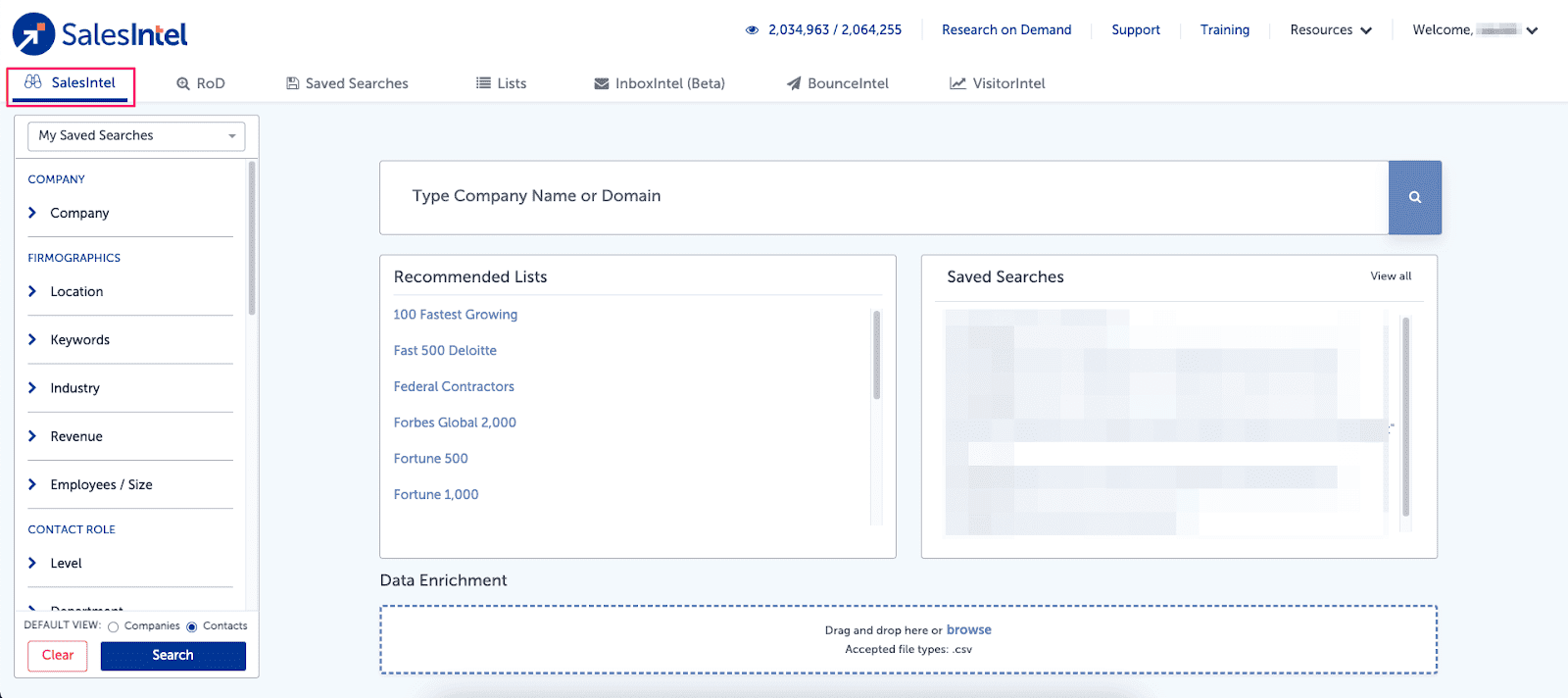
Best for: Sales teams looking for B2B contact and company data, intent, and CRM or engagement-tool integrations.
SalesIntel offers contact and company records, its RevDriver browser extension, intent capabilities, and integrations. Its packages and data scope should be reviewed with the sales team for your market.
- Prospecting: Contact, company, firmographic, and intent data.
- AI data enrichment: Research and signal capabilities are available; a dedicated AI SDR was not established in the reviewed materials.
- Outreach: Integrations can feed other engagement platforms.
- AI SDR: No standalone AI SDR established.
- Limitations: Distinguish data access from actual outreach execution when comparing it with all-in-one platforms.
Pricing
SalesIntel has one standard plan that offers:
- Unlimited emails and phone exports if you prefer cold calling;
- Account and contact enrichments;
- Unlimited saved searches;
- Sales intelligence Account firmographic and technographic filters;
- Buyer intent signals;
- Integrations with popular CRM (HubSpot, Salesforce).
However, you’d need to contact their sales reps for a custom quote.
9. Seamless AI
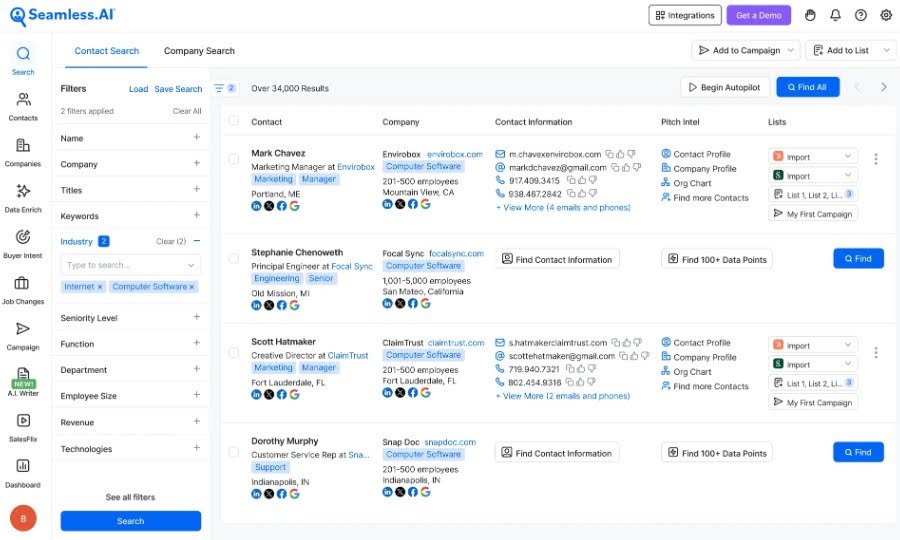
Best for: Finding and enriching B2B contacts, with sales workflows available through its product lineup.
Seamless.AI offers contact search and data services. Its Connect product supports sales activity such as email, calls, and tasks, while additional AI and intent capabilities may be packaged separately.
- Prospecting: Contact discovery and enrichment.
- AI data enrichment: AI-related features and add-ons are available; confirm exact functions and costs.
- Outreach: Supports email and LinkedIn outreach, however sequences are simple - they do not provide if/else conditions like Skylead does.
- AI SDR: Seamless AI doesn't offer AI SDR.
- Limitations: Confirm credits, plan limits, and which features are included rather than assuming they come with the base plan.
Pricing
Seamless AI has 3 plans:
- Free - Up to 50 credits for email or phone number search and a real-time search engine for 1 user.
- Pro - A pay-by-user plan that provides everything in Basic plus daily credit refresh, integrations, job changes, buyer intent data, live training webinars, priority support, and a dedicated success manager.
- Enterprise - Everything in Pro plus custom credits per user and phone support.
They don’t reveal pricing details on their website. This means you need to reach out to their team for precise information.
10. Leadfeeder
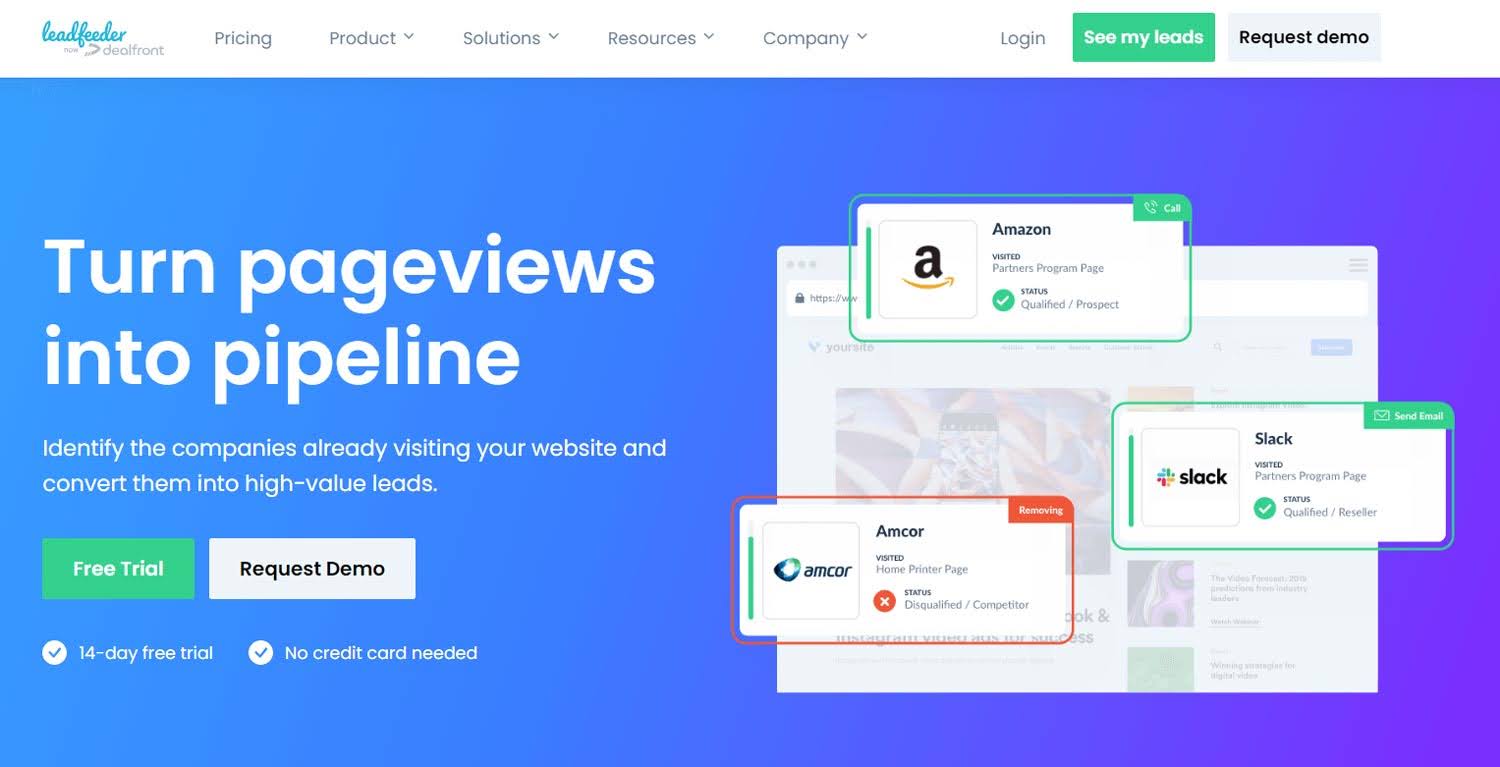
Best for: Identifying companies that visit your website and routing those accounts to sales.
Leadfeeder focuses on website visitor company identification. It can help teams prioritize account activity and sync company records to a CRM. Identification is at the company level; it does not mean the platform has identified every individual visitor.
- Prospecting: Website visitor company identification and account lists.
- AI data enrichment: Higher plans include contact enrichment; Activate lists AI prospect-list building.
- Outreach: CRM sync and activation workflows support follow-up through connected systems.
- AI SDR: No.
- Limitations: It is not a general-purpose contact database for finding any company or person on the market.
Pricing
Leadfeeder Lite is free. Paid plans start at €79 per month for Discover, €369 for Activate, and €599 for Scale, billed annually. The final plan depends partly on identified website companies and credit use. See Leadfeeder pricing.
11. Aeroleads
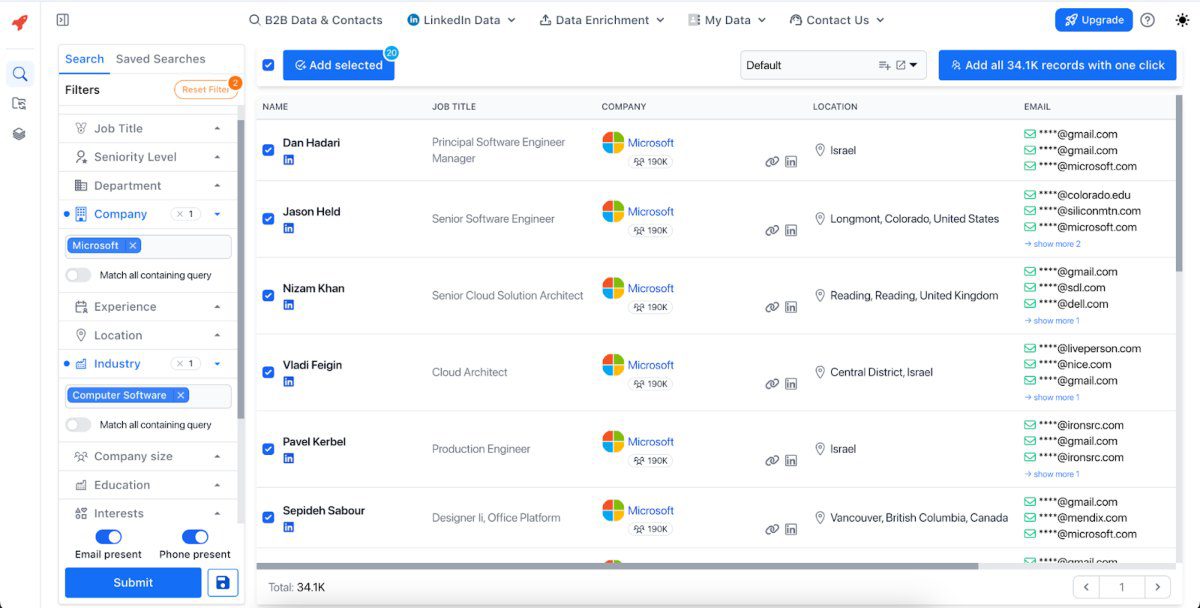
Best for: Finding business emails and phone numbers and exporting contact records.
AeroLeads supports contact discovery and data exports, with credit-based pricing. It can help prepare a list for a CRM or outreach platform.
- Prospecting: Contact search and list building.
- AI data enrichment: Enrichment is available; a dedicated AI research agent or AI SDR was not established.
- Outreach: Use a separate platform for campaign sequencing and reply management.
- AI SDR: No.
- Limitations: Compare the cost per usable result and available data fields for your target market.
Pricing
Aeroleads has 4 pricing plans:
- Take off - Goes for $49 a month per user. It gives you 2,000 monthly credits, which you can use to enrich emails. In addition, you get contact data such as company name, phone number, or title, integrations, and prospect discovery from LinkedIn, Crunchbase, etc.
- Climb - Costs $149 for 5 users per month. It offers everything in the previous plan, plus 8,000 monthly credits.
- Cruise - Costs $299 a month for an unlimited number of users and 20,000 credits.
- Enterprise - This is a custom plan, meaning it's tailored according to your requirements. You need to get in touch with Aeroleads’ team for a quote, though.

12. Rocketreach
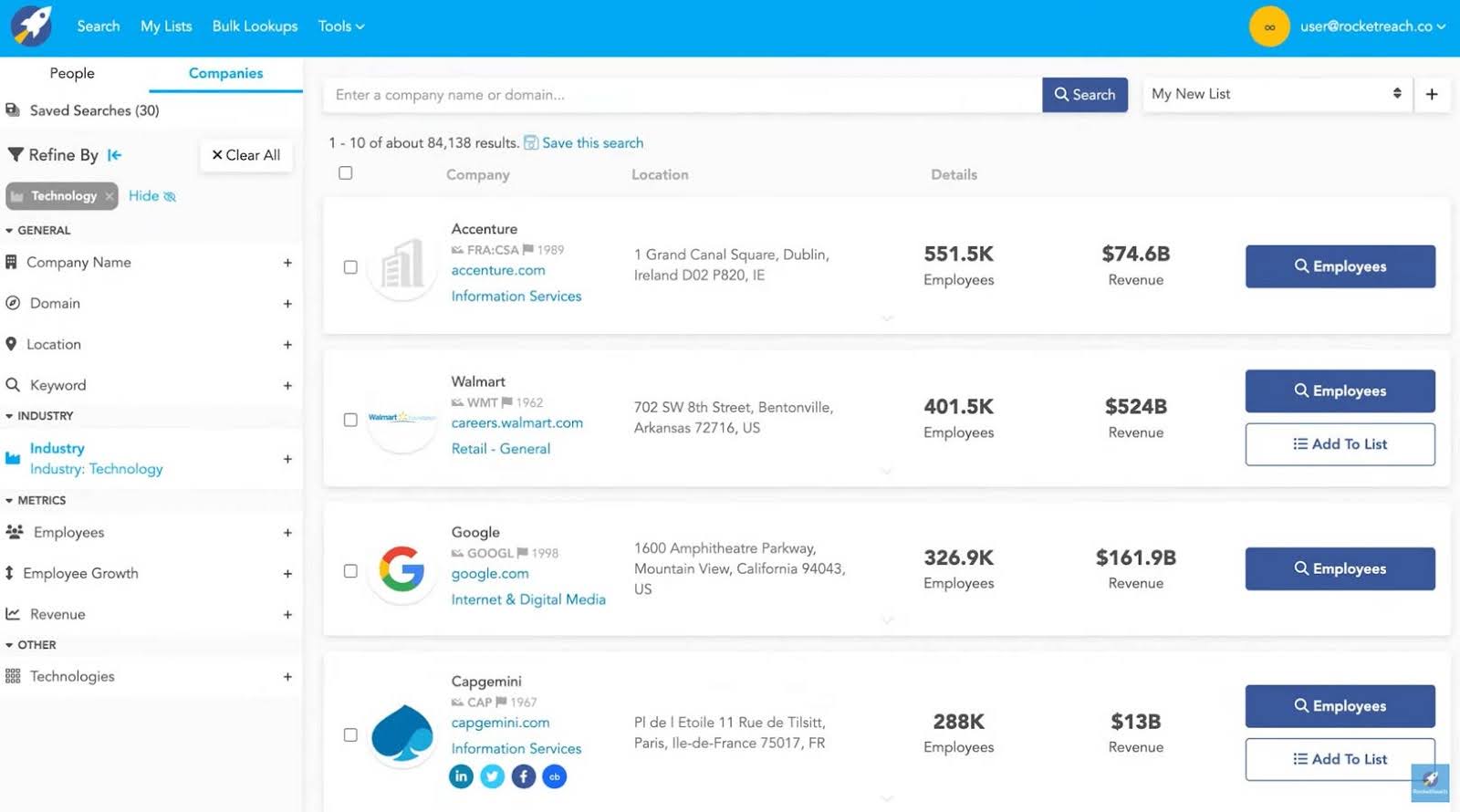
Best for: Finding professional contact details for people and companies.
RocketReach provides person and company search, contact lookup, and a browser extension. It is principally a data-discovery tool, so many teams pair it with their CRM and sales engagement platform.
- Prospecting: Contact and company lookup.
- AI data enrichment: Contact data is available; an AI SDR was not established.
- Outreach: Outreach is generally handled in another tool.
- AI SDR: No.
- Limitations: Verify lookup allowances, export limits, and data coverage in a trial or sample against your market.
Pricing
Rocketreach offers Individual and Team plans.
Individual plans come in 3 and include:
| Essentials | $49/mo per user *For 70 email lookups only |
| Pro | $99/mo per user *For 200 email and phone lookups |
| Ultimate | $209/mo per user *For 500 email and phone lookups |
13. Octopus
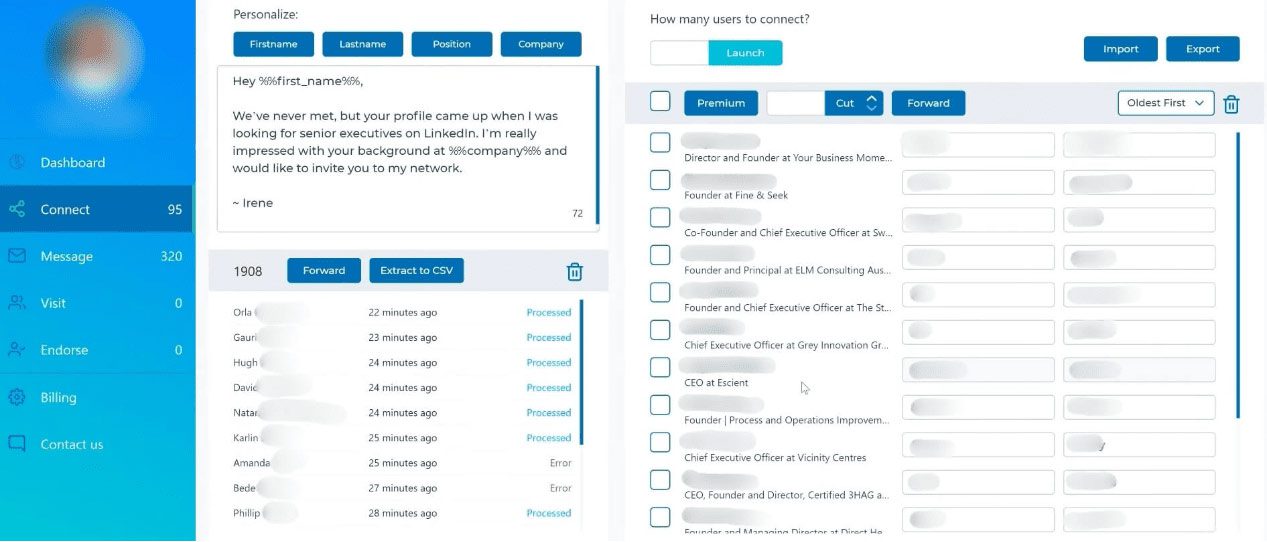
Best for: Individuals or small teams running LinkedIn-only campaign actions.
Octopus CRM is a Chrome extension that can transfer LinkedIn or Sales Navigator profiles into Connect, Message, Visit, or Endorse campaigns. However, being Chrome extension, it is not a safe tool, like Skylead which is cloud-based. It also supports imported profile URLs, campaign linking, CSV exports, and Zapier workflows. Its connection-by-email feature sends LinkedIn invitations using an email address; it is not a cold-email campaign.
- Prospecting: Imports LinkedIn, Sales Navigator, My Network, and CSV profile URLs.
- AI data enrichment: Personalization uses fields such as name, company, and position; AI enrichment was not established.
- Outreach: Simple campaign divided by: LinkedIn connection, message, visit, and endorsement actions.
- AI SDR: No.
- Limitations: No native email outreach, shared team workspace, unified inbox, or complex if/else sequence builder was established in the review. The review notes up to 1,000 profiles per transfer and Zapier batches of up to 10 profiles.
- Pricing: The supplied review notes list monthly plans from $9.99 to $39.99, with lower monthly equivalents on annual billing, and a seven-day trial without a credit card. Confirm current limits and prices on Octopus CRM.
Pricing
Octopus CRM lists monthly plans at $9.99 for Starter, $14.99 for Pro, $21.99 for Advanced, and $39.99 for Unlimited. With annual billing, the listed monthly equivalents are $6.99, $9.99, $14.99, and $24.99. The plans include a 7-day trial; see Octopus CRM for current details.
14. Datanyze
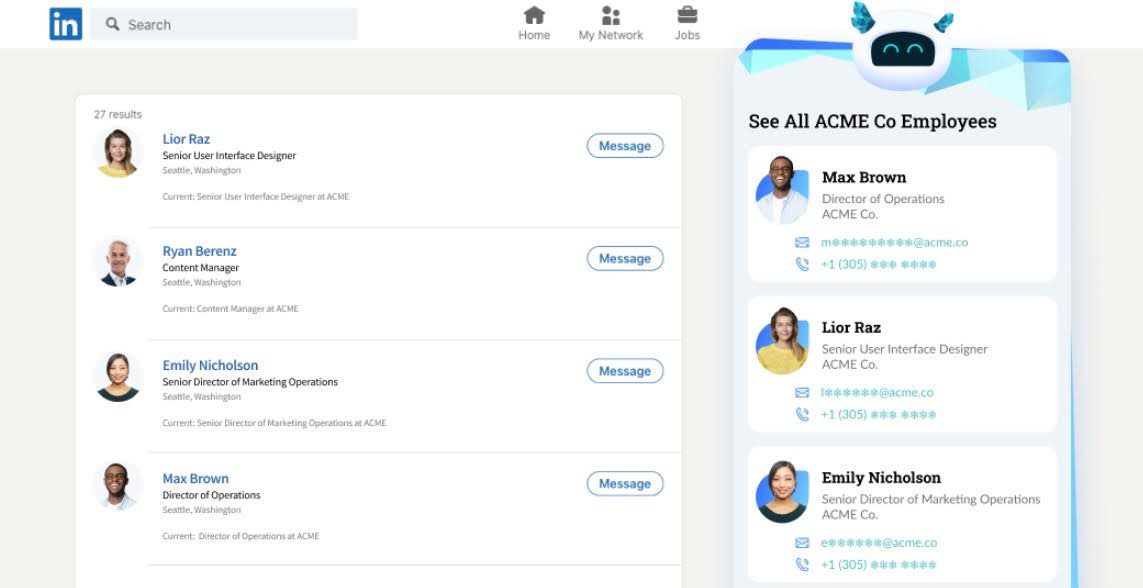
Best for: Contact discovery through a browser extension and B2B directories.
Datanyze provides B2B contact information and browser-based prospecting. It is typically one part of a prospecting workflow rather than a full sales outreach system.
- Prospecting: Contact search and extension-based lookup.
- AI data enrichment: AI-assisted enrichment was not established in the reviewed materials.
- Outreach: Use another platform for sequences and conversation management.
- AI SDR: No.
- Limitations: Its pricing plans limit credit usage.
Pricing
Datanyze has 3 clear pricing plans:
| Nyze lite | 90-day free trial with 10 monthly credits |
| Nyze Pro 1 | $29/mo for 80 credits *Additional credits are charged at $0.363 per credit |
| Nyze Pro 2 | $55/mo for 160 credits *Additional credits are charged at $0.344 per credit |
15. Voila Norbert
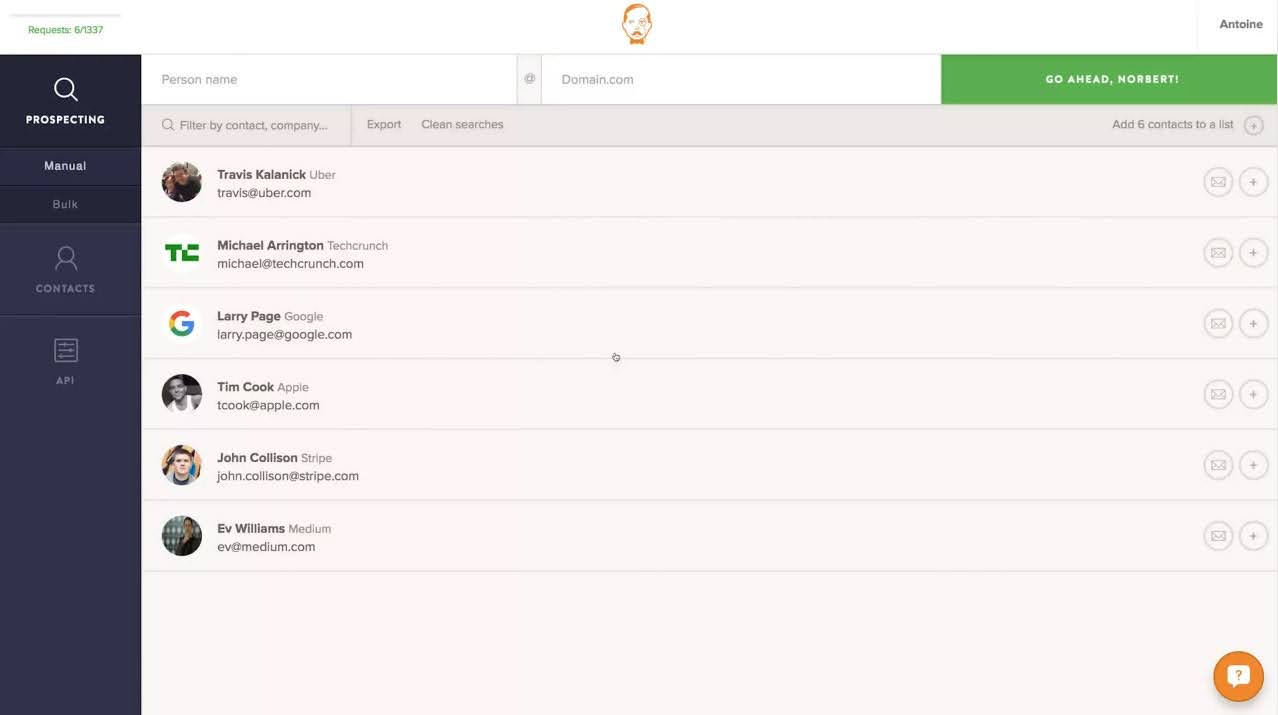
Best for: Finding and verifying business emails, with email sequences available for outbound.
Voila Norbert combines email lookup and verification with email outreach features. It can suit teams whose primary channel is cold email and that want data discovery and sequences in one product.
- Prospecting: Email finder and enrichment.
- AI data enrichment: AI copy assistance is advertised; a dedicated AI SDR was not established.
- Outreach: Email sequences and campaign tools.
- AI SDR: No.
- Limitations: It is not a LinkedIn-and-email automation platform. Confirm data and sending limits for your plan.
Pricing
Voila Norbert offers the first 50 email leads free. Paid monthly plans start at $49 for 1,000 leads, then $99 for 5,000, $249 for 15,000, and $499 for 50,000. Annual billing lowers the listed monthly equivalents; see Voila Norbert’s pricing information.
16. Hunter
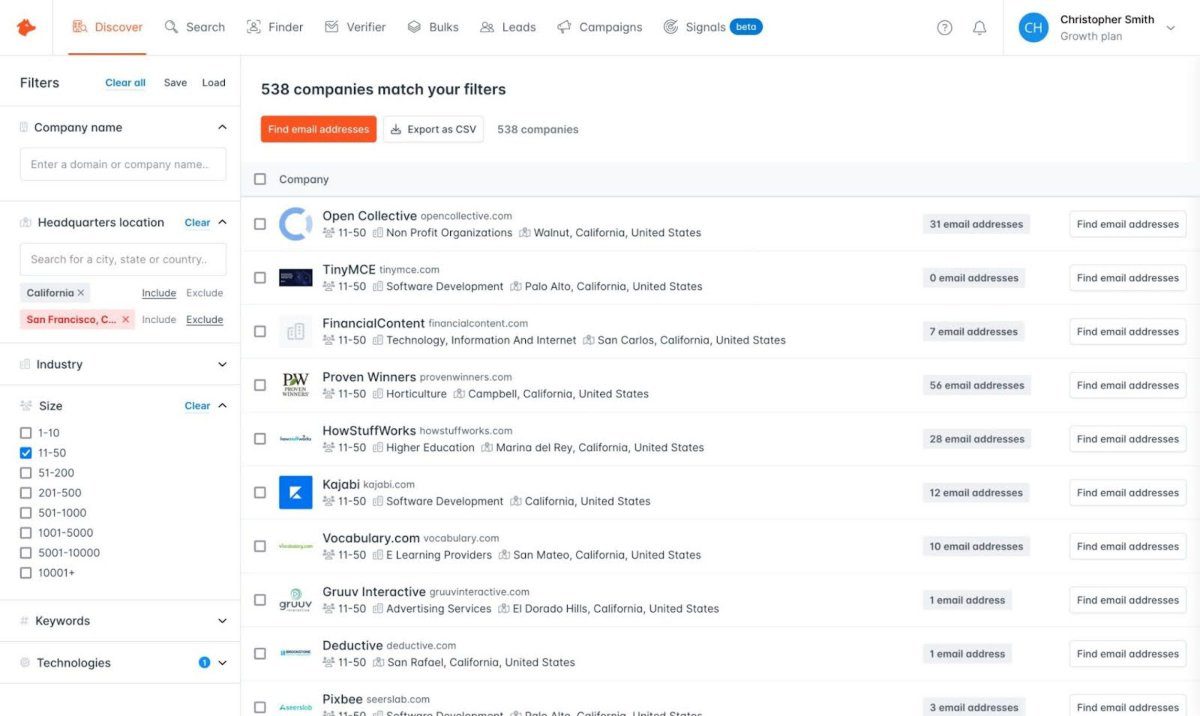
Best for: Finding professional emails and running email outreach.
Hunter combines email discovery, verification, domain search, and email sequences. It can be a practical option when email is the primary channel and a team does not need automated LinkedIn steps.
- Prospecting: Domain search and contact discovery.
- AI data enrichment: AI-assisted discovery and writing features are available in parts of the product.
- Outreach: Email sequences and connected mailboxes.
- AI SDR: AI writing and discovery tools do not establish an autonomous AI SDR.
- Limitations: It is not a unified LinkedIn-and-email sequence product.
Pricing
Hunter offers a free plan with 50 credits per month. Paid plans are listed at $34 per month for Starter, $104 for Growth, and $209 for Scale when billed annually; Enterprise is custom. Monthly billing costs more. See Hunter pricing.
17. Evaboot
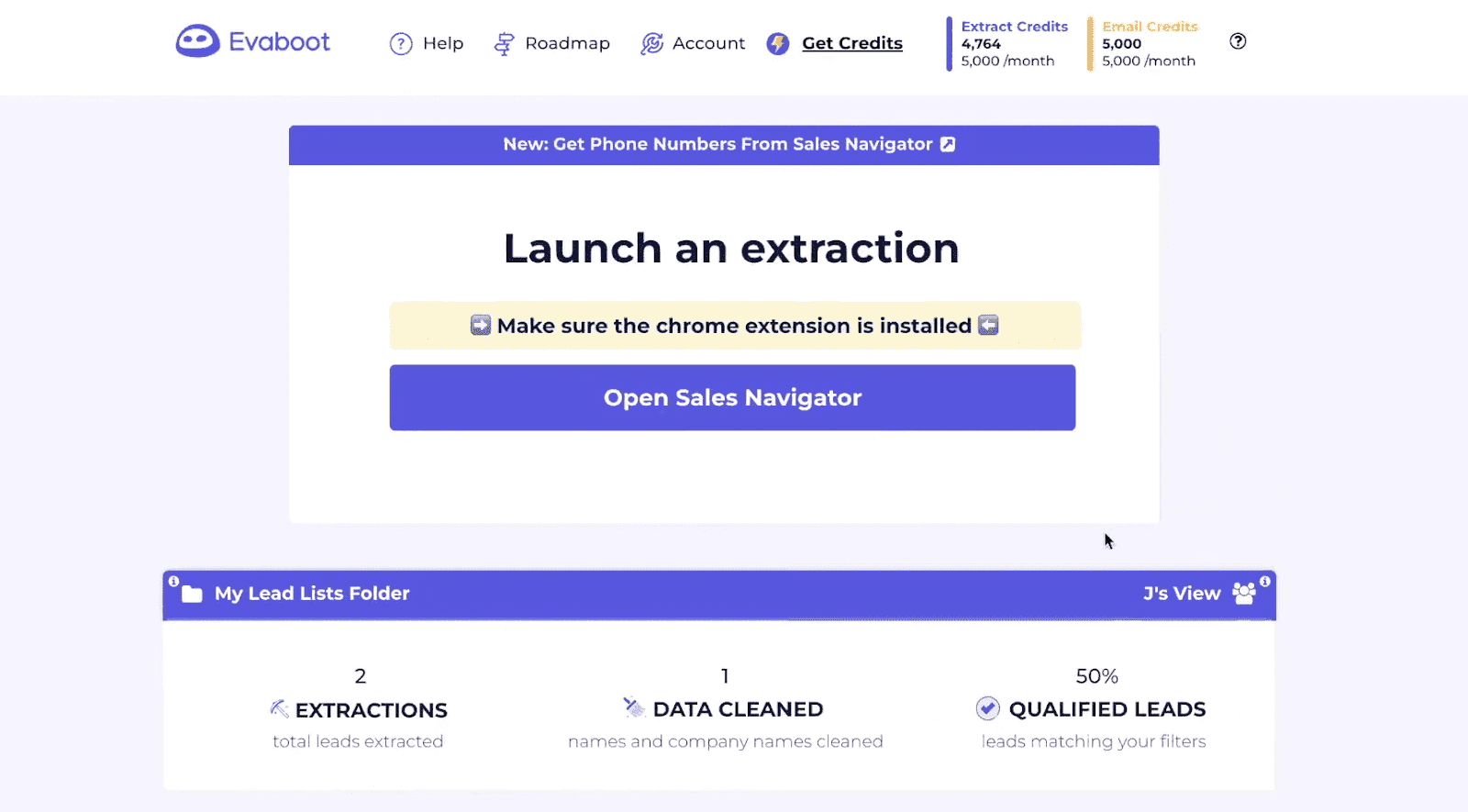
Best for: Exporting and cleaning prospect lists from LinkedIn Sales Navigator.
Evaboot turns Sales Navigator searches into exportable lead and company files. One lead export costs one credit and includes an email search attempt; a lead still costs a credit if no email is found. Email finder, verification, company exports, and LinkedIn URL enrichment have their own credit rules. See Evaboot’s credit guide.
- Prospecting: Search-based lead and company exports from Sales Navigator.
- AI data enrichment: Email finding, verification, and data cleaning; AI SDR not established.
- Outreach: Not a complete sales engagement platform. Exported contacts need another channel or tool for outreach.
- AI SDR: No.
- Limitations: Sales Navigator is needed for its Sales Navigator export workflow. The full cost includes that subscription as well as Evaboot credits.
- Pricing: The product’s public materials list plans beginning at $29/month for 400 credits.
Compared with Evaboot, Skylead is designed to carry a prospect from a list i
Pricing
Evaboot’s listed monthly plans start at $29 for 400 credits, followed by $49 for 1,000 credits and $99 for 3,000 credits; larger volumes may require a quote. Its credit guide says exporting one lead costs one credit, whether or not an email is found. See Evaboot and its credit guide.
18. GetProspect
Best for: Teams that need B2B email data and cold email sequences in one product.
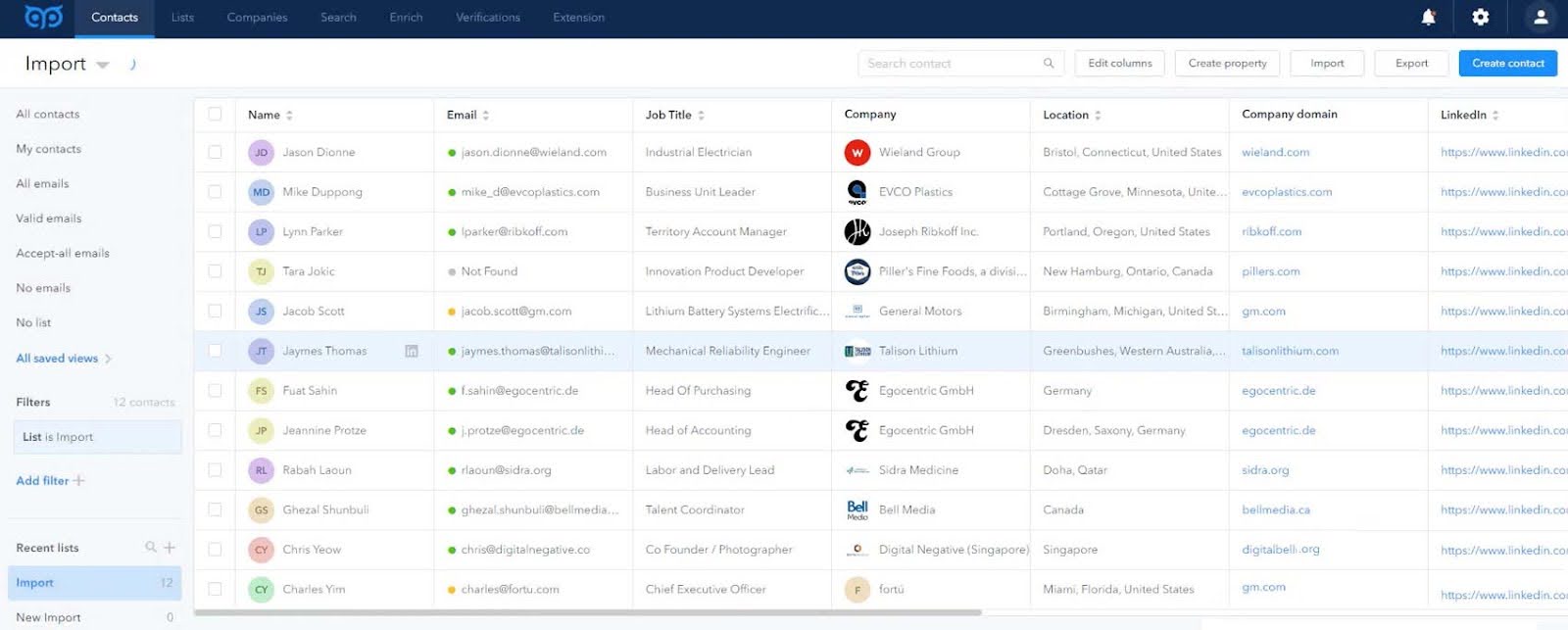
GetProspect offers a contact database, LinkedIn-related prospecting, bulk enrichment, email verification, and cold email campaigns. This makes it more than a data-export tool, though its outreach emphasis is email.
- Prospecting: Contact search, LinkedIn email finder, CSV enrichment, and CRM integrations.
- AI data enrichment: Contact and company enrichment; a customizable AI research environment or autonomous AI SDR was not established in the reviewed materials.
- Outreach: Native cold email sequences, follow-ups, scheduling, and campaign tracking.
- AI SDR: No dedicated AI SDR established.
- Limitations: Email outreach does not replace a unified LinkedIn-and-email workflow.
- Pricing: The pricing page lists Free with 50 valid emails and 100 verifications, Starter at $49/month for 1,000 valid emails, and Growth from $99/month for 5,000 valid emails. Credit and sending terms differ; review the current plan details.
Compared with GetProspect, Skylead combines LinkedIn and email actions in Sma
Pricing
GetProspect’s free plan includes 50 valid emails and 100 verifications. Paid plans start at $49 per month for 1,000 valid emails; Growth plans start at $99 per month for 5,000. See GetProspect pricing for current plan prices and credit allowances.
Frequently asked questions
What is a B2B prospecting tool?
A B2B prospecting tool helps sales teams find and research potential business customers. Depending on the product, it may also enrich contact records, manage outreach, or help reps track follow-ups.
What should I look for in a B2B prospecting tool?
Start with the job you need it to do: identify target accounts, find contacts, enrich data, run outreach, or manage sales activity. Then check whether the tool supports your target markets, channels, team workflow, and budget, including data credits and any required integrations. Some tools, for example Skylead supports all the prospecting and outreach features you need, while others like Lusha, and Evaboot are solely for data extraction.
What’s the difference between a prospecting database and a sales engagement platform?
A prospecting database helps you find companies or contacts. A sales engagement platform helps you contact prospects and manage follow-ups. Some products cover both, like Skylead, while others cover only a prospecting part. Check what your current sales workflow needs before choosing.
Do B2B prospecting tools include AI SDR features?
Some offer AI agents that can carry out parts of prospecting or sales engagement. AI-generated email copy alone does not make a product an AI SDR. Check what the agent can do, what requires human review, and whether usage consumes credits.
Do I need a separate tool for email outreach?
Not always. Some products include email sequences, while others focus on contact data or LinkedIn workflows and require a separate sales engagement tool. Confirm the sending limits, mailbox requirements, reply handling, and integration costs before choosing.
Which tool should you shortlist?
Use your workflow as the shortlist filter:
- Prospecting, enrichment, outreach and AI SDR: Compare Skylead with your existing email platform.
- CRM and sales operations first: Compare HubSpot Sales Hub with your existing CRM setup.
- Manual LinkedIn account research first: Start with Sales Navigator, then decide whether you need separate data export or engagement software.
- Contact data first: Test Lusha, ContactOut, SalesIntel, ZoomInfo, RocketReach, Seamless.AI, or GetProspect against a small sample of your target accounts.
- Website visitor identification: Evaluate Leadfeeder if your sales team wants to prioritize companies already visiting your site.
- Email-only prospecting and follow-up: Compare Hunter, GetProspect, Voila Norbert, and other email-first tools based on contact coverage, verification, mailbox limits, and sequence controls.
- Sales Navigator list preparation: Evaluate Evaboot if the main bottleneck is turning filtered searches into clean, exportable records.
- Simple LinkedIn campaign actions: Review Octopus CRM’s feature and account model against your requirements, including the absence of an integrated email campaign workflow in the supplied review.
Final verdict
The best B2B prospecting tool depends on where your process slows down. A contact database helps find prospects; an enrichment product fills record gaps; a CRM organizes sales activity; and an engagement platform runs follow-up. Some tools cover more than one of those jobs.
For a team that wants to coordinate LinkedIn and email actions in one sequence workflow, Skylead is worth evaluating alongside the CRM and data tools already in its stack. For teams that prioritize CRM-centered selling, contact data, website visitor identification, or email-only outreach, the alternatives above may be a better fit.
Compare the workflow, test data coverage in your target market, and calculate the full cost before choosing. No product can guarantee a particular response rate, sales result, search ranking, or account outcome.
Speaking of Skylead, do you want to try it out for free? Then sign up for a 7-day free trial, and we’ll onboard you in no time.