12 best sales outreach tools I tested & when I would choose each [Founder’s review]
Updated on: November 13th, 2026
Choosing your first sales outreach tool or improving on the existing setup starts with understanding what you need help with. Do you need to find leads, automate follow-ups, combine LinkedIn and email, manage replies across a team, or all of the above?
Skylead is my pick when those jobs need to work together. Other tools make sense when you have a more specific requirement, such as email sending, contact data, or several LinkedIn senders sharing one campaign.
I’m Skylead’s founder and a software engineer who’s worked on this LinkedIn automation tool and cold email software since 2019. I’ve tested the tools in this guide, and I’ll explain what each one does well, what you need to budget for, and when I would choose it.
What is a sales outreach tool?
A sales outreach tool helps you contact prospects, schedule follow-ups, manage conversations, and track sales activity. It can work across email, LinkedIn, phone, or a combination of channels.
Some tools also provide contact data and CRM features. Others focus on sending through one channel. Both approaches can work. The important question is how much of your process the product handles and what you need alongside it.
How I evaluated sales outreach tools
I used 5 questions to judge whether a tool fits the job:
- Can I reach the right people? I looked at prospecting, enrichment, ICP filtering, and the work needed to prepare a useful list.
- What actually runs automatically? I checked the actions, sequence conditions, and the steps a rep still completes.
- What happens when someone replies? I looked at conversation access, assignment, AI assistance, and handoffs.
- Can the team work in it? Permissions, client workspaces, CRM connections, and sender management matter once more people get involved.
- What does the working setup cost? I counted the required plan, accounts, data, AI, and other usage.
The recommendations below combine my experience with current product documentation. Plan details and prices were checked on November 13, 2026.
3 differences that change the buying decision
- A LinkedIn step can be a reminder. Apollo, HubSpot, Outreach, and Salesloft document LinkedIn tasks that a rep completes. Meanwhile, Skylead, lemlist, Reply, Snov, and HeyReach offer automated LinkedIn actions.
- Sending and reply handling are separate jobs. An AI writing feature can help prepare a message. An AI SDR can do work inside the conversation. I care about that distinction when a team needs help qualifying replies or moving people toward a meeting.
- The billing unit matters. A user, a LinkedIn sender, a mailbox, and a contacted prospect are different things. Thus, a low entry price is useful only when that plan covers your workflow.
Sales outreach tools compared
| Tool | Best fit | Relevant monthly plan |
| Skylead | Prospecting, LinkedIn and email automation, and reply handling | All-in-one: $100/seat |
| lemlist | Personalized email with LinkedIn and calls | Multichannel: $109/user |
| Reply.io | Sequences combining automatic actions and rep tasks | Multichannel: $99/user |
| Snov.io | Contact finding, verification, email, and optional LinkedIn | Starter + one LinkedIn slot: $98 |
| HeyReach | Multiple LinkedIn senders in one campaign | Growth: $79/sender for 1–9 senders |
| Apollo | Contact data, email sequences, and calling | Basic: $65/seat |
| Instantly | Email campaigns with team reply handling | Hypergrowth: $107 |
| Smartlead | Email outreach with team and client operations | Pro: $94 |
| Mailshake | Straightforward email sequences and optional calling | Email Outreach: $49/user; Sales Engagement with calling: $99/user |
| HubSpot Sales Hub | Outreach inside an existing HubSpot CRM | Professional: $100/Sales Seat; annual commitment |
| Outreach | Coordinated rep workflows and management reporting | Core: custom quote |
| Salesloft | Cadences, task prioritization, and coaching | Advanced: custom quote |
Note: Prices are in USD. The table uses monthly billing where available and names the plan relevant to the recommendation. HubSpot’s monthly payment requires an annual commitment and onboarding. Data, AI, calling, client workspaces, and external subscriptions can add to the total.
The 12 sales outreach tools I would shortlist
1. Skylead

Best for: agencies and sales teams that want to find relevant prospects, contact them through LinkedIn and email, and handle the resulting conversations.
What I like
- Prospecting connects to outreach. Account-based prospecting and the B2B database help build the audience. Post Signals finds relevant LinkedIn posts, then lets me qualify the people behind them before adding them to an outreach campaign. Meanwhile, AI data enrichment helps me get additional context on the companies and business decision-makers within them.
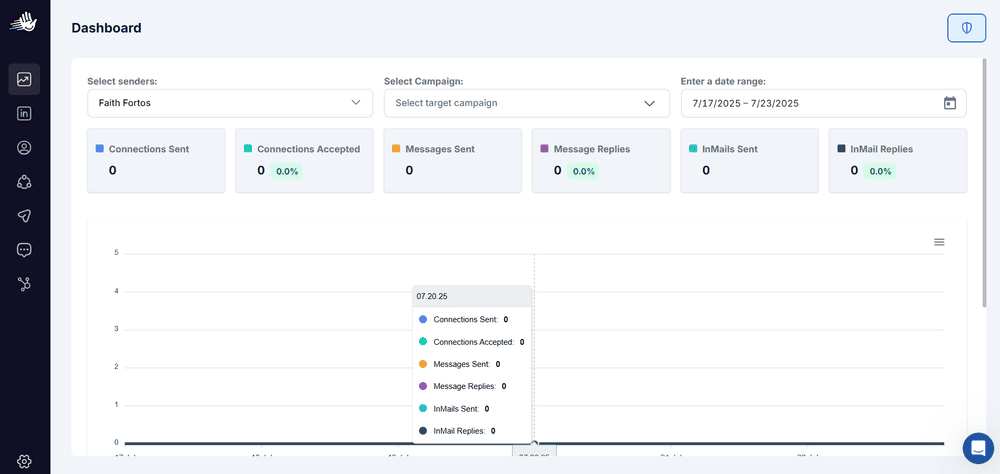
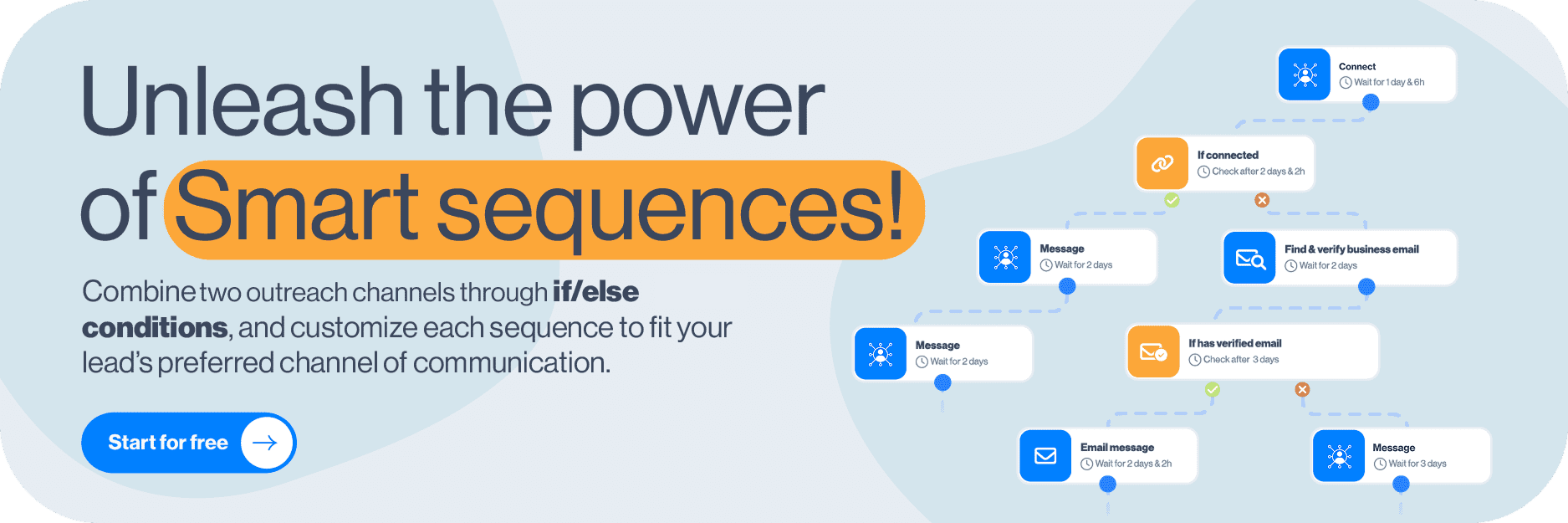
- The sequence and conversation work together. Smart sequences combine LinkedIn and email actions with conditions. Smart Inbox holds the conversations, while the AI SDR supports reviewed or automatic replies using the team’s knowledge and instructions.
For an agency, client permissions and a white-label option are another reason to shortlist it. I want clients to have the access they need to participate in the sales outreach process.
Where it falls short
Each sequence uses 1 LinkedIn account. If I need several LinkedIn senders in one campaign, I choose HeyReach.
The broader setup also takes work: defining a qualified prospect, building the sequence, and training reply handling. For basic connection requests and follow-ups, a simpler setup may be enough.
Pricing
All-in-one costs $100/seat/month, with unlimited connected email accounts and 100,000 monthly emails. Agency plans cost $999/month for 25 seats or $1,999 for unlimited seats.
When to choose it
Choose Skylead when you want a connected process from prospect research to LinkedIn and email conversations. For a calling-led team, I would evaluate the calling workflow in Apollo, Reply, Outreach, or Salesloft first.
2. lemlist

Best for: teams that put significant effort into personalized email and want LinkedIn and calls in the same outreach process.
What I like
- Personalization goes beyond a first-name field. Images, custom fields, and conditional content give me useful ways to make an offer relevant.
- I can test the approach as well as the message. Email, automated LinkedIn actions, and calling can work together. Message and sequence testing help me compare the copy and the order of touches.
Where it falls short
Custom roles and permissions require Enterprise. I would check that closely before giving clients or outside collaborators access.
Data usage is another cost to calculate. The included credits do not mean unlimited enrichment. lemAgent helps prepare campaigns and replies for review; I treat it as assistance for the rep.
Pricing
Multichannel is $109/user/month, including 5 sending email accounts per user. For email alone, the separate Email plan starts at $69/month for 50,000 emails with unlimited users and senders. Warm-up is included in the current plans.
When to choose it
Choose lemlist when your team will use its personalization and extra channels. For email-only work, consider the Email plan first. An agency needing its own branded client platform should consider a white-label alternative.
3. Reply.io

Best for: teams that want to combine automated targeted outreach with tasks their reps complete.
What I like
- Manual and automatic steps can coexist. Reply supports email, automated LinkedIn actions, calling, and rep tasks within its outreach sequence.
- Replies stay close to the campaign. The unified inbox supports email and LinkedIn conversations, giving the team a place to handle responses.
Where it falls short
Jason AI SDR is a separate purchase. Buying Multichannel does not include the autonomous SDR product.
Additional accounts, data, validation, and channel usage can also change the bill. I would price the complete account setup before comparing it with another platform.
Pricing
Multichannel costs $99/user/month, with 1 LinkedIn automation seat and 5 email mailbox seats per user on monthly billing. Jason AI SDR Starter currently starts at $800/month on monthly billing.
When to choose it
Choose Reply when your sales process needs a deliberate mix of automated actions and rep activity. For basic email follow-ups, I would start with a simpler email plan and add channels when the team needs them.
4. Snov.io

Best for: teams that regularly find and verify contacts before running email and LinkedIn outreach.
What I like
- Data work and outreach share a workspace. Email discovery, verification, campaigns, and CRM functionality can sit in one process.
- LinkedIn is a real automation option. Snov supports combined email and LinkedIn campaigns. With paid Sales Suite, it documents rotation of up to 5 LinkedIn accounts in one campaign.
Where it falls short
The allowances need attention. Search and verification credits, contacted recipients, enrichment tokens, and LinkedIn slots measure different things.
Each active LinkedIn account needs its own paid slot. For agency work, check whether a teammate can reply from another account’s inbox or only view its conversations.
Pricing
Sales Suite Starter is $39/month. One LinkedIn slot adds $59/month with paid Sales Suite, bringing that setup to $98/month. Starter includes 1,000 search and verification credits and 5,000 contacted recipients.
When to choose it
Choose Snov when contact finding and verification are recurring parts of your outreach work. Size the plan around the list, recipient volume, and LinkedIn accounts you actually need.
5. HeyReach
Best for: sales teams and agencies running several LinkedIn senders through one campaign.
What I like
- The shared-campaign model solves a clear problem. I tested HeyReach with 10 LinkedIn accounts while selling another product to nonprofit organizations. That was a sales-team use case, and it is why I do not limit this recommendation to agencies.
- List management helps me control who gets contacted. I can create an audience that excludes people I’ve already contacted while keeping the source lists intact. Sender rotation and the central LinkedIn inbox help manage the campaign.
Where it falls short
Email sending happens through connected platforms. HeyReach has integrations with Instantly and Smartlead, but those subscriptions belong in the cost calculation.
For separate client campaigns, pooled senders may be less important than permissions, inbox operations, and the total account price.
Pricing
Growth starts at $79/sender/month for 1–9 senders, dropping to $59/sender from ten. Agency plans are $999/month for 25 senders or $1,399 for 50. The Unlimited plan is $2,999/month with a published 300-sender fair-use cap.
When to choose it
Choose HeyReach when several LinkedIn accounts need to work through the same campaign. If that setup already works for you, I would keep it and improve the connection to the rest of your stack.
6. Apollo

Best for: teams that want contact data, email sequences, and calling in one platform.
What I like
- Prospect data is connected to execution. Reps can find and enrich contacts, then use them in outreach without moving lists between a separate database and sender.
- Calling is part of the product. Paid accounts have dialer access, with additional dialing capabilities available through an add-on.
Where it falls short
LinkedIn steps are manual tasks. A rep still carries out the action. I would not choose Apollo to automate LinkedIn messages and connection requests.
Data and phone activity also have credit costs. Contact coverage should be checked against your own target accounts before you commit to the allowance.
Pricing
Basic is $65/seat/month; Professional is $99/seat/month on monthly billing. Basic allows one mailbox per user. Advanced Dialer has separate, currently introductory pricing of $149/team/month.
When to choose it
Choose Apollo when data access, email, and rep-led calling are the main requirements. If automatic LinkedIn execution is essential, include a platform built for those actions in the comparison.
7. Instantly

Best for: teams running email outreach across multiple mailboxes with shared reply handling.
What I like
- The sending subscription supports multiple mailboxes. Paid Outbound plans allow unlimited connected email accounts and include warm-up.
- Hypergrowth combines the team workflow. It includes CRM, team invitations, and the ability to reply from Unibox.
Where it falls short
Growth’s inbox is preview-only. A team that needs to answer through Unibox should budget for Hypergrowth or above.
Data and AI agent credits remain a separate subscription. LinkedIn execution uses connected providers, while phone numbers and calling or SMS usage add their own costs.
Pricing
Hypergrowth costs $107/month, with 25,000 uploaded contacts and 125,000 monthly emails. Growth starts at $47/month, but its inbox and team limits make it a different setup.
When to choose it
Choose Instantly when email drives the operation, and you want mailbox management, campaign sending, and team replies together. Add the required Credits and other channel costs before comparing the total.
For a closer look at sending limits, Unibox access, and additional costs, read our Instantly.ai review.
8. Smartlead

Best for: teams and agencies that need email sending, shared reply handling, and client operations.
What I like
- Email infrastructure is central to the workflow. Connected mailboxes, campaign sending, and Master Inbox give the team a way to manage the email operation.
- The product can extend into other work. SmartProspect adds contact finding, and SmartDialer adds sequential calling. LinkedIn workflows can connect through HeyReach.
Where it falls short
Team access, CRM, API, and webhooks require Pro or above. Base should not be used as the price for that team setup.
Client workspaces and additional services can change the total. “Unlimited” contact storage also does not mean unlimited monthly email sends.
Pricing
Pro is $94/month, including 30,000 stored contacts and 90,000 monthly sends. Client workspaces cost $29/month each from Pro; Prime includes three. SmartDialer uses separately funded credits.
When to choose it
Choose Smartlead when email sending and client operations are the main job. For an agency, calculate the plan, workspaces, data, and usage across the full client portfolio.
If Smartlead makes your shortlist, compare it with these Smartlead alternatives to see which setup fits your channels, mailbox count, and client work.
9. Mailshake

Best for: teams that want straightforward email sequences with the option to add rep-led calling.
What I like
- The email workflow is easy to define. Sequences, rotation, inbox access, and CRM connections cover the core sending and follow-up process.
- Replies become work the team can handle. Lead Catcher captures replies as leads and cancels the relevant follow-ups by default.
Where it falls short
Connected email addresses are capped by plan. Check those limits when comparing it with a tool that allows unlimited mailbox connections.
I would also ask for a live demonstration before buying Mailshake primarily for LinkedIn. The exact actions and required plan need to be clear.
Pricing
Email Outreach costs $49/user/month and includes two sending addresses per user. Sales Engagement is $99/user/month and adds the power dialer; its published allowance includes North American dialer minutes.
When to choose it
Choose Email Outreach for email sequences, rotation, and reply handling. Choose Sales Engagement if your reps also need the built-in dialer. Compare the mailbox allowance at that plan level.
10. HubSpot Sales Hub

Best for: teams that already use HubSpot and want outreach activity connected to contacts and deals.
What I like
- The CRM context is already there. Reps can work from the contacts, deals, and activity history they use each day.
- Sequences combine follow-ups and tasks. Automated emails can sit alongside calls and other activities without creating a separate sales workspace.
Where it falls short
Free and Starter do not include sales sequences. The relevant purchase is Professional or Enterprise with an assigned Sales Seat.
LinkedIn steps are manual reminders. Sequences also send from an individual connected work inbox, rather than a shared team inbox.
Pricing
Professional is $100/Sales Seat/month when paid monthly under an annual commitment, plus $1,500 onboarding. Annual payment reduces the monthly equivalent to $90/Sales Seat.
When to choose it
Choose Sales Hub when your team already works effectively in HubSpot and wants its follow-up activity there. Look at other sales outreach tools when automatic LinkedIn actions or a separate operation across many mailboxes are main requirements.
11. Outreach

Best for: sales organizations that need coordinated rep workflows, account activity, and management reporting.
What I like
- I would evaluate it for central control of sales plays. Shared sequences, tasks, and CRM-connected account context give sales operations a way to standardize how reps work across accounts.
- Execution connects with management needs. Reporting and research or personalization agents can help a team organize work across accounts.
Where it falls short
Standard LinkedIn sequence steps are manual tasks. AI-generated messaging does not establish automatic LinkedIn execution.
The software price is custom. AI usage, Voice charges, implementation, and contract terms need to be considered together.
Pricing
Pricing is custom. Amplify Core includes multichannel sequences and integrated Voice. Seat licenses and AI usage are quoted, too. Request the calling charges and AI allowance terms alongside the software price.
When to choose it
Choose Outreach when standardizing the team’s sales process and giving managers visibility are important buying requirements. A basic email sequence alone would not justify the same scope for me.
12. Salesloft

Best for: teams that want outreach cadences, prioritized rep tasks, conversation context, and coaching.
What I like
- The parts have clear jobs. Cadence organizes outreach steps, Rhythm prioritizes work, and Conversations supports visibility into sales conversations.
- Prioritization is the reason I would evaluate it. A cadence tells a rep what is scheduled. A prioritized queue helps decide what deserves attention first. I would test that part of Rhythm before paying for more modules.
Where it falls short
LinkedIn Sales Navigator steps are manual, including reviewing and sending AI-generated InMail drafts. The integration requires Sales Navigator Advanced Plus.
Dialer and specific AI agent modules are add-ons. Core coaching and a paid Coaching Agent are different parts of the offer.
Pricing
Advanced and Elite are the current packages. Pricing is available by quote. Include the dialer, agents, CRM requirements, and implementation in that request.
How to choose the right sales outreach tool
Use the reviews to build a shortlist of two or three products. Then work through these decisions in order.
1. Start with the channel your team needs
For LinkedIn and email together, compare Skylead, lemlist, Reply, and Snov. For several LinkedIn senders sharing one campaign, look closely at HeyReach.
For email across multiple mailboxes, compare Instantly and Smartlead. Include Mailshake when a straightforward email-and-calling workflow fits the reps.
👉 If lemlist and Instantly are both on your shortlist, our lemlist vs Instantly comparison explains the differences in personalization, channels, and pricing.
2. Decide where prospecting and customer data belong
Apollo and Snov deserve attention when finding and verifying contacts is a recurring need. Skylead is relevant when account research and ICP filtering should feed LinkedIn and email campaigns.
If HubSpot already organizes your sales work, evaluate Sales Hub first. For a broader rep process involving management reporting and coaching, compare Outreach and Salesloft.
3. Decide who handles the replies
If reps handle every conversation, check shared access, assignment, and CRM handoffs.
If AI should help, define the job. Drafting a response, sending an approved response, and handling qualification automatically require different controls and capabilities. Skylead AI SDR and Reply’s separate Jason AI offer are relevant when conversation handling is part of the requirement.
4. Price the complete setup
Use the same user count, LinkedIn senders, mailbox count, contact volume, and contract period for every comparison.
Take 3 HubSpot Professional Sales Seats paid monthly under an annual commitment. Three seats at $100 for twelve months, plus $1,500 onboarding, total $5,100 in year one before other charges. Calculate the same full-year bill for each shortlisted product, including the data, AI, and calling you need.
If you’re already using a sales outreach tool, I would switch only when a shortlisted tool solves a specific problem: a missing channel, unsuitable reply handling, expensive scaling, or recurring manual work. If your current setup already does the job, improve the audience and messages before rebuilding the stack.
Frequently asked questions (FAQs)
Which sales outreach tools automate LinkedIn
Skylead, lemlist Multichannel, Reply, Snov, and HeyReach offer automated LinkedIn actions. Apollo, HubSpot, Outreach, and Salesloft document manual LinkedIn tasks. Meanwhile, Instantly and Smartlead can coordinate LinkedIn execution through connected providers.
Is a sales outreach tool the same as a CRM
No. A CRM organizes customer records, deals, and sales history, whereas a sales outreach tool executes contact and follow-up activity. Some products combine these jobs into one offer. HubSpot Sales Hub operates around HubSpot’s CRM, while specialist outreach tools can sync activity into an existing CRM.
Are there free sales outreach tools
Apollo has a limited free plan with 2 sequences and a small credit allowance. HubSpot has free CRM and sales tools, but automated sales sequences require Professional or Enterprise. Check the sending, data, and account limits before relying on a free plan for ongoing outreach.
What does unlimited email outreach mean
“Unlimited email outreach” usually means unlimited connected email accounts or campaigns. Monthly sends, stored contacts, or contacted recipients may still be capped. Email providers also impose their own sending limits, so check exactly what the plan calls “unlimited.”
The verdict: What is the best sales outreach tool?
Skylead is my first choice when prospecting, LinkedIn and email automation, and reply handling need to work together. That is the workflow I’ve built it for: finding relevant people, reaching them, and handling the conversations that follow.
I would choose HeyReach for several LinkedIn senders sharing one campaign. Apollo makes sense when contact data and calling drive the process. Instantly and Smartlead deserve a closer look when email is the main channel.
A word of advice: start with what you need your sales outreach tool to do. Whether you’re choosing your first platform or improving an existing setup, consider the channels you plan to use, the work you want to automate, and your budget.
And if Skylead fits those needs, try it for free with a real campaign.