9 Dripify alternatives to supercharge your LinkedIn outreach in 2026

Updated on: October 5th, 2026.
Looking for Dripify alternatives because your outreach needs more than another sequence? Maybe you want to find better-fit prospects, connect more email accounts, or spend less time moving replies between tools.
Whatever brought you here, the useful question is the same: what will your next tool let you do that your current setup makes difficult?
Dripify now supports LinkedIn and email outreach, email discovery, and conditional campaigns. So, “it sends emails” is no longer a convincing reason to switch. The differences are in prospecting, campaign flexibility, inbox coverage, personalization, and the cost of running the whole operation.
Our pick is Skylead for teams and agencies that want prospecting, data enrichement, LinkedIn automation, native email outreach, and AI reply management in one platform. Yes, that’s us. 🙂 Below, we’ll show you where that recommendation makes sense, and where another option may suit you better.
Disclaimer: We combined our team’s hands-on trial notes with product documentation and pricing details. Where we describe a trial observation, it reflects the setup available to our reviewer; beta features and account access can change. We haven’t run a controlled test of response rates or account-restriction rates across these tools.
9 Dripify alternatives at a glance
| Alternative | Best fit | Main advantage | Trade-off to check |
| Skylead | Sales teams and agencies running multichannel outreach | Prospecting, data enrichement, Smart Sequences, email infrastructure, and AI SDR all in one | AI SDR and AI data enrichment are paid add-ons |
| Expandi | LinkedIn-first campaigns and agency delivery | Conditional outreach and white-label options | Budget separately for image/GIF personalization through Hyperise |
| Dux-Soup / STACKED | LinkedIn-only outreach | Desktop or managed cloud deployment | No native email sending |
| Meet Alfred | Simple outreach plus social publishing | Broad lead imports, greetings, and post scheduling | One connected mailbox and no conditional branching |
| Waalaxy | Beginners who prefer ready-made sequences | Templates for LinkedIn and email follow-ups | You cannot freely build or rearrange sequence steps |
| SalesRobot | LinkedIn + email with AI conversation support | Unified inbox and AI Appointment Setter | A/B testing and team management depend on tier |
| lemlist | Teams combining email, LinkedIn, and calling | Broad channel coverage and personalization | Multichannel coverage is available on a higher tier; some capabilities cost extra |
| Apollo | Data enrichment, email, and calls | Prospect database and sales engagement | LinkedIn sequence actions are manual tasks |
| HubSpot Sales Hub | CRM-led sales teams | Pipeline management and CRM-connected follow-up | LinkedIn sequence actions are manual tasks |
Need LinkedIn automation specifically? Start with the first seven. Apollo and HubSpot are included in the list because they solve related sales problems, but they're not complete Dripify alternatives in a sense that they support automated LinkedIn actions.
What does Dripify do and why consider switching?
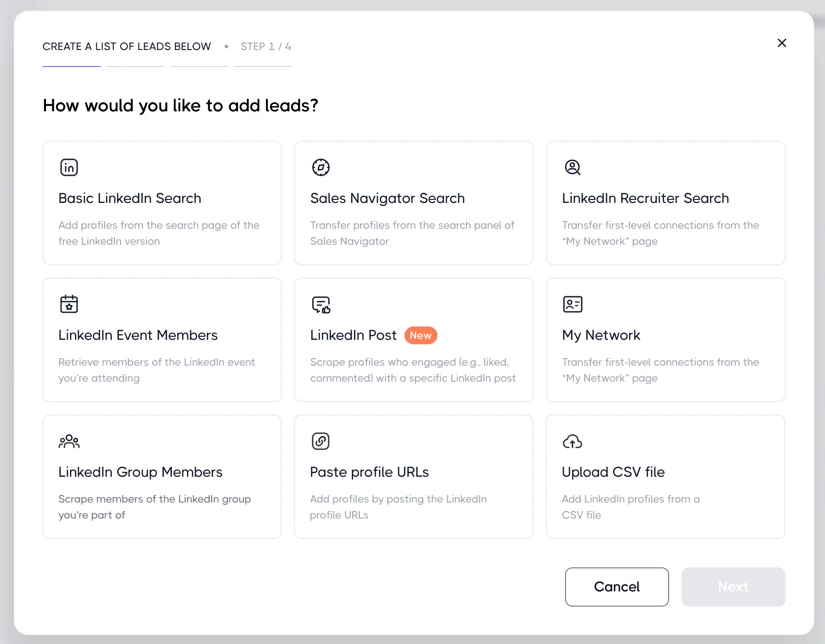
Dripify is a cloud-based LinkedIn and email outreach tool. You can import prospects from:
- LinkedIn search URL
- Sales Navigator search URL
- Recruiter search URL
- Existing connections
- LinkedIn events
- LinkedIn groups
- Post likes and comments
- Individual LinkedIn profile URLs
- CSV
... then use those prospects to build automated outreach campaigns using different actions and conditions.
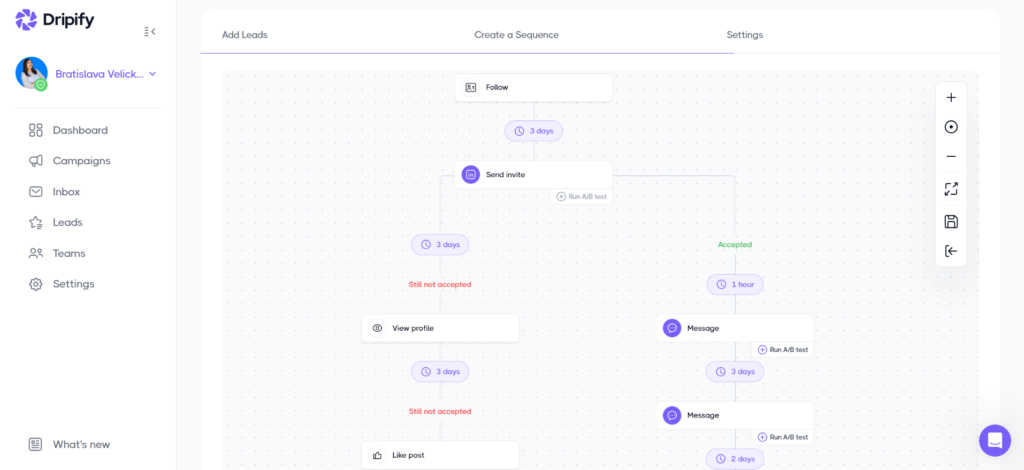
Its LinkedIn actions include profile visits, follows, invites to connect, messages, InMails (require Sales Navigator subscription), endorsements, and post likes. Email steps let you find an email address and send a message through a connected Gmail or Outlook account. Replies pause further outreach to that lead.
The sequence builder includes conditions for connection status (if connected), message views (if viewed message), email availability (if email is available), and open profiles (if open profile).
We also found 19 pre-set message variables for outreach personalization (though you can import up to 50 of your own), an AI copy-improvement tool, and A/B testing for message, invitation, and email steps. However, A/B testing was a beta feature at the time of our review.
All of the above makes Dripify a reasonable option for sales reps, founders, recruiters, and teams that already have their prospect lists and want to automate follow-ups.
However, it makes sense to consider a Dripify alternative if:
- You need broader reply coverage. In our trial, Dripify’s inbox handled LinkedIn conversations, but not email or Sales Navigator InMail replies. Those conversations still required another inbox.
- You need more than email lookup. Finding a verified email helps you reach someone. It doesn’t, by itself, research their company or give you a relevant reason to contact them.
- You need more room to build and manage outreach. Dripify's basic plan is limited to one campaign. Multi-team management sits on Advanced, and email-finder usage beyond the included credits adds cost.
- You want richer personalization and email infrastructure together. Compare native image/GIF personalization, connected-mailbox allowances, rotation, and warm-up, not just whether an “email” box is checked.
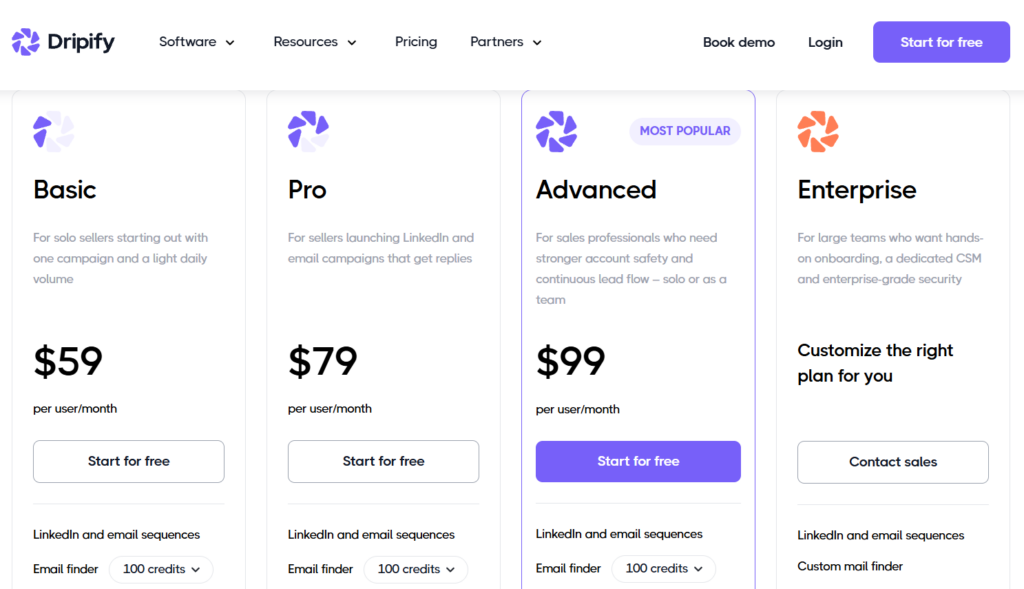
Dripify pricing: Their Basic plan is $59, Pro $79, and Advanced $99 per user/month on monthly billing. Annual billing lowers those monthly equivalents to $39, $59, and $79. Each paid plan includes 100 email-finder credits per month; additional credits cost extra. The enterprise plan is custom-priced.
Is Dripify allowed on LinkedIn?
Generally speaking, LinkedIn is against automation. But that doesn't mean all tools are created equal.
That said, there are 3 types of LinkedIn automation tools you’ll come across:
- Cloud-based tools
- Desktop apps
- Chrome extensions
Dripify falls under the cloud-based category, which is considered the safest. And since it does, the chances of getting your LinkedIn account restricted when using it are a lot lower compared to when using, say, Chrome extensions. That's because Chrome extensions inject code into LinkedIn that the platform can easily detect.
9 Dripify competitors to help you find a perfect alternative
Dripify is not the only outreach player in the game. With that in mind, we’ve rounded up 9 Dripify competitors that exist on the market.
Let’s break them down one by one to help you find your ideal Dripify alternative!
1. Skylead: Best overall Dripify alternative for sales teams & agencies
If you’re switching tools, let's make it worth the move.
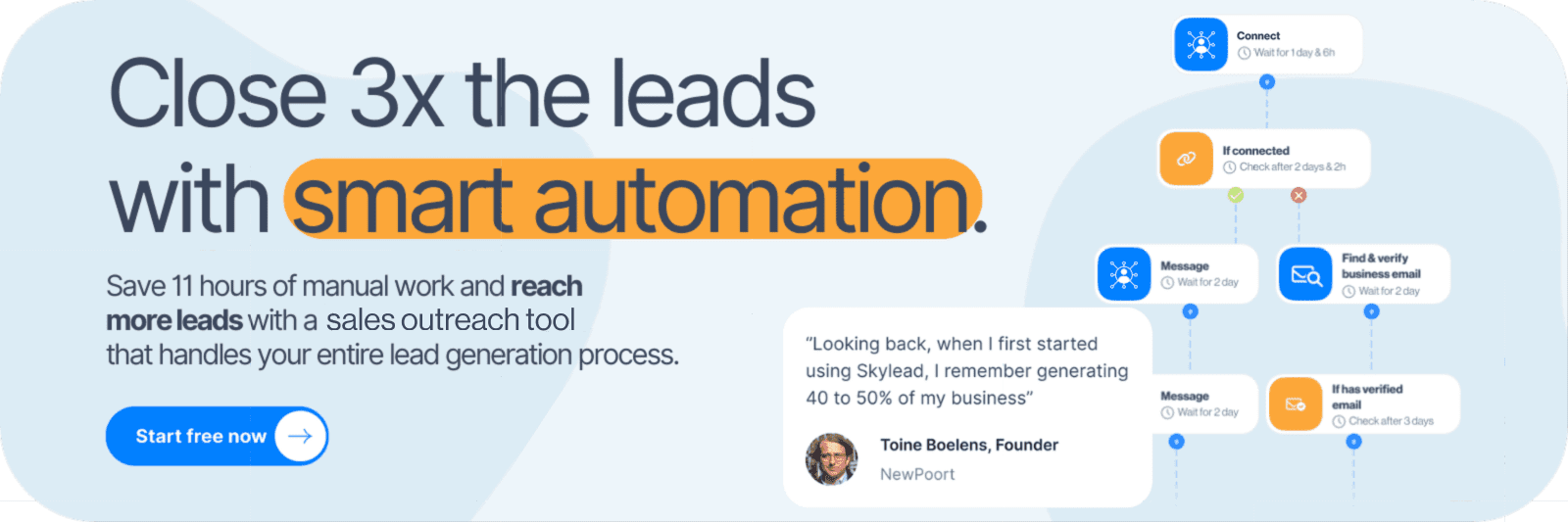
Skylead is a LinkedIn automation tool and cold email software for agencies and sales teams that combines prospecting, AI data enrichement, and LinkedIn and email automation with AI reply management. So, instead of starting and ending with a list of names to message, you can work from the companies you want to win through to the replies you need to handle.
Let's take a deeper look at how exactly Skylead powers the entire sales engagement process.
Propsecting
Start with our B2B database or use account-based prospecting to build company lists and find relevant contacts within those accounts.
You can also use Signals to discover LinkedIn posts around topics, keywords, or problems you care about, identify the people engaging with them, and filter those prospects against your ideal customer profile.
Want to go deeper? AI data enrichment helps you tap into data from 20+ providers to research contacts and companies and turn that context into variables or custom icebreakers. It’s Clay-like in what it can uncover, but it’s connected to your outreach workflow, so you avoid constant tool switching and data importing.
LinkedIn and email automation
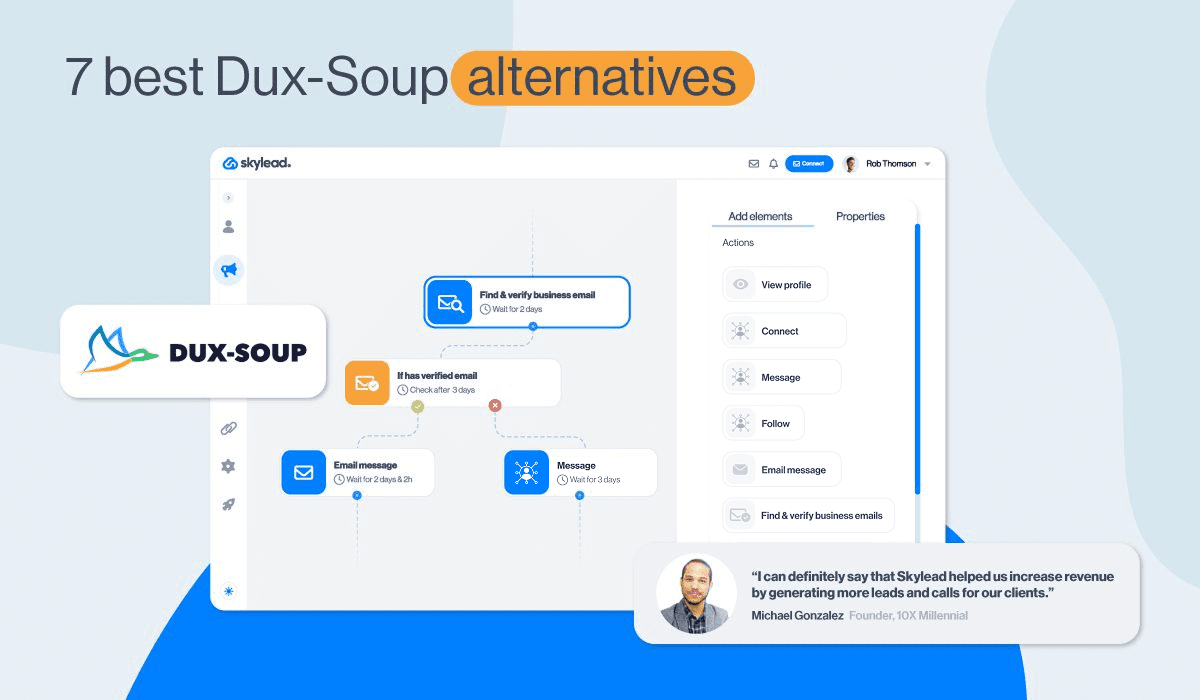
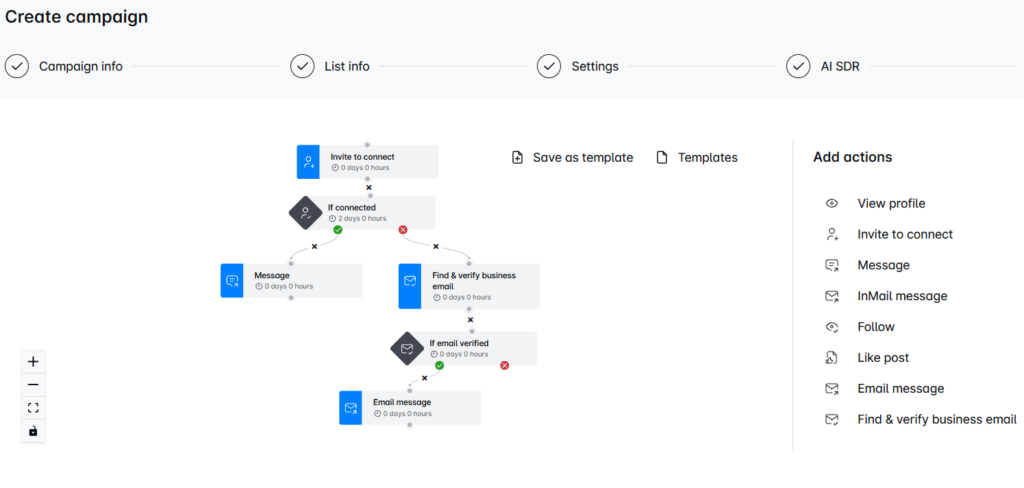
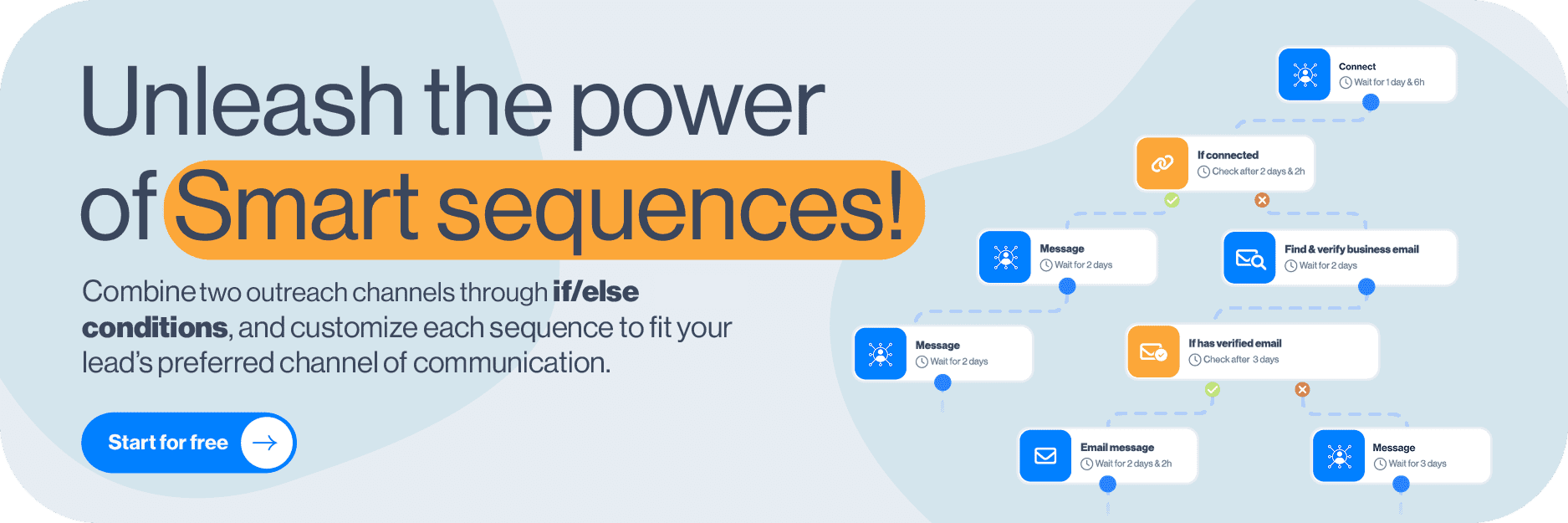
With Smart Sequences, you can build outreach flows using different LinkedIn and email actions and if/else condtions that help the outreach adjust according to the prospect behavior. Supported actions include:
- View
- Follow
- Invite to connect
- LinkedIn message
- inMail (free and paid)
- Email message
- Find & verify business email
Say a prospect accepts your invitation. You can continue the conversation on LinkedIn. If they don’t connect, another path can find and verify an email address and follow up there. You decide the path instead of squeezing your process into a fixed template.
Dripify also supports conditions, sure. But Skylead’s appeal is the broader workflow around them: unlimited connected email accounts, mailbox rotation, email discovery and verification, infinite email warm-up, and native image and GIF personalization.
You can also personalize your outreach with custom variables, Spintax, and Liquid syntax, then use A/B testing to compare up to 5 variants of your messages.
Reply management
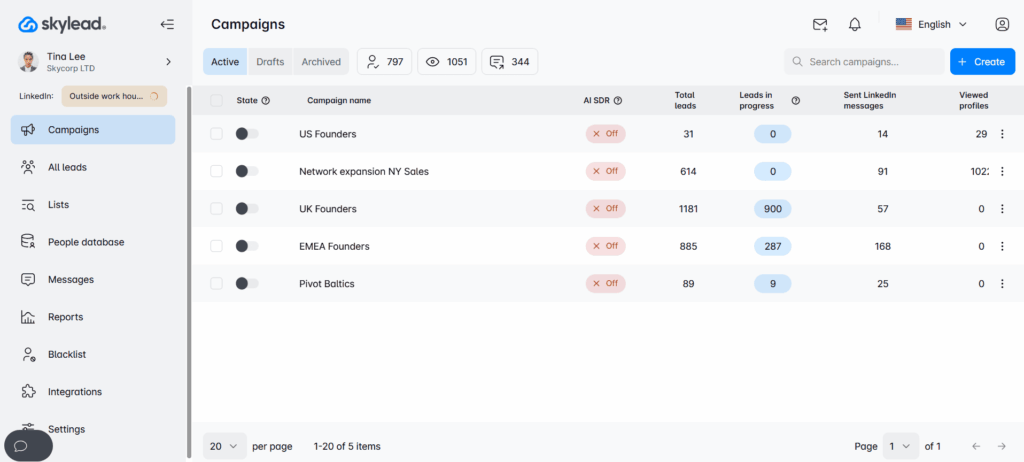
Skylead’s Smart Inbox brings LinkedIn and email conversations into one place. Labels and sentiment categories help you organize replies and focus on the conversations that need attention.
And if writing the next reply is the bottleneck, our AI SDR can use your company knowledge, sales pitches, objection handling, and conversation examples to help handle responses in automatic or semi-automatic mode, depnding on how much autonomy fits your process.
For agencies, the dashboard and Unibox provide oversight across clients, with granular roles, client performance views, and operational risk alerts. The white-label option lets you deliver the service under your own brand, while HubSpot, Pipedrive, and Salesforce integrations, plus API and webhooks, connect outreach with the rest of your sales process.
Skylead pricing
All-in-one plan costs $100 per seat/month. AI SDR and AI data enrichment credits cost $1 per 100 credits and reflect our provider pricing without an added margin on our side.
The agency plan costs $999/month for 25 seats or $1,999/month for unlimited seats.
For agencies and sales teams with a steady seat count, we also offer an Annual plan. If interested, talk to our sales team to learn more about it. Or, sign up for a 7-day free trial to try out all features now!
2. Expandi: Best for LinkedIn-first campaigns and agency delivery
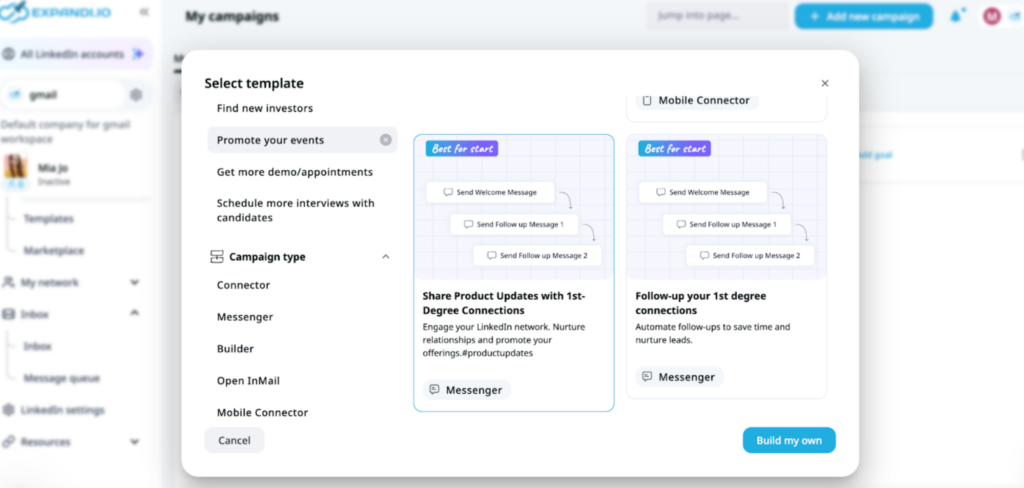
Expandi is a close Dripify alternative if your priority is running conditional LinkedIn and email campaigns in the cloud. Its campaign builder supports if/else logic, so it belongs in the same shortlist as Dripify and Skylead for automated outreach.
The tool lets you can send automated LinkedIn connection requests, messages, emails, and free inMails. The tool can also perform additional automatic actions, which include auto-liking posts and endorsing skills.
As of lately, Expandi has been expanding its prospecting capabilities, and it now includes content and engagement-based discovery. Furthermore, during our review, the Lead Qualification List let us define people-level ICP criteria, such as job title, location, industry, and company size, then build a matching list. That’s useful when you want help identifying prospects rather than importing every list manually.
Agencies also get meaningful options: a centralized client hub and white-label customization covering elements such as branding, domain, and menus. We also identified reseller voucher controls and the ability to connect an agency’s Stripe account.
Although Expandi technically allows users to enrich outreach messages with personalized images and GIFs, this feature isn’t natively built into the platform. Instead, it’s integrated through a 3rd-party tool called Hyperise, which costs extra. If that's a deal-breaker, you are better off switching to a different Dripify and Expandi alternative.
Pricing: Expandi Business is $99/month. Agency arrangements are available for 10+ seats, though pricing is custom. Meanwhile, Hyperise subscription raises the cost by another $69/month.
3. Dux-Soup / STACKED: Best for LinkedIn-only outreach
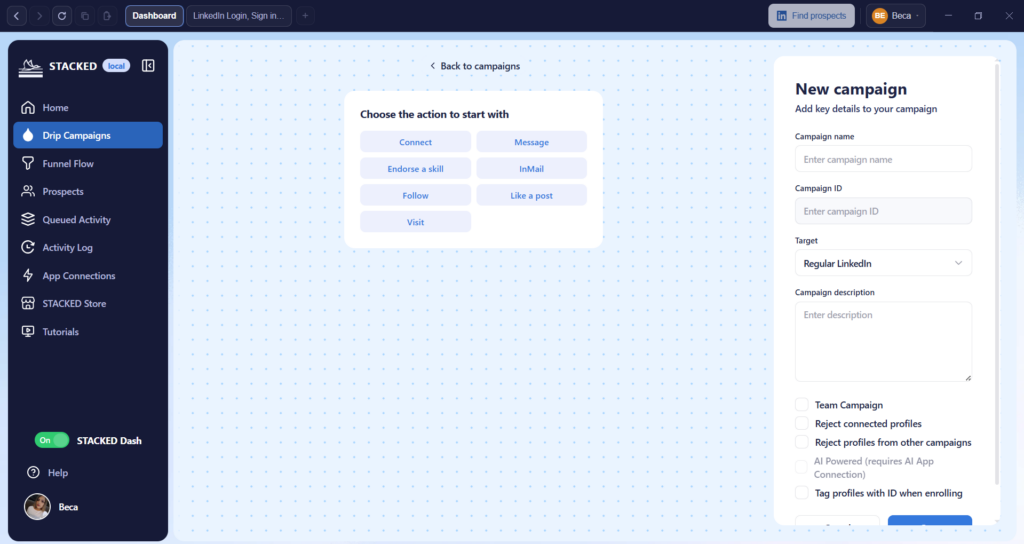
Dux-Soup is one of the oldest LinkedIn bots on the market. However, they recently announced the launch of STACKED powered by Dux-Soup. STACKED replaces the Dux-Soup Chrome extension with a desktop app. At the same time, their cloud-based version still relies on a Chrome extension for LinkedIn automation, rendering it a less safe version of the two.
Dux-Soup (and STACKED, by extension) supports LinkedIn, Sales Navigator, and Recruiter, with actions such as visits, follows, connection requests, messages, InMails, endorsements, and post likes. The current campaign offering supports up to 12 actions, configurable delays, and response detection.
One useful detail we noticed during our trial: the funnel, activity queue, and logs made it possible to inspect where prospects were, which actions were waiting, and which actions had failed. We could also qualify prospects in or out after a response.
The limitation is the workflow around those actions. We found linear drip campaigns rather than conditional branching, no native email sending, and no built-in inbox for writing replies.
This means that if you want LinkedIn and email to work together in one conditional sequence, other sales outreach tools like Skylead and Expandi are a more complete fit. Nevertheless, if you already have a separate email stack and mainly need LinkedIn execution, STACKED could prove a worthy Dripify alternative.
Pricing: STACKED Local is $55 per seat/month, while STACKED Cloud is $99 per seat/month on monthly billing. The local version runs on your machine; the cloud version runs on the cloud, but uses Chrome extension for automation.
4. Meet Alfred: Best for simple outreach plus social publishing

Meet Alfred brings LinkedIn and email outreach, a lead finder, and social post scheduling into one platform.
We found a broad selection of lead sources in our trial:
- Built-in LinkedIn search (through their built-in database of 100M+ leads)
- LinkedIn search or Sales Navigator search URL
- Sales Navigator Lead List
- Sales Navigator Saved Search
- 1st-degree connections
- LinkedIn post URL
- LinkedIn company page URL
- LinkedIn ads post URL
- LinkedIn article URL
- CSV
- 3rd-party integrations (via Zapier)
Although lead sources are aplenty, their campaigns follow a simple drip structure without conditional branching. Email is limited to one connected mailbox, without rotation, and email replies don't appear in the in-app inbox. Sending LinkedIn InMails requires a separate campaign, too. That’s quite a difference if you want to mix inMails and email with your LinkedIn follow-ups. Skylead, for example, lets you build those channels into Smart Sequences and connect multiple mailboxes instead of working around a single sender.
Despite their claims, there's currently no support for Facebook or Instagram outreach, while X messaging is under maintenance. The tool does come with a social post scheduler for LinkedIn, Facebook, X, and Instagram posts, though it's a seperate capability rather than direct messaging feature.
The white-label option is available for teams of 5+ users on the highest tier and lets you customize Meet Alfred with your brand color, logo, URL, and custom email.
Pricing: Individual plan costs $59/month per seat and includes LinkedIn automation only. Business unlocks multichannel outreach at $99/month per seat, while Teams of 3 and more get a more favorable $79/seat/month rate. The Unlimited plan is available as well, but it requires a talk with Meet Alfred's team.
5. Waalaxy: Best for beginners who want ready-made outreach sequences
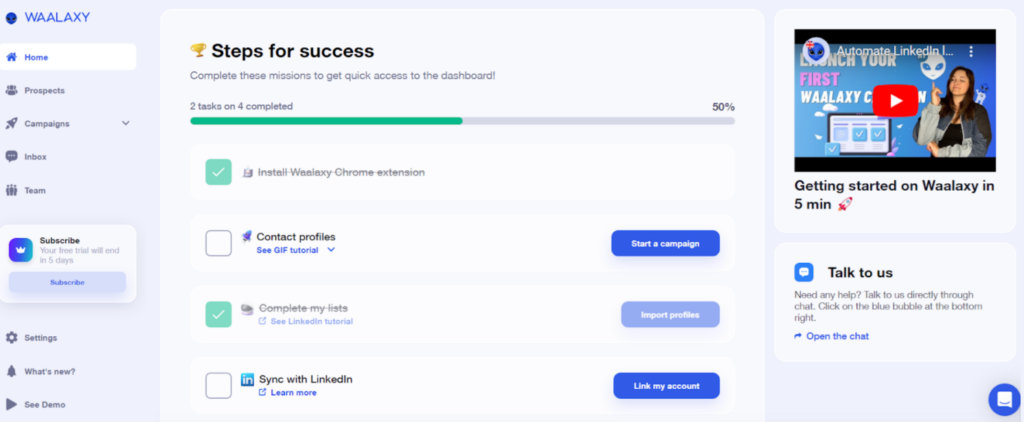
Waalaxy takes a template-first approach to LinkedIn and email outreach. Choose a sequence, customize your messages, and work within its predefined flow. For a beginner, that can make the first campaign easier to put together.
It can import prospects from LinkedIn, Sales Navigator, Recruiter Lite, CSV files, and engagement sources. Sequences can include invitations, profile visits, follows, messages, email finding, and email sending. Conditions are part of the system, too.
The catch is how much control you have. Namely, you cannot create your own sequence from scratch or modify the steps of an existing one. You pick the closest template and customize the available content and timing settings.
So, if you’re leaving Dripify because you want more campaign flexibility, this may feel like a step backward.
Waalaxy’s dedicated inbox adds tags, saved replies, and reminders for LinkedIn conversations. Email replies aren't shown, and neither are inMails. In fact, they aren't even a supported action.
Pricing: Waalaxy has 3 seperate plans:
- Pro - $19/user/month, limited to 300 invites. Supports LinkedIn only.
- Advanced - $39/user/month, limited to 800 invites. Supports LinkedIn only.
- Business - $69/user/month, limited to 800 invites. Supports LinkedIn and email.
6. SalesRobot: Best for LinkedIn and email with AI conversation support
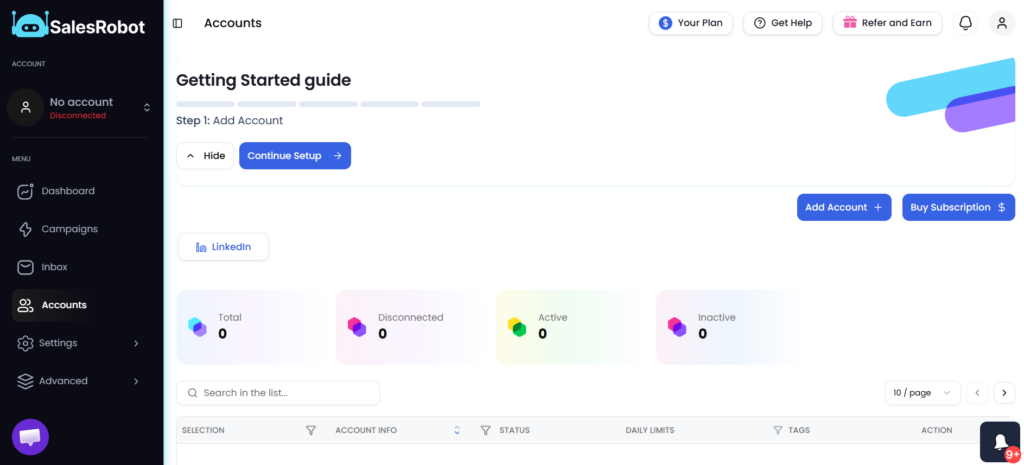
SalesRobot is another direct Dripify alternative: it automates LinkedIn actions and email outreach, supports conditional campaigns, and provides a unified LinkedIn/email inbox.
We found their inbox a meaningful distinction from Dripify’s LinkedIn-only inbox experience. Namely, SalesRobot lets you work with replies, tags, filters, and AI reply suggestions in one place. Its AI Appointment Setter offers a Copilot mode for suggested replies and an Autopilot mode for more autonomous conversation handling, which is similar to what Skylead's AI SDR has.
Our research also identified verified work-email discovery, Gmail/Outlook/custom SMTP support, and voice outreach options.
Pricing: Monthly plans are $59 for Basic, $79 for Advanced, $99 for Professional per LinkedIn account, and Enterprise with custom pricing. Email automation is billed separately at $15 per email account/month.
7. lemlist: Best for teams adding calls and more channels
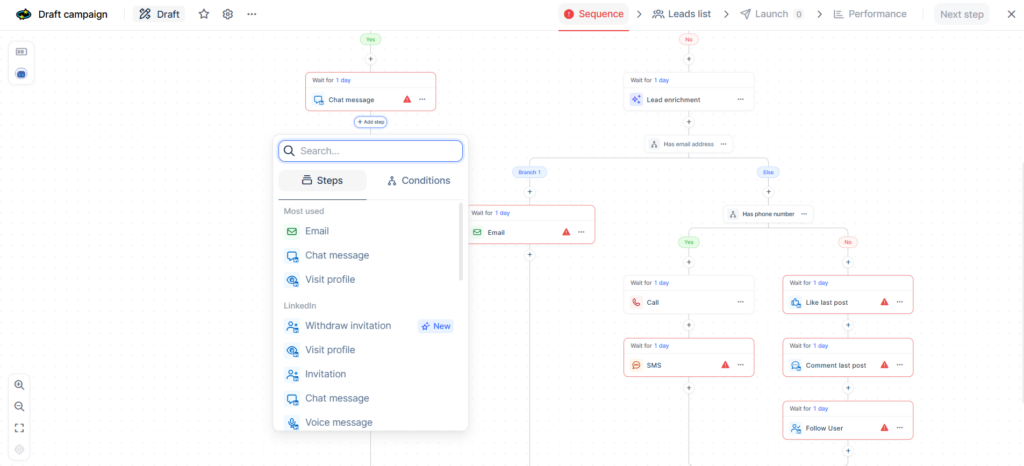
If your sales process combines email, LinkedIn, and calling, lemlist is a serious option. It also has an SMS and a WhatsApp add-on, making its channel mix broader than a LinkedIn-and-email-only workflow.
Conditional campaigns support automated and manual steps, with personalization through custom variables, Liquid syntax, images, and landing pages. We also found step and sequence A/B testing, mailbox rotation, and a unified inbox.
They’ve recently added an AI agent, lemAgent, that helps users build campaigns, find leads, analyze campaigns, and more. Furthermore, its buying intent signals and enrichment features help identify prospects and add context, but usage costs deserve attention. That means a subscription price isn’t necessarily the total cost of sourcing, researching, and contacting every lead.
It's also worth noting that lemlist’s Multichannel plan includes 5 senders per user, while Skylead allows unlimited connected email accounts. If your priority is LinkedIn plus email across many mailboxes, that difference matters. If calls and SMS are central to your process, lemlist’s broader channel coverage may matter more.
Pricing: lemlist’s Email plan starts at $69/month, but the relevant entry point for LinkedIn automation is Multichannel at $109 per user/month on monthly billing. Enterprise plan exists, too, but the pricing is custom.
Need a database or CRM instead of LinkedIn automation?
The next two products are broader sales platforms. They can be the right move if your problem is prospect data or pipeline management. Just keep one distinction clear: their LinkedIn sequence steps create work for a rep to complete.
8. Apollo: Best for data enrichment
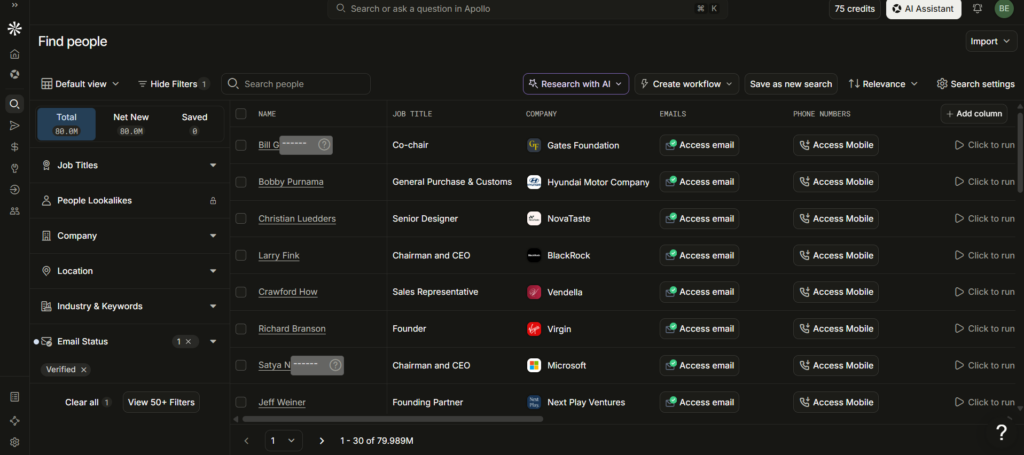
Apollo brings a people and company database, enrichment, email sequences, and calling into one platform. If finding the right contacts and keeping CRM data useful takes more time than sending LinkedIn follow-ups, it addresses a different—and potentially bigger—problem.
Our research covered person and company enrichment, CRM and CSV enrichment, mailbox rotation, email A/B testing, and dialer features. Availability and credit use depend on the plan and configuration.
Apollo also has an AI assistant that can help build a sequence, generate/refine email copy, run prospect research, and report on sequence performance. Furthermore, Outbound Copilot can create a prospecting workflow that finds matching contacts and automatically enrolls them into a selected sequence/list.
An important distinction, though: compared to Dripify, Apollo’s LinkedIn steps are manual tasks. This means a sequence can ask a rep to visit a profile, connect, or send a message, but Apollo doesn’t automatically execute those LinkedIn actions. Rather, it's up to a rep to do so.
So, when should you choose Apollo as your main Dripify alternative? When data enrichment, email automation, and cold-calling functionality are the main focus. But if you want data enrichment combined with prospecting, multichannel outreach automation and automated reply management, you're better off going with Skylead.
Pricing: Apollo offers Free, Basic, Professional, and Organization plans. Basic is $65/seat/month, Professional $99/seat/month, and Organization is $149/seat/month with a minimum of 3 seats.
9. HubSpot Sales Hub: Best for CRM-led sales teams
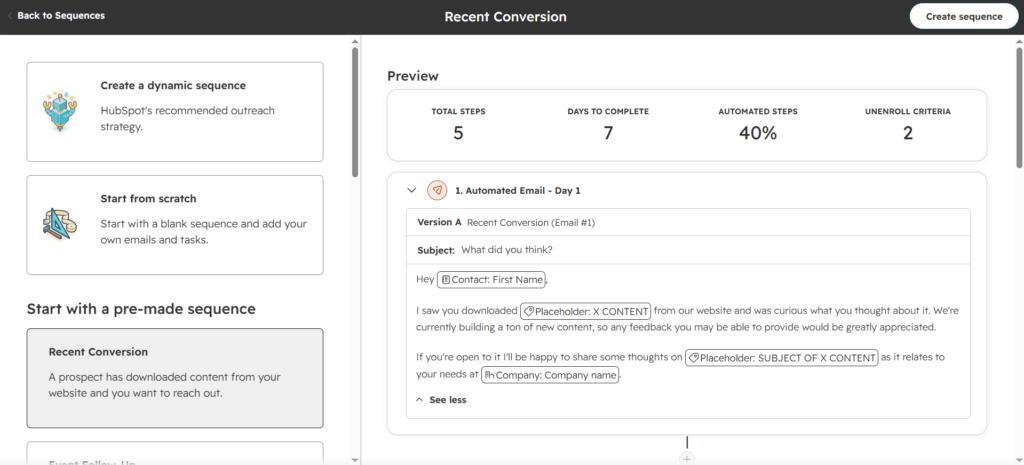
HubSpot Sales Hub is fundamentally different from Dripify. In fact, it's a CRM-first sales platform built around contacts, companies, deals, and the work reps need to do next. It can run email sequences and organize prospecting work, but it does not automatically visit profiles, follow leads, endorse skills, or automatically send LinkedIn connection requests/messages the way Dripify does.
With the required Sales Navigator integration, a sequence can create an InMail or connection-request task. The user then manually completes the action in Sales Navigator directly.
Now, rather than letting you source prospects via LinkedIn, your main prospecting database is your HubSpot CRM, or the companies and contacts already within. On the plus side, HubSpot’s AI agent can shortlist good-fit companies from the database using real-world triggers, source the right contacts, research accounts, and generate outreach based on configured plays.
Analytics and CRM functionalities are where HubSpot is significantly broader than Dripify. In fact, deal pipelines, sales reports, dashboards, lead/deal management, CRM activity history, meeting scheduling, and sales automation are all part of the platform.
All in all, if you're already a HubSpot user, replacing Dripify with it makes absolute sense. As long as you don't rely heavily on LinkedIn automation, that is. In which case, a more robust tool like Skylead or Meet Alfred is a better option.
Pricing: Sales Hub functionalities are available to Professional subscribers at $100/seat/month and Enterprise subscribers at $175/seat/monht.
Which Dripify alternative should you choose?
Start with the part of your current process that slows you down.
If it’s a fixed sequence, compare the builders. If it’s juggling mailboxes and replies, test the inbox and sending setup. If it’s contacting the wrong people, start the trial with prospecting, not the message editor.
And if you're an agency or a sales team looking for a Dripify alternative that does it all, we recommend you test Skylead. After all, you can use it to find relevant prospects, research them with AI, build LinkedIn and email paths, personalize outreach, and manage replies without handing each stage to a different tool. So, are you ready to put the entire workflow to the test? Start your 7-day free trial now and experience the difference yourself!