Instantly.ai Review: Pricing, Pros, Cons & 12 Alternatives 2026

Updated on: October 15th, 2026
Choosing between Instantly.ai and an alternative depends on how you find prospects, what signals shape your outreach, and which channels your team needs to manage. This comparison looks beyond email sending to account-based prospecting, post signals, AI data enrichment, outreach workflows, AI SDR features, and agency needs, then considers pricing and product fit alongside those capabilities.
We've tested out Instantly.ai, its alternatives, and presented findings below. Use the quick verdict in the next paragraph to orient your shortlist, then compare the tools against the workflow you actually need.
TL;DR: Is Instantly.ai the right fit for your team?
Instantly.ai is a strong fit to evaluate when your main workflow is cold email: its current Outbound plans support unlimited connected email accounts, campaign sending, and warm-up, while prospecting and enrichment are sold through a separate Data Credits product. The platform also lists a CRM add-on for managing email, calls, SMS, tasks, and LinkedIn connections. Check the current Instantly plan overview before comparing costs, because the total depends on the outbound volume, contacts, data credits, and add-ons your team needs.
Put Skylead on your shortlist if your workflow starts with target companies, finding matching leads, AI data enrichment, and proceeds to LinkedIn and email outreach. Skylead lists account-based prospecting, Post Signals, AI data enrichment, LinkedIn and email automation, Smart Sequences, and AI SDR. Its current pricing page lists an All-in-one plan at $100 per seat per month, plus a special Agency plan with client-management and white-label options.
- Choose what to evaluate first: Instantly for an email-led setup with its own prospecting and inbox products; Skylead when company-based targeting, post signals, AI data enrichment, LinkedIn-plus-email sequences, and AI SDR matter to the workflow and are part of one plan.
- Compare total cost, not just entry price: Include seats, sending limits, contact capacity, data credits, and agency or white-label requirements if any.
- Verify the workflow before committing: Confirm which steps are automated, which require a person, and whether the product supports the channels and decision signals your team actually uses.
If LinkedIn and email outreach are both part of your evaluation, you can start Skylead’s 7-day trial and check the workflow against your own use case.
Instantly.ai at a glance: plans, prospecting, and outreach
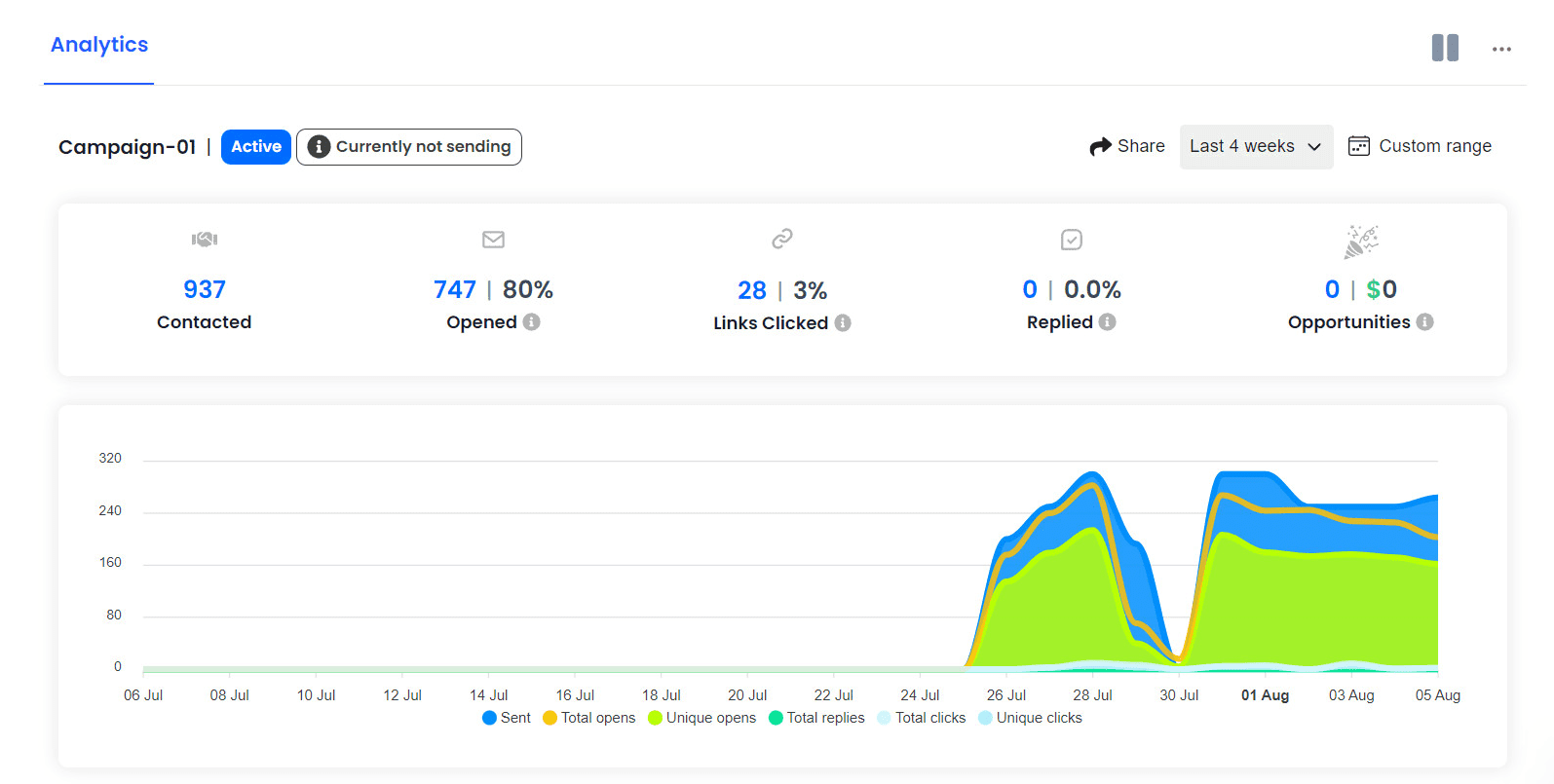
You may know Instantly for cold email. That’s still the core workflow, but today the product reaches into prospecting, company and social signals, AI enrichment, AI agents, and CRM. The pieces live in different plans, though, so let’s look at what each one does—and what you’ll need to budget for.
Find companies, contacts, and buying signals
Instantly’s SuperSearch has replaced Lead Finder. During testing, we could describe our ideal prospect with AI Search, narrow results by job title, industry, location, company size, revenue, technology, and more. The current Help Center describes a database of 610M+ B2B contacts, plus enrichment from multiple providers.
SuperSearch also has a Signals filter. It covers LinkedIn posts and comments, company posts, Reddit discussions, and company events such as funding, hiring, and growth. SuperSearch can find work emails, enrich contact and company profiles, and create AI-generated fields such as company research or email copy. Those actions draw from Instantly Credits, with usage depending on the action and data provider. For example, Instantly lists one credit for a verified email it finds, two or more for a partner-sourced email, and about half a credit per row for AI enrichment. For comparison below, credits cost $6 per 100 credits.
What its AI agents handle
We found out that Instantly’s AI Sales Agent can find prospects for your ICP, draft personalized emails, build multistep email campaigns, and adjust messaging based on replies. It costs 5 credits per generated lead. The default mode asks you to review and approve actions; Autopilot is also available. A separate AI Reply Agent handles incoming email conversations and costs 5 credits per generated reply. In short, check whether you need help finding and starting conversations, handling replies, or both - these are separate agent workflows.
If LinkedIn actions need to be part of the sequence itself, Skylead’s Smart Sequences combine LinkedIn and email steps with if/else conditions. That gives you a concrete workflow to compare alongside Instantly’s email agents and its CRM features.
Outbound plans, limits, and agency access
Instantly separates email sending from prospect data and AI credits. The prices below are the USD monthly rates listed and lastly checked on October 14, 2026. The uploaded-contact limit is a fixed total across campaigns; the email allowance is monthly.
| Plan | Listed price | Uploaded contacts | Emails per month |
|---|---|---|---|
| Growth | $47/month | 1,000 | 5,000 |
| Hyper Growth | $97/month | 25,000 | 125,000 |
| Light Speed | $358/month | 100,000 | 500,000 |
Paid Outbound plans include unlimited sending accounts and warm-up. The free trial is smaller: two email accounts, 250 uploaded contacts, and 1,000 emails. Prospecting and AI use Instantly Credits, starting at $9/month for 150 credits; they also lists $47 for 1,500, $97 for 5,000, and $197 for 10,000 credits. CRM and Inbox Placement are separate products, so your final cost depends on which parts of the stack you need. You can check the current Outbound comparison before choosing.
Need an agency portal? Instantly lists Agency View and white-label client access on Hyper Growth and Light Speed. Each workspace needs its own subscription, and clients given campaign access can see campaigns in that workspace. If clients need tighter separation, factor separate workspaces into the setup and cost.
Instantly.ai pros and cons
Instantly brings a lot of the cold-email workflow under one roof: find prospects, add context, launch campaigns, and handle replies. That’s appealing if email is where your team does most of its outreach. Before you settle on it, though, check how the limits, credits, and channel mix line up with the way you actually prospect.
What Instantly does well
- Prospecting and enrichment live close to campaign setup. SuperSearch can find contacts or start with companies, then add work emails, profile details, company context, and AI-generated fields.
- Email operations can scale across inboxes. Paid Outbound plans include unlimited connected sending accounts and warm-up, while monthly email volume and the total uploaded-contact allowance still depend on the plan. “Unlimited accounts” doesn’t mean unlimited sends or contacts.
- There are separate AI tools for separate jobs. The AI Sales Agent can source ICP matches and draft email campaigns; the AI Reply Agent handles incoming email conversations. You can review actions before they go out, or enable Autopilot for the Sales Agent.
- Agencies get client-facing options. Agency View and a white-label portal are available on eligible plans. That can help when clients need visibility into campaigns and reporting from a branded space.
What to weigh before choosing
- The total bill is more than the Outbound plan. Prospecting, enrichment, and AI actions use credits; CRM and Inbox Placement are separate products. Map the features you need to the relevant subscription and credit use before comparing monthly prices.
- Contact capacity is a fixed workspace limit. Uploaded contacts count across campaigns and don’t refresh monthly. If you reuse the same leads across campaigns, check how that affects the plan limit before importing a large list.
- AI still has a review-and-credit workflow. The AI Sales Agent costs 5 credits per generated lead, and the AI Reply Agent costs 5 credits per generated reply. Sales Agent review is the default; Autopilot is available if you choose to enable it.
- Check whether its channels match your sequence. Instantly CRM includes LinkedIn connections, while the Outbound and AI Agent are tied to email campaign workflows. If you need LinkedIn actions and email steps together in one sequence, compare that workflow with other tools, such as Skylead.
How we evaluated Instantly.ai alternatives
A cold outreach tool can look great on a feature list and still miss the way your team finds and contacts prospects. We compared Instantly.ai alternatives across six parts of that workflow, so you can see where each platform fits before you commit to a plan.
Here’s what we looked at for every tool:
- Account-based prospecting: Can you start with target companies, build an account list, and find the right people within those companies? We considered how well company-level targeting connects to contact discovery.
- Post signals: Can you identify relevant activity, such as people writing and engaging with LinkedIn posts, and use it to zero in on your active ICP? We looked at what counts as a signal and whether the workflow helps you act on it.
- AI data enrichment: What contact and company details can the platform add, how does it describe its data sources or verification, and what do those actions cost? That last part matters when enrichment uses credits or add-ons.
- Outreach: Which channels can you use in a sequence, and how much control do you have over steps, timing, and conditions? We also considered how the platform handles replies and the practical limits attached to sending.
- AI SDR features: Which parts of prospecting and outreach can AI help with; research, personalization, campaign creation, or replies? We checked where review or approval fits into the workflow and whether AI use has separate limits or costs.
- Agency benefits: Can an agency manage multiple client workspaces, control client access, and present reporting or a branded portal? We considered plan eligibility and what the setup means for managing clients.
We focused on how these capabilities support a real prospecting workflow, rather than treating a long feature list as a verdict. Product features, plan limits, and pricing can change, so check the linked documentation and pricing pages before choosing a tool for your team.
Instantly.ai alternatives: feature comparison
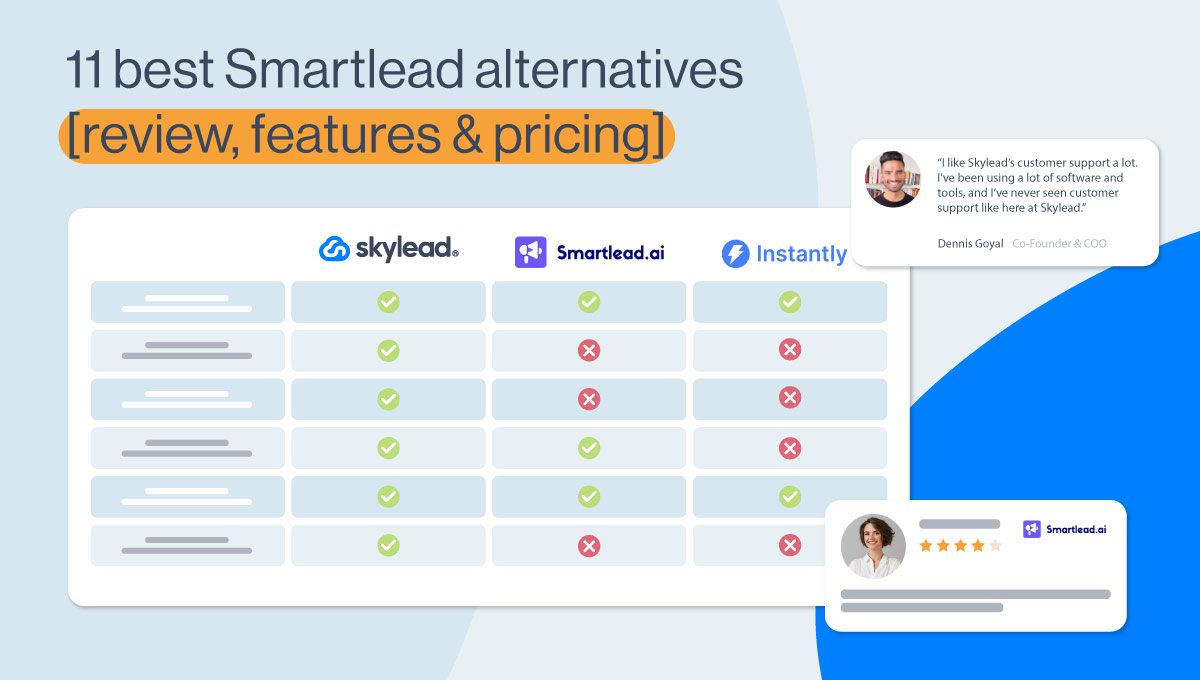
Want a quick shortlist? This table compares who each tool suits, what its entry plan costs, and the main workflow differences. The tool sections below unpack the features and tradeoffs, so use this as a starting point rather than the whole comparison.
“Best for” is our fit summary based on each product’s scope, not a ranking. Prices were checked on October 15, 2026. ✓ means the feature is documented; ~ means it is partial, plan-dependent, or requires a manual step/integration; — means no matching feature is listed on the product pages reviewed.
| Tool | Best for | Starting price | Prospecting & signals | Outreach channels | AI features | Agency setup |
|---|---|---|---|---|---|---|
| Skylead | Account-based prospecting, enrichment and outreach using LinkedIn activity and email. | $100/seat/month (All-in-one). Flat agency pricing. | ✓ B2B database, Company lists, matching contacts, LinkedIn Post Signals. Contact & company enrichment. | ✓ LinkedIn + email in Smart Sequences. | ✓ AI data enrichment and AI SDR. | ✓ Agency dashboard, client roles, white-label option. |
| Instantly | Email-led outbound at higher sending volumes. | $47/month Growth Outbound, $97 Hypergrowth, $358 Light Speed. | ✓ SuperSearch; social and company signals. | ~ Native email campaigns; CRM includes LinkedIn connections. | ✓ Separate AI Sales and Reply Agents; credit use applies. | ✓ Agency View and white label on eligible plans. |
| Smartlead | Scaling cold email across many mailboxes. | $39/month (Base); SmartProspect is a $59/month add-on. | ✓ ICP lead search and AI enrichment; no post-signal monitoring verified. | ~ Email native; LinkedIn through integrations such as HeyReach. | ~ SmartAgents plus AI lead enrichment. | ✓ White label; $29/month per client workspace. |
| lemlist | Teams that want prospecting and multichannel sequences. | Email $69/month ($55 annual); Multichannel $109/user/month ($87 annual). | ✓ Account-based prospecting, lead data, and intent signal agents. | ✓ Email, LinkedIn, and calls; SMS and WhatsApp options. | ✓ AI agents for research, enrichment, intent, and messaging. | ✓ Agency Cockpit and client permissions; no white-label portal verified. |
| Saleshandy | Lead finding and cold email with optional manual multichannel tasks. | $41/month ($34 annual). | ✓ Lead Finder for people and companies; no post-signal monitoring verified. | ~ Email automated; LinkedIn/call steps can be manual. | ~ AI email and sequence writing. | ✓ Agency portal and white label. |
| SmartReach | Prospect-volume pricing with email and optional LinkedIn outreach. | $29/month (Email Basic); LinkedIn automation +$29/account/month. | ✓ B2B Lead Finder and account-based sales; no post-signal monitoring verified. | ~ Email plans; LinkedIn automation is a paid add-on, with calls in higher workflows. | ~ AI email agent and reply automations on eligible plans. | ✓ Client dashboards; additional dashboards $29/month each. |
| Snov.io | Finding and verifying contacts before email + LinkedIn outreach. | $39/month (Starter). | ✓ ICP search, company profiles, email finding and verification; no post signals verified. | ✓ Email + LinkedIn sequences. | ~ AI search and email-writing assistance. | ~ Agency workflows documented; white-label portal not verified. |
| Hunter | Email discovery, verification, and simple email sequences. | Free; paid from $49/month ($34 annual). | ✓ Company/domain search and lead enrichment; no post signals verified. | ~ Email sequences. | ~ AI research and email-writing assistance. | — Dedicated client portal or white label not verified. |
| SalesBlink | AI-assisted cold email and agency workspaces. | $29/month ($25 annual). | ✓ People and company database; no post signals verified. | ~ Automated email; LinkedIn touches can be manual tasks. | ✓ AI sequence and reply assistance. | ✓ Client workspaces and white-label branding. |
| Woodpecker | Cold email and LinkedIn outreach with prospect search and agency reporting. | $35/month (500 contacted prospects); LinkedIn slot $29/month. | ✓ Company/contact Lead Finder; post engagement signals not listed in cited product docs. | ✓ Email + LinkedIn automation; account slot extra. | ~ AI email writer and reply-interest classification. | ✓ Agency panel add-on; $27/client + $5/client for white-label reporting. |
| QuickMail | Email and LinkedIn automation, including LinkedIn-post engagement workflows. | $49/month Starter; Agency $299/month. | ✓ Prospecting database and LinkedIn post-engager imports on Growth/Agency. | ✓ Automated email + LinkedIn; plan limits vary. | ~ AI reply drafts with monthly credits; not a full AI SDR. | ✓ Agency plan includes 2 workspaces; extra workspaces $49/month. |
| Apollo | B2B teams combining prospect data, company intent, CRM, and outreach. | Free; Basic from $49/user/month (annual billing). | ✓ Company/contact search and company-level buying intent; not LinkedIn-post signals. | ~ Automated email; LinkedIn and call steps are manual tasks. | ✓ AI research, lead scoring, sequence drafting, and plan-dependent agents. | ~ Partner access to client accounts for eligible Apollo partners; no standard white-label plan listed. |
| Salesforge | Teams combining AI-personalized LinkedIn and email sequences with an optional AI SDR. | $40/month (Pro, annual); Growth $80/month annual. Leadsforge data is separate, from $49/month. | Leadsforge is a separate lead search product; company followers/lookalikes are documented. No LinkedIn post monitoring verified. | LinkedIn + email sequences; Pro allows 1 LinkedIn sender, Growth includes unlimited senders. | AI personalization and reply drafting; Agent Frank is an optional AI SDR, $499/month billed annually. | White-label reseller program is available; setup and commercial terms require a call. |
Entry prices aren’t a like-for-like cost comparison: plans differ in seats, sending limits, data credits, and add-ons. Check the linked pricing pages for current terms before you compare totals.
Best Instantly.ai alternatives for different workflows
There isn’t one best Instantly.ai alternative for every sales team. The right choice depends on where your workflow starts: a list of target accounts, a prospect’s activity, verified contact data, or a campaign that needs to reach people across more than email. These profiles focus on those differences so you can narrow the list before comparing plans.
1. Skylead
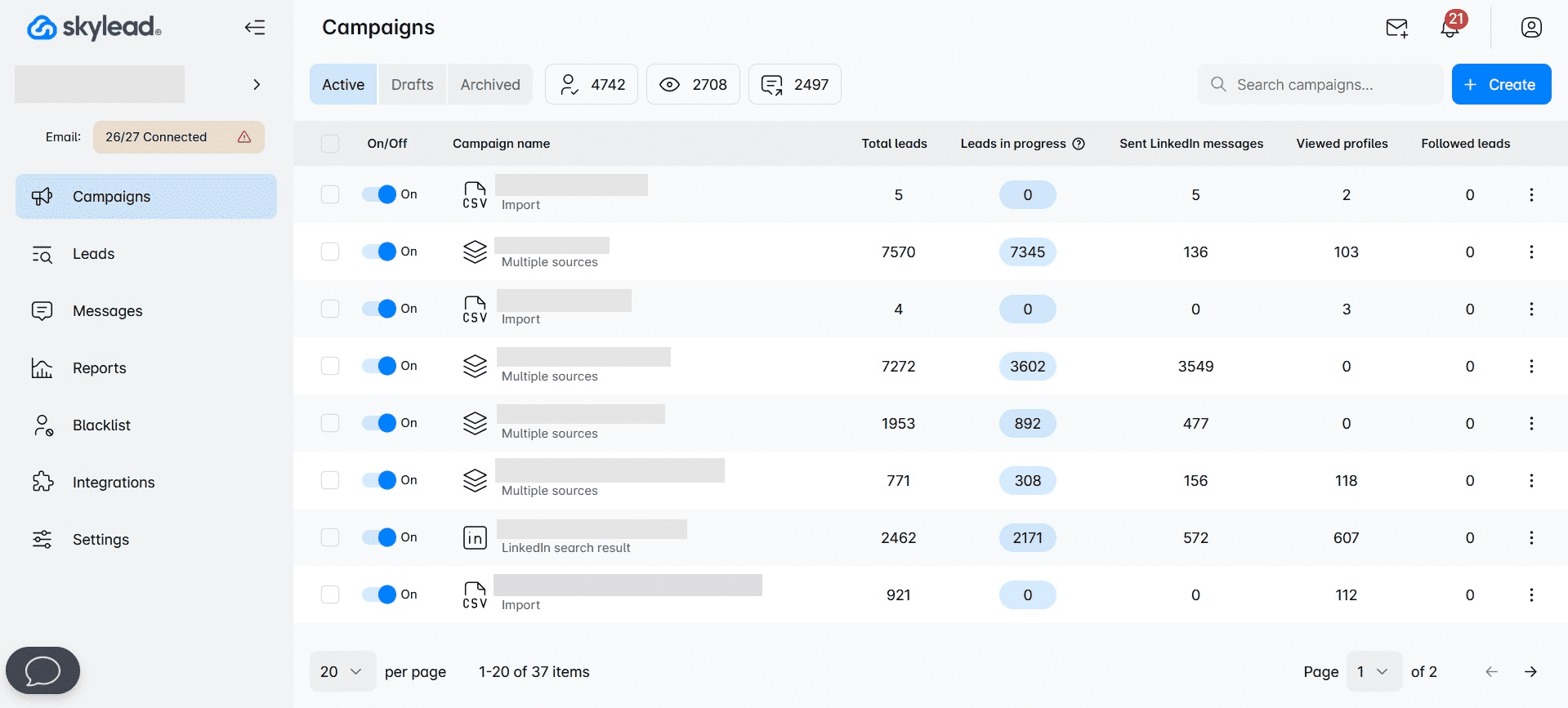
Well, hello - that’s us!
Skylead is a LinkedIn automation tool and cold email software for agencies and alike who want to scale their business.
It's commonly used by:
- Sales professionals and entrepreneurs who aim to free up as much as 11 hours a week for booking 3x more meetings.
- Marketing professionals seeking to distribute content and secure more backlinks.
- Recruiters on the hunt for the best talent.
- Lead generation agencies focused on acquiring high-quality leads for their clients.
The biggest difference between Instantly.ai and Skylead is the support for LinkedIn outreach.
As a matter of fact, our software allows you to create multichannel campaigns that combine different LinkedIn and email outreach actions. All thanks to our Smart sequences.
The tool also lets you personalize messages with AI data-enriched variables, liquid syntax, and spintax, and preset and custom variables. While at it, you can even engage in A/B testing to determine how to best approach leads.
However, what truly sets Skylead apart in the personalization department is our native image and GIF personalization feature.
Not to mention, Skylead also offers infinite email warm-up, courtesy of our partnership with an email warm-up tool, Mailivery.
Finally, our tool comes with advanced reporting capabilities and even supports CSV and PDF exports. You can also integrate it with any CRM or tool you like, using Zapier webhooks or API.
Now, let’s get deeper into our features that are changing the outreach game as we know it.
Prospecting
The best way to find your ideal leads is to find your ideal companies first. That is exactly what Skylead offers - account-based prospecting. With it you can:
- Create account lists directly in Skylead
- And discover contacts by company to reach out to them.
In other words, once you add your companies, Skylead can help you find and match contacts within those selected companies. This way, you can focus on your target companies that are most likely to convert and have greater lifetime value.
To find leads, you can import them through LinkedIn, use Skylead's B2B database, or use Post signals to zero in on people who create and engage with posts that talk about the problem your product or service solves.
AI data enrichment
Apart from email discovery and verification, we introduced a game-changing feature - AI data enrichment, which you can use to:
- Enrich contact & company data
- Prompt AI to get specified info or generate personalized icebreakers for each contact
- Use all gathered info directly inside your sequences as variables.
It’s Clay-like in what it can discover, but it’s connected to your outreach workflow, so you avoid constant tool switching and data importing.
LinkedIn automation
Skylead is a cloud-based LinkedIn automation tool.
It’s the best among other types of LinkedIn automation tools (browser extensions & desktop apps) in that:
- It exists on the ‘’Cloud’’. This means that it doesn’t require an Internet connection or power to run.
- It comes with a dedicated IP address (proxy) that shields your activity, an integrated inbox, and the possibility of adding multiple accounts.
- The tool mimics human behavior, browsing through LinkedIn and scrolling just as a human would.
Now, with Skylead, you can automate much of your LinkedIn prospecting and LinkedIn lead generation through targeted outreach campaigns.
To create one, you can use the following lead sources:
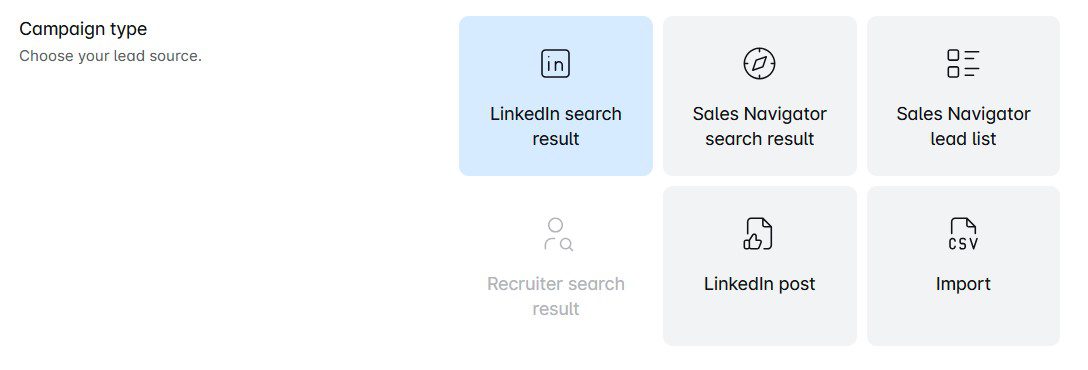
And, yes, you can connect any LinkedIn Premium, Sales Navigator, or Recruiter account to the software.
Once you do, you can use Skylead to:
- View your leads' profiles
- Follow them
- Send them invites to connect
- Automate LinkedIn messages and LinkedIn inMails
However, the tool isn’t limited to performing actions on LinkedIn. So, feel free to add emails to the mix — including the email discovery and verification feature — and turn the tool into a complete multichannel outreach platform.
Email automation
Much like Instantly.ai, Skylead lets you add unlimited email accounts to help you send tens of thousands of emails a month.
However, unlike it, it doesn’t limit the number of active leads you can have. You can input unlimited leads, allowing you to reach out to more people.
If you were wondering how it’s possible to send thousands of emails a month, well, it’s because our tool supports inbox rotation. This means that Skylead alternates sending emails from different accounts to keep you within safe limits on each.
Infinite email warm-up
To make sure your emails land where they are supposed to, your mailboxes must be warmed up.
Luckily, Skylead has partnered up with an email warm-up tool, Mailivery, to make this a reality.
This tool allows you to warm up infinite email accounts to stay away from spam and protect your senders’ reputation. Completely free of charge for all our Skylead users.
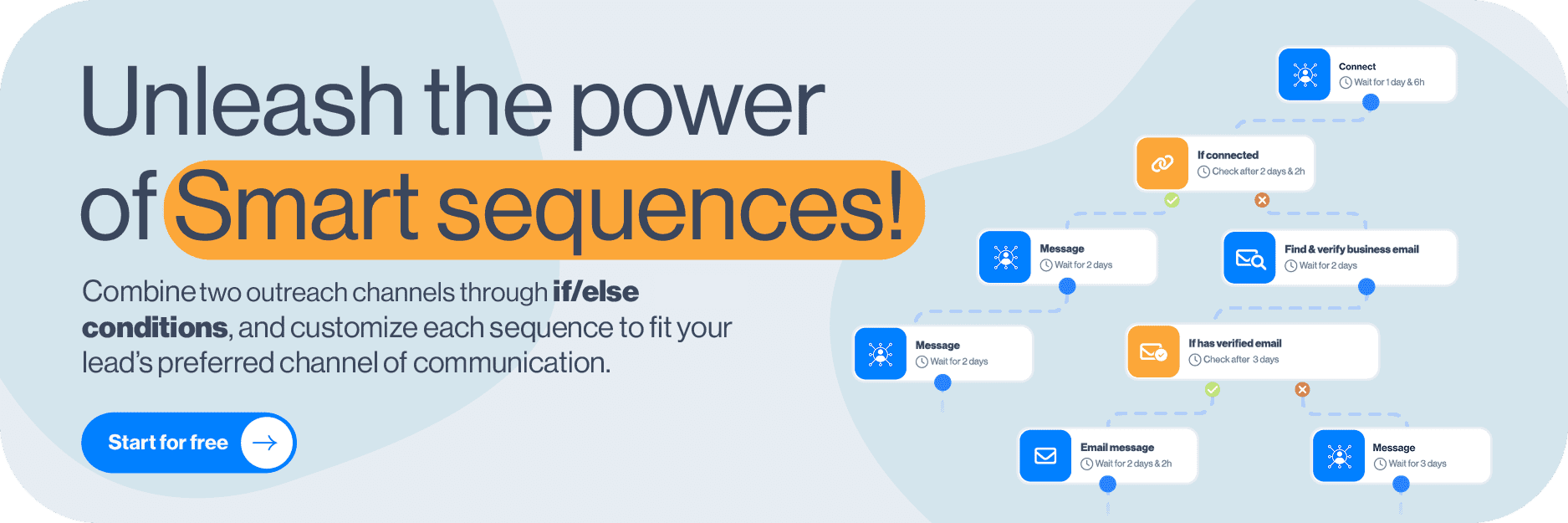
Smart sequences
And that brings us to the star of the show: Smart sequences.
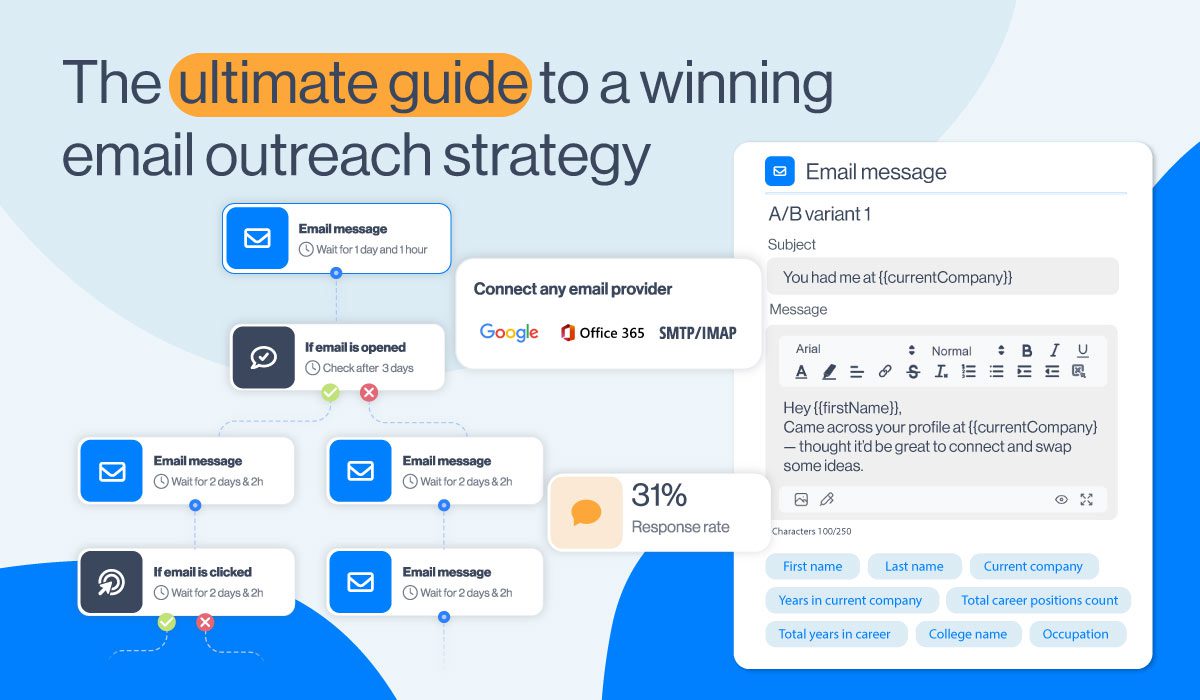
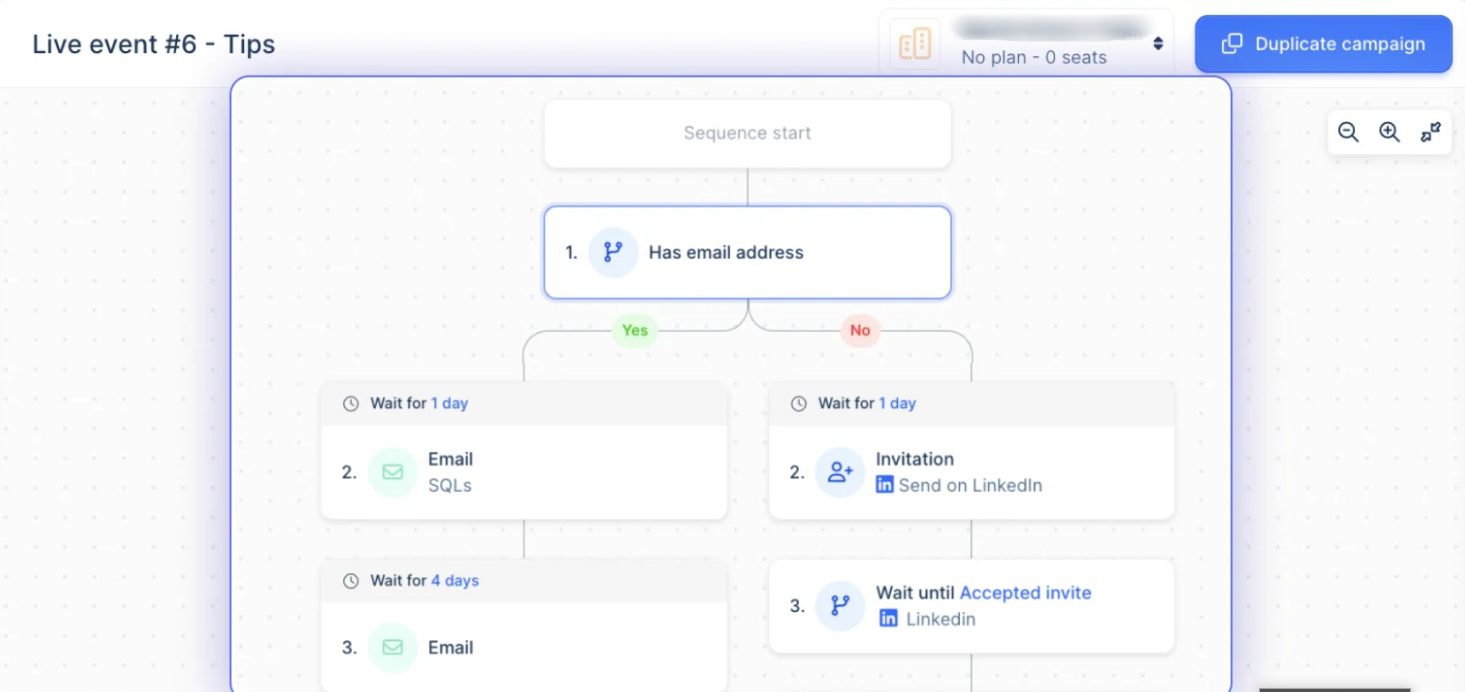
In essence, they are algorithms that combine the above-mentioned LinkedIn and email actions with if/else conditions. As a result, you get coherent outreach flows that unfold according to the way your prospects behave.
For instance, let’s say you tried adding a lead to your network on LinkedIn, but they haven’t accepted the invite.
If this were a simple sequence, you’d get stuck at this step and miss the opportunity to get to the lead.
But with Smart sequences, you get to maximize touchpoints by covering every possible scenario.
In this case, you can add the ‘’If Connected’’ condition to your campaign and then define the following steps.
For example, you can set up Skylead to automatically message your lead when they accept your connection request. If they don't, you can try to locate their email address, and if the tool finds it, send them an email. But if that doesn't work, you can always send an InMail to maximize getting in touch with leads.
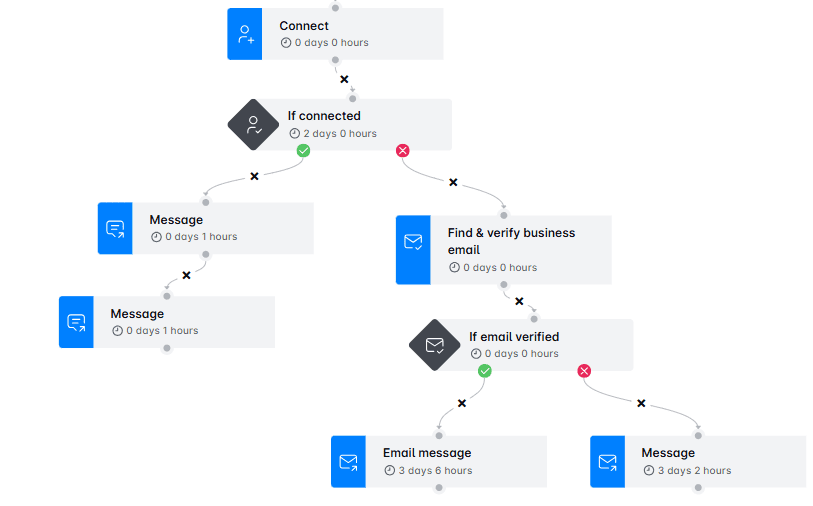
Of course, there are a thousand more ways this can go. Smart sequence builder is your playground, so feel free to experiment with different branching paths.
Or, you can try our tried and tested Smart sequences templates inside the tool for guaranteed results!
Smart inbox
Smart inbox, although serving the same purpose as Instantly.ai’s Unibox, is far superior. That’s because it not only aids email management. It also lets you manage your conversations on LinkedIn, Sales Navigator, and Recruiter, whether it’s messages or inMails.
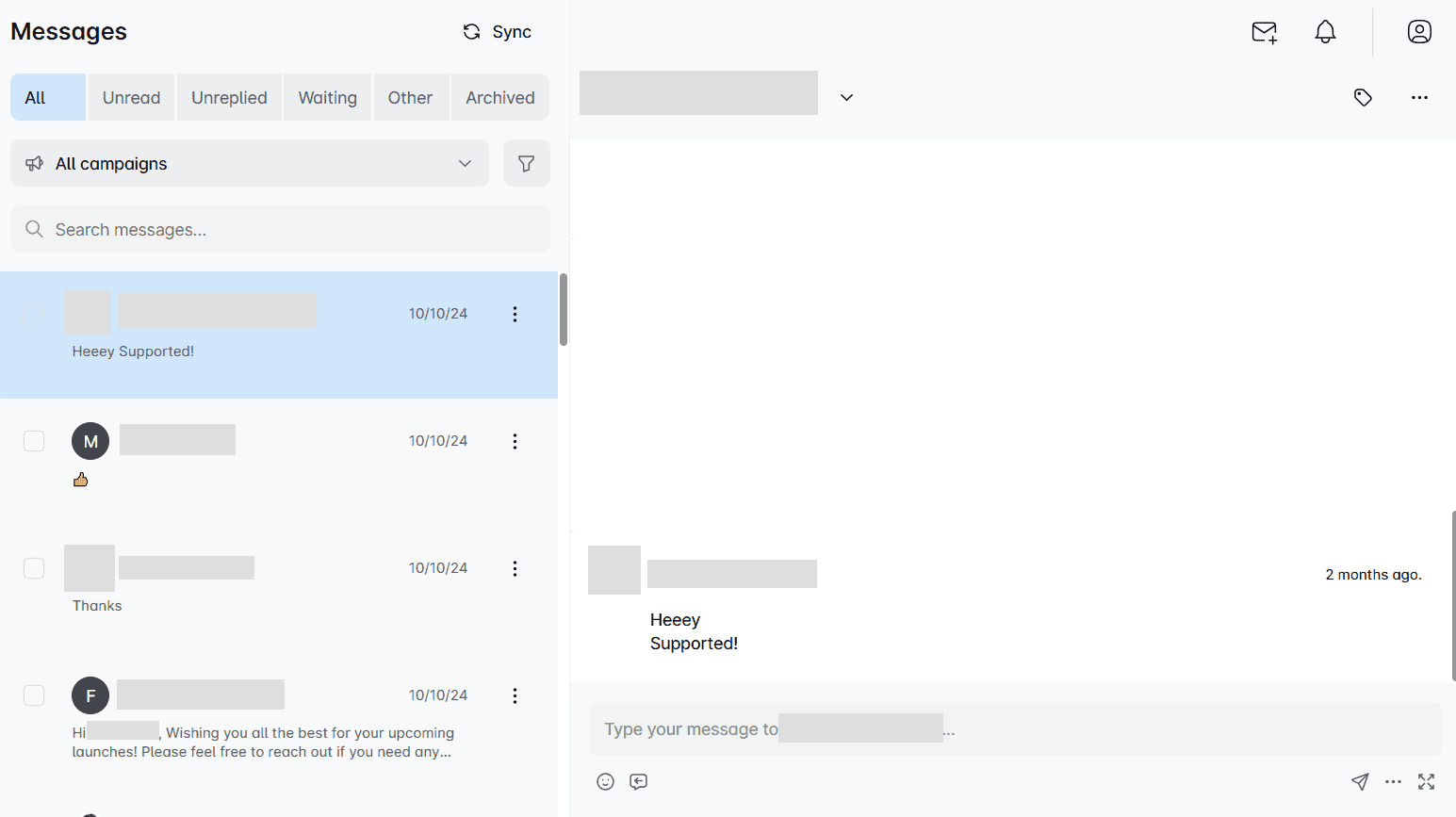
But what makes our Smart inbox truly irreplaceable is the sentiment check, meaning Skylead can recognize if a lead is interested, not interested, or neutral and AI SDR can respond accordingly, trained by your rebuttal strategy.
Image & GIF personalization
They say a picture is worth a thousand words. And we agree, which is why we introduced our image and GIF personalization feature.
Believe it or not, by personalizing visuals for each recipient, you can increase your response rate to more than 63%.
That said, our image and GIF editor lets you upload any picture you like and personalize it with:
- Your lead’s name
- Their and/or your profile image
- Their and/or your company logo
- A custom message
The choice is yours! Either way, you’ll surely leave a lasting impression.
In fact, just look at the astonishing 76% response rate we got using the following visual!

Advanced analytics
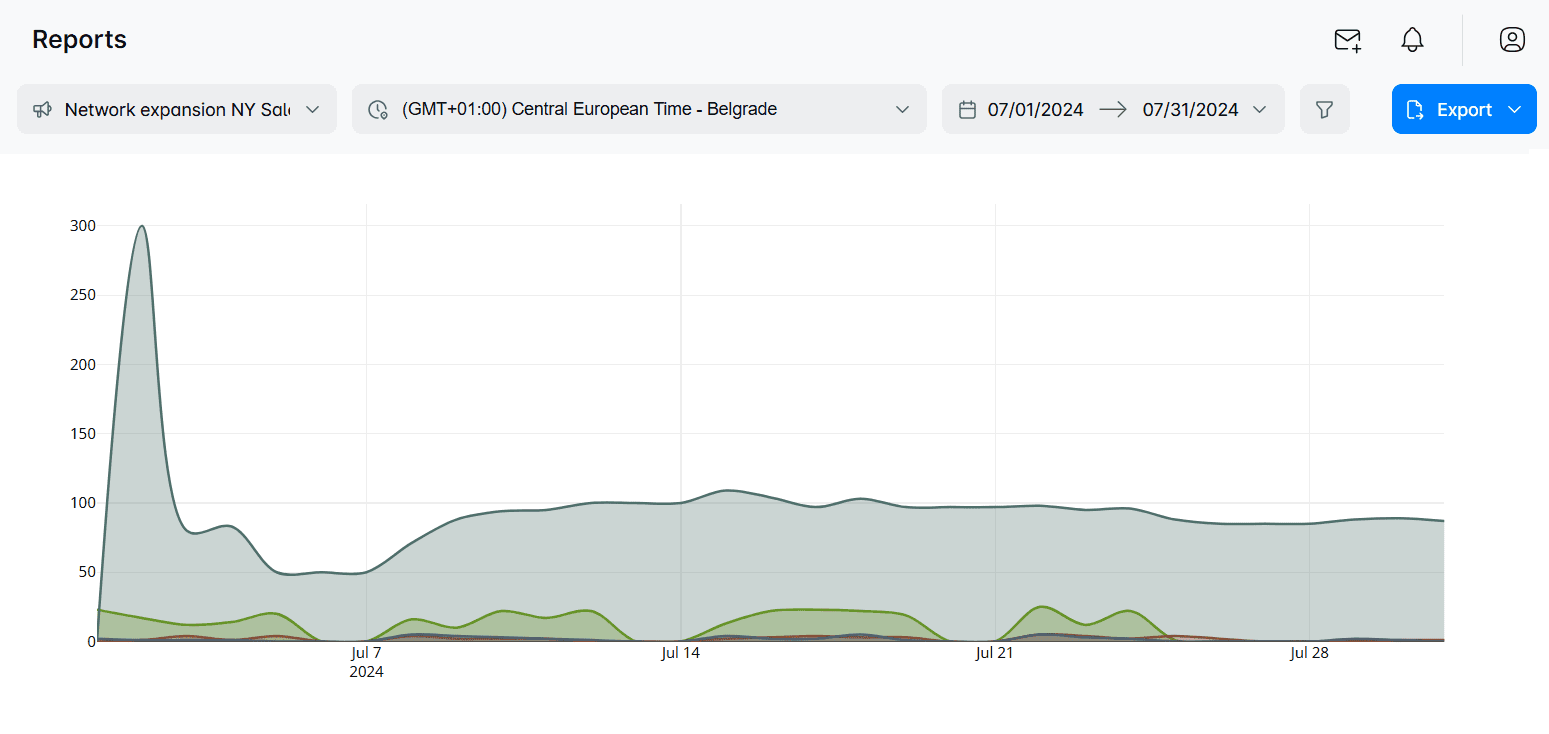
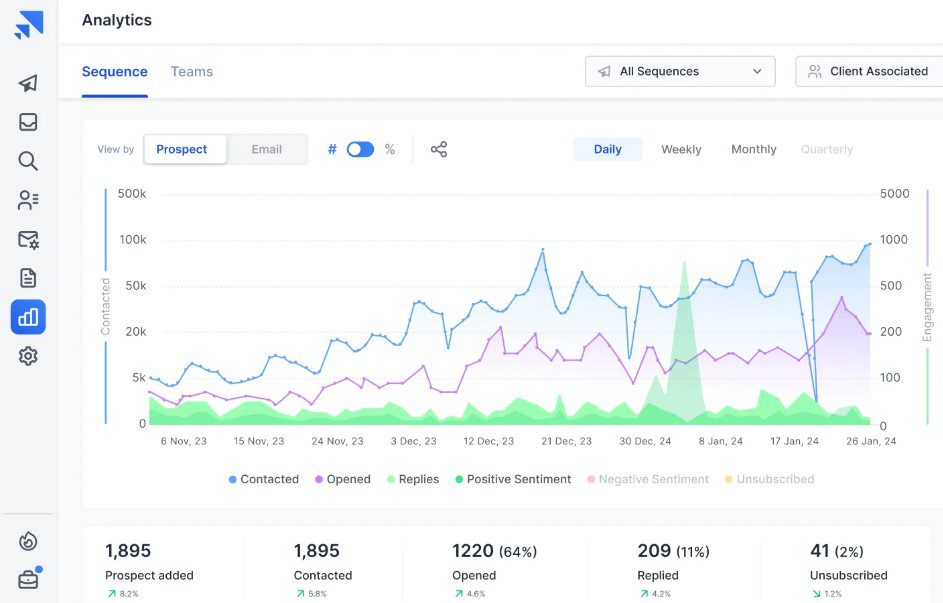
Speaking of results, Skylead comes equipped with advanced analytics, which are available on the Reports page.
Here, you can see how all of your campaigns are performing or examine the stats for a single campaign.
That said, there are 3 ways to observe results:
- In a graph form, to visually compare oscillations between different metrics;
- In table-view, to observe fluctuations on a daily basis;
- Step-by-step, to see how your A/B tests are performing.
Unlike Instantly.ai, Skylead even lets you download these reports. The good news is that there are 2 different formats to choose from: CSV and PDF.
What Skylead reviews say
Skylead reviews are positive, with people praising it for what it has helped them accomplish.
For instance, Daniel Hoffmann, a Managing Director at Toplevel Performance, has said that:
“Since I’ve started working with these clients and using Skylead, I have earned approximately $33.000.”
In the meantime, NewPoort's founder, Toine Boelens, has highly praised our Smart sequences email finder and verifier:
2. Smartlead
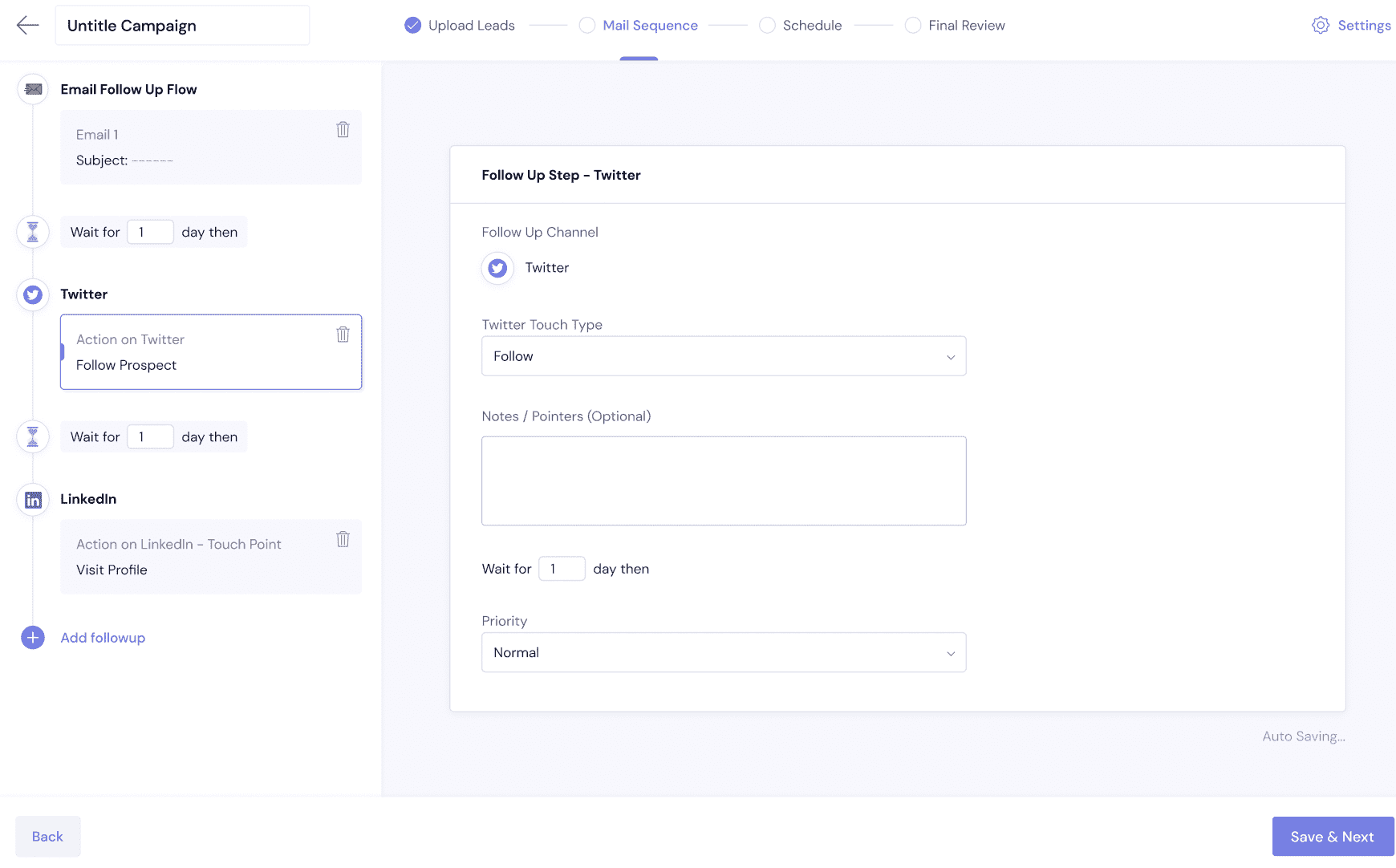
Best for: Teams that prioritize scaling email campaigns and want lead discovery and verification close to campaign setup.
SmartProspect searches more than 300 million business profiles with company and contact filters, then lets you verify and move selected leads into campaigns. Smartlead describes a $59 monthly upkeep fee for SmartProspect and gives new users 2,000 credits to explore it; the number of leads available also depends on the Smartlead plan. Its SmartAgents automate GTM tasks and workflows, while LinkedIn outreach can be connected through a partner such as HeyReach, increasing overall subscription cost. The platform’s agency options include white-label client workspaces on eligible plans, with workspace fees applying.
- Pros: SmartProspect links ICP search, contact verification, and campaign handoff. SmartAgents can automate operational workflows, and eligible agency plans support client workspaces.
- Cons: SmartProspect and white-label workspaces add cost. LinkedIn actions rely on an integration rather than being part of Smartlead’s native email sequence. Smartlead’s documented SmartProspect workflow focuses on ICP filters, verification, and campaign handoff. Another con is that we experienced deliverability issues once the campaign started.
3. Lemlist
Best for: Teams that want prospect data, buying signals, and automated email and LinkedIn outreach as an option.
Lemlist is a primarely email outreach tool with Chrome extension for LinkedIn outreach, which is not safe to use for your LinkedIn account. In other words, it separates its email and multichannel plans. The current pricing page lists Email at $69 monthly or $55 per month with annual billing, and Multichannel at $109 per user monthly or $87 with annual billing. Multichannel adds LinkedIn automation, calls, and SMS; WhatsApp is an add-on. Lemlist also offers company and contact prospecting, enrichment, and Signal Agents for monitoring triggers such as hiring, funding, and LinkedIn activity, like Skylead has as a part of enrichment feature. Signal and data features use credits or add-ons, so check usage against your expected prospect volume since as we experienced towering credits cost at higher volumes. Its agency tools support client accounts and permissions; teams that require a branded client portal should confirm the available setup before choosing a plan.
- Pros: The multichannel plan brings LinkedIn and email actions into the same campaign workflow, with signal and enrichment tools available alongside prospecting.
- Cons: Multichannel pricing is per user, and data or signal add-ons can increase the bill. The number of capabilities also means teams should budget time to learn the setup.
4. Saleshandy
Best for: Teams that want lead discovery and email automation, with people completing LinkedIn and call tasks as part of a coordinated sequence.
Saleshandy’s Lead Finder searches company and contact records, and its multichannel feature can place email, LinkedIn, call, and custom tasks in one sequence. The distinction matters: email steps can run automatically, while LinkedIn actions—including connection requests, messages, profile views, and post interactions—are manual tasks for a team member. The current pricing page lists Starter at $41 monthly or $34 per month billed annually; lead-data credits and usage limits vary by plan. Agency-focused client management is available, while white-label branding is listed under Enterprise.
- Pros: Lead finding and email sequences connect in one platform. Manual LinkedIn tasks make it possible to plan a coordinated multichannel cadence while keeping the LinkedIn action with a person.
- Cons: LinkedIn and call steps require manual completion, so the workflow still needs rep time. White-label branding requires an Enterprise plan.
5. SmartReach
Best for: Teams that want email outreach with optional LinkedIn automation, calling, and agency client dashboards.
SmartReach has both email-only and sales-engagement plans. Its B2B lead-finding and account-based sales features can support company-first prospecting, while the Smart Email AI Agent personalizes email content and AI automations can help process replies on eligible plans. LinkedIn automation is a paid add-on priced per LinkedIn account; calling is also priced separately. Agency dashboards are available by plan, with extra dashboards charged per client. Review the current pricing and plan comparison because user, prospect, dashboard, and add-on limits vary between plan families.
- Pros: You can start with email and add LinkedIn automation or calling when the workflow needs them. Agency plans provide client dashboards, and the published pricing makes those add-on costs easier to model.
- Cons: The total depends on active-prospect volume, plan family, LinkedIn accounts, and client dashboards. For prospecting based on LinkedIn post engagement, compare its documented lead-finding workflow with Skylead’s Post Signals.
6. Snov.io
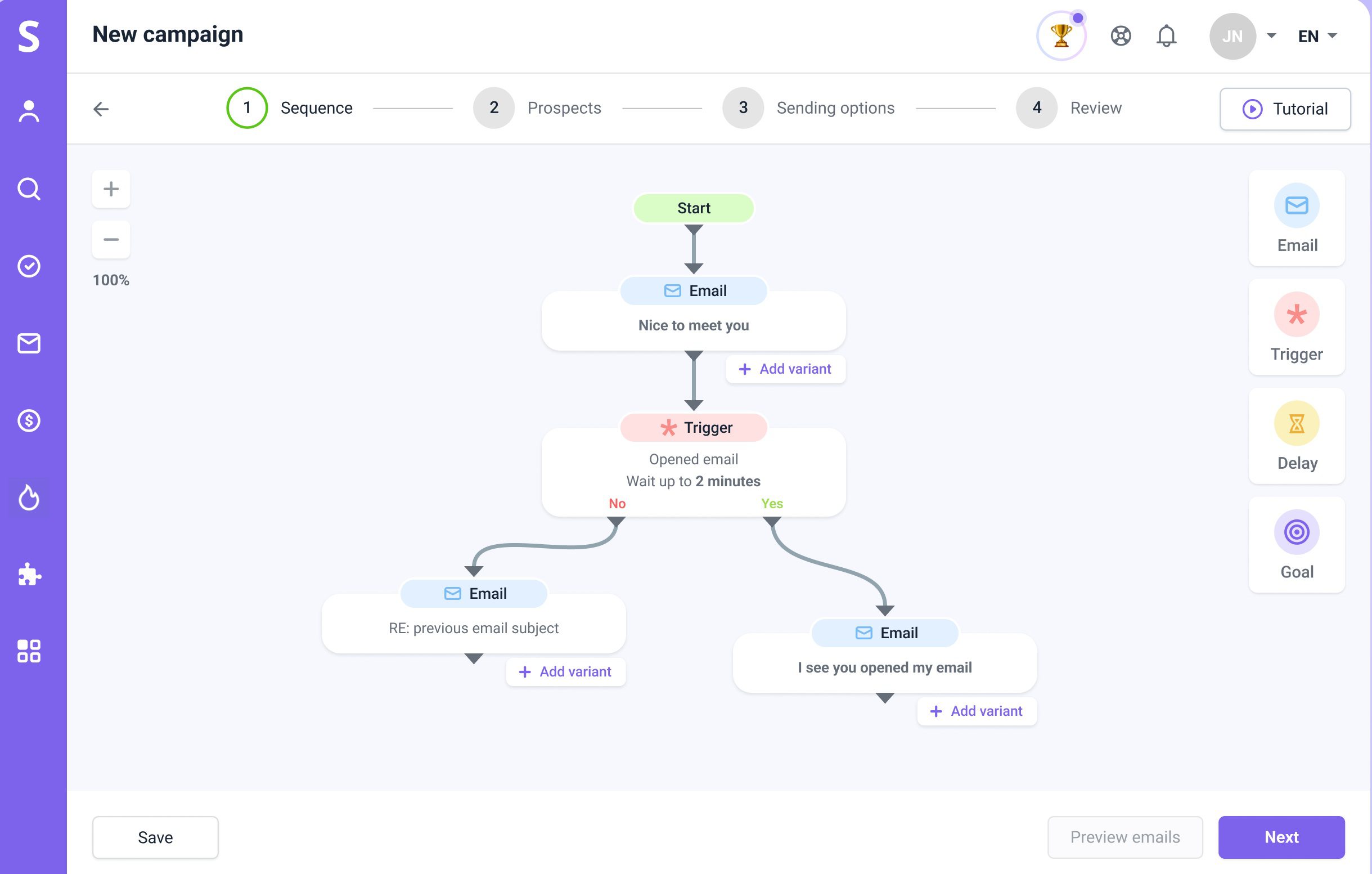
Best for: Smaller teams that want prospect search, email verification, and email outreach, with LinkedIn actions available as a separate paid product.
Snov.io’s Sales Suite combines company and prospect search, email finding and verification, enrichment, and campaign tools. Its Starter plan is listed at $39 per month, with usage measured through credits, recipients, and enrichment tokens. LinkedIn automation is sold separately by account slot: Snov.io currently lists $69 per month per slot, or $59 when purchased with an active Sales Suite plan. That add-on supports LinkedIn and email multichannel campaigns. Snov.io also publishes an agency playbook; agencies that need a branded client portal should confirm the available setup before choosing a plan.
- Pros: Email finding, verification, and outreach are connected, with LinkedIn campaigns available if you add a slot. The Sales Suite includes unlimited team seats, which can suit teams that share prospecting work.
- Cons: Credits, enrichment tokens, recipient limits, and LinkedIn slots have separate costs or limits. There is a possiblility that even verified addresses still bounce, as it happened with us during testing.
7. Hunter
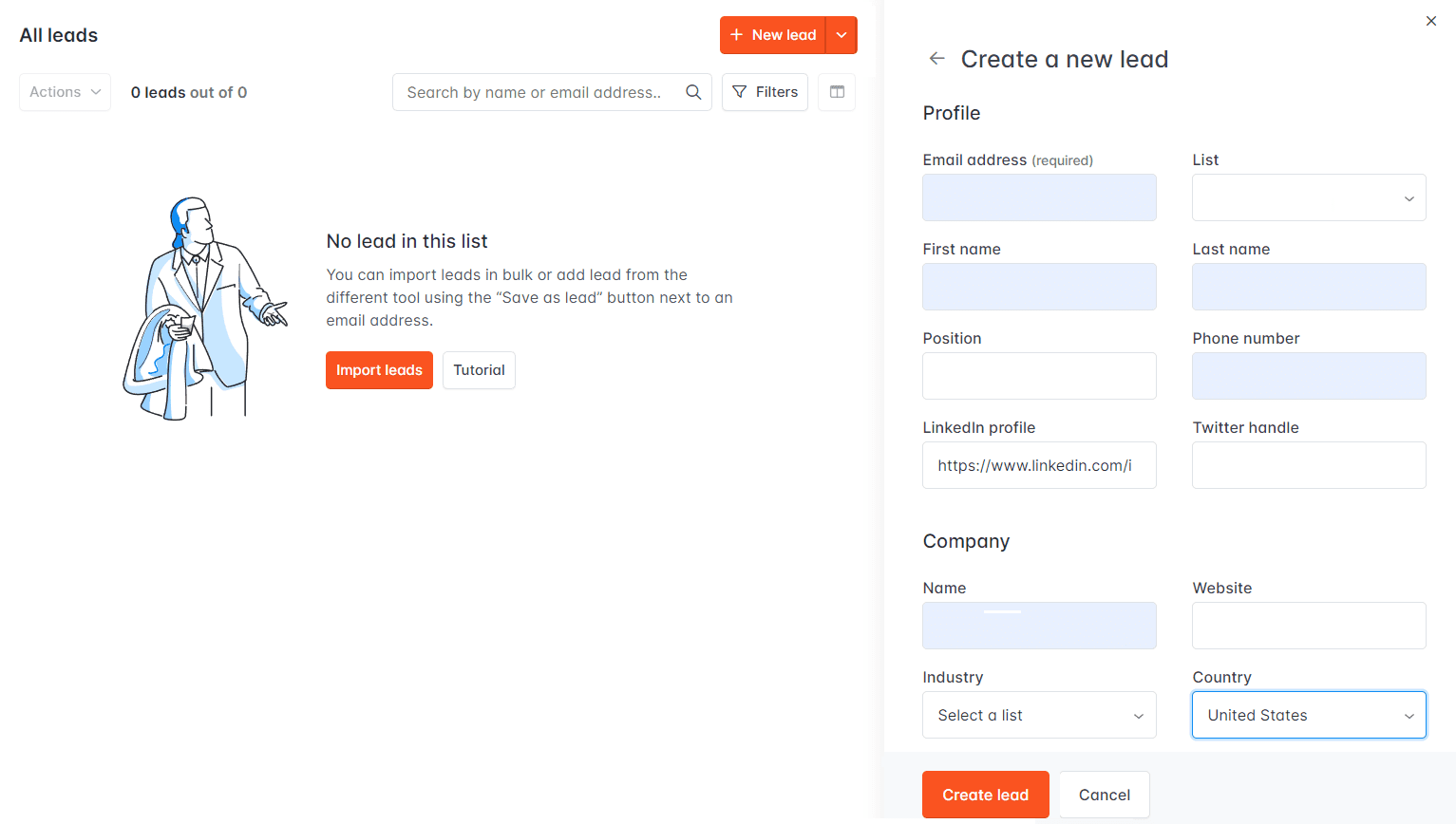
Best for: Teams that want to find and verify business email addresses, build company lists, and run email sequences without adding LinkedIn steps.
Hunter’s Discover tool lets you search for companies with filters or an AI assistant, then find relevant contacts. The platform also includes email verification, lead enrichment, saved-lead signals, and email Sequences with an AI writing assistant and reply management. Its pricing page has a free plan; paid prices vary by billing term and locale. Check the current plan table for credits, connected email accounts, recipients per sequence, and which features are included. Hunter’s Sequences are email-based, so teams that need LinkedIn steps in the same automated campaign will need another workflow or tool.
- Pros: Company discovery, email finding, verification, and email sequences are available in one product. The free plan offers a practical way to check whether its data and sequence workflow suit your team.
- Cons: It is an email-led option, without LinkedIn actions in the sequence. Contact reveals and campaign capacity depend on plan limits, so the free or entry plan may not represent the cost at your intended volume.
8. SalesBlink
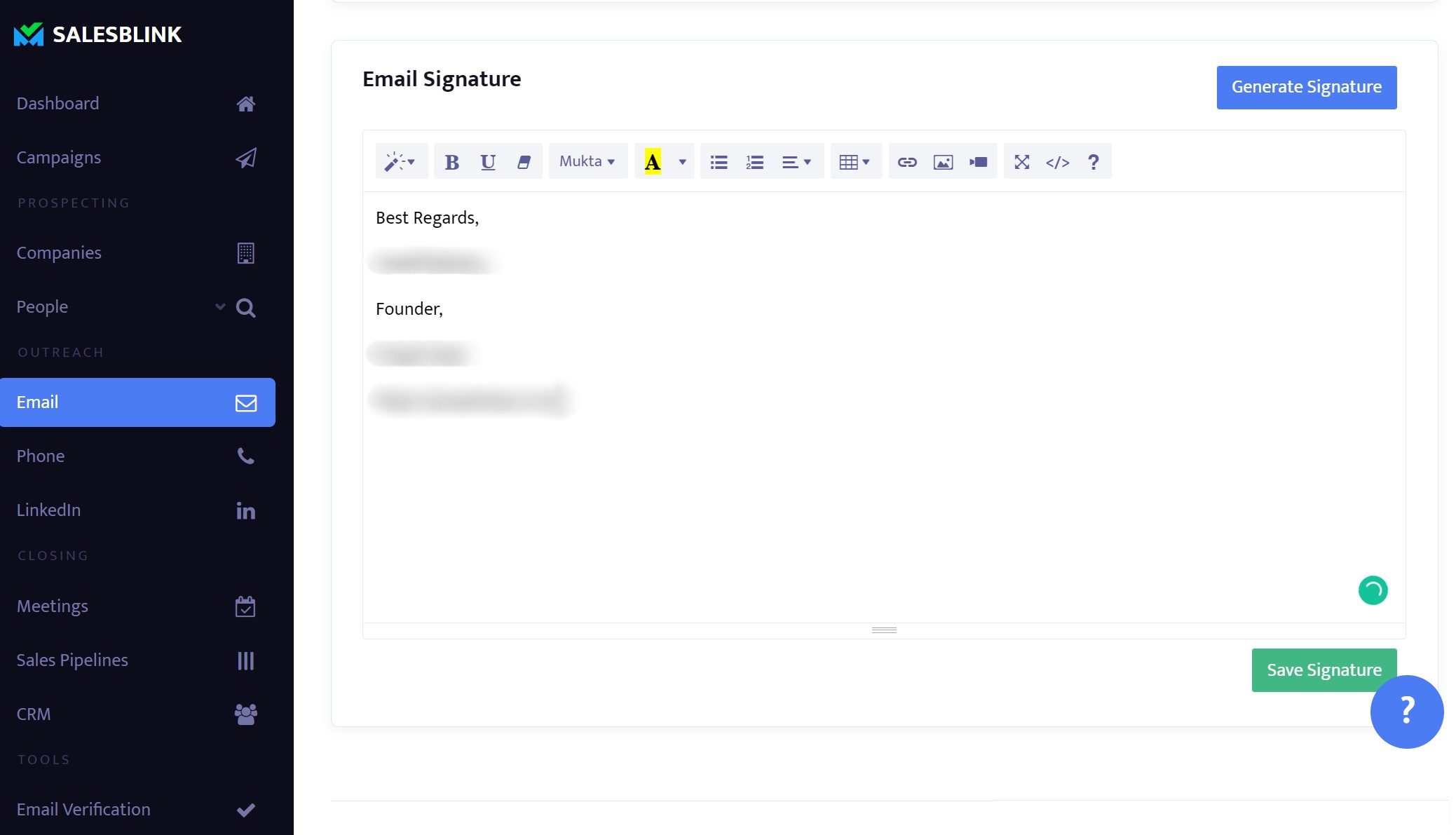
Best for: Teams and lead-generation agencies that want AI-assisted email campaigns, multiple sending accounts, and branded client workspaces.
SalesBlink’s current pricing page lists Starter at $29 monthly or $25 per month billed annually, with 10,000 monthly sends and 1,000 AI credits. Higher plans add more credits, team features, and Outreach AI. The platform can generate email sequences and support AI-assisted reply handling. Its multichannel sequences can include LinkedIn, calls, WhatsApp, and other tasks, but these are manual tasks rather than automated LinkedIn actions. Agencies can configure client workspaces and white-label branding; confirm the plan and setup requirements for your client model.
- Pros: AI-assisted email sequences, follow-ups, and reply workflows sit alongside sending infrastructure. Agency workspaces and white-label branding can help teams deliver outreach under their own brand.
- Cons: LinkedIn steps require a person to complete them, and AI features consume plan-based credits. If you need automated LinkedIn-and-email sequences or post-engagement prospecting, compare those requirements with Skylead’s documented Smart Sequences and Post Signals.
9. Woodpecker
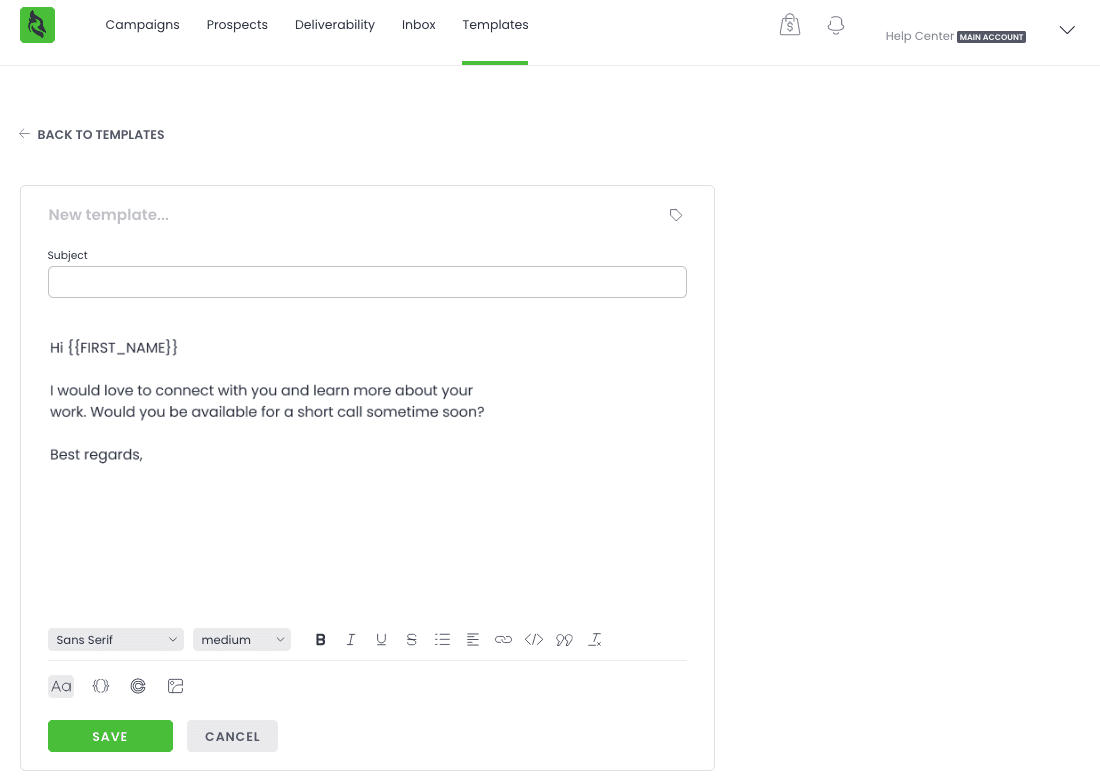
Best for: Teams that want simple prospect search, email campaigns, and LinkedIn outreach in one campaign builder, or agencies that need client reporting.
Woodpecker’s Lead Finder can search for companies and contacts with ICP filters, then reveal and enrich selected leads using credits. Its campaign steps can combine email with LinkedIn actions such as profile views, connection requests, messages, and InMail; a LinkedIn account slot is currently $29 per month. The pricing page starts at $35 per month for 500 contacted prospects. Woodpecker also offers an agency panel add-on and white-label client reporting. The overall cost depends on prospect volume, Lead Finder use, LinkedIn slots, and active client accounts.
- Pros: Company and contact search feed directly into campaigns; email and LinkedIn steps can share conditional campaign logic. Unlimited team members and mailboxes are included, while agency reporting is available as an add-on.
- Cons: Contacted-prospect tiers and Lead Finder credits make the bill usage-dependent. LinkedIn accounts, the agency panel, and white-label reporting add separate charges. They also have contacted-prospect limits.
10. QuickMail
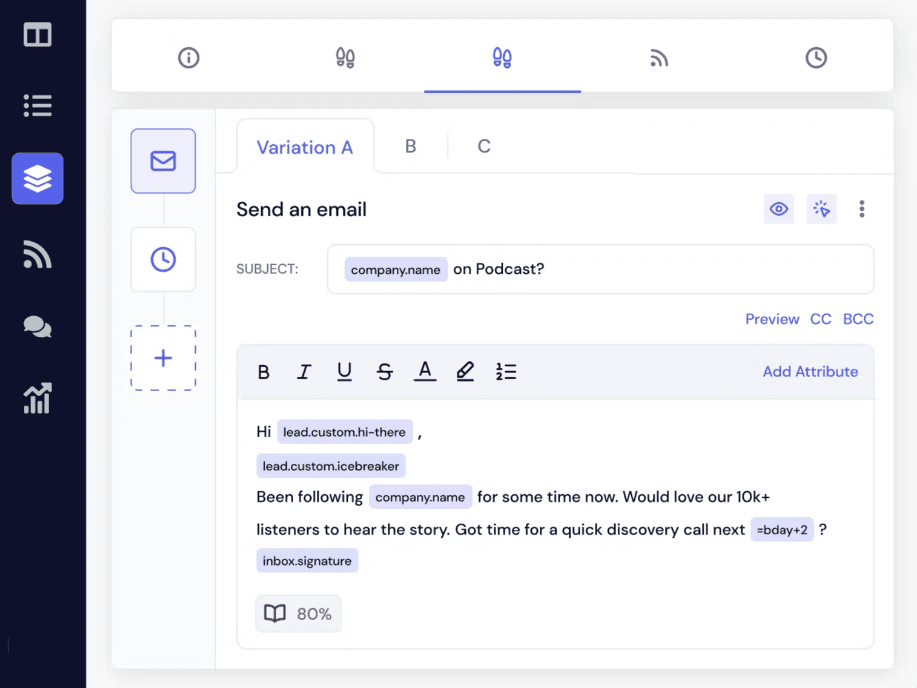
Best for: Agencies and sales teams that want email and LinkedIn sequences, with prospecting tied to LinkedIn activity.
QuickMail’s Starter plan is $49 per month and includes one workspace, 1,000 uploaded contacts, 5,000 monthly emails, and unlimited email senders, LinkedIn accounts, and users. Growth is $99 per month; the $299 Agency plan includes two workspaces, with additional workspaces priced at $49 per month. QuickMail’s prospecting database is accessed through its LinkedIn browser extension, and the vendor notes that many records contain a LinkedIn profile ID rather than an email address. Growth and Agency plans can import people who liked or commented on LinkedIn posts into campaigns. The product also automates LinkedIn and email outreach and offers AI-assisted reply drafts using monthly credits.
- Pros: LinkedIn post-engager and profile-viewer workflows can feed into outreach, alongside email and LinkedIn sequence steps. The Agency plan includes multiple workspaces and unlimited users.
- Cons: QuickMail’s prospecting records may not include email addresses, so email-first campaigns can require additional data work. AI reply drafting uses credits and is an assistive writing feature, not a complete AI SDR. If you also need account-based prospecting or AI-led reply handling, compare the workflow with Skylead’s account-based prospecting and AI SDR.
11. Apollo
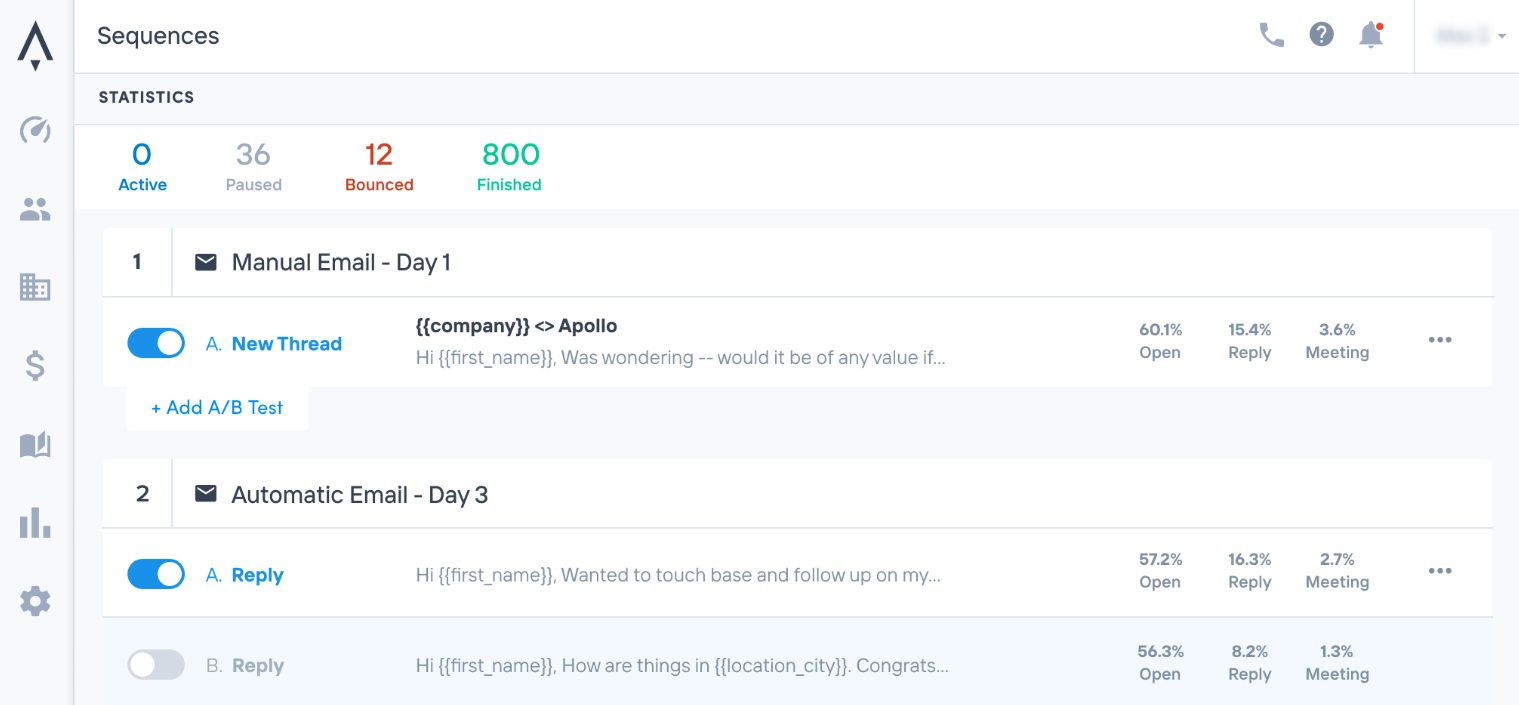
Best for: B2B teams that want contact and company data, buying-intent filters, CRM, and sales engagement together.
Apollo combines people and company search with data enrichment, CRM, and sequences. Its buying-intent signals are company-level research activity that can be combined with firmographic filters; they do not identify the individual employee who performed the research. Apollo’s Free plan has limited credits and features, while Basic starts at $49 per user per month with annual billing. In sequences, email steps can run automatically, while LinkedIn engagement and calls are assigned as manual tasks. Apollo’s AI Assistant can research prospects and draft multichannel sequences; additional agent features vary by plan.
- Pros: Prospecting, company-level intent, enrichment, and CRM are connected, which can reduce the handoffs between sales tools. AI can help research accounts and draft sequences for review.
- Cons: Credits, seats, and plan-level feature limits affect total cost. LinkedIn sequence steps are manual tasks rather than automated actions. If you need automated LinkedIn-and-email sequences plus LinkedIn post engagement, compare Apollo with Skylead’s Smart Sequences and Post Signals.
12. Salesforge
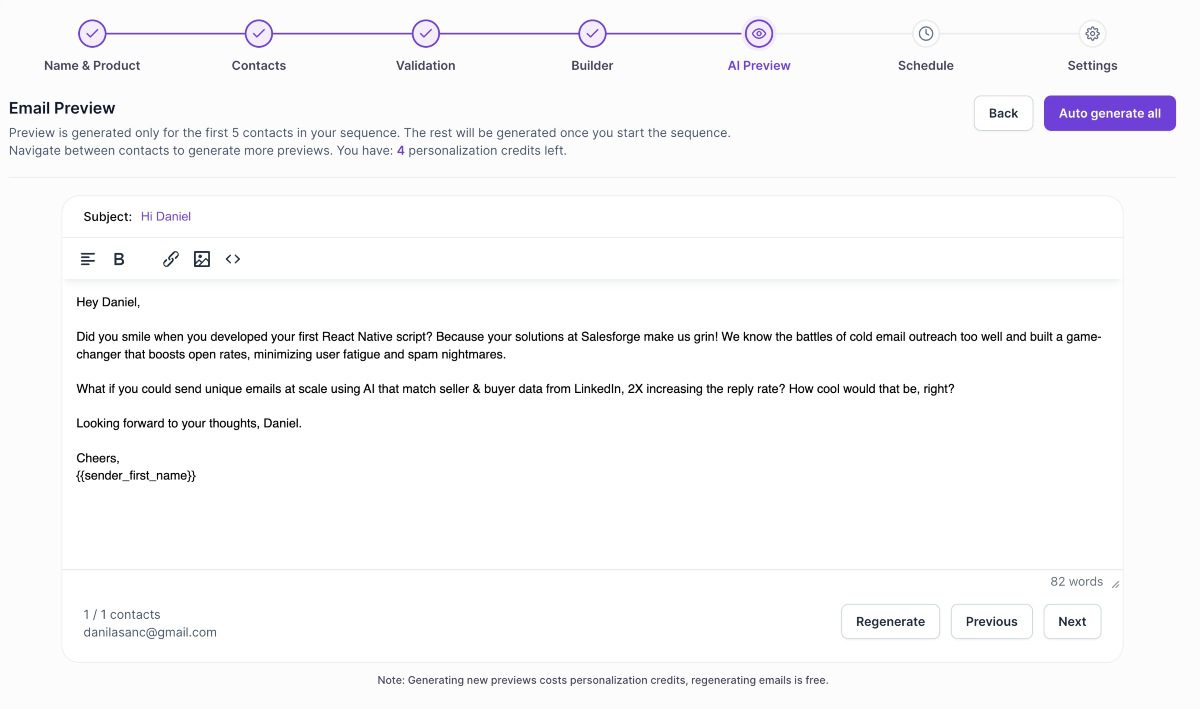
Best for: Teams that want LinkedIn and email steps in the same sequence, AI-assisted personalization, and an optional AI SDR workflow.
Salesforge combines multichannel sequences for LinkedIn and email with AI personalization. Its Pro plan is listed at $40 per month with annual billing and allows one LinkedIn sender; Growth is $80 per month annually and includes unlimited LinkedIn senders and users. Growth also lists 10,000 active contacts and 50,000 emails per month. Check the current Salesforge pricing page for monthly billing and usage limits before comparing total cost.
Prospecting is split across products: Leadsforge starts at $49 per month for 2,000 credits, while Salesforge handles outreach. The documented Salesforge sequence supports LinkedIn and email actions. Agent Frank is a separate optional AI SDR listed at $499 per month with annual billing. The product pages reviewed do not verify LinkedIn post engagement monitoring, which is a useful distinction if you want to prioritize prospects based on what they post.
- Pros: LinkedIn and email steps can run in one sequence; Growth includes unlimited senders and users; an optional AI SDR and white-label reseller program are available.
- Cons: Lead search is a separate paid product, and the AI SDR is a substantial additional subscription. LinkedIn post signals are not verified in the reviewed documentation. If post engagement should trigger a coordinated LinkedIn-and-email sequence, compare this workflow with Skylead’s Post Signals and Smart Sequences. Also, while testing, we experienced bugs in executing steps, and we couldn’t add additional contacts to running sequence as it caused more bugs, and the entire sequence breaks.
For agencies, Salesforge offers whitelabeling, however Warmforge is not part of it. With Skylead you get all features including email warm-up as a part of your white label.
How to choose an Instantly.ai alternative
Start with the part of your outbound workflow that Instantly is not covering well enough. If your priority is email volume and inbox management, compare the sending limits, contact capacity, and total cost in the table. If you need to decide which accounts or people to contact before writing a campaign, look more closely at company-level prospecting, enrichment, and intent signals.
- Choose the channels your team will actually use. Check whether LinkedIn actions are automated sequence steps, manual tasks, or available only through a paid add-on or integration. For example, Skylead and lemlist’s Multichannel plan document LinkedIn and email sequences; Saleshandy and SalesBlink place LinkedIn actions in tasks that a person completes. Snov.io and SmartReach list LinkedIn automation separately from their core email plans.
- Compare the source and cost of prospect context. Decide whether you need target-account lists, verified email addresses, enrichment, or signals such as funding, hiring, and LinkedIn post engagement. Then check how each platform charges for seats, contacts, credits, add-ons, and monitored signals.
- Match the setup to your team or agency. If clients need their own access, compare workspace separation, roles, dashboards, reporting, and white-label terms. A branded login is different from simply sharing campaign reports, and these features may require a higher plan or per-client fee.
- Test one realistic campaign before migrating. Use the same ICP and a small sample of accounts to check list quality, available personalization, sequence branching, manual handoffs, reply handling, and the total cost at your expected volume. Record what the team can complete inside the tool and what still needs another product or a person.
If your workflow depends on company targeting or LinkedIn post engagement followed by LinkedIn and email outreach, compare it with Skylead’s account-based prospecting, Post Signals, and Smart Sequences. You can start a 7-day Skylead trial and evaluate those steps with your own use case.
Frequently asked questions
What is the best alternative to Instantly.ai?
There is no single best alternative for every team. For email-led campaigns, compare tools such as Smartlead, Saleshandy, Hunter, and Instantly on sending limits, lead data, and total cost. For LinkedIn and email workflows, compare Skylead and lemlist’s Multichannel plan; the right fit depends on your prospecting signals, required automation, and agency needs.
Which Instantly.ai alternatives combine LinkedIn and email outreach?
Skylead and lemlist document LinkedIn and email steps in multichannel sequences. Snov.io also supports LinkedIn-and-email campaigns, but LinkedIn automation is a separately priced account slot. SmartReach offers LinkedIn automation as an add-on. Saleshandy and SalesBlink can coordinate email with LinkedIn tasks, but their LinkedIn actions require a person to complete them.
Does Instantly.ai automate LinkedIn outreach?
Instantly’s Outbound plans focus on email campaigns. Instantly CRM can manage LinkedIn connections, but that is different from adding automated LinkedIn actions to an outbound sequence. Check the current Outbound plan comparison and CRM documentation for the features included in your account.
Is there a free alternative to Instantly.ai?
Some tools offer a limited free plan or trial rather than a full replacement. Hunter has a no-cost plan with monthly credits and limits on email accounts and sequence recipients; Snov.io’s Trial plan also renews with limited credits and recipients. Instantly offers a 14-day trial, while Skylead offers a 7-day trial. Compare the trial limits with the workflow you need to test before deciding whether a free tier is enough.
What should an agency look for when choosing an Instantly.ai alternative?
Compare client workspace separation, roles and permissions, reporting, white-label access, and the price for each client workspace or dashboard. Skylead, Smartlead, Saleshandy, SmartReach, and SalesBlink publish agency or client-management options, but availability and pricing vary by plan. Use the agency details linked in each tool profile to check the setup against your number of clients and the access they need.