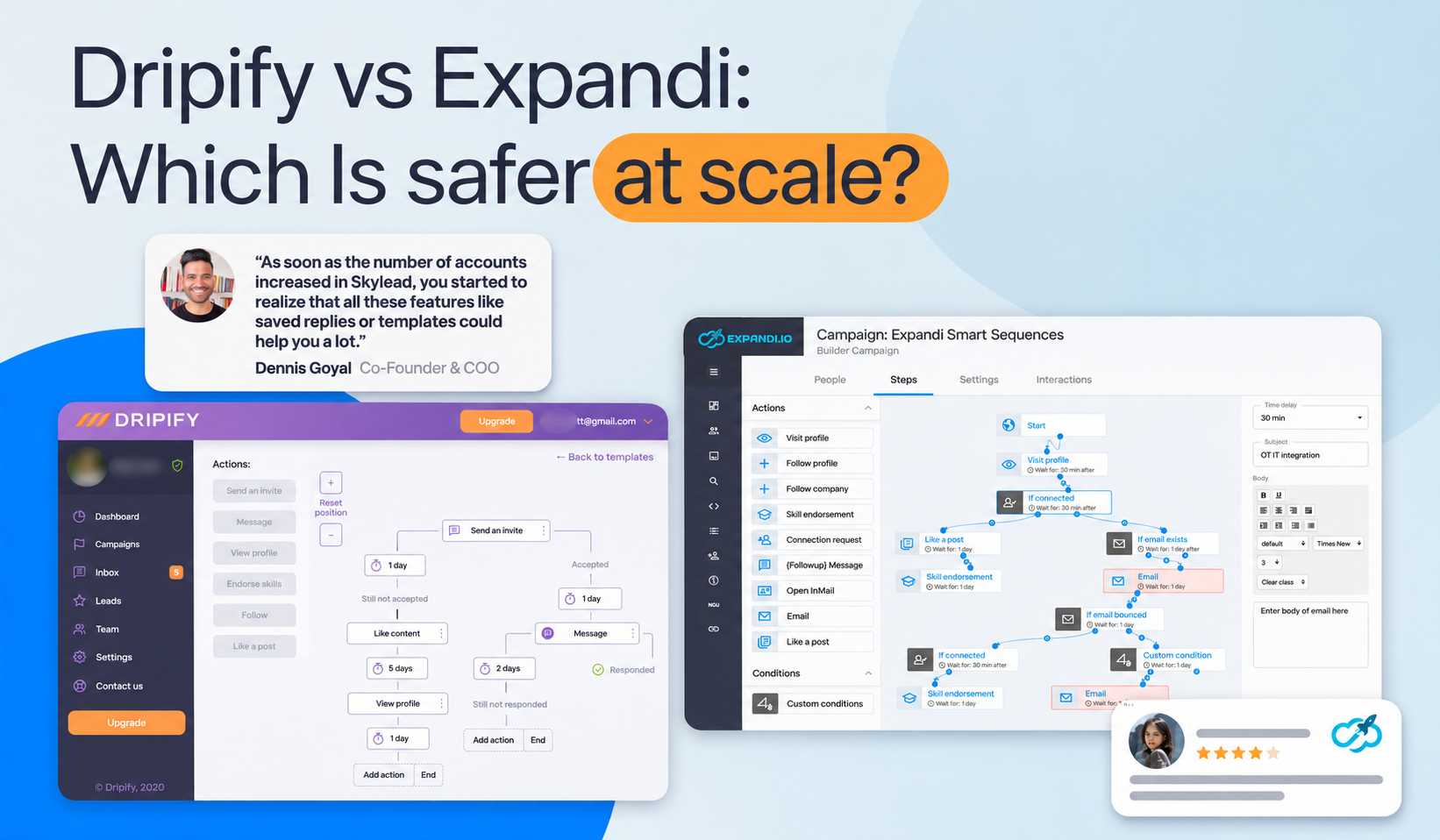

Dripify vs Expandi: Which LinkedIn Automation Tool Is Safer for Outreach at Scale?
Managing LinkedIn outreach across multiple accounts comes with a challenge: how do you increase outreach without putting your accounts at risk? For sales teams and agencies, account restrictions can interrupt active campaigns, while per-account pricing and limited automation features can make scaling increasingly expensive.
That's why choosing between Dripify and Expandi requires more than comparing features. You need to understand how each platform manages account safety, controls outreach activity, and supports growing teams.
In this guide, we'll compare Dripify vs. Expandi on safety, pricing, and scalability. We'll also explain why Skylead deserves serious consideration for teams scaling beyond LinkedIn, with multichannel Smart Sequences, built-in email warm-up, and agency pricing that can make larger outreach operations more cost-effective.
Quick Answer
Skylead, a third option is the best overall pick for safety features across LinkedIn and email. Expandi is the stronger choice for LinkedIn-only outreach, and Dripify is the budget option.
- Skylead uses IPRoyal residential proxies, so your connection appears to come from a regular home internet network. Dripify and Expandi disclose where their IPs are based, while Skylead also tells you what kind of connection it uses. Skylead adds LinkedIn warm-up and activity limits, plus email warm-up, inbox rotation, and sending controls.
- Expandi includes dedicated country-based IPs, scheduled LinkedIn warm-up, smart limits, and randomized daily activity in its single plan. It’s a strong choice if you’re starting with a new LinkedIn account.
- Dripify offers unique regional IPs, randomized delays, and cooldown pauses. Basic and Pro rely on manual limits. Advanced can adjust limits based on account history.
Dripify vs Expandi at a Glance
| Dripify | Expandi | |
| Pricing model | Per user (one user = one LinkedIn account) | Per seat (one seat = one LinkedIn account) |
| Monthly price | Basic $59, Pro $79, Advanced $99 | $99 (one plan, all features) |
| Annual price | $39 / $59 / $79 per month | $79 per month |
| Agency pricing | No separate agency plan | Custom, from 10 seats |
| Cloud-based | Yes | Yes |
| Email outreach | Built-in (email finder is credit-based) | Email steps inside LinkedIn sequences |
| Free trial | 7 days, no credit card | 7 days, all features |
| Best for | Solo users and small teams on a budget | Teams that want a deeper safety and workflow toolkit |

Dripify: Simple, Affordable and Cloud-Based
Dripify runs LinkedIn campaigns from the cloud. You build a sequence of connection requests, messages, and follow-ups, set your limits, and it runs in the background.
Where Dripify Wins
- Lower entry price. Pro costs 59 billed annually, which is $20 less than Expandi's single plan.
- Easy to start. Setup is quick, and the 7-day trial needs no credit card.
- Solid baseline safety. Dripify states that every account gets a unique IP from the user's local region, and it adds random delays and working hours to make activity look natural.
- Email included. Built-in email outreach means you can add a second channel without another subscription.
Where Dripify Falls Short at Scale
- Safety features depend on your plan. Basic caps connection requests at a low daily quota, and Activity Control, which adjusts limits to an account's history, sits on the Advanced plan.
- You own the limits. Dripify lets you set daily limits by action type. That is flexible, but a new user can set them too high.
- Cost grows per account. Every LinkedIn account needs its own paid user.
Expandi: Deeper Safety Controls, Higher Price
Expandi is also cloud-based and built around account protection. It sells one plan with every feature included, billed per LinkedIn account.
Where Expandi Wins
- Dedicated country-based IP per account. Expandi states each account runs from its own IP in the country you choose.
- Warm-up built in. New accounts ramp up gradually, using increments you set, before moving to randomized daily ranges.
- Safety on every plan. There are no tiers to unlock, so every customer gets the same safeguards.
- Agency options. Expandi offers an Agency plan with custom pricing for teams of 10 seats or more.
- Integrations. It connects to HubSpot, Salesforce, and Pipedrive, and supports webhooks.
Where Expandi Falls Short
- Higher entry price. Expandi costs $99 per month per account, even for a solo user.
- No B2B database. You can only import leads through LinkedIn or via CSV.
- More setup. The builder and warm-up settings take longer to learn than Dripify's.
- Warm-up follows your schedule. Expandi's own safety guide notes that its warm-up runs on a schedule you set, not pacing that reads each account's history and adjusts to it.
- Agency pricing is a quote. There is no published price once you pass 10 seats.
Beyond Outreach Automation: Who Handles the Replies?
Dripify and Expandi help sales teams automate LinkedIn outreach, but generating a reply is only part of the sales process. Someone still needs to answer questions, qualify interested prospects, and schedule meetings.
This is where Skylead offers an additional advantage. Its trainable AI SDR can manage conversations across LinkedIn and email, respond using your business knowledge, and move qualified prospects toward booked calls. For agencies handling multiple accounts, this can reduce repetitive reply-management work without requiring a separate conversation-management tool.
The Safety Scorecard: Dripify vs Expandi
Most comparisons say "both are safe" and stop there. We broke safety into the controls that actually matter and checked what each vendor publicly states.
| Safety control | Dripify | Expandi |
| Cloud-based execution | Yes | Yes |
| Dedicated IP per account | Yes, unique IP from the user's local region (vendor-stated). I couldn’t verify whether its IPs are residential, mobile, or datacenter. A dedicated IP tells me how it’s allocated, but doesn’t establish its quality. | Yes, dedicated country-based IP (vendor-stated). “Dedicated” tells how an IP is allocated, but not whether it’s residential or how good its reputation is. |
| Daily limits | Set by action type; Sales Navigator accounts: 75 connection requests, 150 messages, 25 InMails per day | Smart limits that stop activity above safe levels (vendor-stated) |
| Randomized activity | Random range around each limit, random delays, working hours | Randomized daily ranges after warm-up |
| New-account warm-up | Basic and Pro: manual limits. Advanced: Activity Control adjusts limits to account history | Built-in warm-up with user-defined increments |
| Automatic pauses | Cooling-down pauses after activity spikes or repeated failures | Not stated in vendor sources we reviewed |
| Safety features on every plan | Partly: Activity Control is Advanced-only, and Basic has a low invite cap | Yes: one plan, all features |
What the Scorecard Tells You
- Expandi has the more complete safety toolkit by design, particularly for new or low-activity accounts, because warm-up is built in and available to everyone.
- Dripify closes most of the gap on the Advanced plan. At $99 a month, it costs the same as Expandi and adds Activity Control.
- Dripify on Basic or Pro puts more of the risk on you. You choose the limits, so a careful ramp-up is your job.
One note on sources: the controls above are stated by the vendors. Some third-party reviewers dispute parts of them, and we found no independent ban-rate data we would trust. Treat the scorecard as a comparison of safeguards, not a promise of results.
What No Scorecard Can Fix
LinkedIn's rules prohibit third-party automation software, so every cloud tool carries some risk. Tools reduce it, and your habits decide the rest. To stay on the safe side:
- Start low and ramp up over several weeks, especially on new or quiet accounts.
- Stay under the daily limits the tool suggests, and read Dripify's daily limits guide or Expandi's safety guide before you change them.
- Personalise your messages. Templated, high-volume outreach gets reported more often.
- Spread volume across accounts instead of pushing one profile to its maximum.
Dripify vs Expandi: Pricing at Scale
Safety is one factor, and cost at scale is the other. Here is what each plan costs as the number of LinkedIn accounts grows, using monthly billing at list price. Expandi's Advanced-level plan and Dripify Advanced are both $99, so they share a column.
| LinkedIn accounts | Dripify Pro ($79) | Dripify Advanced ($99) | Expandi Business ($99) |
| 3 | $237 | $297 | $297 |
| 10 | $790 | $990 | $990 |
| 25 | $1,975 | $2,475 | $2,475 |
| 50 | $3,950 | $4,950 | $4,950 |
On annual billing, Dripify Pro drops to $59, and both Dripify Advanced and Expandi drop to $79 per account. Expandi quotes custom agency pricing from 10 seats, so treat these figures as a ceiling rather than a quote.
The Safety Layer Most Comparisons Skip: Your Email Domain
Once outreach grows, safety is not only about your LinkedIn profile. It also covers your email domain, your sender reputation, and how hard you push each channel.
Safer Scaling Means Not Pushing LinkedIn Harder
When a prospect ignores a connection request, the easy move is to send more on LinkedIn. That is exactly the pattern that raises risk. A safer option is to reach the same prospect another way, such as email, instead of raising LinkedIn volume.
Email Brings Its Own Risks
Both Dripify and Expandi add email as a step inside a LinkedIn sequence. Neither is mainly known as an email deliverability tool, so if email will carry a large share of your outreach, check how each handles mailbox warm-up and sending limits before you scale.
A Third Option: Skylead
While Dripify and Expandi offer LinkedIn automation with different account protection features, Skylead offers a better and more transparent level of account protection, alongside LinkedIn outreach, email automation, lead enrichment, and campaign management in one platform. Skylead uses IPRoyal residential proxies, with IP addresses that can change over time while staying within the ISP you selected. That resembles the dynamic IP behavior many regular internet users have. It also has warm-up modes, and human-like activity limits help teams manage outreach safely while expanding beyond LinkedIn.
Here's what sets Skylead apart from safety:
- Smart Sequences: Build multichannel campaigns that adapt to prospect behavior using if/else conditions. Combine LinkedIn connection requests, messages, InMails, and emails to reach prospects through different channels without manually managing each step.
- Built-in email protection: Connect unlimited email accounts and warm them up at no additional cost, subject to fair-use limits. Inbox rotation and sending controls help distribute outreach volume and support sender reputation.
- Post Signals: Find prospects engaging with LinkedIn posts about relevant topics, challenges, and industry conversations. This helps teams prioritize leads showing active interest rather than relying entirely on static prospect lists.
- Account-based prospecting: Use Skylead’s B2B database to build company lists and find matching contacts to really zero in on your perfect ICP, or import them through LinkedIn or Sales Navigator URL.
- AI data enrichment: Gather additional prospect and company information through integrated data providers to create more relevant, personalized messages. Skylead reports potential enrichment cost savings of up to 95% compared with similar tools.
- AI SDR: Automate prospect replies and follow-ups across LinkedIn and email, helping move interested leads toward booked meetings. Agencies can also train AI SDR using client-specific knowledge and communication guidelines.
- White-label and agency pricing: Manage multiple client campaigns through a centralized dashboard with granular permissions and optional white-label branding. Skylead currently advertises agency pricing starting at $999 per month for 25 seats with additional promotion, and an unlimited-seat option at $1,999 per month.
Skylead vs Dripify vs Expandi
Here is how that compares at scale, using the same monthly list prices:
| LinkedIn accounts | Dripify Advanced / Expandi ($99) | Skylead |
| 3 | $297 | $300 (all-in-one, $100 per seat) |
| 10 | $990 | $1,000 per seat, or $999 on the Agency plan |
| 25 | $2,475 | $999 (Agency plan, 25 seats) |
| 50 | $4,950 | $1,999 (Agency plan, unlimited seats) |
The Honest Trade-Offs
- At 1 to 5 accounts, Skylead's $100 seat costs about the same as Expandi or Dripify Advanced, so the savings only appear at agency scale.
- Includes company and contact prospecting so you don’t need a separate tool to find leads.
- AI SDR and AI data enrichment run on credits, priced at $1 per 100 credits on top of the plan. Skylead doesn’t have a profit margin on these like, for example, Clay or Apollo do, so it’s more cost effective.
- If you only need basic LinkedIn automation outreach for one account, Dripify Pro is the cheaper starting point.
Which Tool Should You Choose?
Choose Dripify if
- You run 1 to 3 accounts and want the lowest entry price.
- You are comfortable setting and monitoring your own daily limits.
- You want email outreach included without paying for another tool.
Choose Expandi or Skylead if
- Account safety is your top priority, especially for new accounts.
- You want warm-up and smart limits on every plan without tiers.
- You need deeper CRM integrations, or you run a team and can negotiate agency pricing.
Consider Skylead if
- You want pro
- You want LinkedIn and email in one sequence, so you spread outreach across channels instead of pushing LinkedIn limits.
- You run an agency and want white label, permissions, and flat pricing from 25 seats.
- You want enrichment, signals, and an AI SDR in the same platform.
Frequently Asked Questions
1. Is Dripify or Expandi safer?
On paper, Expandi has the more complete toolkit on every plan, including built-in warm-up. Dripify matches it on cloud execution, a dedicated local IP, and daily limits, and adds Activity Control on Advanced. Neither can guarantee safety, and your volume and message quality matter most.
2. Is Dripify cheaper than Expandi?
At the entry level, yes. Dripify Pro is $79 a month against Expandi's $99. Dripify Advanced costs the same as Expandi at $99 monthly or $79 annually.
3. Does Expandi offer a free trial?
Yes, a 7-day trial with all features. Dripify also offers a 7-day trial with no credit card.
4. Does Dripify use a dedicated IP?
Dripify states that every account gets a unique IP address from the user's local region. Some third-party reviewers question this, so check Dripify's current documentation before you decide.
5. Can LinkedIn ban me for using automation tools?
Yes, it is possible with any tool. LinkedIn prohibits third-party automation software. Start slow, keep volume modest, and personalize your messages to reduce the risk.
The Bottom Line
Skylead offers the broadest safety toolkit for teams scaling outreach across LinkedIn and email. It specifies that its proxies use residential IPs associated with home internet service. Dripify and Expandi disclose where their IPs are based, but the comparison leaves their connection type unclear. Skylead also combines LinkedIn warm-up and activity limits with email warm-up, inbox rotation, and sending controls.
Expandi is the stronger LinkedIn-only choice for teams that want built-in warm-up and smart limits on every plan. Dripify is the budget choice for teams comfortable managing their own limits, with account-history-based adjustments available on Advanced.
Planning to scale across LinkedIn and email safely? Start a free Skylead trial and run one campaign across both channels before you commit to a stack.